Operation
1. Check that the Power Cord / Controller is connected
to the String Lights then connect to 120VAC outlet.
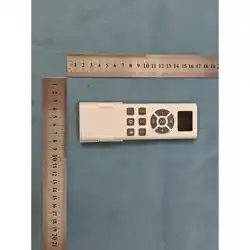
2. Use the Remote Control to turn lights on / off.
Also use it to select color and mode changes.
3. Point the Remote Control at Controller and
press selection buttons as desired.
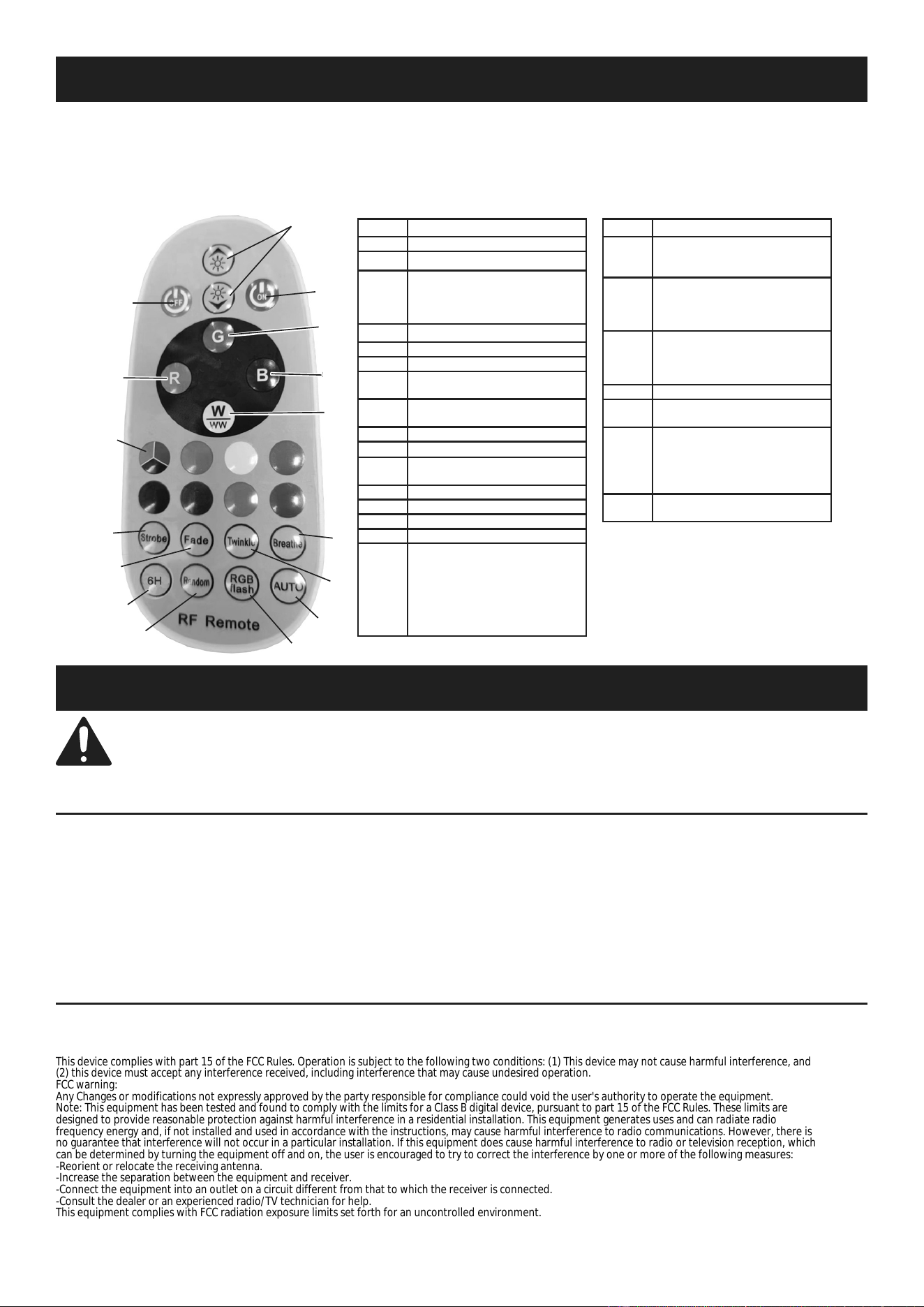
Button Selection
1 ON: Turns lights on.
2 OFF: Turns lights off.
3
BRIGHTNESS / FREQUENCY:
Adjusts brightness level
in single color mode or
frequency in preset modes.
4 GREEN: Press to select color.
5 RED: Press to select color.
6 BLUE: Press to select color.
7
WARM WHITE: Press
to select color.
8
MIX: Press to select a mix
of red, green, and blue.
9 ORANGE: Press to select color.
10 YELLOW: Press to select color.
11
LIGHT GREEN: Press
to select color.
12 ICE BLUE: Press to select color.
13 PURPLE: Press to select color.
14 PINK: Press to select color.
15 LIGHT BLUE: Press to select color.
16
STROBE: Press to have one bulb
change color randomly. Press
again to change color (red / random
light blue, light blue / random purple,
blue / random yellow, yellow / random
blue, light blue / random red,
purple / random green).
Button Selection
17
FADE: Press to have bulbs change
color continuously (red, orange,
green, light blue, blue, purple, pink).
18
BREATH: Press to have bulbs
slowly flash 3 times then change
to another color (red, green, blue,
yellow, light blue, purple, white).
19
TWINKLE: Press to have bulbs
quickly flash 3 times then change
to another color (white, purple, light
blue, yellow, blue, green, red).
20 6H: Press to select 6 hour timer.
21
RANDOM: Press to have bulbs
change color randomly.
22
RGB FLASH: Press to have
bulbs flash in the same color.
Press again to change color
(green, blue, yellow, purple,
light blue, white, RGB flash).
23
AUTO: Change colors and
modes automatically.
1
2
3
4
5
6
7
8
99
1010
1111
1212
1313 1414 1515
16
17
18
19
20
21
22
23
6
7
Maintenance and Servicing
Procedures not specifically explained in this manual must
be performed only by a qualified technician.
Cleaning, Maintenance, and Lubrication
BEFORE EACH USE, inspect the general condition of the tool. Check for:
• loose hardware,
• misalignment or binding of parts,
• cracked or broken parts, and
• any other condition that may
affect its safe operation.
Replacing Batteries in the Remote Control
1. Remove back cover.
2. Remove batteries and replace with
same, following proper polarity.
3. Replace back cover.
This device complies with part 15 of the FCC Rules. Operation is subject to the following two conditions: (1) This device may not cause harmful interference, and
(2) this device must accept any interference received, including interference that may cause undesired operation.
FCC warning:
Any Changes or modifications not expressly approved by the party responsible for compliance could void the user's authority to operate the equipment.
Note: This equipment has been tested and found to comply with the limits for a Class B digital device, pursuant to part 15 of the FCC Rules. These limits are
designed to provide reasonable protection against harmful interference in a residential installation. This equipment generates uses and can radiate radio
frequency energy and, if not installed and used in accordance with the instructions, may cause harmful interference to radio communications. However, there is
no guarantee that interference will not occur in a particular installation. If this equipment does cause harmful interference to radio or television reception, which
can be determined by turning the equipment off and on, the user is encouraged to try to correct the interference by one or more of the following measures:
-Reorient or relocate the receiving antenna.
-Increase the separation between the equipment and receiver.
-Connect the equipment into an outlet on a circuit different from that to which the receiver is connected.
-Consult the dealer or an experienced radio/TV technician for help.
This equipment complies with FCC radiation exposure limits set forth for an uncontrolled environment.