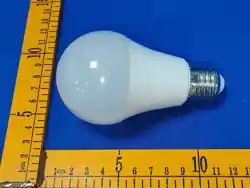

iMeshing APP instruction manual
1. Software overview
1.1 Overview
iMeshing is a mobile APP that allows you to control your lighting and fan lighting devices
with your iPhone or Android phone.
The color temperature, brightness and the gear of the fan light can be controlled through
the mobile phone APP, and different modes can be set. Just keep the lights or fan lights
powered on, open the pool iMeshing APP, and synchronize the Settings and controls of
multiple devices by pairing one or more devices. The operation is very simple, easy to
learn and use!
1.2 Functions
With one device name, multiple devices can be controlled synchronously;
In different rooms, different devices in the room can be individually controlled.
1.3 Performance
iMeshing APP has good usability and compatibility, hundreds of mobile phone actual
test verification, compatible with most of the current market smart phones. The APP
is small and convenient, occupies less system resources, and has low requirements
for mobile phone configuration. The control delay is small, the operation feel is good,
and the iMeshing visual feeling is smooth.
2. Running environment
This APP requires Android 4.3 and iOS 8.0 or above. Mobile phone configuration is
unlimited.
3. Usage method
Note: The download and use methods of Android version and iOS version are
basically the same. Here, the Android version is used as an example.
3.1 APP Download
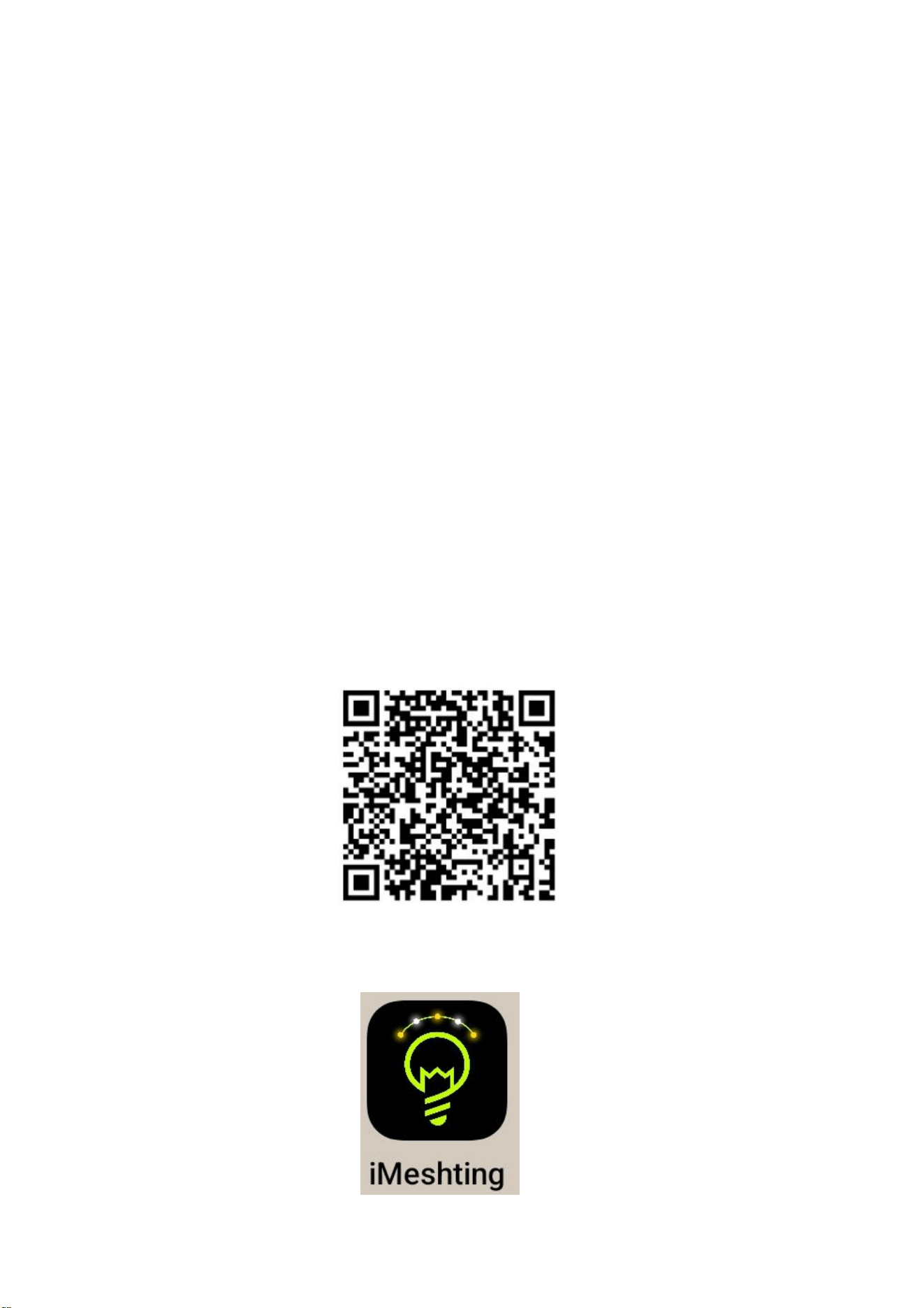
For iOS and Android systems, you can download the "iMeshing" APP by scanning
the QR code. Open the browser, QQ, wechat and other program tools with the
"scan" function, and scan the two-dimensional code of "iMeshing".
After the software is successfully installed and downloaded, click APK to install it.
After the installation, the following program icon will appear on the desktop:
3.2 Software Running
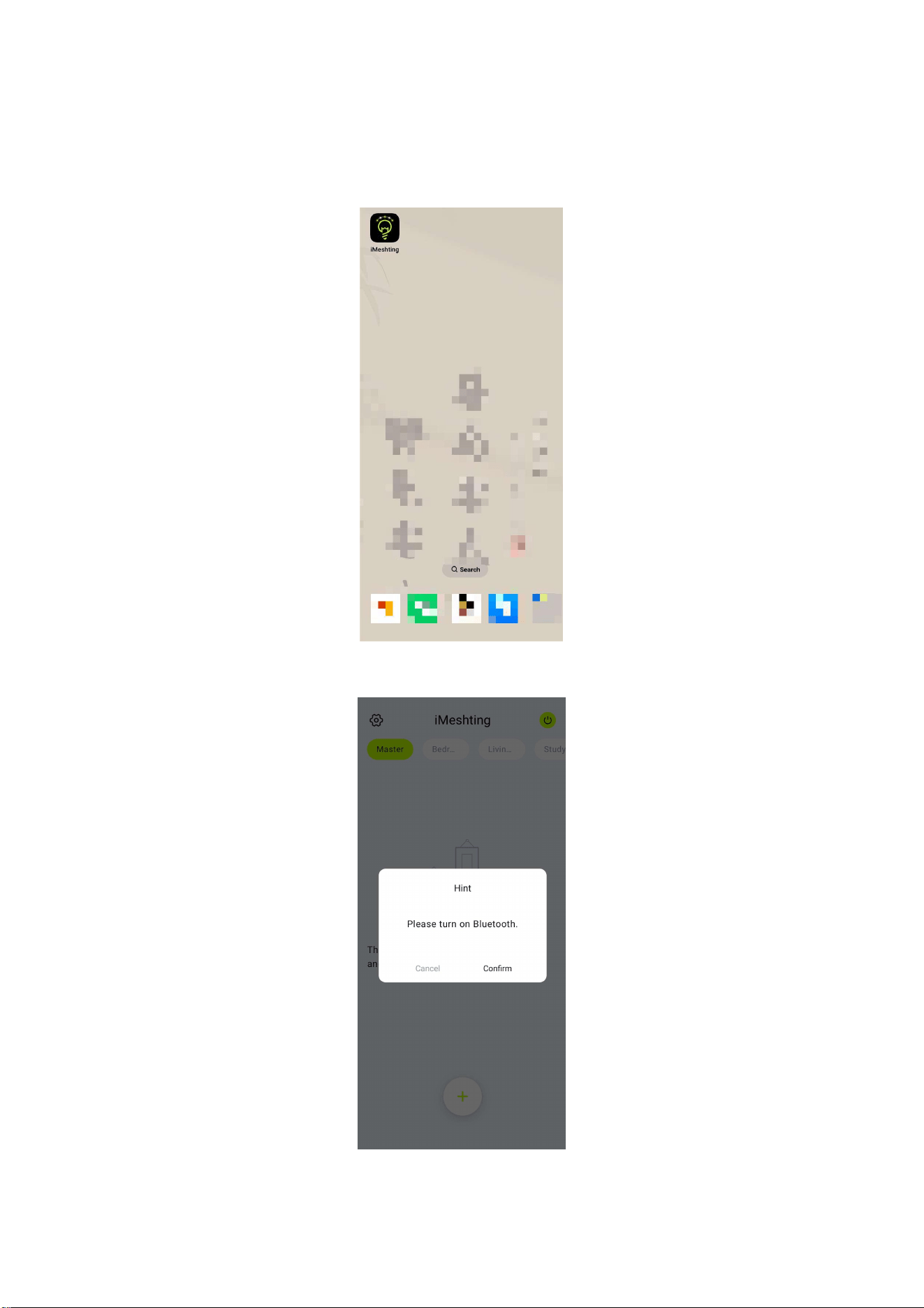
(1) Click on the APP icon to enter the APP page:
(2) After entering the APP interface, if Bluetooth is not enabled, "Please turn on
Bluetooth" will pop up, click [Confirm] :
(1) Switch to the main interface:
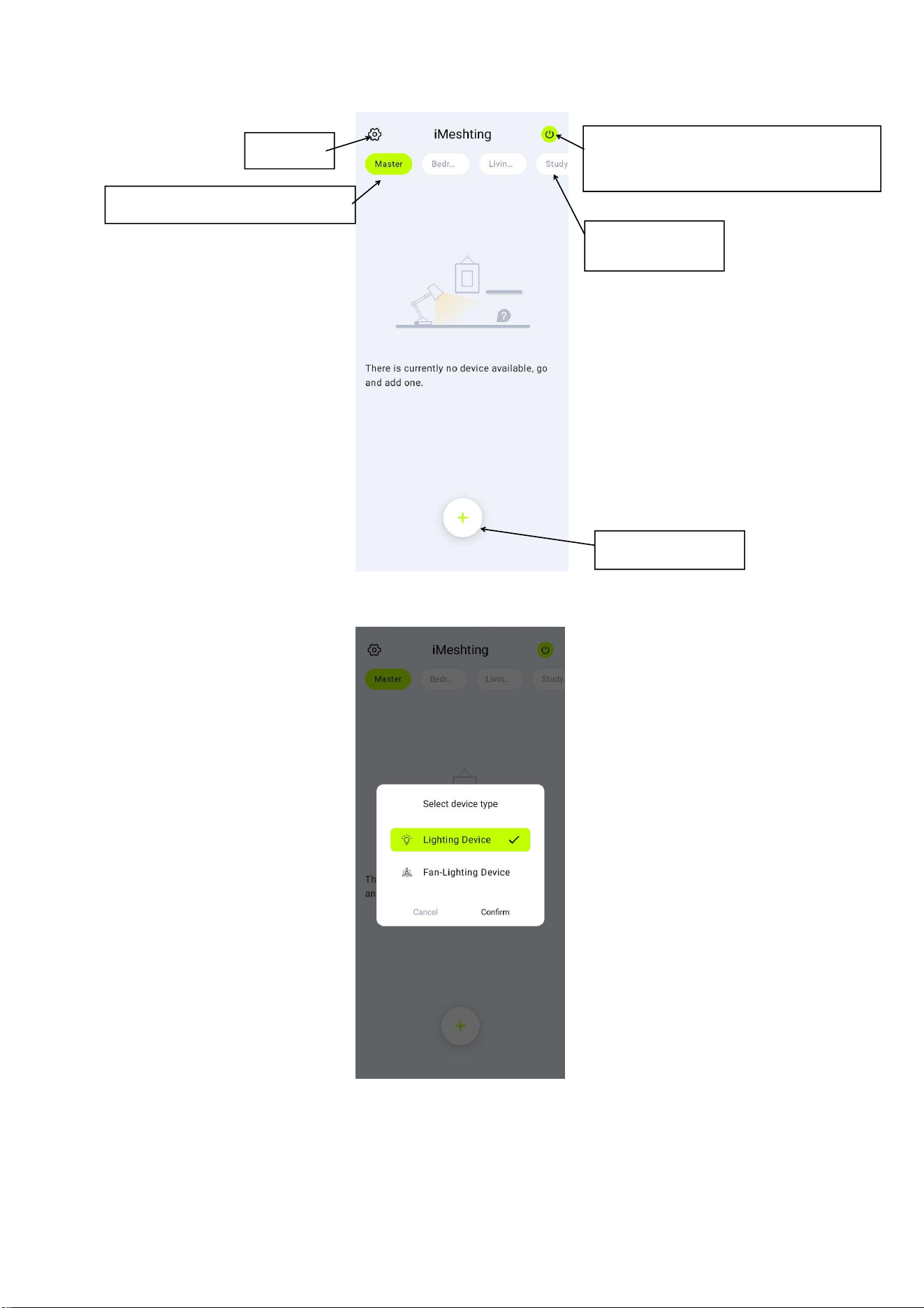
(2) Add equipment:
You can select a lamp or fan lamp. The following uses a lamp as an example:
Select the room and name the device:
Settings
Main switch: The background
green is on.
Add device
Displays device information
Room name
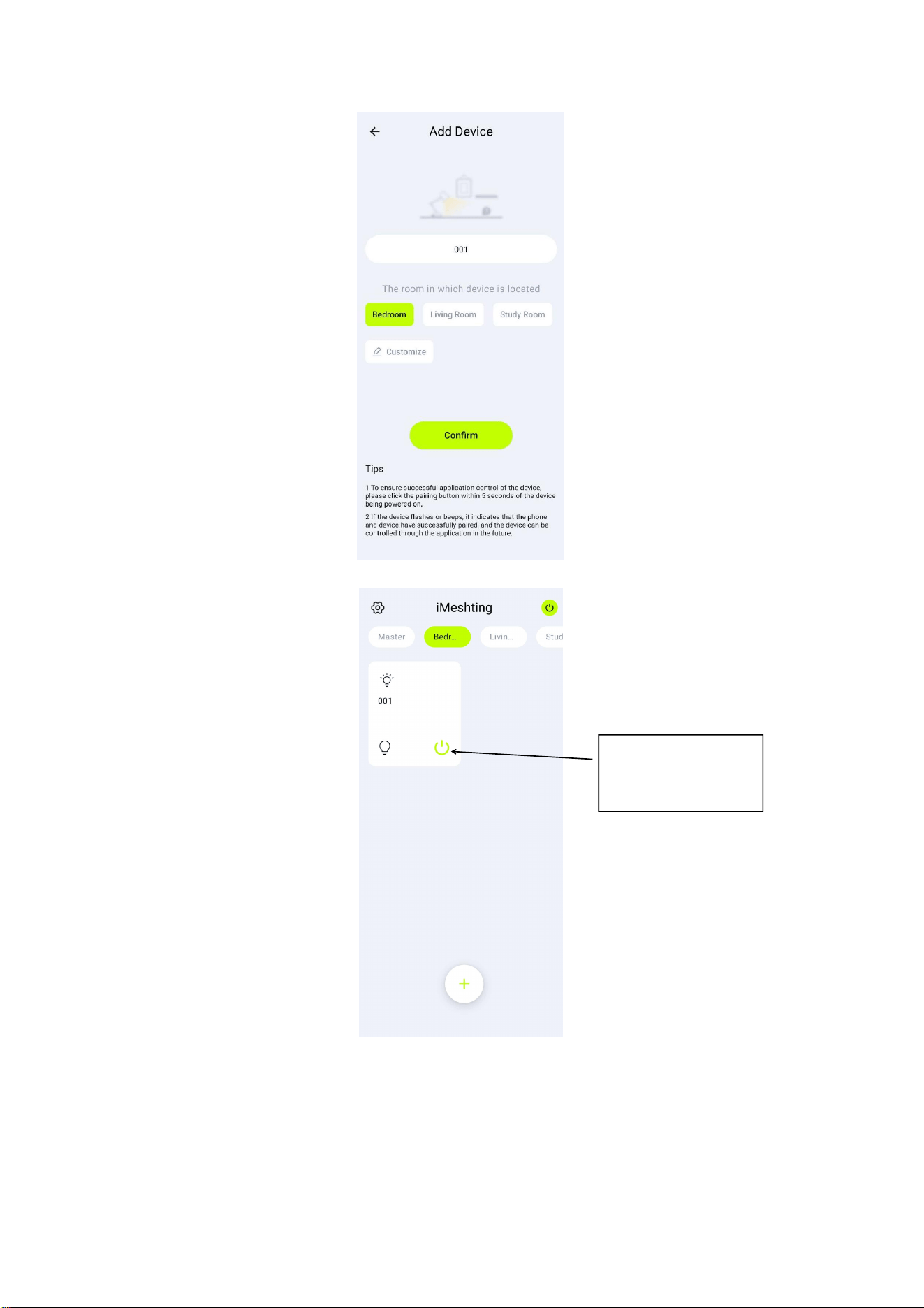
After adding devices, the home screen of a room:
After holding down a device, you can edit the device name and delete the device.
Lights can be
turned on and off
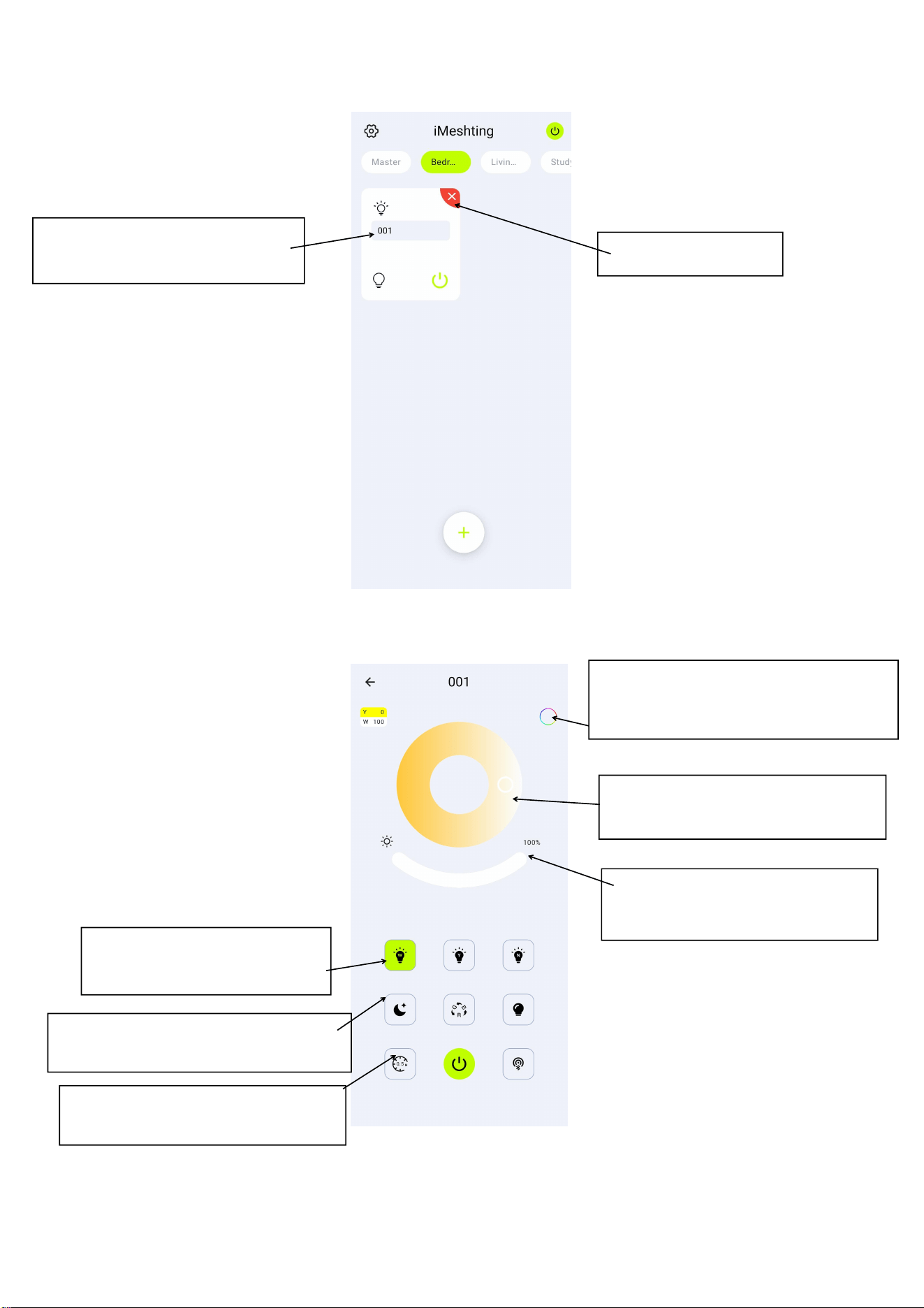
(3) Enter the device control panel interface:
Click 001 Device to access the lighting control panel:
Slide the color dial to adjust the
color temperature
Edit the device name and press
Enter to save
Slide the brightness bar to
adjust the brightness
Delete the device
They are white light, yellow
light and neutral light
They are small night light, RGB
auxiliary light, auxiliary light
After turning on RGB auxiliary light,
Click and color
They are timing, switch, pairing,
and long press timing to
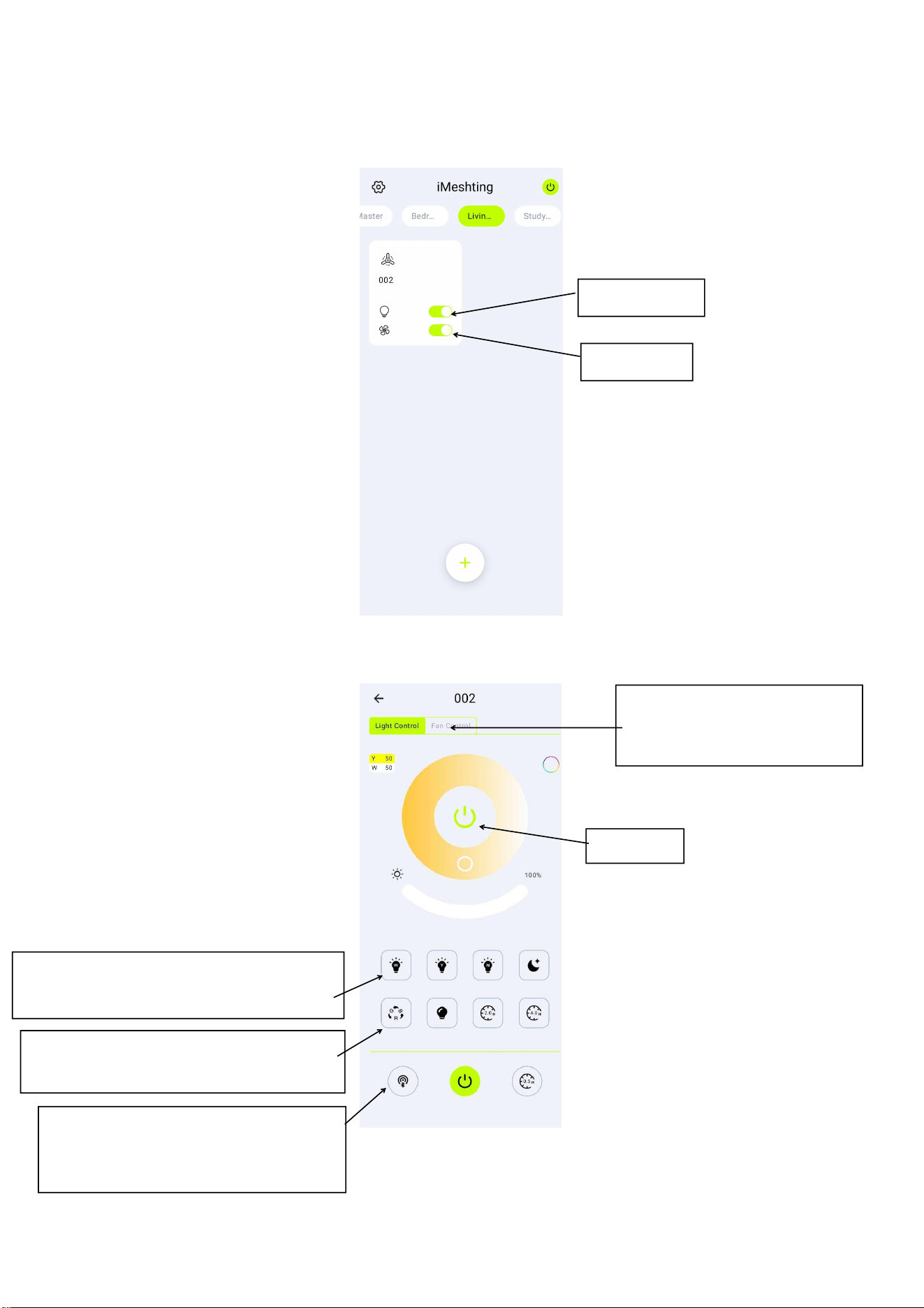
Next is the interface of the fan light: (The process of adding the fan light is the same as
that of the lighting, no more details)
Click 002 Device to enter the fan iMeshing panel:
They are white light, yellow light,
neutral light and small night light
Switch between iMeshing
and fan control
RGB auxiliary light, auxiliary lamp,
The timing is 2 hours and 4 hours
Respectively for pairing, switching,
timing 0.5H, pairing success to
control the device.
Light switch
Switch
Fan switch
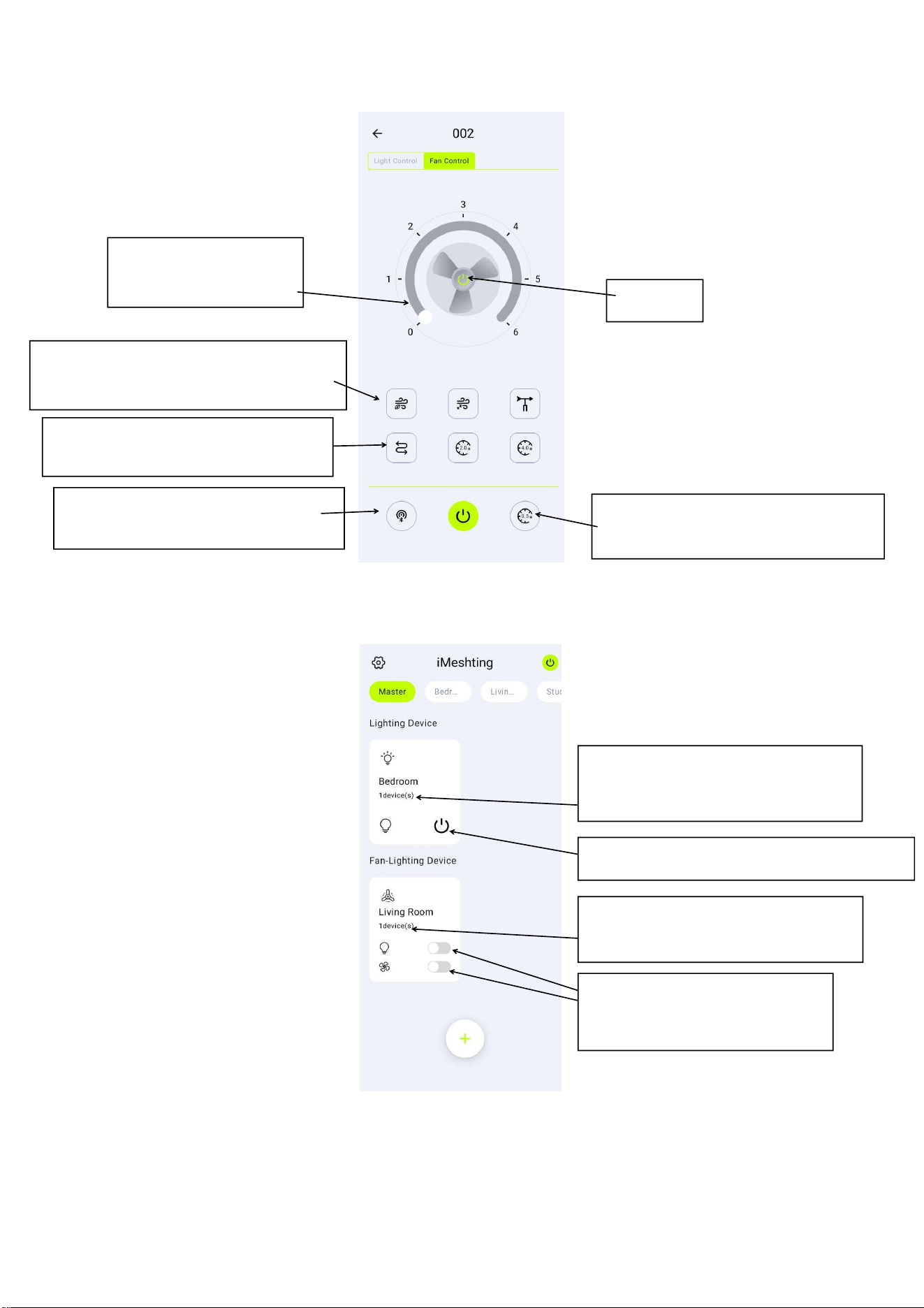
After adding multiple devices, the main interface of the total control:
(4) Switch to the Settings screen:
Fan reversal (reverse suction),
The timing is 2 hours and 4 hours
Tap or slide to adjust
the gear
Switch
They are natural wind, sleep wind,
fan shaking head
Fan reversal (reverse suction),
The timing is 2 hours and 4 hours
They are pairing, switching and
timing 0.5H respectively
Displays the number of lights in a
room
The switch of all lights in the room
Displays the number of fan lights
in a room
The switch of all fan lights in
the room
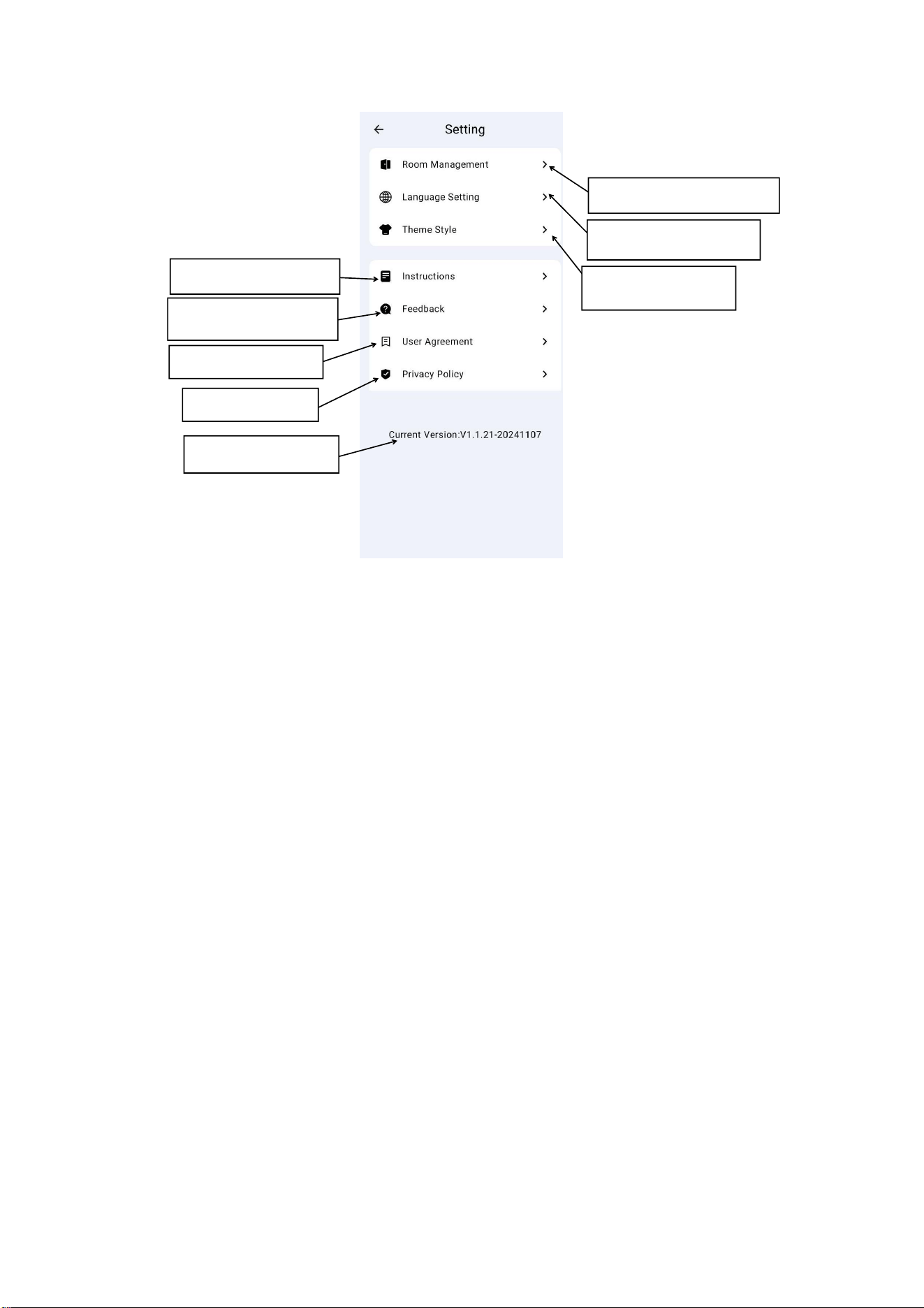
Current version
Room management
Language setting
Thematic style
Instructions for
Problem feedback
User agreement
Privacy Policy

FCC Statement
This device complies with part 15 of the FCC rules. Operation is subject to the following two
conditions: (1) this device may not cause harmful interference, and (2) this device must accept
any interference received, including interference that may cause undesired operation.
Changes or modifications not expressly approved by the party responsible for compliance could
void the user's authority to operate the equipment.
NOTE: This equipment has been tested and found to comply with the limits for a Class B digital
device, pursuant to part 15 of the FCC Rules. These limits are designed to provide reasonable
protection against harmful interference in a residential installation. This equipment generates
uses and can radiate radio frequency energy and, if not installed and used in accordance with the
instructions, may cause harmful interference to radio communications. However, there is no
guarantee that interference will not occur in a particular installation. If this equipment does
cause harmful interference to radio or television reception, which can be determined by
turning the equipment off and on, the user is encouraged to try to correct the interference by
one or more of the following measures:
• Reorient or relocate the receiving antenna.
• Increase the separation between the equipment and receiver.
• Connect the equipment into an outlet on a circuit different from that to which the receiver is
connected.
• Consult the dealer or an experienced radio/TV technician for help.
This equipment complies with FCC radiation exposure limits set forth for an uncontrolled
environment. This equipment should be installed and operated with minimum distance 20cm
between the radiator & your body.