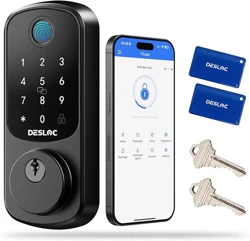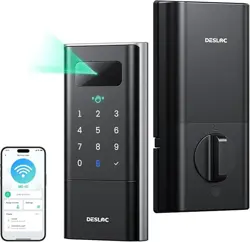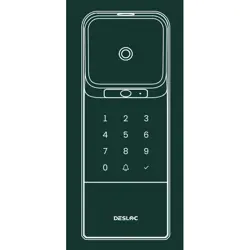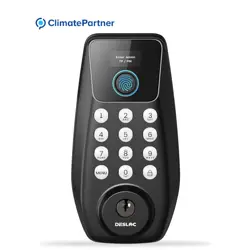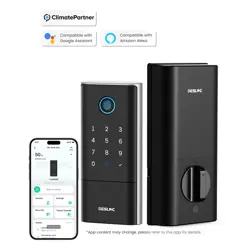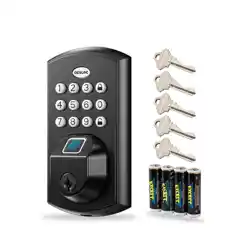
Smart Fingerprint Deadbolt
User Manual
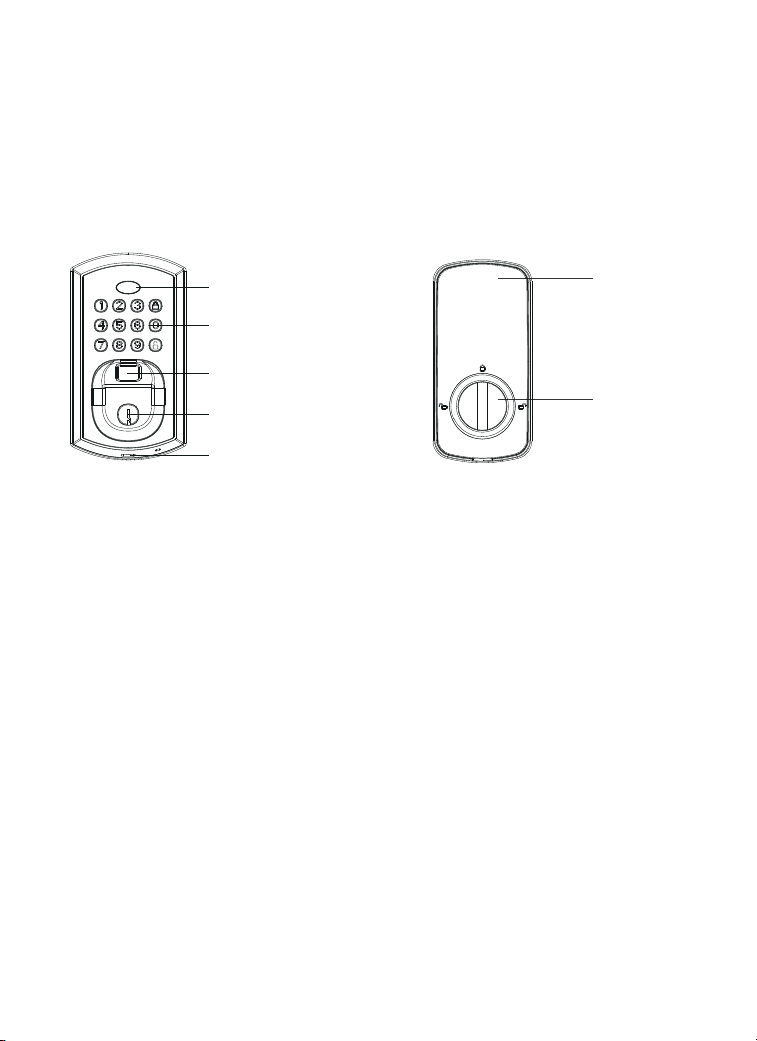
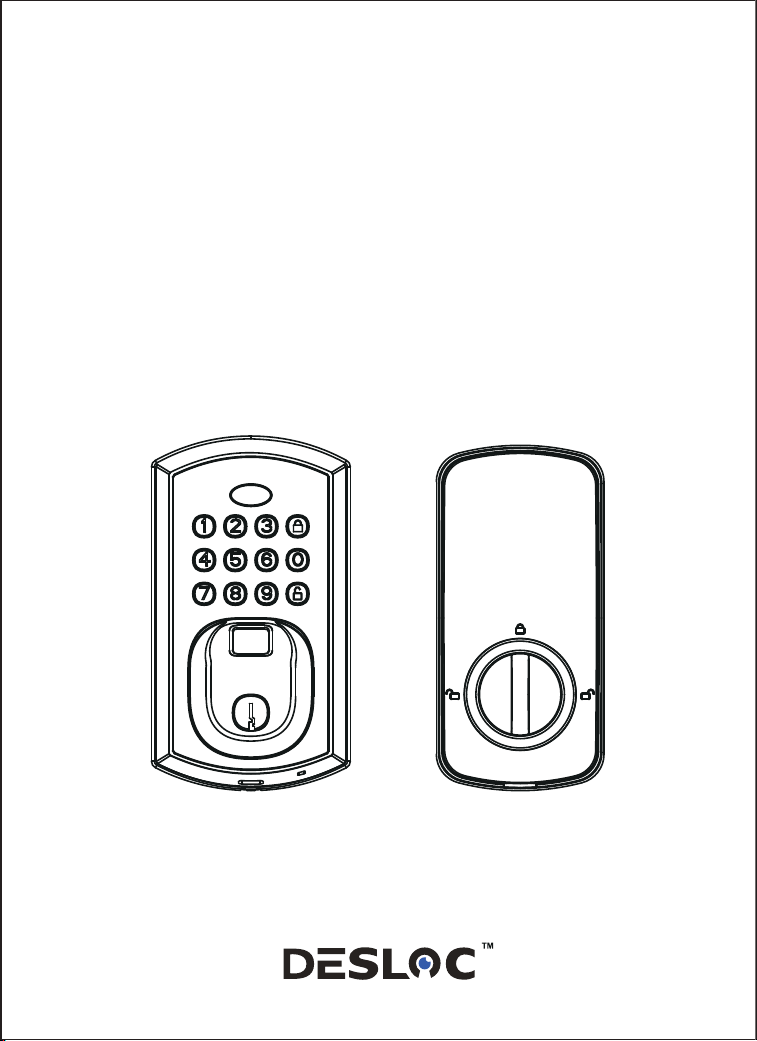
Lock Body Overview
Fingerprint Reader
Light Indicator
Keypad
Thumb Turn
Battery Cover
Key Hole
Exterior Lock:
Interior Lock:
Type-C Backup
Power Port

Specifications
Batteries
Working Temperature
Door Thickness
Material
Unlock Mechanism
Password
Fingerprint
Relative Humidity
4 xAA
35~50mm
Zinc Alloy
Fingerprint/Key/ Password
99 Groups
50 Groups
<95 %
-30 C~70 C(Not Condensation)
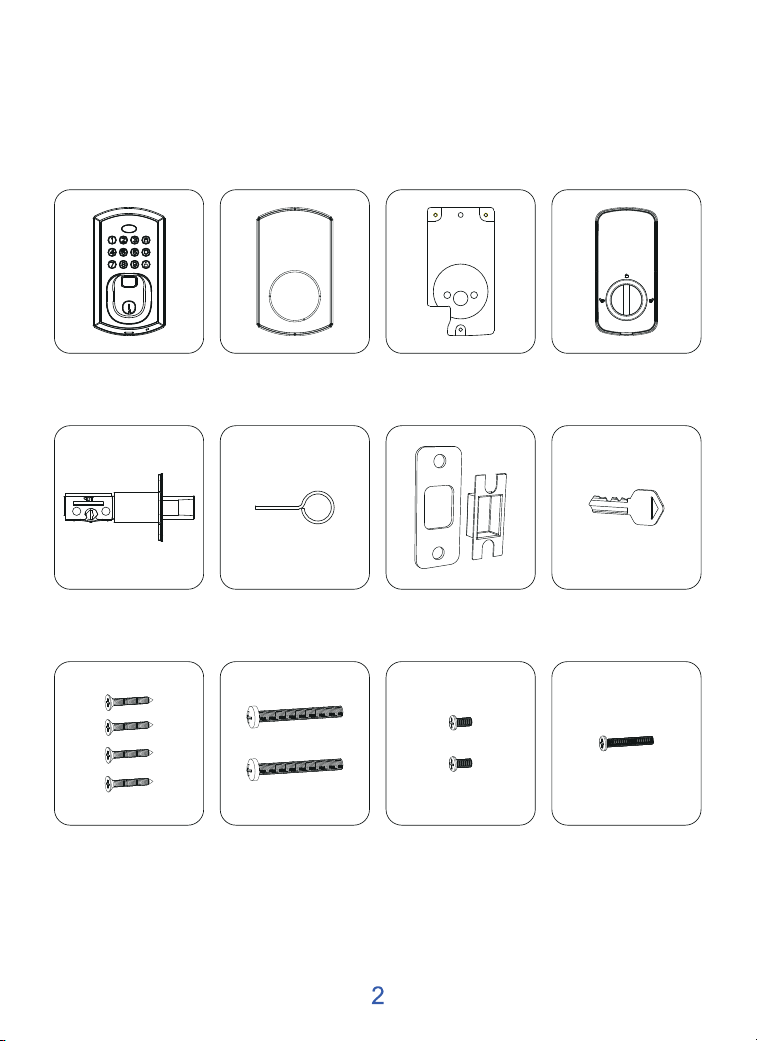
Components Overview
a.Exterior Lock b.Front Rubber Pad c.Mounting Plate d.Interior Lock
i. Deadbolt/Strike
Plate Screws
j. Mounting Plate
Screws
k. Interior Lock
Screws
l. Interior Lock
Screws
f.Reset Tool g.Strike Plate h. Mechanical Keye.Deadbolt
b
a
d
e
k
l
j
i
i
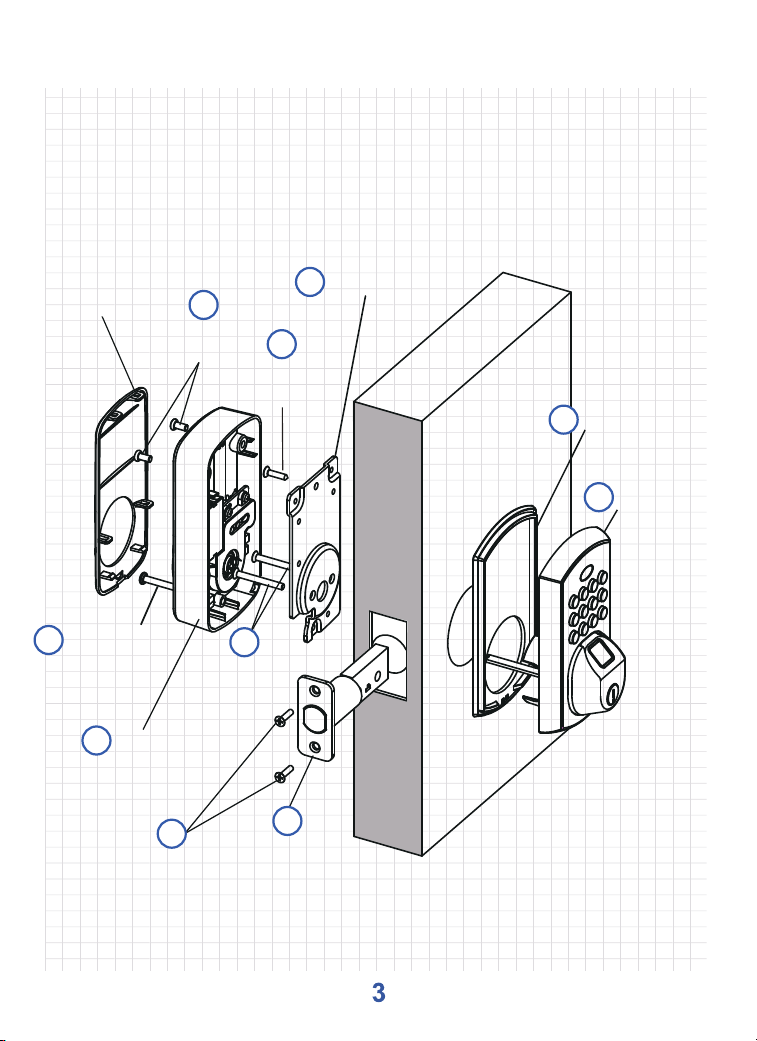
Installation Overview
Battery Cover
Interior Lock
Screws
Mounting Plate
Screws
Interior Lock
Deadbolt/Strike
Plate Screws
Deadbolt
Interior Lock
Screws
Selective
Assembly
c
Mounting Plate
Front Rubber Pad
Exterior Lock
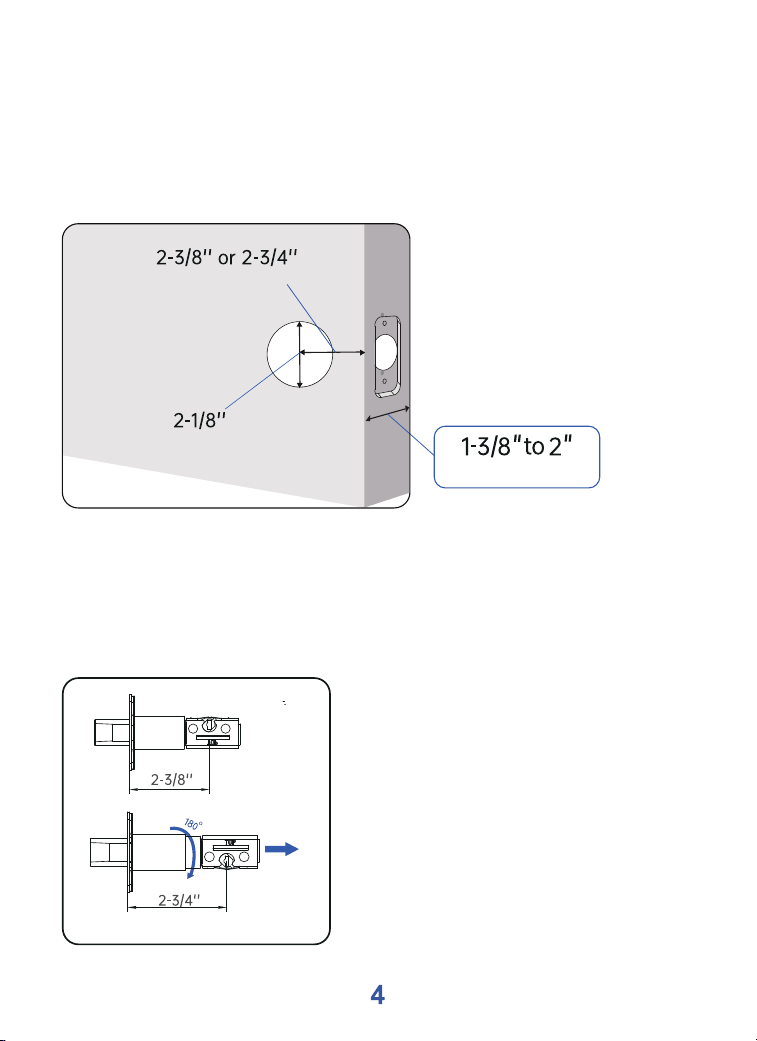
(60mm)
(70mm)
Make sure the door has a thickness of 1-3/8" to 2", a hole
diameter of 2-1/8", and a measured backset size of 2-3/8" or
2-3/4" with the deadbolt.
Check your door to see if the deadbolt requires adjustment. If
the backset is 70 mm, turn the faceplate 180° to extend the
length.
How to Install the Lock
(Cross-bore diameter)
(Door thickness)
(Backset)
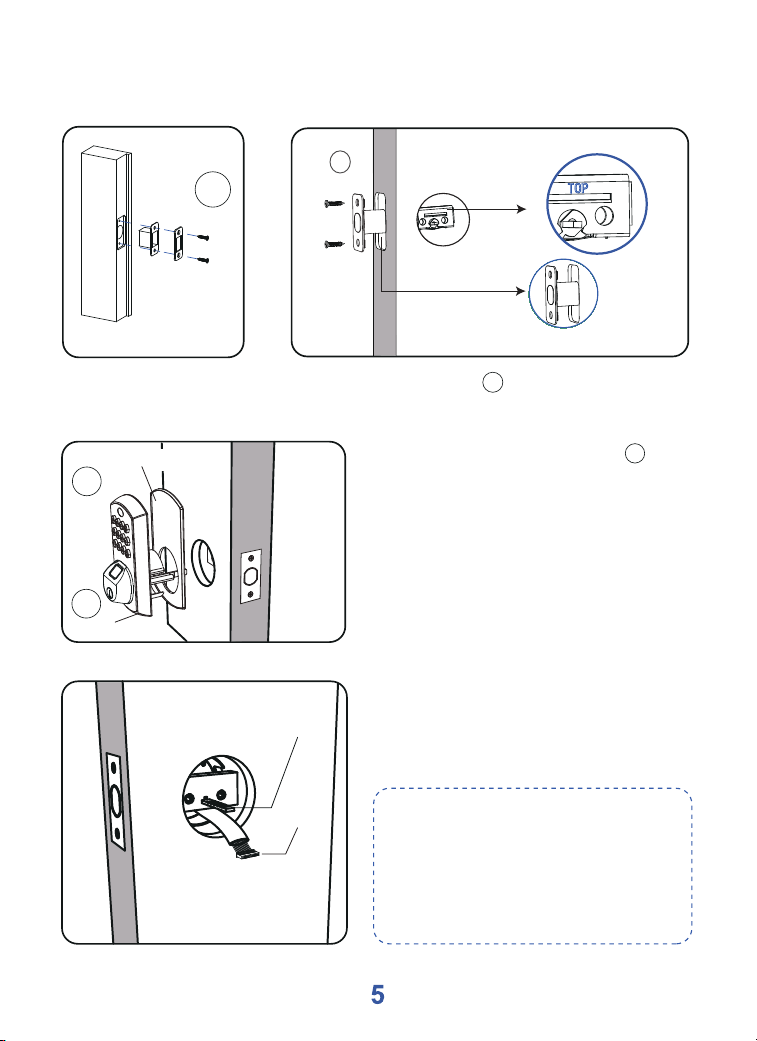
Paddle
Cable
NOTE:
1.
Route the cable below the
deadbolt.
2.
Deadbolt must be in unlock
position, and the paddle must
be in ‘horizontal’ status.
3. Make sure the paddle is slid
through the deadbolt and the
cable threaded through the
door hole.
How to Install the Lock
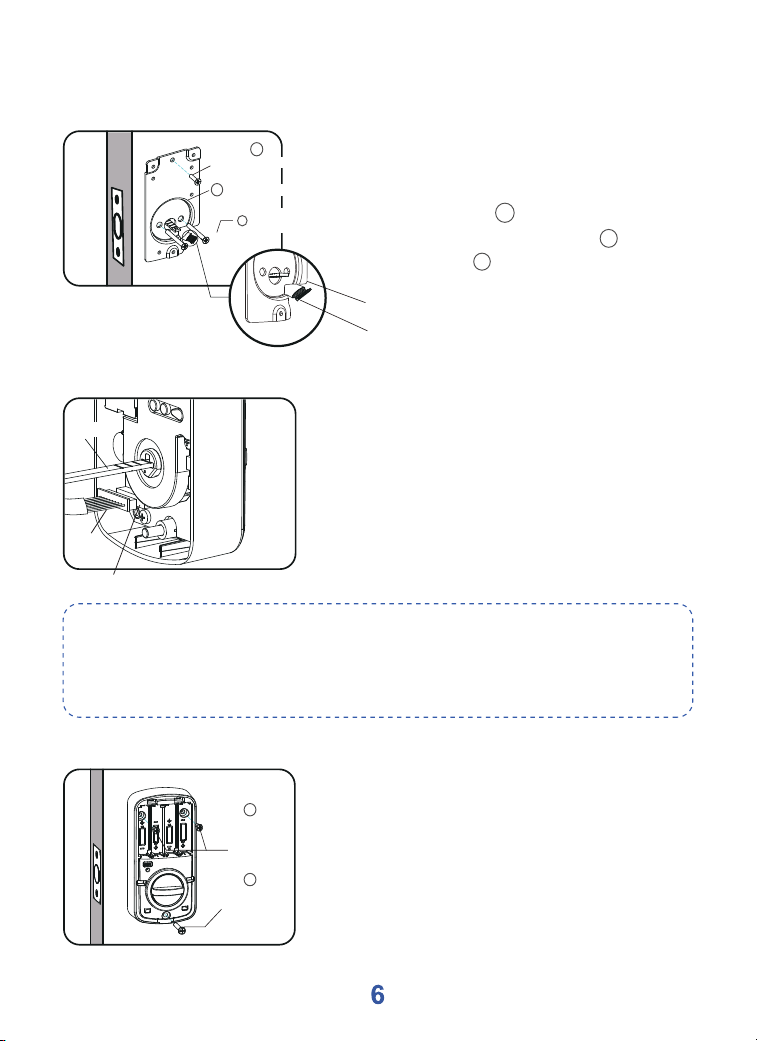
2. Attach the exterior lock to
the front rubber pad and
secure it onto the door.
a
b
a
Exterior Lock
Front Rubber Pad
i
Deadbolt/Strike
Plate Screws
Fix the deadbolt with 2 deadbolt screws and keep it
retracted.
i
1.
i
TOP
Make sure the word
" TOP "is facing up.
Retracted
i
l
j
(Selective assembly)
Mounting Plate
Interior Lock
Screws
Cable
Mounting Plate
4.Peel the tape off the mounting
plate and ensure the cable through
the door is positioned near the
mounting plate . Then, fix the
exterior lock with 2 screws ; you
can fix screw selectively.
l
i
j
How to Install the Lock
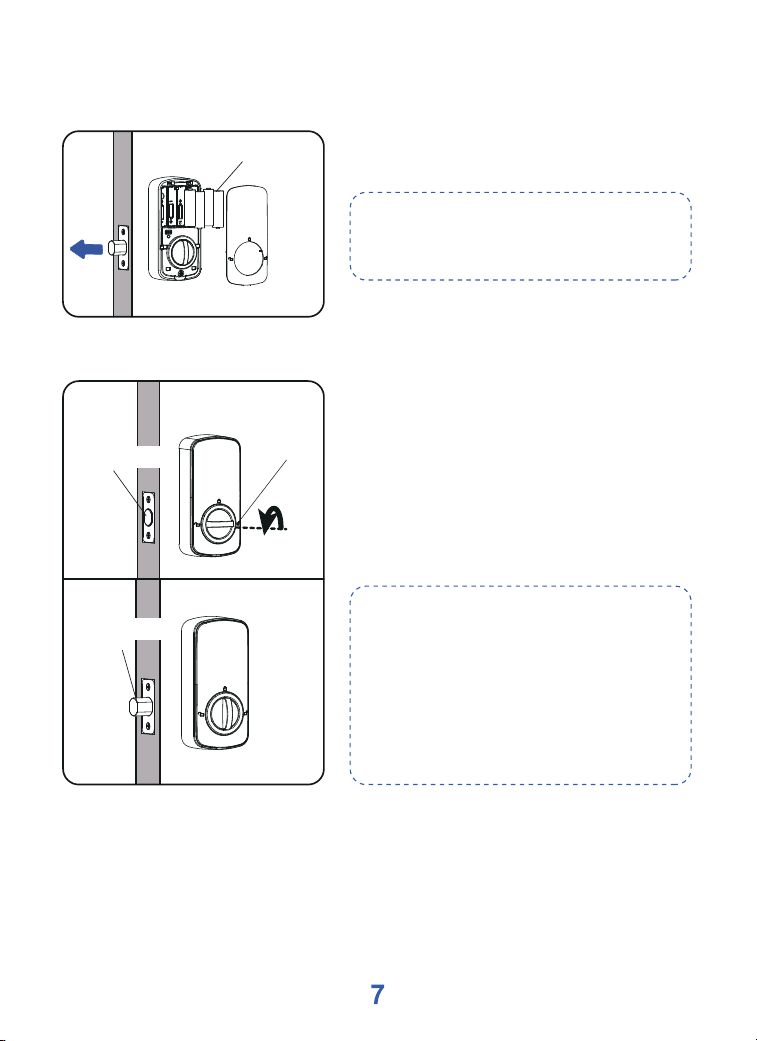
5.Insert the cable to the wire
connector and make sure it is
properly and securely installed.
Insert the paddle into the hole at
the back of the thumb turn.
Paddle
Cable
Wire Connector
NOTE:
When pressing the indoor panel against the door, try to conceal the
wires inside the door or place them in the designated wire-housing
areas on the indoor panel.
6.Open the battery cover. Fix the
back body to the mounting plate
with 3 screws.
Interior Lock
Screws
Interior Lock
Screws
k
l
Battery
How to Install the Lock
NOTE:
Insert AA batteries into the interior
assembly while the door is locked.
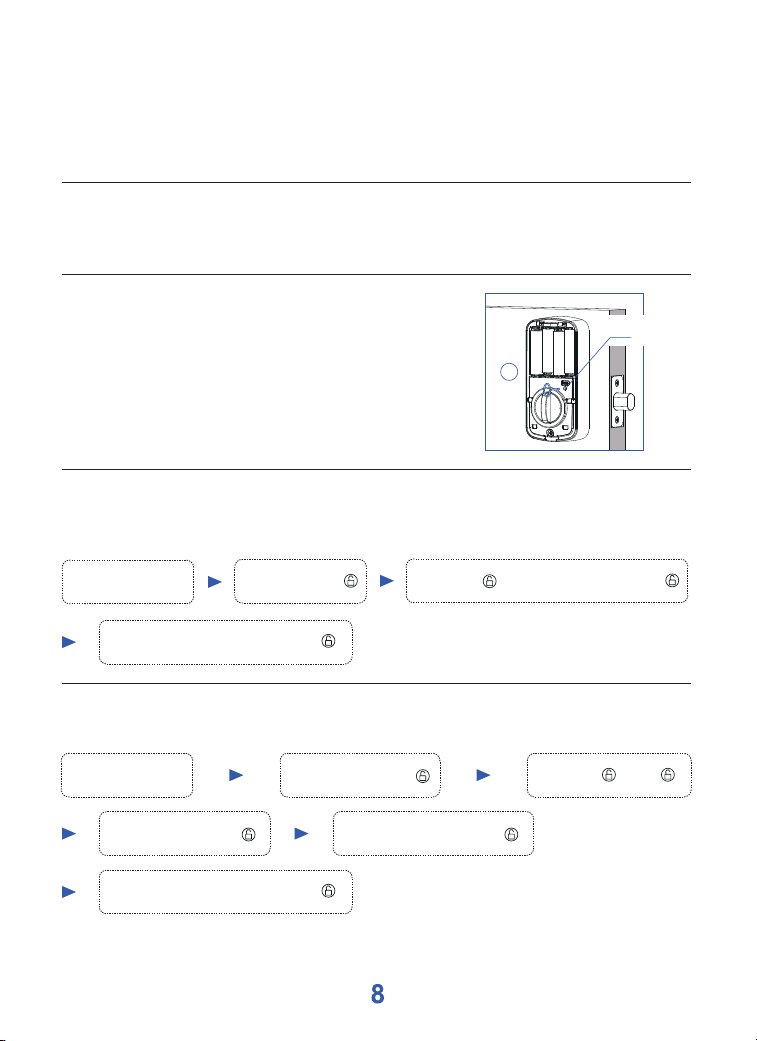
7.Place the batteries in position
and close the battery cover
NOTE:
If the deadbolt is retracted, a red
light will flash, accompanied by a
sound alarm to indicate that the
lock's opening direction is not set.
Please rotate the thumb turn to
engage the deadbolt and set the
opening direction.
8.How to set the direction of the
lock
This lock requires deadbolt
engaged to identify the open
direction. Please make sure the
deadbolt is engaged after
installation.
Bolt Retracted
Bolt Engaged
Thumb Turn
How To Use
Low Battery Alarm
6 short beeps and red light flashing 6 times.
Lockout for Incorrect PIN
After 3 unsuccessful PIN code entries, a light will flash accompanied by an alarm.
The keypad will be locked for 180 seconds.
j
Reset Lock
Press the reset button for 3 seconds. There will be 1
long beep and blue light flashing once, then 3 short
beeps and red light flashing 3 times.
After Reset
The lock will be restored to its factory default
settings, reverting the Master PIN code to 123456 and
erasing all User PIN codes and User fingerprints.
Press Reset
Button
Add User PIN code (98 user PIN codes can be set)
To add a new user Pin code (you can add up to 98 new user PIN codes).
Add User
PIN code
Enter 1 + + 1 +
Enter +
Master
PIN code
Repeat
Enter
+
User PIN code
(4-9 digits)
Enter +
(02-99)
ID number
Add +
User PIN code
(4-9 digits)
Change Master PIN code
The factory default Master PIN code is 123456. Please change the Master PIN code
when you receive the lock.
Change
Master PIN code
Enter 123456 +
Press 4 +
+
New Master
PIN code (6 digits)
+
Repeat
Enter
+
New Master
PIN code (6 digits)
How To Use
Adding User fingerprint
To add a new user fingerprint (you can add up to 50 new user fingerprints).
Adding User
fingerprint
Enter +
Master
PIN code
Enter 1 + + 2 +
Press fingerprint 5 times
Enter +
(01-50)
ID number
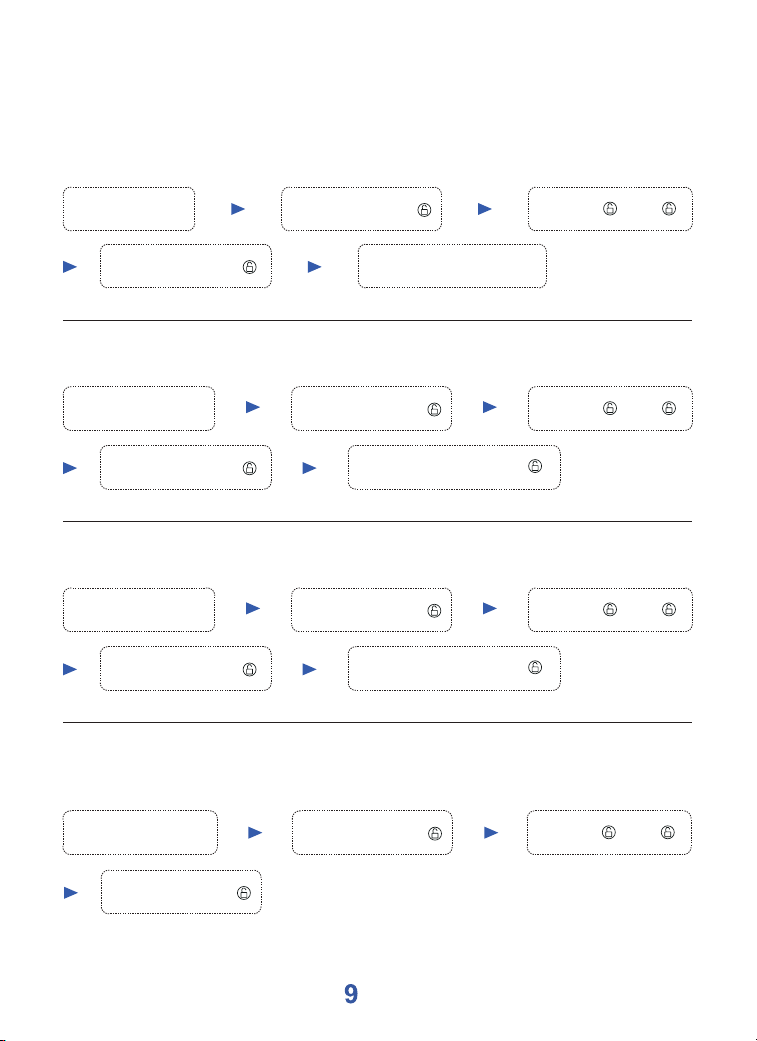
Delete all User PIN codes at a time
This will delete the user PIN code but not the master PIN code.
Delete all User
PIN codes at a time
Enter +
Master
PIN code
Enter +
Master
PIN code
Enter 3 + + 1 +
Delete some of the User PIN codes
Delete some of
the User PIN codes
Enter +
Master
PIN code
Enter 2 + + 1 +
Enter +
(02-99)
ID number
Repeat
Enter
+
ID number
Delete some of the User fingerprints
Delete some of
the User fingerprints
Enter +
Master
PIN code
Enter 2 + + 2 +
Enter +
(01-50)
ID number
Repeat
Enter
+
ID number
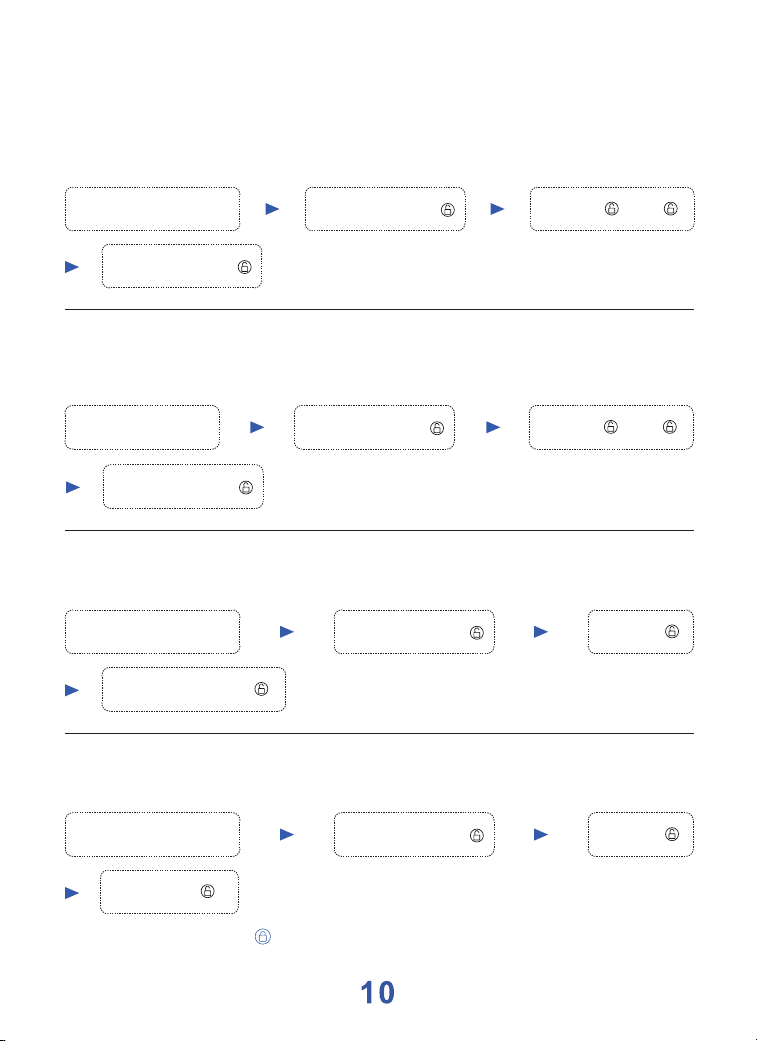
NOTE: You can press “ ” to lock the door.
How To Use
Delete all User fingerprints at a time
This will delete all User fingerprints.
Delete all User
fingerprints at a time
Enter +
Master
PIN code
Enter 3 + + 2 +
Enter +
Master
PIN code
Auto lock mode
The lock will be locked automatically for a certain duration.
Auto lock mode
Enter +
Master
PIN code
Enter 5 +
Enter 3-30 (Time) +
Cancel Auto lock function
This programming will keep the door open all the time.
Cancel
Auto lock function
Enter +
Master
PIN code
Enter 5 +
Delete all User PIN codes and all User fingerprints at the same time
This will delete all User PIN codes and User fingerprints but not the Master PIN
code.
Delete all User
at the same time
Enter +
Master
PIN code
Enter +
Master
PIN code
Enter 3 + + 3 +
Enter 00 +
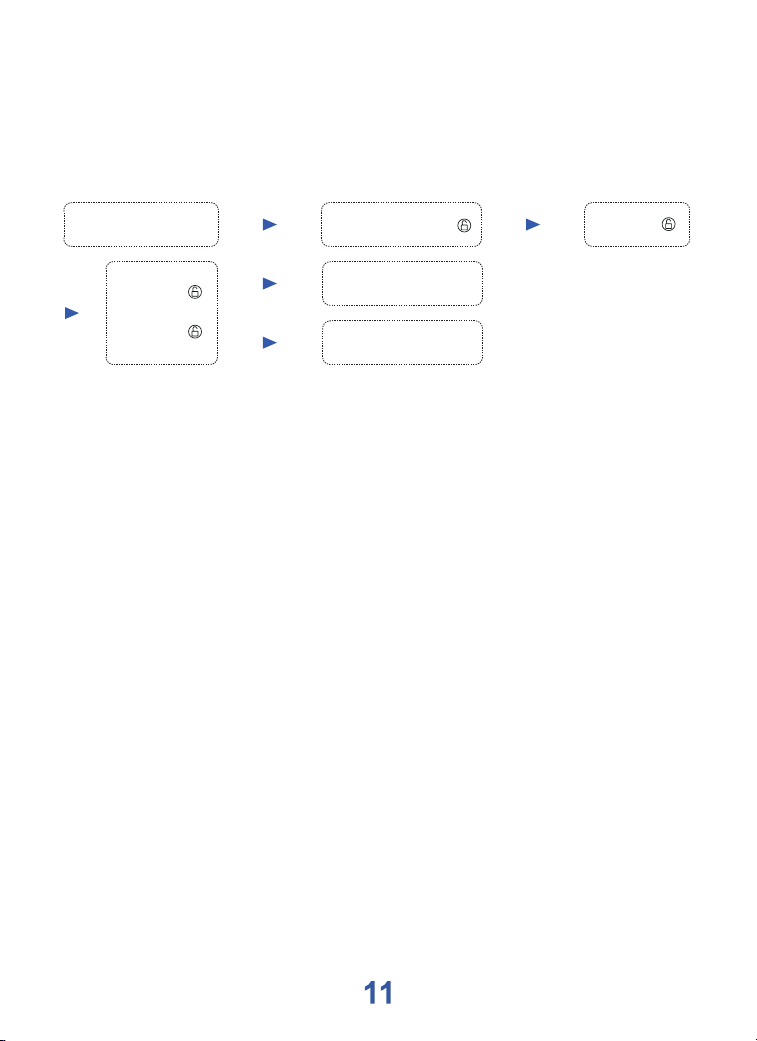
NOTE:
When the lock is muted, you won't hear any beeping for
programming, low battery alerts, or system alerts.
How To Use
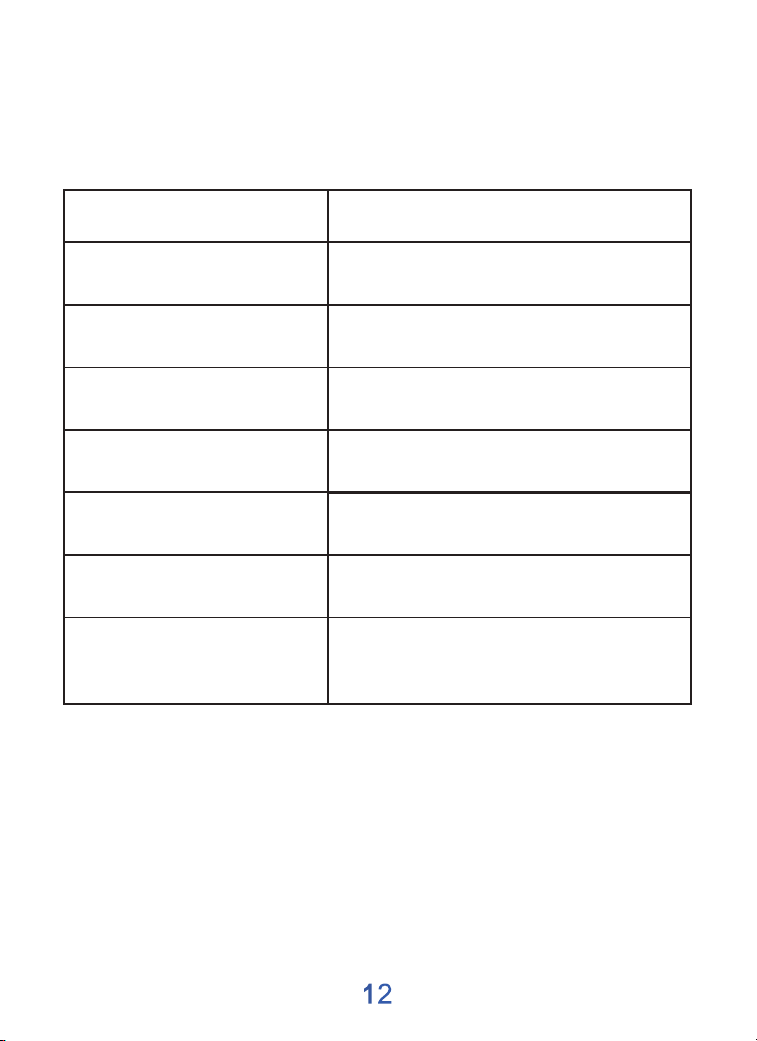
Turn Sound on/off
You can “mute” or "unmute” your lock by entering the following
(the feature is on by default).
Turn Sound on/off
Enter +
Master
PIN code
Sound OFF
Sound ON
Enter 6 +
Enter
1 +
2 +
Light and Sound indication
Event
Unlock/Correct Setting
Lock
Incorrect Entry/Operation Error
Wrong PIN Code Entry 3 Times
Low Voltage
Power On
Lock Response
2 short beeps and red light flashing
1 short beep and red light flashing
3 long beeps and red light flashing 3 times
6 long beeps and red light flashing 6 times
1 long beep and 3 short beeps,
and then blue light flashing
Latch Alarm
When the door is not completely closed,
the lock will continuously make two long
beeps and flashing red LED for reminding
1 short beep and blue light flashing