
User Manual
I. Basic Product Information
Product Name: Electrical trolley
Product Model: eTwily, E-GT3070, GC71326XX(X=0~9)
Applicant: Ningbo Wentai Sports Equipment Co., Ltd
Communication Method: 2.4G wireless communication
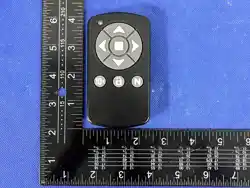
Product Overview: This dedicated wireless remote control for vehicles is developed based on
2.4GHz technology, featuring low latency, interference resistance, low power consumption,
and stable transmission. It integrates multifunctional control buttons, a three-color status
indicator light, and a vibration alert motor, enabling functions such as vehicle navigation
control, speed adjustment, cruise control at set intervals, and parking/gear shift mode
switching. Compatible with various smart remote-controlled vehicles, it offers simple
operation and reliable performance.
II. Safety Precautions
1. Before use, please read this manual thoroughly and follow the operating instructions
strictly to avoid equipment malfunctions or safety hazards caused by improper operation.
2. Do not disassemble or modify the internal circuitry or structure of this remote control
without authorization. Non-professional disassembly may cause product failure and will void
warranty coverage.
3. Do not use the device for extended periods in environments with high temperature,
humidity, dust, or strong electromagnetic interference; avoid water exposure, drops, or
compression.
4. Children using this device must be supervised by an adult at all times to prevent hazardous
operations.
III. Product Function Configuration
1.
starting up
Hold the Lock/Unlock key for 1 second when the device is powered off;
The vibration motor vibrates for 0.5 seconds, with all indicator lights remaining lit for
approximately 1 second, followed by the battery level indicator light lighting up based on the
remote control's remaining power.
2. shut down
While the device is on, press and hold the Lock/Unlock button for 1 second;
The vibration motor vibrates for 0.5 seconds, the indicator light turns off, and the device
shuts down.
3. auto shut off

ununited
Automatically shuts down after 1 minute if not connected. (Time resets when you press the
button.)
The vibration motor vibrates for 0.5 seconds, the indicator light turns off, and the device
shuts down.
Connected
No buttons were pressed for 15 minutes. (The timer resets if a button is pressed).
The vibration motor vibrates for 0.5 seconds, the indicator light turns off, and the device
shuts down.
4. Upshift Key
After pressing, the vehicle gear shifts up one position.
Continue pressing to increase the vehicle gear by one every second.
You can still shift up or down gears while pushing the gearshift.
When you control the vehicle with the gear shift button, it enters linear calibration mode.
5.
Back/Slow Down Key
If the vehicle is in forward position:
Press to decrease the gear by one;
Press and hold to decrease the vehicle gear by one every second.
Until the gear is set to 0th;
You can still shift up or down gears while pushing the gearshift.
When pushing the handlebar and shifting down gear with the remote control, the vehicle
enters a linear calibration mode.
If the vehicle is stationary;
Press the button to reverse the vehicle; release it to stop reversing.
Control the vehicle using the back/accelerate buttons, and it will enter linear correction mode.
6. Turn Left/Right
The vehicle starts turning left and right when the button is pressed, and stops turning when
released.
You cannot use the left/right turn buttons when reversing.
When pushing the vehicle, use the left/right turn buttons; after turning, the vehicle will enter
linear correction mode.
7. distance
Press to drive 10 m; release and press again to increase the distance by 10 m. Repeated
presses will not increase the distance.
The distance control button can be used during parking, pushing, or remote operation.
When pushing the device, use the distance-setting button to maintain linear alignment.
8. Spacebar
Pressing this button switches the vehicle to neutral/parking mode.
Press and hold for 3 seconds to pair the remote control.
9.
Pairing and Connecting
Enter pairing mode:
Press and hold the spacebar for 3 seconds to enter pairing mode on the remote control.
When entering pairing, all indicator lights remain illuminated and the vibration motor
vibrates for 0.5 seconds.
If the remote control is already connected to the vehicle at this time, entering pairing will
disconnect it from other remotes.
Unpair:
Press any key except the Lock/Unlock keys to exit.
Exit automatically in 5 minutes;
If pairing fails, the remote control will not delete the pairing information.
Unpair and vibrate the motor for 2 seconds;
Pairing successful:
Vibrate for 0.5 seconds, automatically disconnect from pairing, and connect to the paired
vehicle while deleting other pairing information.
10. Connect and disconnect
After turning on, the remote control continuously scans to verify if a paired vehicle is
powered on. If so, it automatically initiates connection.
Connection successful:
Vibrate the motor for 1 second;
disconnect :
Vibrate the motor for 3 seconds;
11. charge
When charging begins at the Type-C port, the vibration motor will shake immediately for 0.5
seconds.
When the Type-C port stops charging, the vibration motor will immediately vibrate for 0.5
seconds and then shut down.
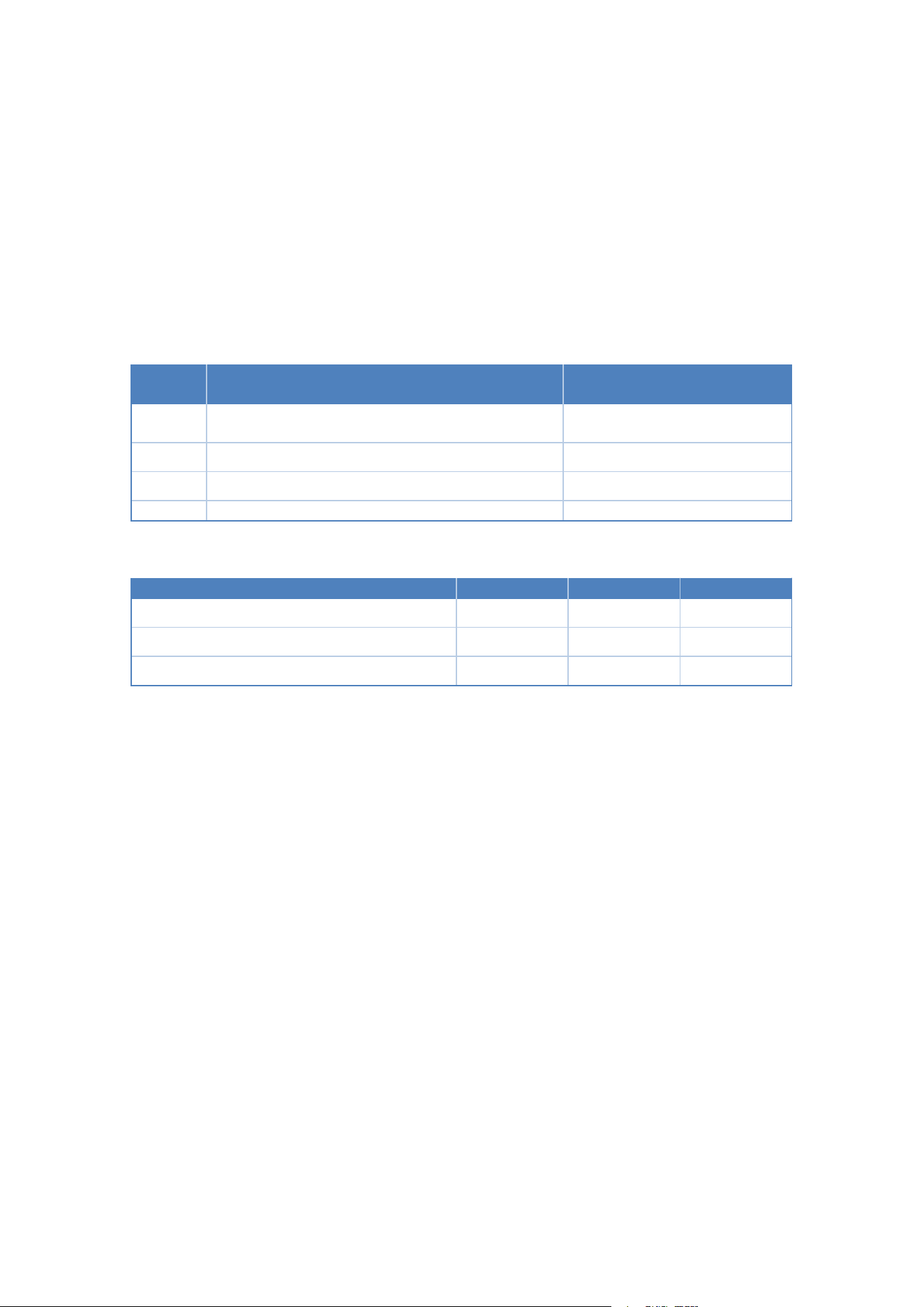
Charging status:
BLE connection has been severed; buttons are malfunctioning.
The indicator light will flash or remain on continuously depending on the charging status.
order
number
Charging Capacity
pilot lamp
1
100%
The green light remains on
continuously
2
64% or higher (inclusive)
–
100% (exclusive)
Green light breathing
3
64% (excluding) – 10%
Yellow light breathing
4
Below 10%, inclusive
Red light breathing
12. pilot lamp
The indicator light remains on when powered on and flashes when you press the button, with
colors as follows:
Power Percentage
red lantern
yellow light
green light
More than 40% (inclusive)
√
20% (not included) – 20%
√
Below 10%, inclusive
√
If the remote control fails to connect, pressing the trigger button will cause the indicator light
to flash three times consecutively.
IV. Core Technical Parameters
1. Communication Protocol: 2.4G
2. Communication range: Controllable distance in open environments ≥50 meters
3. Operating frequency band: 2.4 GHz, a universal ISM band with strong anti-interference
capability
4. Response Latency: Low-latency transmission ensures smooth real-time control without lag
5. Indication method: Three-color LED status indicator (red/yellow/green) with vibration
motor feedback
6. Operating Temperature: -10°C to +60°C
V. Common Fault Diagnosis
1. The remote control is unresponsive and cannot operate the vehicle: Check the device's
battery level, restart the remote control, and repair the pairing; investigate whether there is
strong electromagnetic interference in the vicinity, and try again after moving away from the

source of interference.
2. The indicator light remains red and vibrates frequently as an alarm: The device has low
battery; replace the battery promptly. If Bluetooth connection is lost, repair the device pairing.
3. Slow response or excessive latency: Reduce the distance between the remote control and
the vehicle, eliminate surrounding 2.4 GHz interference sources, and repair the connection.
4. No effect when switching gears: Restart the remote control and the vehicle, re-establish
communication, and try again.
VI. Maintenance and Care
1. Clean the equipment surface regularly using a dry, soft cloth; direct washing with water is
prohibited.
2. When not in use for an extended period, turn off the power and store in a dry, well-
ventilated area at room temperature.
3. Avoid frequent drops or severe vibrations to prevent damage to internal components.
4. Long-term use in environments with high temperatures, humidity, cooking fumes, or dust is
prohibited to extend the service life of the equipment.
VIII. Notes and Explanations
1. Any upgrades or improvements to the product specifications and functions will not be
notified separately.
2. Without the company's permission, any unauthorized modification or replication of this
product is strictly prohibited; violators will be held accountable.
3. For after-sales support or technical inquiries, please contact the official customer service
team of the applicant company.
This device complies with part 15 of the FCC Rules. Operation is subject to the following two
conditions: (1) this device may
not cause harmful interference, and
(2) This device must accept any interference received, including interference that may cause
undesired operation.
Changes or modifications not expressly approved by the party responsible for compliance
could void the user’s authority to
operate the equipment. This equipment has been tested and found to comply with the limits
for a Class B digital device,
pursuant to Part 15 of the FCC Rules. These limits are designed to provide reasonable
protection against harmful interferenc
IX. FCC Statement
e
in a residential installation. This equipment generates uses and can radiate radio frequency
energy and, if not installed and
used in accordance with the instructions, may cause harmful interference to radio
communications. However, there is no
guarantee that interference will not occur in a particular installation. If this equipment does
cause harmful interference to radio
or television reception, which can be determined by turning the equipment off and on, the
user is encouraged to try to correct
the interference by one or more of the following measures:
‐‐ Reorient or relocate the receiving antenna.
‐‐ Increase the separation between the equipment and receiver.
‐‐Connect the equipment into an outlet on a circuit different from that to which the receiver is
connected.
‐‐ Consult the dealer or an experienced radio/TV technician for help.ct.
*RF warning for Portable device:
The device has been evaluated to meet general RF exposure requirement.
The device can be used in portable exposure condition without restriction.

