Instruction Manual
Item SM-2860WH
Model AST-WR388
1.Charging Powerbank:
• Be sure the power bank is fully charged before usage.
• Insert the included Type-C tip of a cable to Type-C input
port (2), the other tip of the cable into a certified AC adapter,
then AC adapter into power source. Charging will begin
automatically.The white capacity indicators will blink while
charging and stop when fully charged.
• Once the power bank is fully charged, remove the device
from the power source.
Instructions:
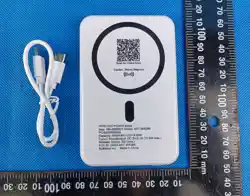
1 x 4000mAh Magclick Wireless Power Bank
1 x 30cm TPE Type-C to Type-C charging cable
1 x Electronic manual(Scan for QR code)
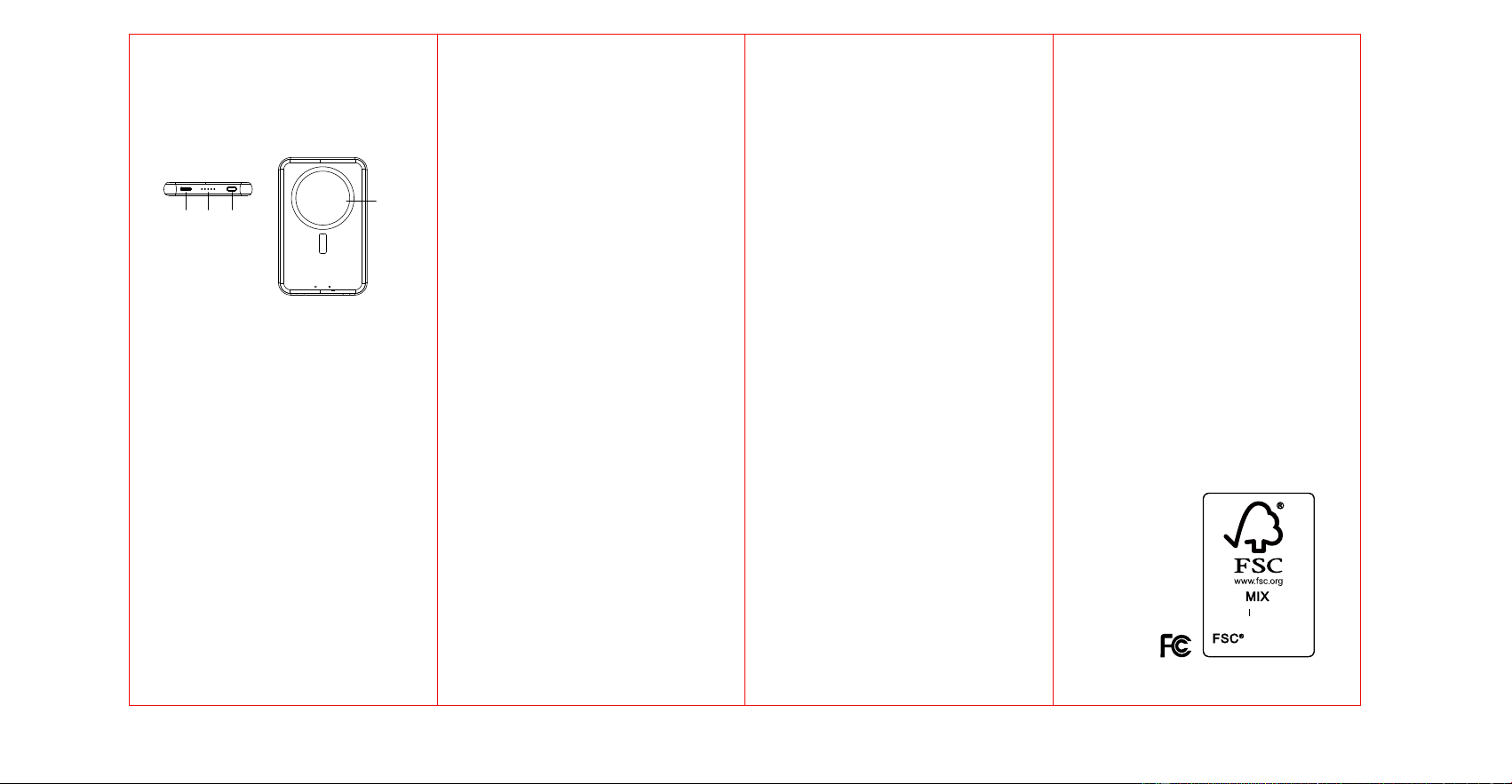
1.Power Button
2.Type-C Input/Output Port
3.LED indicators
4.Magnetic Wireless Charging Surface
1.Capacity: 4000mAh/3.7V/14.8Wh
2.Type-C Input/Output: DC 5V/2.1A
3.Wireless Output for Phone: 5W Max.
4.Input Power: Certified AC adapter / Computer
WHAT IS INCLUDED
Tech Specification:
Functions:
Name of the Distributor:
Bulletline Inc
Address of the Distributor:
6301 East 10th Avenue,
Suite 110 Hialeah,
FL 33013 USA.
WWW.PCNA.COM
FCC ID: 2A92I-AST-WR388
Made in China
220x120mm
9. Do not expose the device to fire or excessive temperature.
Exposure to fire or temperatures above 212℉ may cause
explosion.
10. Have servicing performed by a qualified repair person
using only identical replacement parts.
11. This will ensure that the safety of the product is maintained.
Do not overcharge Phone.Unit may get hot with excessive use.
Remove Phone when it is fully charged. Never charge for more
than 7 hours at a time. Attachments on the back of your phone
can Impede the effectiveness of the wireless charger, And lead
to overheating.Please remove attachments from the phone
before charging on this device.
SAFETY PRECAUTIONS:
C170910
Paper Supporting
responsible forestry
2.Charging Your Mobile Device:
• Press the ON/OFF button (1) to turn ON the power bank.
• Once power bank is ON, using the appropriate cable to
connect your device directly.Phone will begin to charge
automatically, the white indicator lights will be on while
device is charging.When capacity is low, the last indicator
will be flashed. The white indicators will be off when the
power bank is run out of power. The power bank will be
automatically OFF after 32S if without any operation.Or long
press the button to turn off the power bank.
• Disconnect the charging cable from your mobile device when
it is fully charged.
3.Wireless Charging Mobile phones and other electronic
devices:
• Press the power button once to turn on the wireless charging
function.The blue indicator will blink 3 times then stays on,
the blue indicator will be breathe blinking when start wireless
charging.
• Once fully charged please remove the device.
4.Wireless Charging with Magnetic Surface:
• If your device supports MagSafe, the magnets in your iPhone
will connect to the magnetic surface(4) of the pad for a more
secure charging.
• This item is also compatible with other items, the magnetic
function just won’t work.
**Note: When wireless charging, if the BLUE indicator is in
fast flashing the device is either NOT a wireless charging
device or there is an object between the device and charging
surface interfering with the charging process.
3
1
WARNING-When using this product, basic precautions should
always be followed, including the following:
1. Read all the instructions before using the product.
2. Charge the power bank fully before initial use.The unit's full
performance is achieved only after 2 or 3 completed charge
and discharge cycles.
3. To reduce the risk of injury, close supervision is necessary
when the product is used near children.
4. Do not expose the device to moisture.
5. Do not use the device in excess of its output rating.
Overload outputs above rating may result in a risk of fire or
injury.
6. Do not use the device if damaged or modified.
7. Damaged or modified batteries may exhibit unpredictable
behavior resulting in fire, explosion or risk of injury.
8. Do not disassemble the device. Take it to a qualified service
person when service or repair is required. Incorrect reassembly
may result in a risk of fire or injury.
4
2
FCC Statement:
This device complies with Part 15 of the FCC Rules.Operation is
subject to the following two conditions:
(1)This device may not cause harmful interference, and
(2)This device must accept any interference received, including
interference that may cause undesired operation.
※Warning:
Changes or modifications not expressly Approved by the party
responsible for compliance could void the user’s authority to
operate the equipment.
NOTE:This equipment has been tested and found to comply with
the limits for Class B digital device, pursuant to part 15 of the FCC
Rules.
These limits are designed to provide reasonable protection against
harmful interference in a residential installation. This equipment
generates, uses and can radiate radio frequency energy and, if not
installed and used in accordance with the instructions, may cause
harmful interference to radio communications. However, there is no
guarantee that interference will not occur in a particular installation.
If this equipment does cause harmful interference to radio or
television reception, which can be determined by turning the
equipment off and on, the user is encouraged to try to correct the
interference by one or more of the following measures:
- Reorient or relocate the receiving antenna.
- Increase the separation between the equipment and receiver.
- Connect the equipment into an outlet on a circuit different from that
to which the receiver is connected.
- Consult the dealer or an experienced radio/TV technician for help.
IC Statement
This device contains licence-exempt transmitter (s)/receiver(s)
that comply with Innovation, Science and Economic
Development Canada’s licence-exempt RSS(s). Operation is
subject to the following two conditions:
(1) This device may not cause interference.
(2) This device must accept any interference, including
interference that may cause undesired operation of the device.
L’émetteur/récepteur exempt de licence contenu dans le
présent appareil est conforme aux CNR d’Innovation,
Sciences et Développement économique Canada applicables
aux appareils radio exempts de licence. L’exploitation est
autorisée aux deux conditions suivantes:
(1) L' appareil ne doit pas produire de brouillage;
(2) L' appareil doit accepter tout brouillage radioélectrique
subi, même si le brouillage est susceptible d' en
compromettre le fonctionnement. Radio Frequency Exposure
Statement for IC This equipment complies with IC exposure
limits set forth for an uncontrolled environment. This
equipment shall be installed and operated with minimum
distance 10cm between the radiator & body. Cet équipement
est conforme aux limites d’exposition IC définies pour un
environment non contrôlé. Cet équipement doit être installé
et utilisé avec une distance minimale de 10cm entre le
radiateur et la carrosserie.
CAN ICES-3 (B) / NMB-3 (B)
This Class B digital apparatus complies with
Canadian ICES-003.
(Cet appareil numérique de la Classe B conforme à
la norme NMB-003 du Canada).
CAN ICES-3 (B) / NMB-3(B)
This Class B digital apparatus complies with
Canadian ICES-003.
(Cet appareil numérique de la Classe B conforme à
la norme NMB-003 du Canada).
WIRELESS POWER BANK
FCC RF warning statement:the device has been
evaluated to meet general RF exposure
requirement , The device can be used in
portable exposure condition without restriction.

