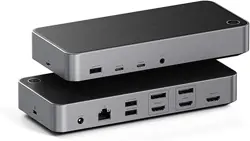
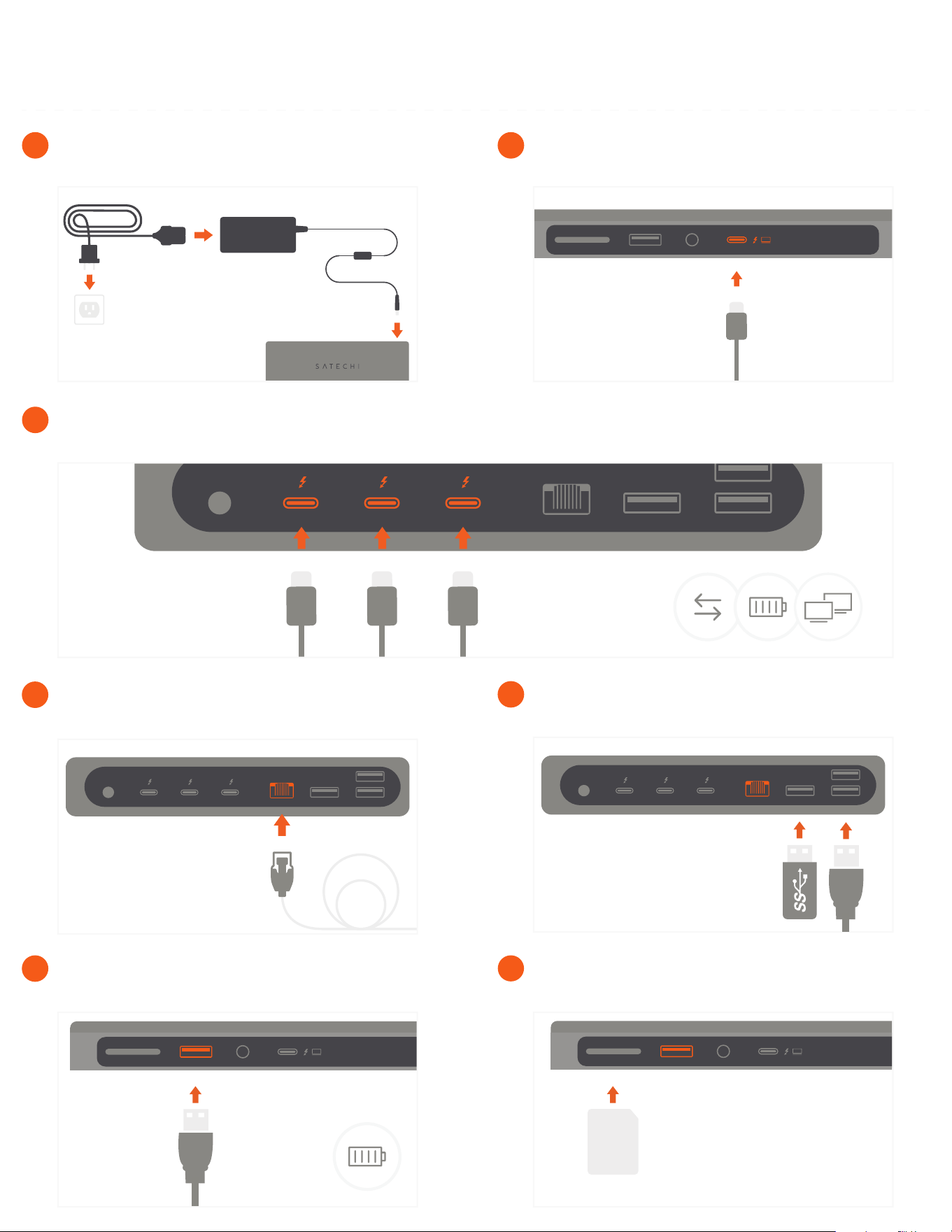
Insert an SD card into the dock’s UHS-II card reader slot.
7
Use the USB-A charging port to power an USB device – up
to 7.5W.
6
Use the three USB-A 3.2 data ports for fast transfer & back
up – up to 10 Gbps.
5
Connect a RJ45 cable to the dock’s Gigabit Ethernet port.
4
Connect up to three USB-C devices to the dock’s Thunderbolt 4 ports.
Supports 40 Gbps data transfer & 15W charging each port. Supports dual 4K HDMI output up to 60Hz total.
3
Using the included cable, connect the dock to your host
device from its Thunderbolt 4 host port.
2
Connect the power adapter from the dock’s DC input port
directly to a wall outlet.
1
THUNDERBOLT 4 DOCK
QUICK GUIDE