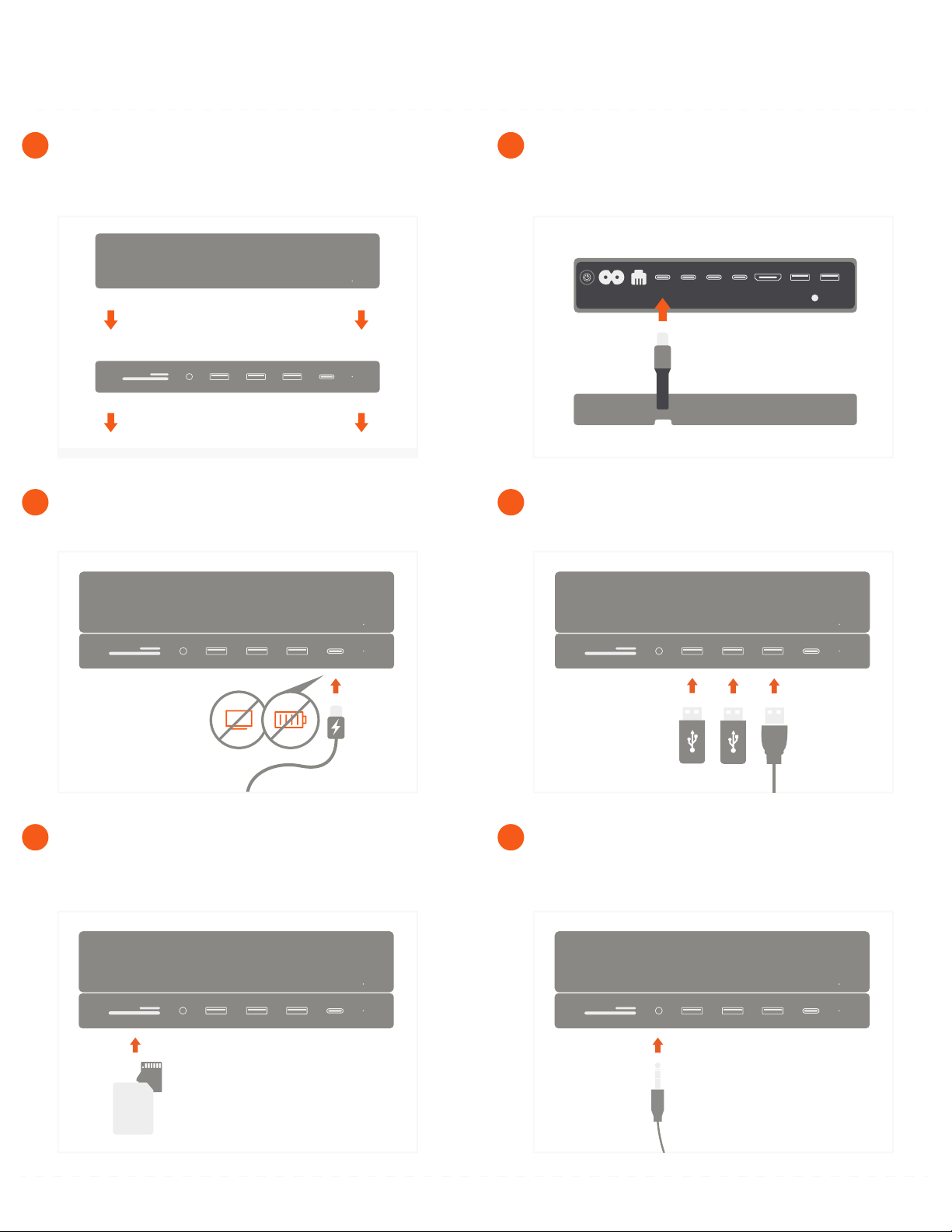
Connect 3.5mm headphones or microphone to the
audio jack port.
6
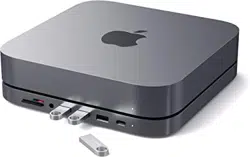
Insert micro/SD cards into card reader slots.
Supports up to 104 MBps
Can read both cards simultaneously
5
Use the three USB 3.0 ports for data transfer.
Up to 5 Gbps
4
Use the USB-C port for data transfer – up to 5 Gbps.
Does not support video/charging
3
Connect the stand’s built-in USB-C cable to one of
the Thunderbolt 3 ports on the back of the Mac Mini.
LED light should indicate a proper connection
2
Place the stand on a flat surface and align the Mac
Mini on top, with USB ports facing outward.
1
TYPE-C STAND & HUB FOR MAC MINI
INSTRUCTIONAL GUIDE
COMPATIBLE WITH MAC MINI 2018 & LATER