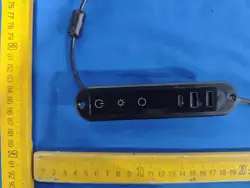

Power Button: Short press the touch power
button to turn on the device. Two white and o
ne blue indicator lights on the panel will be o
n, and the color light strip will light up in acco
rdance with the color,brightness and mode set
before the last shutdown. Long press the butto
n to turn off the light strip.
Brightness Button: When the device is on, p
ress the button to adjust the brightness in mon
ochrome mode; the brightness level is adjustab
le in a cyclic manner.
Mode Switch Button: When the device is o
n, short press the button to switch the lighting
modes.
Installation Note
Prior to installation, the two wires at the botto
m of the socket must be inserted into the socket
holes first. For details, refer to the figure belo
w.
2
Important No.
The USB port on the left requires a 5V(1A-4A) power
supply for connection. The higher the input current, t
he greater the output power of the port.
The product is built-in with short-circuit protection for
the color light strip: In case of a short circuit, the cont
roller will cut off the power output to the light strip (th
e light strip will turn off automatically). After the fault
is eliminated, reconnect the power supply to restore n
ormal operation.
The product is built-in with short-circuit protection fo
r USB charging: If a short circuit occurs in the chargi
ng cable, the controller will disable the charging func
tion automatically.The function will resume normal o
nce the short-circuit fault is resolved.
3
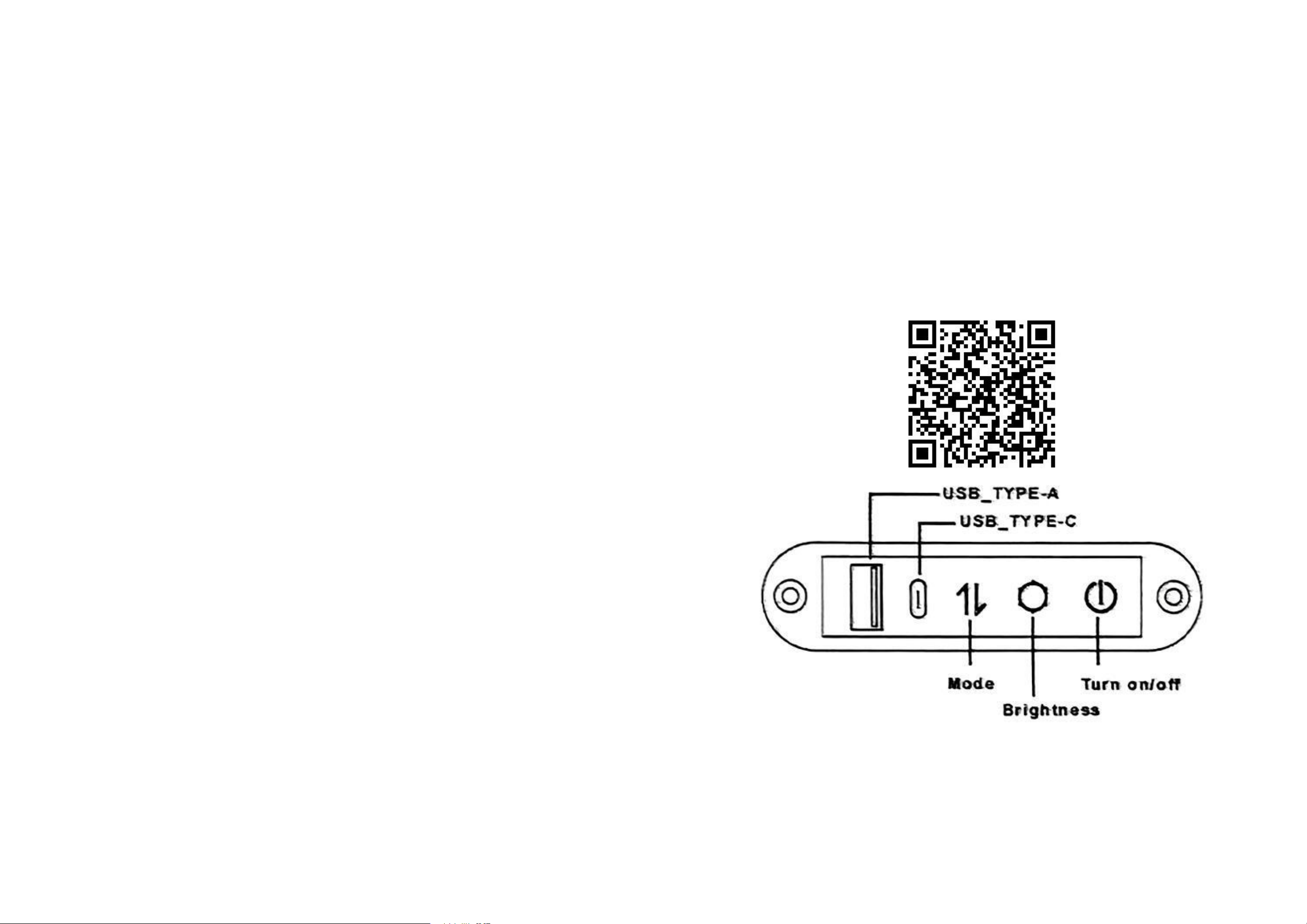
Operating Instructions
Connect the power supply, and all white
indicator lights on the panel will light up.Pow
er Button: Short press the touch power button
to turn on the device. Two white and one blue
indicator lights on the panel will be on, and t
he color light strip will light up in accordance
with the color, brightness and mode set before
the last shutdown. Long press the button to tu
rn off the light strip.Brightness Button: When
the device is on,
press the button to adjust the brightness in m
onochrome mode; the brightness level is adj
ustable in a cyclic manner.
Mode Switch Button: When the device is on,s
hort press the button to switch the lighting mo
des.
This product is compatible with the LotusLa
mp APP for remote control. Scan the QRcode
below with your mobile phone to download
and install the APP.
4
Touch switch manual
1