User Manual
Version: V1.0 产品说明
Product Description
o
This product is a wearable mouse, different from the operation methods of traditional
mice and remote controls. It combines the functions of a mouse and a remote control,
worn on the middle finger of either the left or right hand, allowing the thumb and
index finger to control cursor movement and button operations respectively. It is
primarily used with devices such as interactive flat panels, smart TVs, computers,
tablets, smartphones, and in-vehicle infotainment systems, offering flexible and
natural control. With its elegant, compact, and portable design, it perfectly blends a
sense of style with technology.
Usage Scenarios
Operating interactive flat panels, controlling smart TVs, multimedia teaching, operating in-vehicle
entertainment systems, remote operation of smartphones/tablets.
Wearing Instructions User instructions
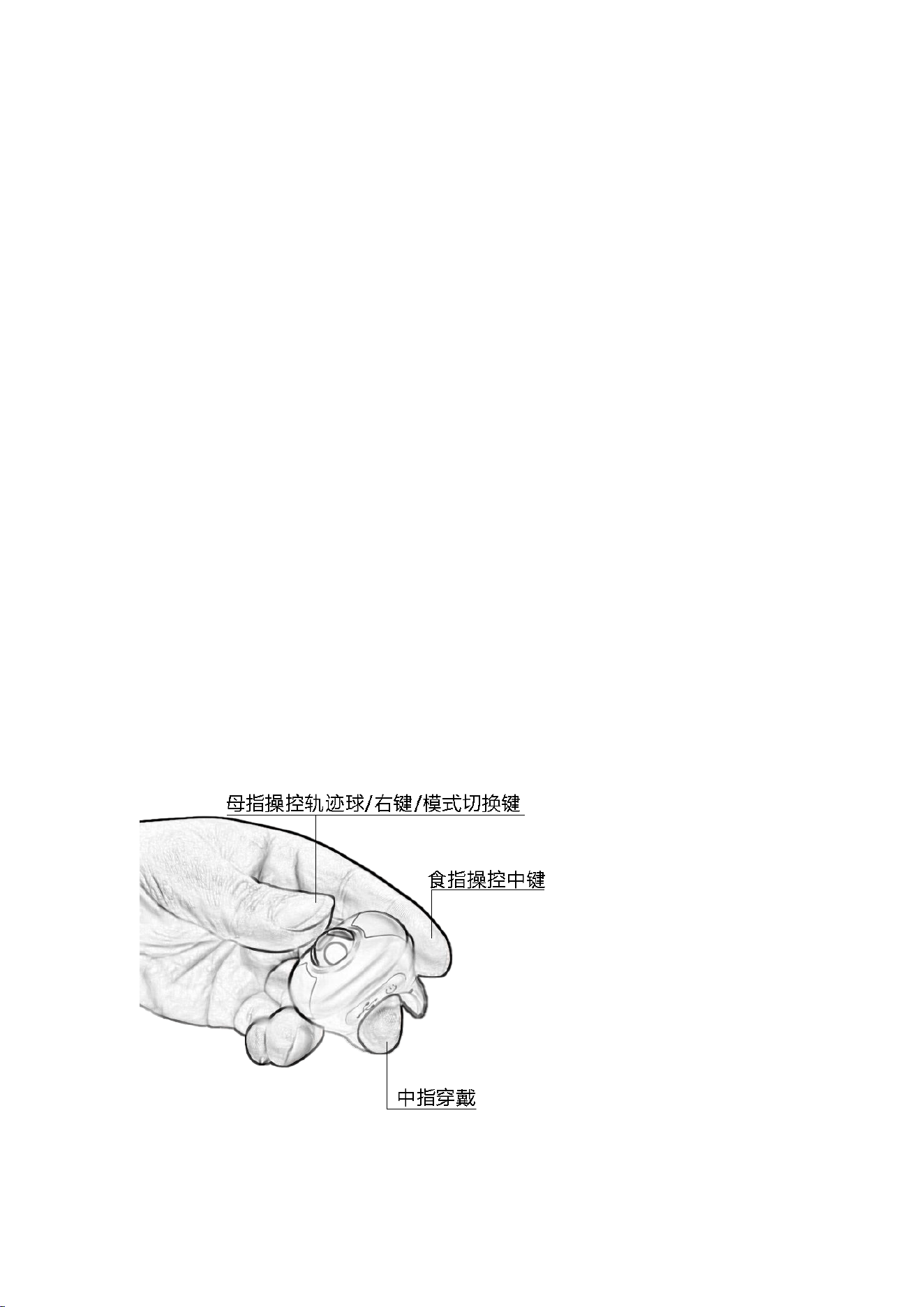
Wear the product on the middle finger of your left or right hand. Use your thumb and
index finger to control the cursor and buttons, as shown in the figure below:
下面三行文字替代上面图片中的三部分
Thumb control: trackball/left button/right button/mode switch button
Index finger controls the middle button
Middle finger is used for wearing
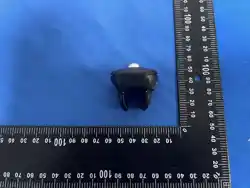
Size
Product Type
Ring Mouse
Operating Voltage
5V
Interface
Type-c
Connection Modes
Bluetooth + 2.4G(Dual Mode)
System
Compatibility
Computer/ipad/Mobile phone:Win7,Win8,Win10/Android/MAC/iOS
Car:Harmony/Xiaomi/BYD/Tesla, etc.
Charging Method
Type-C 5V Charging
Product Weight
28G
Product Dimensions
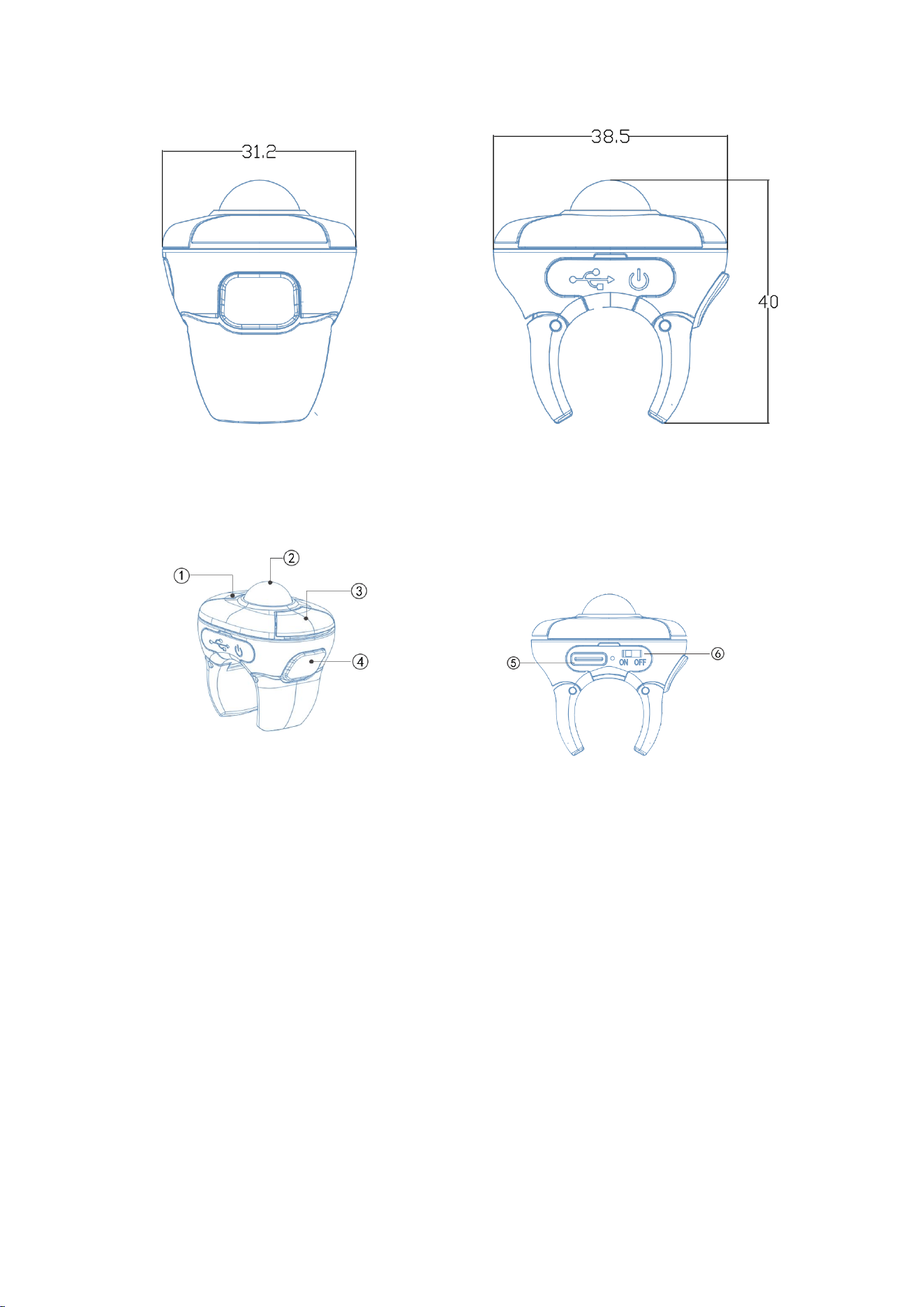
31.2*38.5*40MM
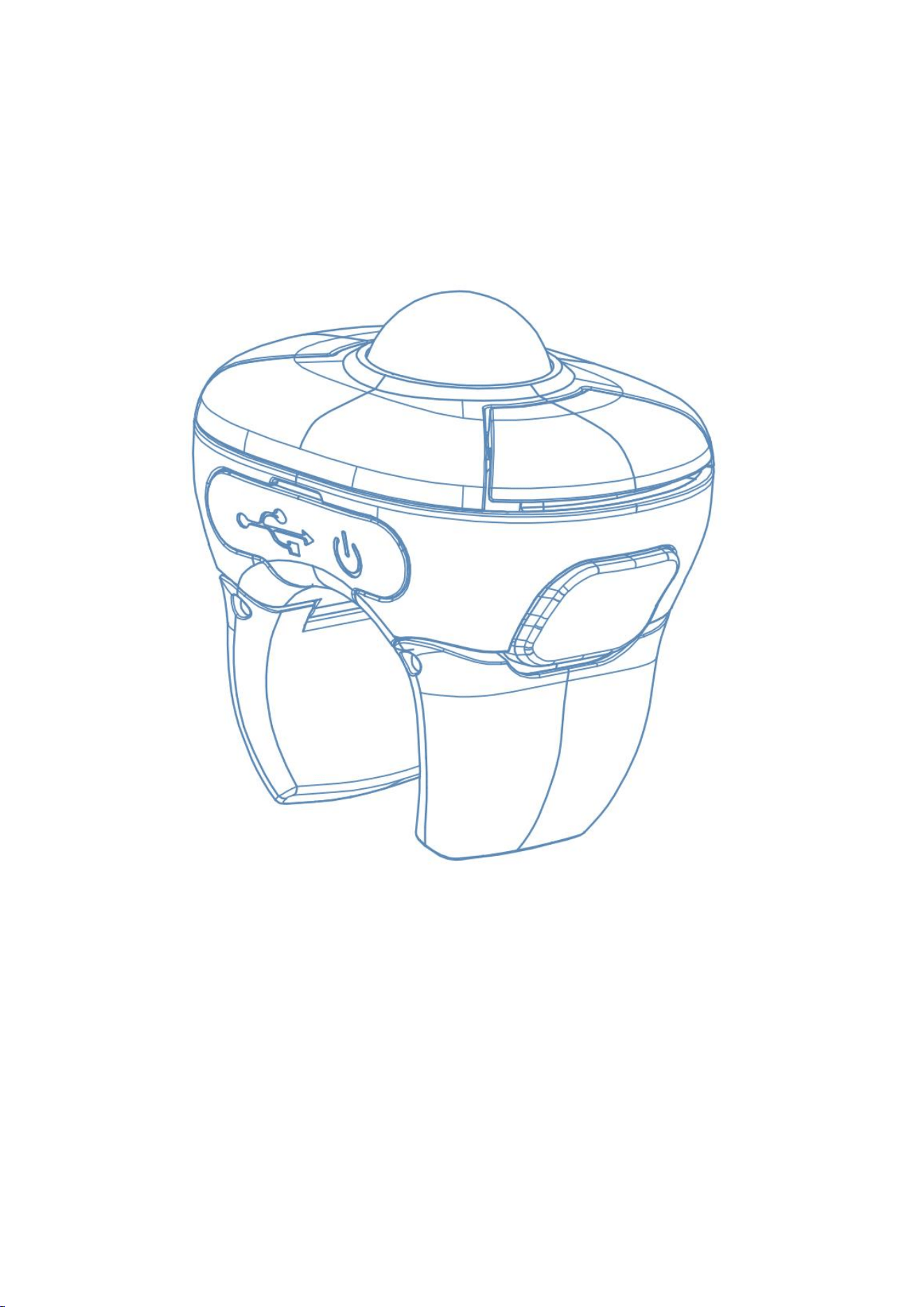
Function Description
① Short Press: Mouse right-click function; Long Press (3 seconds): Toggle scroll
wheel speed (High/Low).
②Trackball: Mode 1:Control cursor movement ; Mode 2 :Scroll wheel function;
Mode 3 :The button below the sphere is the left button function
③A short press toggles the trackball function (between cursor movement and mouse
wheel). A long press (3 seconds) activates the smartphone camera function.
④Mouse middle-click function.
⑤Type-C 5V charging port.

⑥Power switch.
Operating Instructions
⚫DPI Adjustment:
Press ④+① simultaneously. Each press cycles through one of four DPI levels.
Indicator light blinks once for level 1, twice for level 2, three times for level 3, and
four times for level 4.
⚫Low battery indication:
The green and blue lights flash simultaneously, indicating low battery. Please charge
as soon as possible.
⚫Charging Instructions:
Red light illuminates during charging. The light turns off when fully charged.
Pairing Methods:
(1)2.4G Pairing
Within 5 seconds of powering on, press and hold the ④+②+① buttons
simultaneously for 3 seconds. When the green light flashes quickly, plug
in the receiver to complete the pairing.
(2)Bluetooth Pairing
When the receiver is not connected to any device, turn on the power and
wait for 5 seconds. The blue light of the product will flash slowly, and
it will enter Bluetooth mode. Press ④+②+① at the same time for 3 seconds
until the blue light flashes quickly to enter Bluetooth pairing mode. Then
operate the device to be paired to perform the pairing operation.
Notice:
When the blue light of this product flashes slowly, it is in Bluetooth
pairing mode. If there is a previously paired device, the product will

automatically pair with the original device. After pairing is completed,
the blue light will go out.
⚫Maintenance methods
1. This product is compact, classic, and portable. Please maintain it
properly. The following suggestions will help extend its life.
2. Keep the trackball clean to prevent dirt and foreign objects from
getting stuck, which may cause poor contact or wear.
3. Keep this product dry. Rain, moisture, and other liquids can corrode
electronic components and circuitry.
4. Avoid high temperatures, as they can shorten the life of electronic
devices, damage batteries, degrade certain plastics, and even cause them
to explode.
5. Avoid dropping or knocking this product. Rough handling may damage the
internal circuit boards.
6. Do not disassemble this product without permission.
Warnings:
1. Do not use this product while a vehicle
is in motion! To avoid danger to driving and
personal safety.
2. Be careful to prevent fire, moisture, and
explosion.

FCC Warnning:
This equipment has been tested and found to comply with the limits for a Class B digital device,
pursuant to part 15 of the FCC Rules. These limits are designed to provide
reasonable
protection against harmful interference in a residential installation. This equipment generates,
uses and can radiate radio
frequency
energy
and,
if
not
installed
and
used
in
accordance
with
the
instructions,
may cause
harmful
interference
to
radio
communications.
However,
there
is
no
guarantee
that interference
will
not
occur
in
a
particular
installation.
If
this
equipment
does
cause
harmful interference to radio or television reception, which can be
determined by turning the equipment off
and
on,
the
user
is
encouraged
to
try
to
correct
the interference
by
one
or
more
of
the following measures:
•
Reorient or relocate the receiving antenna.
•
Increase the separation between the equipment and receiver.
•
Connect the equipment into an outlet on a circuit different from that to which the receiver is
connected.
• Consult the dealer or an experienced radio/TV technician for help.
Caution:
Any
changes
or
modifications
to
this
device
not
explicitly
approved
by
manufacturer
could void your authority to operate this equipment.
This
device
complies
with
part
15
of
the
FCC
Rules.
Operation
is
subject
to
the
following
two
conditions:
(1)This
device
may
not
cause
harmful
interference,
and
(2)
this
device
must
accept
any
interference received, including interference that may cause undesired operation.
This
equipment
complies
with
FCC
radiation
exposure
limits
set
forth
for
an
uncontrolled
environment.
This
equipment
should
be
installed
and
operated
with
minimum
distance
0cm
between the radiator and your body.