433 Remote Controller Function Manual
Product Introduction:
This product uses 433 wireless digital remote control technology,
remote control one-to-one control, simple and convenient operation.
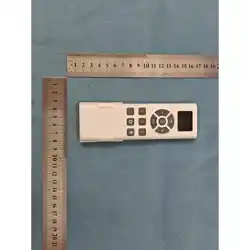
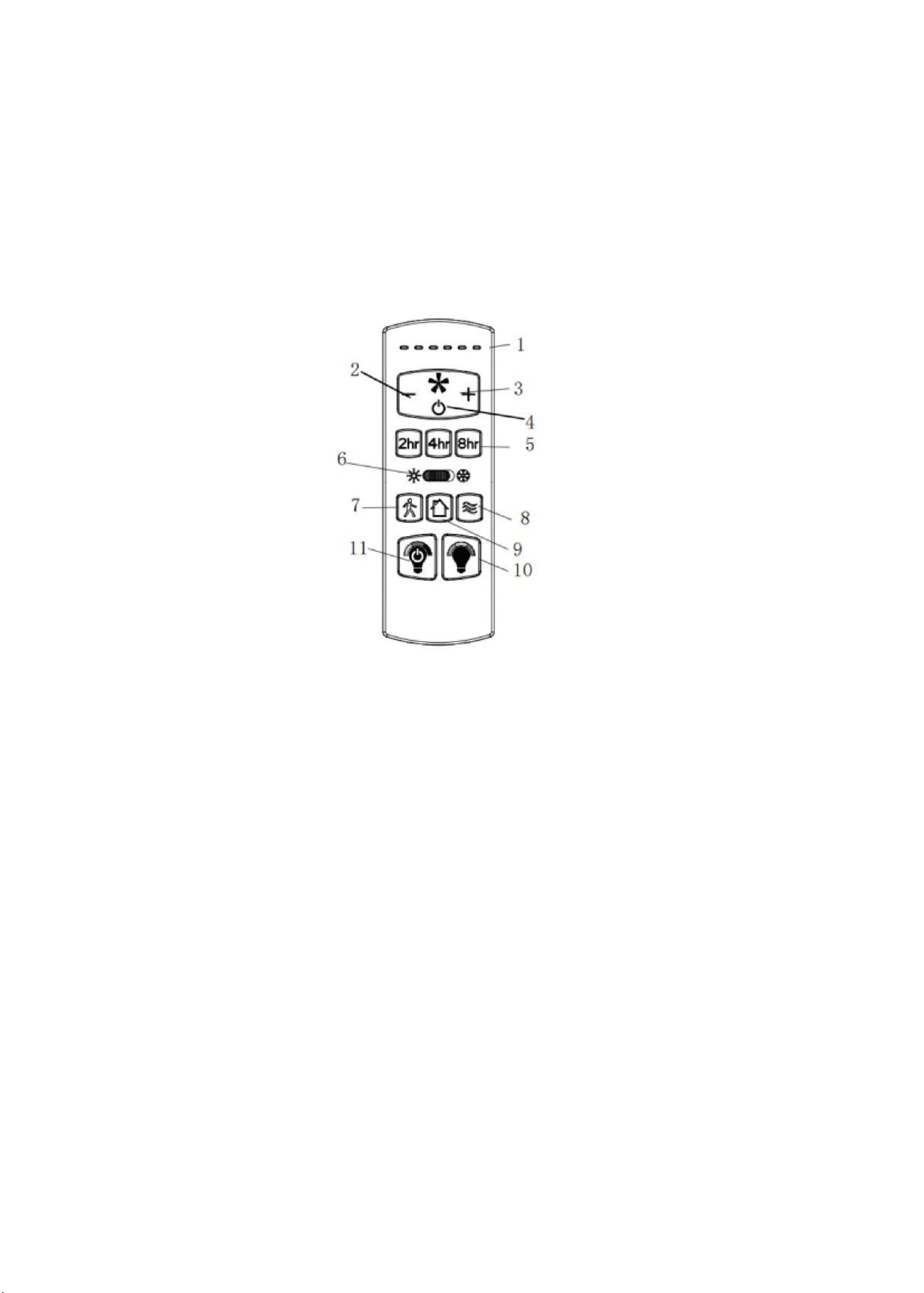
1、Remote control operation indicator light: Lights up when the button is pressed.
2、“(-)”Reduce the rotational speed of the fan.
3、“(+)”Increase the rotational speed of the fan.
4、Fan switch: Controls the fan to turn on or off
(remembers the previous gear position and the forward/reverse rotation status).
5
、
Timing:
1. When the fan is on, set the timing to 2H, 4H, or 8H. The corresponding indicator LED "1" will
light up, and the light will flash once to confirm that the timing is effective (the light will also
flash once when the fan is off to indicate the shutdown).
2. Press any fan speed key to cancel the timing. The corresponding speed indicator light will turn
on.
3. When the timing is over, the fan will be turned off, but the light will remain unchanged.

6、Forward and reverse: Controls the running direction of the fan
(switching between fan rotation in the forward direction and reverse direction)
“ ”The fan is rotating clockwise.
“ ”The fan rotates counterclockwise.
7、Delay function: When the light is on, it will flash once, then turn off after a one-minute delay.
When the light is off, it will turn on and then turn off after a one-minute delay
(the fan remains in its original state).
8
、
Natural Wind: The fan speed settings are 1-3-5-2-4-6 in a cycle
(each setting lasts for 5 seconds).
9
、
Anti-theft function: Press and hold for 3 seconds. The light will flash twice and then turn on.
The anti-theft function is activated. The fan is in a shut-off state.
(Repeat the A-B-A pattern)
Mode A: Random numbers ranging from 5 to 20 minutes determine the duration for which the
lights are on;
Mode B: The lights remain off for 60 minutes.
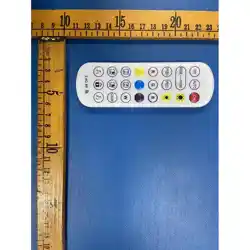
10、CCT Switch: Press and hold this button for continuous color adjustment (2200K - 6500K
cycle), a short press has no effect.
11、Light control: Press this button once to turn on/off the lights, and press and hold this button
to adjust the brightness.
12
、
Pairing function: Within five seconds of powering on, press and hold the LEARN button on
the battery compartment at the back of the transmitter.
After successful pairing, the buzzer emits a "beep" sound, the light brightness reaches its
maximum, the color temperature is the warmest, and the fan is set to speed 1.
13
、
Note: Each time the power is turned on, the switch, brightness and color temperature of the
memory light, as well as the switch, direction and gear of the fan will be reset.

CAUTION:
The electronic switch is not an isolated product and needs to be operated by
professional personnel during installation.
The electronic switch is triggered by the remote control, and the wireless
frequency of the remote control transmitter is 433.92 MHz.

This device complies with part 15 of the FCC Rules. Operation is subject to the following two conditions: (1) This
device may not cause harmful interference, and (2) this device must accept any interference received, including
interference that may cause undesired operation.
FCC warning:
Any Changes or modifications not expressly approved by the party responsible for compliance could void the user's authority to
operate the equipment.
Note: This equipment has been tested and found to comply with the limits for a Class B digital device, pursuant to part 15 of the
FCC Rules. These limits are designed to provide reasonable protection against harmful interference in a residential installation.
This equipment generates uses and can radiate radio frequency energy and, if not installed and used in accordance with the
instructions, may cause harmful interference to radio communications. However, there is no guarantee that interference will not
occur in a particular installation. If this equipment does cause harmful interference to radio or television reception, which can be
determined by turning the equipment off and on, the user is encouraged to try to correct the interference by one or more of the
following measures:
-Reorient or relocate the receiving antenna.
-Increase the separation between the equipment and receiver.
-Connect the equipment into an outlet on a circuit different from that to which the receiver is connected.
-Consult the dealer or an experienced radio/TV technician for help.