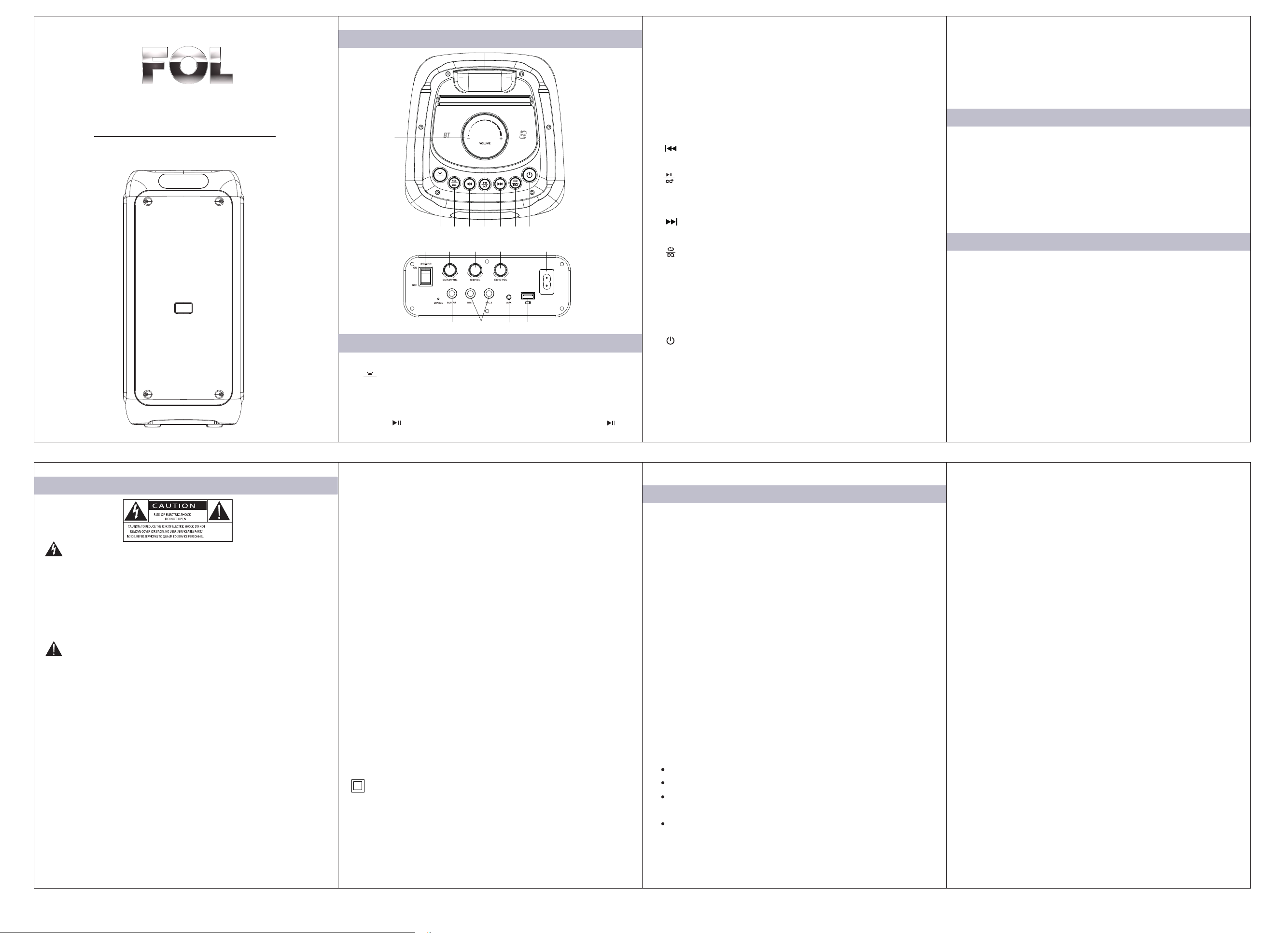
1. VOLUME: Volume change.
2. : The starter automatically enters wireless mode. Press
the short switch mode, enter FM-USB-AUX mode in sequence,
and then press to return to wireless mode. In FM mode, short
press " " to start channel search, and then short press " "
MODE
1
2 3 4 5 6 7 8
9 10 11 12 13
14 15 16
MODE
17
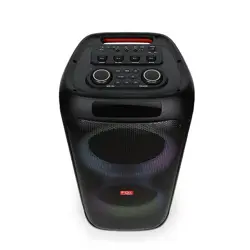
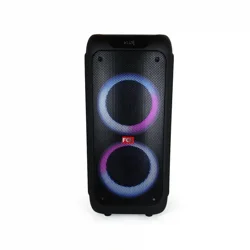
Protable Wireless Speaker System
Model: FS-L299
Operation Manual
Button function description.
Specifications
Accessories
Functional panel diagram
again to stop search. Long press this key to enter the lighting
selection, there are 7 lighting modes, and long press 8 times
for lighting.
3. REC/DEL: After connecting the microphone and memory, press
once to start recording, then press again to complete recording
and check the recorded audio. To delete recorded audio, press
and hold the button while playing the recorded audio.
4. : Put this song first. In FM mode, pressing briefly will reach
the previous channel.
5. : Press briefly to play music, then press again to stop. In
wireless mode, press within a few seconds to pair TWS, and
press twice to disconnect.
6. : Put down a song. In FM mode, pressing briefly will lead to
the next channel.
7. :Short press this button to select the EQ effect. Within a few
seconds, press this button to cycle mode. When scrolling looks
like "ONE" is a loop for one song, and when scrolling looks like
"ALL" is a loop for all songs. When scrolling looks like "RAND",
a jumping song will appear. When scrolling to "FOLD", all songs
in the current folder will be generated.
8. : Long press to open, long press to close again.
9. lgnition switch: "-" indicates on, "or" indicates off.
10. GUITAR VOL: Adjust the volume of the guitar.
11. MIC VOL: Changes in microphone volume.
12. ECHO VOL: Adjust the reverb effect.
13. AC input ~100-240V 50/60Hz
14. GUITAR: Connect the entrance of the guitar.
15. Microphone input
16. AUX: Audio Input
17. USB input
Audio cable 1 PC
Power cable 1 PC
Microphone 1 PC
Instruction manual 1 PC
Speaker Size: 8”x2+1”
Frequency Response: 40Hz-20KHz
S/N Ratio:≥78dB
Output Power: 30Wx2
Power: IN ~100-
240V 50/60Hz
Battery Capacity:14.8V/2200mAh
Important Safety
The lightning fash with arrowhead symbol within an equilateral
triangle is intended to alert the user to the presence of un-isolated,
dangerous voltage within the inside of the device that may be of
sufficient magnitude to constitute a risk of electric shock to persons.
Warning: To reduce the risk of electric shock, do not remove cover
(or back) as there are no user-serviceable parts inside. Refer
servicing to qualified personnel.
WARNING: To reduce the risk of fire or electric shock, do not
expose this apparatus to rain or moisture. The apparatus shall not
be exposed to dripping or splashing and that objects filled with
liquids, such as vases, shall not be placed on apparatus.
WARNING: Where the mains plug/appliance coupler is used as the
disconnect device, the disconnect device shall remain readily
operable.
WARNING: The battery (battery or batteries or battery pack) shall
not be exposed to excessive heat such as sunshine, fire or the like.
Read these instructions before operation. Keep these instructions
for future reference. Follow all instructions for installation, use and
maintenance of the device. To clean the device, disconnect power
first. Clean only with soft and dry cloth. To ensure compatibility, only
use accessories recommended by the manufacturer. When the
device is suddenly moved from cold to warm surroundings,
condensation may form in the housing of the device. Before use,
leave the device in the warm environment until the moisture
evaporates. Keep the device away from heat sources, such asa
radiator, heater, oven, amplifier, naked flames or direct sunlight.
No naked fame sources, such as lighted candles, should be placed
on the apparatus. Never block any ventilation openings. Install in
accordance with the manufacturer's instructions. Do not expose the
device to sand or dust, or cover it with items, such as newspapers,
tablecloths, or curtains. Do not operate the device in an enclosed
cabinet. Leave sufficient free space around the device for adequate
ventilation.Do not attempt to repair or service the device yourself.
Opening or removing the cabinet may expose you to electric shock,
and other hazards. lf repair is required, contact your dealer and
refer all servicing to qualified service personnel. Do not use the
device if any abnormality occurs. lf any smoke or odor becomes
apparent, contact your dealer immediately. Do not try to repair the
device yourself. Avoid using dropped or damaged appliances. lf the
device is dropped and the housing is damaged, the internal
components may not function normally. Stop use and contact your
dealer for repair. Continued use of the device may cause fire or
electric shock. To reduce the risk of electric shock, do not touch
any connector with wet hands. Never remove the housing of the
device. Never lubricate any part of the device. Never place the
device on top of any other electrical equipment.
This equipment is a Class ll or double insulated electrical
appliance. It has been designed in such away that it does not
require a safety connection to electrical earth.
Notice Modification
Any modification (such as removing the speaker grill)to the device,
without prior authorization from the manufacturer, may void your
warranty and authority to operate the device.
Warning: Changes or modifications to this unit not expressly
approved by the party responsible for compliance could void the
user’s authority to operate the equipment.
NOTE: This equipment has been tested and found to comply with
the limits for a Class B digital device, pursuant to Part 15 of the
FCC Rules. These limits are designed to provide reasonable
protection against harmful interference in a residential installation.
This equipment generates, uses and can radiate radio frequency
energy and, if not installed and used in accordance with the
instructions, may cause harmful interference to radio
communications.
However, there is no guarantee that interference will not occur
in a particular installation. If this equipment does cause harmful
interference to radio or television reception, which can be
determined by turning the equipment off and on, the user is
encouraged to try to correct the interference by one or more of the
following measures:
Reorient or relocate the receiving antenna.
Increase the separation between the equipment and receiver.
Connect the equipment into an outlet on a circuit different from
that to which the receiver is connected.
Consult the dealer or an experienced radio/TV technician for
help.
The device must not be co-located or operating in conjunction with
any other antenna or transmitter.
FCC Statement