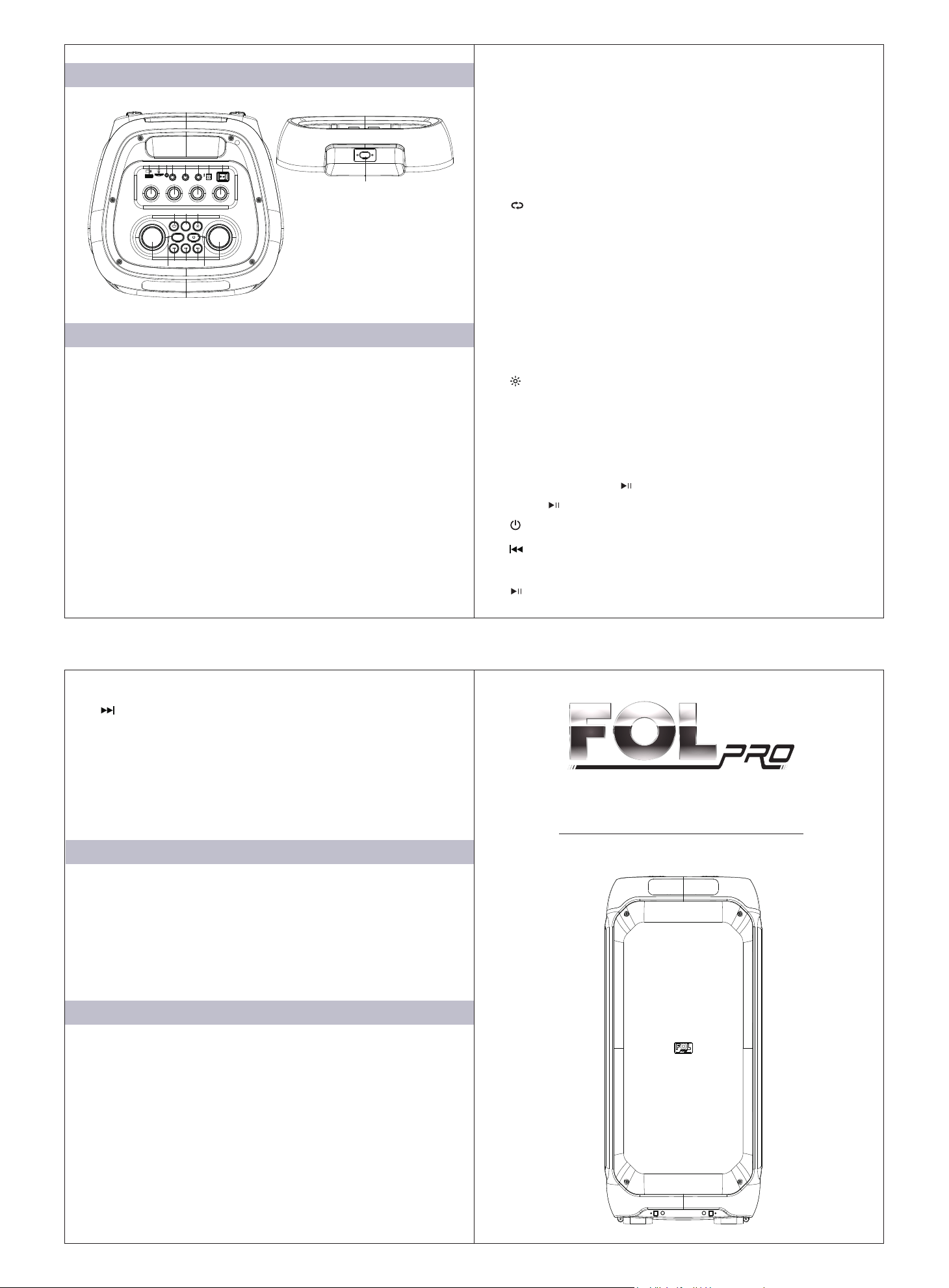
10. GT VOL: Press this key, and then adjust the volume knob
to adjust the guitar volume.
11. TREBLE: Press this key, and then adjust the volume knob to
adjust the treble sound effect.
12. BASS: Press this key, and then adjust the volume knob to
adjust the sound effect of bass.
13. : Press this button to enter loop mode. When the screen
displays "ONE", the current music will be played in a loop.
When the screen displays "ALL", all music will be played.
When the screen displays "RAND", all music will be played
randomly. When the screen displays "FOLD", all music in the
current folder will be played in a loop.
14.TWS: In wireless mode, press within a few seconds to pair
TWS, and press twice to disconnect.
15. : Short press this button to select different lighting display
modes, with a total of 7 lighting display modes to choose from.
16.MODE: The starter automatically enters wireless mode. Press
the short switch mode, enter FM-USB-TF-AUX mode in
sequence, and then press to return to wireless mode. In FM
mode, short press " " to start channel search, and then short
press " " again to stop search.
17. : Long press to turn on, long press again to turn off.
18. : Short press to play the previous song, and in FM mode,
short press to play the previous channel.
19. : Press briefly to play music, then press again to stop.
1. USB input
2. TF card slot
3. AUX: Audio input
4. GT: The entrance connecting the guitar.
4. MIC 1: Microphone input 1.
5. MIC 2: Microphone input 2.
7. IN 20V: adapter input, 20V/5A
8. Power switch: "-" represents turning on the power, "O"
represents turning off the power.
9. ECHO: Press this key, and then adjust the volume knob to
adjust the sound effect of echo.
Professional Party Speaker
Model: FS-L2310
Operation Manual
Button function description.
Specifications
Accessories
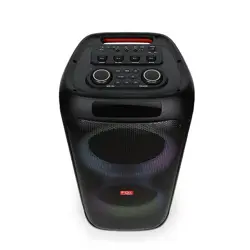
Functional panel diagram
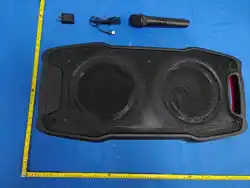
Power cable 1 PC
Microphone 1 PC
Instruction manual 1 PC
20. : Short press to play the next song, in FM mode, short
press to play the next channel.
21.MIC VOL: Press this key, and then adjust the volume knob to
adjust the microphone volume.
22.VOLUME: Adjust the volume.
23.AC input ~120-220V 50/60Hz
Speaker Size: 10"x2 +1"x2
Frequency Response: 50Hz - 20KHz
S/N Ratio:≥75dB
Output Power: 50W+10Wx2
Battery Capacity: 7.4V/8000mAh
Power: AC 120-220V 50/60Hz
1 2 3 4 5 6 7 8
23
VOLUMEMIC.VOL
AUX GT MIC 1 MIC 2
IN 20V
ON OFF
POWER
ECHO
TREBLE BASSGT.VOL
TWS
MODE
9 10 11 12
13 14
15
16 17
18 19 2021 22

FCC Warnning:
This equipment has been tested and found to comply with the limits for a Class B digital device,
pursuant to part 15 of the FCC Rules. These limits are designed to provide
reasonable
protection againstharmful interference in a residential installation. This equipment generates,
uses and can radiateradio
frequency
energy
and,
if
not
installed
and
used
in
accordance
with
the
instructions,
maycause
harmful
interference
to
radio
communications.
However,
there
is
no
guarantee
thatinterference
will
not
occur
in
a
particular
installation.
If
this
equipment
does
cause
harmfulinterference to radio or television reception, which can be
determined by turning the equipmentoff
and
on,
the
user
is
encouraged
to
try
to
correct
the
interference
by
one
or
more
of
thefollowing measures:
•
Reorient or relocate the receiving antenna.
•
Increase the separation between the equipment and receiver.
•
Connect the equipment into an outlet on a circuit different from that to which the receiver is
connected.
• Consult the dealer or an experienced radio/TV technician for help.
Caution:
Any
changes
or
modifications
to
this
device
not
explicitly
approved
by
manufacturer
could void your authority to operate this equipment.
This
device
complies
with
part
15
of
the
FCC
Rules.
Operation
is
subject
to
the
following
two
conditions:
(1)This
device
may
not
cause
harmful
interference,
and
(2)
this
device
must
accept
any
interference received, including interference that may cause undesired operation.
This
equipment
complies
with
FCC
radiation
exposure
limits
set
forth
for
an
uncontrolled
environment.
This
equipment
should
be
installed
and
operated
with
minimum
distance
20cm
between the radiator and your body.