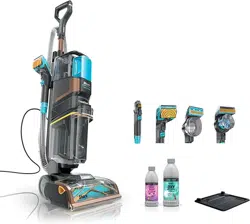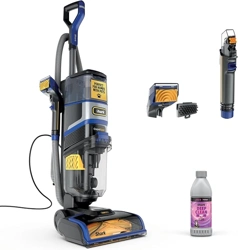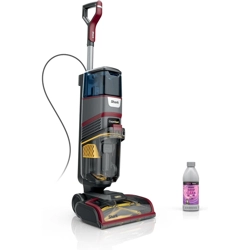
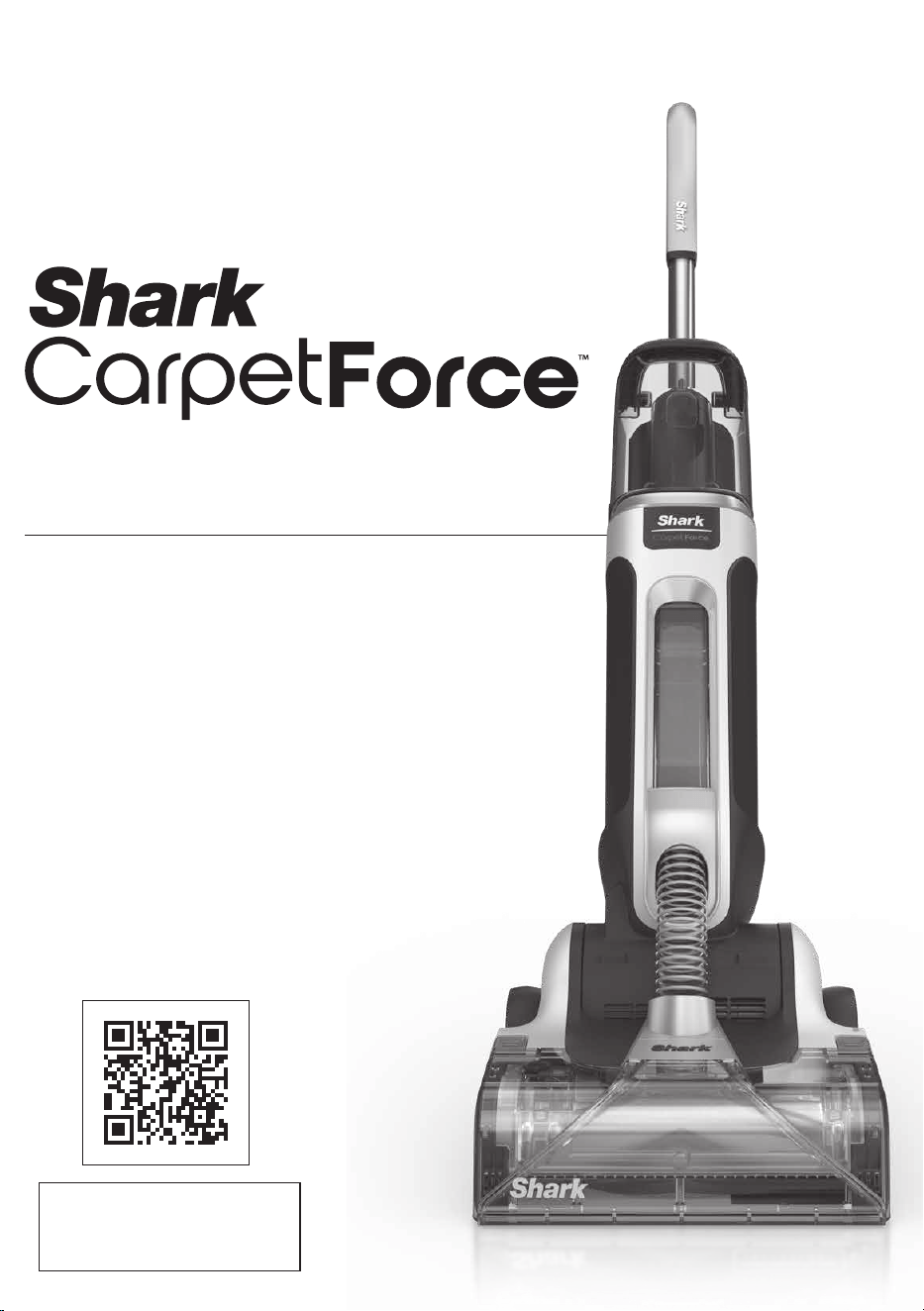
EX500 SERIES
OWNER’S GUIDE
Scan QR code to view
HOW-TO VIDEOS
and more.
1. If the power cord plug does not fit fully into
the outlet, contact a qualified electrician. DO
NOT force into outlet or try to modify to fit.
2. To reduce the risk of shock and unintended
operation, unplug before servicing.
3. This carpet cleaner consists of a motorized
nozzle, main body, pole, handle, hose, and
hand tools. These components contain
electrical connections, electrical wiring, and
moving parts that potentially present risk to
the user.
4. Before each use, carefully inspect all parts
for any damage. If a part is damaged,
discontinue use.
5. Use only identical Shark replacement parts.
6. DO NOT use the carpet cleaner for any
purpose other than those described in
this Guide.
7. DO NOT immerse or spray water on the
body of the carpet cleaner.
8. To clean the surface, wipe with a dry cloth.
9. Keep the carpet cleaner’s cord out of reach
of children.
10. DO NOT allow the appliance to be used by
children. DO NOT allow to be used as a toy.
Close supervision is necessary when used
near children.
11. This appliance can be used by persons
with reduced physical, sensory, or
mental capabilities or lack of experience
or knowledge if they have been given
supervision or instruction concerning use of
the appliance in a safe way and understand
the hazards involved. Cleaning and user
maintenance shall not be done by children.
12. DO NOT handle plug or carpet cleaner with
wet hands.
13. DO NOT use without the dirty water tank,
clean solution tank, filter, brushroll, diverter
valve, and brushroll cover in place.
14. Use only identical replacement parts. Only
use Shark® branded filters and accessories.
15. DO NOT put any objects into nozzle
opening. DO NOT use with any opening
blocked; keep free of dust, lint, hair, and
anything that may reduce airflow.
16. DO NOT use if nozzle airflow is restricted. If
the air paths or the motorized floor nozzle
become blocked, turn the carpet cleaner o.
Remove all obstructions before you turn on
the unit again. Keep nozzle and all carpet
cleaner openings away from hair, face,
fingers, uncovered feet, or loose clothing.
17. DO NOT use if carpet cleaner is not working
as it should, or has been dropped, damaged,
left outdoors, or dropped into water.
18. Use extra care when cleaning on stairs.
19. DO NOT leave the carpet cleaner
unattended while plugged in.
20. When using on any surface, always keep the
carpet cleaner moving to avoid damaging
the surface (e.g., carpet fibers).
21. DO NOT place carpet cleaner on unstable
surfaces such as chairs or tables. The
surrounding area may be slippery and
present a risk of injury.
22. DO NOT use to pick up:
a) Large objects.
b) Hard or sharp objects (glass, nails,
screws, or coins).
c) Large quantities of dust (e.g., drywall
dust).
d) Smoking or burning objects (hot coals,
cigarette butts, or matches).
e) Flammable or combustible materials
(lighter fluid, gasoline, or kerosene).
f) Toxic materials (chlorine bleach,
ammonia, or drain cleaner).
23. DO NOT use in the following areas:
a) Poorly lit areas.
b) Outdoor areas.
c) Spaces that are enclosed and may
contain explosive or toxic fumes or
vapors (lighter fluid, gasoline, kerosene,
paint, paint thinners, mothproofing
substances, or flammable dust).
24. Turn o the carpet cleaner before any
adjustment, cleaning, maintenance, or
troubleshooting.
25. During cleaning or routine maintenance, DO
NOT cut anything other than hair, fibers, or
string wrapped around the brushroll.
26. DO NOT modify or attempt to repair the
WARNING
To reduce the risk of fire, electric shock, injury, or property damage:
IMPORTANT SAFETY INSTRUCTIONS
FOR HOUSEHOLD USE ONLY READ ALL INSTRUCTIONS BEFORE USING THIS
CARPET CLEANER
SAVE THESE INSTRUCTIONS
carpet cleaner yourself. DO NOT use the
carpet cleaner if it has been modified
or damaged.
27. Turn o all controls before unplugging.
28. To reduce the risk of fire or electric shock
due to internal component damage, use only
Shark® cleaning fluid. See the Cleaning Fluid
section of this Instruction Book.
29. DO NOT pull or carry by cord, use cord as
a handle, close a door on cord, or pull cord
around sharp edges or corners. DO NOT run
appliance over cord. Keep cord away from
heated surfaces.
30. DO NOT unplug by pulling on cord. To
unplug, grasp the plug, not the cord.
31. Use indoors only.
32. DO NOT use carpet cleaner on hard floors as
it may damage your floor. To avoid damage
to flooring and to avoid potential slip hazard,
after use:
a) move to a hard sealed surface (avoid
unsealed, wood and laminate).
b) place unit on absorbent material like a
towel to soak up any liquid.
33. DO NOT fill solution tanks while installed on
the appliance. Remove before filling.
34. The areas around where you are cleaning
may become wet. Use care to avoid slipping
and falling.
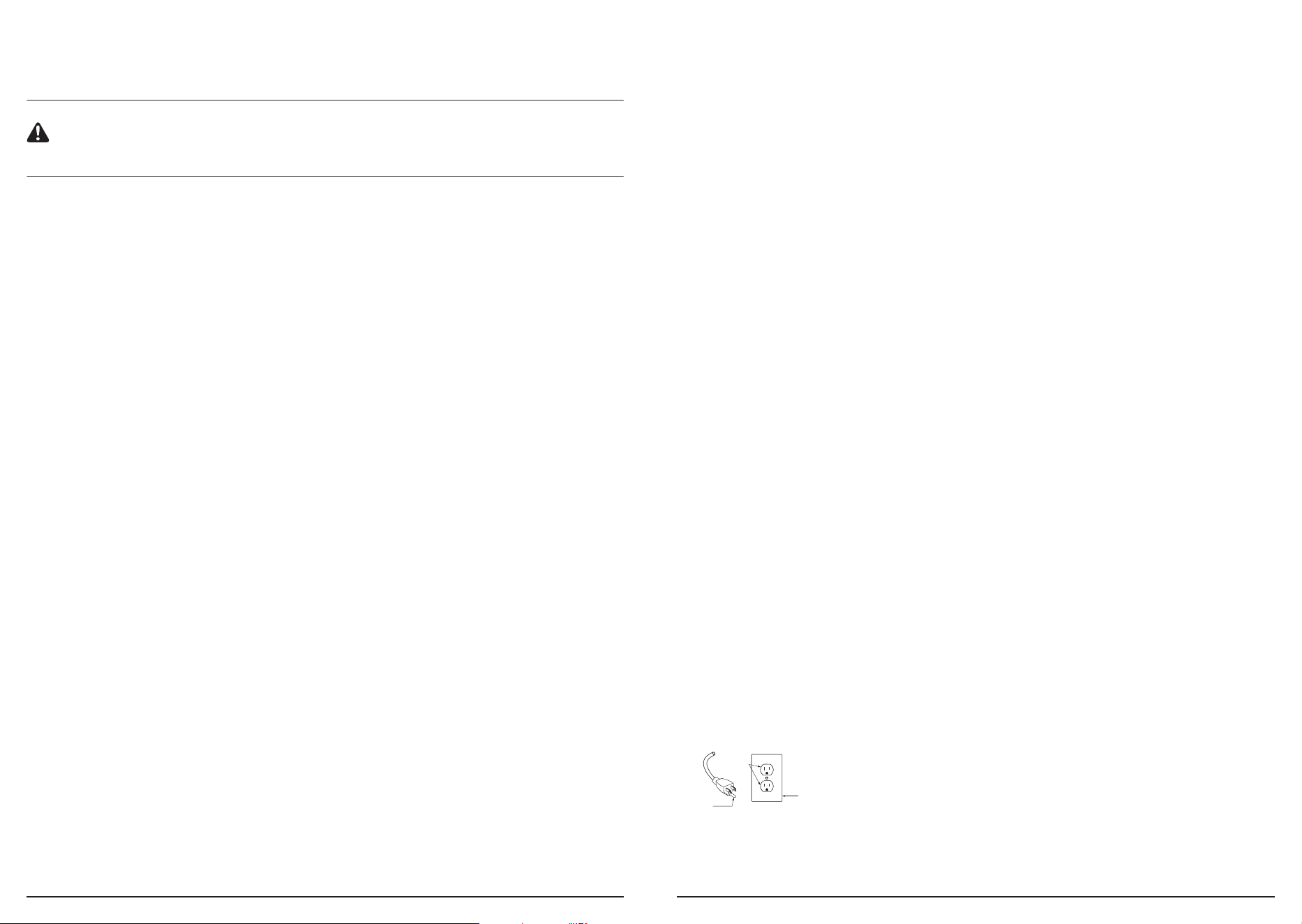
35. GROUNDING INSTRUCTIONS: This
appliance must be grounded. If it should
malfunction or break down, grounding
provides a path of least resistance for
electric current to reduce the risk of
electric shock. This appliance’s cord has
an equipment-grounding conductor and a
grounding plug. The plug must be inserted
into an appropriate outlet that is properly
installed and grounded in accordance with
all local codes and ordinances.
36. WARNING: Improper connection of the
equipment grounding conductor can result
in a risk of electric shock. Check with a
qualified electrician or service person if
you are in doubt as to whether the outlet
is properly grounded. DO NOT modify the
plug provided with the appliance. If the plug
will not fit the outlet, have a proper outlet
installed by a qualified electrician.
Grounded
Outlet Box
Grounded
Outlet
AA200
Gr
ounding
Pin
37. This appliance is for use on a nominal V
circuit and has a grounding attachment plug
that looks like the plug illustrated above.
Make sure that the appliance is connected
to an outlet having the same configuration
as the plug. No adaptor should be used with
this appliance.
38. DO NOT immerse. To reduce risk of electric
shock, use only on carpet moistened by
cleaning.
39. DO NOT use vinegar in any tanks.
40. DO NOT run over edges of area rugs.
41. Stalling the brushroll may result in premature
failure.
42. Avoid repeated strokes over the same area
to help prevent damage to Berber carpets.
43. Check manufacturer’s tag prior to cleaning
area rugs for any specific cleaning
guidelines. We DO NOT recommend deep
cleaning delicate rugs (including wool,
cotton, silk, antique, or area rugs that DO
NOT have a manufacturer’s tag).
44. DO NOT store unit where temperatures
reach freezing levels to avoid damaging
internal parts.
45. FIRST AID Keep out of reach of children.
Causes skin and serious eye irritation. IF
IN EYES, rinse continuously with water for
several minutes. Remove contact lenses if
present and easy to do so. Continue rinsing.
IF ON SKIN, wash with soap and water. If
skin and eye irritation persists, seek medical
attention.
46. Please recycle container. Dispose of
contents/container with a licensed waste
disposal site in accordance with the
requirements of the local waste disposal
authority.
47. DO NOT dispose in drains or watercourses in
concentrate form.
sharkclean.comsharkclean.com
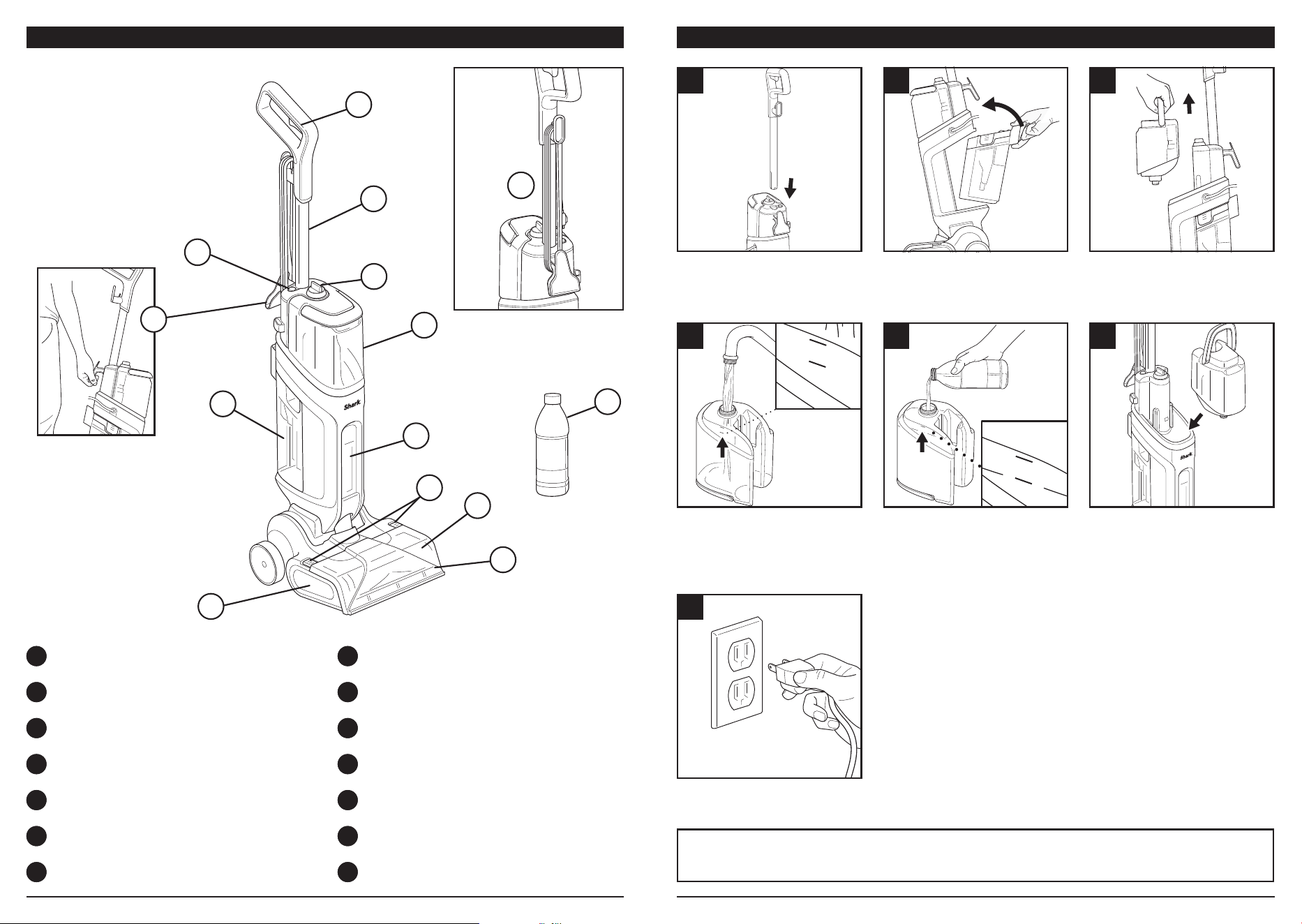
IMPORTANT: For best results, the CarpetForce™ tank must be filled with water and concen-
trate up to the fill lines before starting a cleaning session.
CONCEN TRATE
WATER
CONCENTR ATE
WATE R
WHAT’S INCLUDED ASSEMBLYWHAT’S INCLUDED: GETTING STARTED
A Wand
B Spray Trigger
C Wand Release Button
D Mode Select Dial
E CarpetForce™ Tank
F Dirty Water Tank
G Upduct Window
H Floor Nozzle
I Suction Inlet
J Brushroll
K Carry Handle
L Shark® Cleaning Solution
M Inlet Removal Tabs
N Cord Wrap
CONCEN TRATE
WATER
1
4
7
2
5
3
6
Insert wand into the top of
unit until it clicks into place.
Unscrew the cap on the
bottom of tank, and add
water up to the WATER
fill line. DO NOT use water
hotter than 140°F (60°C).
Insert the plug into the outlet.
Install the dirty water tank.
Insert the bottom first, then
tilt the tank forward until it
clicks into place.
Add Shark® Cleaning Solution
up to the CONCENTRATE fill
line. For best results, start
with a full tank.
Lift the CarpetForce Tank by
the handle to detach it.
Reattach cap, then reinstall
the CarpetForce Tank until it
clicks into place.
D
C
B
A
E
F
G
H
I
J
K
L
N
M
Lift the unit only by the
carry handle (K). DO
NOT lift it by the wand
(A) or by the dirty water
tank (F) handle.
CONCENTR ATE
WATE R
sharkclean.comsharkclean.com
• Check your manufacturer’s care instructions. Some carpets and rugs are not meant to be
cleaned by a carpet cleaner.
• DO NOT use on delicate fabrics such as wool and silk.
• DO NOT use on damaged carpets.
• DO NOT run over frayed threads, including edges of carpets.
• The brushroll may jam when cleaning thick carpets. First, confirm that your carpet is able to
be cleaned by a carpet extractor. If it is, try moving the unit more quickly to prevent the au-
tomatic shuto protection feature from activating. If automatic shuto occurs, power o the
unit, unplug the cord, then plug it back in and turn power on to resume.
• For consistent cleaning, avoid pulsing or partially squeezing the trigger.
• Moving the unit too quickly can cause splashing in the dirty water tank, which may temporari-
ly stop suction. If this happens, stand the unit upright and turn o power. Wait a few seconds,
then turn on power, select a cleaning mode, recline the handle, and continue.
• DO NOT use on sofas or beds.
DRY TIME TIPS
• Dry times range from about an hour to multiple hours. Factors that affect drying times include
the selected cleaning mode, climate, humidity, trigger usage, and carpet thickness.
• Always release the trigger before moving backward. To shorten dry times, make additional
passes with suction only, without using the trigger. Continue until no extracted fluid is visible
in the nozzle or upduct window.
• Deep Clean mode uses more solution than Express Clean. If the carpet to be cleaned is not
very dirty, use Express Clean for a shorter dry time.
• Try opening windows and interior doors to create airflow in the room and reduce dry times.
CLEANING WITH CARPETFORCE™
CLEANING TIPS
IMPORTANT: For optimal performance, vacuum with a traditional vacuum cleaner BEFORE
using CarpetForce. This is especially important when removing PET HAIR from carpet.
Note: It is normal for some hair to remain after the first pass with CarpetForce. Try another
cleaning pass, or remove the hair manually.
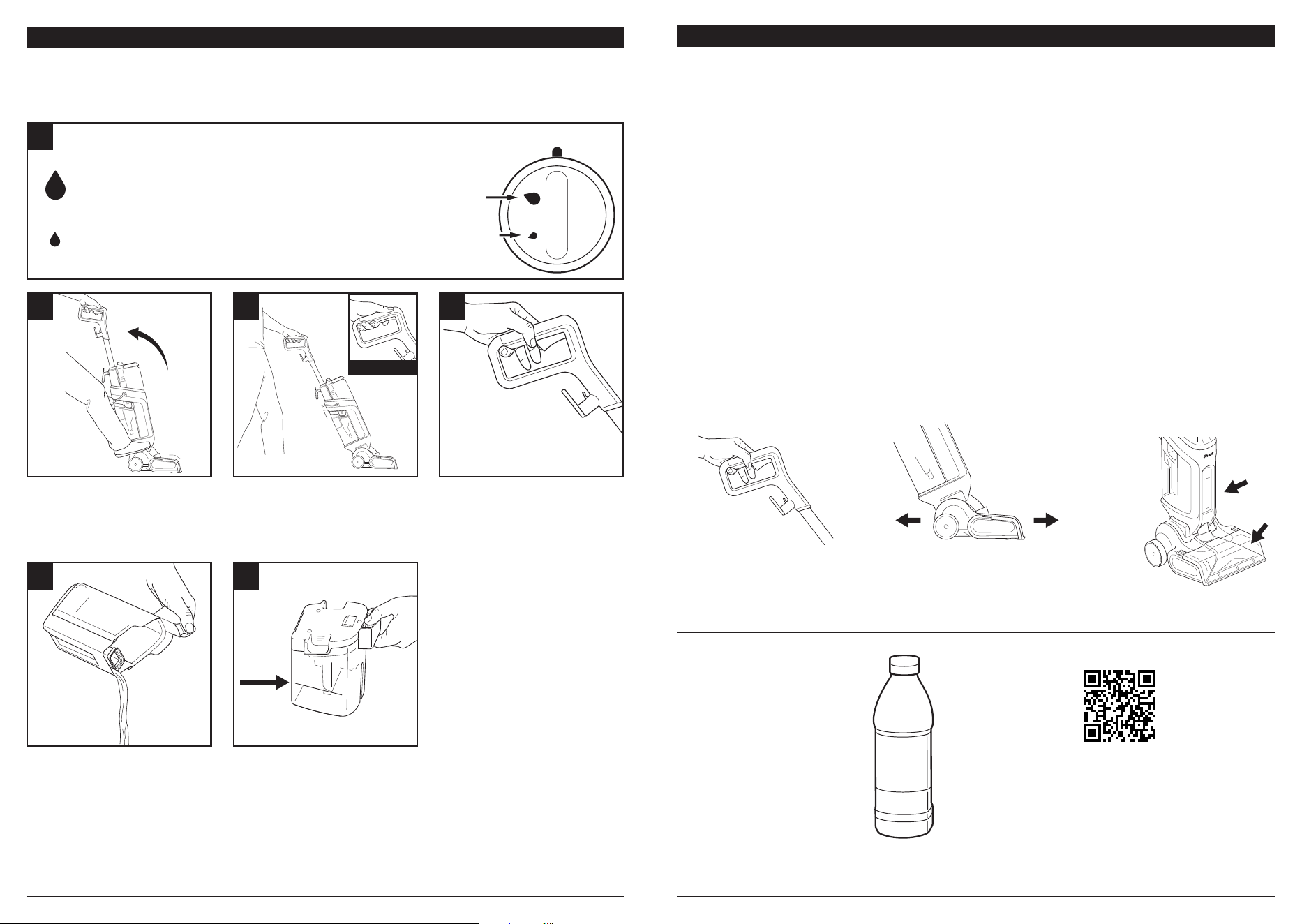
Deep Clean: Uses more solution than Express Clean
Mode for a deeper wash with standard dry times and
shorter tank runtimes. A full CarpetForce tank should
provide at least 5 minutes of runtime.
Express Clean: Ideal for refreshing carpets that do not
require a deep clean. Uses less solution than Deep Clean
mode, meaning shorter dry times and longer-lasting solution
in the tank.
1
1
4a 4b
2 3
Turn the Mode Select dial (D) to choose a cleaning mode.
Power the motor on by gently
stepping on the nozzle and
reclining the body back by the
handle. The suction motor will
start and the brushroll will spin.
When the dirty water tank is full, the motor noise will change
to a different pitch. Empty the tank when full.
Repeat steps 2 and 3 until the carpet is completely clean.
Push unit forward, holding
down the trigger fully. Push
at a consistent, slow pace.
Make sure to completely
release the trigger before
moving backward. Move
straight backward at a
consistent pace.
OFF
Deep
Clean
Express
Clean
Move nozzle about 8 inches
per second.
Release trigger to clean
with suction only.
SHARK® CLEANING SOLUTIONS
Scan the QR code above
to order refills and to
explore our complete
range of cleaning
solutions.
Shark Cleaning Solutions
Use ONLY Shark-branded
cleaning solutions. Make sure
to only add cleaning solution
to the CarpetForce™ tank. Unit
is not compatible with other
solutions or cleaners.
Note: You do not need to
empty the CarpetForce tank
after each use. You can leave
remaining solution in the tank
for next time.
PULL TRIGGER
MAX
FILL LINE
sharkclean.comsharkclean.com
Note: Before performing any maintenance, make sure the unit is powered o and unplugged
from the wall outlet.
Note: After the power is turned o, it will take 2 to 3 seconds for the unit to clear the lines
and shut down completely.
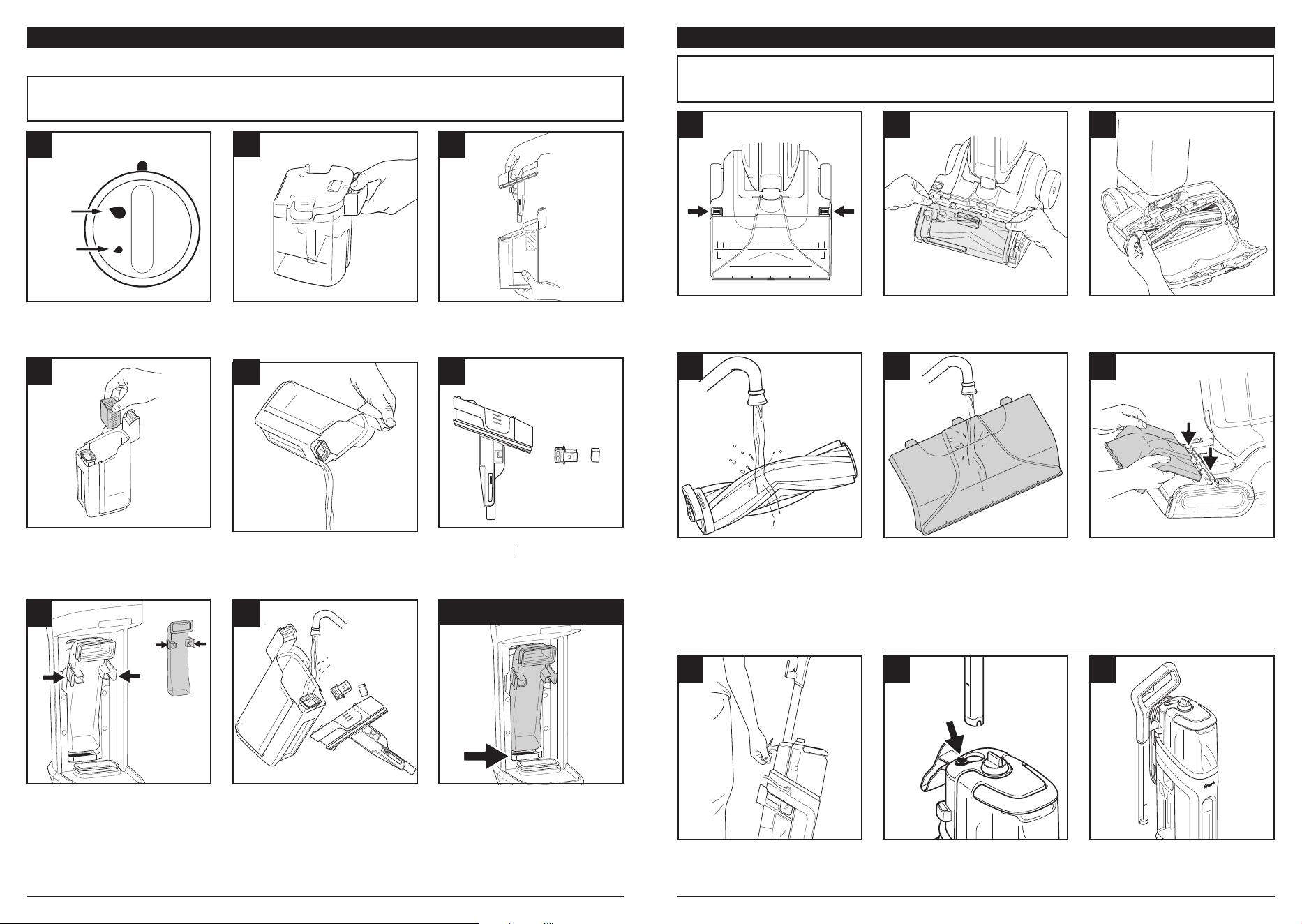
DIRTY WATER TANK MAINTENANCE BRUSHROLL MAINTENANCE
1
4
2
5
3
6
Detach the suction inlet by
sliding the tabs toward
the wheels.
Rinse the brushroll with soapy
water, and cut away any
wrapped hair with scissors.
Allow brushroll to air-dry
before reinstalling.
Lift the inlet cover by the
tabs on the top.
Rinse the suction inlet with
clean water and allow it to
air-dry completely before
reinstalling.
Remove the brushroll by
pulling up on the side tab.
To reinstall the suction inlet,
insert the top two tabs into
the openings on the nozzle,
then push down until both
tabs click into place.
MOVING THE UNIT REMOVING THE WAND
7 8 9
ONLY lift the unit by the Carry
Handle on the back. DO NOT lift
the unit by the wand handle.
Remove the wand by
pressing the release button
and lifting up.
Insert the cord hook into the
holder, and place the wrapped
cord on the carry handle.
Filter
1
4
2
5
3
6
Turn the dial to the OFF
position.
Lift the strainer out of the tank
by the tabs on the side, and
empty contents into the trash.
Remove the dirty water tank
by pressing the release button
and lifting out the tank.
Dispose of the dirty water
from the tank into a toilet or
drain. Wash and dry before
reattaching.
Lift off the lid and set it aside.
DO NOT pour out dirty water
until lid is removed.
Remove the filter cover, then
lift out the filter. Wash
and dry.
OFF
Deep
Clean
7 8
TIP
Remove the window by
pinching the tabs, then wash
and dry the window before
reinstalling.
Remove motor filter and
wash off any debris to ensure
powerful suction.
Insert the bottom of the
window into the frame of
the inlet. (Make sure it is not
resting on top of the frame.)
Pivot the window toward the
front of the product to click
the two tabs into place.
Tabs
Window
Tip: Clean unit after every use to prevent odors and mold, and to maintain the best performance.
Express
Clean
sharkclean.comsharkclean.com
TROUBLESHOOTING
THREE (3) YEAR LIMITED WARRANTY
Unit is leaking.
Be sure the cap is sealed tightly and the tank is firmly pressed down. A leak coming from the
vents on the bottom rear of the nozzle could be caused by using too much soap, over-cleaning
the same area, or shaking the dirty water tank. Make sure the strainer is installed in the dirty
water tank to prevent splashing.
Suction is weak.
Make sure all parts are correctly installed (dirty water tank, upduct window, brushroll, brushroll
cover, and nozzle). DO NOT check suction by putting your hand under the nozzle while it is
running. Check the filters: With the unit unplugged, press the tab at the rear of the nozzle to
remove the filter door. Clean any dust or debris o the foam filter, then reinstall. Check the filter
inside the dirty water tank: remove all dust and debris, then reinstall.
Solution is not dispensing.
Be sure the CarpetForce™ tank is full, and both tanks are attached securely. The mode dial
needs to be in the Deep or Express position, and the trigger needs to be pulled to dispense the
solution. If the dial is in the OFF position, and the trigger is pulled, no fluid will be dispensed.
Unit is leaving hair on the carpet.
It is normal for some hair to remain after the first pass with CarpetForce. Try another cleaning
pass, or remove the hair manually. For optimal performance, clean with a traditional vacuum
cleaner before using CarpetForce.
Carpets are oversaturated after cleaning.
If you don’t need to deep-clean, use Express Clean Mode to clean with less solution. Do not press
the trigger for too long while moving forward, and don’t use it at all when moving backward.
If the carpet is still wet after cleaning, try repeated suction-only cleaning passes without using
the trigger at all. Factors that aect drying times include the selected cleaning mode, climate,
humidity, trigger usage, and carpet thickness.
Unit starts unexpectedly or fails to shut o.
If CarpetForce is dropped or otherwise heavily impacted, it may start unexpectedly and continue
to run when the power switch is turned o. If this occurs, immediately unplug the unit. DO NOT
plug the vacuum back in. DO NOT attempt to operate, troubleshoot, or repair the unit. Contact
support.sharkninja.com or call Customer Service at 1-855-427-5127.
Note: Before performing any maintenance, make sure the unit is powered o and unplugged.
The Three (3) Year Limited Warranty applies to purchases made from authorized retailers of
SharkNinja Operating LLC. Warranty coverage applies to the original owner and to the original
product only and is not transferable.
SharkNinja warrants that the unit shall be free from defects in material and workmanship for
a period of three (3) years from the date of purchase when it is used under normal household
conditions and maintained according to the requirements outlined in the Owner’s Guide, subject
to the following conditions and exclusions:
CALIFORNIA RESIDENTS ONLY: The three (3) Year Limited Warranty period begins on the
original date of delivery or pickup.
What is covered by this warranty?
1. The original unit and/or non-wearable parts deemed defective, in SharkNinja’s sole discretion,
will be repaired or replaced up to three (3) years from the original purchase date.
2. In the event a replacement unit is issued, the warranty coverage ends six (6) months
following the receipt date of the replacement unit or the remainder of the existing warranty,
whichever is later. SharkNinja reserves the right to replace the unit with one of equal or
greater value.
What is not covered by this warranty?
1. Normal wear and tear of wearable parts which require regular maintenance and/or
replacement to ensure the proper functioning of your unit, are not covered by this warranty.
Replacement parts are available for purchase at sharkaccessories.com.
2. Any unit that has been tampered with or used for commercial purposes.
3. Damage caused by misuse, abuse, negligent handling, failure to perform required
maintenance (e.g., not cleaning the filters or not removing debris from the hand tool or hose),
or damage due to mishandling in transit.
4. Consequential and incidental damages.
5. Defects caused by repair persons not authorized by SharkNinja. These defects include
damages caused in the process of shipping, altering, or repairing the SharkNinja product
(or any of its parts) when the repair is performed by a repair person not authorized by
SharkNinja.
6. Products purchased, used, or operated outside North America.
How to get service
If your appliance fails to operate properly while in use under normal household conditions within
the warranty period, visit sharkclean.com/support for product care and maintenance self-help.
Our Customer Service Specialists are also available at 1-855-427-5127 to assist with product
support and warranty service options, including the possibility of upgrading to our VIP warranty
service options for select product categories. So we may better assist you, please register your
product online at registeryourshark.com and have the product on hand when you call.
SharkNinja will cover the cost for the customer to send in the unit to us for repair or replacement.
A fee of $25.95 (subject to change) will be charged when SharkNinja ships the repaired or
replacement unit.
How to initiate a warranty claim
You must call 1-855-427-5127 to initiate a warranty claim. You will need the receipt as proof of
purchase. We also ask that you register your product online at registeryourshark.com and have
the product on hand when you call, so we may better assist you. A Customer Service Specialist
will provide you with return and packing instruction information.
How state law applies
This warranty gives you specific legal rights, and you also may have other rights that vary
from state to state. Some states do not permit the exclusion or limitation of incidental or
consequential damages, so the above may not apply to you.
sharkclean.comsharkclean.com

© 2026 SharkNinja Operating LLC. SHARK is a registered trademark of SharkNinja
Operating LLC.
CARPETFORCE is a trademark of SharkNinja Operating LLC.
EX500_IB_REV_Mv8
PLEASE READ CAREFULLY AND KEEP FOR FUTURE REFERENCE.
This Owner’s Guide is designed to help you get a complete understanding of your new
Shark® CarpetForce™.
SharkNinja Operating LLC
US: Needham, MA 02494
CAN: Ville St-Laurent, QC H4S 1A7
1-855-427-5127
sharkclean.com
Illustrations may dier from actual product. We are constantly striving to improve our
products, therefore the specifications contained herein are subject to change without
notice.
This product may be covered by one or more U.S. patents. See sharkninja.com/patents
for more information.
@sharkhome