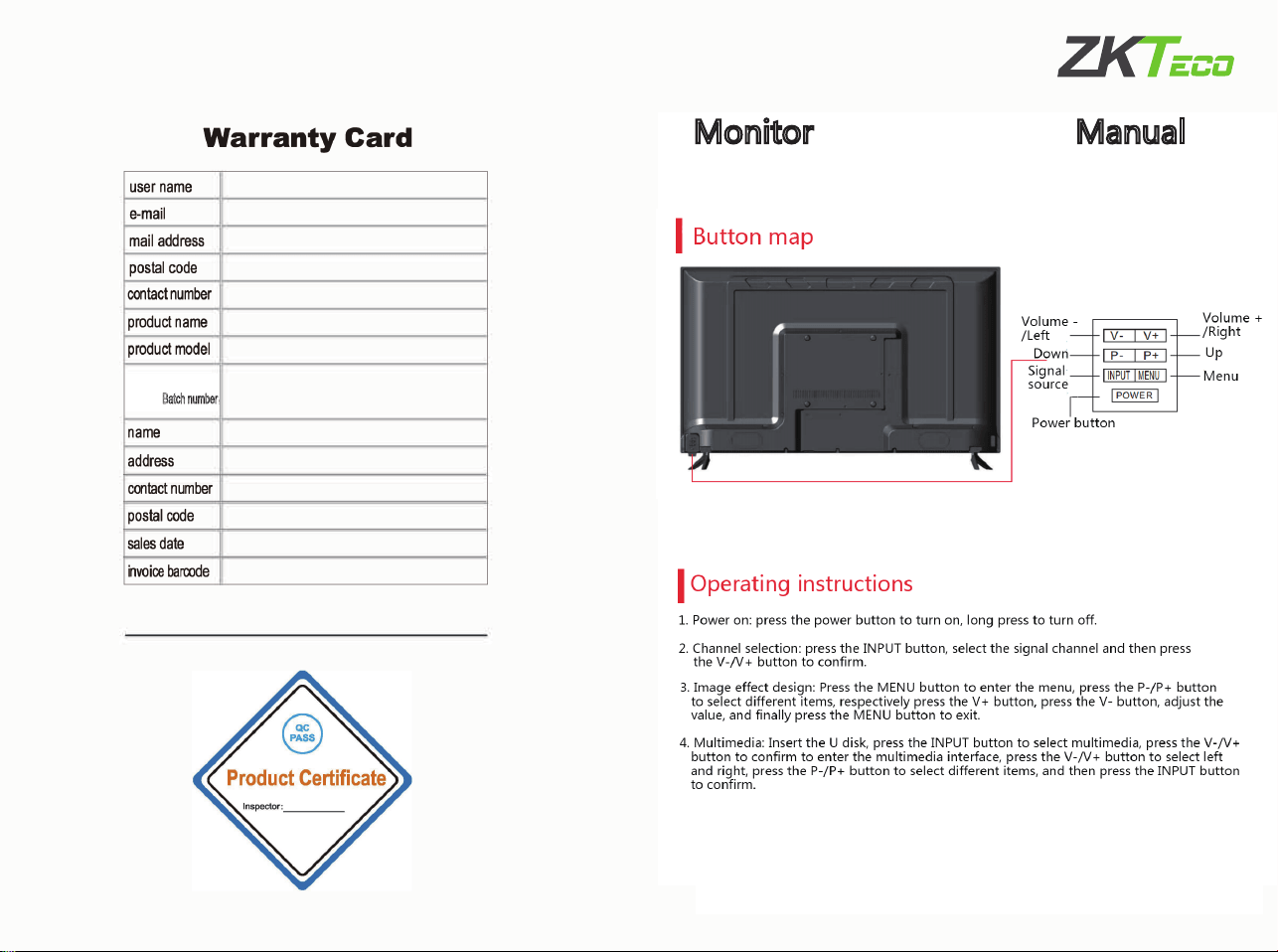
3.CImage effect design: Press B to enter the menu, press key
C to enter the main toolbar and move to the right. Press key
D to enter the main toolbar and move to the left,
press A to enter the toolbar sub-menu,
press C (move right)/D (move left) to enter the third-lev
el sub-menu,
after the selection, press B to exit
2.Channel Selection:prsess key A, presskey B to select signal
channel,and then press key E to confirm, Finally press key A t
o exit
1.Power on automatically
signal source
product bacrcode
number/B
atch num ber
Monitor Quick Operation Manual
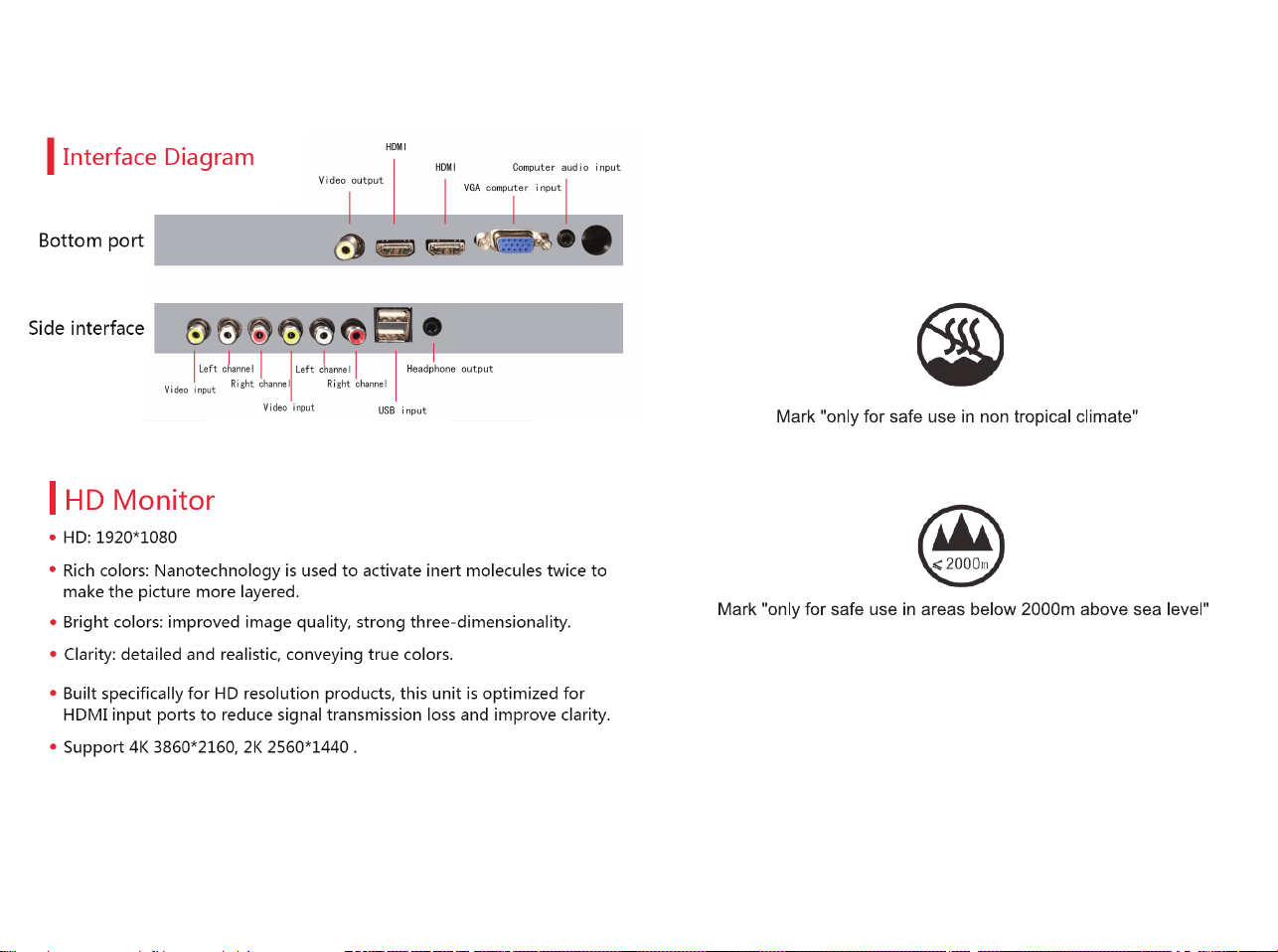
Screen type
LED
AC110V/220V/50Hz/60Hz
20W~36W
1000-3000˖1
(*The specic parameters are subject to the actual model.)
250-300 cd/m
2
power