
1
QM01S03
Operation Manual
Version: REV:1 Date: November 15, 2025
Document Approval
Compiled by: ____________ Date: ____________
Reviewed by: ____________ Date: ____________
Approved by: ____________ Date: ____________
Version History
Version
Revision Content
Person in
Charge
Date
V1
Initial release of product specifications
Songds
November 15,
2025

2
Table of Contents
1. Product Overview 3
2. Technical Specifications 3
2.1 Product Image 3
2.2 Technical Parameters 3
3. Functional Features 4
4. Environmental Requirements 4
5. Certification Standards 4
6. Packaging 4
7. After-sales Service 4
3
1、Product Overview
he QM01S01 Anti-lost Tracker adopts low-power Bluetooth positioning technology to realize global positioning based on the
RSSI (Received Signal Strength Indication) positioning principle.
By detecting the signal strength of Bluetooth broadcasts and applying the built-in positioning algorithm, the device calculates
its relative position against terminals with satellite positioning data. The location information is encrypted and decrypted via the
network of positioning terminals and then transmitted to the back-end server. Users can conduct real-time positioning and
tracking through PC web pages or mobile APPs to quickly retrieve items. This product is suitable for tracking valuables and
equipment to prevent loss or theft.
2、Technical Specifications
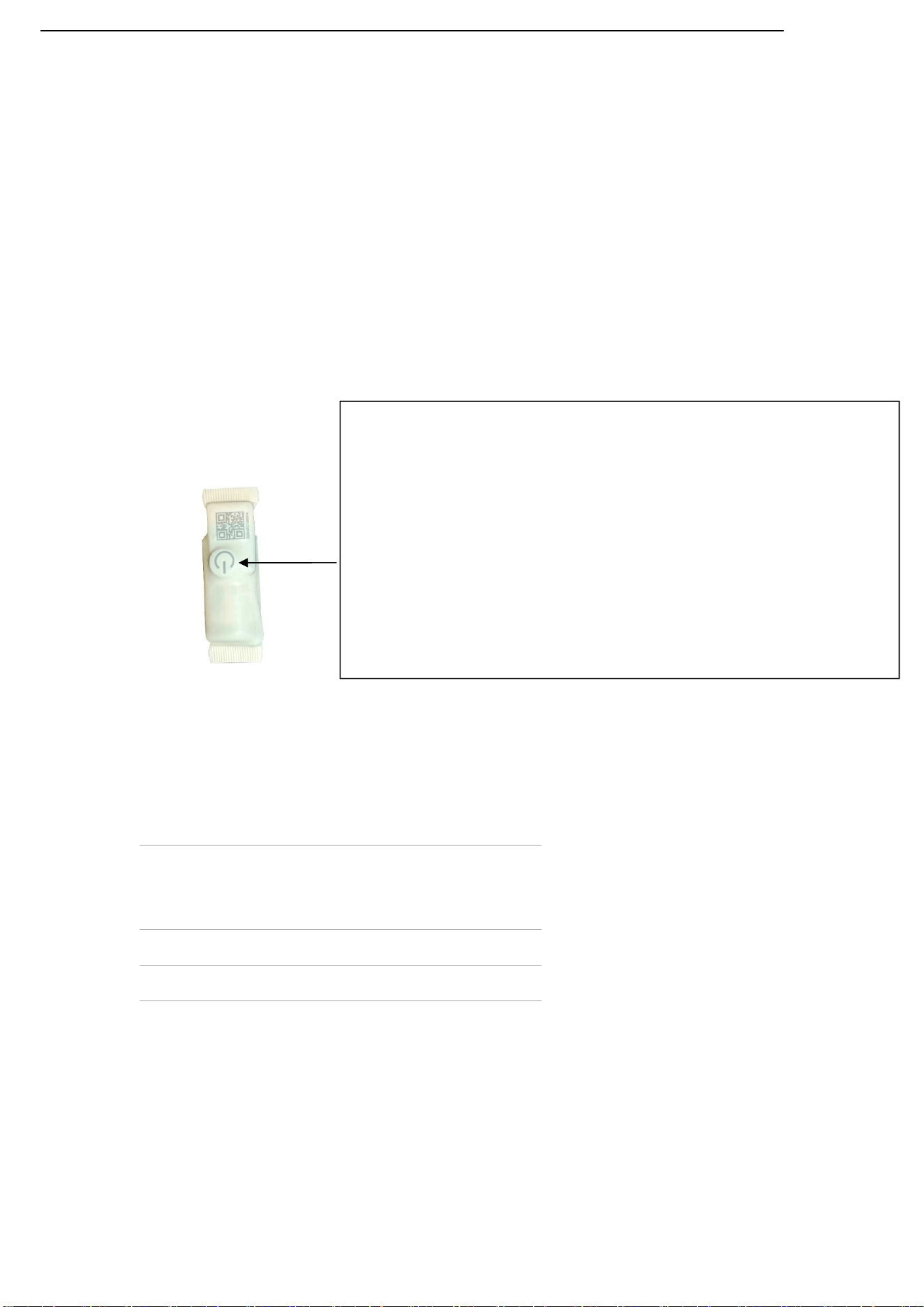
2.1、Product Image
2.2、Technical Specifications
Basic Parameters
- Dimensions: 55mm×20mm
- Weight: 20g
Performance Parameters
- Operating Voltage: DC 3V
- Operating Current: 56uA
- Frequency Range: 2.400 GHz ~ 2.4835 GHz
Operating Temperature
-20℃ ~ 70℃
Interface Type
Connection Mode: Bluetooth 5.4
Operation Instructions for Power Button:
Short press the power button, the red indicator light flashes twice to power on the device. After power-on,
short pressing the power button again will trigger no response. Press and hold the power button for 5
seconds; the red indicator light stays on briefly then turns off, which means the device is powered off.
Short press the power button again, and the red indicator light flashes twice to turn on the device once
more.

4
3、Functional Features
The QM01S3 is equipped with BLE high-precision positioning and crowdsourcing network remote positioning functions. It is
sealed with hot melt adhesive and reaches IP68 waterproof rating.
4. Environmental Requirements
Operating Temperature: -20℃ ~ 60℃
Storage Temperature: -40℃ ~ 85℃
Relative Humidity: 20% ~ 80% (Non-condensing)
5. Certification Standards
CE Certification: ____________________
FCC Certification: ____________________
Other Certifications: ____________________
6. Packaging List
1. Tracker Device ×1
2. Paper Card ×1
7. After-sales Service
Warranty Period: ______ Years
Technical Support Email: ____________________
FCC Requirement
changes or modifications not expressly approved by the party responsible for compliance could void the user's authority to
operate the equipment. This device complies with Part 15 of the FCC Rules. Operation is subject to the following two
conditions:
(1)this device may not cause harmful interference,and
(2)this device must accept any interference received,including interference that may
cause
undesired operation.
§ 15.105 Information to the user.
Note: This equipment has been tested and found to comply with the limits for a Class B digital device, pursuant to part 15 of
the FCC Rules. These limits are designed to provide reasonable protection against harmful interference in a
residential installation.
This equipment generates uses and can radiate radio frequency energy and, if not installed and used in accordance with the
instructions, may cause harmful interference to radio communications. However, there is no guarantee that
interference will not occur in a particular installation. If this equipment does cause harmful interference to radio or television
reception, which can be determined by turning the equipment off and on, the user is encouraged to
try to correct the interference by one or more of the following
measures:
-Reorient or relocate the receiving antenna.
-Increase the separation between the equipment and receiver.
-Connect the equipment into an outlet on a circuit different from that to which the
receiver is connected.
-Consult the dealer or an experienced radio/TV technician for help.

