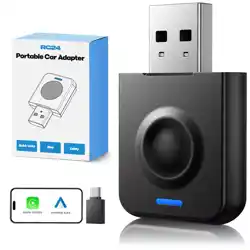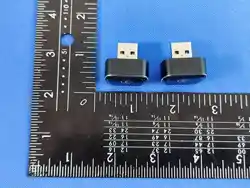
User Manual
Wireless Carplay Adapter
Android Auto Adapter
Please read the manual carefully before use
Recommend keeping this manual for future reference
Compatibility Note
Please make sure your car supports wired
carplay/Android Auto
Required iPhone6 or later iPhone models with IOS 10
or above for wireless carplay function
Required an Android smartphone that support latest
Android Auto function and with Android 11 or higher of the
Android operating system for wireless Android Auto
function.
How to confirm if your car has Applewired CarPlay or
AndroidAutofunction
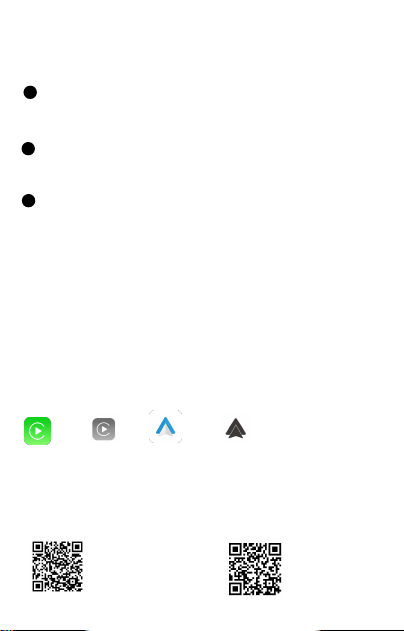
Method 1:
Connect your iPhone or Android samrtphone to your car by
USB date cable and see carplay or android auto logo on your
car display
or or
Method2:
Check the compatible list below or check with your car manufacturer to see
if your car has this capability:
Check out the website for supported car models
https://www.apple.com/ios/
carplay/available-models/
https.//www.android.com/auto
/Compatibility#Compatibility-vehicles
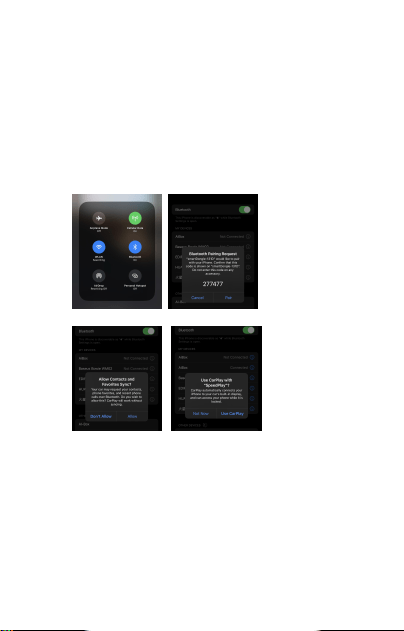
How to use
1. Start the car and wait for the car head until system to be loaded
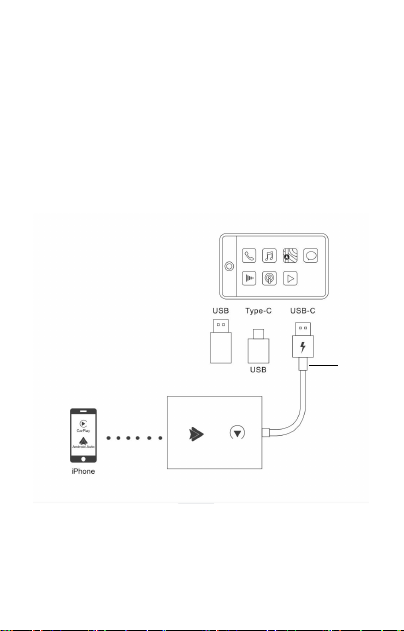
2. Connect the Wireless Carplay Android auto adapter to the USB-A
or USB-C port in your car.please be sure plug the adapter into the port
that is for wired apple carplay or android auto.
3.Open WIFl and Bluetooth on your iPhone/Android samrtphone and
find the Bluetooth named “smartAdapter_****”, Click on Pair; Click on
'Allow'; Click on Use Carplay or 'Use Android Auto'
4:You are ready to enjoy wireless carplay or wireless Android
Auto.

LED Light Description
Cyan status:Power on indicator
Green status:
1.Carplay connecting(green light fast flashing)
2.Carplay connected(green light slow flashing)
Blue status:
1. Android connecting(Blue light fast flashing)
2.Android connected(Blue light slow flashing)
Please note
1.The wireless Carplay Android Auto adapter working principle is
uses Bluetooth to establish a pairing between the iphone/
Android samrtphone and the vehicle, then switches to using WiFi
to maintain the wireless connection After the Bluetooth pairing is
successful, the iPhone/Androind smartphone WiFi will
automatically connect to the adapter's WiFi, and then disconnect
the Adapter Bluetooth connection by default for carplay and
automatically connect to your vehicle Bluetooth by default for
Android auto.
2.Please ensure wireless Carplay Androind auto Adapter power
indicates blue light is on.
3.Please ensure that your car models supports wired
carplay/Android auto
Package list
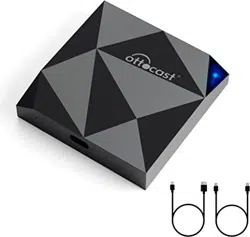
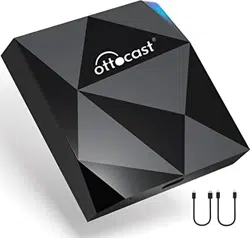
1xWireless Android Auto Adapter
1xUSB-AORUSB-COTGAdapter
1x3M Sticker
1xUser Manuel

FQA
1.What is the WiFi password for the Wireless
Carplay Adapter?
we need to connect the bluetooth,not Wi-Fi.After Bluetooth
matching is successful,WiFi will automatically connect.
So no need Wi-Fi password.Make sure your Wi-Fi is turned
on and unoccupied when pairing.
2.After pairing Android Auto adapter, can not start Android
Auto function or compatible/ can not recognize the USB...
1)lf your car has use the android auto function for the first
time,please use your date cable to connect your phone to
activate android auto through a wired method
2)Please make sure that android auto on your android phone is
the last version.lf not,please log in to your google play account
to update to the latest version.
3)Please turn off the Bluetooth of your phone and enter the
mobile application management to search auto to clear the auto
cache.After the cleaning is completed,Restart the adapter and
reconnect to Bluetooth.
3.Audio input or output issues : calls rejected or forwarded
to voicemail/ no play sound /microphone not
working/music playback interrupted or paused /voice
functioning abnormally..
1) Please check if the iphone/Android smartphone's Bluetooth
connect to other devices such as Earphone, watch.....lf so
Please disconnect other auto-connected Bluetooth devices or
turn of the Bluetooth directly for carplay and connect to your
vehicle bluetooth for android auto

2) When on a call, check that your "Audio" output option is
Carplay/Android Auto
4. The indicator light of the adapter is still on after the car is
turned off.
we need to connect the bluetooth, not Wi-Fi.After Bluetooth
matching is successful, WiFi will automatically connect.So no
need Wi-Fi password. Make sure your Wi-Fi is turned on and
unoccupied when pairing.
5.When use the wireless carplay Android Auto Adapter
whether Mobile Phone can use other internet wifi
When enjoying the wireless android auto adapter function, the
phone's WiFi will be occupied by the adapter, So you can not
use other internet at the same time, You only can use your
phone SIM card internet.
6.Unable to automatically reconnect
1)Please make sure that the Bluetooth and WiFi functions of
your mobile phone are turned on and the Bluetooth is not
occupied when you get in the car
2)Clear the pairing record , restart the phone and repair the
Adapter
7.Can the adapter be paired with multiple phones
The adapter can be palired with maximum five phones, but only
one device can be connected at a time if you would like to pair it
with a new phone , please cancel the current connection first
Please note, by Bluetooth function default ,the adapter's system
will only auto-connect back to the last used phone.

8.Can't find the bluetooth and Wi-Fi of the wireless Carplay
Android Auto Adapter ?
Please make sure wireless Carplay Android auto adapter power
indicates blue light is on and Be sure plug the adapter into the
port that is for wired carplay/ Android auto.
lf convenient , Please test it with another Phone. lf only a
specific phone cannot find the Bluetooth or Wi-Fi of the adapter
please try to reset the network and bluetooth settings of this
Phone and then restart the phone once , if the same problem
happens on other Phone , lt will be defective,please let us know.
9.Whether Wireless Carplay Android auto Adapter support
Youtube Video
1)Can not support Youtube for wireless carplay
3) Can support Youtube for wireless Android Auto.Please
follow operation Open Google Browser and
type"AAADAPK"-----Download APK------Open“AAAD”
----download”Carstream”-----Open”Carstream"go to setting and
choose Enable desktop mode"after you can enjoy video from
Youtube by wireless android auto Setting Video
link:https://www.youtube.com/watch?v=m8xHyEI9zXY
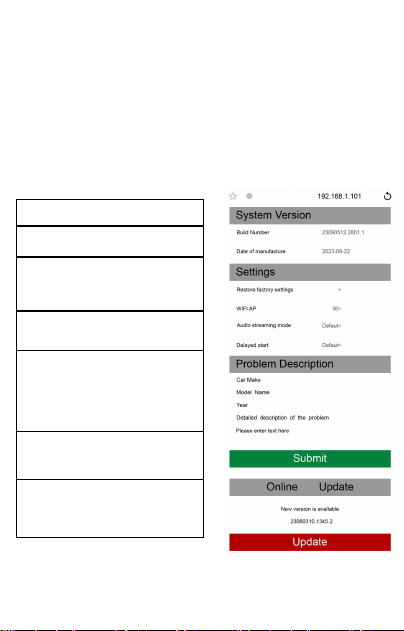
Online update
● the adapter works properly, it means the current version is
suitable for your car. lt is not recommended to update the
firmware
● Only try this solution when the problem you cannot solve
from the "FQA"
1. Power up the adapter
2 . Connect the adapter' s WiFi the
password is"12345678 "
3. O pe n we b br o ws e r an d
en t e r " 1 9 2 .1 6 8 . 1 . 1 0 1 " t o en t e r
th e set ti n g pa g e an d cl ick"On l i n e
Upd a te ” for Ca r p l a y f un c t i o n
4 . F o r An d r o i d a u t o , P l e a s e
C l i c k " S w i t c h P 2 P " T h e n
C l i c k “ O K "
5.Return to WiFi Connect, Find Wi-Fi
Direct"option ,Then connect the
Available devices(Smart Adapter-****)
(This step is for reference only for
Android phone users,if use iphone
update the firmware, please ignore
"Wi-Fi Direct step)
6.Return to the browser's page Click
"“Update(PS: the signal light of will flash
when it reached70%,and it will return to
normal after successful
7.On the same page, you could also fill
in the car brand, model ,years,and more
details,next tap "Submit to report the
issue. Our engineers will record your
problem and research possible solutions

FCC Statement:
This device complies with part 15 of the FCC Rules. Operation is
subject to the following
two conditions:
(1) This device may not cause harmful interference, and
(2) this device must accept any interference received, including
interference that may
cause undesired operation.
This equipment has been tested and found to comply with the
limits for a Class B digital device, pursuant to part 15 of the FCC
Rules. These limits are designed to provide reasonable
protection against harmful interference in a residential
installation. This equipment generates, uses and can radiate
radio frequency energy and, if not installed and used in
accordance with the instructions, may cause harmful
interference to radio communications. However, there is no
guarant ee that interference will not occur in a particular
installation. If this equipment does causeharmful interference to
radio or television reception, which can be determined by turning
the equipment off and on, the user is encouraged to try to
correct the interference by one or more of the following
measures:
—Reorient or relocate the receiving antenna.
—Increase the separation between the equipment and receiver.
—Connect the equipment into an outlet on a circuit different from
that to which the receiver is connected.
—Consult the dealer or an experienced radio/TV technician for
help. Caution: Any changes or modifications not expressly
approved by the party responsible for compliance could void the
user's authority to operate the equipment. This equipment
complies with FCC radiation exposure limits set forth for an
uncontrolled environm ent. This transmitter must not be co-
located or operating inconjunction with any other antenna or
transmitter.
RF exposure warning:
This equipment complies with radiation exposure limits set forth
for an uncontrolled environment. This equipment should be
installed and operated with Minimum distance
20cm between the radiator and your body. L’environnement du
millipascal incontrôlés, leurs conditions normales d’utilisation de
maintenir, aumoins 20cm avec les utilisateurs.