
装订:折⻚,英语⼀⾯,⽇语⼀⾯
共12⻚
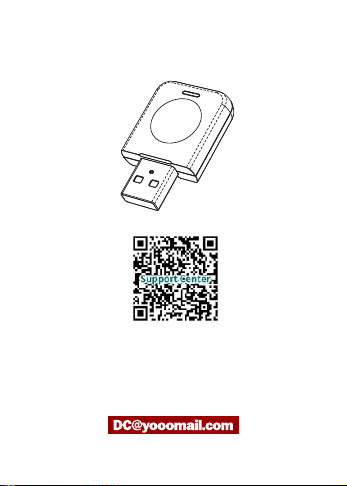
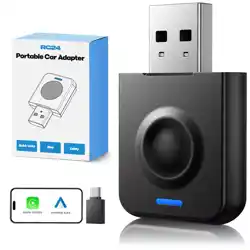
WIRELESS CARPLAY ADAPTER
ScantheQRcodetogettheonlinePDFdocumentof
themulti-languageinstructionmanual.
IfyouhaveanyquestionofourWirelessAdapter,
pleasecontactus
Wecantryourbesttoprovidesolutionsbasedonyourissues
NO:250114-24
· 1 ·
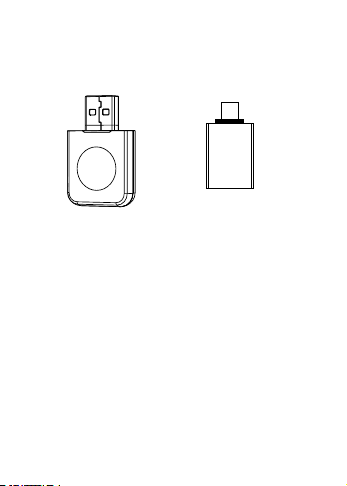
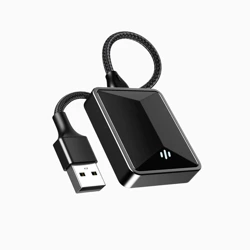
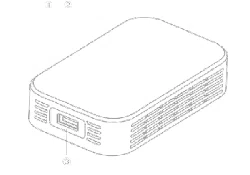
1. PRODUCT OVERVIEW
USB TYPE-C
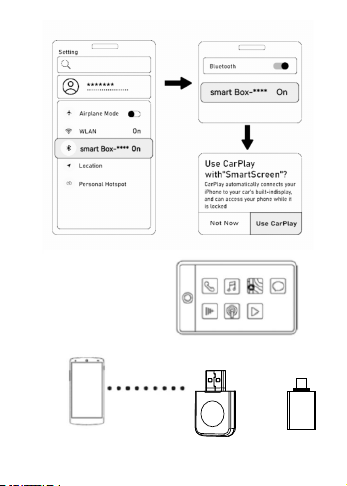
AppleCarplayConnectSteps:
(1).Plugtheadapterintothecar'smultimediadatainterface.
(2).Clickthe"AppleCarplay".
(3).TurnontheiPhone'sWIFIandBluetooth.
(4).Connect"smartbox-xxxx"throughtheiPhone'sBluetooth
andclickpairing,thenclick"UseCarplay".
(5).Waitforabout5secondsforpairingtosucceed.
(6).Aftertheinitialsuccessfulconnection,subsequent
connectionsareautomatic.
2. PRODUCT OPERATION INSTRUCTIONS
· 2 ·
USB TYPE-C
· 3 ·
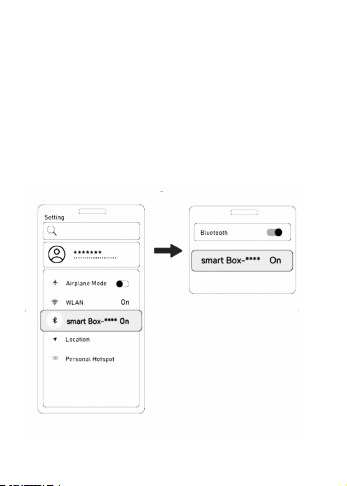
AndroidAutoConnectSteps:
(1).Plugtheadapterintothecar'smultimediadatainterface.
(2).Clickthe"AndroidAuto".
(3).TurnontheSmartphone'sWIFIandBluetooth.
(4).Connect"smartbox-xxxx"throughthesmartphone
Bluetoothandclickpairing.
(5).Waitforabout5secondsforpairingtosucceed.
· 4 ·

(1).TurnontheWi-FionyouriPhone,findthecorresponding
displayname,enterthepassword"88888888",thenclick
"Connect".
(2).EntertheIPaddress192.168.1.101inSafaribrowser,then
click"metoupgrade";waitafewminutesfortheupgrade.
(3).Aftertheupgradeiscompleted,plugandunplugthebox
again,ignorethedpreviousBluetooth,andreconnectthe
Bluetoothforuse.
3. PRODUCT UPDATE SYSTEM
4. NOTES
(1).Smartphonemodelandversionrequirements:
iphone6andabove,iOS10andabove.
(2).AndroidVersionRequirements:Android11orabove,
with5GWi-Fisupport.
(3).MakesureyourcarwiththefactorywiredCarplaymore
than800modelstochoosefrom,specificmodelquery
https://wwwapple.com/ios/carplay/available-models/
5. FREQUENTLY ASKED QUESTIONS
(1).Can'titreconnectautomatically?
A.CheckifbothBluetoothandWi-FiareturnedonontheiPhone.
· 5 ·

(2).Whycan’tIalwaysconnect?
A.CheckifthecarsupportswiredCarPlay.
B.Checkiftheproductindicatorlightisontodetermineifthe
adapterisconnectedsuccessfully.
C.Checkifthephone'sWIFI,Bluetooth,andCarPlayare
turnedon.
D.Whenchangingphones,checkiftheWIFIandBluetoothof
thepreviousphoneareturnedoff.
(3).Nosoundwhenyoucall?
A:YoucanselectthesoundoutputmodeasCarplaymodein
theiphonecallpage,somecarsneedtosetitmanually.
(4).Sounddelay,navigationdelay?
A.UnstableiPhonesignalcausesdelays.
B.Phonelagging,restartthedevice.
(5).Whyistheconnectionsuddenlydisconnected?
A.Checkiftheconnectorisloose.
(6).Whycan’tCarplaystartorthedeviceisincompatible/
unrecognizedUSB?
A.CheckifthecarsupportswiredCarPlay.
B.Checkiftheconnectorisloose.
· 6 ·
· 7 ·
ワイヤレスアダプター
こちらは24時間以内に返信して、問題をできるだけ早く解決するた
めに全⼒を尽くします。お客様は弊店の製品にご不満のところがご
ざいましたら、ご感想をお聞かせてください。こちらが是⾮誠⼼誠意
で対応させていただきます!どうぞよろしくお願い申し上げます。
何か問題があれば、いつでもお連絡してお願いします。
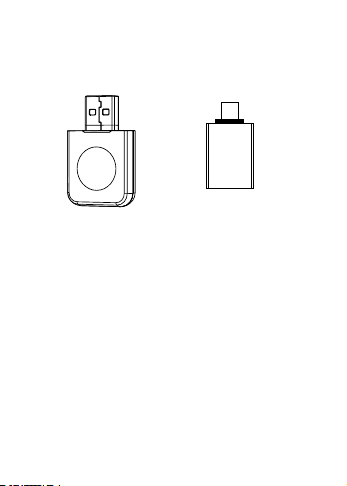
1.製品概要
USB TYPE-C
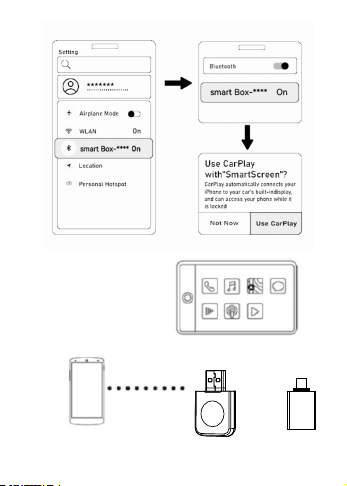
AppleCarPlay接続⼿順:
(1).アダプターを有線CarPlay対応USBポートに接続します。
(2)「. AppleCarPlay」をクリックします。
(3).iPhoneのWi-FiとBluetoothをオンにします。
(4).iPhoneのBluetoothを通じて「smartbox-xxxx」に接続し、
ペアリングをクリックします。その後「、CarPlayを使⽤」をクリッ
クします。
(5).ペアリングが完了するまで約5秒間待ちます。
(6).初回接続が成功した後、以降の接続は⾃動的に⾏われます。
2.接続⽅法
· 8 ·
USB TYPE-C
· 9 ·
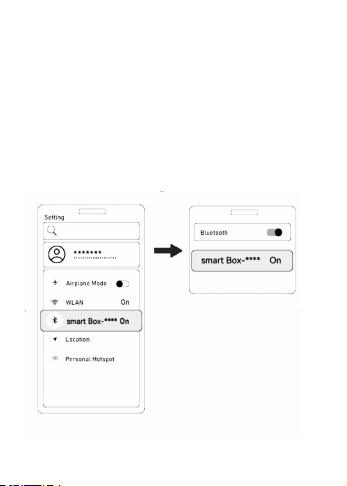
AndroidAuto接続⼿順:
(1).アダプターを有線AndroidAuto対応USBポートに接続し
ます
(2)「. AndroidAuto」をクリックします。
(3).スマホのWi-FiとBluetoothをオンにします。
(4).Bluetoothを通じて「smartbox-xxxx」に接続し、ペアリング
をクリックします。
(5).ペアリングが完了するまで約5秒間待ちます。
· 10 ·

iPhoneのWi-Fiをオンにし、対応する表⽰名を⾒つけて、パスワ
ード「88888888」を⼊⼒し「、接続」をクリックします。
(1).SafariブラウザーにIPアドレス192.168.1.101を⼊⼒し、
「metoupgrade」をクリックして、数分間アップグレードを待ち
ます。
(2).アップグレードが完了した後、再度アダプターを抜き差しし、
以前のBluetooth接続を無視して、再接続して使⽤します。
3.システムアップデート
· 11 ·
4.Tips
(1).携帯電話の機種およびバージョンの要件:iPhone6以降、
iOS10以降。
(2).Android11以後のスマホのみ対応。
(3).お使いの⾞が800種類以上の純正有線CarPlayに対応してい
ることを確認してください。対応機種の詳細については、
https://www.apple.com/ios/carplay/available-models/をご
覧ください。

(3).なぜAndroidAutoが起動しない、またはデバイスが互換性が
ない/USBが認識されない?
A.⾞が有線CarPlayをサポートしているか確認してください。
B.コネクタが緩んでいないか確認してください。
· 12 ·
(1).なぜ常に接続できないのか?
A.⾞が有線CarPlayをサポートしているか確認してください。
B.製品のインジケーターライトが点灯しているか確認し、アダプ
ターが正常に接続されているか確認してください。
C.携帯電話のWi-Fi、Bluetooth、CarPlayがオンになっているか
確認してください。
D.携帯電話を変更する場合、以前の携帯電話のWi-Fiと
Bluetoothがオフになっているか確認してください。
(2).なぜ⾃動的に再接続できないのか?
A.iPhoneのBluetoothとWi-Fiが両⽅ともオンになっているか
確認してください。
5.よくある質問と対策