XW37-BLE
1 / 16
XW37-BLE 5.2 Module
Version: V1.1
Date: 2026.09.23
XW37-BLE
2 / 16
Disclaimer and Copyright Notice
All information in this document is provided on an "as-is" basis and is
subject to change without prior notice.
No warranty of any kind is made with respect to the contents of this
document, including any warranties of merchantability, fitness for a particular
purpose, or non-infringement, as well as any warranties implied by proposals,
specifications or samples referenced elsewhere. The document shall not be
liable for any patent infringement arising from the use of information
contained herein. No intellectual property license, whether express or implied,
is granted by estoppel or otherwise under this document.
All trademarks mentioned herein are the property of their respective
owners.
Note
The contents of this manual may be modified due to product version
upgrades or other reasons. Users shall apply to our company for the final
document to obtain the latest product information. This manual serves only as
a usage guide, and the accuracy of its content is not guaranteed. All statements,
information and recommendations in this manual do not constitute any
express or implied warranty.
Revision History
Date
Version
Author
Description
2023.12.13
V1.0
Jerk
Initial release
2026.09.23
V1.1
Jerk
Added LDO version

XW37-BLE
3 / 16
Table of Contents
1.Product Overview
..............................................................
5
1.1Product Features
......................................................................................................
5
1.2Application Solutions
..............................................................................................
5
2.Product Module Interface
............................................
6
2.1Product Outline Drawing
......................................................................................
6
2.2 Product Package Dimension Drawing
..............................................................
6
2.3Pin Definition
............................................................................................................
7
3.
Product Functions and Test Operation Instructions
...........
8
4.UUID
......................................................................................
9
5.Communication Interface between Module and MCU
.........
9
5.1 Asynchronous Serial Communication
...............................................................
9
5.2 DataPacketFormat
.....................................................................................................
9
5.3 Operating Mode Configuration
..........................................................................
9
5.3. 1
Command Mode and Transparent Transmission Mode Switching
....
9
5.3.2 UART Switch
.................................................................................................
9
5.3.3 Status Indicator LED
..................................................................................
10
5.3.4 MCU Interrupt Wake-up
..............................................................................
10
5.3.5 Power On/Off Control
...............................................................................
10
6. AT Commands
..................................................................
10
6.1AT Command List
..................................................................................................
10
6.2 Baud Rate Modification
......................................................................................
11
6.3 Read Bluetooth Device Name
...........................................................................
11
6.4 Set Bluetooth Device Name
.....................................................................................
11
6.5 Read Bluetooth MAC Address
...........................................................................
11
6.6 Set Bluetooth MAC Address
..............................................................................
12
6.7 Read Bluetooth Module Status: Advertising / Connected ................ 12

XW37-BLE
4 / 16
6.8 Modify Bluetooth Advertising Interval
..........................................................
12
6.9 Modify Bluetooth Connection Interval
............................................................
12
6.10 Disconnect Bluetooth Module Link
...............................................................
13
6.11 Reset / Reboot
...................................................................................................
13
6.12 Get Configuration Parameters
.........................................................................
13
6.13 Exit Command Mode
........................................................................................
13
6.14 Power Off
.............................................................................................................
13
6.15 Restore Factory Defaults
..................................................................................
14
6.16 Query Version Information
.............................................................................
14
6.17 Help Command
..................................................................................................
14
6.18 Description of Command Error Return Parameters
..................................
15
7. Power Consumption
....................................................
15
8.Reflow Profile
..................................................................
15
9.Appendix: Referenced Specifications
.....................
15
10.Contact Us
......................................................................
16

XW37-BLE
5 / 16
1. Product Overview
XW37-BLE is a low-power Bluetooth 5.2 module. This module integrates a
high-performance 2.4 GHz RF transceiver, a feature-rich baseband processor, a
32-bit MCU running at 32 MHz, and a variety of peripheral interfaces. It is
equipped with 2 Mbit SiP Flash, 32 KB RAM and 32 KB ROM, supporting
programmable protocols to meet customized customer applications.
We provide customers with complete hardware and software reference
designs to help shorten your product development cycle and reduce your cost
investment.
1.1 Product Features
●Ultra-small size low-power Bluetooth 5.2 module
●Built-in 12-bit high-precision ADC
●Supports UART/GPIO/I2C/PWM/ADC/SPI/JTAG and other interfaces
●Deep sleep current: 0.8 µA
●UART can be enabled via pin to switch between operating and sleep states
●Supports command switching between AT command mode and transparent
transmission mode
●Supports parameter configuration via AT commands
●At 0 dBm transmit power, the communication range can reach up to 40 m in
open space
●Supports a maximum payload of 20 bytes per data packet
●Power supply range: 1.7~3.3 V; 3.0 V supply is recommended
●Outline dimensions: 18 mm * 12 mm * 1.7 mm
1.2 Application Solutions
■ Household Appliances ■ Industrial Wireless Control ■ Wearable Electronic
Products ■ Smart Sockets & Lights ■ Wireless Remote Control ■ Healthcare
Products ■ Bluetooth-to-UART Products
XW37-BLE
6 / 16
2.Product Module Interface
2.1Product Outline Drawing
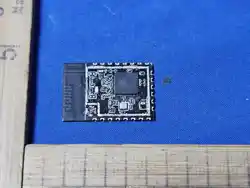
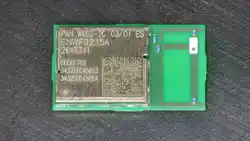
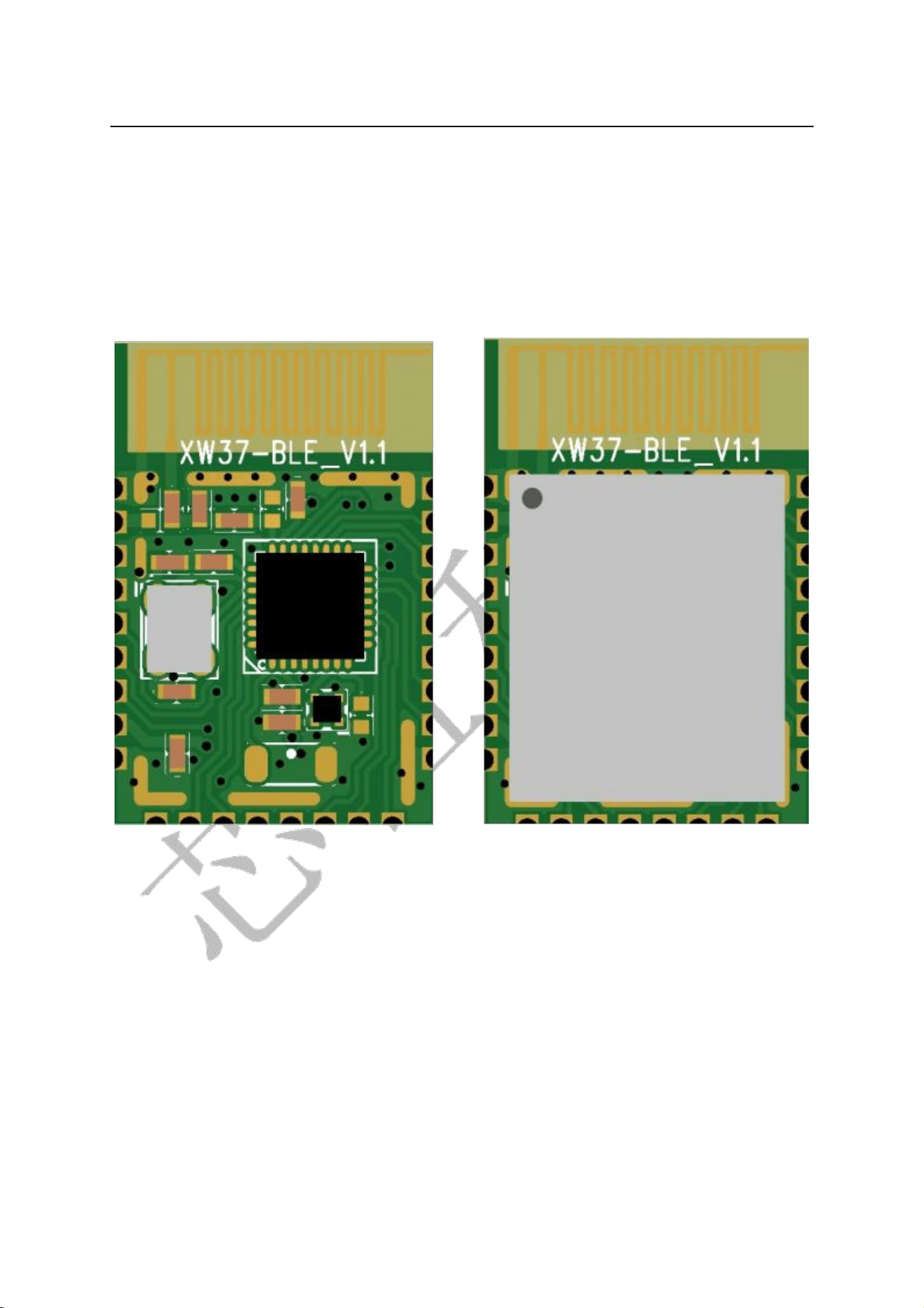
The module is available in two versions: with shield cover and without shield
cover. The default delivery version is without shield cover.
产品外形图
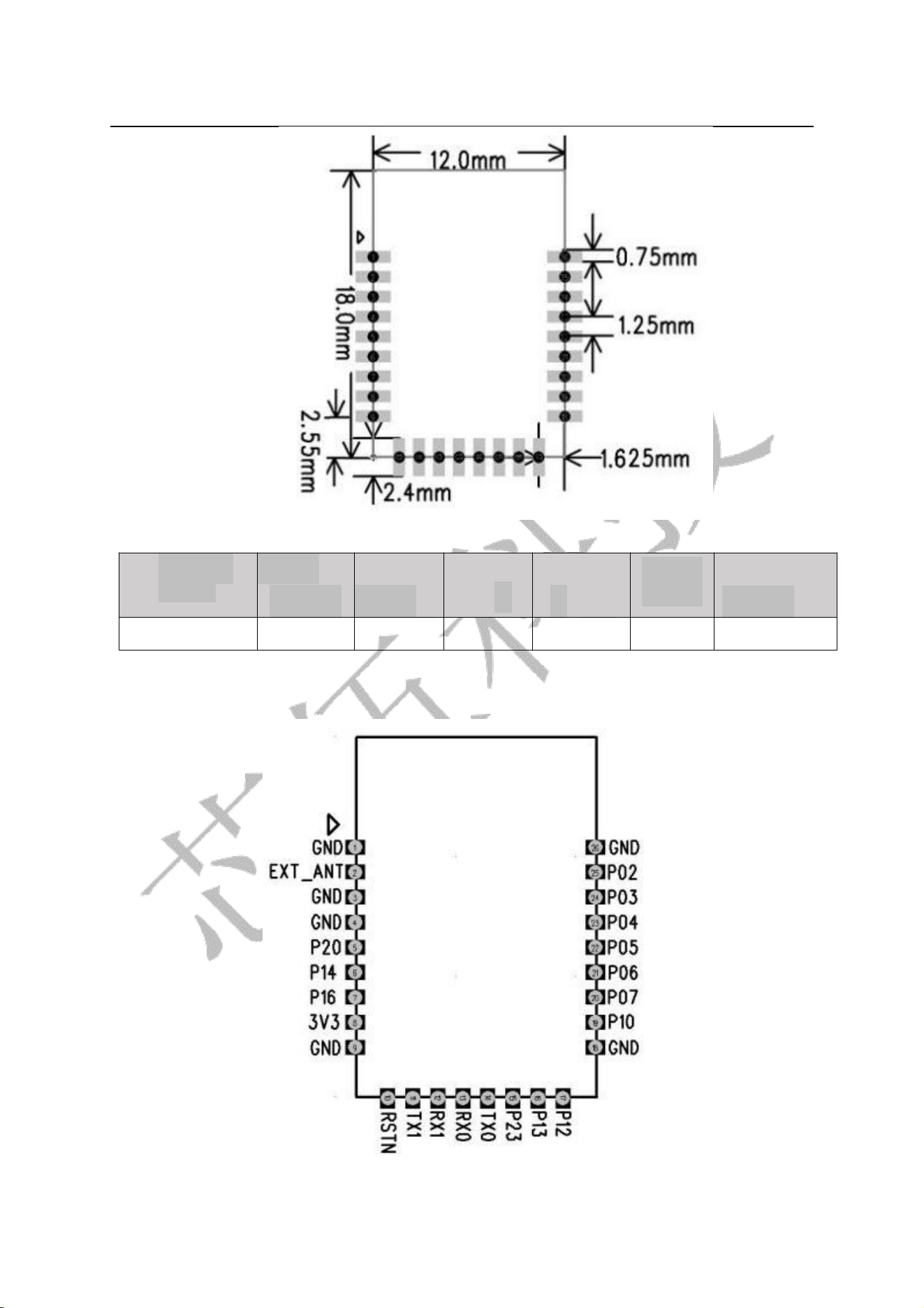
2.2 Product Package Dimension Drawing
XW37-BLE
7 / 16
Package Dimension Drawing©
Module
Model
Length
(mm)
Width
(mm)
Height
(mm)
PAD Size
(mm)
PinPitch
(mm)
Board Thickness
(mm)
XW37-BLE
18
12
1.7±0.2
-
1.25
0.8
2.3Pin Definition
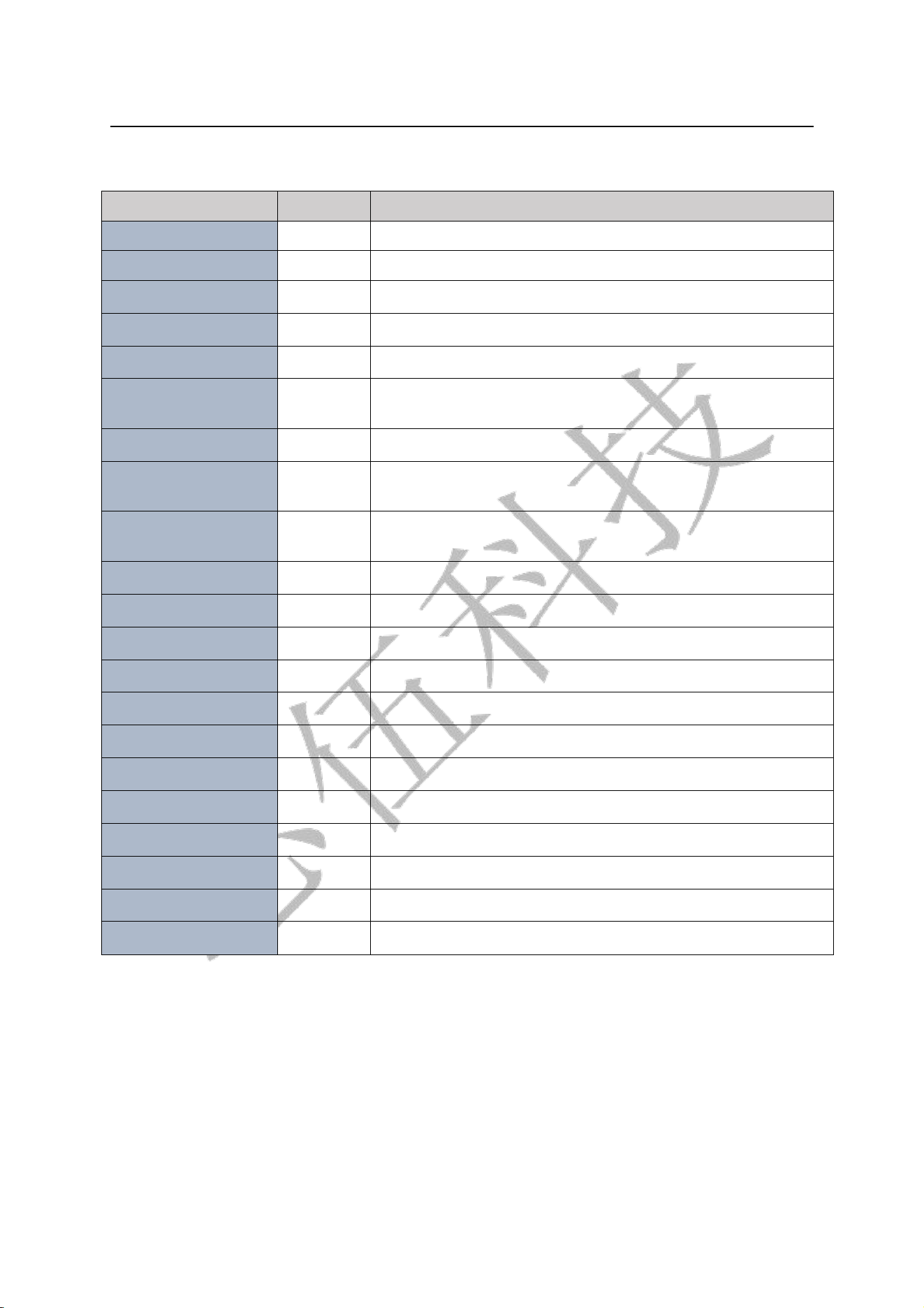
The XW37-BLE module has a total of 26 interfaces, including 17 GPIOs.
XW37-BLEPin Diagram
XW37-BLE
8 / 16
Table 2.3 Pin Function Definition
No.
Pin Name
Function Description
1、3、4、 9、18、26
GND
Ground
2
EXT_ANT
External antenna connection when required
5
P20
General-purpose IO
6
P14
General-purpose IO,I2C_SDA
7
P16
General-purpose IO
8
3V3
3.0V VCC; the output current of the external power supply is
recommended to be above 60mA
10
RSTN
Reset pin, active low
11
P21/TXD1
General-purpose IO, UART_TXD1 communication interface
with MCU
12
P22/RXD1
General-purpose IO, UART_RXD1 communication interface
with MCU
13
P01/TXD0
General-purpose IO, Download_UART_TX0
14
P00/RXD0
General-purpose IO, Download_UART_RX0, ADC0
15
P23
General-purpose IO, PWM3
16
P13
General-purpose IO, I2C_SCL
17
P12
General-purpose IO, PWM4
19
P10
General-purpose IO, PWM3
20
P07
General-purpose IO, PWM2, SPI_NSS, JTAG_TMS
21
P06
General-purpose IO,,SPI_MISO,ADC5,PWM1,JTAG_TCK
22
P05
General-purpose IO,,SPI_MOSI ,ADC4,JTAG_TDO
23
P04
General-purpose IO,,SPI_SCK ,ADC3,JTAG_TDI
24
P03
General-purpose IO,,I2C_SDA ,ADC2
25
P02
General-purpose IO,,I2C_SCL ,ADC1
3. Product Functions and Test Operation Instructions
●Supports Bluetooth 4.2 Master mode and Slave mode.●Supports WeChat
AirSync protocol.●Default Configuration:
Operating Mode: Default is transparent transmission mode. Switch to command
mode if AT commands are to be used;
UART Parameters: 9600 baud, 8 data bits, no parity, 1 stop bit;

XW37-BLE
9 / 16
Bluetooth Name:BleSerial Port;
Advertising Interval:“80 ,80”,i.e.max =50ms,min=50ms;
Connection Interval: “ 36,24,2,100”,i.e.max =36,min =24,latency =2,timeout =300
(max =45ms,min=30ms,latency =2,timeout =1000ms)。
4.UUID
Slave Service UUID: 0xFFB0
Characteristic UUID: 0xFFB1 Properties: Write Without Response Characteristic UUID:
0xFFB2 Properties: Read, Notify
5.Communication Interface between Module and MCU
5.1 Asynchronous Serial Communication
The BLE module communicates with the MCU via UART. Default port characteristics:
baud rate 9600, 8 data bits, 1 stop bit, no parity.
5.2 Data Packet Format
In transparent transmission mode, the BLE module forwards the data sent by the MCU
to the APP intact. Data sent from the APP to the BLE module is also forwarded directly
to the MCU.
In command mode, AT commands can be used to configure the module.
Configuration can be performed by sending AT commands from the APP or via a serial
port assistant on a PC.
5.3 Operating Mode Configuration
5.3.1 Switching between Command Mode and Transparent Transmission
Mode
Transparent transmission mode is the default mode after power-up. In this mode, send
“+++”. The module returns “AT+ok Mode=AT Mode\r\n” to enter command mode.
AT commands can then be used for configuration and read operations.
In command mode, input “AT+exit\r\n.” The module returns” AT+ok
Mode=Normal\r\n to “enter transparent transmission mode. All data sent afterwards
will be transparently transmitted directly.
Note: When sending “+++” to switch modes, send only the three” +” characters.
No other characters shall be included, and \r\n must not be appended.
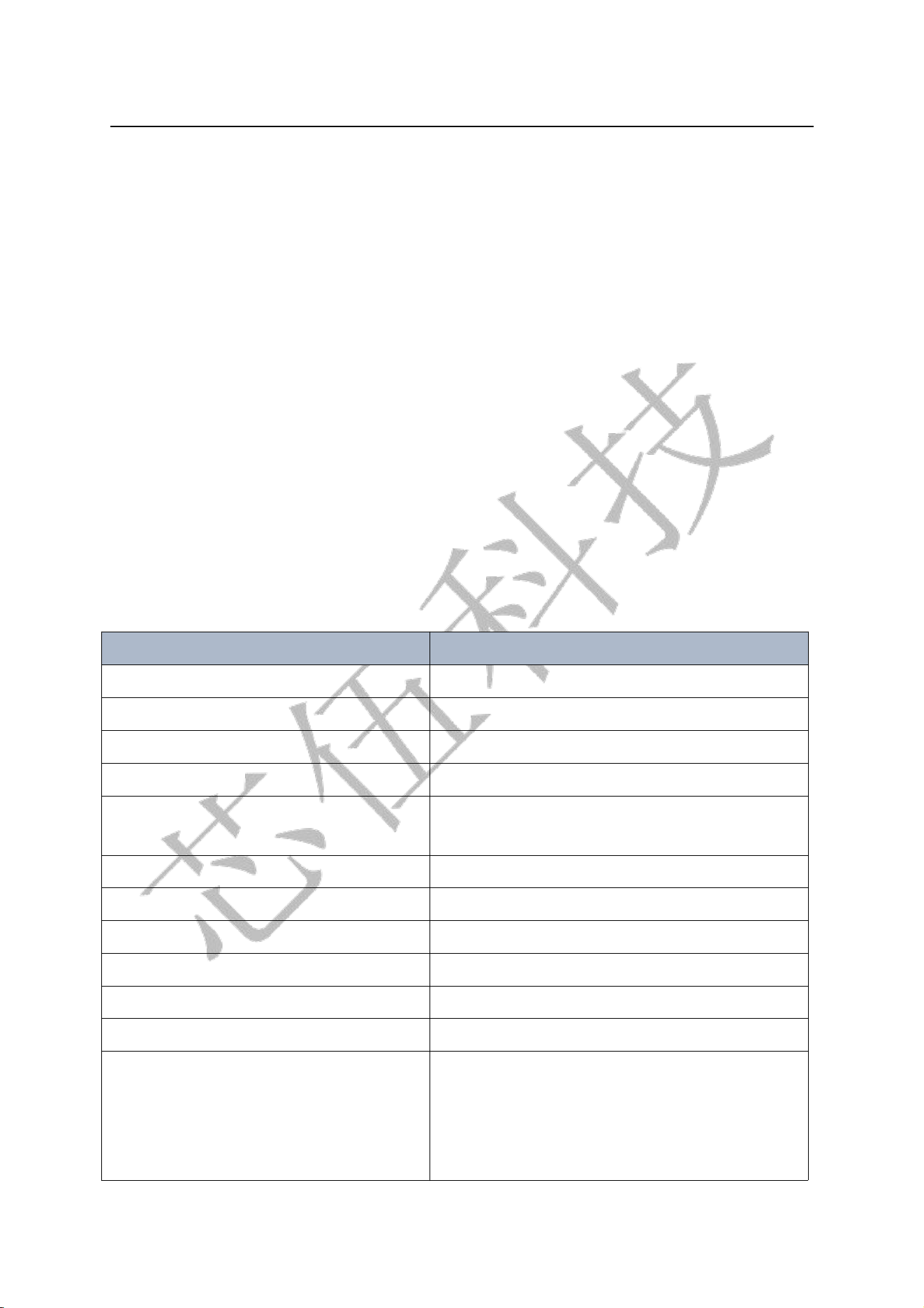
5.3.2 UART Switch
Pin 24 (P03): high level enters UART transparent transmission mode; low level enters low
-power mode; floating state defaults to UART transparent transmission mode. A level
transition is required to trigger the mode change. (Note: UART transparent transmission
is unavailable in low-power mode.)
XW37-BLE
10 / 16
5.3.3 Status Indicator
13PIN(P01):High level when not connected; Low level when connected.
5.3.4 MCU Interrupt Wake-up
14PIN(P00):Default low level. It becomes high level upon receiving data from
APP, and returns to low level after reception is completed.
5.3.5 Power On / Off Control
15PIN(P23):Low level enters DEEP SLEEP mode; High level for normal operation;
Floating state defaults to normal operation.
6. AT Commands
Note: Transparent transmission mode is the default mode after power-up. Send
"+++" to switch to command mode when in transparent transmission mode.
AT commands sent under command mode must end with \r\n. When operating
with serial port assistant, check the "Send Newline" option.
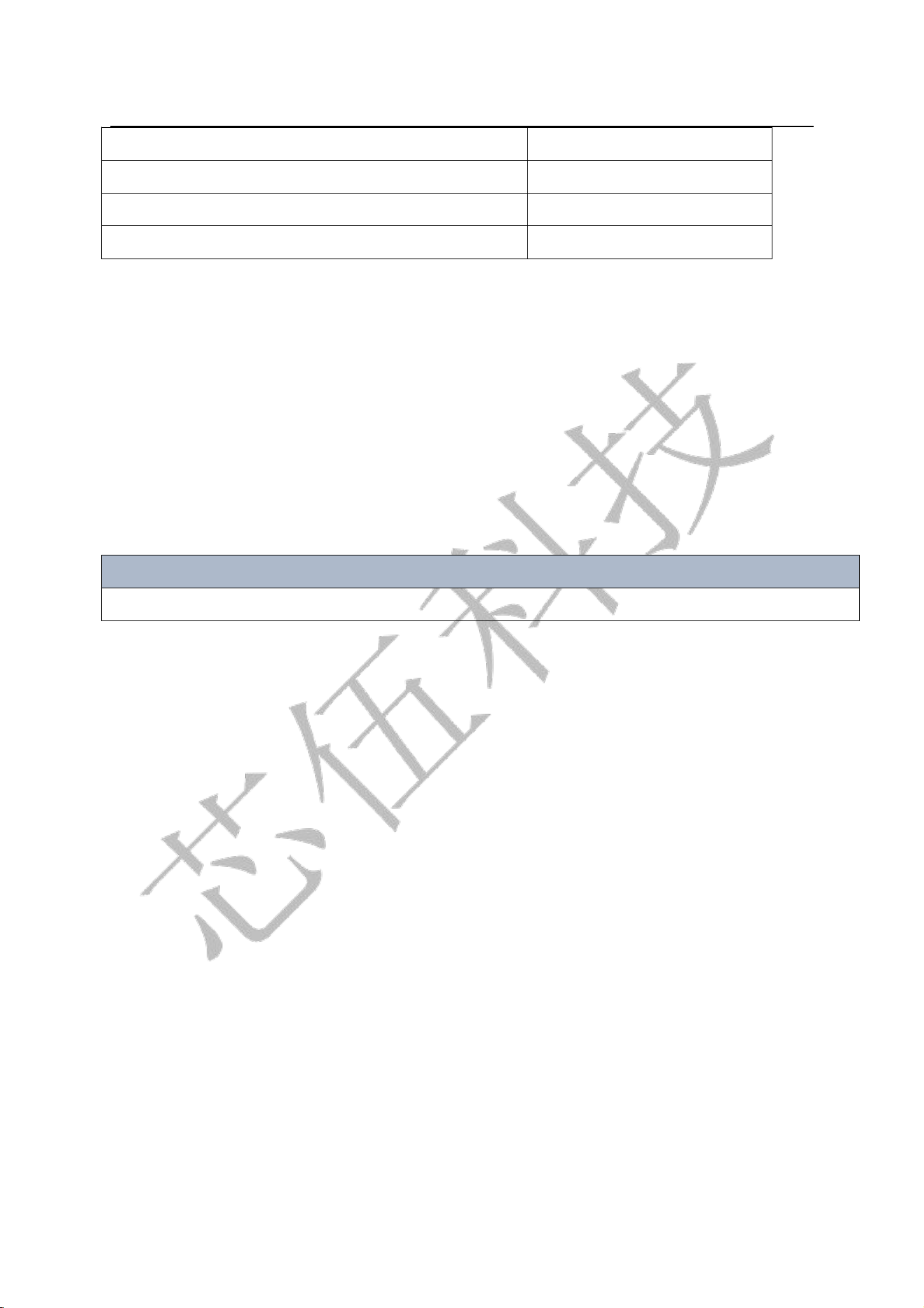
6.1 AT Command List
Command
Description
“AT+setBR 9600\r\n”
Set baud rate
“AT+getName\r\n”
Read Bluetooth name
“AT+setName=bleName\r\n”
Set Bluetooth name
“AT+getAddr\r\n”
Read Bluetooth address
“AT+setAddr
=112233445566\r\n”
Set Bluetooth address
“AT+getStatus\r\n”
Read Bluetooth status
“AT+setAdvInt 80 100\r\n”
Set advertising interval
“AT+setConnInt 36242300 \r\n ”
Set connection interval
“AT+disConnect\r\n”
Disconnect connection
“AT+reStart\r\n”
Restart module
“AT+getPara\r\n”
Get configuration parameters
“AT+exit\r\n”
Exit command mode (switch to
transparent transmission mode);
Send "+++" to switch to command mode
in transparent transmission mode.
XW37-BLE
11 / 16
“AT+shutDown\r\n”
Shut down the module
“AT+reStore\r\n”
Restore factory settings
“AT+getInfo\r\n”
Query version information
“AT+help\r\n”
Command help
6.2 Baud Rate Modification
Command Description: Takes effect after manual restart.
Example:“AT+setBR 9600\r\n” (“\r\n”is the terminator and shall not be
entered manually. A line terminator (0D 0A) must be appended after each
command, the same applies below.)
Hexadecimal:41 54 2B 73 65 74 42 52 20 39 36 30 30 0D 0A(No spaces
between bytes. Spaces can be inserted if your software automatically ignores
spaces, the same applies below.)
Response:“AT+ok\r\n” (Operation succeeded)“AT+err_code\r\n”
(”Operation failed. Refer to "Command Error Return Parameter Description"
for err_code details.)
Baud Rate Setting Range:(Error will be prompted if the parameter is invalid)
2400,4800,9600,19200,38400,57600,115200
6.3 Read Bluetooth Device Name
Example:“AT+getName\r\n”
Hexadecimal: 41 54 2B 67 65 74 4E 61 6D 65 0D 0A
Response:“AT+ok =bleName\r\n” (Operation succeeded)
“AT+err_code\r\n” (Operation failed. Refer to "Command Error Return
Parameter Description" for err_code details.”)
6.4 Set Bluetooth Device Name
Command Description: Takes effect after manual restart.
Example:“AT+setName =bleName\r\n”(e.g., set toSENSSUN FAT)
Hexadecimal: 41 54 2B 73 65 74 4E 61 6D 65 3D 62 6C 65 4E 61 6D 65 0D 0A
Response:“AT+ok restart effect!\r\n” (Operation succeeded. Send restart
command, changes take effect after reboot.“AT+err_code\r\n” (Operation
failed. Refer to "Command Error Return Parameter Description" for err_code
details.”)
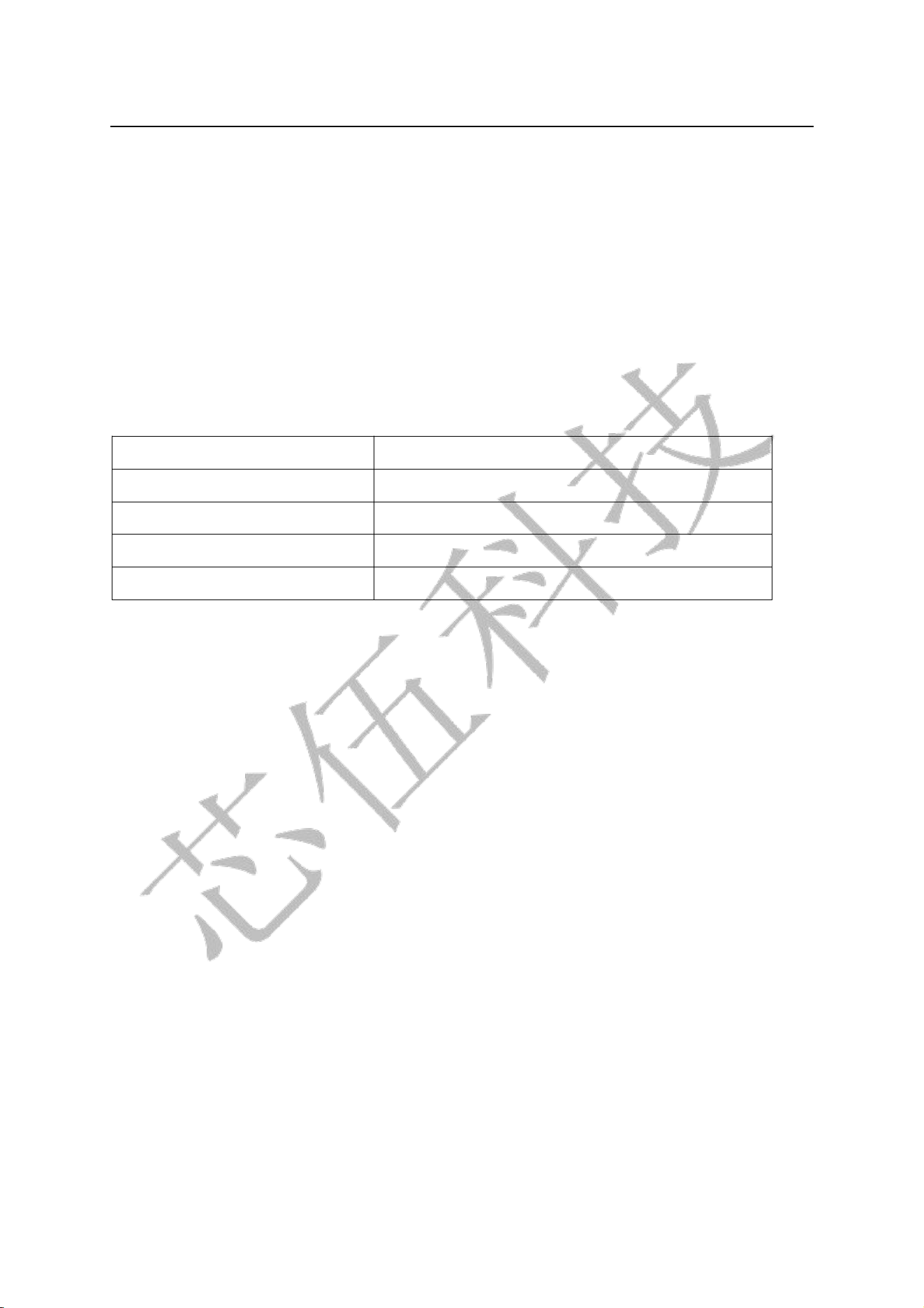
6.5 Read Bluetooth MAC Address
Example: “AT+getAddr\r\n”
Hexadecimal: 41 54 2B 67 65 74 41 64 64 72 0D 0A
Response:“AT+ok FF:11:22:33:66:FF\r\n” (Operation succeeded)
“AT+err_code\r\n” (Operation failed. Refer to "Command Error Return
Parameter Description" for details of err_code.”)
XW37-BLE
12 / 16
6.6 Set Bluetooth MAC Address
Example: “AT+setAddr =112233445566\r\n”
Hexadecimal:41 54 2B 73 65 74 41 64 64 72 3D 31 31 32 32 33 33 34 34 35 35 36 36
0D 0A ,Response:“AT+ok restart effect!\r\n” (Operation succeeded. Send restart
command; settings take effect after reboot.)“AT+err_code\r\n” (Operation failed.
Refer to "Command Error Return Parameter Description" for details of err_code.)
6.7 Read Bluetooth Module Status: Advertising / Connected
Example: “AT+getStatus\r\n” ,Hexadecimal:41 54 2B 67 65 74 53 74 61 74 75 73
0D 0A,Response:“AT+ok status_code\r\n” (Operation succeeded) ,status_code is
shown below:
00
Module in idle state
01
Module in advertising state
02
Module in connected state
03
Scan with response
04
Scan without response
“AT+err_code\r\n” (”Operation failed. Refer to "Command Error Return Parameter
Description" for details of err_code.)
6.8 Modify Bluetooth Advertising Interval
Command Description: Takes effect after manual restart.
Example:“AT+setAdv Int 80 100\r\n” (Minimum interval =80*0.625ms, Maximum
interval =100*0.625ms)Hexadecimal: 41 54 2B 73 65 74 41 64 76 49 6E 74 20 38 30 20
31 30 30 0D 0A ((For advertising interval min/max values:“min < =max”, Range: 80
~ 16000, corresponding to 50 ms ~ 10000 ms)
Response:“AT+ok restart effect!\r\n” (Operation succeeded. Send restart command;
settings take effect after reboot.)
“AT+err_code\r\n” (Operation failed. Refer to "Command Error Return Parameter
Description" for details of err_code.)
6.9 Modify Bluetooth Connection Interval
Command Description: Takes effect immediately. Do not set it frequently; otherwise,
disconnection may happen.Example:“AT+setConnInt 36 24 23 00\r\n ”(The
parameters are max, min, latency, timeout)Hexadecimal:41 54 2B 73 65 74 43 6F 6E 6E
49 6E 74 20 33 36 32 34 32 33 30 30 0D 0A
In this example, the maximum interval is 36*1.25 ms, the minimum interval is 24*1.25
ms, slave latency is 2, and the connection supervision timeout is 300*10 ms.

XW37-BLE
13 / 16
Minimum and Maximum Connection Interval: both range from:
0x0006~0x0C80 (7.5ms~4000ms),min<=max。
ranges from 0x0000~0x01F3(0~499)。
Connection Supervision Timeout:ranges from0x000A~0x0C80。The
connection interval must be less than the connection timeout: [max*1.25 *
(1+latency)] < 10 * timeout。
Response:“AT+ok\r\n” (Operation succeeded. No reboot required; takes
effect immediately.)“AT+err_code\r\n” (Operation failed. Refer to
"Command Error Return Parameter Description" for details of err_code.)
6.10 Disconnect Bluetooth Module Connection
Example: “AT+disConnect\r\n”Hex:41 54 2B 64 69 73 43 6F 6E 6E 65 63
74 0D 0A Response: “AT+ok\r\n” (Operation succeeded)
“AT+err_code\r\n” (Operation failed.Refer to Command Error Return
Parameter Description for err_code details.)
6.11 Reset / Reboot
Example:“AT+reStart\r\n” Hex:41 54 2B 64 69 73 43 6F 6E 6E 65 63 74 0D
0A Response:“AT+ok restart now \r\n” (Operation succeeded, automatic
immediate reboot)
6.12 Get Configuration Parameters
Example: “AT+getPara\r\n” Hex:41 54 2B 67 65 74 50 61 72 61 0D 0A
Response:“AT+ok uart 9600,8,N,1; adv 120 160; con 36,24,2,300.\r\n”
(Operation succeeded) ,The returned parameters include UART, advertising
interval and connection interval.
6.13 Exit Command Mode
Example:“AT+exit\r\n”Hex:41 54 2B 65 78 69 74 0D 0A
Response:“AT+ok Mode=Normal\r\n” (Operation succeeded, switch to
transparent transmission mode)
6.14 Power Off
Example:“AT+shutDown\r\n” Hex:41 54 2B 73 68 75 74 44 6F 77 6E 0D
0A

XW37-BLE
14 / 16
Response:“AT+ok power off now!\r\n” (Operation succeeded)
6.15 Restore Factory Settings
Example:“AT+reStore\r\n”
Hex: 41 54 2B 72 65 53 74 6F 72 65 0D 0A
Response: “AT+ ok restart now\r\n” (Operation succeeded)
6.16 Query Version Information
Example:“AT+getInfo\r\n”
Hex: 41 54 2B 67 65 74 49 6E 66 6f 0D 0A
Response: “AT+ok HW=288-BLE-JXKJ,SW=V0.2”
6.17 Help Command
Example:“AT+help\r\n”
Hex: 41 54 2B 68 65 6C 70 0D 0A
Response:AT+ok
Help:
system_shutdown
setBR
getName
setName
getAddr
setAddr
getStatus
setAdvInt
setConnInt
disConnect
reStore
reStart
getPara
getInfo
exit
help
XW37-BLE
15 / 16
6.18 Description of Command Error Return Parameters
err_code
“06”
Meaning
Previous operation not completed
“07”
Invalid command parameter
“08”
Module is in disconnected state
“09”
Module is in connected state
“10”
Module is advertising
“11”
Operation failed
7. Power Consumption
Advertising interval 100ms : 450uA
Advertising interval 500ms : 110ua
Advertising interval 1000ms : 59ua
Deep sleep current (No advertising): 0.8uA
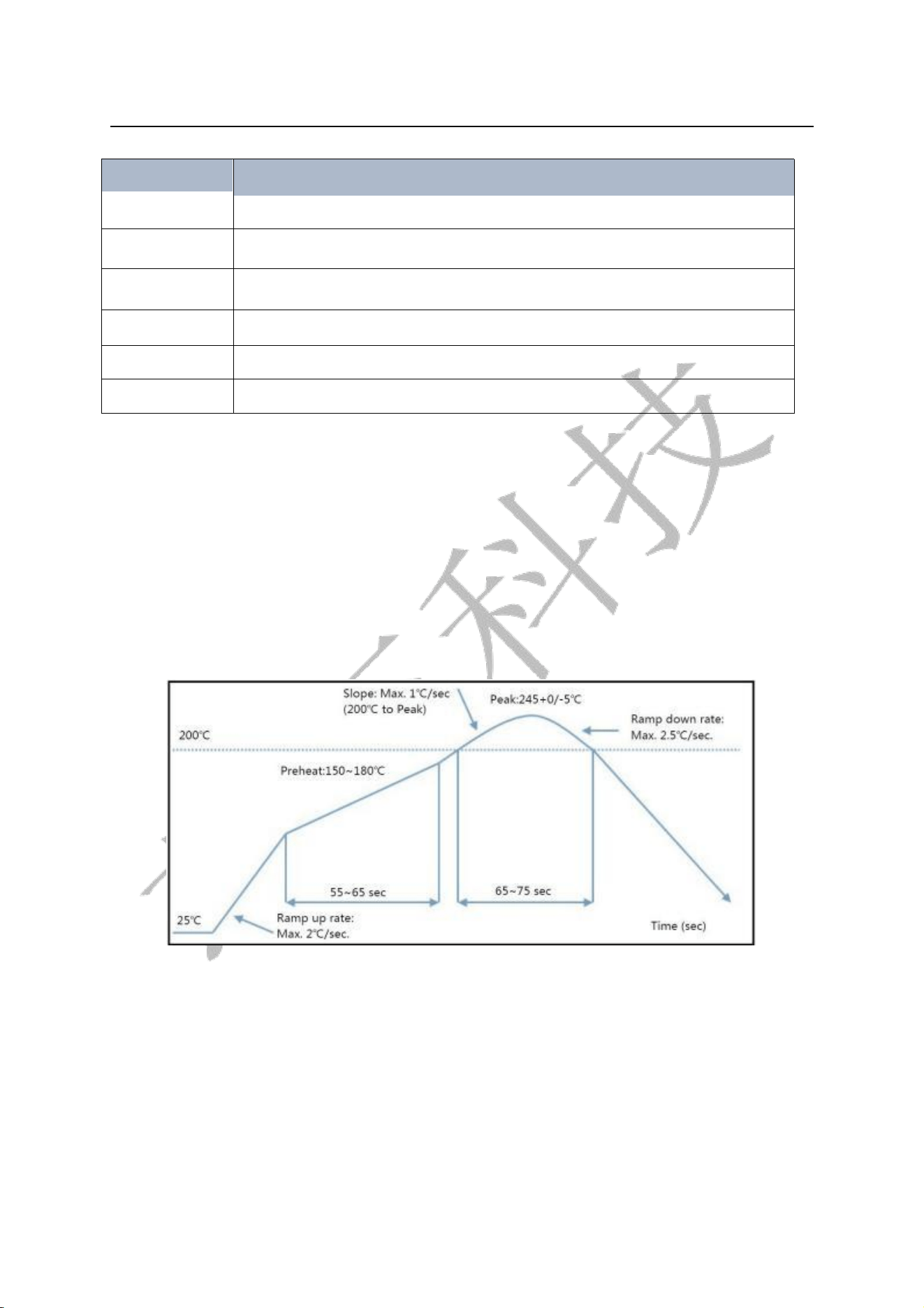
8.Reflow Profile
Maximum temperature:<250℃
Maximum reflow cycles:≤2次
Reflow Profile
9.Appendix: Referenced Specifications
《 BLUETOOTH SPECIFICATION Version 4.2》

XW37-BLE
15 / 16
FCC Statement
This device complies with part 15 of the FCC Rules. Operation is subject to the following two conditions:
(1) This device may not cause harmful interference, and
(2) this device must accept any interference received, including interference that may cause undesired operation.
This equipment has been tested and found to comply with the limits for a Class B digital device, pursuant to part 15 of
the FCC Rules. These limits are designed to provide reasonable protection against harmful interference in a residential
installation. This equipment generates, uses and can radiate radio frequency energy and, if not installed and used in
accordance with the instructions, may cause harmful interference to radio communications. However, there is no
guarantee that interference will not occur in a particular installation. If this equipment does cause harmful
interference to radio or television reception, which can be determined by turning the equipment off and on, the user
is encouraged to try to correct the interference by one or more of the following measures:
- Reorient or relocate the receiving antenna.
- Increase the separation between the equipment and receiver.
- Connect the equipment into an outlet on a circuit different from that to which the receiver is connected.
- Consult the dealer or an experienced radio/TV technician for help.
This modular has been tested and found to comply with part 15 requirements for Modular Approval.
FCC Caution: Any changes or modifications not expressly approved by the party responsible for compliance could void
the user's authority to operate the equipment. This transmitter must not be co-located or operating in conjunction
with any other antenna or transmitter.
Radiated Exposure Statement
This equipment complies with FCC radiation exposure limits set forth for an uncontrolled environment. This
equipment meets the SAR threshold exclusion set forth in KDB 447498 and therefore can be used in mobile/portable
configurations. The antenna used for this transmitter must not transmit simultaneously with any other antenna or
transmitter, except in accordance with FCC multi-transmitter product procedures. Users and installers must be
provided with antenna installation instructions and transmitter operating conditions for satisfying RF exposure
compliance.
The OEM integrator is still responsible for testing their end-user end-product for any additional compliance
requirements required with this modular installed.
Integration instructions for host product manufacturers according to KDB 996369 D03 OEM Manual v01r01
2.2 List of applicable FCC rules
CFR 47 FCC Part 15 Subpart C and Subpart E has been investigated. It is applicable to the modular transmitter
2.3 Specific Operational Use Conditions - Antenna Placement Within the Host Platform
The module is tested for standalone mobile/portable RF exposure use condition.
The transmitter module may not be co-located with any other transmitter or antenna.
In the event that these conditions cannot be met (for example certain laptop configurations or co-location with
another transmitter), then the FCC authorization is no longer considered valid and the FCC ID cannot be used on the
final product. In these circumstances, the OEM integrator will be responsible for re-evaluating the end product
(including the transmitter) and obtaining a separate FCC authorization.
2.4 Limited Module Procedures
Not applicable
2.5 Trace Antenna Designs
Not applicable
2.6 RF Exposure Considerations
This equipment meets the SAR threshold exclusion set forth in KDB 447498 and therefore can be used in
mobile/portable configurations.
2.7 Antenna Type and Gain
The following antennas have been certified for use with this module.
Only antennas of the same type with equal or lower gain may also be used with this module.
Other types of antennas and/or higher gain antennas may require the additional authorization for operation.
XW37-BLE
15 / 16
Antenna Specification list below:
Model
Type
Frequency
Gain
2.4GHz PCB ANT
PCB Antenna
2400 – 2500 MHz
-2.01 dBi (Peak)
2.8 End Product Labelling Compliance Information
When the module is installed in the host device, the FCC ID label must be visible through a window on the final device
or it must be visible when an access panel, door or cover is easily removed. If not, a second label must be placed on
the outside of the final device that contains the following text: “Contains FCC ID: 2AW97-XW37-BLE”. The FCC ID can
be used only when all FCC compliance requirements are met.
2.9 Information on Test Modes and Additional Testing Requirements
This transmitter is tested in a standalone mobile RF exposure condition and any co-located or simultaneous
transmission with other transmitter(s) class II permissive change re-evaluation or new FCC authorization.
Host manufacturer installed this modular with single modular approval should perform the test of radiated emission
and spurious emission according to FCC part 15C, 15.209, 15.207 requirement, only if the test result comply with FCC
part 15C, 15.209, 15.207 requirement, then the host can be sold legally.
2.10 Additional testing, Part 15 Subpart B Disclaimer
This transmitter modular us tested as a subsystem and its certification does not cover the FCC Part 15 Subpart B rules
requirement applicable to the final host. The final host will still need to be reassessed for compliance to this portion of
rules requirements if applicable.
As long as all conditions above are met, further transmitter test will not be required. However, the OEM integrator is
still responsible for testing their end-product for any additional compliance requirements required with this modular
installed.
2.11 Note EMI Considerations
The OEM integrator has to be aware not to provide information to the end user regarding how to install or remove
this RF module in the user’s manual of the end product which integrates this module.
The host integrator must follow the integration instructions provided in this document and ensure that the composite
system end product complies with the requirements by a technical assessment or evaluation to the rules and to KDB
Publication 996369.
The host integrator installing this module into their product must ensure that the final composite product complies
with the requirements by a technical assessment or evaluation to the rules, including the transmitter operation and
should refer to guidance in KDB Publication 996369.
OEM/Host Manufacturer Responsibilities
OEM/Host manufacturers are ultimately responsible for the compliance of the Host and Module. The final product
must be reassessed against all the essential requirements of the FCC rule such as FCC Part 15 Subpart B before it can
be placed on the US market. This includes reassessing the transmitter module for compliance with the Radio and RF
Exposure essential requirements of the FCC rules.
2.12 How to Make Changes - Important Note
In the event that these conditions cannot be met (for example certain laptop configurations or co-location with
another transmitter), then the FCC authorization is no longer considered valid and the FCC ID cannot be used on the
final product. In these circumstances, the OEM integrator will be responsible for re-evaluating the end product
(including the transmitter) and obtaining a separate FCC authorization.