Powr2 Power Bank
Instruction Manual
Product Specs
USB-C Input祝3A, 9Va2A
USB-C Output: 5Va3A, 9V"2.22A, 12V"1.67A,
10V"2.25A
Wireless Output Phone: 5W, 7,5W, 10W,
15WMax
Wireless Output Earbuds: 5W
Wireless Output Watch: 2.5W
Battery Capacity: 5ooomAh/19.25Wh
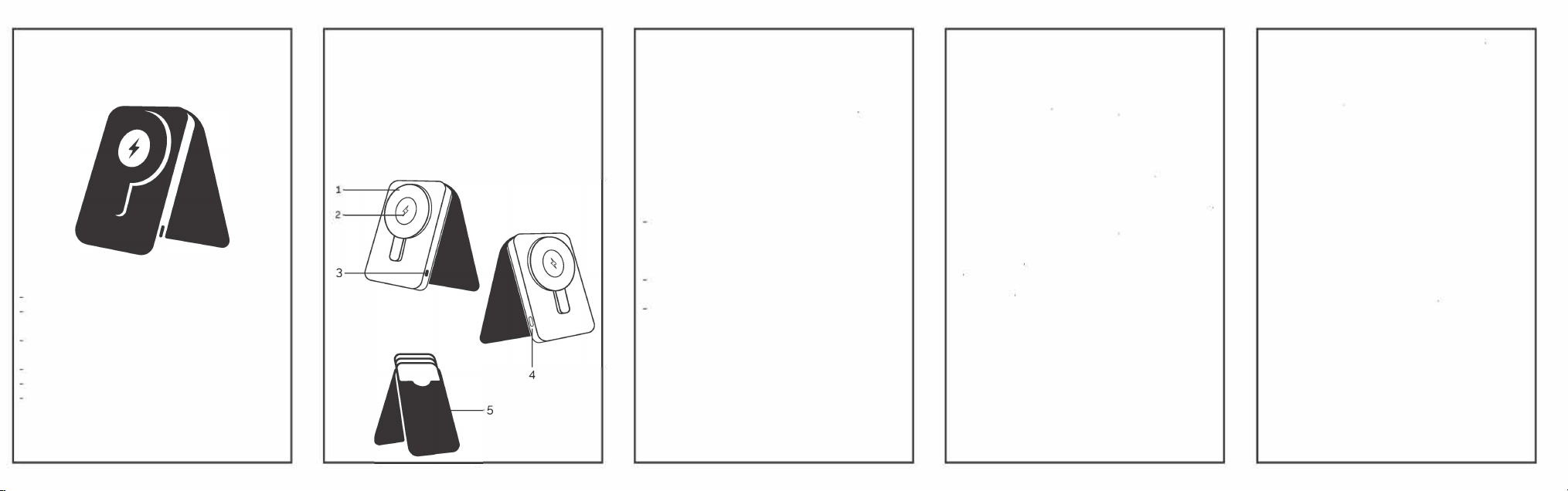
Product Overview
1.
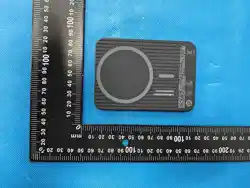
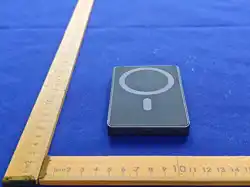
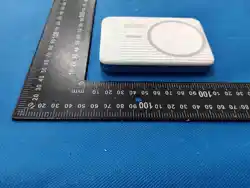
Magnetic wireless phone charger
2.
Wireless watch and earbuds charger
3.
Power button
4
.
USB-C charging port
5.
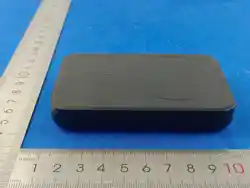
Card slots and phone stand
3
Getting Started:
-
turn on the power bank, press the
power button once
-
turn o the power bank, quickly press
the power button twice
-
Attach your phone to the magnetic
surface, charging will start automatically
-
Alternatively use the provided USB
-
C
cable to plug into your device
-
charge your watch or earbuds, place
over the center of the charging surface
Charging the Power Bank
Plug the included USB-C charging cable
into the USB
-
C port
-
The LED light stays on while charging and
will turn o once charging is complete
It is recommended to ful charge the
batte bere use
Do not over charge the battery and
aays use a proper power source
IMPORTANT SAFETY INSTRUCTIONS
WARNING: When using this product. basic precautions should
always be followed
Read instructions before use
Never store product in temperatures below 32
°
F 1o·c1 or above
104下(40它)
Do not over charge your device with the power bank. The power
bank may become hot with excessive use
Do not expose the power bank to moisture or extreme heat.
When charging, the power bank may el warm, this is a normal
operating condition and should not be cause r conce
avoid risk of re or in」ury, only use the charging cable provided
to charge the power bank.
Do not use the power bank if damaged or modied
Do not disassemble the power bank
Do not use the power bank in excess of ,ts output rating Overload
outputs above rating may result in a risk of re or injury to persons
Switch o the power bank when not in use
Do not dispose of power bank in heat or re
reduce the risk of injury, close supervision is necessary when
power bank is used near or by children
Attachments on the back of your phone or some phone cases can
impede the charging of your device Please remove these bere
using the wireless charger on the power bank.
DISPOSAL INFORMION FOR USER
Recycle according to local recycling and environmental
regulations.
DO NOT DISSASSEMBLE. BATTERY NOT REPLACEABLE
FCC Warning
This device complies with Part 15 of the FCC Rules. Operation is subject to the
following two conditions:
(1) This device may not cause harmful interference, and (2) this device must accept
any interference received, including interference that may cause undesired operation.
NOTE 1: This equipment has been tested and found to comply with the limits for a
Class B digital device, pursuant to part 15 of the FCC Rules. These limits are designed
to provide reasonable protection against harmful interference in a residential
installation. This equipment generates, uses and can radiate radio frequency energy
and, if not installed and used in accordance with the instructions, may cause harmful
interference to radio communications. However, there is no guarantee that
interference will not occur in a particular installation. If this equipment does cause
harmful interference to radio or television reception, which can be determined by
turning the equipment off and on, the user is encouraged to try to correct the
interference by one or more of the following measures:
- Reorient or relocate the receiving antenna.
- Increase the separation between the equipment and receiver.
-Connect the equipment into an outlet on a circuit different from that to which the
receiver is connected.
-Consult the dealer or an experienced radio/TV technician for help.
NOTE 2: Any changes or modifications to this unit not expressly approved by the
party responsible for compliance could void the user's authority to operate the
equipment.
The device has been evaluated to meet general RF exposure requirement. The device
can be used in portable exposure condition without restriction.
4
5
BEST Pmmo USA
201 Clay Rd. Suite 200
Sunnyvale, TX 751B2
+ 1(972) 552-3636
www.hpgbcands.com