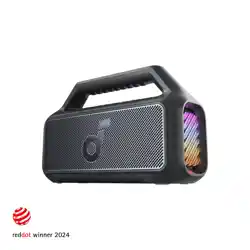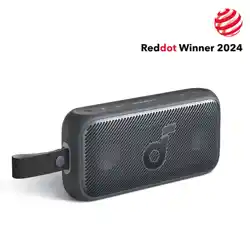
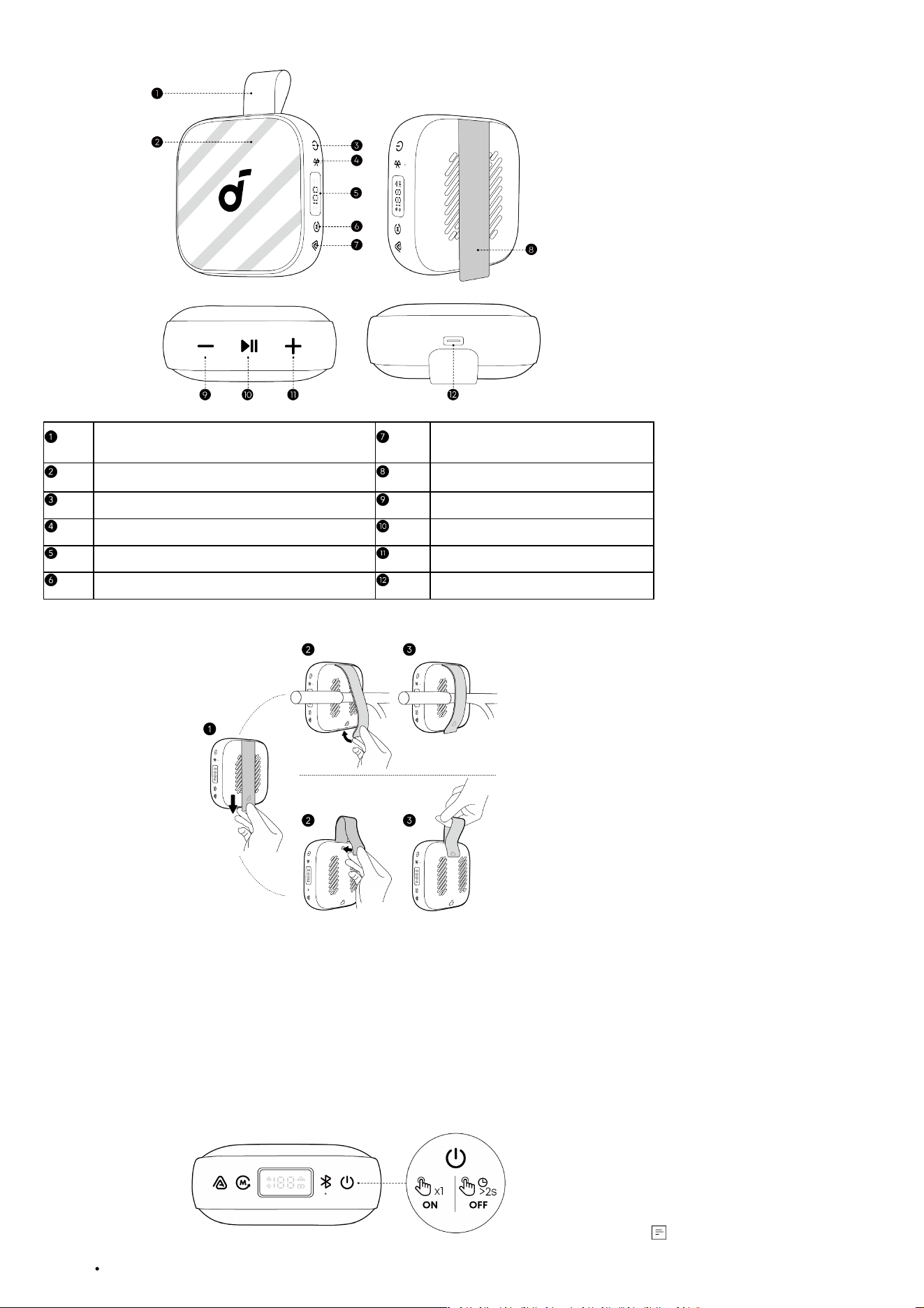
At a Glance
Carrying Handle (formed by the Mounting
Strap)
Auracast Button
LED Light Strip Mounting Strap
Power Button Volume Down Button
Bluetooth Button Play / Pause Button
LED Power Display Volume Up Button
Mode Button USB-C Charging Port
Using the Mounting Strap
soundcore Boom Go 3i comes with a flexible Mounting Strap that makes it easy to carry or secure the speaker to dierent objects, such as a
bicycle handlebar, backpack strap, or tent pole.
To attach the speaker:
1. Pull the strap down to release it from the latch.
2. Loop the strap around the desired object.
3. Pull the strap back up and fasten it firmly until it clicks into place. Make sure the strap fits snugly and the speaker is stable.
To form a carrying handle:
1. Pull down the strap to release it from the latch.
2. Li the strap upward and attach it back into the latch to create a loop.
3. Ensure it is fully locked. The strap now functions as a carrying handle, allowing you to easily carry or hang your speaker.
Powering On / O
This speaker will power o automatically aer 20 minutes if no device is connected.
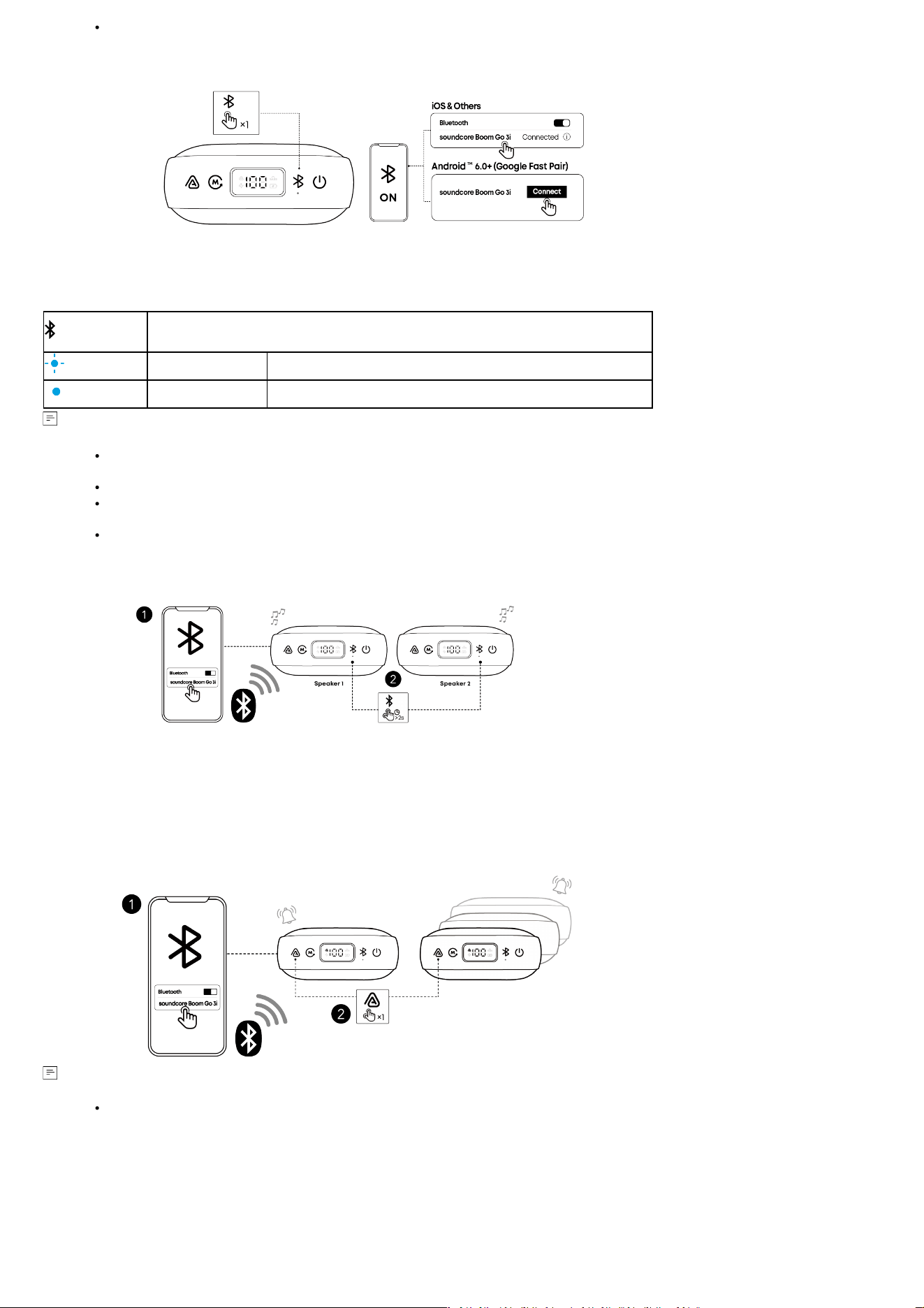
You can customize the auto power o time in the soundcore app.
Bluetooth Mode
Aer powering on the speaker, the speaker will automatically enter pairing mode. If the speaker cannot be found on your mobile device, press
the Bluetooth button to manually enter pairing mode, then select "soundcore Boom Go 3i" from the Bluetooth list to connect.
Google Fast Pair Supported: Enjoy instant pairing with your Android smartphone (running Android 6.0 or above) using Google Fast Pair. Please
sign in to your Google account before using Google Fast Pair.
When the speaker is not connected, press once to enter Bluetooth pairing mode. With
one speaker already connected, press once to enable Dual Connections feature.
Flashing Blue Bluetooth Pairing
Steady Blue Bluetooth Connected
If the speaker is not connected to a device within 3 minutes aer being powered on, it will automatically exit Bluetooth pairing
mode.
To re-enter Bluetooth pairing mode, press the Bluetooth button once.
This speaker can only play music on one mobile device at a time. If another connected device starts playing music, the speaker will
automatically take over and interrupt the current playback without requiring the first device to pause.
Each time you power on your speaker, it will automatically connect to your last connected device if available within the Bluetooth
range. If not, press the Bluetooth button to enter Bluetooth pairing mode.
True Wireless Stereo (TWS) Mode
Two identical soundcore speakers can pair with each other for stereo sound. Both speakers can play the same audio (one as the le channel
and the other as the right channel).
With one speaker connected to a smartphone, press and hold the Bluetooth button for 2 seconds on two speakers to enter TWS pairing mode.
In TWS pairing mode, double-press the Bluetooth button to switch between le and right stereo channels.
Auracast Mode
With one speaker connected to a smartphone, simultaneously press the Auracast button on multiple Boom Go 3i speakers to sync audio.
A prompt sound will play when you enable or disable Auracast mode, or when multiple speakers are successfully linked together.
To link three or more speakers, please use Auracast mode. With the upgraded Auracast feature, your speaker can pair with
soundcore devices using the same Auracast protocol. It is not compatible with PartyCast-enabled devices.
Charging Your Speaker
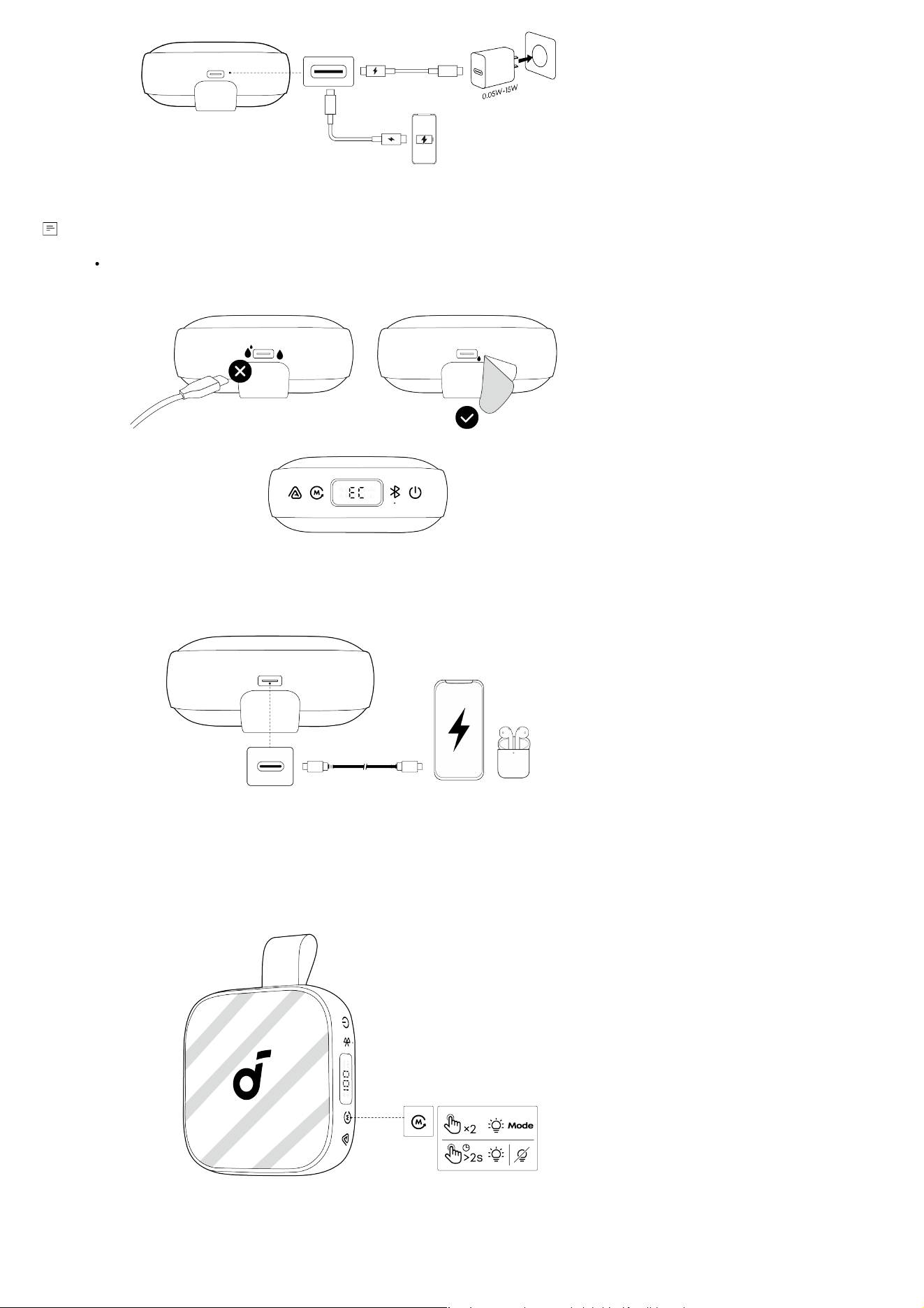
Use the provided USB-C to USB-C cable to connect the speaker and a certified charger to a power source.
When charging, the LED Smart Display will show the battery level in real time.
Please use a charger with a power output of 0.05W to 15W to charge the speaker.
Charging Protection
“EC” means moisture detected in the charging port. In this case, unplug the cable immediately. Ensure both the port and the cable are
completely dry before charging again.
Charging Other Devices
Use this speaker as a power bank to charge your portable devices or accessories. Please note that reverse charging is not available when the
speaker's battery is below 10%.
Light Show
The LED light strips change with the rhythm of the music.
Press and hold the Mode button for 2 seconds to turn on or o the light eects. When the light is on, double-press the Mode button to switch
between dierent light eects.
Emergency Alarm
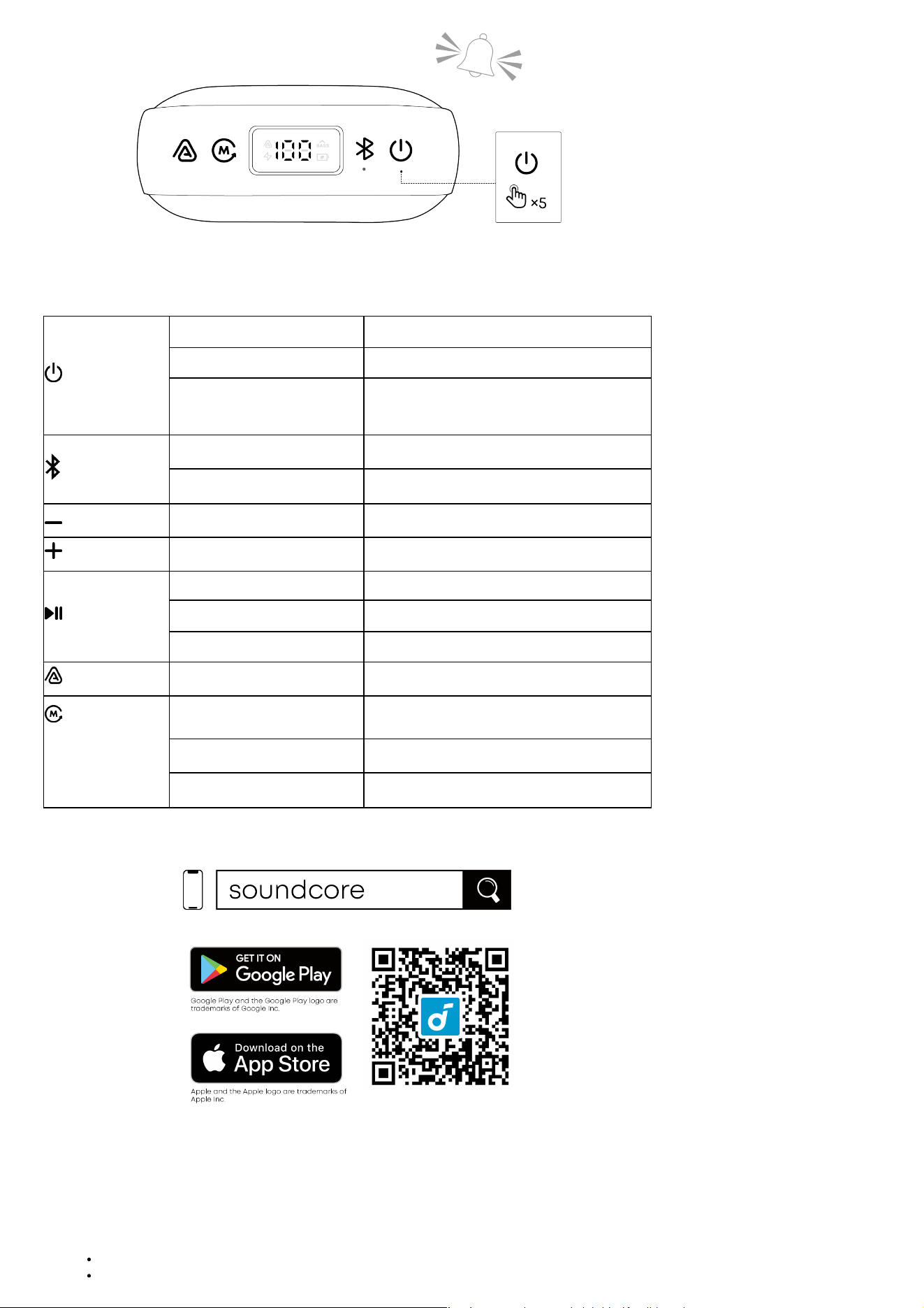
Press the power button 5 times to activate the Emergency Alarm. Press any button to turn it o.
Caution: The alarm is very loud. Use only in real emergencies.
Button Controls
Press Once Power On
Press and Hold for 2 Seconds Power O
Press 5 Times
Activate Emergency Alarm
*Press any button on the speaker to turn o the
alarm.
Press Once Enter Bluetooth Pairing Mode
Press and Hold for 2 Seconds Enter / Exit TWS Pairing Mode
Press Once Volume Down
Press Once Volume Up
Press Once Play / Pause
Press Twice Next Track
Press Three Times Previous Track
Press Once Enter / Exit Auracast Pairing Mode
Note: You can
customize button
controls in the
soundcore app.
Press Once
Select from 3 Sound Modes: BassUp / Normal /
Eco Mode
Press and Hold for 2 Seconds Turn On / O Light Eects
Press Twice
Switch Light Eects
soundcore App
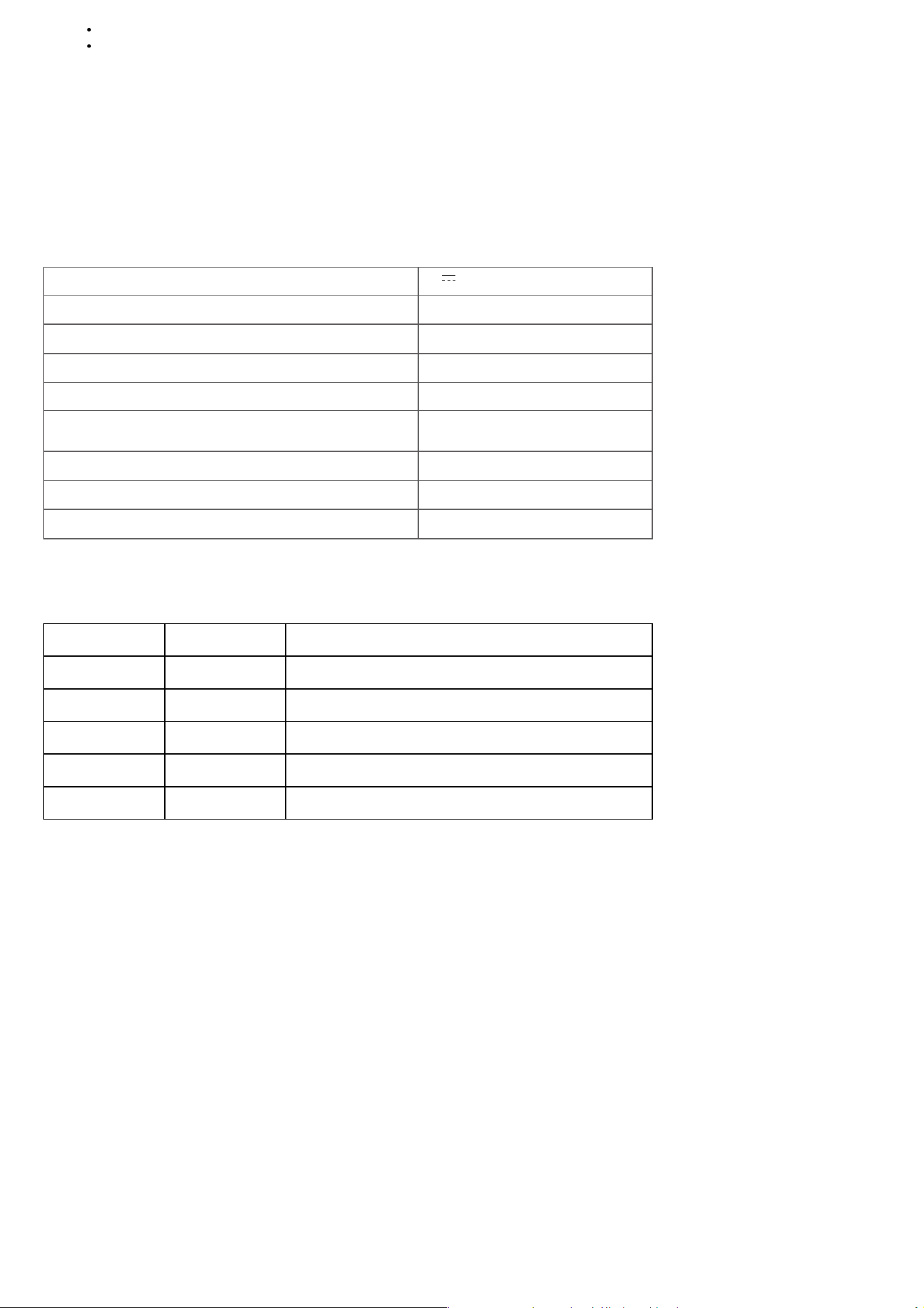
Download the soundcore app to enhance your experience.
Product Information: Check the product name and soware version, or read the user manual.
Firmware Update: You will be informed once a new version of firmware is detected when you connect the speaker with the app.
Battery Status: Indicates the remaining battery level of your speaker.
Volume Control: Adjust the volume level via the app without pressing the buttons on the speaker.
ECO Mode: Eco mode turns o lights and BassUp, switching to a power-saving mode for longer playtime.
Equalizer: There are various preset EQ settings you can choose from in the app to optimize your experience while enjoying dierent music
genres.
soundcore Signature: Standard EQ mode optimized for well-balanced sound.
Treble Boost: High frequencies are enhanced.
Voice: Voices stand out more clearly from other ambient sounds.
Balanced: No enhancement for high-frequency and low-frequency sounds.
Voice Amplifier: Use the app's Voice Amplifier feature to speak directly through your phone, and your voice will be amplified and played
through the speaker.
White Noise: Use the recommended white noise in the app to create a soothing atmosphere for relaxation or falling asleep.
Emergency Alarm: Quickly activates an alarm to draw attention in emergencies.
Set Auto-power O Time: The speaker will automatically power o when time is up.
Speaker Prompts: Mute or restore the device on/o and Bluetooth pairing sound.
Find Device: When the speaker is connected to the app, enable the speaker to play a sound to help you locate it.
Resetting
Press and hold the Bluetooth button and Volume Up button simultaneously for at least 6 seconds to reset the speaker.
Specifications
Power Input 5V 3A
Battery Capacity 4800 mAh
Audio Output Power 15 W
Speaker Driver 2.1 inches
Charging Time 4 Hours
Playtime (varies by volume level and music content) 24 Hours
Waterproof and Dustproof Rating IP68
Bluetooth Version 6.0
Bluetooth Range 30m
Compliance Information
Hereby, Anker Innovations Limited declares that this device is in compliance with The Product Security and Telecommunications Infrastructure
(Security Requirements for Relevant Connectable Products) Regulations 2023. For the Statement of Compliance, visit the website:
https://uk.soundcore.com/pages/psti-related.
Note: The 'x' of SN Code: xxxxxxxxxxxxxxxx is a variable, see below table.
Variable 'x' Range of variable Content
Eighth 0-9 or A-F
Denotes the hardware version which is not eected on the
safety compliance.
Ninth 8,9,A,B,C...
Denotes the year, 8 means 2018, 9 means 2019, A means 2020, B
means 2021, C means 2022, and so on.
Tenth and Eleventh 01,02,03...
Denotes weeks, 01 means the first week in this year, 02 means
the secondary week in this year, and so on.
Twelh 1-7
Denotes date, 1 means Monday, 2 means Tuesday..., 7 means
Sunday and so on.
The last five 00001-99999 Denotes serial No.
Default Open Port: Classic Bluetooth + BLE (Bluetooth Low Energy)
Port Description: Aer the device is powered on, both Classic Bluetooth visibility (or pairing mode) and BLE broadcasting are automatically
enabled, providing Bluetooth pairing (or control) services. The Bluetooth service is disabled when the device is powered o.
This product does not use post-consumer recycled plastic or bio-based plastic.