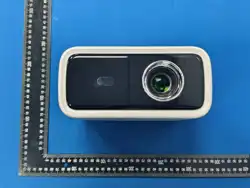
Portable Projector
User Manua
Attention
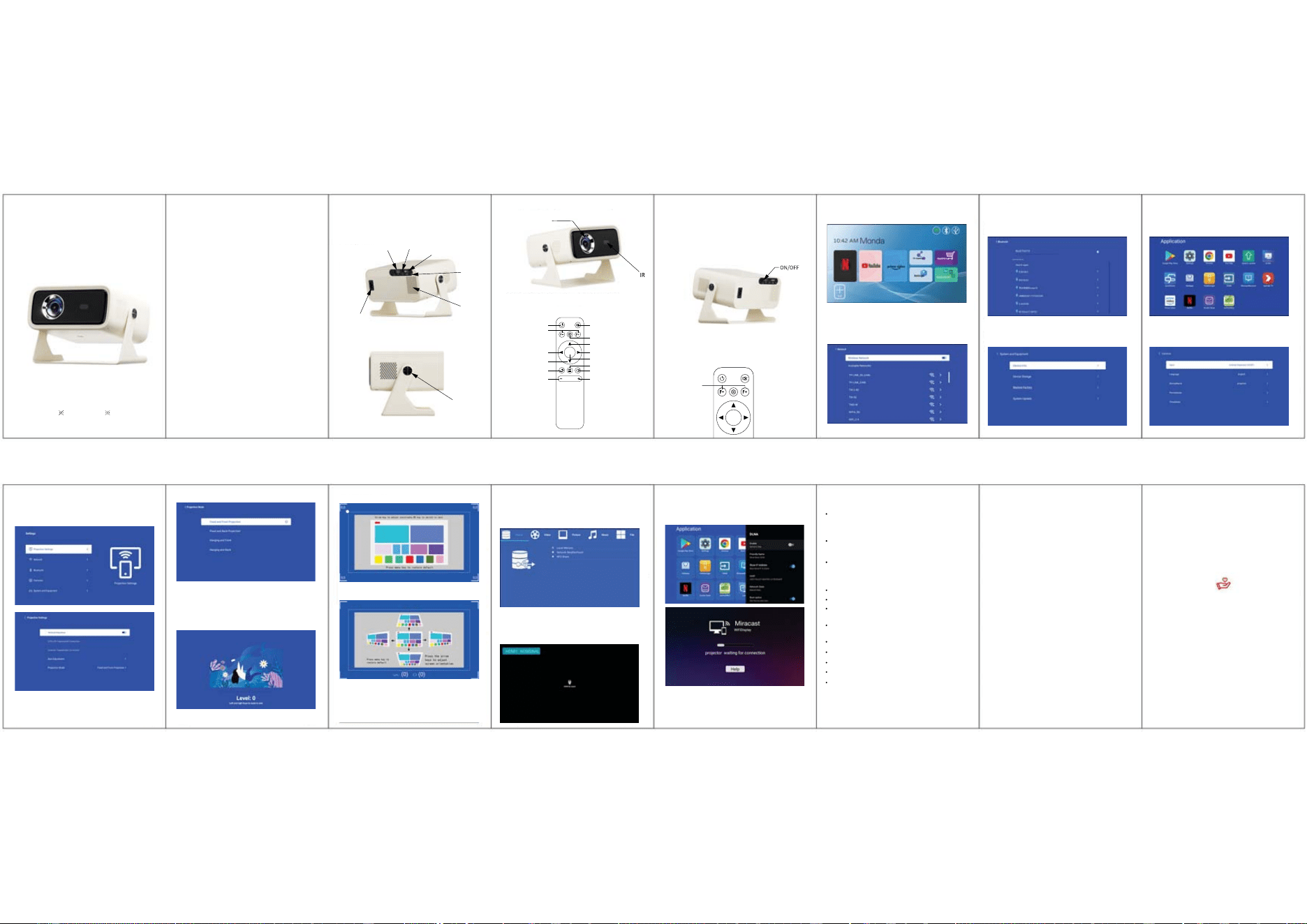
Structure Description
Power ON/OFF
Launcher Ui
Wi-Fi
BT Setting Application
About this machine OSD Language
Projector Mode DLNA
Do not cover projector vents.
Please use the original power adapter.
Do not bend or drag the power cord.
Do not put power cord under projector or any heavy objects.
Do not cover other soft materials on power cord.
Do not heat the power cord.
Avoid touching power adaptor with wet hands.
【Safety instructions】【Disclaim】
HDMI Signal
1.Overall scaling
This manual is general instructions, The pictures and functions in
this manual should subject to the actual product. Our company is
devoting to improve product performance, we reserve the right to
modify product functions and interface described in this manual
without notice.
Please keep your device properly.We are not responsible for any
loss caused by wrong operation of software/hardware or
repairing or any other reasons. We are not responsible for any
loss of any third party claims.
This manual has been carefully checked by professional
engineer, please understand for any inevitable omissions.
Please pay attention to important information related to the
operation and maintenance of the projector. You should read
this information carefully to avoid problems. Following safety
instructions will increase the life of projector.
Please consult the qualified personnel for installation and repair
services, and do not use damaged wires, accessories and other
peripherals.
Projector should be kept away from flammable, explosive, strong
electromagnetic interference (large radar stations, power
stations, substations), etc. Strong ambient light (avoid direct
sunlight), etc.
Keep adequate ventilation and make sure vents are not covered
to avoid projector overheating.
When projector is working, please do not look directly into the
lens, the strong light will flash your eyes and cause slight pain.
Please read this manual carefully before use and keep it for
future reference.
This manual is for reference only. lt is subject to change without
prior notice. Hotack reserves the right of final interpretation.
Power On
Long press Power button on projector for 3 seconds.
Power Off
When the projector is power-on, press and hold the power button
on the projector or the remote control for 3s topower off.
Focus Adjustment
When the projector is on, use the“ F- ” and“ F+ ” buttons on the
remote control to adjust the definition
Wifi Setting > To choose the network and type the password that
you want to connect to.
BT setting, BT"ON", click Refresh Device and choose objective
device to pair.
Hone page-ly Apps.All installed appscan be viewed.
Setting-Common-Languange To choose your language Langusg.
Setting-Device Preferences-About,Local machine information can
be viewed.
Home-settings-projection settings -projection Mode choose
different modes based on your application scenario.
Screen Size Adjustment
Home-settings-projection settings -Size Adjustment Choose a
different scale based on your application scenario.
Connect projector and external sourcing device by HDMI cable.
Enter HDMI on the homepage, the signal from the sourcing
device will be transmitted to projector and cast out.
FileManager
Insert the U disk and click the filemanager icon on the home
page to read local videos, music, photos, and books.
(The phone/Pad must be on the same network as theprojector
device.)
1.The projector is non dustproof or waterproof.
2.In order to reduce the risk of fire and electric shock, do not
expose the projector to rain and fog.
3.Please use the original power adapter. The projector should
work under specified rated power supply.
4.When projector is working, please do not look directly into the
lens, the strong light will flash your eyes and cause slight pain.
Children should use the projector under the supervision of
adults.
5.Do not cover the vents of projector. Heating will reduce the life
of projector and cause danger.
6.Regularly clean projector vents, or dust may cause cooling
malfunction.
7.Do not use the projector in greasy, damp, dusty or smoky
environment. Oil or chemicals will cause malfunction.
8.Please handle with care during daily use.
9.Please cut off the power if the projector is out of use for long
time.
10.Non-professionals are forbidden to disassemble the projector
for testing and maintenance.
2.
@řăƇź
,
gƇƂĎřƠĎŶ
o]
ų
'řƠő
aĎģƂ İĤĬƂ
ĎƂƇŶő
µřʼnƇŏĎ熭
HřŏĎ
řƇŶĎĎ
µřʼnƇŏĎ爜
@řăƇź
2.
Please do not look directly into the lens when
projecting to prevent the strong light doing harm to
your eyes. Kids should use the projector under the
supervision of adults.
Attention:
Remote Component and Functions
2.2-point zoom
3.4-point zoom
HDMI
Vents
USB
Power
connector
IR
Earphone
Rotate
Lens
Warning Statement
This device complies with part 15 of the FCC Rules. Operation is subject to the
following two conditions: (1) This device may not cause harmful interference, and (2)
this device must accept any interference received, including interference that may cause
undesired operation.
Any Changes or modifications not expressly approved by the party responsible for
compliance could void the user's authority to operate the equipment.
Note: This equipment has been tested and found to comply with the limits for a Class B
digital device, pursuant to part 15 of the FCC Rules. These limits are designed to
provide reasonable protection against harmful interference in a residential installation.
This equipment generates uses and can radiate radio frequency energy and, if not
installed and used in accordance with the instructions, may cause harmful interference
to radio communications. However, there is no guarantee that interference will not
occur in a particular installation. If this equipment does cause harmful interference to
radio or television reception, which can be determined by turning the equipment off and
on, the user is encouraged to try to correct the interference by one or more of the
following measures:
-Reorient or relocate the receiving antenna.
-Increase the separation between the equipment and receiver.
-Connect the equipment into an outlet on a circuit different from that to which the
receiver is connected.
-Consult the dealer or an experienced radio/TV technician for help.
This equipment complies with FCC radiation exposure limits set forth for an
uncontrolled environment. This equipment should be installed and operated with
minimum distance 20cm between the radiator & your body.

