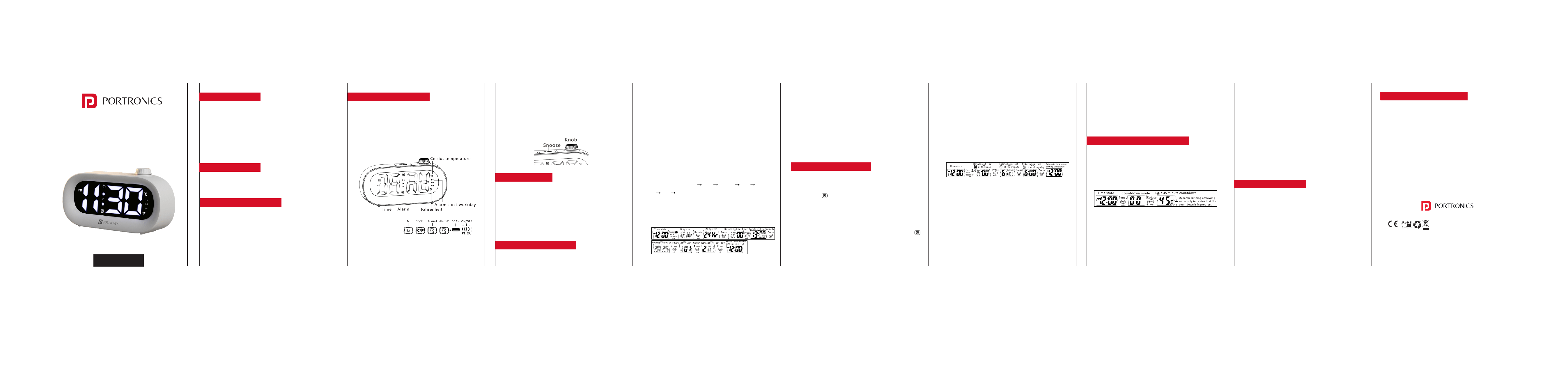
Product Layout & Controls
Front Display Icons
• Time Display (Hours : Minutes)
• PM Indicator (12-hour mode)
• Alarm Indicator
• Date Display (mm/dd). Press the M button once to
view the month and date.
• Temperature Display (°C / °F)
Buttons & Controls
• M – To set date and time
• °C / °F – Temperature unit switch
• Alarm 1 – ON/OFF, Set Alarm no.1
• Alarm 2 – ON/OFF, Set Alarm no.2
• DC 5V – Type-C Power input
• Rotating Control Knob – Adjust values and set
countdown timer
• Touch-Sensitive Top Panel – Snooze / Brightness
Power & Battery
• Power the clock using the Type-C cable
(recommended for regular use).
• Built-in cells stores time & settings during power
cuts.
• In cell mode, the display turns off automatically
after 15 seconds to save power.
How to Set Time and Date
Note
• In normal time display mode, you can press and
hold the Alarm button for 3 seconds to re-enter
alarm setting mode at any time.
Countdown Timer (1–99 Minutes)
• Press the knob to enter countdown mode.
• The maximum countdown time is 99 minutes.
• In countdown mode, rotate the knob to set the
desired time.
• After setting the time (for example, 45 minutes), the
timer will start automatically after 2 seconds with a
beep sound.
• While the countdown is running, the flowing
animation on the display indicates that the timer is
in progress.
Additional Notes
• When 12-hour format is selected, the PM indicator
will light up during afternoon hours.
• In normal time display mode, press the M button
once to view the month and date. The screen will
automatically return to the time display after 2
seconds.
Alarm & Snooze Function
Alarm ON / OFF
• In normal time display mode, press the Alarm
button once to turn Alarm 1 ON or OFF.
• When Alarm 1 is turned ON, the alarm icon will light
up and the screen will return to the time display
after 3 seconds.
• Using the same method, press the Alarm button
to turn Alarm 2 ON or OFF.
Enter Alarm Setting Mode
Enter Setting Mode
• In the time display state, press and hold the M
button for 3 seconds to enter setting mode.
Navigate Settings
• Rotate the knob left or right to change values.
• Press the knob to confirm and move to the next
setting.
Setting Order
• The settings will appear in the following sequence:
• 12/24-Hour Format Hour Minute Year Month
Day Exit
• After setting the day, press the knob to confirm. The
device will automatically return to the normal time
display.
• In the time display state, press and hold the Alarm
button for 3 seconds.
• Rotate the knob to change the value.
• Press the knob to confirm and move to the next
option.
• The alarm settings follow this sequence:
• Alarm Hour Alarm Minute Working Day Exit
Working Day Options
• Select when the alarm should ring:
1–5 : Monday to Friday
1–6 : Monday to Saturday
1–7 : Monday to Sunday
• After setting the working day, press the knob to
confirm.
• The clock will return to the normal time display and
the alarm setting is complete.
• During the countdown, press the Snooze button to
pause or resume the timer.
• When the countdown reaches 00, the display will
flash and beep for 1 minute.
• Press any button to stop the beep and exit
countdown mode.
• In countdown mode, press the knob briefly to
cancel the countdown and return to the normal
time display.
Temperature Display
• In time display mode, press the °C/°F button to view
the temperature.
• Press again to switch between Celsius (°C) and
Fahrenheit (°F).
• After 3 seconds, the display will automatically
return to the time screen.
Brightness & Night Dimming
Manual Brightness
• Touch the top panel to cycle through 3 brightness
levels.
Auto Night Dimming
• Automatically reduces brightness between
8:00 PM – 6:00 AM.
• Night brightness level is fixed for eye comfort.
• You can adjust the brightness by touching the top
panel to cycle through the 3 levels.
www.portronics.com
For Support
Visit : www.portronics.com
Email : [email protected]
Contact No. : +91 9555245245
(Working Hours. : Monday -
Saturday 10:00am - 6:00pm)
E-Waste Management
For E-Waste & ROHS compliance
refer to www.portronics.com/ewaste
Product Overview
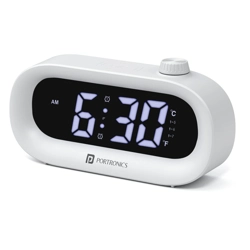
Portronics GlowTime is a compact LED digital desk
clock designed for clear time visibility and everyday
convenience. It features a bright 4-digit LED display,
alarm with snooze, date & temperature display,
countdown timer, night dimming, and Type-C power
support with built-in backup cells.
Package Contents
• 1 × LED Digital Alarm Clock
• 1 × Type-C Power Cable
• 1 × User Manual
Safety & Care Instructions
• Use only the provided or certified Type-C power
cable.
• Keep away from water, moisture, and extreme
heat.
• Do not attempt to open or modify the device.
• Clean with a soft, dry cloth only.
GlowTime
Multi-Function LED Digital Desk Clock
User Manual