support@chifenchy.net
1 402
product. Please read this user guide before using and keep it for future reference.
- 1 -
Packing List
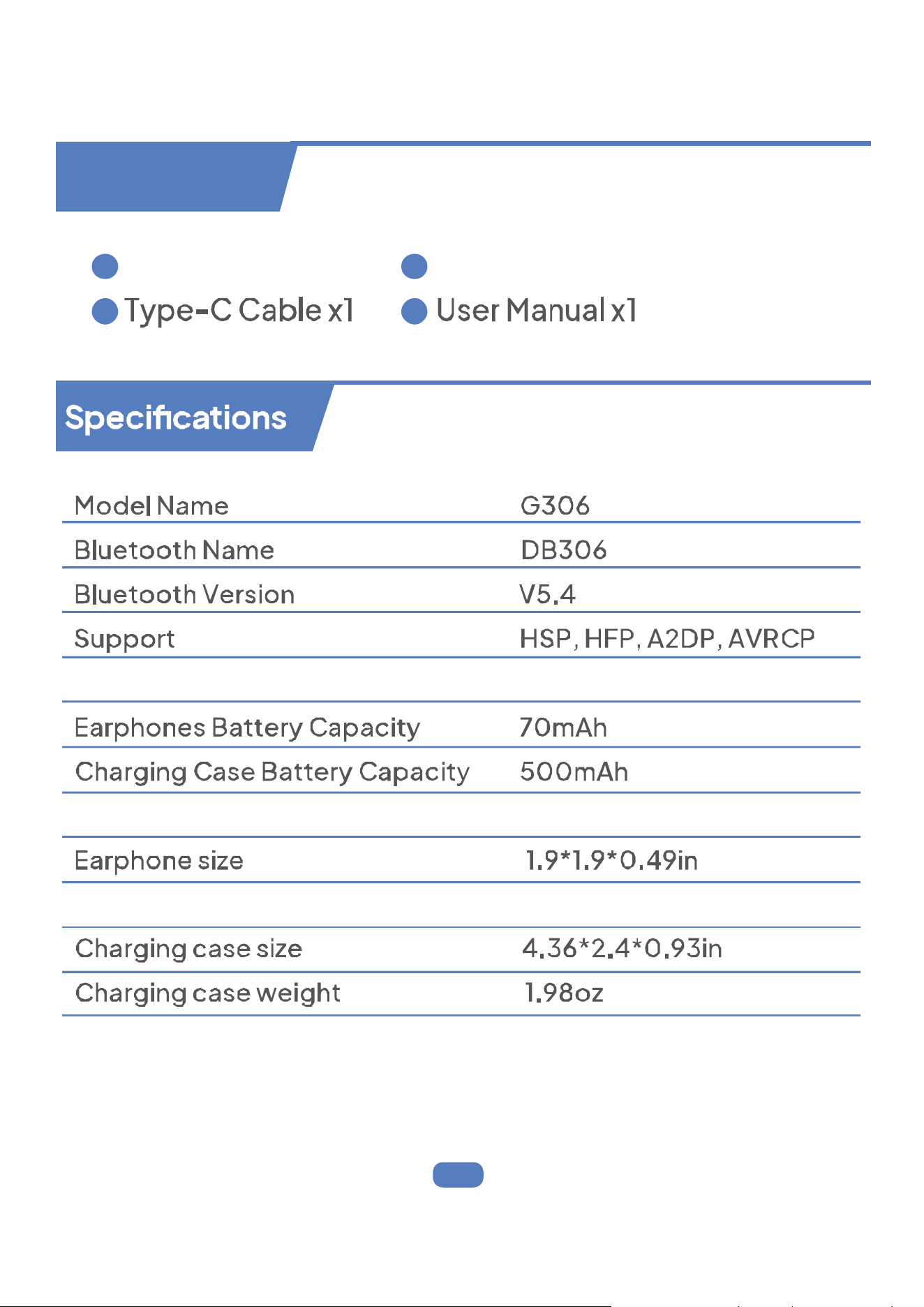
Charging Case x1 Wireless Earphones x 2
Transmission Range >100feet (without obstacle)
Charging Port Type-C
Earphone weight 0.32oz
1 3
2 4
- 2 - - 3 - - 4 - - 5 -
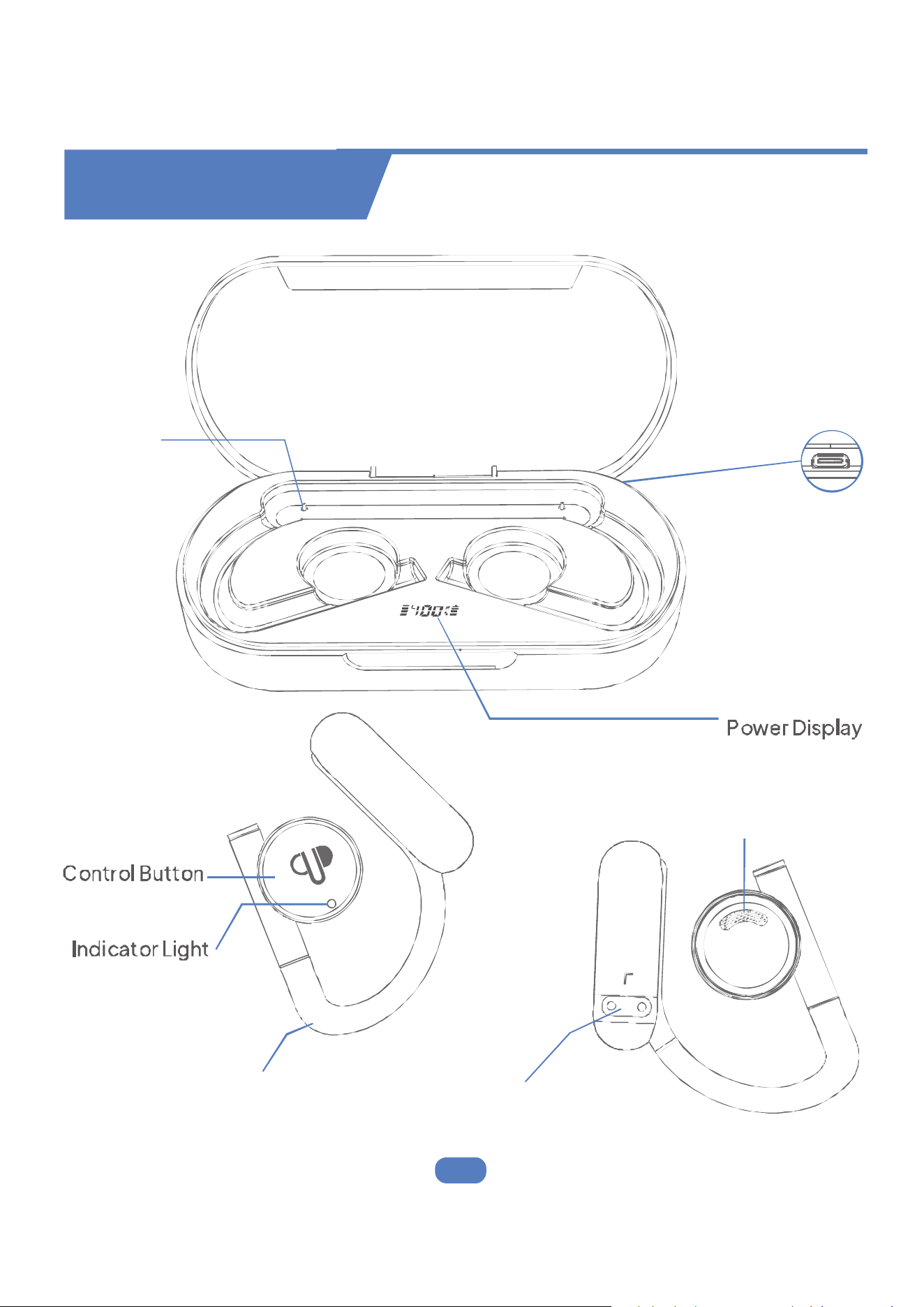
Product Overview
Type-C
Charging Port
Charging Case
Speaker
Charging ContactFlexible Ear Hook
Charging Pin
- 2 - - 3 - - 4 - - 5 -
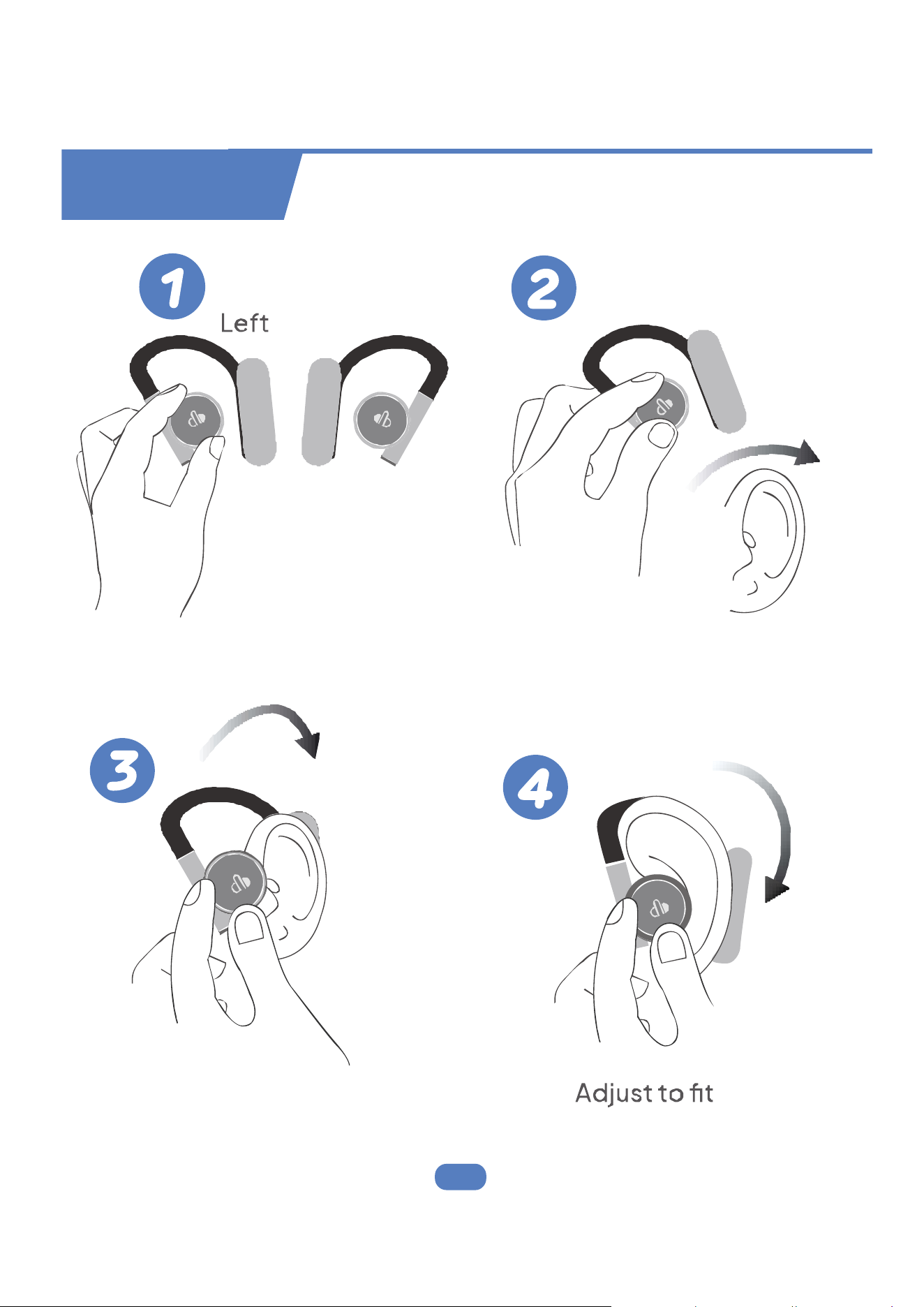
How to Wear
Right
Pick up a earphone Hook the end of the
earphone onto the ear
Rotate along ear curve
- 2 - - 3 - - 4 - - 5 -
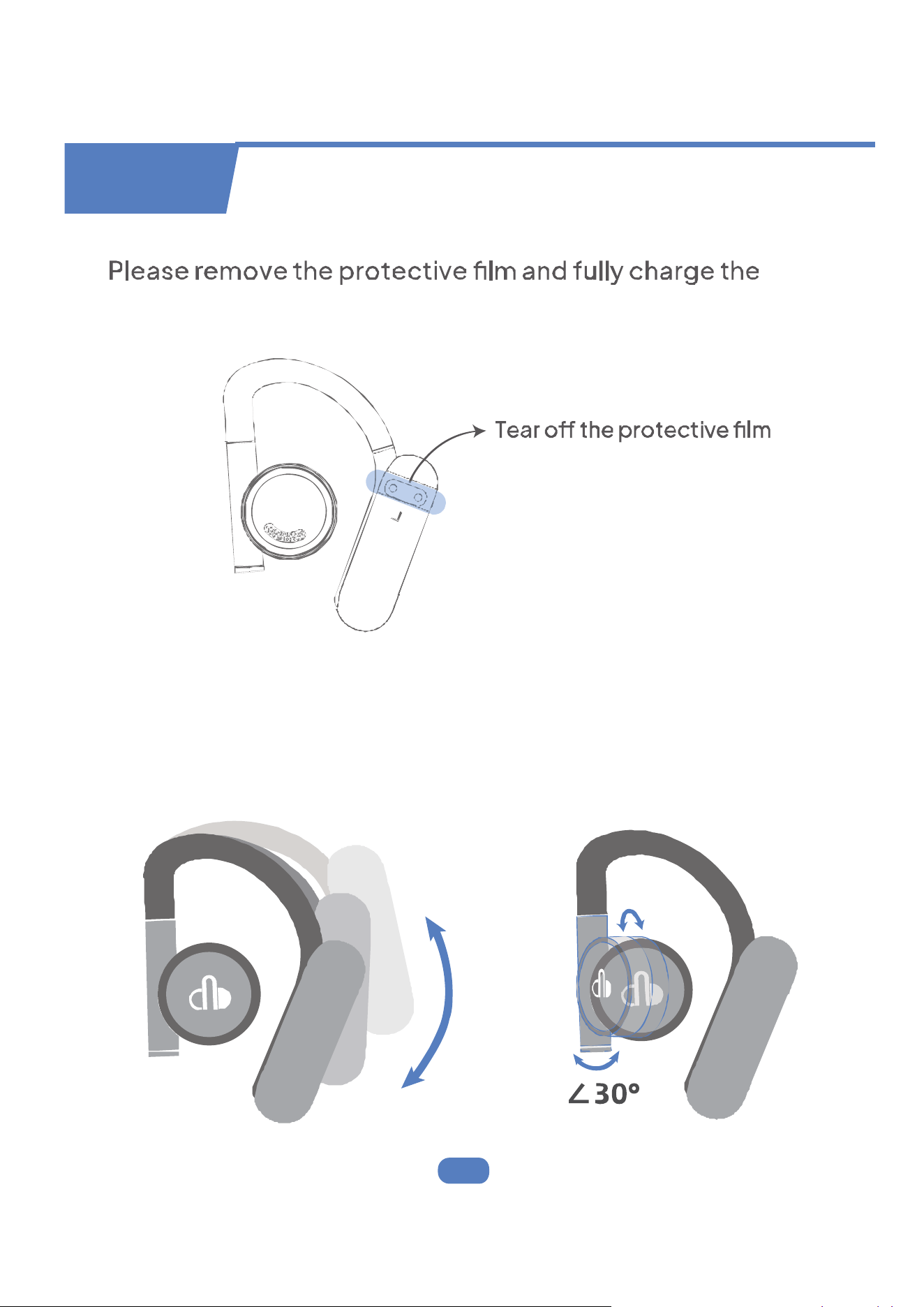
Caution
The ear hooks and ear shells are adjustable. You can adjust
the ear shells according to your needs to change the distance
between the speaker and the ear, thereby changing the
sense of hearing.
earphones before using.
- 2 - - 3 - - 4 - - 5 -
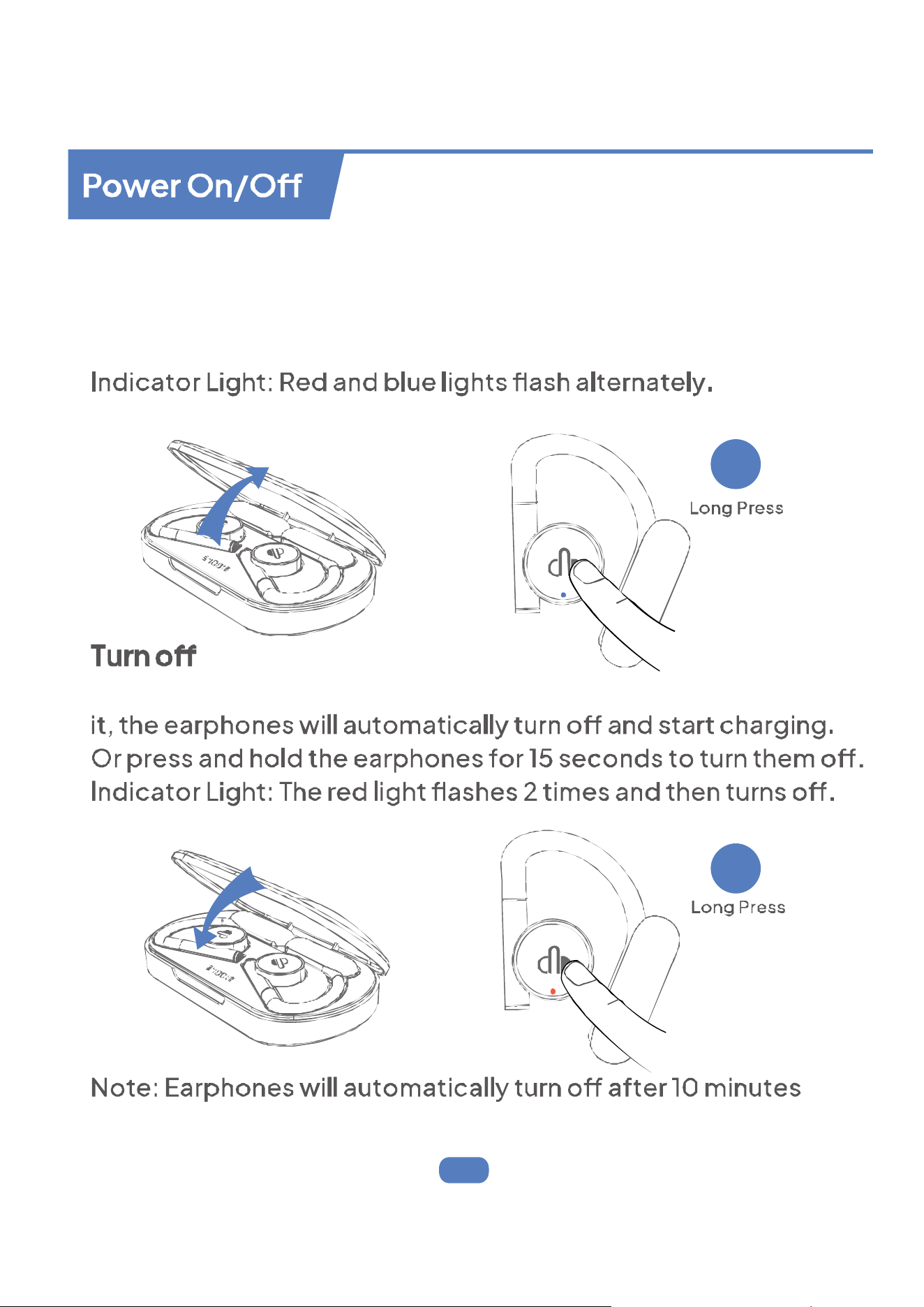
Turn on
Open the case, the earphones will power on automatically.
Or press and hold the left & right earphones for 3 seconds to
power on.
After putting the earphones into the charging case and closing
of no connection.
3S
15S
- 6 -
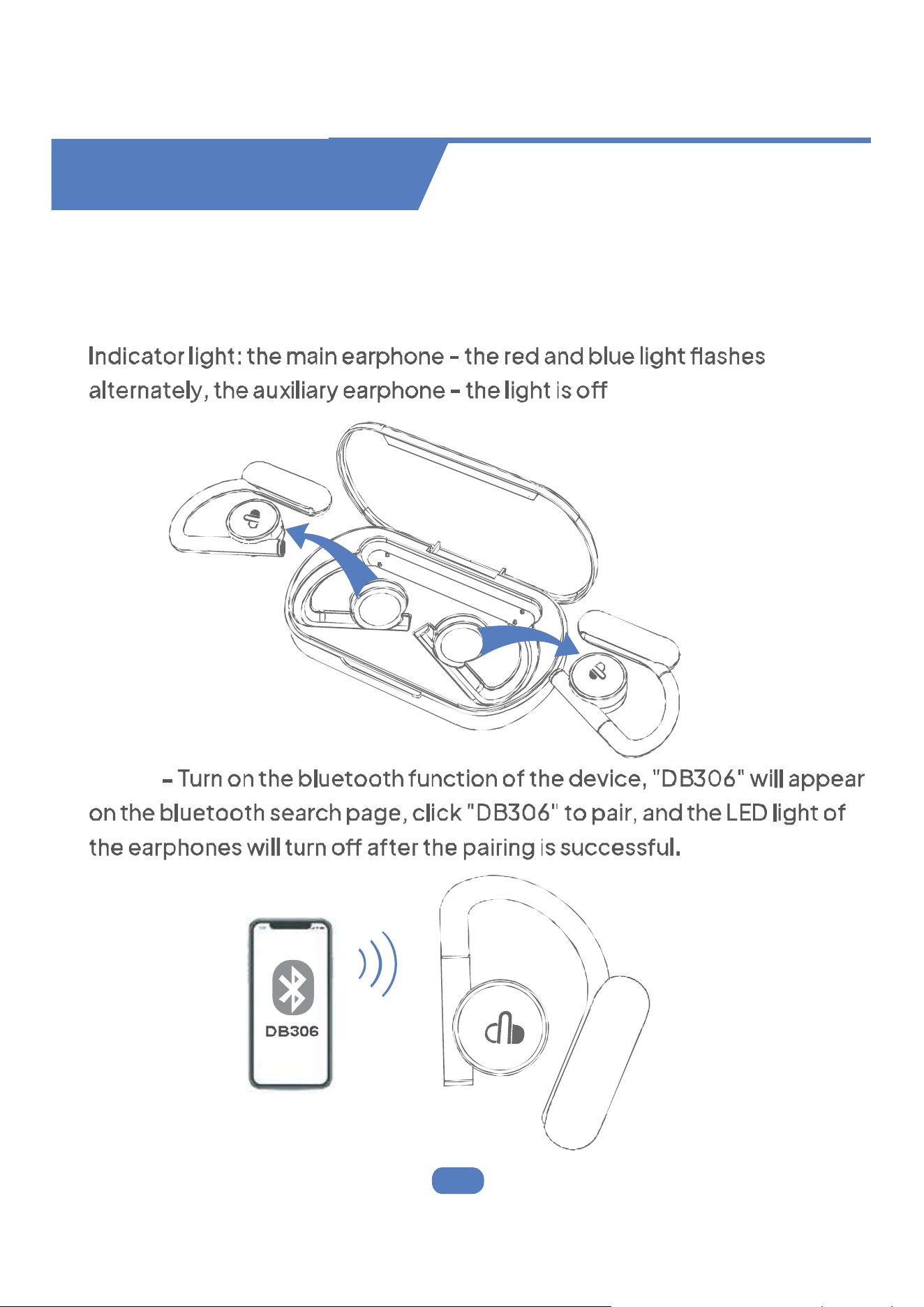
First Time Pairing
Step 1 - Take twin earphones out from charging case, they will automatically
power on and enter pairing mode.
Step 2
Bluetooth Connection
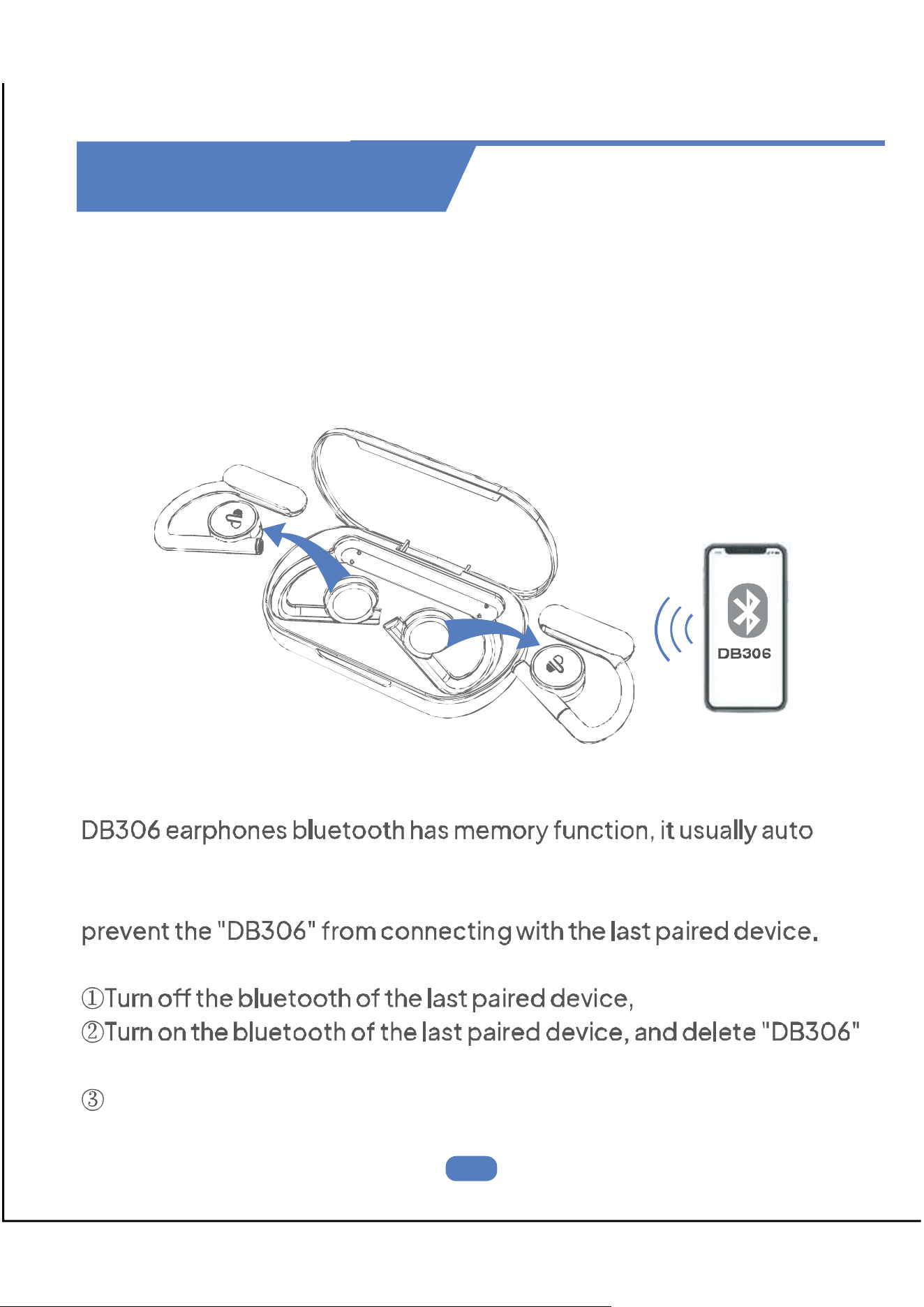
Bluetooth Connection
For Second Time Use
If the earphones have already connected with your device, and the
bluetooth setting of this device is on, in the second time using, when
you take out the earphones from the charging case, they will connect
with your device automatically.
Pair with Other Device
connects with the last paired device.
Therefore, if you want to pair them with other devices, you should
It can be prevented by the following methods.
from this device.
Quickly tap the earphones 5 times to clear the earphones history.
automatically
- 7 -
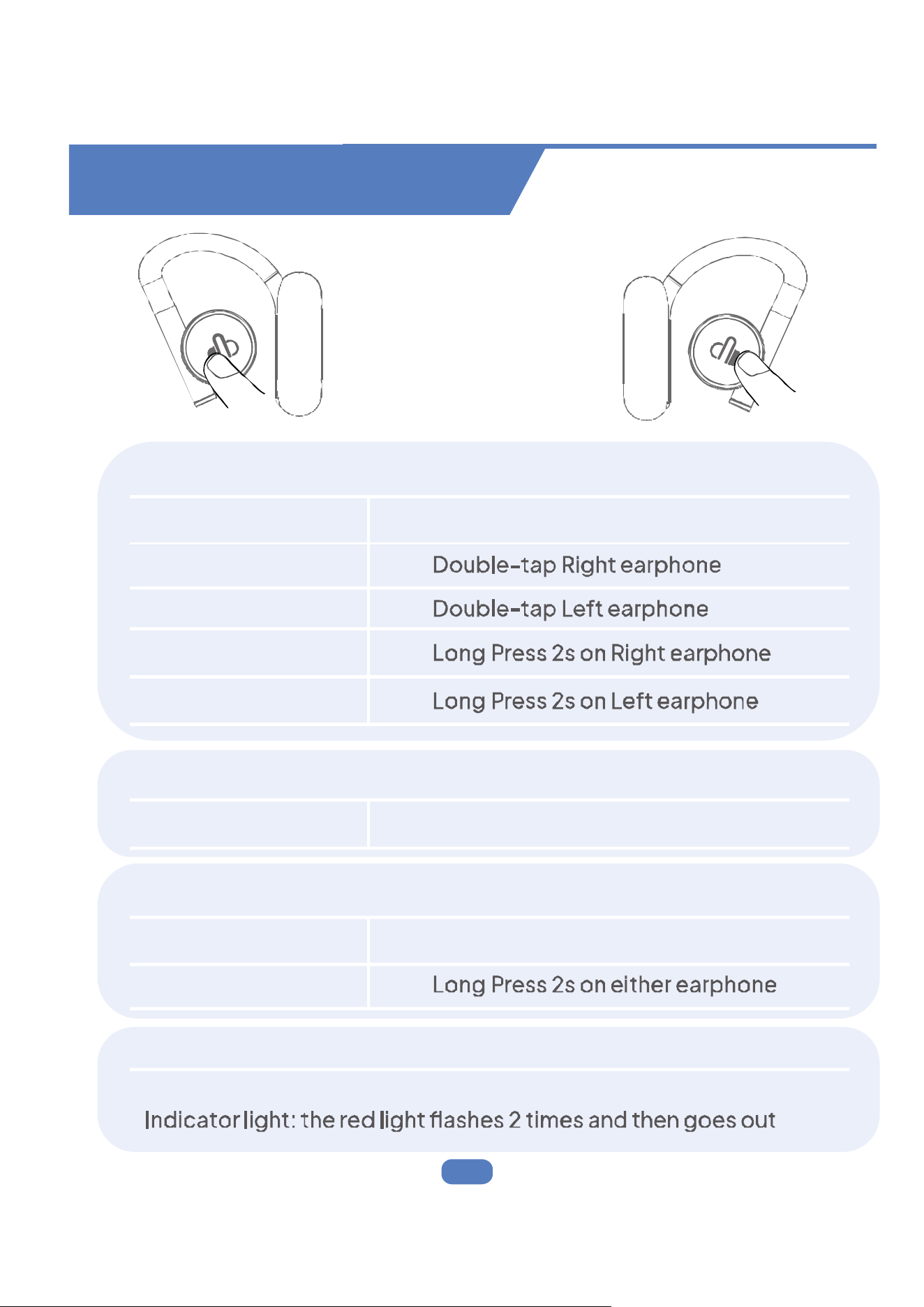
Multi-Function Operations
“ L” or “ R” Earphone
Music Mode
Play/Pause
Once-tap either earphone
Next Song
Previous Song
Volume +
Volume -
For Call
Answer/End Call
Once-tap either earphone
Reject Call
Voice Assistance
Siri
Triple-tap either earphone
Five clicks on either earphone
Restore the factory settings of the earphones
- 8 - - 9 -
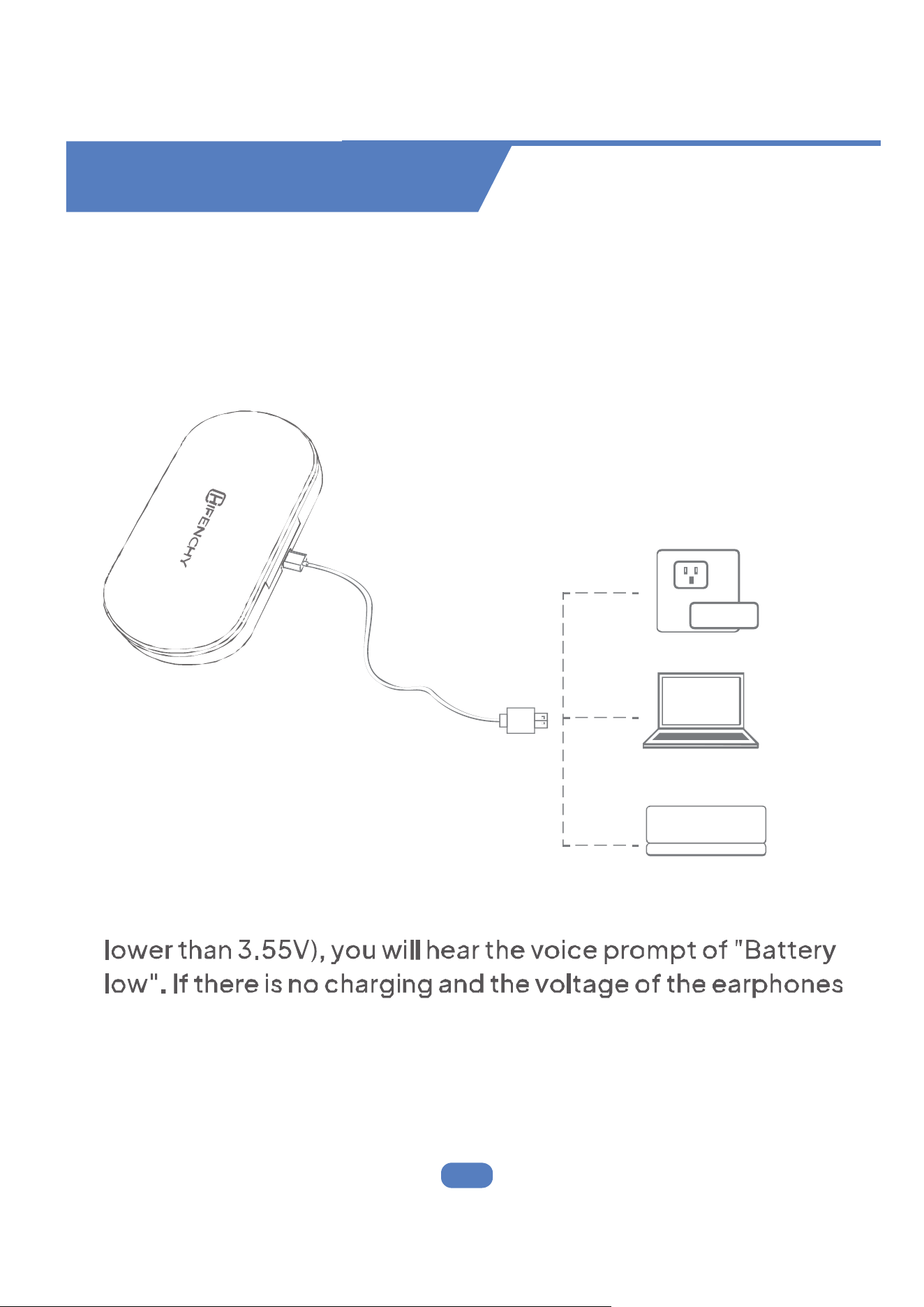
Place earphones into charging case properly, then use the
included Type-C charging cable to connect the charging
case, and plug the other end into power supply with a
adapter (not included), they will start charging.
Note:
If the power of the earphones is lower than 10% (voltage is
is lower than 3.2V, it will automatically shut down.
Charge by Type-C cable
POWER BANK
- 8 - - 9 -
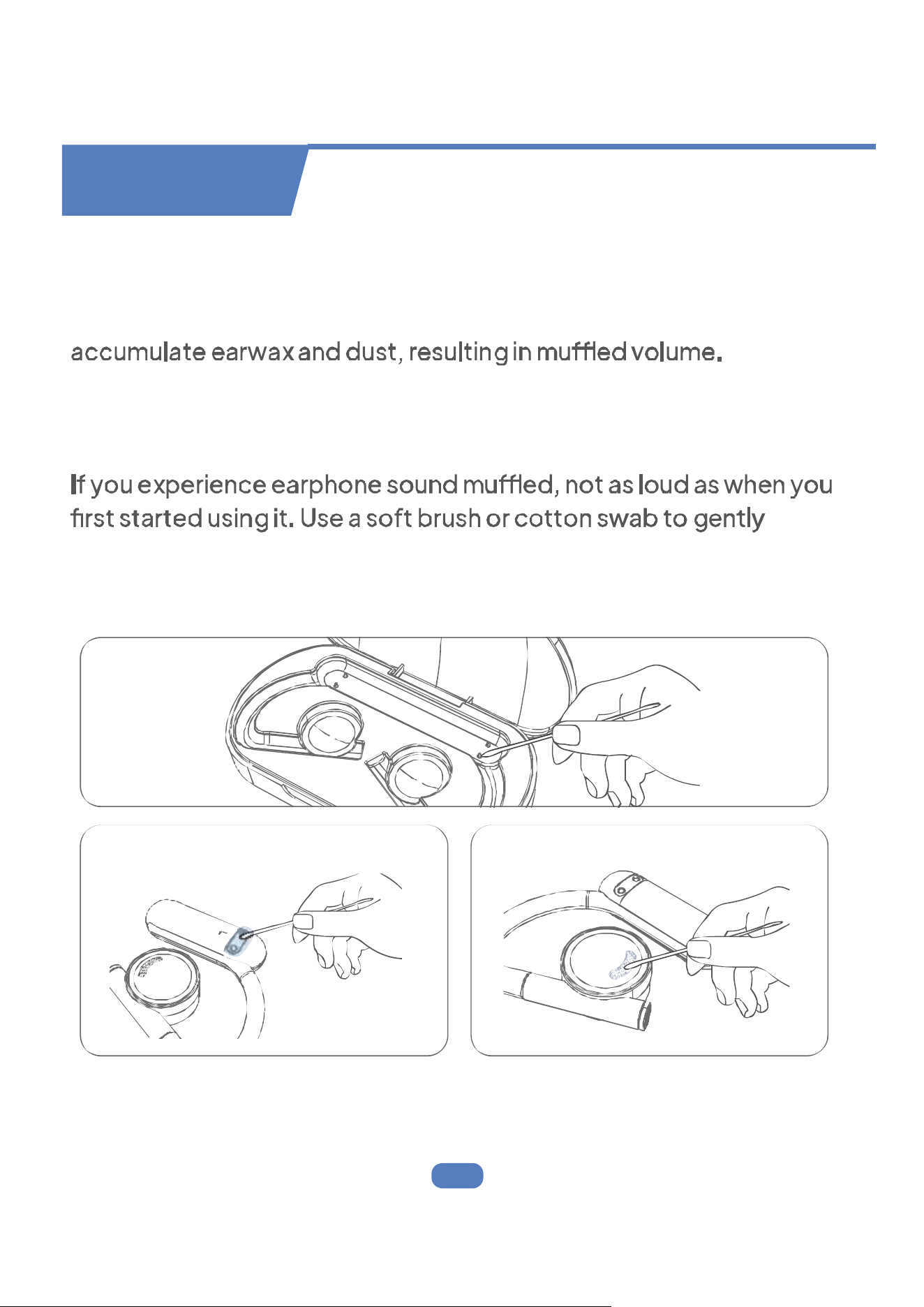
After a period of use, the charging metal contacts of the earphones
may be polluted by sweat and dirt, causing the earphones to fail to
turn on or charge; and the protective grille of both earphones may
If you experience issues with the earphones not charging, use a
clean, soft cloth to gently wipe the charging metal contacts to
remove sweat and dirt.
remove earwax and dust from the grille. Avoid using sharp objects to
avoid damage.
Maintenance
Charging Contact
Charging Pin
Protective Grille
- 10 -
Q: Why these earphones can not pair with my mobile phones?
A: 1. Please make sure the earphones are full charged and power
on.
2. Please make sure the bluetooth of your phone is turn on.
earphones.
connected. If the earphones has been connected to your other
5.If above 4 points have no problem, please put earphones
intothe case again and close the case, hold on for 1min, then
openthe charging case and reconnect earphones with your phone.
Q: Why does the music cut in or cut out.
A: First, please do not let the distance between these earphone
sand your phone be more than 100 feet(without obstacle). lf the
distance is less than 100 feet, please take steps as follow:
2. After 10s later, open the case and reconnect these earphones
with your phone.
Q: Are these earphones sweat proof and waterproof?
A: These earphones are IPX7, it is sweatproof and waterproof. As
for electronic product, our recommendation is not to put the
earphones in the water.
QA
This device complies with part 15 of the FCC Rules. Operation is subject to
the following two conditions.(1) this device may not cause harmful
interference, and (2) this device must accept any interference received
including interference that may cause undesired operation.Changes or
compliance could void the user's authority to operate the equipment.
NOTE: This equipment has been tested and found to comply with the limits
for a Class B digital device, pursuant to part 15 of the FCC Rules. These limits
are designed to provide reasonable protection against harmful interference
in a residential installation.
This equipment generates, uses and can radiate radio frequency energy
and, if not installed and used in accordance with the instructions, may cause
harmful interference to radio communications. However, there is no
guarantee that interference will not occur in a particular installation. If this
equipment does cause harmful interference to radio or television reception,
encouraged to try to correct the interference by one or more of the
following measures:
- Reorient or relocate the receiving antenna.
- Increase the separation between the equipment and receiver.
which the receiver is connected
Important Note:
FCC Statement
Customer Service
Customer Service Phone
1 402
Email
support@chifenchy.net
please feel free to contact us if you have any questions

