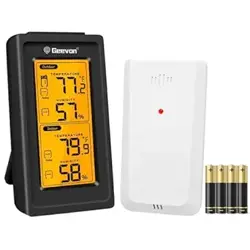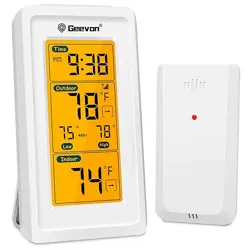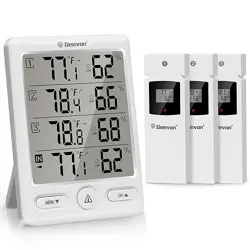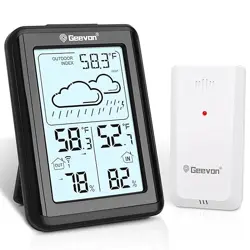
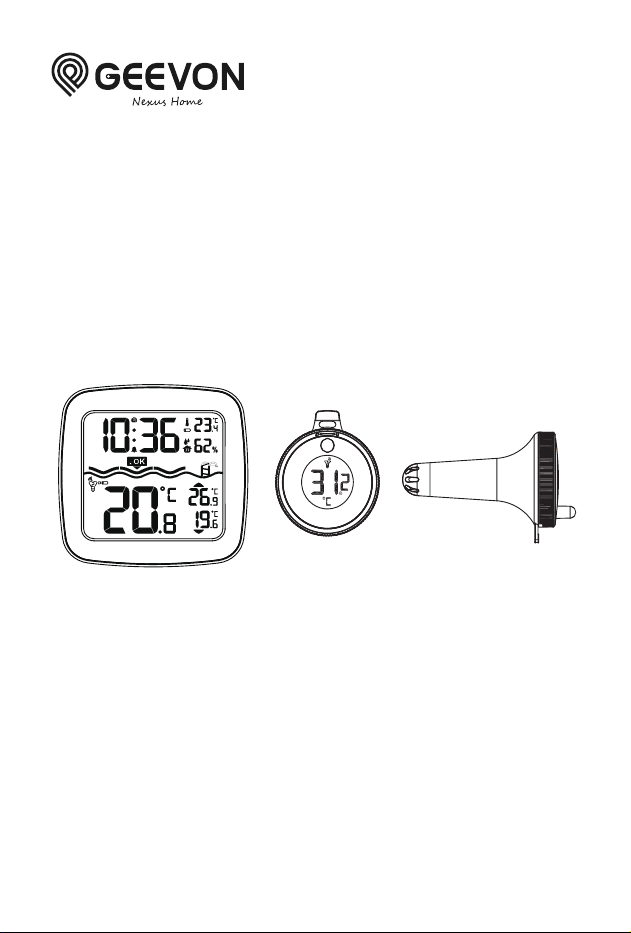
Wireless Pool Thermometer
Item No.233385
Lot number:2026.0401
User Manual
Thank you for purchasing Geevon 233385
Wireless Pool Thermometer.
Please read this manual and retain it for future
reference.

Features:
· Time in optional 12/24 hour format
· Swimming pool temperature detection
· Comfort level display
· Low battery indicate
· Temperature display in optional °C/°F
· Maximum / Minimum temperature and humidity record and query
· Can take up to three outdoor transmitters
· LED backlight
· Indoor humidity range:20%RH~95%RH
· Temperature measurement ranges:
- Indoor: -9.9°C (14.2°F) ~ 50°C (122°F)
- Outdoor: -40°C (-40°F) ~ 70°C (158°F)
· Wireless parameter:
- 3 Channels selectable
- 433.92MHz RF transmitting frequency
- 60 meter transmission range in an open area
· Power Supply:
- RX: 2 x LR03 size AAA
- TX: 2 x LR03 size AAA
Appearance description
EN
-1-

RX
1: Touch button (backlight)
2: Time
3: Comfort level display
4: Remote sensor channel
5: TX temperature
6: INDOOR temperature
7: INDOOR humidity
8: TX temperature MAX. Value
9: TX temperature MIN. Value
10: Battery compartment cover
11: Wall mounting hole
EN
-2-
TX
A: Temperature sensor
B: Battery box
C: Main control module
D: Waterproof rubber ring
E: Lens
F: Locking cover
G: Positioning pin A
H: Positioning pin B
I: Transmitting antenna
J: °C/°F selection switch
K: Channel selection switch
L: LED indicator for signal transmitting
M: Channel
N: Temperature value
Initial operation
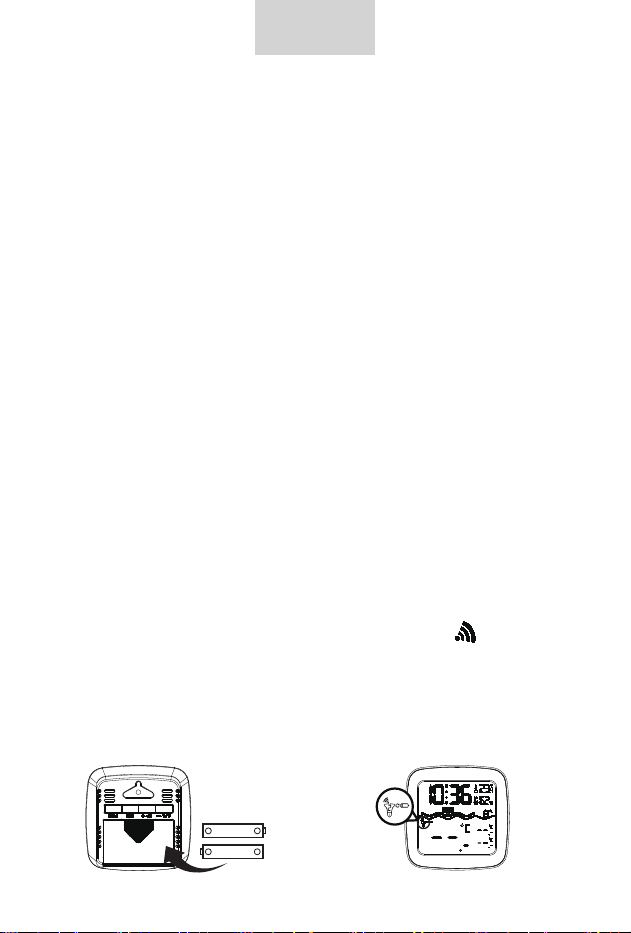
· Open the Main Station battery compartment cover.
· Insert 2 x AAA batteries observing polarity [ "+" and "-" marks ].
· When you insert the batteries, all icons on the LCD will light up
for 3 seconds, and you will hear a beep tone, then detect indoor
temperature & humidity.
· The Main Station will now start to make a connection to the
remote sensor, this operation takes about 3 minutes and will
display by a flashing reception RF antenna symbol
· This now, Open the remote sensor battery box. Insert 2 x AAA
batteries observing polarity [ "+" and "-" marks ], Choose the
temperature unit and channel you need.
· The temperature unit °C/°F can be selected by turning the switch
"J", the channel can be selected by turning the switch "K".
EN
-3-
+
-
+
-
AAA 1.5V
AAA 1.5V
Began to flash
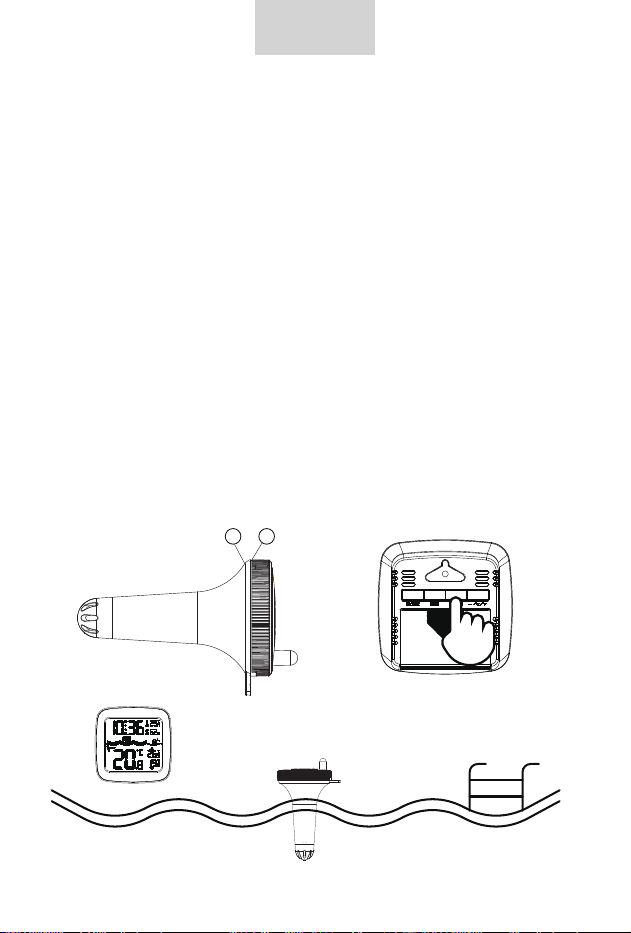
· After disassembly, do not touch other components, especially the
antenna "I", pay attention to the direction of the slot when installing
the battery box. After setting, align "H" with "G", cover the lens and
waterproof ring, and lock the cover tightly.
· This pairing mode only takes 3 minutes. If the pairing fails after
more than 3 minutes, you need to press and hold the "CH" button
for 2 seconds to re-enter 3 minutes pairing mode.
· After successful pairing, the remote sensor can be put into the
swimming pool to detect its water temperature.
EN
-4-
HG
Wait three minutes
Manual time setting
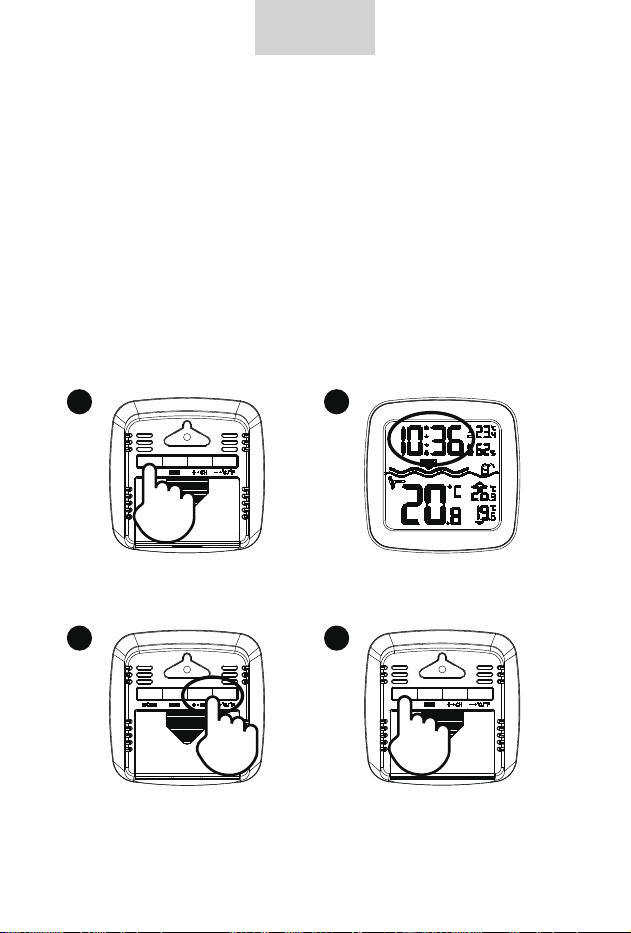
· In normal mode, press and hold MODE button for 2 seconds, into
the setting mode, the set item will blink display. Press "+" or "-"
buttons to adjustment the value. Press MODE button to confirm
the item has been set and go to the next one. The sequence of
setting items is as follows:
TIME format (12/24HR) -> HOUR -> MINUTE
· Press MODE button to confirm the last item to end the setting
procedures, then it will return to normal mode.
F.Y.I.:
· If there is no valid operation within 20 seconds, it will automatical-
ly return to normal time mode from the set mode.
EN
-5-
Press the MODE button
to enter setup mode.
The clock area begins
to flash.
Press the + or - keys
to adjust the value.
Once you've finished
setting it up, press the
MODE button to proceed
to the next item.
1 2
3 4
RF Transmission Procedure
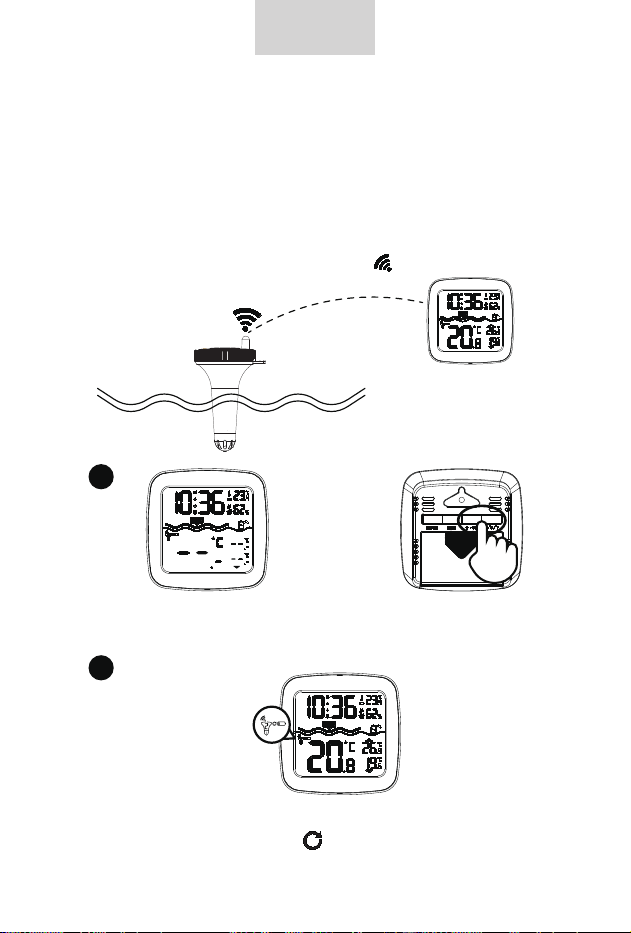
· The RX automatically starts receiving transmission from remote
sensor for pool temperature after batteries inserted.
· The remote sensor will automatically transmit temperature signal
to the RX Station after batteries inserted.
· If the RX failed to receive transmission from remote sensor ("- -.-"
display on the LCD), press and hold "CH" button for 2 seconds to
receive transmission manually, RF icon flashes on the LCD.
EN
-6-
If the LCD displays “-.-”, press and hold the CH button
to rescan for the signal.
· Press "CH" button to query CH2, CH3 data or cyclic
display, When the symbol appears, it means that the
data of three channels will be displayed circularly.
1
2
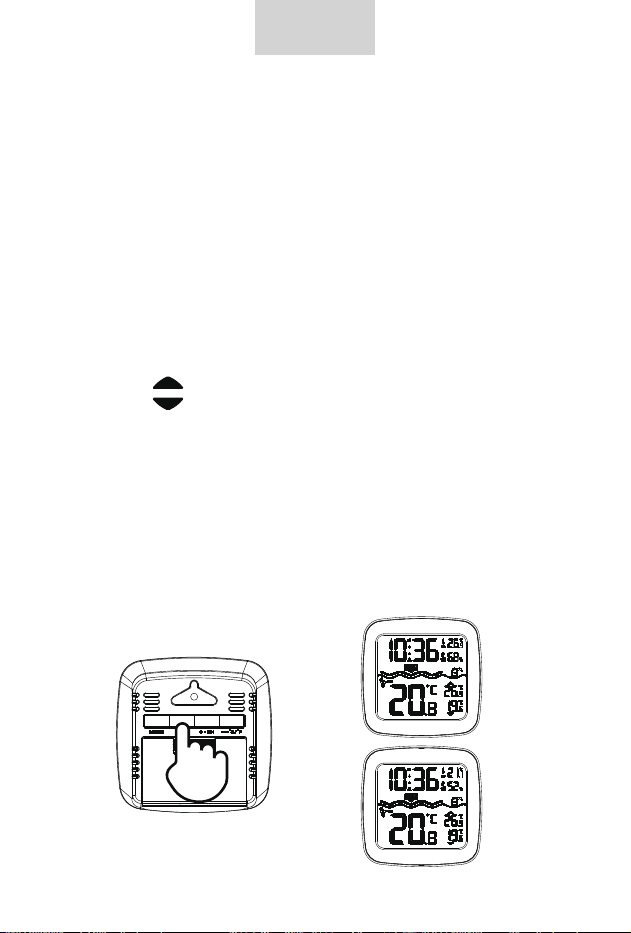
Query Maximum/minimum numerical value
· When the indoor / outdoor temperature and humidity are shown
in the LCD, the product began to record temperature and humidity
maximum and minimum numerical value.
· Press once MEM button, the LCD will display maximum value of
temperature and humidity. The LCD will display the minimum value
of temperature and humidity if you press once MEM button again
when the maximum value is displayed.
· At the same time, there are "MAX" or "MIN" displayed on the
LCD.
· The arrow in the lower right corner of the screen indicates the
maximum and minimum outdoor temperature:
The symbol indicates the maximum temperature
The symbol indicates the minimum temperature
· The temperature and humidity maximum/minimum value will RE
records after press and hold MEM button 2 seconds, at the same
time, there will be "- -.-" displayed in the LCD 2 second.
· The memory value of the day will be automatically cleared at
0:00 every night.
F.Y.I.:
· If the temperature reading is below ranges, the LL.L will be
displayed. If the temperature reading is above ranges, the HH.H
will be displayed.
EN
-7-
MAX
MIN

Comfort level
The temperature of the remote sensor is below 20°C(68°F);
The temperature of the remote sensor is Between20°C (68°F)
and 30°C (86°F);
The temperature of the remote sensor is above 30°C(86°F).
Low battery indicate
When the symbol of low batteryappears in the INDOOR, it
means that the RX needs to be replaced with new batteries.
When the symbol of low batteryappears in the OUTDOOR, it
means that the remote sensor needs to be replaced with new
batteries.
FCC Caution:
This device complies with part 15 of the FCC Rules. Operation is
subject to the following two conditions:
(1)this device may not cause harmful interference, and
(2) this device must accept any interference received, including
interference that may cause undesired operation.
Any changes or modifications not expressly approved by the party
responsible for compliance could void the user's authority to
operate the equipment.
NOTE: This equipment has been tested and found to comply with
the limits for a Class B digital device, pursuant to Part 15 of the
FCC Rules. These limits are designed to provide reasonable
protection against harmful interference in a residential installation.
This equipment generates, uses and can radiate radio frequency
energy and, if not installed and used in accordance with the
instructions, may cause harmful interference to radio
EN
-8-

communications. However, there is no guarantee that interference
will not occur in a particular installation.
If this equipment does cause harmful interference to radio or
television reception,which can be determined by turning the
equipment off and on, the user is encouraged to try to correct the
interference by one or more of the following measures:
-- Reorient or relocate the receiving antenna.
-- Increase the separation between the equipment and receiver.
-- Connect the equipment into an outlet on a circuit different
from that to which the receiver is connected.
-- Consult the dealer or an experienced radio/TV technician for
help.
The device has been evaluated to meet general RF exposure
requirement. The device can be used in portable exposure
condition without restriction.
Technical Description:
Operating Frequency Band: 433.922 MHz
Maximum Radio-Frequency Power: +10 dBm
EN
-9-