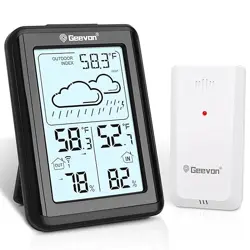
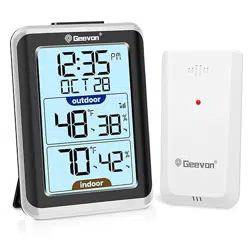
Overview
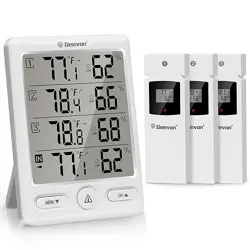
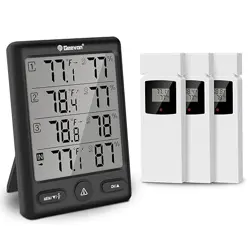
The Geevon Indoor Outdoor Thermometer is a wireless weather station that monitors temperature and humidity in up to four locations simultaneously. The system consists of a main display unit and three remote sensors.
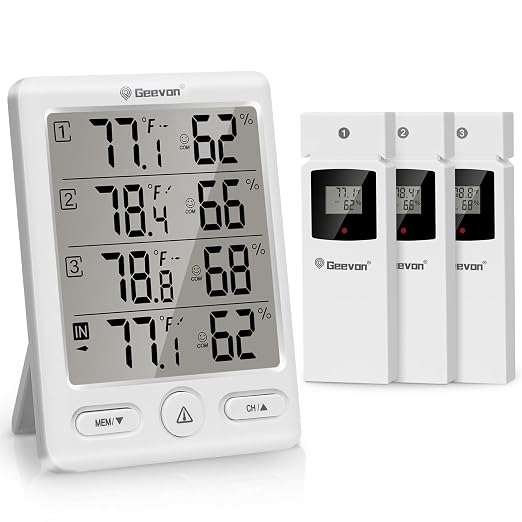
The main unit features a large LCD screen showing real-time data, historical trends, and a comfort indicator. It is designed for tabletop or wall mounting.
Features
Multi-Location Monitoring
The system displays temperature and humidity readings from the main unit's location and from three remote sensors.

- Wireless Range: Up to 200 feet (60 meters) in open space.
- Frequency: 433 MHz.
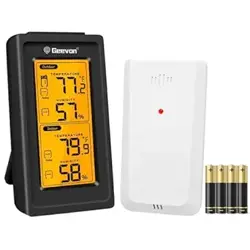
- Sensor Power: Each remote sensor requires 2 AAA batteries (not included).
Display and Data
The main unit's LCD screen presents the following information:
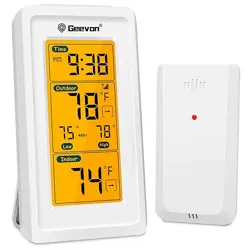
- Current indoor and outdoor (sensor) temperature and humidity.
- Maximum and minimum temperature/humidity records for the past 24 hours.
- Trend arrows indicating if readings are rising or falling.
- A comfort indicator (WET, COM, DRY) based on humidity and temperature levels.

Measurement Specifications
- Indoor Temperature Range: 50°F to 140°F (-10°C to 60°C).
- Outdoor (Sensor) Temperature Range: -58°F to 158°F (-50°C to 70°C).
- Temperature Accuracy: ±1.8°F (±1°C).
- Humidity Range: 20% to 95% RH.
- Humidity Accuracy: ±5%.
Alarm Function
You can set high and low alarm limits for both temperature and humidity. The unit will sound an audible alert when a reading exceeds your preset limits.
Use Guide
Initial Setup
- Install Batteries:
- Insert 2 AA batteries into the main display unit.
- Insert 2 AAA batteries into each of the three remote sensors.
- Power On: The units will power on automatically. Allow a few minutes for the main display to receive signals from the remote sensors.
- Sensor Placement: Place remote sensors in desired locations (e.g., basement, greenhouse, other rooms). For outdoor use, place the sensor in a sheltered area to avoid direct rain, as it is water-resistant (IPX4) but not fully waterproof.
- Display Placement: Place the main unit on a flat surface using the built-in stand, or mount it on a wall using the provided slot.
Understanding the Display
The main screen is divided into sections showing data for the indoor location (where the main unit is) and for each of the three remote sensors (typically labeled OUT1, OUT2, OUT3). Each section shows:
- Current temperature.
- Current humidity percentage.
- A comfort icon (WET, COM, DRY).
The bottom of the display shows the 24-hour maximum and minimum records for the selected channel.
Button Functions
The main unit has several buttons, likely located on the front or side:
- CH (Channel) Button: Press to cycle through the display of data from different sensors (IN, OUT1, OUT2, OUT3).
- MEM (Memory/Down) Button:
- Press to view the MAX/MIN records for the currently displayed channel.
- Press and hold to switch the temperature unit between Celsius (°C) and Fahrenheit (°F).
- ALARM (UP) Button: Used to set the high and low alarm values. Press to enter alarm setting mode, then use the UP/DOWN buttons to adjust values.
- UP/DOWN Buttons: Used to adjust values when setting alarms or other settings.
Setting Temperature/Humidity Alarms
- Press the ALARM button. The display will enter alarm setting mode, likely starting with the high-temperature limit.
- Use the UP or DOWN buttons to set the desired limit.
- Press the ALARM button again to confirm and move to the next setting (low-temperature limit, then high and low humidity limits).
- After setting all limits, press and hold the ALARM button to exit setting mode and save.
When a monitored value exceeds a set limit, the unit will beep. Press any button to silence the alarm.
Comfort Indicator
The comfort icon changes based on the humidity and temperature readings according to these ranges:
- DRY: Humidity is below 40%.
- COM (Comfortable): Humidity is between 40% and 70% AND temperature is between 68°F and 82°F (20°C and 28°C).
- WET: Humidity is above 70%.
Product Information
Specifications
- Brand: Geevon
- Model Number: 228646-T
- Main Unit Dimensions: 4" W x 5" H
- Main Unit Weight: 0.7 lbs
- Mounting Type: Wall Mount or Tabletop Stand
- Battery Description: 2 AA (Main Unit), 2 AAA per Sensor
- Included Components: 1 Wireless Weather Thermometer (Main Unit), 3 Remote Outdoor Sensors, User Manual

What's in the Box
- 1 x Wireless Weather Thermometer (Main Display Unit)
- 3 x Remote Outdoor Sensors
- 1 x User Manual
Batteries are not included.