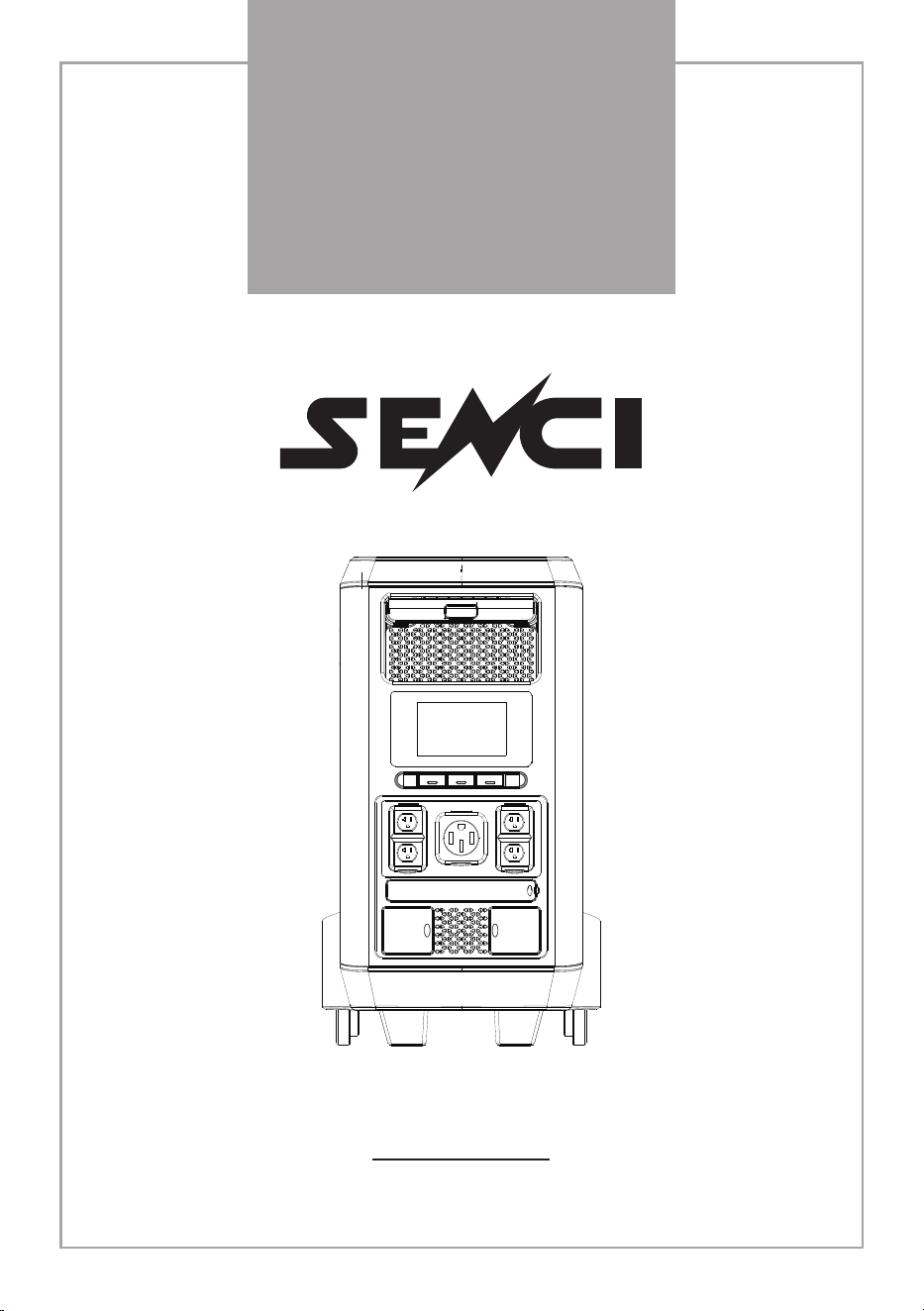
FP5500
POWER STATION
User Manual

01
Before use, please read the user manual of this product to ensure
correct use after complete understanding. After reading, please keep the
user manual for future reference. If you do not operate this product
properly, you may cause serious injury to yourself or others, or cause
product damageand property damage. By using this product, you will be
deemed to have understood, approved and accepted the full terms and
contents of this document. The user undertakes to be responsible for his
actions and all consequences arising therefrom. Senci shall not be liable for
any loss caused by the user's failure to use the product in accordance with
the User Manual.In compliance with the laws and regulations, the Company
has the right to the final interpretation of this document and all documents
related to this product. Updates, modifications or terminations are subject
to notice.
Please visit Senci's official website for the latest product information.
Disclaimer
02
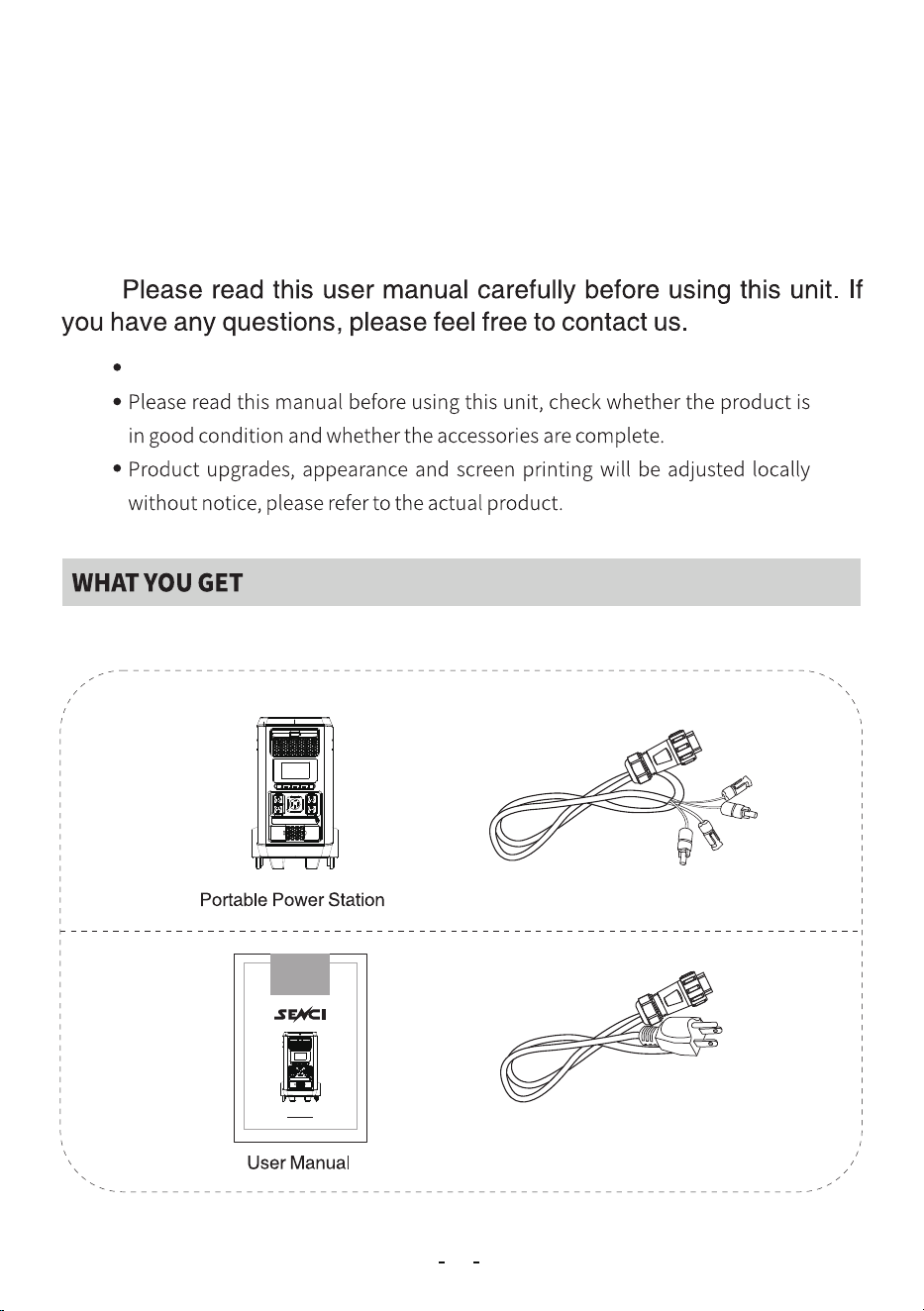
Use the Power Cable provided to charge the unit and keep it works properly.
SolarChargingCable
AC Charger Cable
The cable is different for
different regions.
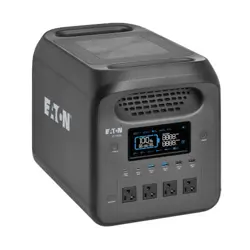
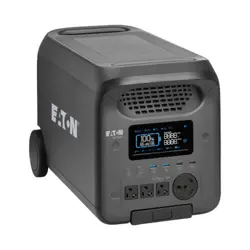
This newly designed solar generator FP uses high-quality lithium-
ion batteries as the main body for energy storage. Compact size, light
weight, large capacity, easy to carry, with built-in USB ports, DC and AC
outputs, this unit can provide power solutions to you quickly and easily
wherever you are in outages or outdoors.
FP5500
POWER STATION
User Manual
CATALOGCATALOGCATALOGCATALOGCATALOGCATALOG
04
05
06
07.08
09
10.11.12.13.14
15
16
Safety Instructions
Product appearance introduction
Tips For Ase
04
Do not disassemble or modify this unit privately.
Do not use or store this unit in a high temperature environment and avoid
direct sunlight.
Do not use or store this unit in a dusty or humid environment.
Do not heat this unit or place it in fire, water or other liquid.
Do not place the unit sideways or upside down while using or storing.
Do not charge with a non-standard charger.
It is normal for the charger to heat up when charging.
Do not charge for a long time, and disconnect the charger as soon as it is fully
charged.
Do not touch the input and output ports of this unit.
Only use the output outlets to power external devices.
Check the unit before each use. Do not use it if it is damaged or broken. Keep
this unit away from children and do not allow children to use this unit alone.
If the unit is accidentally dropped or hit, turn it off immediately.
Carefully read the instructions for the appliances you intend to connect with
this unit.
Please use this unit with caution to avoid the risk of electric shock.
If rust, odor, overheating or other abnormalities are observed, discontinue use
of this unit immediately and contact us.
This unit meets the relevant requirements for the transport of dangerous
goods.
Please dispose of the scrap according to the regulations and classify them in
time to avoid explosions and pollution.
Safety Information
05
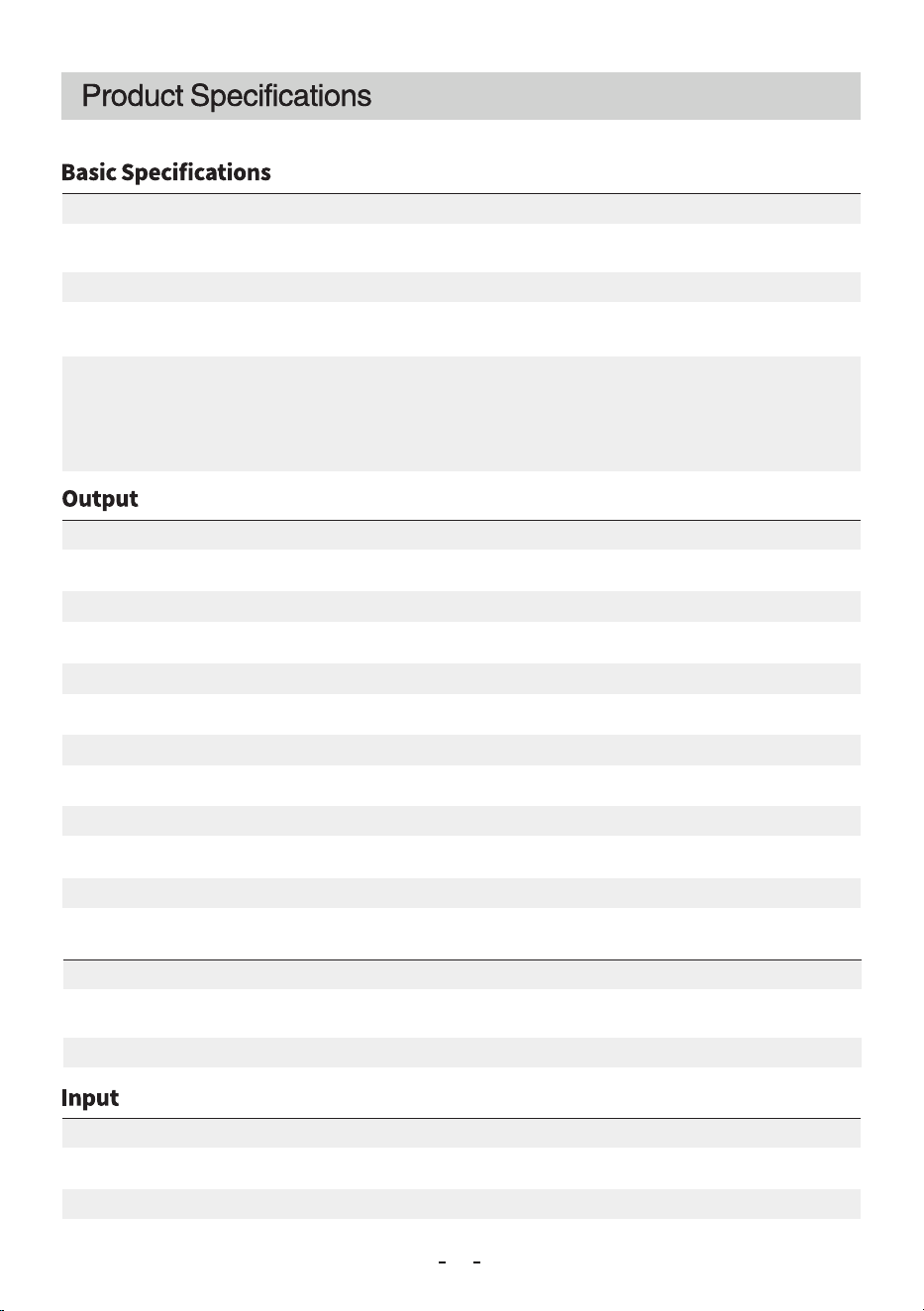
Type of protection: High temperature protection, low temperature protection,
over discharge protection, over charge protection, over load protection, short
circuit protection, over current protection
Net weight:71kg(156.53 lbs)
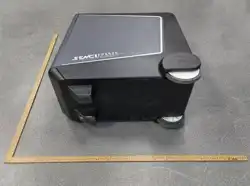
Dimension:602*340*602mm(23.7×13.39×23.70 inches)
Battery Capacity: 51.2V,105Ah, 5376Wh
Battery cycle life: ≥3000 times, remaining capacity>80%( LiFePO4)
Power Station (Two sets can parallel by using parallel box, the parallel box
purchased separately.)
Generator (Separate parallel box)
Parallel
ACx4:120V/20A~60Hz( MAX2200W),ACOutput5000WTotal
ACx2:120V/30A~60Hz( MAX3300W),ACOutput5000WTotal
ACx1:120V/240V50A~60Hz,ACOutput5000WTotal
(Whentheoutputis120V,themaximumis2500W)
FastChargeOutput×4:5V⎓2.5A,9V⎓2A,12V⎓2A(24Wmax.)
PD100W Output ×2: 5V⎓ 3A, 9V⎓ 3A, 12V⎓ 3A, 15V⎓3A,
20V⎓ 5A(100W max.)Total 200W.
CigaretteLighterx1:12V⎓10A
DC5521x2:13.6V⎓5A,Total8A
(DC5521andCigaretteLighter8ATotal)
WirelessChargingx1:5/7.5/10/15WTotal
AC:110V-120V~50-60Hz,16A1800WMAX
AC:220V-240V~50-60Hz,10A2200WMAX
DC:10-150V⎓20Ax2(1200WMAX),2400WTotal
Product appearance introduction
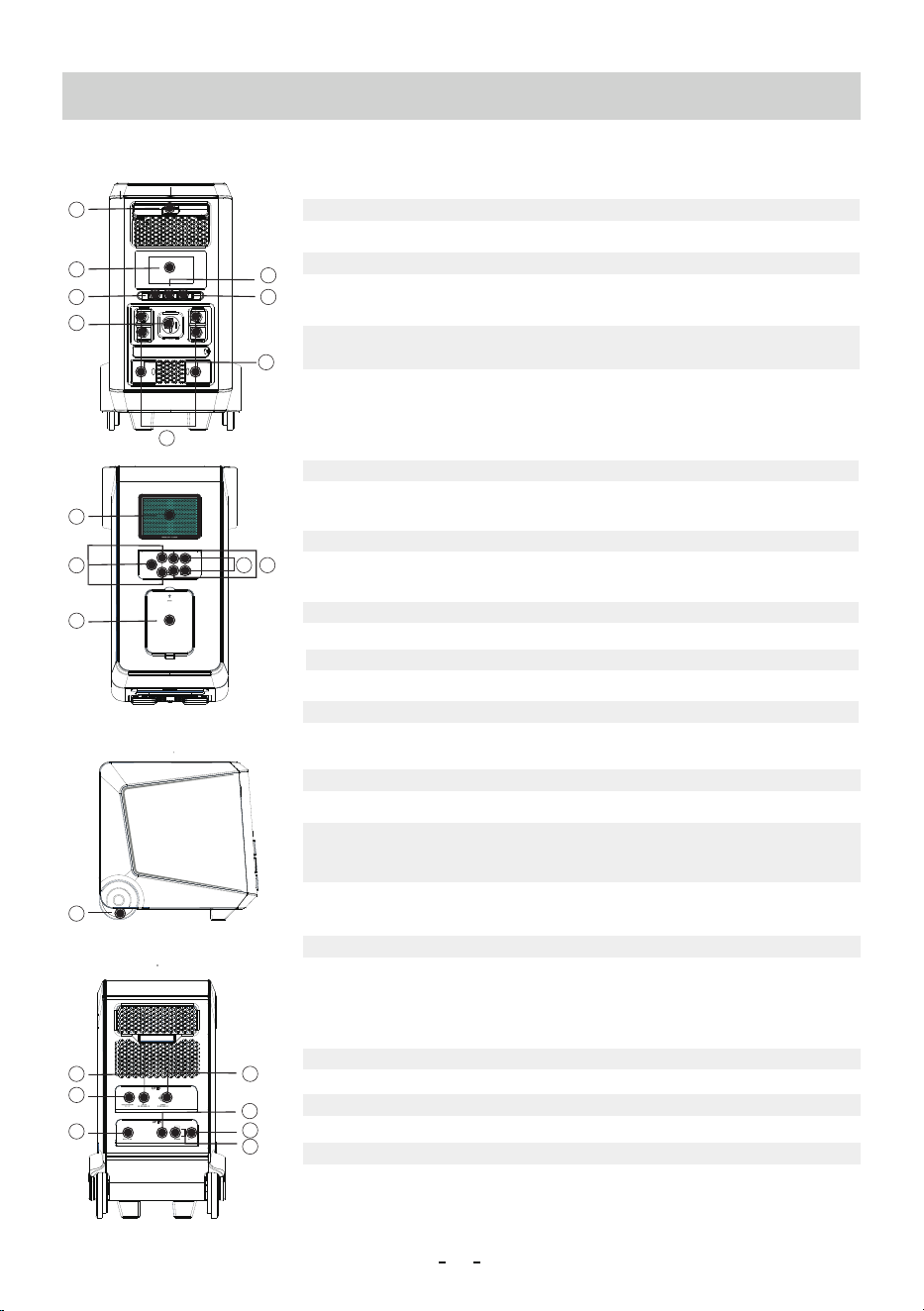
1.LCD Display
2.AC Output Switch/Voltage transfer switch
This button controls the AC outputs, turn off this switch when not in use./Press and
hold this switch for S and switch the voltage to V/V output.
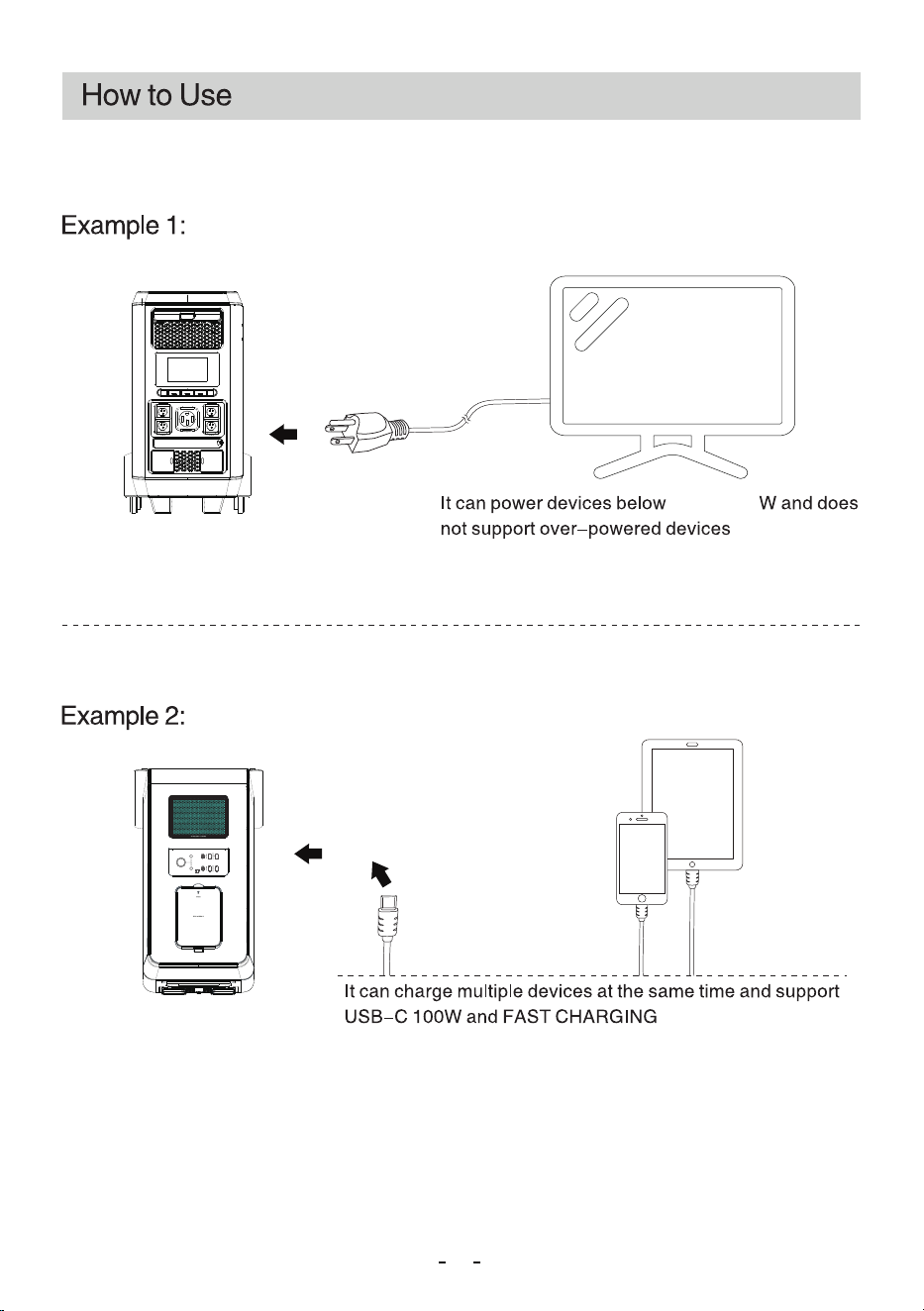
3.USB-C 100W Output
4.Power Switch
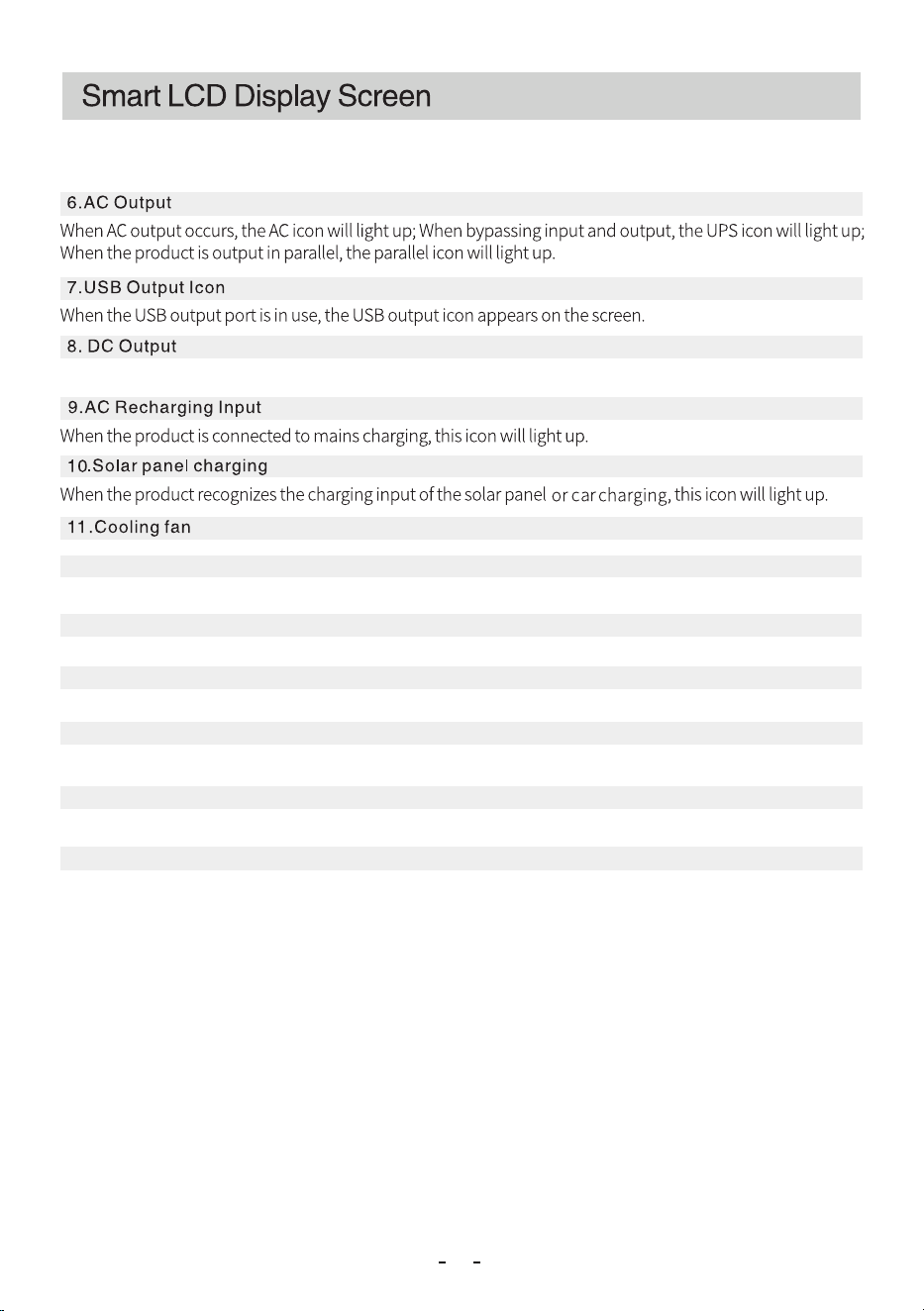
Click the power button to turn on the product, turn on the USB output port and top
wireless charging.
Double click the power button to enter ECO mode.
Long press the power button to turn off.
5.1 120V/20A AC Output
Charge a device with a voltage requirement of V. (Do not support all excess
appliances, the power of the power of the powered device should be less than W).
7.DC Output Switch
This button control products auto charge output and the DC output of the two DC
output ports.
8.DC Output
This port is an output port, so input charging is prohibited.
9.FAST CHARGE O put ut
10.LED Light
The LED light has five modes, including: three brightness adjustments (25%, 50%, 100%),
SOS mode and pop mode.
6.Wireless Charging
It supports w wireless charging function.
11.AC Charging protect
When the AC input socket exceeds the maximum value of the current it can bear
byA, the thermal protector will automatically trigger the protection to disconnect
the input; after reducing the output current, manually reset the thermal protector to
restore the AC input.
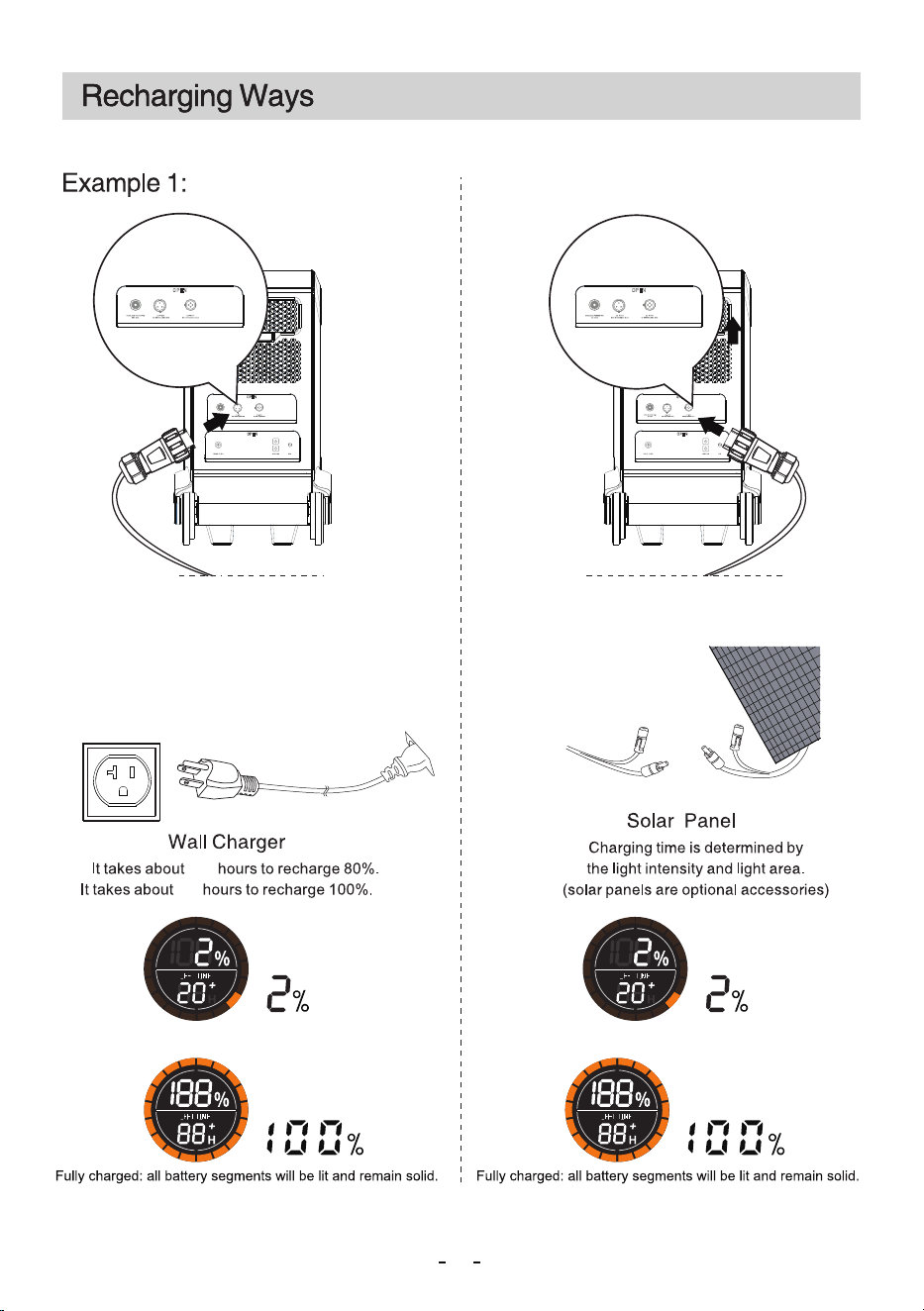
13.Solar Input
Support solar panels in parallel or series, and support -V, W total input.
12.AC Recharging Input
Insert the power cord connector into this port and then connect it to the mains.
7
1
2
4
6
8
9
3
10
18
12
11
13
15
16
17
19
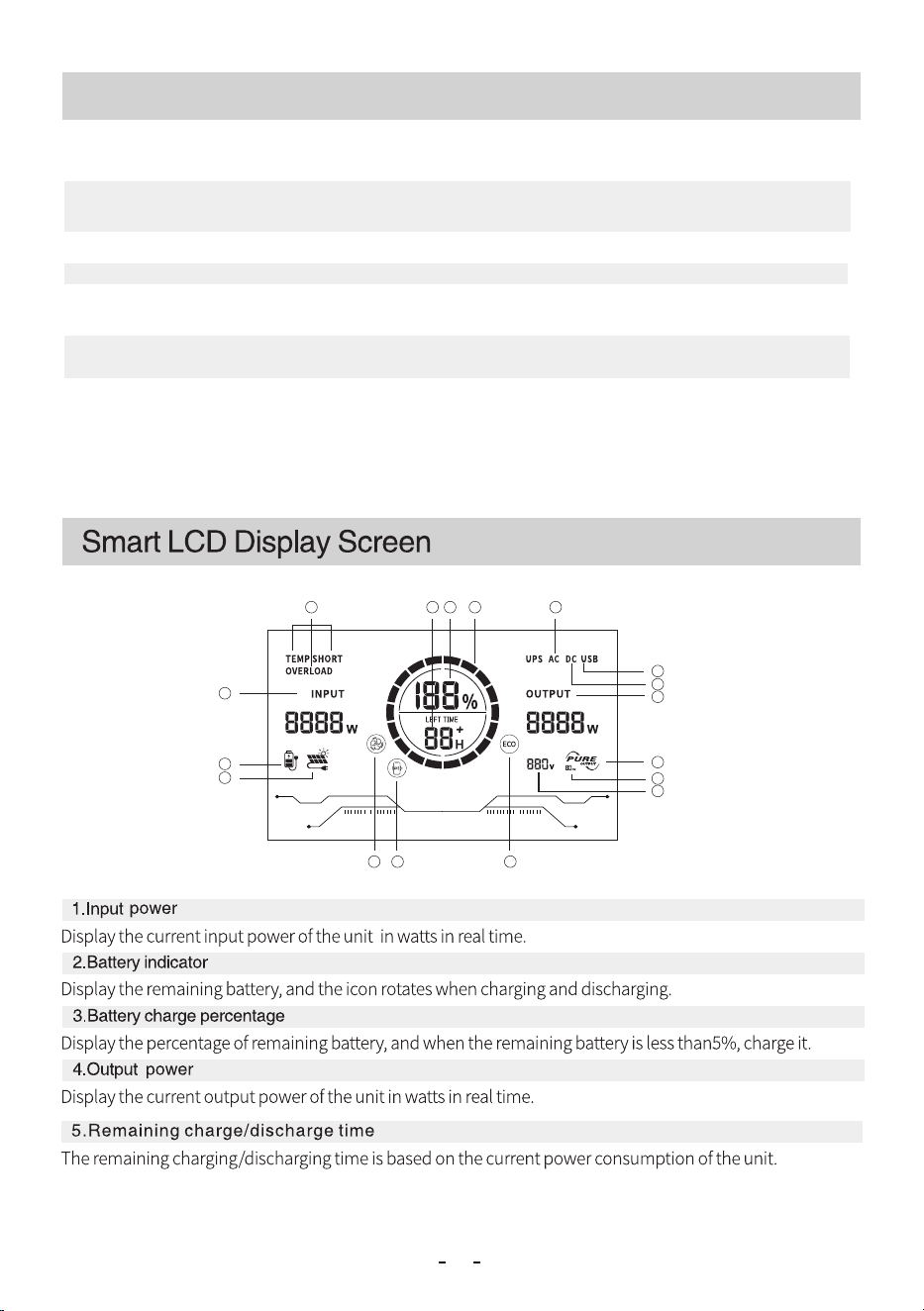
Display the power and usage status of the unit.
5.2 120V/30A AC Output
Charge a device with a voltage requirement of V. (Do not support all excess
appliances, the power of the power of the powered device should be less than W).
5.3 50A AC Output / 120V 50A
Charge a device with a voltage requirement of V.
5.3
5.2
5.1
06
14. Two-Wire Start Interface
After connecting to the two-wire start interface of the generator, the generator can be
started to charge the energy storage based on the available power.
14
15.Power Switch
Long press the power button to turn off.
16.GND
17.Parallel
Support parallel output of power station/generator, parallel box need to be equipped
and it purchased separately.
18.Portable pull rod
19.Mute Wheel
Product appearance introduction
07
9
1
17
6
7
8
4
15
2
35
14
10
11 12 13
16
08
WhentheDCoutputportisinuse,theDCoutputiconappearsonthescreen.
12.Wireless Charging
It supports w wireless charging function.
1 4 .Frequency Displaylcon
When the frequency displays / Hz, it indicates the current frequency status.
13.ECO mode
After double-clicking the power button to enter energy-saving mode, the ECO icon will light up.
15.Pure sine wave
When the AC output is used, pure sine wave AC output icon appears on the screen.
16.Voltage display
Displays the current output voltage.
17.Temp Shortoverload
Example 2:
10
When the AC input current is continuously greater
than 15A, the AC input port thermal protector will
p r o t ect i t s e lf, a n d t h e but t o n w ill p o p u p
automatically. After confirming that the product has
no fault, press the AC input overload protector to
resume charging;
Charging: the battery level indicator rotates. Charging: the battery level indicator rotates.
SP2113*P4/SolarchargingSP2913*P3/ACcharging
2.8
3.4
11
total
Example 3:
Notice:
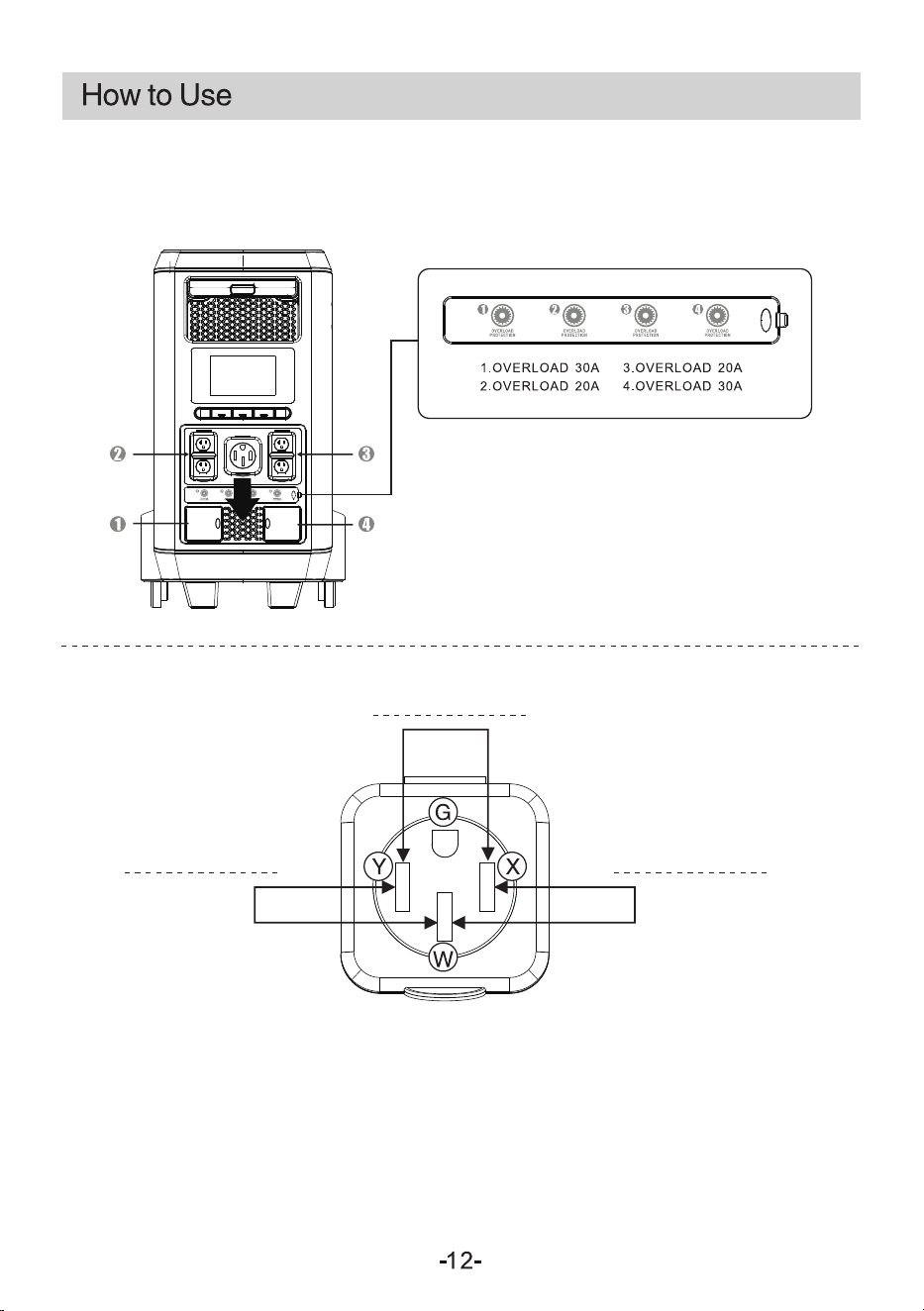
1. When the voltage output is 120V, if the current
exceeds the rating of the corresponding plug, the
thermal protection CA 1/2/3/4 will be activated and
the corresponding output will be disconnected.
2. After restarting, the output can be automatically
restored.
240V/5000W MAX.
120V/2500W MAX.120V/2500W MAX.
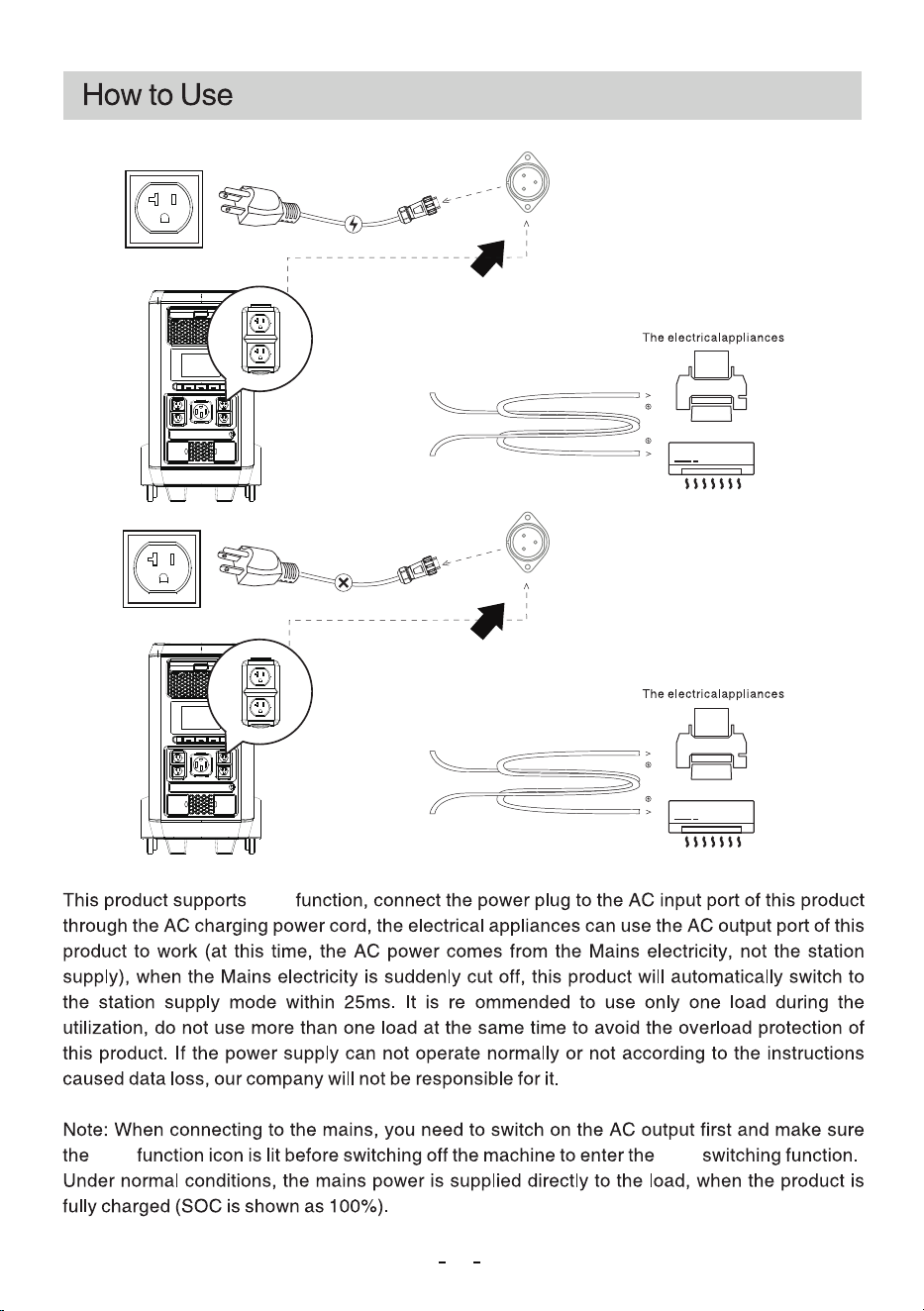
1. Switch the AI to dual-voltage output and turn off the AC output switch. After turning off the output, press
and hold the AC switch for 7 seconds, check that the current voltage changes from "120V" to "240V", and
then lightly press and hold the AC switch to complete the dual-voltage switching.
2. When changing voltage, both 120V and 240V exist simultaneously, with a maximum output of 2300W for
120V and 5000W for 240V, totaling 5000W.
3. When the voltage returns to 120V, the 120V/240V socket has no output, while the total output of the
120V socket is 5000W.
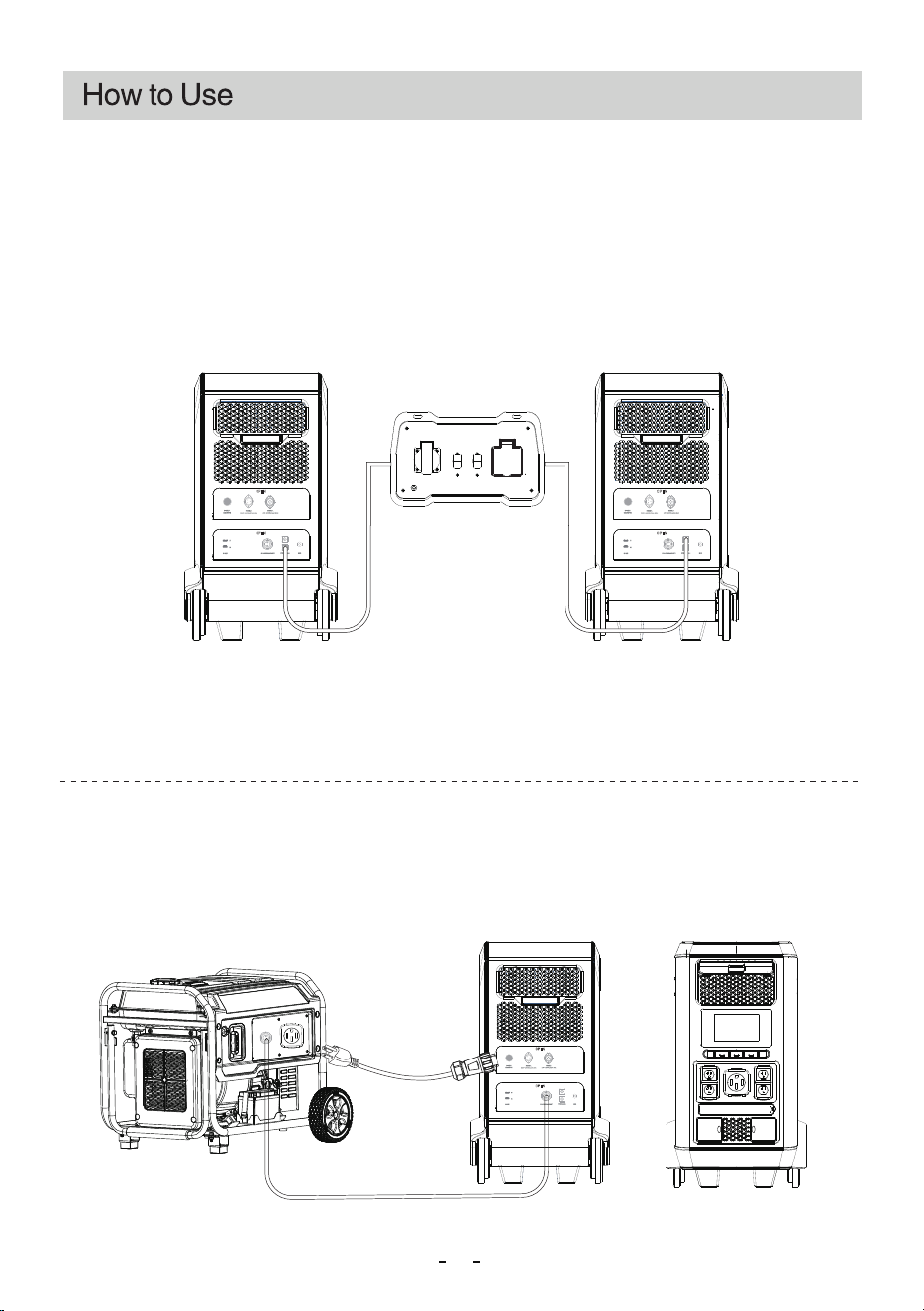
Power on
Power outage
UPSUPS
UPS
13
( output 2400W Max)120V
( output Total 5000W )120V
14
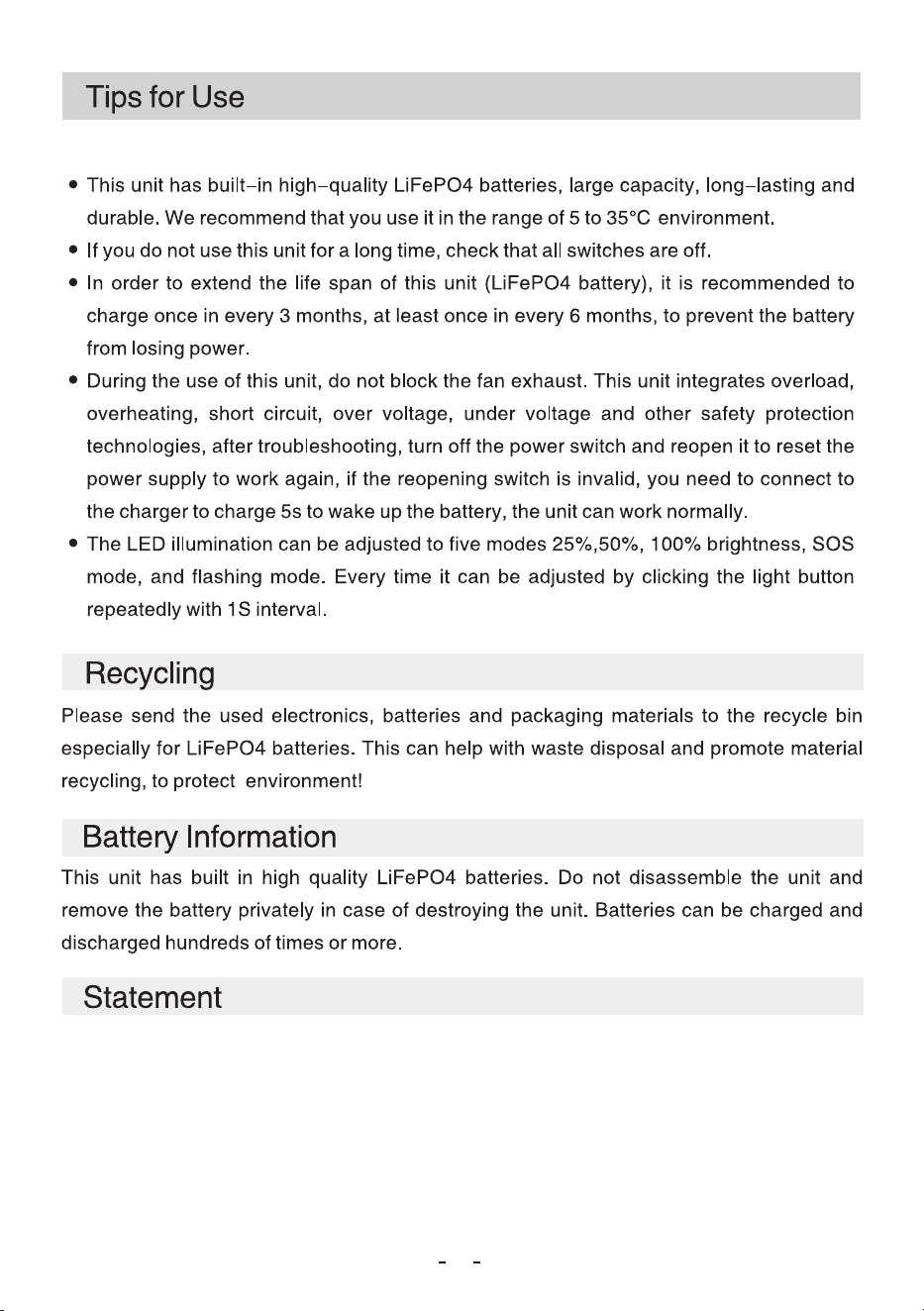
Parallel:
The product can be expanded in parallel with two power station and can be used to meet the need for more power
and capacity. When using this product for other parallel connections, follow the user instruction manual. Before
using the parallel function and connecting them with a parallel cable, make sure that the two products you want to
parallel are turned off. When using the parallel function, an output from the parallel box is required (the parallel
box plug attachment must be purchased separately). When the products are connected in parallel, the rated
maximum power and rated battery capacity are doubled. Please use the parallel cable provided by our company
for connection to avoid damage to the product.
When using the parallel function, make sure that both products are turned off. If the two products are in the same
output state, do not plug in the parallel cable.
When the products are connected in parallel, do not unplug them during the process; This is to prevent anomalies
from occurring.
Harnesses and parallel
boxes are sold separately
Two-Stage Start-Up:
1. When the energy storage level is below 'SOC 30%', a start-up signal will be sent to the generator to initiate
operation and charge the energy storage. (Ensure that the communication line and AC charging line between the
generator and the energy storage are properly connected.)
2. When the energy storage level exceeds 'SOC 80%', a shutdown signal will be sent to the generator to cease
operation and stop charging the energy storage.
Two-wire start protection
cable (sold separately)
Power cord
15
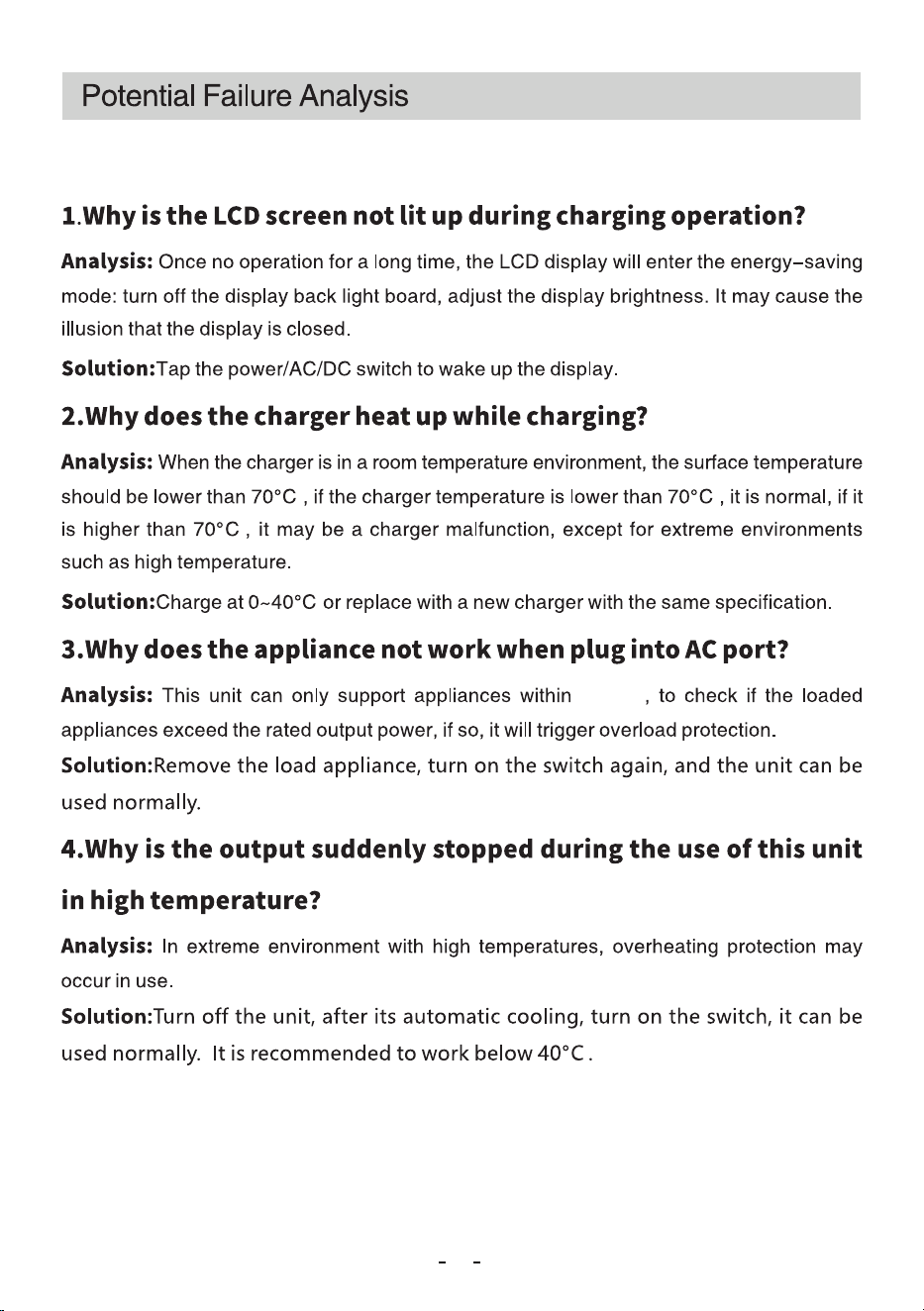
Please be aware that this manual is only for this unit FP5500 and does not represent the
manual for others. In addition, this manual is provided as a guide only, the pictures in this
manual are for reference only, and all statements, information and suggestions in this
manual do not constitute any express or implied warranty. We are always dedicate to the
improvement of product itself, therefore, the appearance and performance of units may be
slightly different from this manual, please understand.
16
5000W
This equipment complies with FCC radiation exposure limits set forth for an
uncontrolledenvironment. This equipment should be installed and operated with
minimum distance20cm between the radiator & your body.
FCC ID:AMQ-FP
FCC Radiation Exposure Statement: