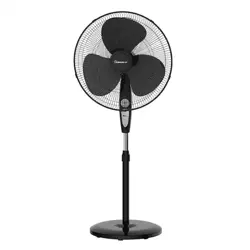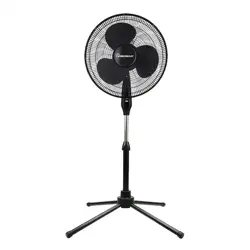
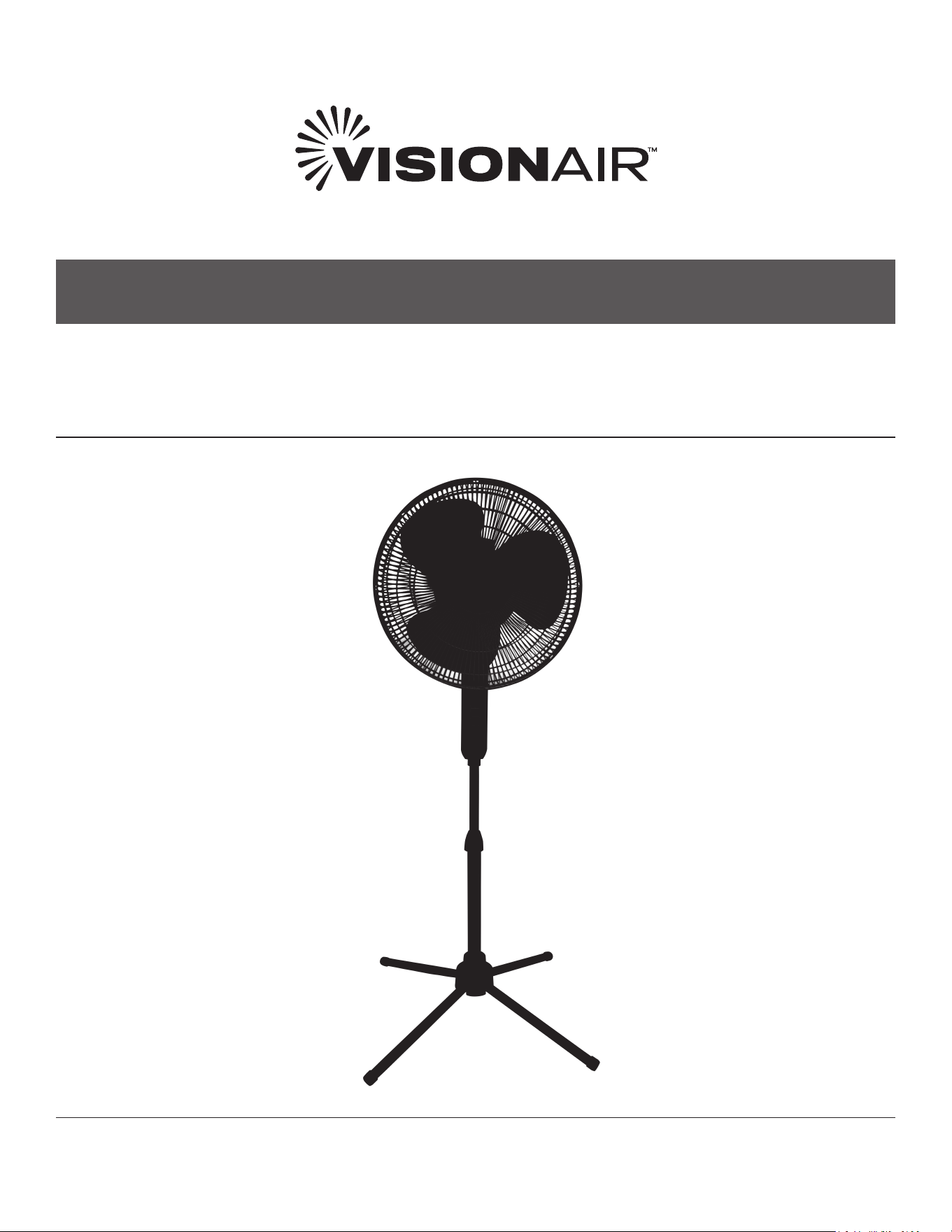
OSCILLATING PEDESTAL FAN
MODEL 1VAFP16W, 1VAFP16B, 1VAFP18
1VAFP16W SHOWN
OWNER’S MANUAL

CONTENTS
SAFETY INFORMATION ................................................................................................................................................. 3
INTENDED USE
................................................................................................................................................................. 3
IMPORTANT INSTRUCTIONS
....................................................................................................................................... 3
USAGE
................................................................................................................................................................................. 5
CONTROL PANEL
............................................................................................................................................................ 5
OSCILLATION
................................................................................................................................................................... 5
FAN ASSEMBLY
................................................................................................................................................................ 6
CLEANING
.......................................................................................................................................................................... 7
MAINTENANCE
................................................................................................................................................................ 7
FUSE REPLACEMENT
.................................................................................................................................................... 7
IMPORTANT NOTE:
Read the manual carefully. Make sure to save this manual for future reference. Illustrations in this manual are
for explanatory purposes only, your actual product may look slightly dierent.

3
SAFETY INFORMATION
INTENDED USE
This product is intended for indoor residential
and oce use only, not for industrial or other
commercial applications. Use only with electrical
wiring that is in good working order and that meets
applicable codes and ordinances. If you have
any questions whether your wiring is adequate,
consult a qualied electrician.
While using your fan, you should follow the
IMPORTANT INSTRUCTIONS listed below. As
part of those instructions, we have used the
word
“WARNING” to indicate the level of hazard:
WARNING indicates a hazard which, if not avoided,
could result in injury or death.
IMPORTANT INSTRUCTIONS
As with all electrical appliances, basic safety
precautions should always be followed to reduce
the risk of electric shock, re, or injury to persons,
including the following precautions:
• Read all the instructions before using this fan.
• Use this fan only as described in this manual.
Any other use not recommended by the
manufacturer may cause electrical shock,
re or injury to persons.
• Do not operate the fan with a damaged power
cord or after the fan malfunctions or has been
dropped in any manner.
• Use of extreme caution is necessary when any
fan is used by or near children, disabled persons
or pets and whenever the fan is left operating
unattended.
• Do not place the fan on a small, unlevel, uneven
or any surface which might allow fan to tip or fall.
• For proper operation, fan should be placed on a
smooth, non‑combustible, level surface.
• Always unplug fan when not in use, when
moving from place to place, when assembling
or disassembling parts, and before cleaning.
• The use of attachments, not recommended or
sold by the manufacturer, may cause hazards.
• Do not use outdoors.
• Do not use fan in window. Rain may cause
electrical hazard (for non‑window models).
• Do not operate the fan with blade guards or any
safety device removed.
• Avoid the use of extension cords due to risk of
re.
• Do not run power cord under carpeting. Do not
cover cord with throw rugs, runners or the like.
Arrange cord away from trac area where it will
not be tripped over.
• Do not insert or allow any object to enter any
openings on the fan. Doing so may cause electric
shock and/or re hazard. Avoid contact with
moving parts.
• This appliance is not intended for use by
persons (including children) with reduced
physical, sensory or mental capabilities or lack
of experience and knowledge, unless they have
been given supervision or instruction concerning
use of the appliance by a person responsible for
their safety.
• Children should be supervised to ensure they do
not play with the appliance.

(Continued)
4
(Continued)
SAFETY INFORMATION
READ & SAVE THESE
INSTRUCTIONS!
WARNING SHOCK HAZARD
Use your fan only in dry environments. This fan
is not intended for use in a bathroom, laundry
area, or similar locations, or near sinks, washing
machines, swimming pools or other sources of
water. Never locate fan where it may fall into a
bathtub or other water receptacle. Do not use in
damp environments such as ooded basements.
WARNING HOT SURFACES
Do not touch fan motor when in use. This motor
is hot when in use, to avoid burns, do not let bare
skin touch hot surfaces.
WARNING FIRE HAZARD
Fans have arcing or sparking parts inside. Do not
use near combustible materials or ammable
gases or sources of heat. Do not use in areas
where gasoline, paint or ammable materials are
used or stored. To prevent a possible re, do not
block air intakes or exhaust in any manner. Do
not insert or allow foreign objects to enter any
ventilation or exhaust opening as this may cause
an electric shock, re, or damage the fan.
WARNING ELECTRICAL SHOCK HAZARD
Do not use with damaged cord or plug. Use with
adequate electrical system that is up to code.
CAUTION TO PREVENT ELECTRIC
SHOCK, this product has a polarized two prong
plug (one blade is wider than the other) that
must be fully inserted in to a matching properly
grounded outlet. This plug is designed to t a
polarized outlet only one way. If the plug does not
t fully into the outlet, reverse the plug. If the plug
still does not t, contact a qualied electrician. Do
not attempt to defeat this safety feature.
WARNING TO REDUCE THE RISK OF FIRE
OR ELECTRIC SHOCK, do not use this product
with any solid‑state speed control device.
DO NOT operate any fan with a damaged cord or
plug or after fan malfunctions, has been dropped
or damaged in any manner. Do not operate fan
with a broken blade, safety cage or any visual
imperfections. Disconnect power before servicing.
For repairs covered under warranty, see warranty
statement. For all other repairs contact Vision
Air Customer Service by telephone or mail for
information and assistance.
DO NOT run power cord under carpeting. Do not
cover cord with throw rugs, runners or the like.
Arrange cord away from trac area where it will
not be tripped over. Avoid the use of extension
cords due to risk of re. Unplug the fan when
not in use. Do not operate fan with its ventilation
obstructed.
5
USAGE AND CONTROL PANEL
USAGE
FAN OPERATION
Always operate the fan in the upright position
following all instructions and recommendations
listed in this manual.
FAN LOCATION
Place the fan in the area of the room that will
provide proper circulation.
FAN CONNECTION
Plug fan directly into 120 volt A.C., 60 Hz wall
outlet. Be sure plug ts tightly in outlet. A loose
connection may cause overheating and damage to
the plug or fan. Avoid the use of extension cords
due to risk of re.
NOTE: To prevent overloading a circuit, do not
plug the fan into a circuit that is servicing other
electrical needs.
CONTROL PANEL
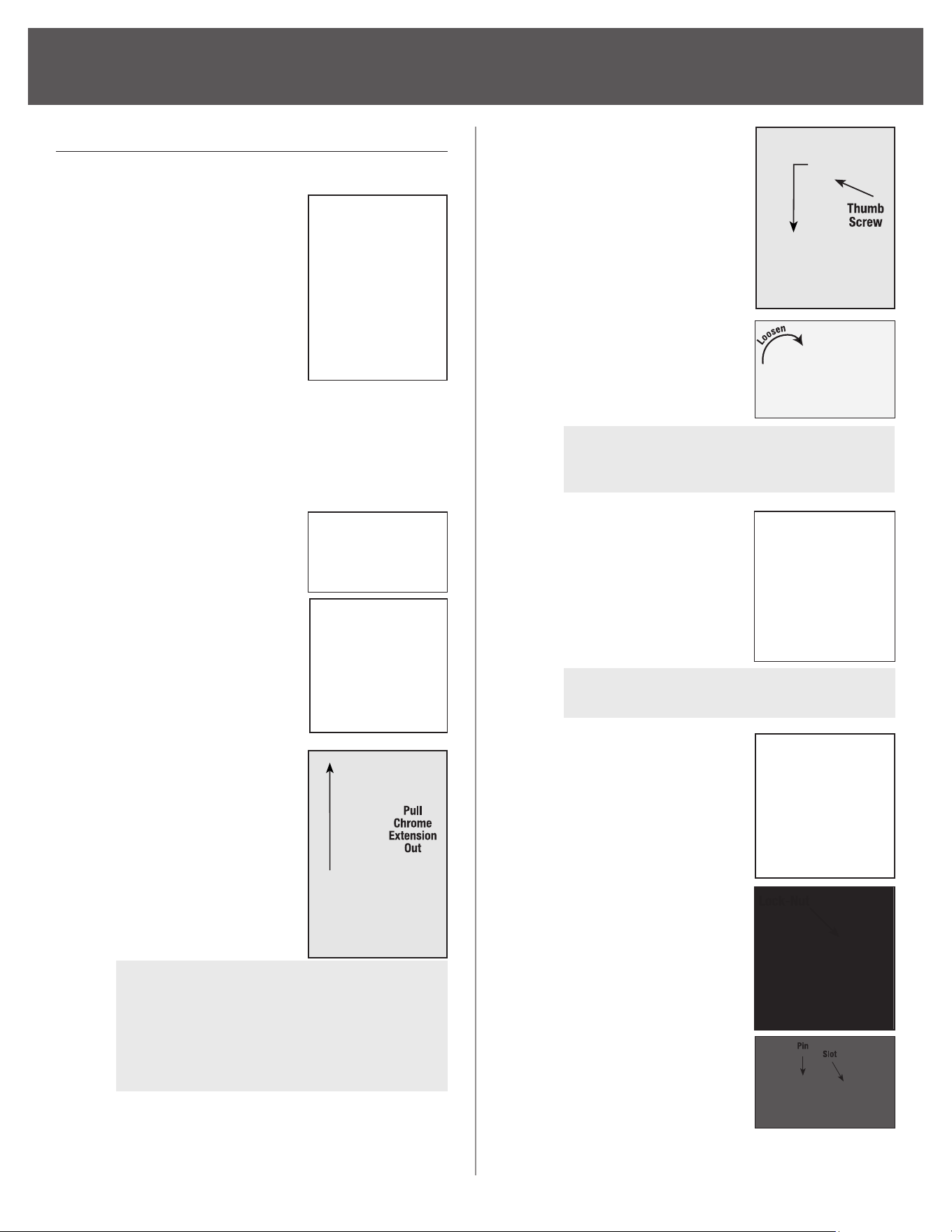
TURNING FAN ON/OFF
Place fan on stable level
surface. Plug fan into
properly grounded outlet.
To start the fan, press
desired speed button:
1 ‑ LOW, 2 ‑ MED, 3 ‑ HIGH.
Press 0 ‑ OFF to
discontinue use.
Unplug fan when not in use.
OSCILLATION
To start fan oscillation,
press Oscillation Control
Knob (located above motor
housing) down.
To stop oscillation function
pull Oscillation Control Knob
up while the fan is in any
oscillation position.
ON/OFF SPEED CONTROL
OSCILLATION
CONTROL KNOB
6
FAN ASSEMBLY
FAN ASSEMBLY
Simple assembly is required to use this fan.
Step 1.
(4) Four legs will come
shipped inside of the
packaging. To attach
the legs to the pedestal
base: Guide the small
bump on the bottom
of the pedestal base
down the “L” groove
on the pedestal foot;
Lock the foot into place
by twisting it counterclockwise. Repeat
until all (4) four feet are attached to the
pedestal base. Flip the fan pedestal over
so it is sitting upright on the oor then
move onto the next step.
Step 2.
Slide the pedestal bar
through the hole of the
collar. Then, insert the
fan pedestal pole into
the base and tighten by
twisting bottom collar
nut. Cover the top
portion of the base
assembly with the
plastic collar.
Step 3.
With the collar nut
loosened, pull the
chrome extension out of
the fan pedestal to the
desired height. Then,
re‑tighten the collar nut
before moving onto the
next step..
NOTE:
The chrome extension may
be completely hidden inside of the
bar. Make sure the collar nut is fully
loosened, then slowly ip the bar upside
down so the chrome extension falls out.
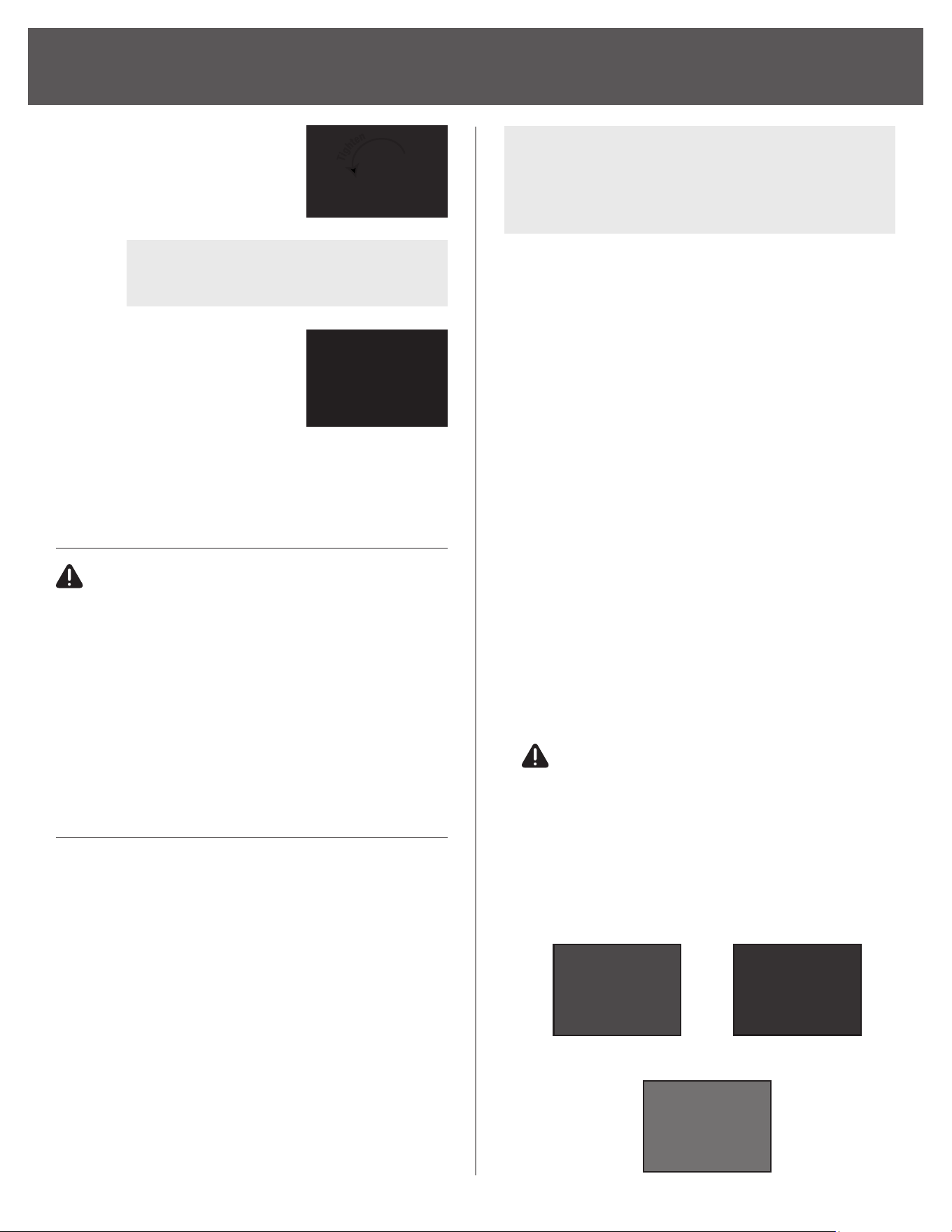
Step 4. Assemble fan Control
Panel/Motor assembly
onto Chrome Extension
and tighten thumbscrew.
Step 5. Remove the Blade
Cap by twisting it
CLOCKWISE while
holding the metal
shaft tightly.
NOTE: Threads are reversed.
Loosen = Clockwise
Step 6. Loosen and remove
the locknut from the
motor housing to attach
rear grille.
NOTE: Loosen = Counter‑clockwise.
Step 7. Assemble Rear Grille
onto Motor Housing.
Rear Grille should t
into pins on fan motor
housing as shown.
Step 8. Thread the locknut onto
the motor housing and
twist clockwise to
tighten.
Step 9. Remove any protective
covering over shaft
before Fan Blade
Installation. Place Fan
Blade onto Motor Shaft.
Notice the pin on Motor
Shaft should t into slots of Fan Blade.
7
Step 10. Thread Blade Cap
onto threaded end
of Motor Shaft.
NOTE: Threads are reversed.
Tighten = Counter‑clockwise
Step 11. With logo upright,
attach Front Grille to
Rear Grille by snapping
them together. Be sure
all 8 clips are secure.
Do not operate fan
without grille in place.
FAN ASSEMBLY
CLEANING
CAUTION Before cleaning the fan be
sure to disconnect power cord from the plug.
Clean the grille surface with a clean damp cloth.
Do not use harsh chemical or abrasive cleaners.
DO NOT IMMERSE THE FAN OR ANY WIRES IN
WATER. Allow fan to dry completely before use.
Periodic grille cleaning with a vacuum will prevent
dust build up. The motor is sealed and does not
require any interior maintenance, cleaning or
lubrication.
MAINTENANCE
The Internal motor bearings are permanently
lubricated at the factory and do not require any
additional lubrication.
REPAIR
DO NOT OPERATE THE FAN WITHOUT THE
GRILLE IN PLACE. DO NOT USE THE FAN IF IT
HAS MALFUNCTIONED OR BECOME DAMAGED
IN ANY WAY.
STORAGE
Keep original carton for storage of the fan. Coil
and tie the power cord to avoid damage during
storage.
NOTE: Some models come with a plug where
you can replace a fuse. If your model has this,
please read and follow the below instructions
to replace the fuse.
Fig. 3
Fig. 2
Slide Cover to Open
Fig. 1
This product employs overload protection (fuse).
A blown fuse indicates an overload or short‑circuit
situation. If the fuse blows, unplug the product
from the outlet. Replace the fuse as per the user
servicing instructions (follow product marking
for proper fuse rating) and check the product. If
the replacement fuse blows, a short‑circuit may
be present and the product should be discarded
or returned to an authorized service facility for
examination and/or repair.
FUSE REPLACEMENT
1. Grasp plug and remove from the receptacle or
other outlet device. Do not unplug by pulling on
cord. See Fig. 1
2.
Open fuse cover by sliding open fuse access
cover on top of attachment plug towards
blades. See Fig. 2
3.
Remove fuse carefully. Use a small tool to pry
the end of the fuse from holder cavity. Be careful
not to break glass window. See Fig. 3
4.
Replace fuse.
WARNING Risk of re.
Replace fuse only with identical 2.5 or 5.0 Amp,
125 Volt fuse (3.6mm x 10mm). Be sure fuse is
properly seated within its cavity.
5.
Close fuse cover by sliding it back to its original
closed position. See Fig. 1
(Continued)

833‑950‑1185 | support@visionairproducts.com | www.visionairproducts.com
4560 West 160th Street
Cleveland, OH 44135
Printed in China | 0723_M079
For your records, staple your sales receipt
to this manual and record the following:
Date of Purchase:
____________________________________
Place of Purchase: ___________________________________
NOTE: Proof of purchase is required for all warranty claims.
NOTE: As a result of continual improvements, the design and
specications of the product within may dier slightly to the
unit illustrated on the packaging.