SOUNDBAR BUTTON FUNCTIONS
LED Display
Ÿ When the soundbar is connected to power, the LED display will
light up.
Ÿ Short press the Power button on the soundbar or remote to turn
it ON.
Ÿ The display shows the current input mode such as BT, OPT, HDMI,
USB, or AUX.
Button Functions
Mode Button
Ÿ Short press to switch between input modes: Bluetooth (BT),
Optical (OPT), HDMI, USB, AUX.
USER MANUAL
– Short press to play Previous or Next track.
– Long press to decrease or increase volume.
Ÿ In OPT / HDMI / AUX Mode:
– Short press to decrease or increase volume.
– Long press for fast volume decrease or increase.
Notes
Ÿ Button behavior may vary depending on the selected input mode
Ÿ Ensure the soundbar is set to the correct input source for proper
operation
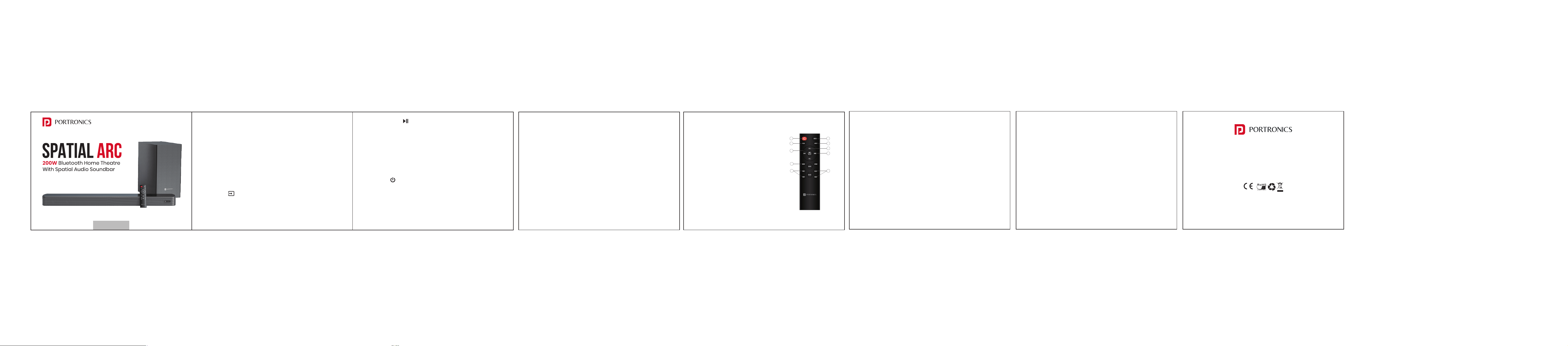
REMOTE CONTROL
1. Power Button: Short press to power on/standby
2. MUTE: In all modes, short press to mute/unmute
Play / Pause Button
Ÿ In BT Mode:
– Short press to Play or Pause music.
– Long press to Disconnect or Reconnect Bluetooth.
Ÿ In OPT / HDMI / AUX Mode:
– Short press to Mute or Unmute audio.
Power Button
Ÿ Short press to turn the soundbar ON or switch to Standby mode.
Volume / Track Buttons (- / +)
Ÿ In BT / USB Mode:
E-Waste Management
For E-Waste & ROHS compliance
refer to www.portronics.com/ewaste
www.portronics.com
For Support
Visit : www.portronics.com
Email : [email protected]
Contact No. : +91 9555245245
(Working Hrs. : Monday - Saturday 10:00am - 6:00pm)
3. PAIR: After connected in BT mode, long
press to disconnect, long press to
reconnect. Not available in other modes
4. INPUT: Short press to shift different
mode from BT OPT HDMI USB AUX
5. RESET:
Short Press
Ÿ AUX / OPT / HDMI modes: Mute or
unmute the audio
Ÿ BT / USB modes: Play or pause media
Long Press (All Modes)
Ÿ Resets the master volume
Ÿ Restores treble, bass, and surround
sound settings to default
[ ]
[ ]
[ ]
Note:
In BT mode, a long press will disconnect the device and clear the
Bluetooth pairing history, even if the device is currently connected
6. In BT mode, a long press will disconnect the device and clear the
Bluetooth pairing history, even if the device is currently connected
7. In USB/BT mode, short press to skip to the previous/next song. In
USB mode, long press for fast forward/rewind
8. In all modes, short press to increase/decrease the master
volume; long press to fast increase/decrease the master volume
9. MUSIC mode, NEWS mode, MOVIE mode, NIGHT mode: For these
modes, all is short press to shift
10. TREB+/-: Increase/decrease Treble
11. BASS+/-: Increase/decrease Bass
SPECIFICATION
Output Power : 200W
Soundbar Speaker Size : 2''*4
Subwoofer Speaker Size : 6.5"*1
Bluetooth Version : 5.3
Frequency Response : 35Hz-20kHz
Signal to Noise Ratio : 75
Soundbar Size : 850*65*104.7mm
Subwoofer Size : 372*190*305mm
Bluetooth working Range : Upto 10m
1
2
3
4
5
8
9
10
6
7
7.