
Dear Customer!
My name is Sergii Varych, I am the founder of Mirkit Radio.
Glad to share with you detailed instructions for using our cable.
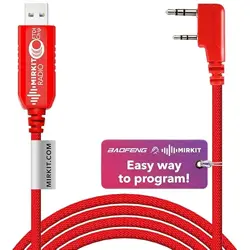
Please note: the programming cable is with FTDI chip inside, Best Choice for flashing Baofeng
analogue radios!
It means next:
1) You can flash your radio using Chirp program with MAC OS, Windows OS!
2) The cable has FTDI chip inside, it means that you DO NOT NEED any extra drives installation,
just connect your radio using this cable to computer, run Chirp, turn on the radio and start the
smooth flashing process!
*Important: If the driver is not installed automatically on a Windows 10 pc please read the
information at the bottom of the document.
3) The programming cable have the light indicator. When cable works - the light indicator blinks!
You are welcomed to have access to software and Channel List needed for programming your
radio via the link below:
FOR MAC OS:
https://www.amazon.com/clouddrive/share/YbU3X2EL3jAavbBW6Xd5ZUsYbB1vVIz80LOfzLQw
CVI
FOR WINDOWS OS:
https://www.amazon.com/clouddrive/share/lEJJ4zxJy5IOCSqlDLLSv9vhVPi8Jdcn8FUQA4XOqs
D
Using the link find the "mirkit-instruction" and follow up the step-by-step instruction for the easiest
programming experience of your radio. That`s all! Just follow the described steps and enjoy the
radio!
If you would like just to flash your radio with Mirkit Channel List, but not to use the proposed by
us Image file, please follow next steps: Using PC with MAC or Windows OS open the folder
mirkit-chanellist-soft_for_PC via the shared above link and find 3 files:
1) Chirp_Mirkit_installer.exe (This is a program for flashing radio sets)
2) Mirkit-chanellist_v1_2019.csv (This is a file with firmware)
3) MIRKIT RADIO channel list 2019.pdf (This is a detailed description of the channels and their
specification)
4) Mirkit-instruction.pdf ( step by step instruction on how to flash created for your convenience!)
* Important: If the driver is not installed automatically on a Windows 10 pc please follow the next
steps to solve it:

1. Please download the folder with the new drivers for your FTDI cable:
https://www.amazon.com/clouddrive/share/LPq3PyJMwkpW4NjGPVoIIcLiX59zIsfMUns0jt7hkMM
2. After you download this folder with the drivers please plug in the programming cable to your
PC, run the file with the drivers, and install them. If the installation of the drivers was successful,
the name of the cable will appear in the "Device Manager" of your computer and the number of
COM-port will be mentioned in the name of this device. If the symbol of the yellow exclamation
mark will be displayed in front of the name of the cable in "Device manager" it means that the
drivers for the cable were installed incorrectly and they should be removed from the PC and
should be installed again.
3. If you need step-by-step instruction you can download FTDI Drivers Installation Guide for
Windows 10:
https://www.amazon.com/clouddrive/share/Tvt0x7gbIFCsYZkzx43vpKUvzWXCiS99eh9OgQcIFU
O ( this is the original Installation Guide from FTDIchip manufacturers website, but we remove
all links in it according to Amazon requirements. You can easily find all docs and soft on the
manufacturer's website ).
If you have ANY kind of issues with programming cable of working set up - just contact us and
we`ll make it work! NO need to spend time for returns or refunds.
Best Regards,
Mirkit Radio
Sergii Varych