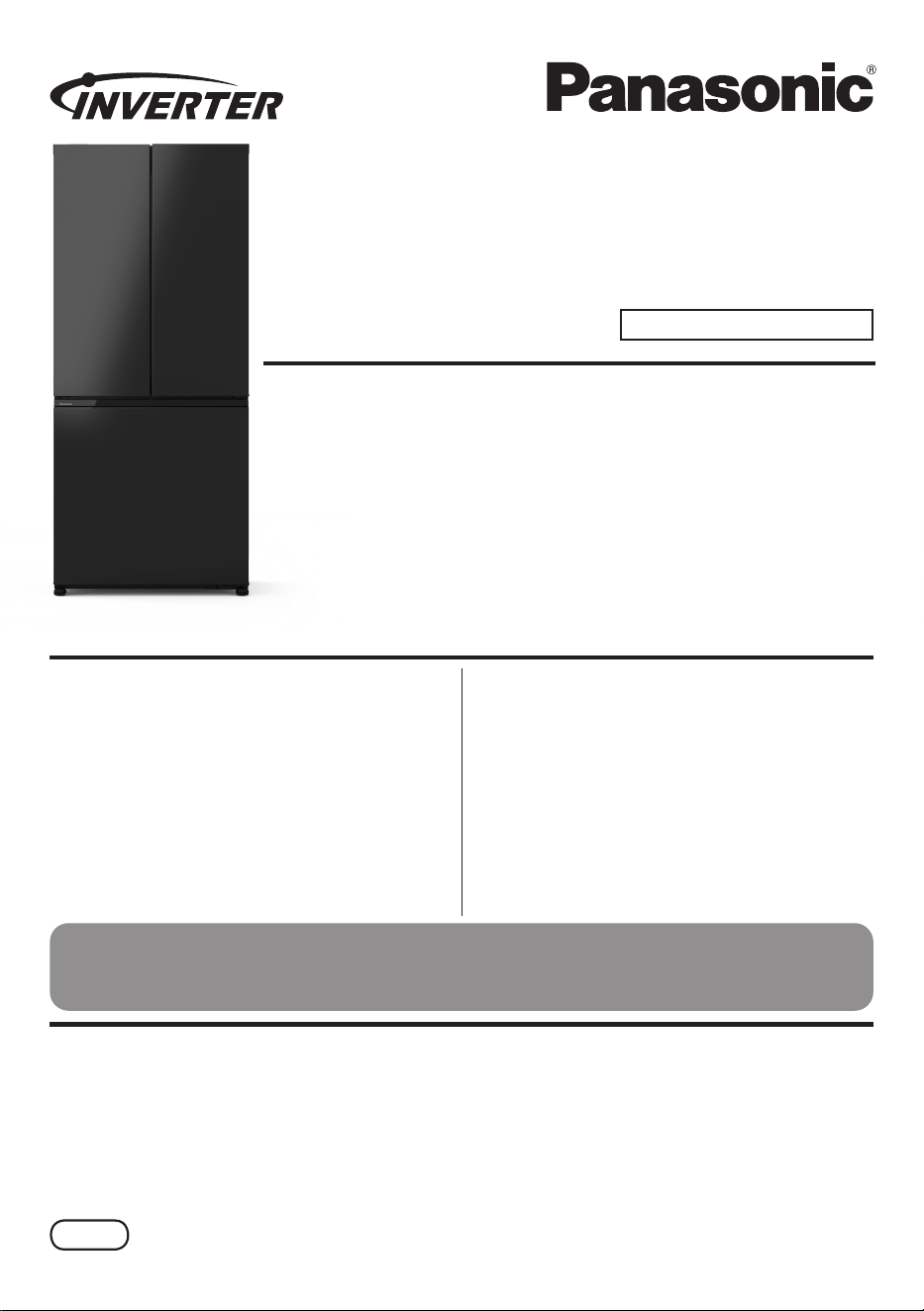
Operating Instructions
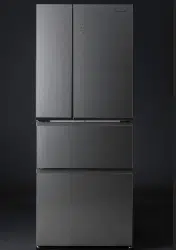
Refrigerator
For Household Use
Model No.: NR-CW530HW
Contents
Safety Precautions .................................. 2
Usage Precautions.................................. 5
Highlighted Features ............................... 6
Installation ............................................... 8
Parts Identication .................................11
Operation Panel .................................... 13
Temperature Control ............................. 14
ECONAVI Operation ............................. 15
nanoe
TM
X.............................................. 15
Quick Freezing ...................................... 16
Prime Fresh+ ........................................ 16
Quick Ice Making .................................. 17
Auto Ice Off and Auto Ice Clean ............ 17
Fridge compartment .............................. 18
Prime Fresh case ................................. 19
Freezer compartment............................ 20
How to clean the Refrigerator .............. 23
Troubleshooting .................................... 27
Specications ........................................ 31
Disposal ................................................ 32
■ NON-CFC
NON-CFC MATERIALS have been used for the refrigerant (R600a) and for the insulation
(Cyclopentane), making this product better for the Earth's Ozone Layer.
Thank you for purchasing the Panasonic product.
Please read these instructions carefully and follow safety precautions on page 2-6 before
using this product.
Please make sure the date and name of store of purchase are stamped in warranty card
and keep it with this operating instructions.
ARAH1E204120
P0825-0
Printed in Vietnam
AUNZ
Safety Precautions
Please be sure to follow these instructions.
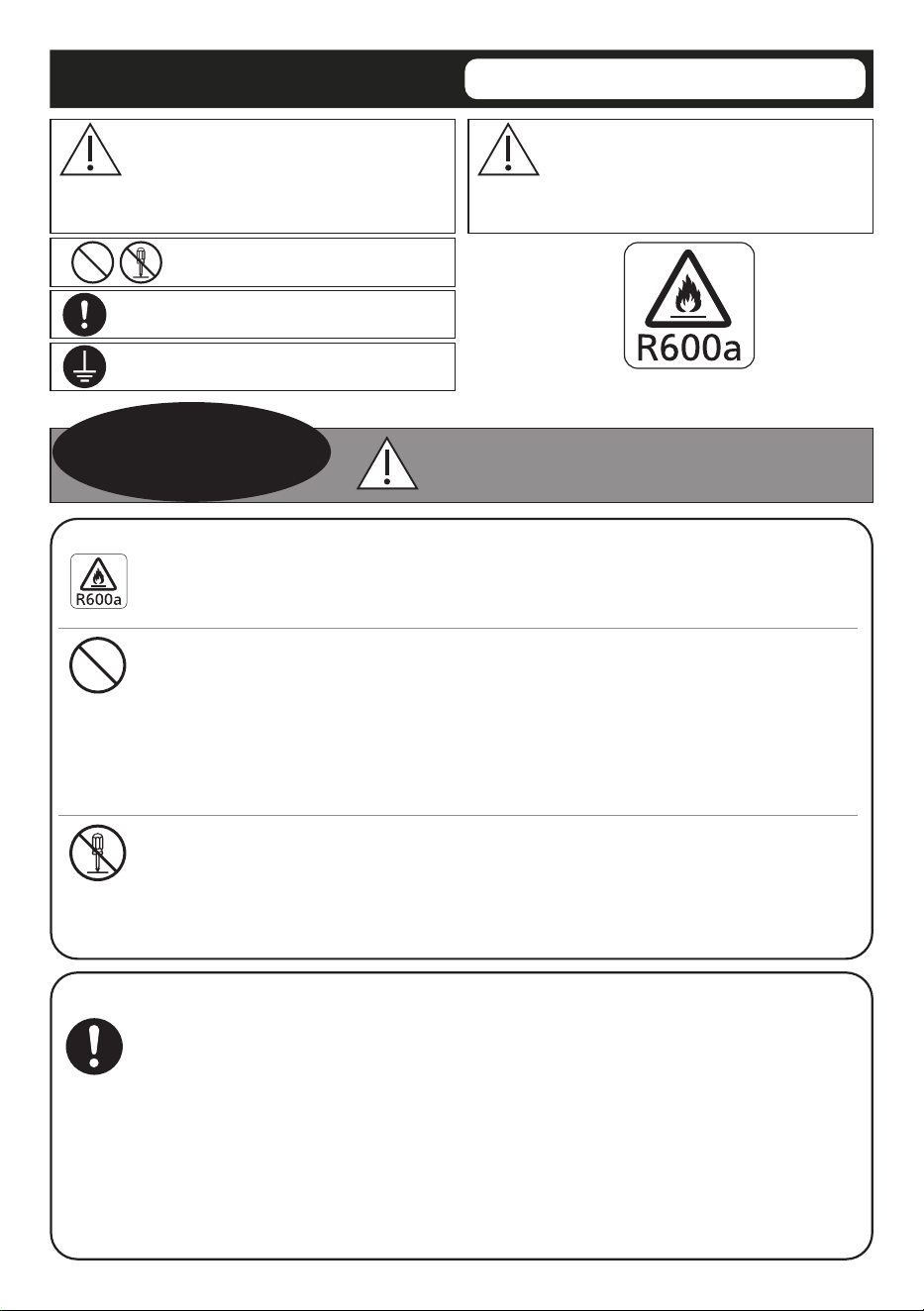
Risk of re/flammable materials.
2
WARNING
WARNING
This sign means: It may lead to a serious
injury or death.
These signs mean prohibited
action.
This sign means required action.
This sign means the appliance must
be earthed to prevent electric shock.
CAUTION
This sign means: It may result in injury or
property damage.
Otherwise, it may
cause a re, injury,
electrical shock.
When recycling the product:
● Before taking the refrigerator to be recycled, please remove all the
door opening seal to prevent locking a child in it.
● The warning labels mentioned above should be kept throughout the life
of the refrigerator.
● The operating instructions should be handed over to any person who
would use or handle the refrigerator whenever the refrigerator would be
transferred to another location and delivered to a recycling plant.
● In regards to local laws, Cyclopentane is used for insulation of this
refrigerator. When you throw away this unit, please discard it by proper
method and do not dispose it by burning.
In case of emergency:
● Maintenance work should only be carried out by a qualied technician.
● Do not store explosive substances, such as aerosol cans with a
flammable propellant, etc. in the refrigerator.
● Do not use electrical appliances such as a deodorizer in the
refrigerator. Leaked refrigerant may catch re from a spark of the
electrical contacts and may cause an explosion.
● Do not use electrical appliances inside the food storage compartments
of the appliance, unless they are of the type recommended by the
manufacturer.
● Do not disassemble, repair or modify the refrigerator by yourself.
If you want to repair the refrigerator, please consult your dealer or
authorized service center.
● Do not use mechanical device or other means to accelerate
the defrosting process, other than those recommended by the
manufacturer.
iso-butane
iso-butane
3
When using:
● Do not damage the cooling circuit (piping on the back).
● Do not touch the compressor and pipes, because of high temperature,
that there is a risk of burn injury.
● Do not let any children hang onto the refrigerator's door, it may fall and
injure the child.
● Do not place or store open containers of water on top of the
refrigerator. Spilled water can cause electrical shocks or combustion.
● Do not place multiple socket-outlets or portable power supplies at the
rear of the appliance.
● Keep ventilation openings, in the appliance enclosure or in the built-in
structure, clear of obstruction.
● This appliance is not intended for use by persons (including children)
with reduced physical, sensory or mental capabilities, or lack of
experience and knowledge of using the appliance, unless they have
been given supervision or instruction concerning use of the appliance
by a person responsible for their safety.
● Children should be supervised to ensure that they do not play with the
refrigerator.
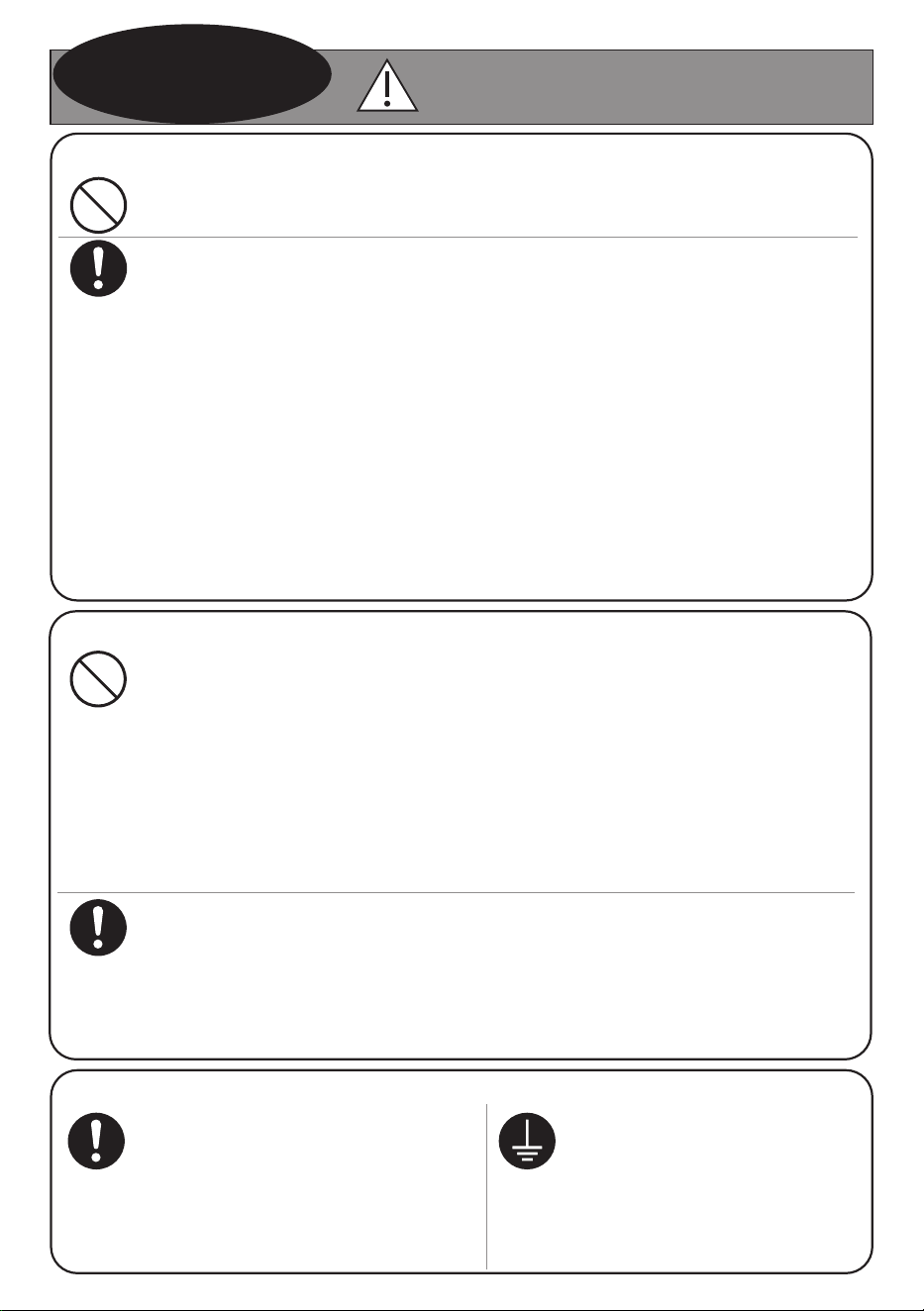
When installing:
● Danger can occur when the
appliances is unbalanced, make
sure the feet are secure and
appliance is level.
● When positioning the appliance,
ensure the power cord is not
trapped or damaged.
● Ensure that the refrigerator
is plugged into an earthed
main socket.
WARNING
Otherwise, it may
cause a re, injury,
electrical shock.
For power plug and power cord:
● Do not plug or unplug with wet hands.
● Do not let the power cord or power plug be damaged.
● Disconnect power plug when cleaning.
● Only plug into a wall outlet of the correct rated voltage and current, and
fully insert the power plug on its own.
● Reserve one socket for the refrigerator only. Avoid connecting many
appliances to the same socket and unroll the full length of the cord.
● Remove dust periodically from the power plug.
● If the power cord is damaged, it must be replaced by the manufacturer,
its service agent or similarly qualied persons in order to avoid a hazard.
● If you detect burning smell, disconnect the power plug and ventilate the
kitchen.
● Stop using the refrigerator and unplug the unit immediately if there is an
abnormality or failure. Abnormality and failure examples:
- Power cord or power plug is abnormally hot.
- Power cord is deeply cut or deformed.
- There is burning smell.
- You can feel tingling electricity when you touch the refrigerator body.
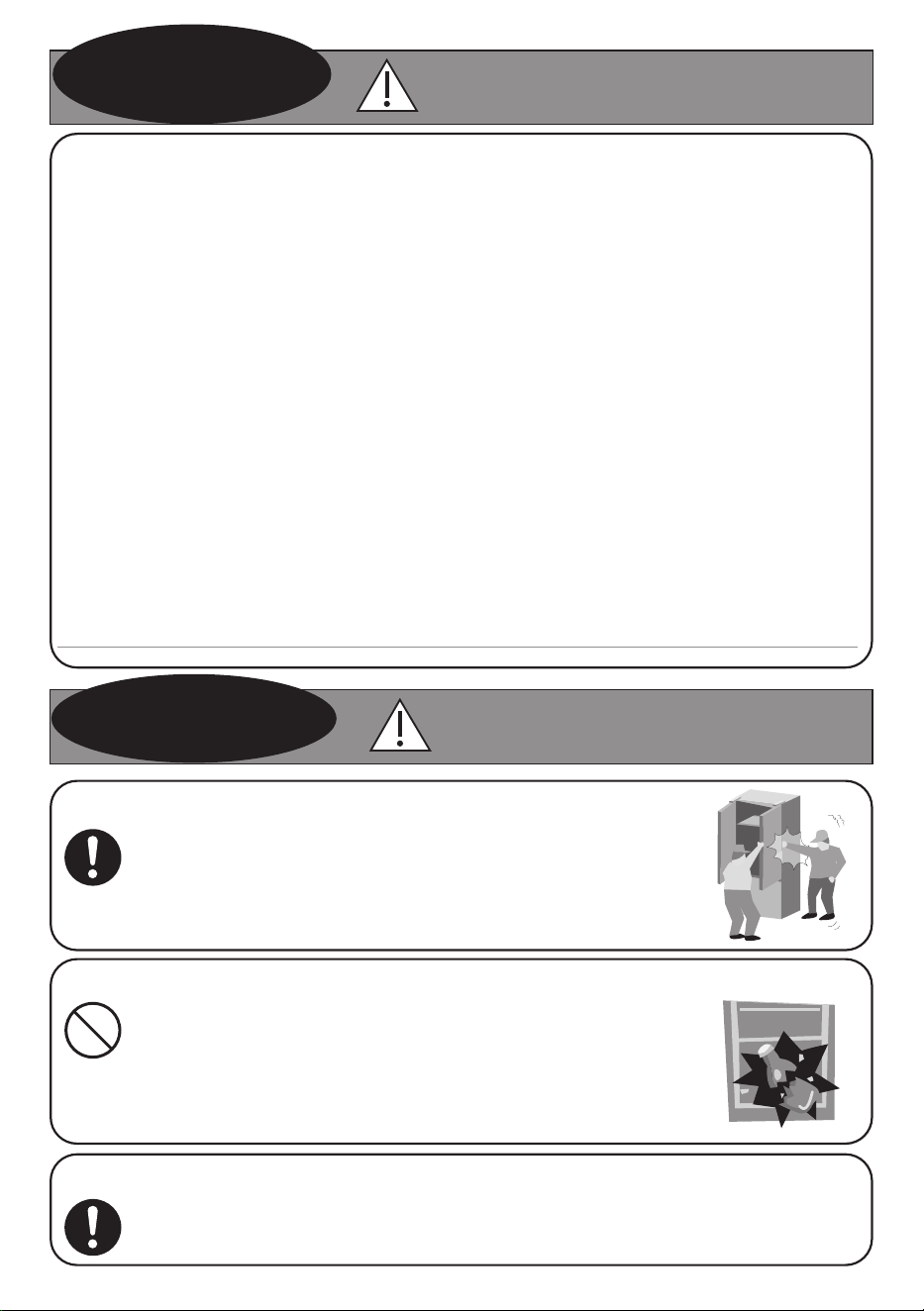
When opening/closing the doors:
When moving the refrigerator:
When storing food:
CAUTION
● While opening the refrigerator, be careful not to pinch
other one's hand holding the door.
● Mind the gap between the doors. They may nip your
hand while closing the door.
● Do not freeze glass bottles, that there is a risk of injury.
(If the liquid in a glass bottle is frozen, then the bottle
may break and you may be injured.)
● Do not add a high impact on glass trays. (Otherwise
those glass trays may break and you may be injured.)
● Hold the refrigerator tightly when transporting.
● Apply protective covering, etc. to floors with a fragile surface.
Otherwise it may cause
injury, accidents.
WARNING
Otherwise, it may
cause a re, injury,
electrical shock.
R600a refrigerant warning:
This appliance contains flammable R600a refrigerant. Avoid safety hazards by
carefully installing, handling, servicing and disposing of this appliance.
● Keep ventilation openings, in the appliance enclosure or in the built-in
structure, clear of obstruction.
● Ensure that the tubing of the refrigerant circuit is not damaged during
transportation and installation.
● Leaking refrigerant may cause eye injuries or ignite.
● The room for installing appliance must be at least 1 cubic metre per 8 gram
of refrigerant.The amount of refrigerant in the appliance can be found on the
rating plate inside the appliance.
● If you are unsure of the refrigerant, check the rating plate inside the
refrigerator compartment.
● It is hazardous for anyone other than an Authorised Service Person to
service this appliance. In Queensland Australia the Authorisation Service
Person MUST hold a Gas Work Authorisation for hydrocarbon refrigerants to
carry out servicing or repairs which involves the removal of covers.
● Do not use mechanical devices or other means to accelerate the defrosting
process, other than those recommended by the manufacturer.
4
Usage Precautions
When opening/closing the doors:
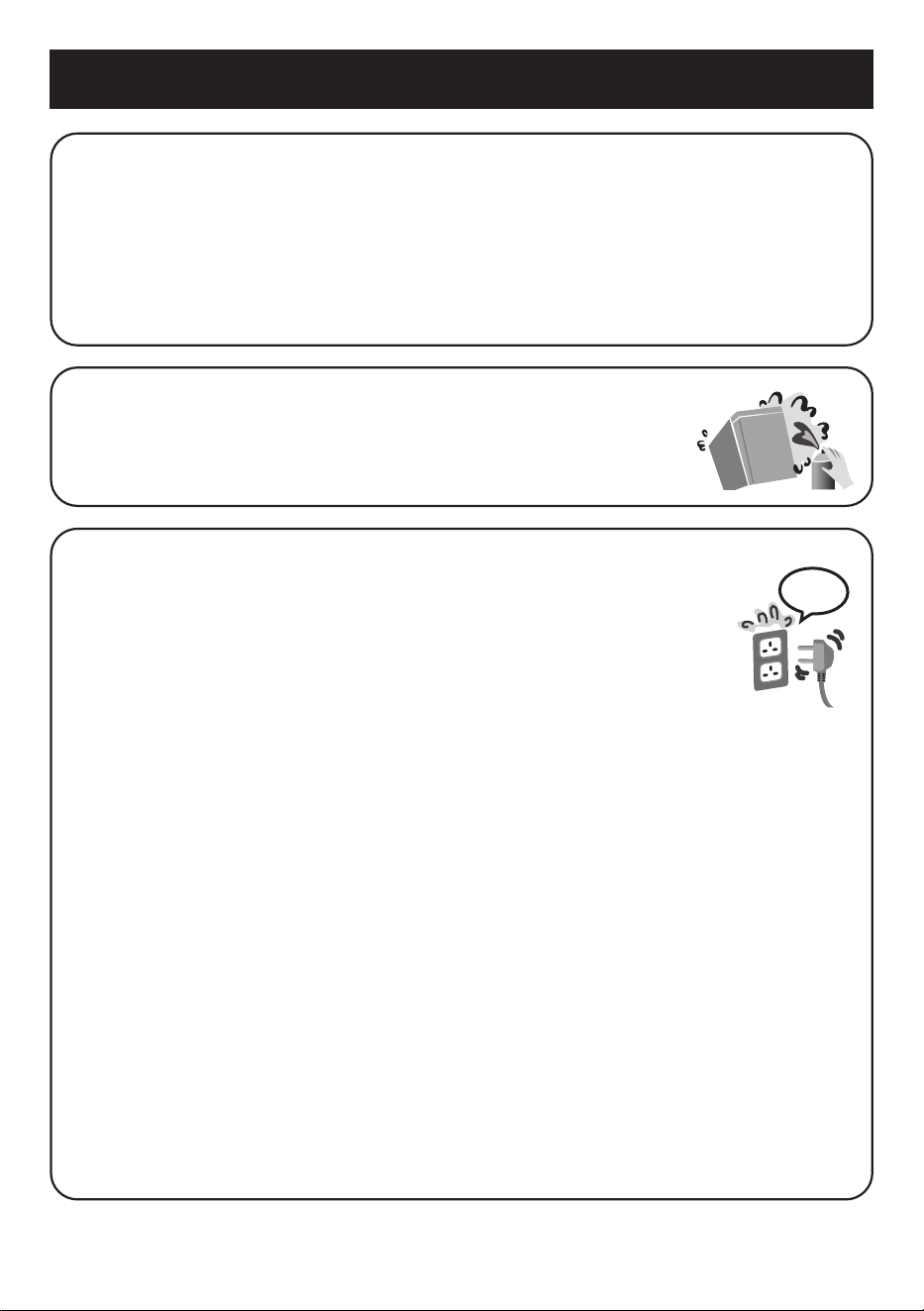
● Do not refrigerate items which are bigger than tray or shelf, as the door will
not close completely causing leakage of cool air.
● Do not open refrigerator frequently or leave it open for long time in order to
prevent water dripping inside and waste energy.
● Frequently check the door opening seal, it must be closed to the refrigerator's
body completely.
When cleaning:
● Do not clean the refrigerator with chemical substance or
liquid. It will cause damage and have corrosion on the
surface.
7 mins
When using:
● When the power plug is disconnected, leave it for 7 minutes
before plugging again. If not, the compressor may not work.
● Adjust the temperature according to the actual operating
condition for energy saving.
● The humidity inside the fresh case may condense so wipe it
with a cloth periodically. Clean the fresh case once a month.
● If you will not be at home for several days and there are nothing refrigerated
in the refrigerator, the power plug should be disconnected for energy saving.
When the refrigerator is not used for several days, it is necessary to take out
all remaining food inside the refrigerator, clean and open the doors for a few
hours to let the moisture inside the refrigerator dry out, avoiding mold and
oxidation of components.
● The outside wall of refrigerator cabinet may sometimes get warm, especially
just after installation. This is quite normal, and is due to the built-in Mullion
Dryer Pipe which prevents sweating and radiates heat.
● When humidity is high, e.g. during rainy-season, condensation may appear
on the surface of cabinet, especially around the door seal gasket. Wipe o the
condensed water with a clean cloth.
● Do not keep the door open any longer than necessary, particularly in hot,
humid weather.
● The top of the refrigerator is made of steel in order to prevent re caused by
external influences. Do not put things on top of the refrigerator to ensure this
factor.
5
Usage Precautions
Highlighted Features
High-end design suitable for luxury kitchens
Borderless surface with modern handle design.
Energy saving
● Panasonic’s INVERTER technology increases energy saving and reduces noise.
● Panasonic’s exclusive ECONAVI technology allows identication of changes in
user’s lifestyle habits, helping the refrigerator to automatically adjust to reduce energy
consumption.
nanoe
TM
X technology and Ag Clean
Panasonic’s exclusive nanoe
TM
X technology and Ag
Clean help to deodorize and neutralize bacteria, keeping
food fresh for longer.
Quick Freezing
Quick Freezing makes the temperature in the refrigerator cool down quickly, so as to retain
the foodstus original flavor.
Compressor located on top of the refrigerator (Top Unit)
Panasonic’s exclusive design moves the compressor from traditional position at the bottom of
the refrigerator to the top of the refrigerator, optimizing the space inside the refrigerator.
6
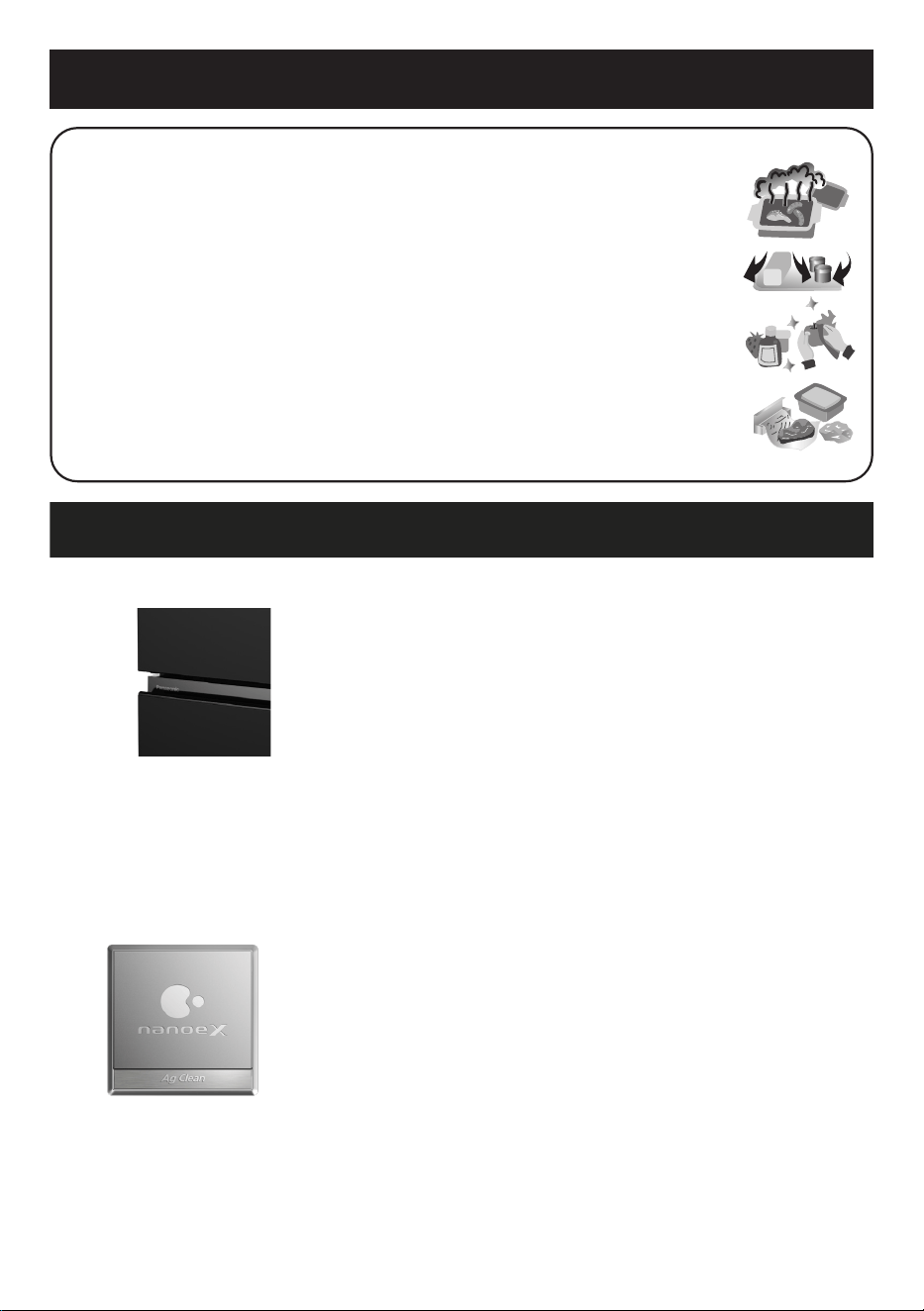
When storing food:
● Do not overload the refrigerator. Gaps must be provided between
foodstus to maintain the cooling eect.
● Store fruits and vegetables in Vegetable case, where trapped
moisture helps preserve food quality for longer time periods.
● Drinking water and beverage bottles should be sealed to prevent
odor contamination.
● Food stu such as vegetables, fruits and fresh food should be
wrapped or packed in a box or storage container before freezing.
● Meat and sh should be put in the Freezer compartment if you
want to store them for an extended period.
● Cover juicy food with tight lids, plastic lm or foil.
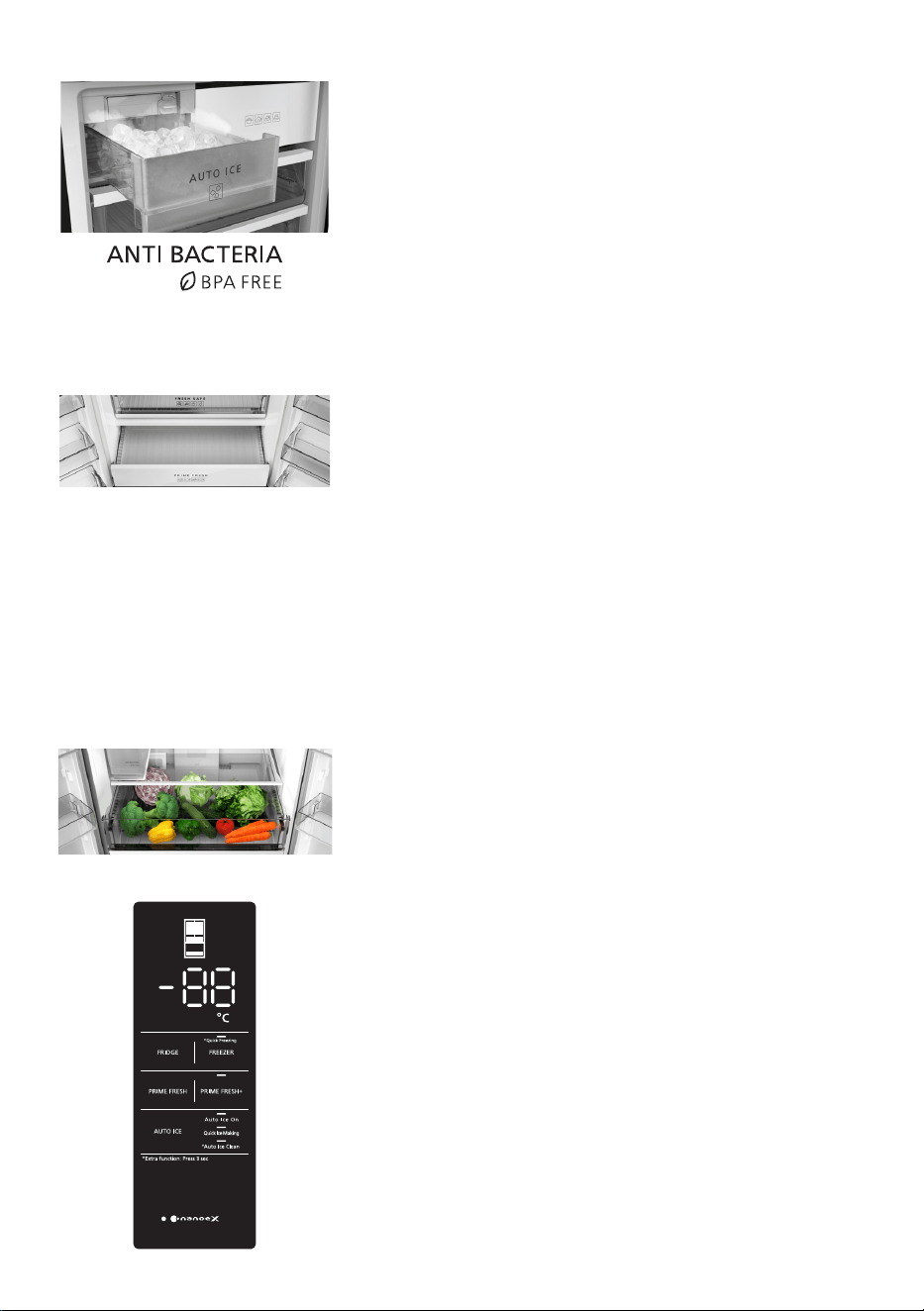
Auto Ice Making system
● The refrigerator is equipped with an Auto Ice making
system to meet the demand for ice usage at all times.
● The 5 L large-capacity water supply tank is made of
BPA-free and antibacterial material that is safe for health.
● There is a Quick Ice Making mode.
● There is an Auto Ice O mode to stop ice making and
Auto Ice Clean mode to automatically clean the Ice
maker.
Prime Fresh case and Prime Fresh+
● The temperature of Prime Fresh case can be changed
from -5 °C ~ 4 °C
(*)
.
- Temperature -5 °C ~ -1 °C: Soft freeze temperature for
food preservation, which helps to save time and eort in
defrosting food, while keeping their flavor and freshness
for longer.
- Temperature 0 °C ~ 4 °C
(**)
: Same as Fridge
compartment temperature when you want more space
for food preservation in the Fridge compartment.
● Prime Fresh case makes it easier to remove and clean, helps avoid mixing unpleasant
odor or cross-infection.
(*)
The default temperature setting of Prime Fresh case is -3 °C.
(**)
Depending on the type of food, such as a large block of meat or a large sh, the storage
conditions and the ambient temperature, the cooling performance may be eected. In this
case, the temperature of Prime Fresh case should be set to the lowest temperature -5 °C.
Fresh Safe Vegetable case
The large-capacity Fresh Safe Vegetable case is equipped
with a Moisture control lter, which keeps vegetables fresh
and prolongs their shelf life.
Convenient Operation Panel
● It is possible to adjust the temperature and modes of
the Fridge compartment, the Prime Fresh case, the
Freezer compartment and according to the user’s
intended purpose.
● The Fridge compartment and Freezer compartment
have doors alarm to remind closing the refrigerator
doors.
● The LED display and Operation Panel appear clearly
and easy to use.
7
Installation
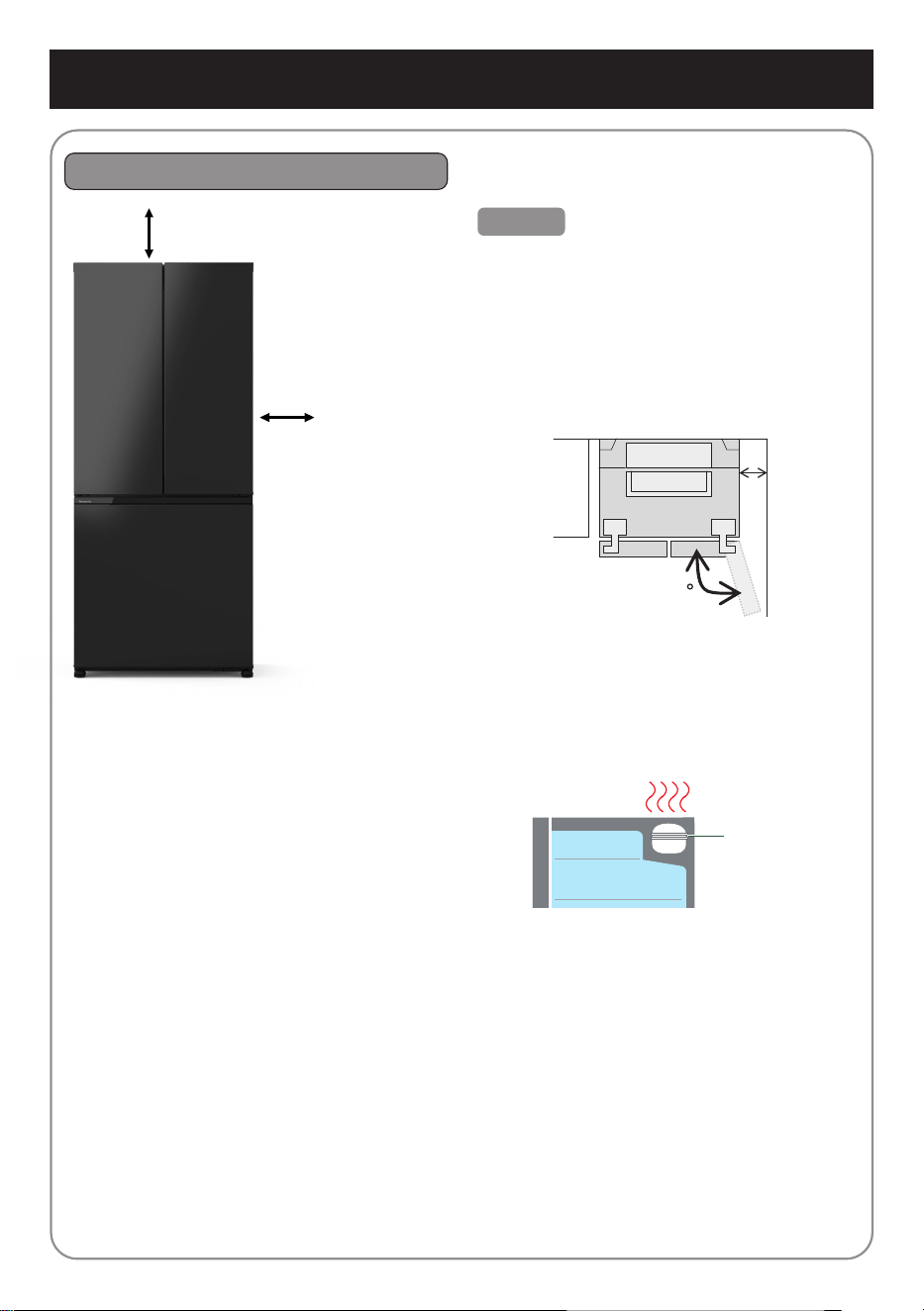
The distance requested for installation
Caution
● In case the refrigerator is placed near to
walls, it is necessary to ensure that the
space between the left or right side of the
refrigerator and the wall is at least
25 cm. If this space is less than 25 cm,
the doors may not be fully opened and
the glass trays, Vegetable case, etc.
could not be taken out.
129
● Do not place any objects on top of the
refrigerator. It may become hot due to
heat generated by the compressor at the
top of the refrigerator. If it is dicult to
release heat, the cooling capacity may
be lowered.
Compressor
● When using for the rst time: clean the inside of the refrigerator.
• Use a soft damp cloth to clean the refrigerator.
• Rinse the Water tank and Ice tray.
• The smell of plastic could be smelt during the rst time using the refrigerator. If the
smell is a concern, it is recommended to ventilate the room.
● Do not place the refrigerator in a humid place as rust may form and may cause electric
leakage.
● Do not place the refrigerator exposing to direct sunlight as the heat and sunlight will
increase the temperature aecting the cooling capacity.
● Do not place the refrigerator near heat sources such as cooking stove or oven.
● Do not block the openings around the refrigerator.
● The refrigerator must be placed in an area where there is good air circulation.
● If the refrigerator is to be placed on an uneven surface, please adjust the adjuster bolts
to ensure that the refrigerator is stable.
● The top of the refrigerator is at
least 5 cm from the ceiling.
● The left
and right
sides of the
refrigerator
are at least
5 cm from
the walls.
● The back of the refrigerator is at least
5 cm from the wall.
5 cm
5 cm
25 cm
8
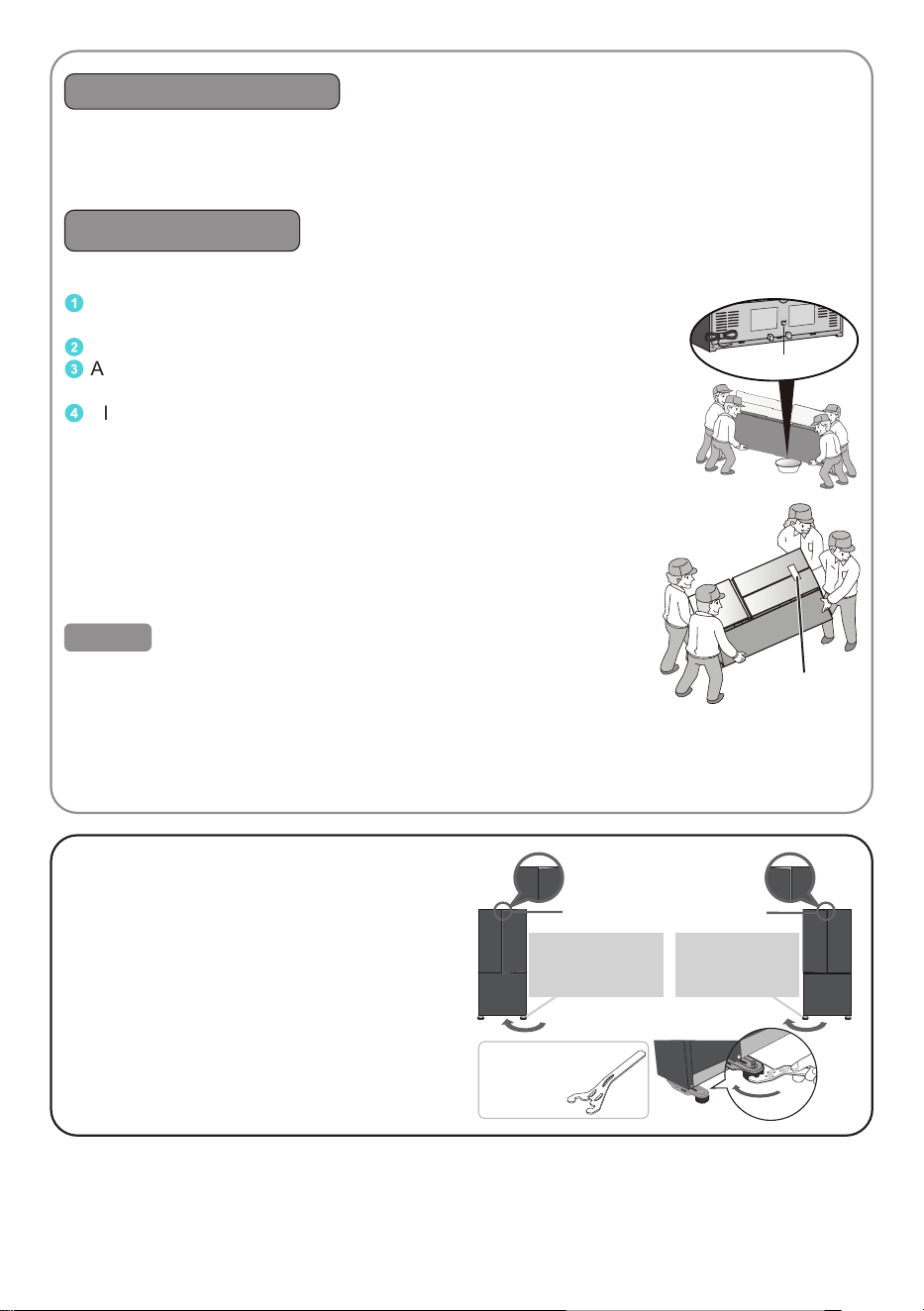
If the door is slanted downwards.
Turn the adjuster bolt on the lower side, as
shown in the diagram, in order to adjust the
level.
● The Freezer/Fridge doors may tilt within
four to ve days after installation due to
the load of the food or adaptation to the
floor surface, turn the corresponding
adjuster bolt with the dedicated tool
to adjust and level the door again to
restore.
When the door is
lowered.
Lower the right
adjuster bolt for
the right door.
Lower the left
adjuster bolt for
the left door.
●Dedicated tool
(Accessories)
LED lamp and grounding
● The refrigerator LED lamp, specically designed for this refrigerator. Do not replace it by
yourself. If the LED lamp needs to be replaced, please contact Panasonic service center.
● If there is no grounding wiring plug in the refrigerator, it should be connected with a
grounding connection to prevent electrical hazards from electrical leakage.
Moving or transporting
※ Before moving and transporting
1
Remove any food items and dispose of any ice cubes or water that
remain in the refrigerator.
2
Unplug the refrigerator.
3
Adjust the adjuster bolts (left and right) so that they do not
touch the floor.
4
Place a container underneath the drainage hole, then slowly
tilt the refrigerator backward to drain water from the drainage hole.
This action requires 4 or more people, of which 2 people
lift the front of the refrigerator to prevent the refrigerator from
sliding and avoiding the risk of accidents.
※ How to move and transport
● At least 4 people are required to transport the refrigerator.
● Each person lifts a corner of the refrigerator.
● Do not transport by holding the refrigerator doors.
Caution
● When transporting, use tape to secure the refrigerator doors
and avoid letting the doors open by itself.
● Do not place the refrigerator on its side when transporting,
as this may cause damage to the refrigerator.
● After installation, wait at least 4 hours before plugging in the
power to ensure that the gas and oil in the compressor are in a stable state.
Use tape to
secure
Drainage hole
9
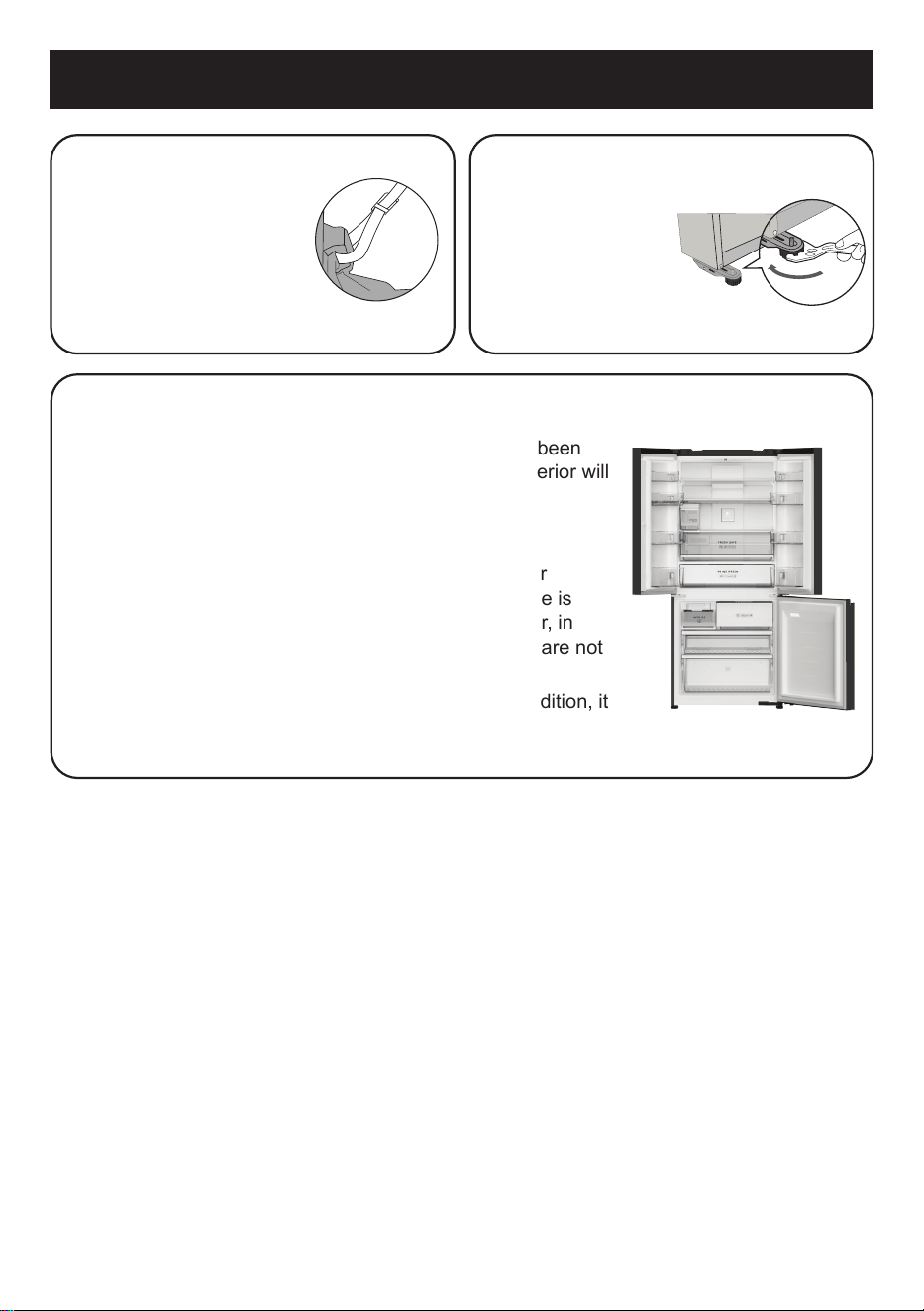
Have any measures taken
against tipping due to
earthquakes?
In order to prevent the
refrigerator from tipping
due to earthquakes,
permanently x it by using
belts, etc.
Fix the refrigerator.
Turn the adjuster
bolts (right and left)
until they reach the
floor to stabilize the
refrigerator.
Refrigerator doors should not be opened during the interior
cooling process.
The doors should not be opened until the interior has been
cooled down suciently. (Warm air flowing into the interior will
block the cooling function.)
Please wait until the interior has cooled down.
● The refrigerator may take at least 4 hours (or longer
especially in summer when the ambient temperature is
high) of continuous running to cool down the interior, in
the condition of no food items inside and the doors are not
opened.
● Depending on ambient temperature and usage condition, it
may take 24 hours to cool down the interior and achieve the
correct temperatures.
Installation
10
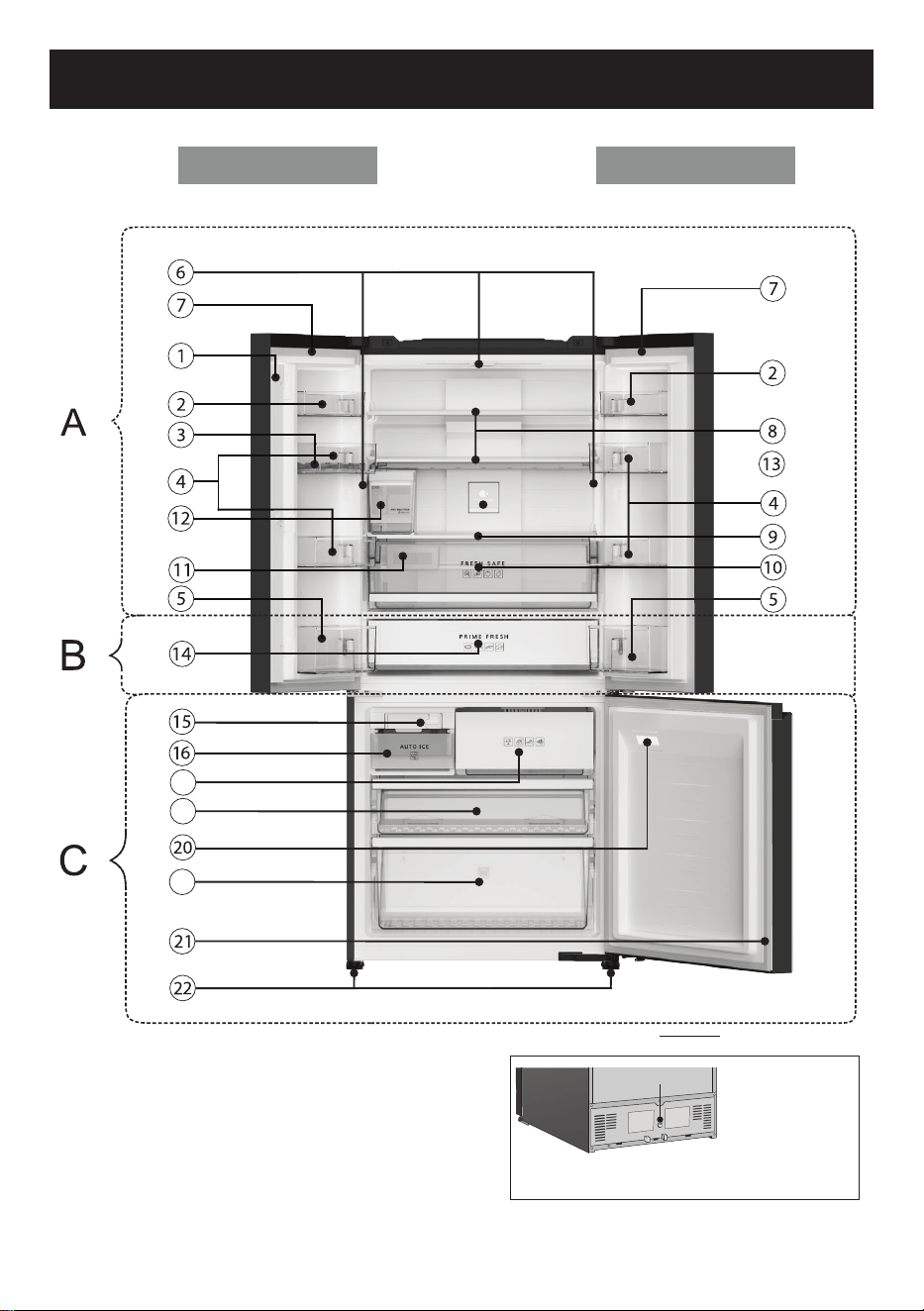
Parts Identication
Left door
19
18
17
Product view from behind
Drainage
system
[Inside the
drain tray]
Right door
11
Parts Identication
A-Fridge compartment
1 French Crossrail
The French Crossrail minimizes the gap
between the left door and the right door of the
refrigerator. If this French Crossrail is opened
forward, put it back into place.
(Otherwise, the refrigerator doors cannot be
closed fully, causing the refrigerator to lose
cool air)
2 Small door shelf (Quantity: 2 pcs)
3 Egg tray
4 Large door shelf (Quantity: 4 pcs)
5 Bottle shelf (Quantity: 2 pcs)
6 LED of Fridge compartment
(Quantity: 3 pcs)
7 Door gasket of Fridge compartment
(Quantity: 2 pcs)
8 Glass tray of Fridge compartment
(Quantity: 2 pcs)
9 Glass tray of Vegetable case
0 Vegetable case
a Moisture control lter for Vegetable case
b Water tank of Auto Ice maker
c nanoe
TM
X
B-Prime Fresh
d Prime Fresh case
C-Freezer compartment
e Auto Ice maker
f Ice box
g Upper Freeze case
h Middle Freezer case
i Lower Freezer case
j LED of Freezer compartment
k Door gasket of Freezer compartment
l Adjuster bolts
Refrigerator
Left door
French Crossrail
12
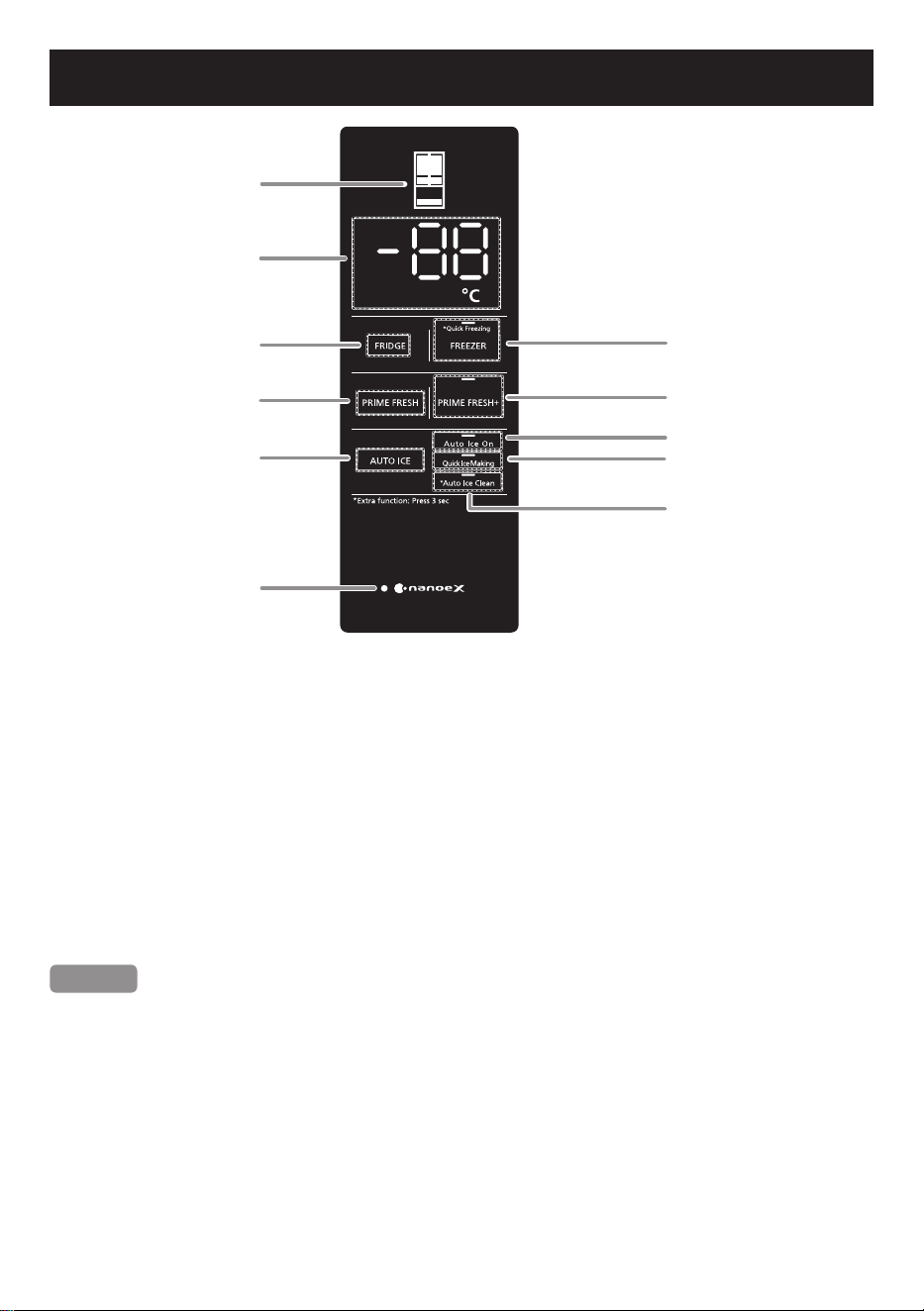
Operation Panel
1 LED of compartments: the icon of the respective compartment will light up when the
compartment is selected.
2 Temperature display area: display the temperature of Fridge compartment, Freezer
compartment, Prime Fresh case.
3 Temperature control button of Fridge compartment.
4 Temperature control button of Freezer compartment and LED of Quick Freezing.
5 Temperature control button of Prime Fresh case.
6 Control button and LED of Prime Fresh+.
7 Control button of Auto Ice.
8 LED of Auto Ice On.
9 LED of Quick Ice Making.
0 LED of Auto Ice Clean.
a Icon and LED of nanoe
TM
X: display the current status of nanoe
TM
X mode.
Remark
● On the Operation Panel: “*Extra function: Press 3 sec”, means that you need to press and
hold the button beginning with “*” mark for 3 seconds when you want to start the extra
functions.
● Under normal conditions, the LED of Operation Panel will turn o. When you press the
buttons, the LED of Operation Panel will turn on. The LED of Operation Panel will turn o
and all the buttons will not be operated when the refrigerator door is closed.
● In summer, when the temperature is high, if you put uncooled food in the refrigerator
or open/close the refrigerator doors repeatedly, the temperature inside will increase.
Therefore, it is necessary to reduce doors opening times.
● When rst plugged in, the Operation Panel will display the introduction of modes and the
temperature of compartments for about 10 seconds. Buttons will not be active during this
period of time. After 10 seconds, the Operation Panel can be adjusted normally.
1
2
3
5
7
a
4
6
8
9
0
13
Temperature Control
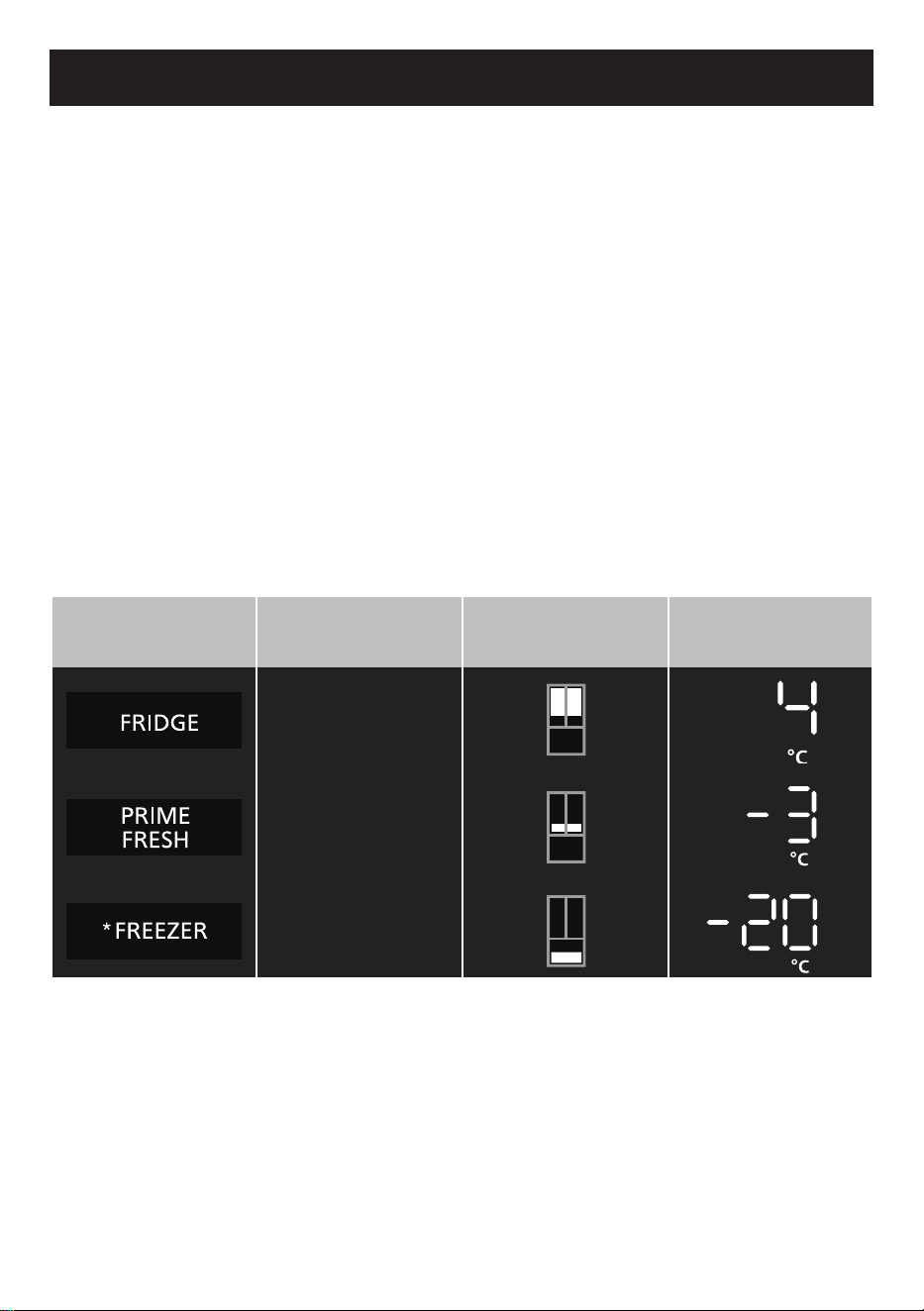
● Default setting temperature for Fridge compartment is 4 °C, Prime Fresh case is
-3 °C and Freezer compartment is -20 °C. The temperature setting for each compartment
can be adjusted.
● The temperature setting range of the Fridge compartment is 1 °C ~ 7 °C, the Prime Fresh
case is -5 °C ~ 4 °C (the temperature for soft freezing is -5 °C ~ -1 °C, and the temperature
to use the Prime Fresh case as the Fridge compartment is
0 °C ~ 4 °C), the Freezer compartment is -23 °C ~ -15 °C.
● The temperature inside the refrigerator will vary depending on the ambient temperature,
installation status, usage conditions and amount of food.
● Due to dierent testing methods and tools, the actual temperature may dier from the
displayed temperature.
● This refrigerator is equipped with a processor to control the temperature inside the
refrigerator. When the ambient temperature changes, the compressor runs or stops, the
doors are opened or closed, the temperature inside the refrigerator and the temperature
setting will have a slight dierence.
Temperature setting instructions
1. Display the current temperature
Press the following icons to display the current temperature of these compartments: Fridge
compartment, Prime Fresh case, and Freezer compartment. The LED indicates position and
the LED indicates temperature of the compartment will light on when selected.
Icon Compartment
LED indicates
position of the
compartment
LED indicates
temperature of the
compartment
Fridge
compartment
Prime Fresh
case
Freezer
compartment
2. Temperature setting
After pressing the icon of compartment (Fridge, Prime Fresh, Freezer) to display the current
temperature, press again to start the temperature setting process. Then, LED indicates
position of the compartment and LED indicates temperature of the compartment will flash.
Continue to press the icon of that compartment to select the desired temperature level. Each
time the button is pressed, the temperature will increase by 1 °C within temperature setting
range of the compartment. If the selection exceeds the compartment temperature range, the
Operation Panel will display the temperature return to the lowest level in the above range.
3. Complete temperature setting
After completing the temperature setting, press another button to nish or wait for 5 seconds,
the Operation Panel will save the setting that you have just made.
14

ECONAVI Operation
The refrigerator detects the opening and closing of the refrigerator door to control operations
automatically to ensure maximum energy saving.
(*)
ECONAVI Operation
● The refrigerator learns the lifestyle patterns of your family from door opening and time
periods of infrequent use to maximize energy eciency.
● The refrigerator learns your lifestyle patterns from the previous 3 weeks of use and uses
that data from the 4
th
week onwards.
Settings for enabling ECONAVI Operation
● ECONAVI Operation is enabled automatically when the temperature control for both the
Fridge compartment and the Freezer compartment is set to 4 °C and -20 °C, respectively.
● ECONAVI Operation does not operate if the Quick Freezing or Quick Ice Making mode is
in operation.
● It is not possible to force start the ECONAVI mode.
(*)
The eectiveness of the ECONAVI mode is dependent on the ambient temperature, and the
number of times the refrigerator door is opened and closed and the state in which food is
stored.
nanoe
TM
X
● A nanoe
TM
is a nano-sized ion particle coated with water particles.
nanoe
TM
X are nano-sized electrostatic atomized water particles with 10 times the OH
radicals of nanoe
TM
.
● nanoe
TM
X will start when the refrigerator is plugged in and always run when the refrigerator
is in use. However, nanoe
TM
X requires moisture when operating, the eectiveness of this
mode will be reduced if the humidity inside the Fridge compartment is reduced (such as
when storing a few of vegetables, or tubers).
● The nanoe
TM
X device may cause a small sound during operation.
● After the doors have been closed a long time, when open the doors of the refrigerator, it is
possible to smell the odor of ozone generated during nanoe
TM
X operation, this is a normal
phenomenon.
15
Quick Freezing
When Quick Freezing is set, the refrigerator will reduce the temperature quickly for better
performance of preserving food.
How to operate the Quick Freezing
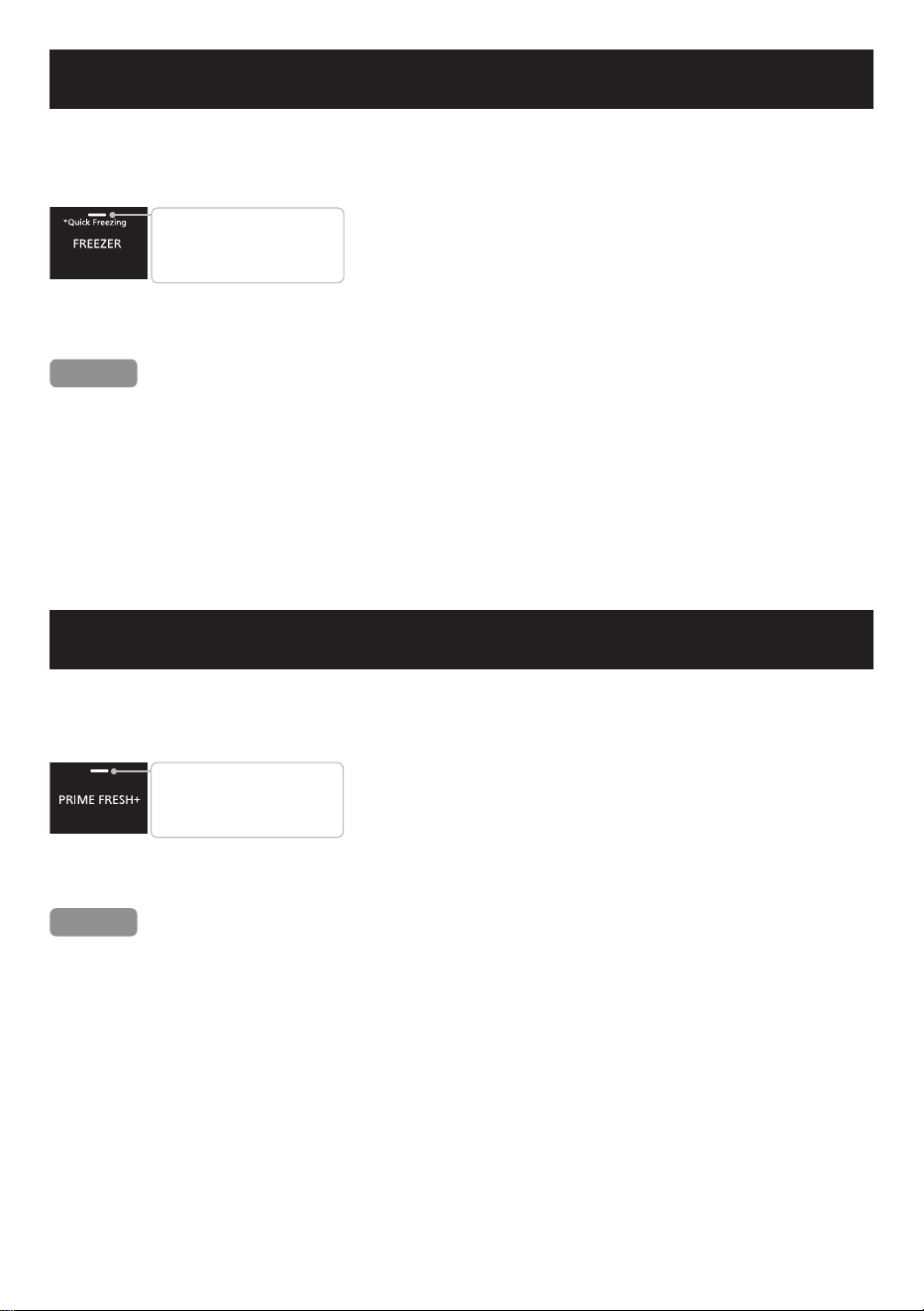
● Press and hold the
“
Freezer
”
icon for 3 seconds to start
the Quick Freezing. Then, the LED of Quick Freezing
will turn on.
● If you want to stop the Quick Freezing operation
immediately, press and hold the
“
Freezer
”
icon for
3 seconds until the LED turns o.
Remark
● The Quick Freezing operation will stop automatically after running for 150 minutes and
return to normal mode. (The LED of Quick Freezing turns o.)
● The flashing of LED of Quick Freezing means that the defrosting system is currently
working. The Quick Freezing will start right after the defrosting operation is nished.
● The temperature of the Freezer compartment will return to its previous setting when the
Quick Freezing ends.
● The following modes will be stopped when Quick Freezing is turned on: Prime Fresh+ ;
Quick Ice Making.
Prime Fresh+
When Prime Fresh+ is set, the Prime Fresh case will reduce the temperature quickly for better
performance of preserving food.
How to operate the Prime Fresh+
● Press the “Prime Fresh+” icon twice in a row to start
Prime Fresh+. Then, the LED of Prime Fresh+ will
turn on.
● If you want to stop the Prime Fresh+ operation
immediately, press the “Prime Fresh+” icon once until
the LED turns o.
Remark
● Prime Fresh+ will stop automatically after running for 105 minutes (when the ambient
temperature is 18 °C or less) or between 145 ~ 150 minutes (when the ambient
temperature is higher than 18 °C) and return to normal mode. (The LED of Prime Fresh+
turns o.)
● The flashing of LED of Prime Fresh+ means that the defrosting system is currently working.
Prime Fresh+ will start right after the defrosting operation is nished.
● The temperature of the Prime Fresh case will return to its previous setting when
Prime Fresh+ ends.
● The following modes will be stopped when Prime Fresh+ is turned on: Quick Freezing;
Quick Ice Making.
● Prime Fresh+ will not start when the temperature of the Prime Fresh case is being set at
0 °C ~ 4 °C.
LED is on: Quick Freezing
is operated.
LED is o: Quick Freezing
is not operated.
LED is on: Prime Fresh+
is operated.
LED is o: Prime Fresh+
is not operated.
16
Quick Ice Making
When setting Quick Ice Making, the refrigerator will increase its capacity to reduce ice making
time.
How to operate Quick Ice Making
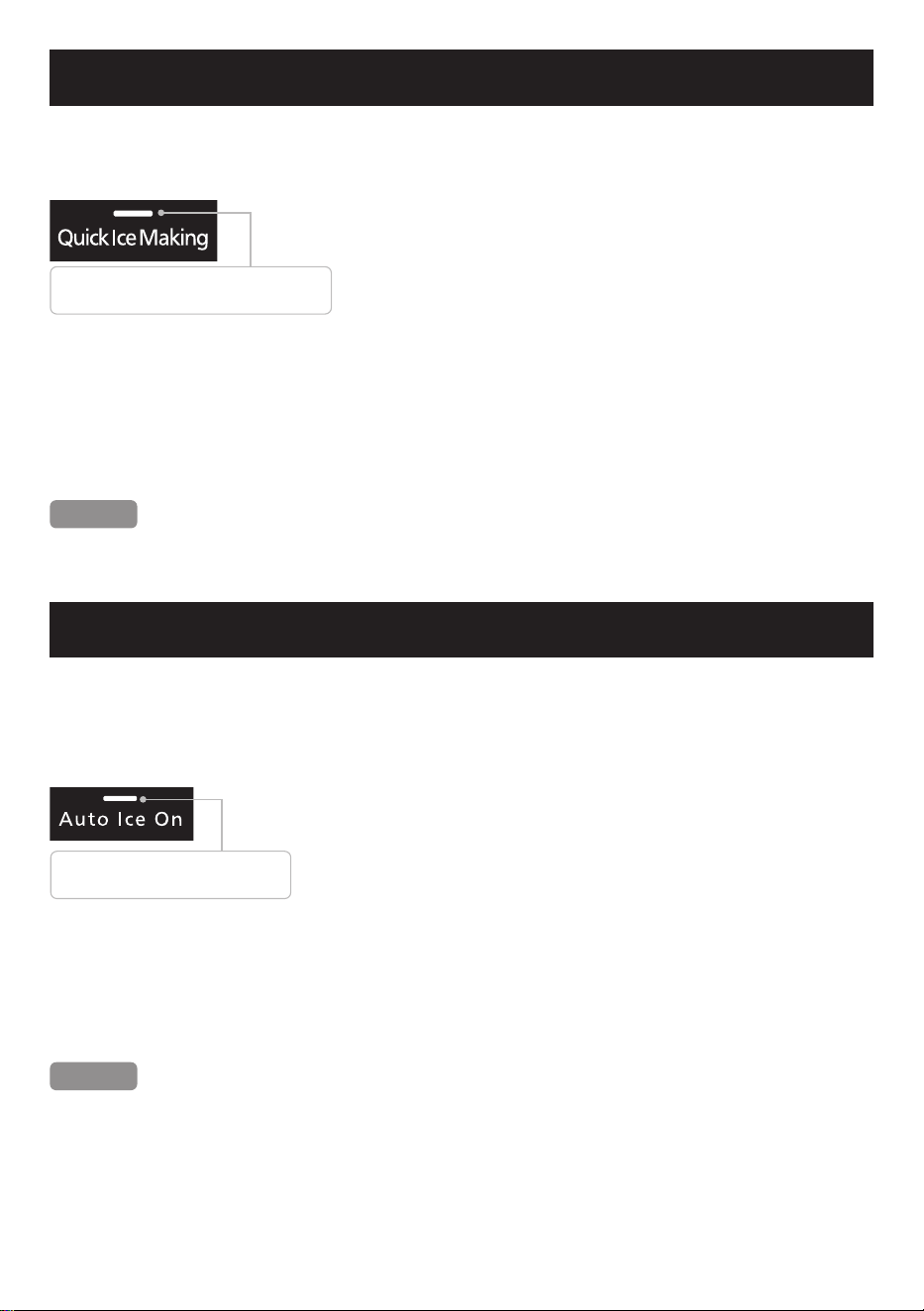
● Case 1: Press the “Auto Ice” icon twice in a row to start
the Quick Ice Making.
● Case 2: If the Auto Ice O is in process (LED of Auto Ice
On is o), press the “Auto Ice” icon three times until the
LED of Quick Ice Making turns on.
● After starting the Quick Ice Making, the LED of Quick
Ice Making will flash, and the refrigerator will have a
notication sound. The LED of Quick Ice Making will
remain on during this time.
● If you want to stop the Quick Ice Making operation
immediately, press the “Auto Ice” icon twice in a row until
the LED of Quick Ice Making turns o.
Remark
● The following modes will be stopped when Quick Ice Making is turned on: Quick Freezing,
Prime Fresh+, Auto Ice O.
LED is on: Quick Ice Making is operated.
LED is o: Quick Ice Making is not operated.
Auto Ice O and Auto Ice Clean
When the refrigerator is in operation, the Auto Ice making mode will automatically operate
without any setting. When setting the Auto Ice O and Auto Ice Clean mode, the refrigerator
will stop the Auto Ice making and clean the Auto Ice maker automatically.
How to operate the Auto Ice O
● Case 1: Press the “Auto Ice” icon three times until the LED
of Auto Ice On turns o.
● Case 2: If the Quick Ice Making is in process (LED of Quick
Ice Making is on), press the “Auto Ice” icon twice until the
LED Auto Ice On turns o.
● After starting the Auto Ice O, the LED of Auto Ice On will
flash, and the refrigerator will have a notication sound,
then the LED Auto Ice On turns o.
● If you want to stop the Auto Ice O operation immediately,
press the “Auto Ice” icon once until the LED of Auto Ice On
turns on.
Remark
● When the Auto Ice O is on, Quick Ice Making, if active, will be stopped.
● In the default state, LED of Auto Ice On is always on.
LED is on: Auto Ice O is not operated.
LED is o: Auto Ice O is operated.
17
Fridge compartment
The temperature range of the Fridge compartment is 1 °C ~ 7 °C.
If the temperature of the Fridge compartment is set to 1 °C during a long period of time, your
food may be frozen.
Vegetable case
The Vegetable case is equipped with a large-capacitor and the guide rail with a maximum
opening angle, making it easier to take out food and increasing its load-bearing capacity,
allowing the user to gently pull the case out with just one hand. The Moisture control lter will
control the humidity inside the Vegetable case, helping the vegetables retain moisture and
stay fresh.
Note
● Due to high humidity, water drops may appear on the Vegetable case. Wipe droplets o
with a soft cloth.
● Do not place food higher than the height of the Vegetable case to avoid the risk that the
Vegetable case does not close completely, causing frost and damaging vegetables and
fruits.
Auto Ice O and Auto Ice Clean
How to operate the Auto Ice Clean
● Press and hold “Auto Ice” icon for 3 seconds to enable the
Auto Ice Clean. At the end of the automatically cleaning
process, the refrigerator will have a notication sound.
Remark
● Cannot stop/disable the operation of Auto Ice Clean mode when it is in processing.
For details on the cleaning operation of Auto Ice maker, please refer to Page 22.
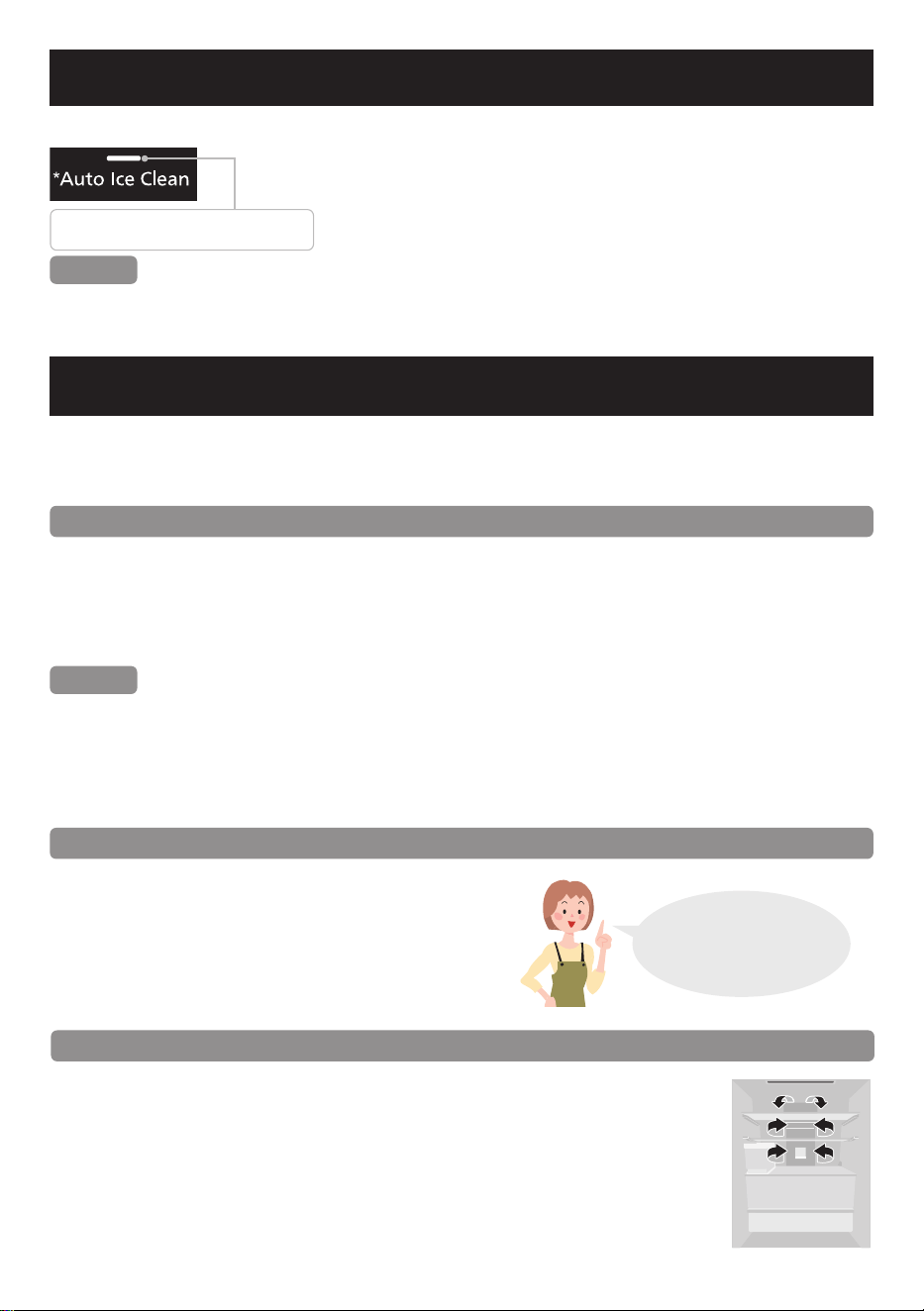
Tips for food preservation
Do not over stock too many food items
When there are too many food items and there is
no space for cool air circulation inside the
refrigerator, the cooling capacity will be aected.
Provide sucient space between foods inside
Prime Fresh case.
No wasting cool air
inside the refrigerator is
the key to keeping food
fresher for longer!
LED is on: Auto Ice Clean is operated.
LED is o: Auto Ice Clean is not operated.
Tips for food preservation
Do not block the cool air outlet with food items
If the cool air does not spread into every corner of compartments, then the
interior will not be suciently cooled and more electricity will be consumed.
Therefore, food should not be placed in front of the cooling air vents
(*)
and block the air circulation.
(*)
The cooling air vents are located on the duct inside the Fridge
compartment.
18
Prime Fresh case
The temperature in the Prime Fresh case can be selected as below:
• The temperature for soft freeze is -5 °C ~ -1 °C.
• The temperature to use the Prime Fresh case as the Fridge compartment is 0 °C ~ 4 °C.
When using the refrigerator, the temperature can be adjusted according to your usage.
The default temperature setting of Prime Fresh case is -3 °C.
Using Prime Fresh case
Approx. -5 °C ~ -1 °C
● This compartment is suitable for storing
fresh food, such as meat or sh. Compared
to storing in the Fridge compartment, the
storage life of meat or sh is extended.
● When food is too frozen.
Sliced raw sh or meat may be too frozen.
Set the temperature to higher than
-3 °C to prevent food from over frozen.
● When food is not partially-frozen.
Depending on the type of food, such as a large block of meat or a large sh, or the food
fullness of the case, the storage conditions, and the ambient temperature, food may not
be partially frozen as it intended. If this is the case, then set to the lowest temperature of
-5 °C.
● Do not over stock with too many food items. When there are too many food items and
there is no space for cool air circulation inside the refrigerator, the cooling capacity will be
aected. Provide sucient space between foods inside Prime Fresh case.
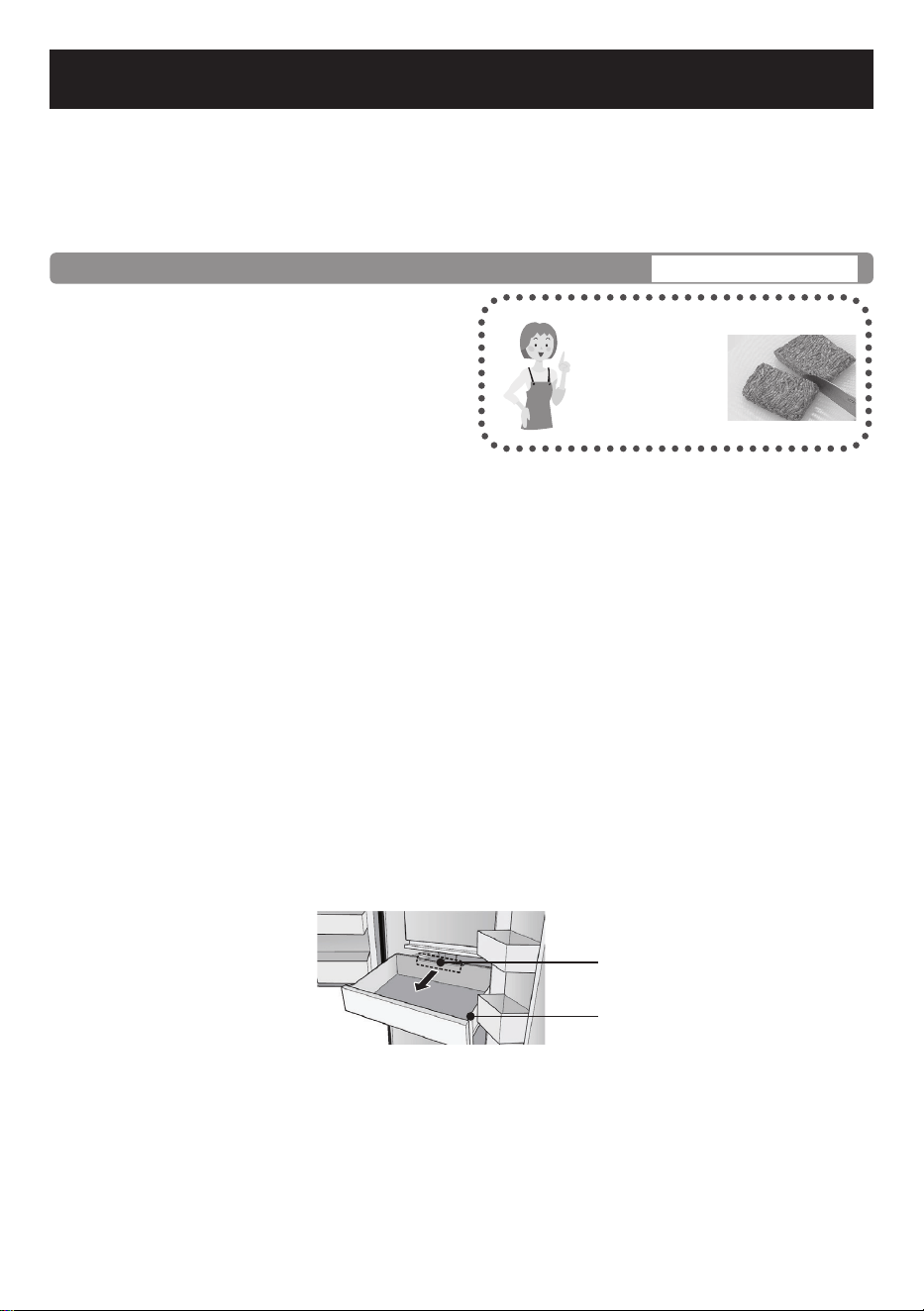
● When storing food in large amount, e.g. a large block of meat, a large sh or a chicken, it
is advisable to place the food at the center of the Prime Fresh case to optimize the cooling
performance.
● When the temperature of the Prime Fresh case is set at 0 °C ~ 4 °C, the Prime Fresh+
mode will not operate in order to prevent food spoilage.
● Do not block the cool air outlet with food items inside the Prime Fresh case.
If the cool air does not spread into every corner of Prime Fresh case, then the interior will
not be suciently cooled and the food may be aected. Therefore, food should not be
placed in front of the Cooling air guide (on the Prime Fresh case) to prevent blocking the
air circulation inside the compartment.
Easy to cut.
The partially-
frozen foods is
easy to cut!
It comes in handy.
Prime Fresh case
Cooling air guide
19
Freezer compartment
Storing frozen food, cooked meal and freezing food.
The temperature range of the Freezer compartment is -23 °C to -15 °C.
Frozen food
Frozen food
Frozen food
Three tips for freezing food and locking in the flavour
1. Freeze thin and small items of food quickly
2. Fully sealed
3. Do not refreeze
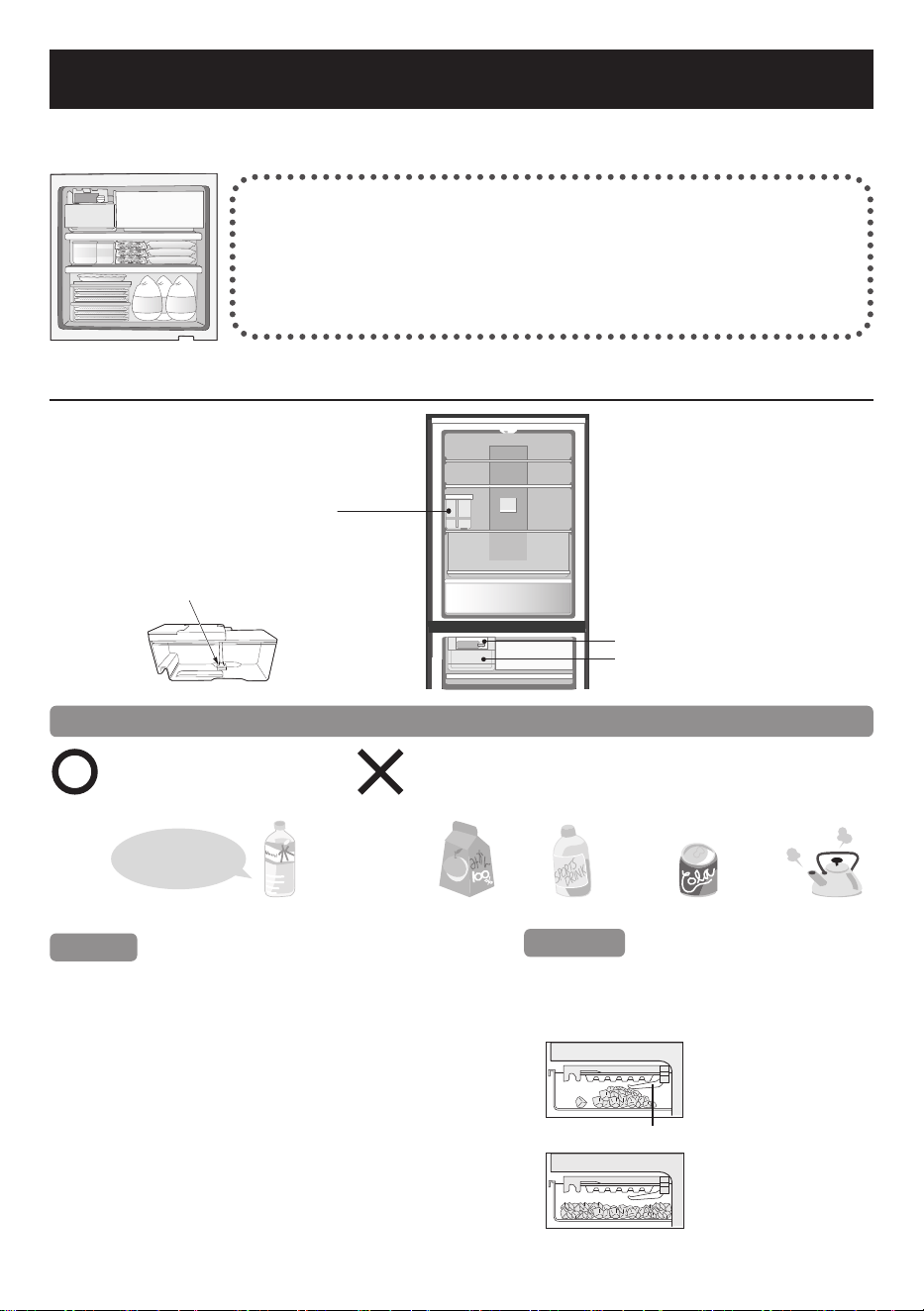
Auto Ice making
Water tank of
Auto Ice maker
Water lter
Ice tray of Auto Ice maker
Ice box
To use the Auto Ice maker in comfort
Please use only drinking
water for Auto Ice making.
Do not put liquids such as the following into the
Water tank.
(These liquids may damage the Auto Ice maker).
Juice, etc. Sports drinks Carbonated beverages Hot water
Tips
●
The hardness of water must be 100 mg/L or less.
The minerals may appear as white floating
particles. They are not harmful.
●
When using the Auto Ice maker for the rst time,
odor or dust may be on the Ice tray, etc.
Please throw away the rst lot of ice.
●
Remember to regularly use the Auto Ice Clean
function of the Auto Ice maker (Page 22).
Attention
When the Ice box is full and the ice cubes
touch the ice detection lever, the Auto Ice
making will stop automatically.
The pile of ice cubes will
touch the ice detection
lever.
(Then, the Auto Ice
making will stop.)
Ice detection lever
Distribute the ice cubes
evenly inside the Ice box
for making more ice.
Front Rear
Water filter
Back
Front
The hardness
of water must be
100 mg/L or less.
Drinking water
20
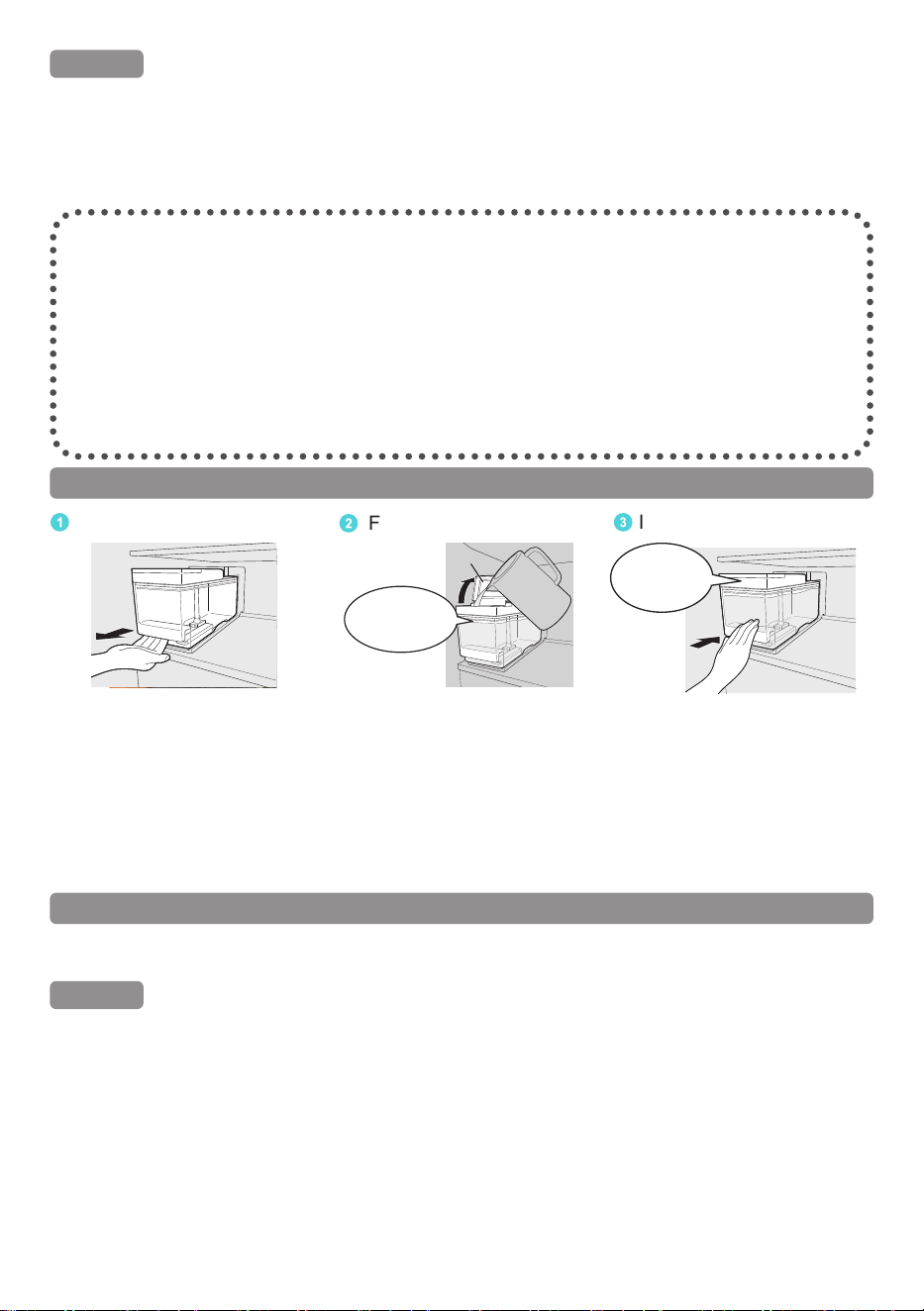
1
Take the Water tank out.
2
Fill with water.
3
Install the Water tank.
Do not ll more
water than the “Max”
(Maximum) line.
Lid
Push the
Water tank in
completely.
Pull out the Water tank until
it is blocked.
Open the lid and fill the
Water tank with water, then
put the lid back in place.
Confirm the direction of the
tank and install until the tank
reached the end lock.
(If the Water tank does not
reach the end lock, the Auto
Ice maker could not operate.)
(
*
)
Ice could be made in approx. 2 hours, with the temperature in the Fridge compartment is
4 °C, Prime Fresh compartment is -3 °C, and Freezer compartment is -20 °C.
How to make ice quickly
In the Quick Ice Making mode, the ice making speed will be increased.
Ice can be made within 90 minutes
(
**
)
at the quickest.
Remark
● After about 6 hours, the refrigerator will automatically return to normal Auto Ice making
mode.
● The flashing of LED of Quick Ice Making means that the defrosting system is currently
working. Quick Ice Making will start right after the defrosting operation is nished.
● In Quick Ice Making, energy consumption increases more than usual.
● ECONAVI operation does not work during the setting of Quick Ice Making.
(
**
)
Ambient temperature of 20 °C, the temperature of the Fridge compartment, the Prime Fresh
compartment, and the Freezer compartment are 4 °C, -3 °C, and -20 °C, respectively.
How to use Water tank of Auto Ice maker
(
*
)
Request
● Do not pour water directly into the Ice box to make ice.
(Otherwise, the Ice box may be broken.)
● Do not put food or other things into the Ice box.
(Otherwise, the amount of ice cannot be correctly detected and Auto Ice making may be
stopped or the Ice box cannot be pulled out.)
Ice maker cycle time will be longer in the following cases.
● The rst time using the refrigerator.
(It will take at least 24 hours since the
Auto Ice making function only starts
after the inside of the refrigerator is cool
enough.)
● When the refrigerator doors are
frequently opened.
● When the refrigerator doors are ajar.
● When a large amount of food is stored at
once.
● When the ambient temperature is low
during winter or high during summer
● When a power failure occurs.
21
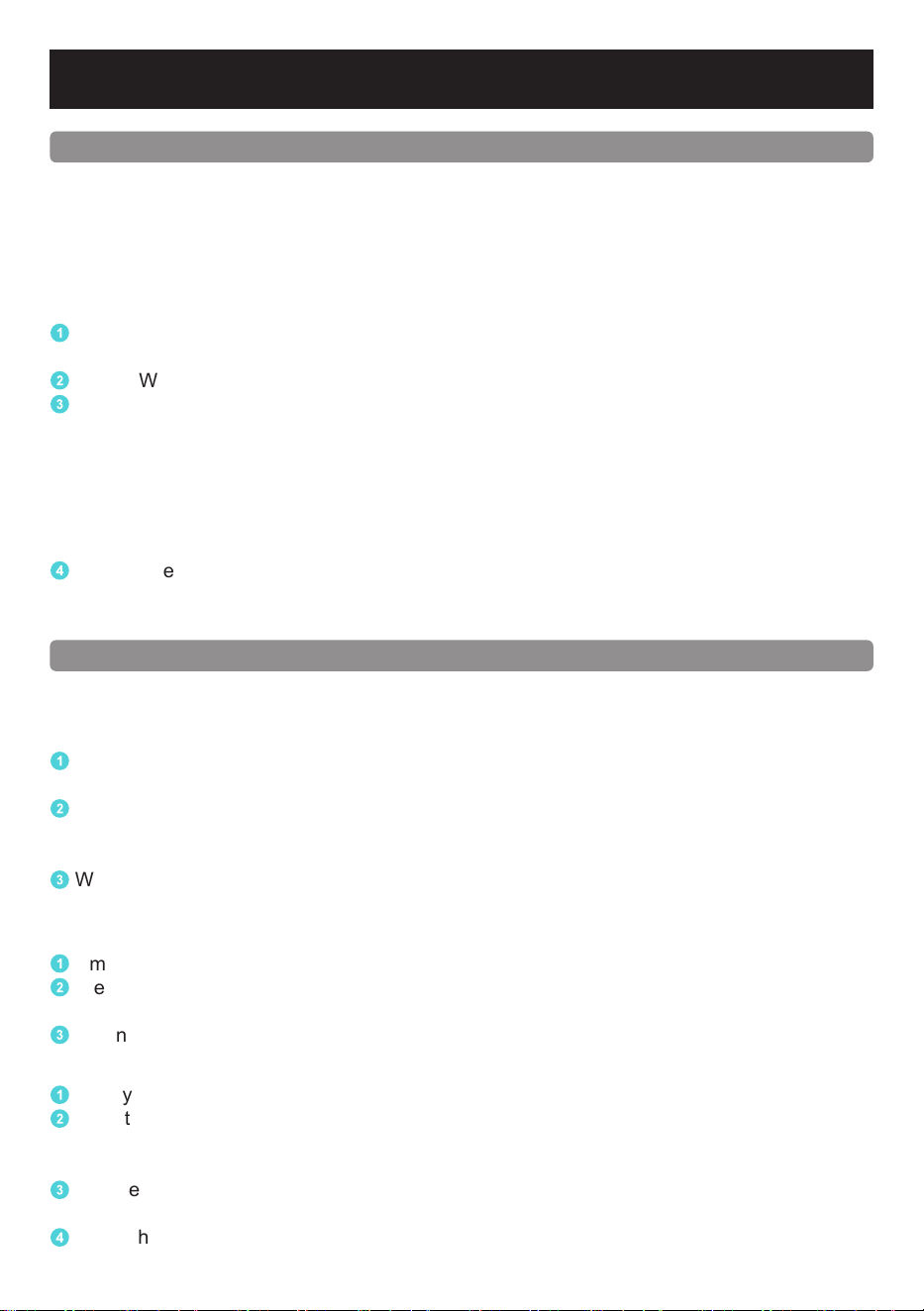
Freezer compartment
How to turn o Auto Ice making
You can enable/disable the Auto Ice making mode according to your needs.
Turn o Auto Ice making
1
Select the Auto Ice Off mode, the LED of Auto Ice On on the Operation Panel will turn o,
the refrigerator will stop making ice (Page 17).
2
No need to pour water in the Water tank. The remaining water inside the Water tank will
keep making ice, and ice cubes will be available after 2 hours. Or when the Ice box is full,
the Auto Ice making will be stopped.
3
When you want to continue making ice automatically, please select the Auto Ice Off mode,
and the LED of Auto Ice On on the Operation Panel will turn on (Page 17).
Turn o Auto Ice making for a long period of time
1
Empty the Water tank and remove all ice cubes from the Ice box.
2
Clean the Water tank, Water filter, Water tank rubber gasket and Ice box; dry and put them
back to their place.
3
When using again, please refill the Water tank and put it back.
When transporting the refrigerator
1
Empty the Water tank and remove all ice cubes from the Ice box.
2
Select the Auto Ice Clean, the LED of Auto Ice Clean on the Operation Panel will turn on
and the refrigerator will start cleaning the Auto Ice maker.
(At this time the ice cubes and water in the process of making ice will fall into the Ice box)
3
The cleaning process will stop after about 2 minutes. Take out the Ice box and empty the
ice cubes and water in the Ice box.
4
Clean the Water tank, Water filter and Ice box; dry and put them back to their place.
How to clean the Auto Ice maker
When using for the rst time or when not being used after a long time, the Water tank may
smell unpleasantly or collect dust. Remember to clean the Water tank before proceeding to
clean the Auto Ice maker.
After selecting the Auto Ice Clean, water will be automatically poured into the Ice tray and
water supply pipe 3 times (for about 2 minutes) to drain the water.
When selecting Auto Ice Clean, make sure there is enough water in the Water tank.
1
Pull out the Ice box, remove all ice cubes from the Ice box (after the ice cubes are fully
formed), and then install the Ice box back.
2
Fill the Water tank with water.
3
Select the Auto Ice Clean (Page 18).
• At the same time, the refrigerator will sound a notication and begin to clean the Auto Ice
maker.
• During the cleaning process, the sound cannot be turned o.
• After the beeping sound to inform the completion of the cleaning process, the LED of
Auto Ice Clean on the Operation Panel will turn o, the Auto Ice maker cleaning process
will end and the Auto Ice making will be started.
4
Pull out the Ice box from the Freezer compartment, throw away the water in the Ice box
and wipe the water off.
If you do not clean all water on the Ice box, the Ice box may be broken.
22
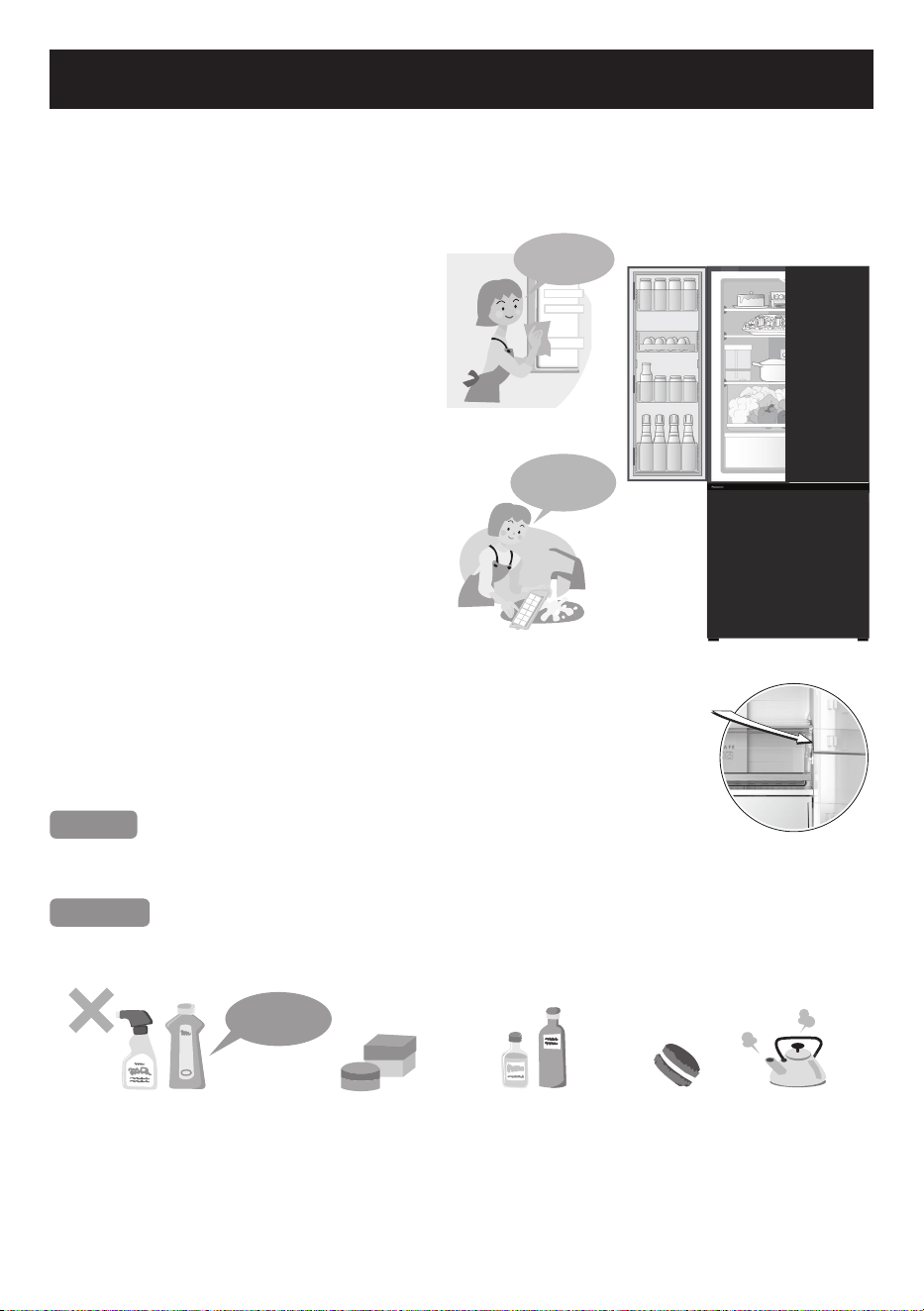
How to clean the Refrigerator
Before cleaning or conducting maintenance, be absolutely sure to disconnect the power plug
from the power outlet. Do not connect or disconnect the power plug with wet hands.
When the power plug is disconnected, leave it for 7 minutes before plugging again. If not, the
compressor may not work.
Clean the detachable items after it is
stained!
Wipe o stains on the interior
surfaces quickly before they harden.
In particular, cooking oil or lard may
cause plastic to crack and citrus juice
may cause the refrigerator to become
discolored. When stains cannot be
removed easily, wipe them with a
cloth lightly soaked in neutral kitchen
detergent. Then, wipe with a cloth
lightly dipped in water.
Clean the detachable items
occasionally.
Clean the Ice tray once a week. As a
guide, remove the trays, door shelves,
etc. and wash them by immersing them
in lukewarm water every three months.
Clean the door gasket at least once a
month.
Clean by wiping with a soft damp cloth.
Lubricated gel has been applied to the
door gasket on the hinge side of the
refrigerator, be careful not to wipe it o.
Notices
The door gasket is replaceable by an authorised service agent.
If the door gasket comes o while cleaning, it can be pushed back into the groove.
Requests
Do not use the following items for cleaning.
(Otherwise, the surface will be scratched or corroded.)
Alkaline or weak
Alkaline
Kitchen detergents
(They crack plastic!)
Cleanser or soap
powder
Benzine, thinner,
alcohol, acid, petroleum
Scrubber Hot Water
Use lukewarm
water!
Remove and
rinse!
Point where lubricated
gel was applied
Rub the door surface
with a soft damp cloth.
23
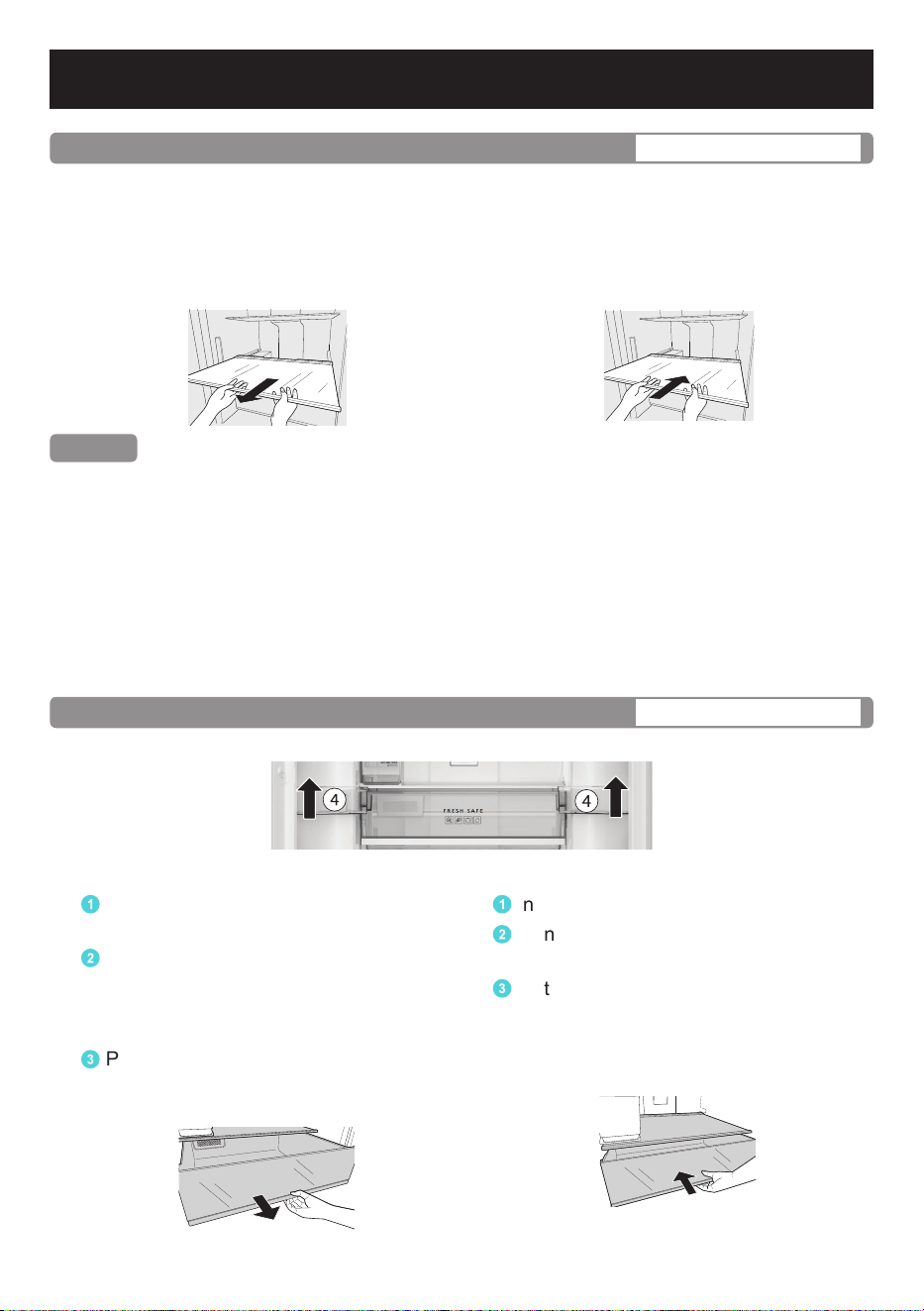
Once every 3 months
Tray
Removing
Lift up the back of the tray and pull it
forward. Once the protrusions of the tray
are unhooked from the rails, tilt the tray
and remove it.
Attaching
Push the tray until it reaches the end lock.
Remark
● To easily take out the glass trays from the refrigerator, please remove Door shelves and
Bottle shelves rst.
● The Glass tray of Vegetable case is cleaned by directly cleaning inside the refrigerator.
(Due to its xed design.)
● In case of attaching the tray and it does not lock, make sure that you did not attach it into it
the wrong tray.
● Trays made of glass are heavy.
Please handle them with care so that they do not fall and cause any damage or injury.
For attaching trays, hold them with the protrusion side down and rmly insert.
Once every 3 months
Vegetable case/Freezer cases
※ Vegetable case
Removing
1
Fully open both doors of the Fridge
compartment.
2
Remove the Large door shelf 4
(According to Parts Identification
in Page 11 ~ Page 12) before removing
the Vegetable case.
3
Pull the case forward until it reaches
the end and gently lift the front of the
case to remove it completely.
Attaching
1
Insert the Vegetable case into the shelf.
2
Gently lift the case and push forward
until it reaches the end.
3
Install the Large door shelf 4.
How to clean the Refrigerator
24
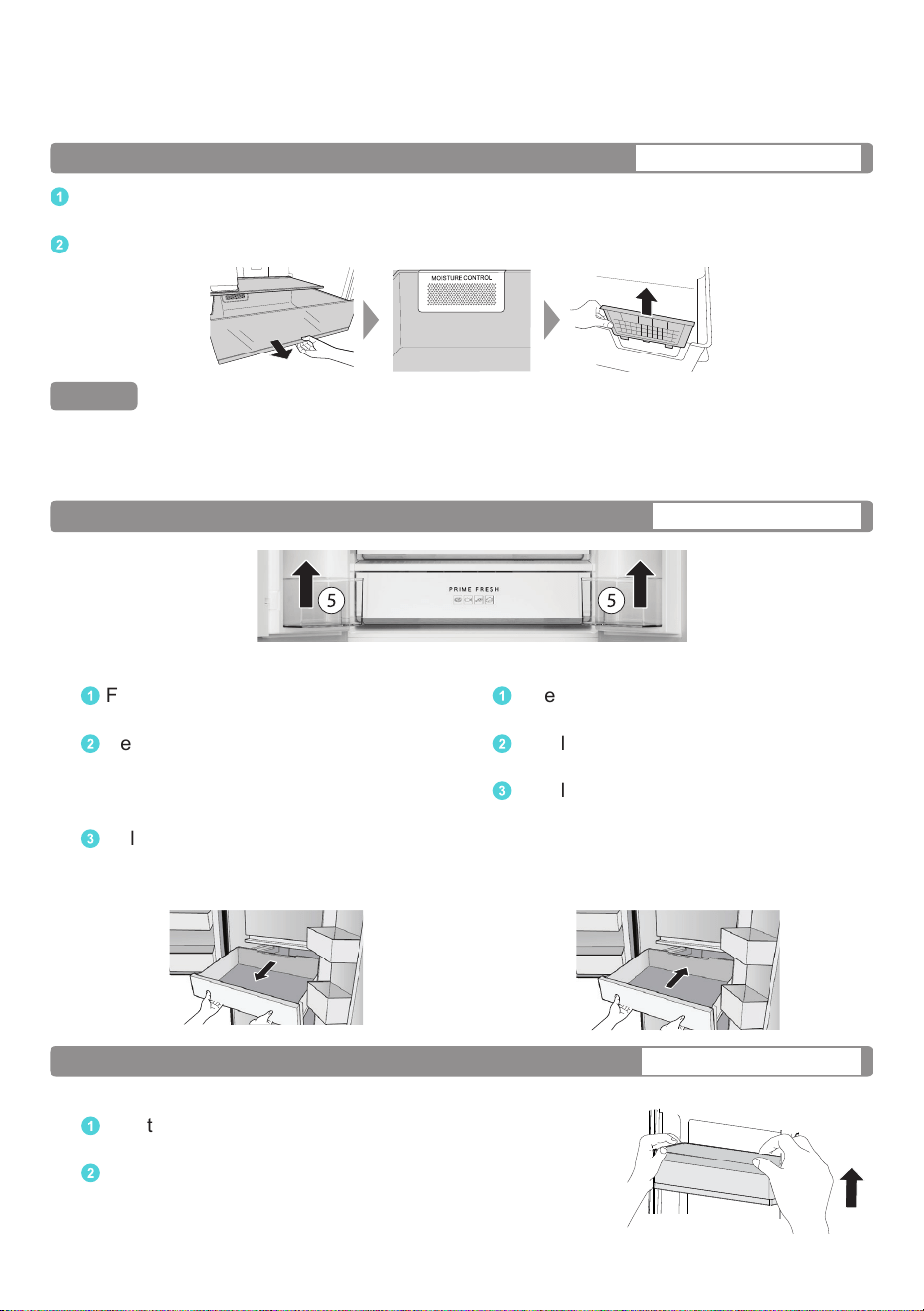
※ Freezer cases
Skip the steps of removing and installing the Large door shelf 4. Remove and install Freezer
cases in steps same as Vegetable case.
Once every 3 months
Moisture control of Vegetable case
1
After pulling out the Vegetable case, the Moisture control is located at the back of the
Vegetable case.
2
Remove two hooks and slide the Moisture control upward to remove it.
Remark
● After cleaning by water, wipe it or let it dry.
● For tough stains, dilute (neutral) kitchen detergent, and gently wash with a soft toothbrush,
then rinse thoroughly with water.
Once every 3 months
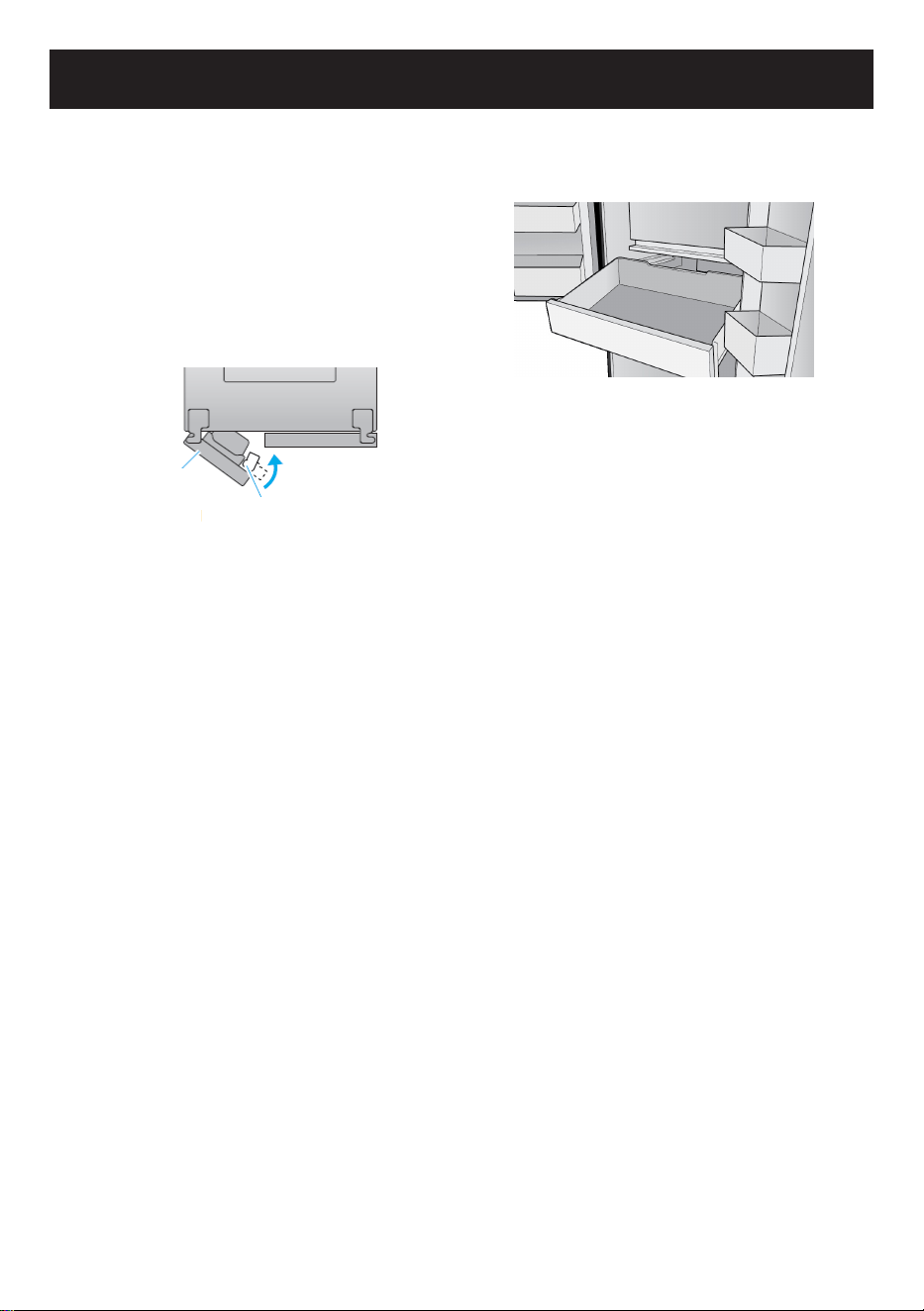
Prime Fresh case
Removing
1
Fully open both doors of the Fridge
compartment.
2
Remove the Bottle shelf 5
(According to Parts Identification in
Page 11 ~ Page 12) before removing
the Prime Fresh case.
3
Pull the case forward until it reaches
the end and gently lift the front of the
case to remove it completely.
Attaching
1
Insert the Prime Fresh case into the
shelf.
2
Gently lift the case and push forward
until it reaches the end.
3
Install the Bottle shelf 5.
Once every 3 months
Door shelf/Bottle shelf
Removing
1
Lift it upward, alternating between the right and left side.
Attaching
2
Placing it on both supporters, and then press until it
reaches the end of supporters.
25
How to clean the Refrigerator
Once every 3 months
Ice tray
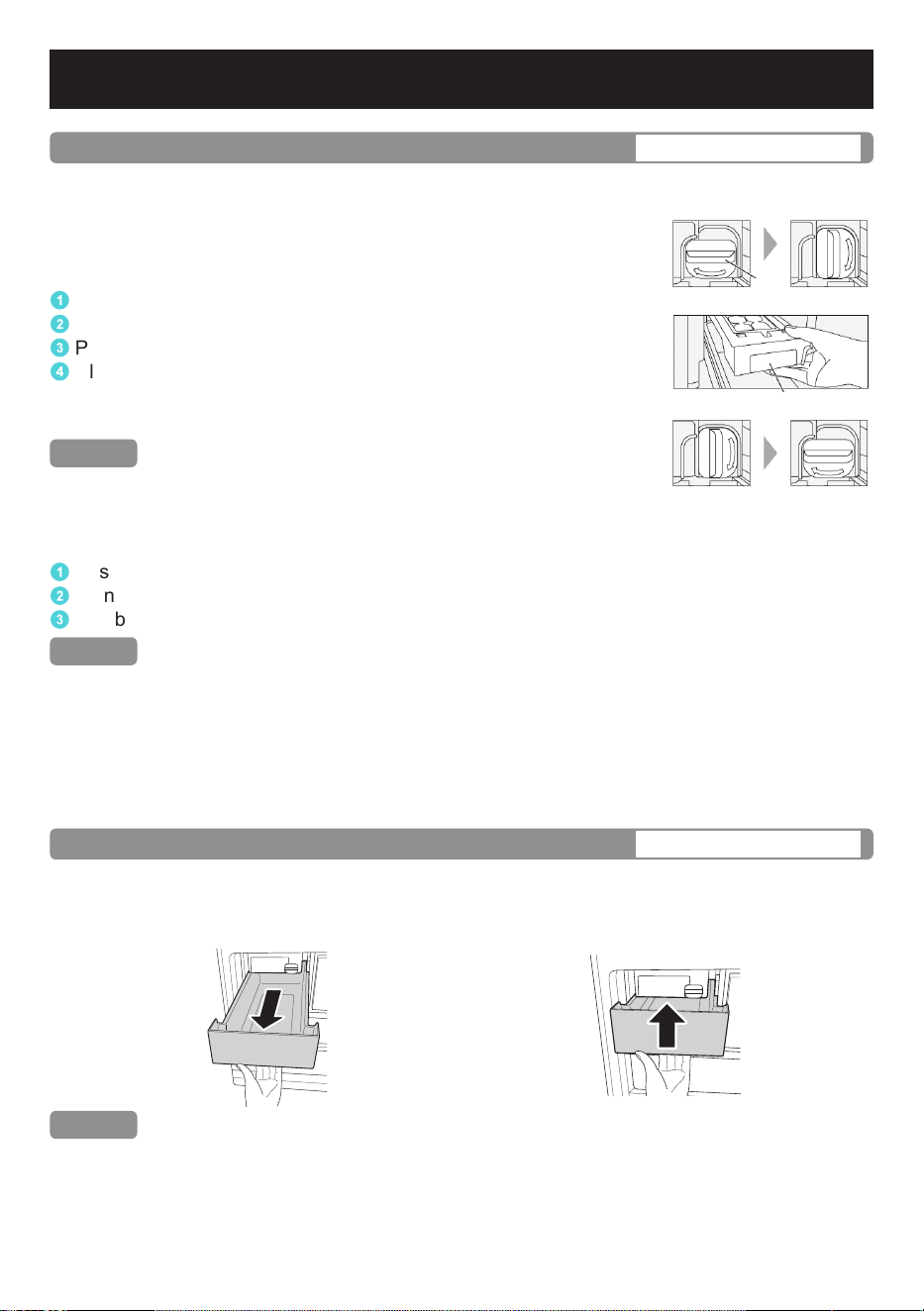
The Ice tray can be cleaned by using the Auto Ice Clean function (Page 18). In addition,
the Ice tray can be removed and cleaned manually.
How to clean the Ice tray manually.
Remove and clean the Ice tray
1
Select the Auto Ice Off (Page 17).
2
Turn the knob on the Auto Ice maker to the unlocked position.
3
Pull the protruding side forward to remove the Ice tray.
4
Clean it with water. (Do not use sharp scouring pads to scrub
the surface of Ice tray. If the Ice tray is scratched, ice may
not be properly released, leading to a malfunction.)
Remark
● The Ice tray and its frame cannot be separated.
● Do not clean with dishwashers or dish drying rack.
Attaching
1
Push the Ice tray in until you hear a “click”.
2
Turn the knob into the locked position.
3
Disable the Auto Ice Off (Page 17) to restart the Auto Ice making.
Remark
● Ice will not be made automatically when the Auto Ice O is turned on.
● Do not pour water directly into the Ice tray after manual cleaning.That may cause ice cubes
sticking together or a malfunction.)
● Turning the knob into the locked position after cleaning and checking the lock position of
the Ice tray regularly is essential to ensure that the Auto Ice maker is working properly.
If the knob is unlocked, the Auto Ice maker may not work.
Knob
Lock position
Lock position
Unlock position
Unlock position
Protrusion
Once every 3 months
Ice box
Removing
Lift and pull the Ice box forward until it is
completely removed.
Attaching
Push the Ice box until it reaches the end of
the Ice box holder.
Remark
● Stop the Auto Ice making function before cleaning the Ice box (Page 17).
26
Weekly
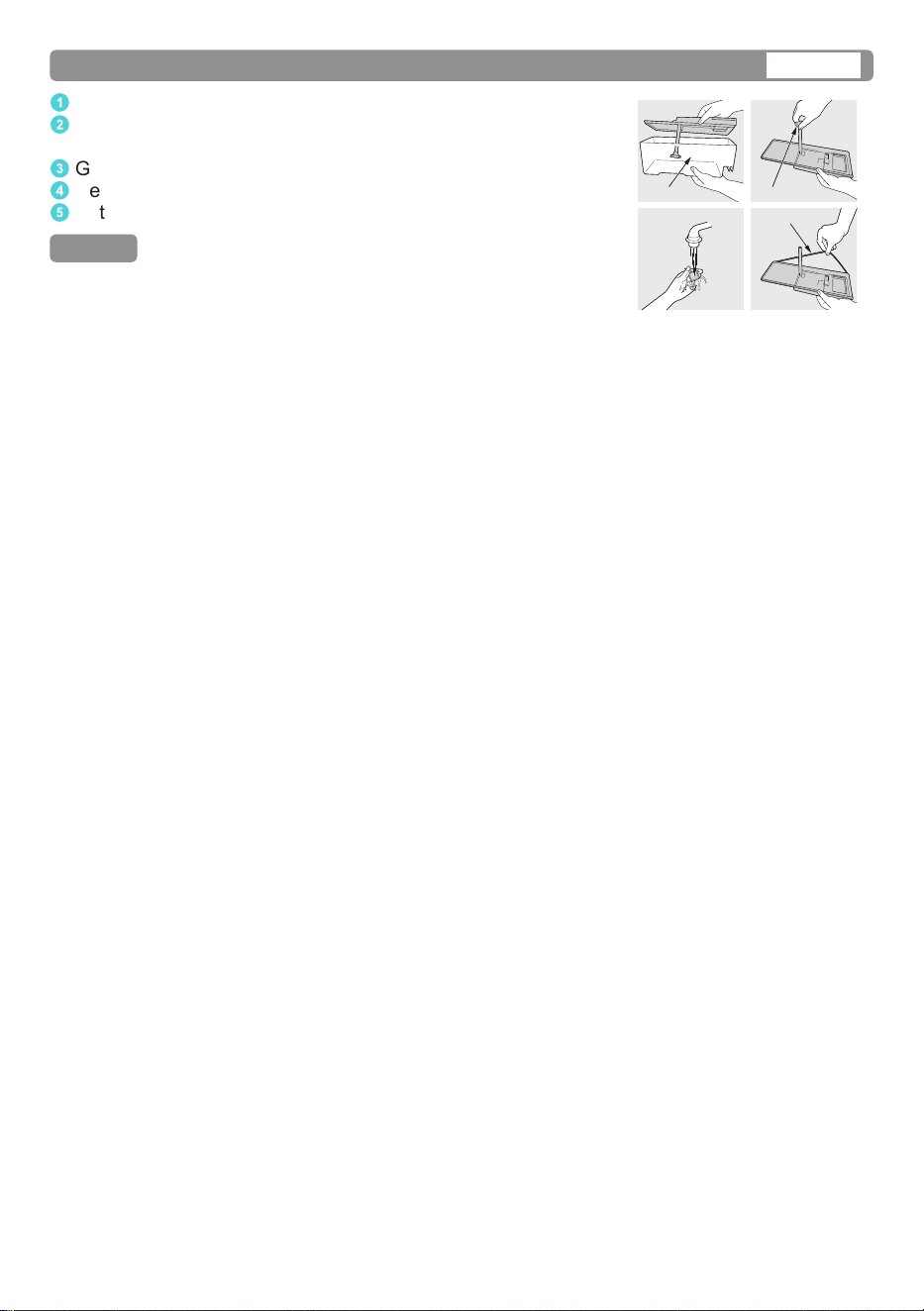
Water tank/Water lter (of the Auto Ice maker)
1
Open the lid and clean the Water tank with water.
2
Rotate the Water filter to remove the hook and remove
the Water filter.
3
Gently wash the Water filter in water.
4
Remove the rubber gasket on the edge and clean it with water.
5
Put the Water filter and rubber back into place.
Remark
● If there is water deposits or pipe blockages in the Water lter,
ice may not be made properly.
Water supply tank Water filter
Rubber gasket
27
Troubleshooting
Before you call for service, please check the following steps:
The refrigerator
does not operate.
● Check that the power plug and its socket are in good
condition.
● Check if there is any problem on main fuse and electrical
system of the house.
● Check by unplug and wait for 7 minutes before plugging it
back in.
The refrigerator
does not cool
enough.
● Check to be sure that LED in Operation Panel is displayed at
proper position.
● Check to see if the refrigerator is overloaded with stu or there
is any hot foodstu refrigerated inside.
● Is the refrigerator exposed directly to sunlight or heat source?
● Is the refrigerator door completely closed?
● Is the refrigerator door opened frequently?
● When the air humidity is high, there is a chance that moisture
will condense on the refrigerator surface, around
the door gasket or on the door surface. This
situation will stop if the air humidity decreases.
Please wipe it up with dry cloth.
● Is the door closed rmly?
● Is the door being opened and closed too
frequently?
● Condensation inside the refrigerator can also be caused by
leaving high-humidity foods uncovered or unwrapped.
● When the humidity is high, the door is open for a long time,
or when the refrigerator contains too much food or makes too
much ice, frost may form inside the Freezer compartment at
the location of the Freezer cases, Ice box or the Flexi Freeze
case. This is normal. Please wipe with dry and soft cloth.
The refrigerator
generates noise.
● Check if the refrigerator is located on a stable floor or is
installed properly.
● Check if there is any object in contact with the refrigerator.
● Cracking sound within caused by the parts adjusting
temperature which is normal.
● After installation, the refrigerator may make loud noise.
The noise will be less when the refrigerator has been cooled.
● There may be a whistling sound inside the refrigerator when
opening and closing the door. This is caused by the air
outside being drawn in through the pipe on the backside of the
refrigerator to better balance the air circulation inside the unit.
Outside
Inside
Dew, frost appears.
28
● If the water in the tank does not decrease after a while, the
Ice maker is not working.
● The ice making process begins after the inside of the
refrigerator is cold enough. (It may take more than 24 hours to
start the process)
● Check if the Auto Ice O is set. (Page 17)
● Be sure to fully push the Water tank and Ice tray into place.
● Do not leave food in the Auto Ice maker.
● Do not install or remove the Ice tray frequently.
● Check if the Water tank is almost empty.
● If water spills on the Ice box, clean it up.
● Please contact Panasonic service center.
● Is the temperature of Freezer compartment set to a higher
temperature than -20 °C?
→ Adjust to a lower temperature. (Page 14)
● There are protrusions.
→ The grooves of the Ice tray may be frozen.
● The ice cubes are round or connected to other ice cubes.
→ Ice has been stored for a long time. (Ice cubes get round of
connected by sublimation.)
● The ice is small.
→ Small ice cubes are made when there is no water left in the
tank.
The back and
sides of the
refrigerator are
warm and hot.
● Because the refrigerator is equipped with the dew prevention
and heat radiation tubes, the back and sides of the
refrigerator get warmer when operating.
● The back and side plates may get warmer especially when
starting up or if the door is frequently opened and closed.
The normal
sounds of
refrigerator.
● When the refrigerator starts operation, the sound like water
flowing and boiling water is created. This is the sound of the
cooling liquid.
● The noise is generated when the automatic defrost system
operates.
● The dilatation of the details inside the refrigerator in the
cooling process can cause sound “crack-crack”.
● You may feel that the operation sound is larger because
the compressor operates in high-speed under the following
conditions: the refrigerator does not cool fully on the occasion
such as using it for the rst time, opening/closing the door too
frequently, the surrounding temperature is high. The sound
becomes more quiet after cooling fully.
Auto Ice making.
The
refrigerator
does not
make ice.
The ice does
not form any
ice cube
Unusual
shape of ice
cubes.
29
Troubleshooting
The inside is
smelling.
● Do you store food with dry odor without wrapping it?
LED does not
turn on.
● Please contact Panasonic service center.
The Operation
Panel ashes.
● Are you adjusting the temperature of your refrigerator?
→ Flashes during adjusting. Please complete the setting or
the Operation Panel will stop flashing after 5 seconds.
Food becomes
frozen.
● Do you put the food near cold air holes?
● Do you adjust the temperature control to less than 4 °C for the
Fridge compartment and/or -3 °C for the Prime Fresh case?
→ Adjust to a higher temperature.
● Do you put food in Prime Fresh case?
Error display on
Operation Panel.
● U10: Warning if doors are opened too long.
→ Check that the doors are closed properly.
● The letter “H” and two digits are displayed on Operation
Panel.
For example: H01
→ Please contact the Panasonic service center for support.
● When the food in Prime Fresh case is over-frozen.
→ Please set to a higher temperature than -3 °C.
● When the food in Prime Fresh case is not partially frozen.
→ Set the temperature to as low as -5 °C.
● Cooling or freezing may not be sucient depending on the
type of food, packaging condition, storage capacity, and how
often the door is opened and closed.
→ Create space between foods for cold air circulation,
arrange similar sized food in a Prime Fresh case and
adjust the temperature accordingly.
● When there is too much food, it may overflow from Prime
Fresh case and enter the gap behind Prime Fresh case,
causing it not to be fully sealed.
→ Check the back of Prime Fresh case contains food items?
If so, remove them before attaching Prime Fresh case.
→ Arrange food properly to avoid overflowing.
Prime Fresh case
Food is
over-frozen
or not
frozen.
Not cool,
not freezing.
Not fully
sealed.
30
Troubleshooting
For the purpose of recycling to facilitate utilization of resources, please
return this product to a nearby authorized collection center, registered
dismantler of recycler, or Panasonic service center when disposing of this
product.
Customer care number: 132600 (AU)
09 272 0178 (NZ)
Please see the Panasonic website for further information on collection centers, etc. or call the
customer care number.
https://www.panasonic.com/au
https://www.panasonic.com/nz
Disposal
31
Specications
Model No.
NR-CW530HW
Freezer Star Rating
Capacity (L)
(AS/NZS 62552:2018)
Total 501
Freezer 188
Fridge,
Prime Fresh
313
Outside Dimensions
Width x Depth x Height (mm)
750 x 750 x 1730
Net Weight (kg) 87
Refrigerant Type R600a
Cooling System Non-frost cooling.
Rated Voltage (V)
Rated Frequency (Hz)
Refer to the rating label attached inside the cabinet.
Panasonic Corporation
https://www.panasonic.com
© Panasonic Appliances Vietnam Co., Ltd. 2025
Memo