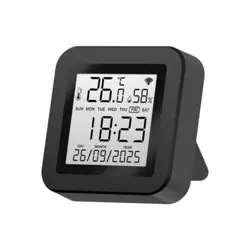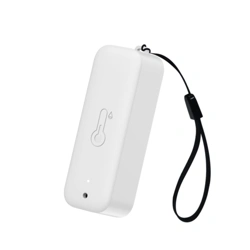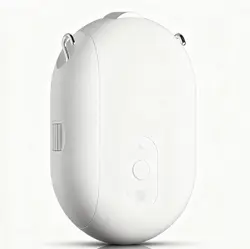


1. Power on the ding Dong machine (left):
2. Long press the pairing button of ding Dong machine for 3 seconds (as shown
in the picture), and the indicator blinks.
3. Press the doorbell button (right), ding Dong machine rings, that is, the match
is successful.
VI.Mobile message push
Enter mobile phone - Settings - notification and status bar - Application
notification management, open APP notification permission, enable
notification, suspension,lockscreen, sound reminder and other notification
functions.
(Note: Due to different mobile phone models, the operation interface and
options are diferent, please choose independently)
VII.Function introduction:
1.Message push: When visitors ring the doorbell, the mobile_phone will
receive the APP push message, click the push popup to enter the video call.
2.Video call: Hold down the microphone key to talk to each other, open the
speaker to listen.
3.Doorbell sharing: Enter the real-time interface of APP, click Settings - Share
device - Add Share - enter the registered account
4. Low battery reminder: When the battery is low, the APP will push low
battery reminder, please charge in time
.
VIll.Matters needing attention
●The device is a low-power doorbell. When no one rings the doorbell, the
device goes into hibernation and goes offline, which is normal.
●The push Settings vary according to mobile phone models. Set the Settings
as required.
●Only 2.4g WiFi is supported, but 5G or WiFi with special symbols is not supported.
●Do not install the device on a metal wall because it may interfere with WIFI
signals.
●The device supports TF card video storage. Do not insert or remove the memory
card when it is powered on to avoid loss.
FCC Caution.
This device complies with part 15 of the FCC Rules. Operation is subject to the following
two conditions: (1) This device may not cause harmful interference, and
(2) this device must accept any interference received, including interference that may
cause undesired operation.
Any Changes or modifications not expressly approved by the party responsible for
compliance could void the user's authority to operate the equipment.
Note: This equipment has been tested and found to comply with the limits for a Class
B digital device, pursuant to part 15 of the FCC Rules. These limits are designed to
provide reasonable protection against harmful interference in a residential installation.
This equipment generates uses and can radiate radio frequency energy and, if not
installed and used in accordance with the instructions, may cause harmful interference
to radio communications. However, there is no guarantee that interference will not
occur in a particular installation. If this equipment does cause harmful interference to
radio or television reception, which can be determined by turning the equipment off
and on, the user is encouraged to try to correct the interference by one or more of
the following measures:
-Reorient or relocate the receiving antenna.
-Increase the separation between the equipment and receiver.
-Connect the equipment into an outlet on a circuit different from that to which the
receiver is connected.
-Consult the dealer or an experienced radio/TV technician for help.
*RF warning for Mobile device:
This equipment complies with FCC radiation exposure limits set forth for an
uncontrolled environment. This equipment should be installed and operated with
minimum distance 20cm between the radiator & your body.