
User Manual
Model:Energy Monitoring-Plug
Pro Series Smart Plug
TM
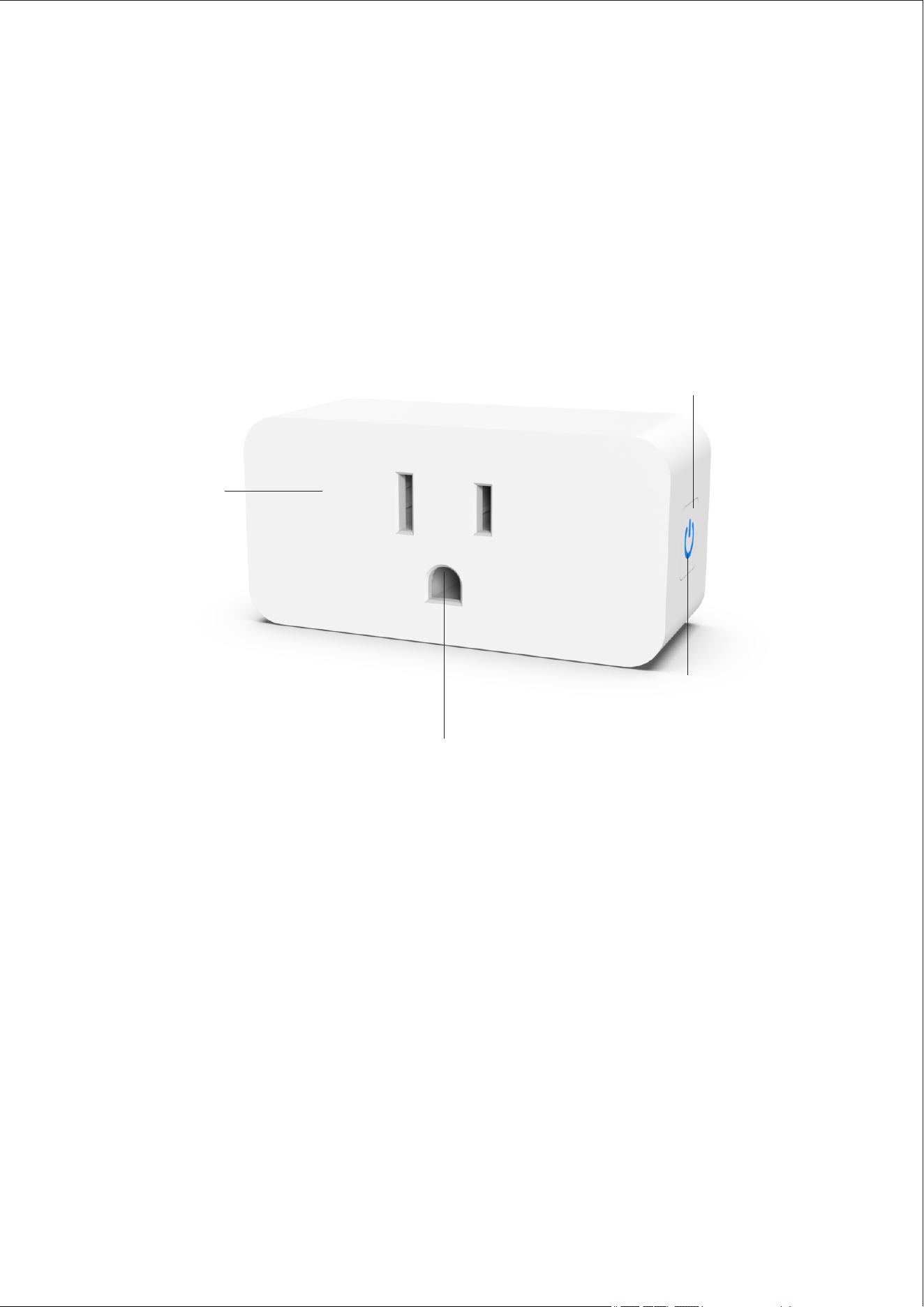
At a Glance
Flame
Resistant
Material
On-Off/Connecting
Button
Socket Panel
LED Indicator
With AiSeek Smart Plug, you can remotely turn on
or off home appliances simply with a network
connected mobile phone. Or just press on the
device to come them on or off.
01

LED Indicator
Status
Solid blue
Power on
Wi-Fi connected
No light
Power off
Wi-Fi connected
Flashing blue
Connecting to Wi-Fi
02
Specifcations
Model
Energy Monitoring-Plug
WiFi Frequency
2.4GHz
Input/Output
120V~60Hz 15A
Max Load Power
1800W
Working Temperature
-20℃-50℃(-4℉-122℉)
App Support
iOS/Android
How to connect the device
03
1.Scan the QR code below or search for
"Smart Life" or "Tuya" App in your mobile
app store
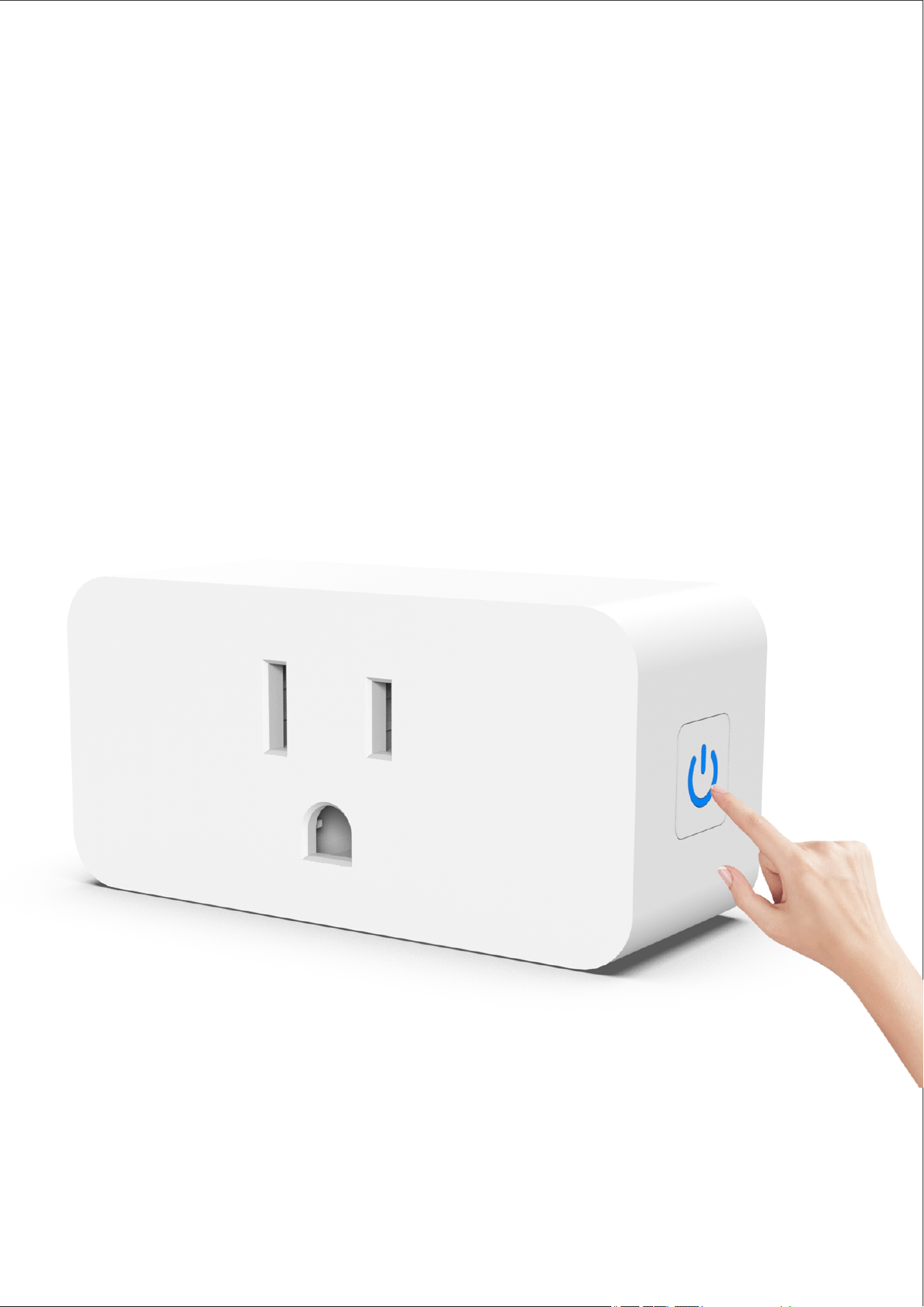
Press and hold the power button for 5 seconds
to put the device into pairing mode
(Follow the steps as shown in the diagram)
04
04
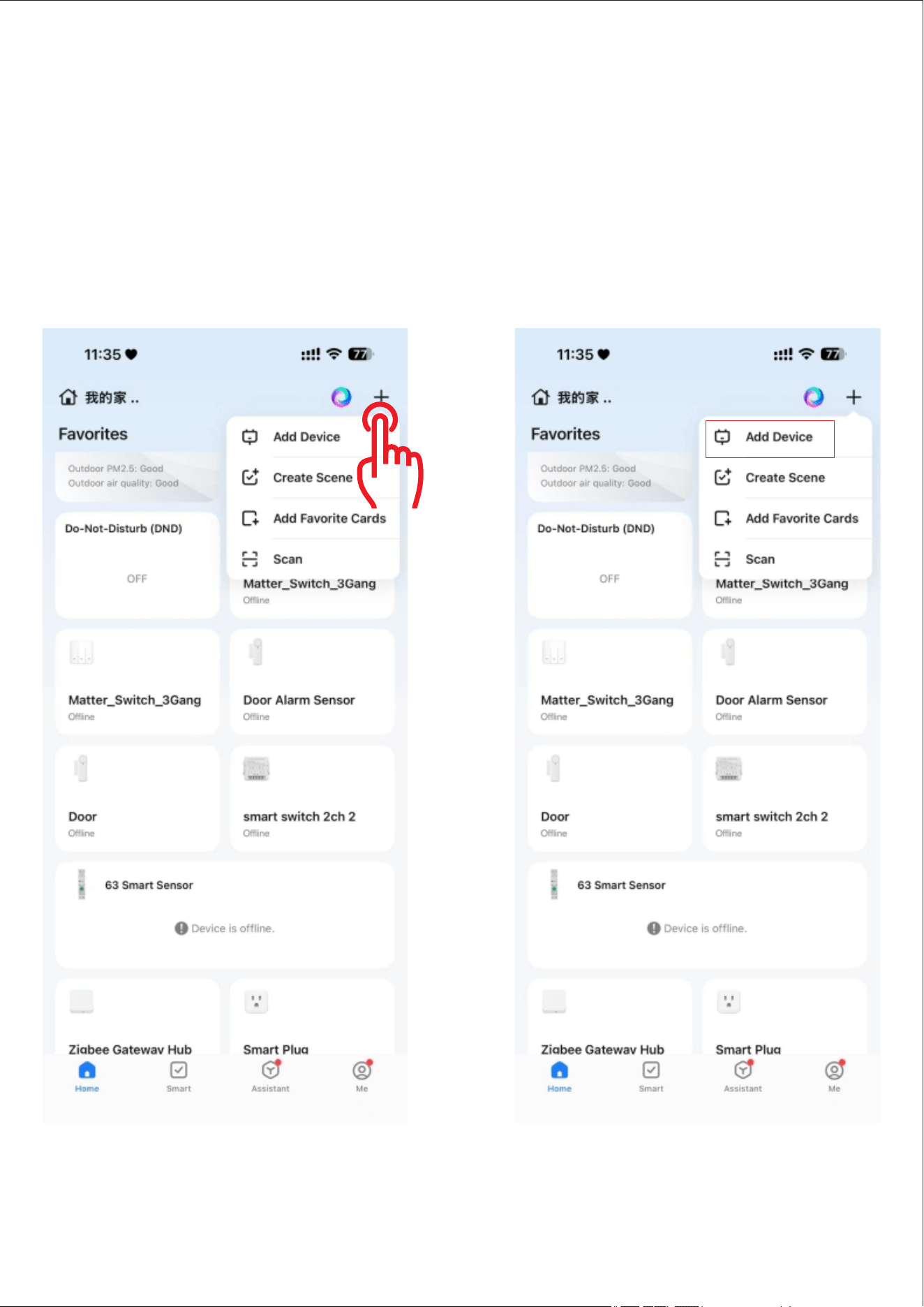
2.Go to the page, click "+" and then
click "Add Device"
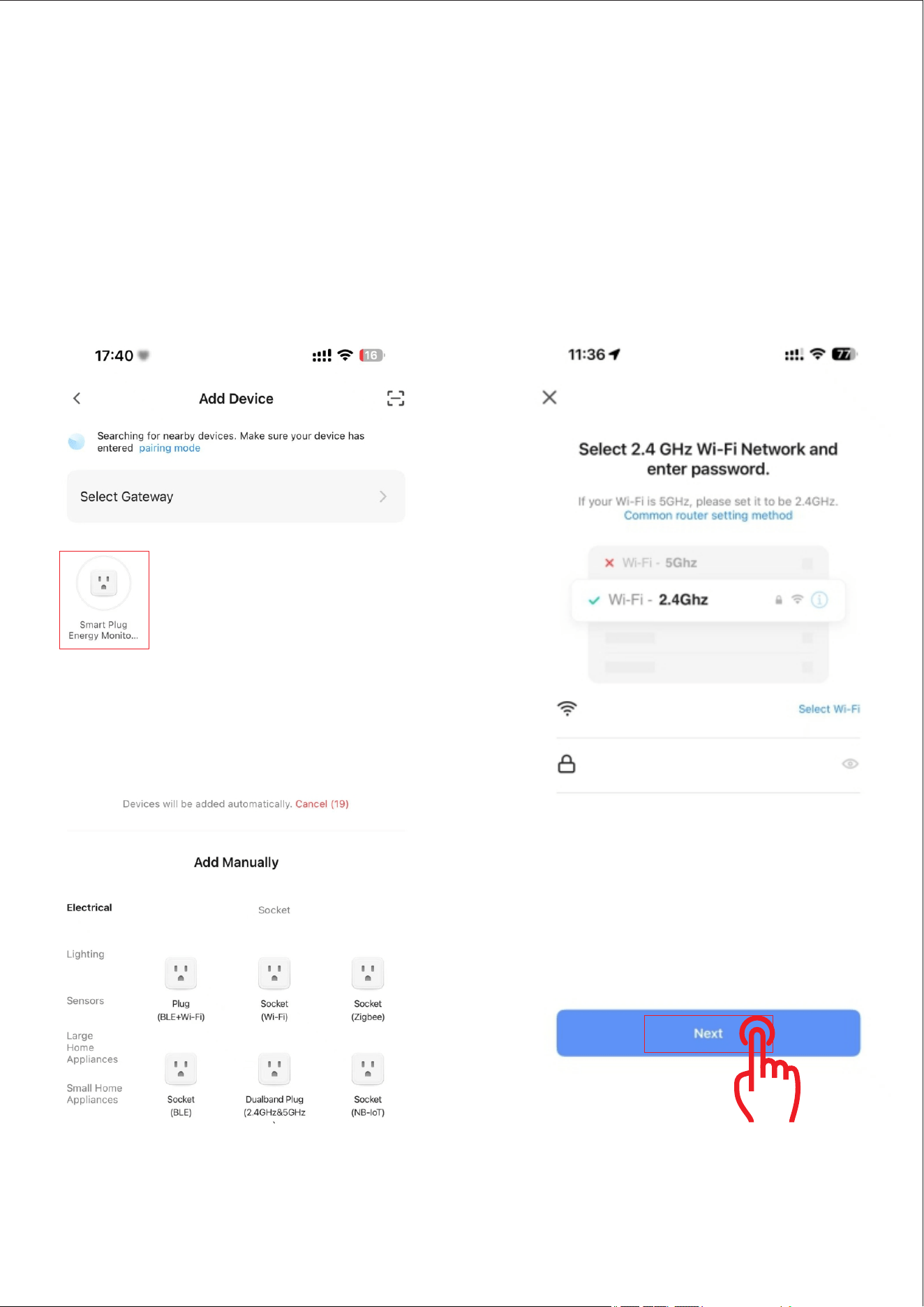
Note: Before pairing, make sure to turn on
WIFi and ensure it is 2.4G
05
3.The search device enters the pairing state.
The search device successfully clicks the device
selects 2.4G WiFi and enters the password.
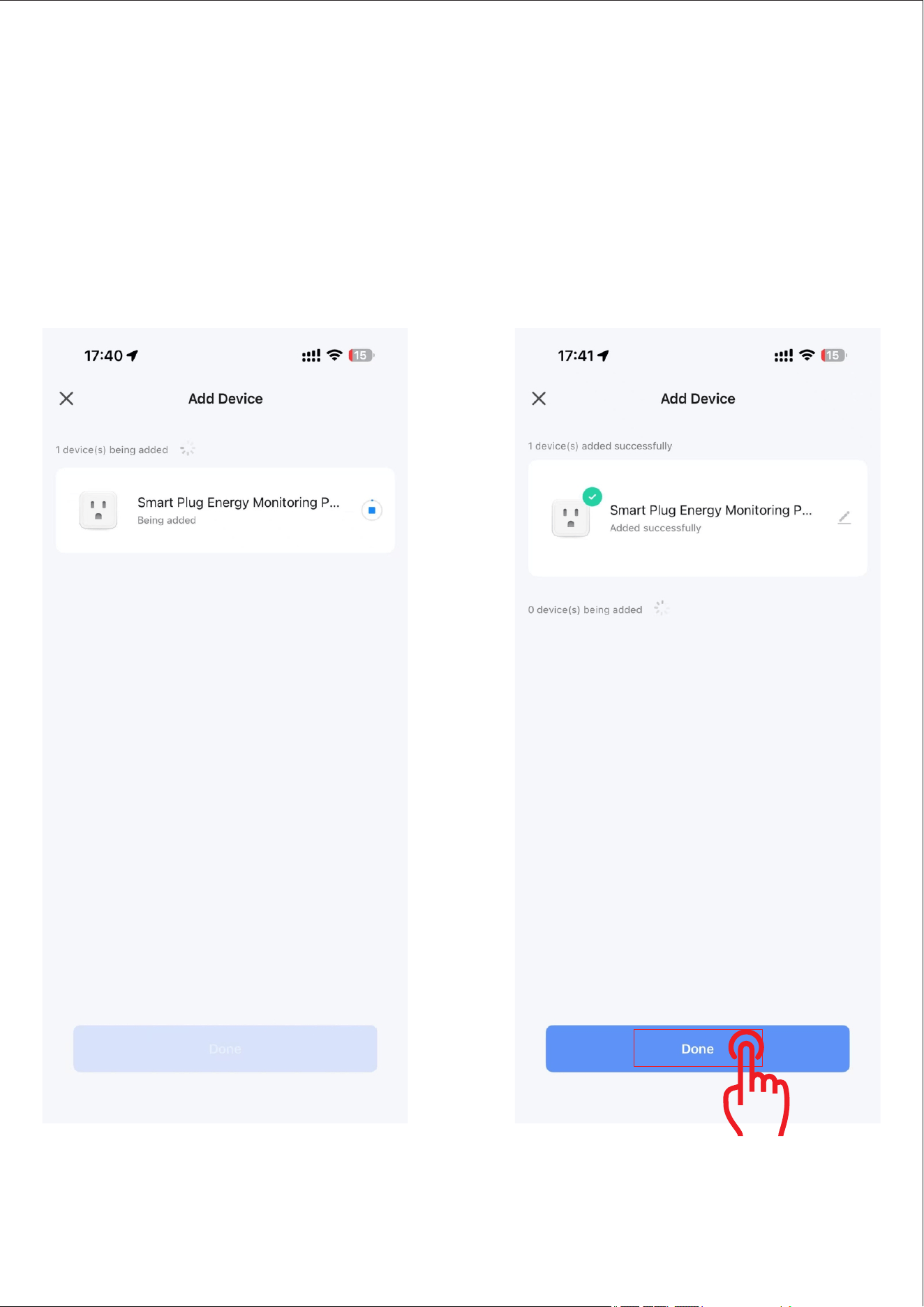
4.The device is in the pairing process.
Please wait patiently. After the device is paired
click "Done".
06
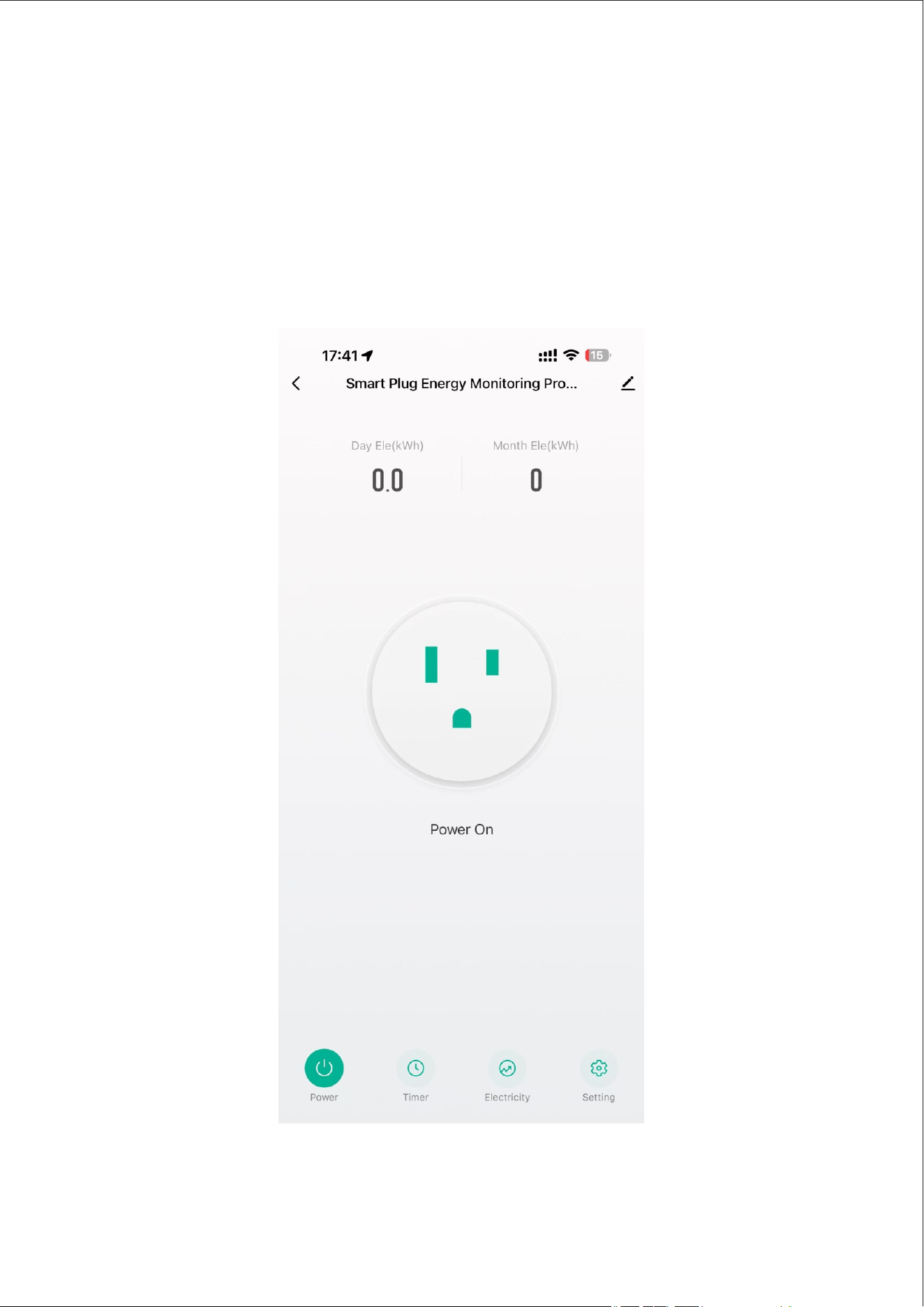
5.The device pairing is complete.
You can now start enjoying your smart life.
07

08
Using Your Device
1.App Control
Remote
On/Off
Turn On/Off the device remotely.
Timer
Setting
Turn On/Off the device at preset
time automatically.
Off Delay
Automatically turn off the device
after the time period you preset.
Energy
Monitoring
Check your home’s electricity
use anytime
Relay
Status
Remember last status
Overcharge
Switch
Whenever the power is less than
3w for 40 minutes,the device will
be turned off.

09
2 Voice Control
The device supports voice control via Alexa and
Google Assistant, please refer to"Using
guidance" to activate. The"Using guidance"
canbe found through:
a.Open the Smart Life app, select your plug
in the Devices page.
b. Tap setting icon in the top right corner.
c. Tap"Using guidance" to follow on-screen
instructions.
Troubleshooting
1.Fail to connect to Wi-Fi.
a.Please keep your device within 100 feet
of your phone.
b. Make sure the Wi-Fi name and the password
you entered is correct.
c.Make sure the Wi-Fi you connect to is 2.4GHz.
* 5GHz is not supported.

10
2.Lost W-Fi connection./Cannot use the
device with the app.
a.Make sure your home Wi-Fi works well.
b.Check whether the Wi-Fi password has
been modified.
c.Keep the distance between your device and
phone as short as possible
d. Check if the device is connected to Wi-Fi
via the indicator light. If the light flashes blue
follow the steps above to reconnect the
device to Wi-Fi.
Warning
1 Do not press the On-Off button quickly
and frequently.
2. Do not plug in the appliance whose power
is higher than 1800W.

11
Safety Instructions
This device is recommended for use
indoors and in a dry location only.
The device should only be used within it's
issued outlet rating stated in theinstructions.
Please contact the AiSeek team for a
replacement if there is any damage caused
by transportation.
Please correctly plug in the socket and
keep away from children.
For added safety, please make sure to
plugin the socket fully before using.
Please do not disassemble the device.
Otherwise, the device may get damaged or
become a safety hazard.

FAQ
Q: I followed the instructions to put my device in
pairing mode, but it still failed to be found.
What can I do?
A: Make sure your device is powered on, and
check ifthe indicator light is slowly flashing.
If not, it means that the device has exited the
pairing mode.Please hold down the
reset button for five secondsto re-enter
pairing mode.
Features
You can easily check the status of your devices
from anywhere, create smart scenes,and share
device control with your family members.
If the info above doesn’t clear up your problem
you’re welcome to reach us via your Amazon
order or our email.
Warranty: 12-Month Limited Warranty
Support: Lifetime Technical Support
Email: aiseeksupport@aiseeksmart.com
Official Website:www.aiseeksmart.com