ADCBBI01
Product Overview
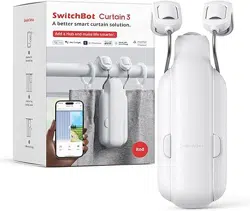
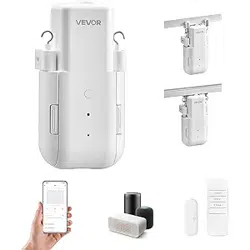
The Curtain Robot is an innovative smart home device that transforms your
traditional curtains into smart curtains in minutes. It uses Zigbee 3.0 protocol. With a
mobile app, you can effortlessly control the opening and closing of the curtains. It
features a built-in timer to customize the timing of your curtains' movements, adding
convenience to your smart living experience. Paired with a Zigbee gateway, this
robot can seamlessly integrate into your home automation system for remote control
and automated operations, enhancing the comfort and modernity of your home.
Device Pairing
Smart Life App is the mobile platform for controlling IoT devices. You can search
"Smart Life" in the mobile application store to install the App.
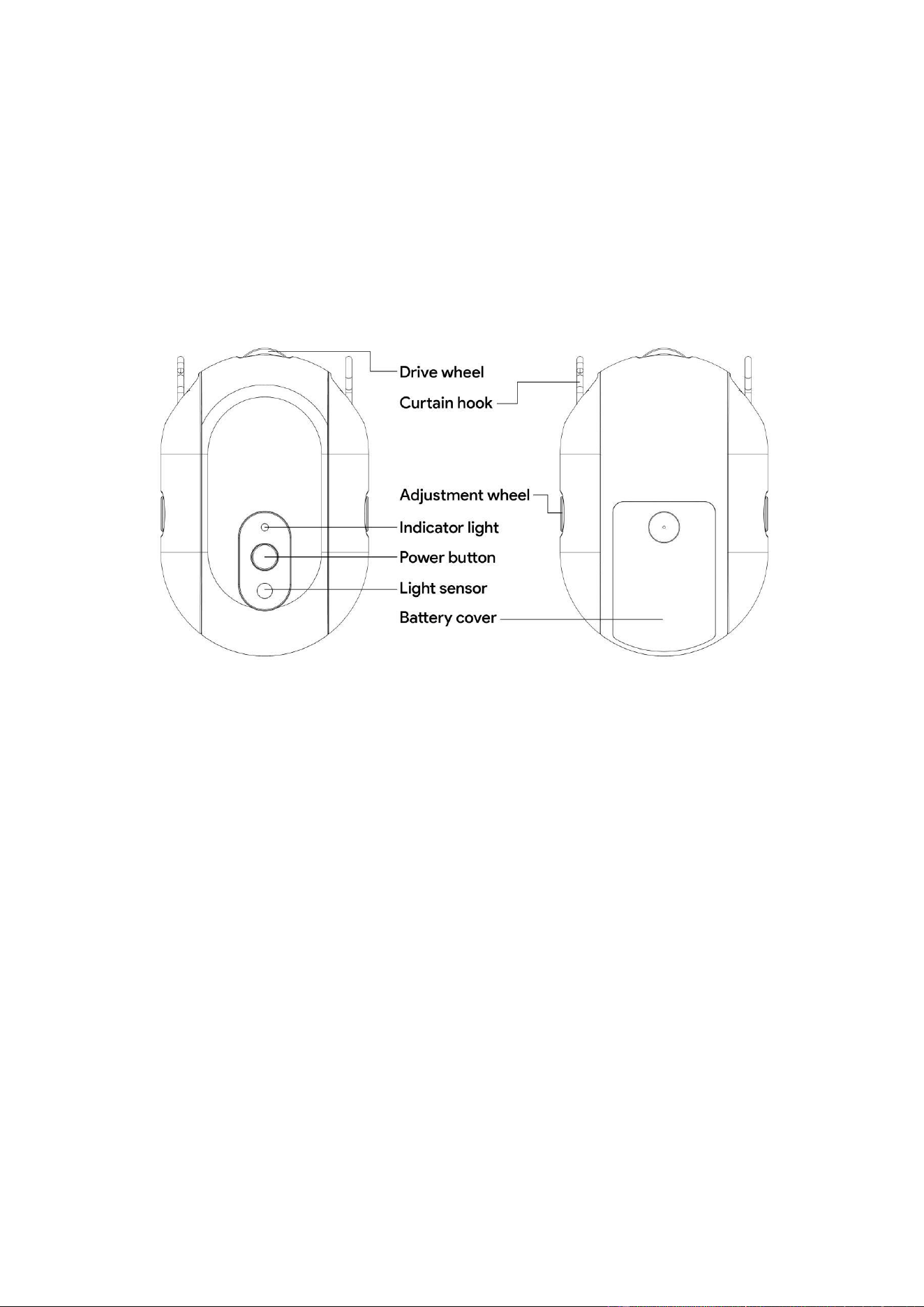
Before use, please open the back cover of the product from the back, and install
three AA batteries according to the directional markings on the battery slot to power
the device.
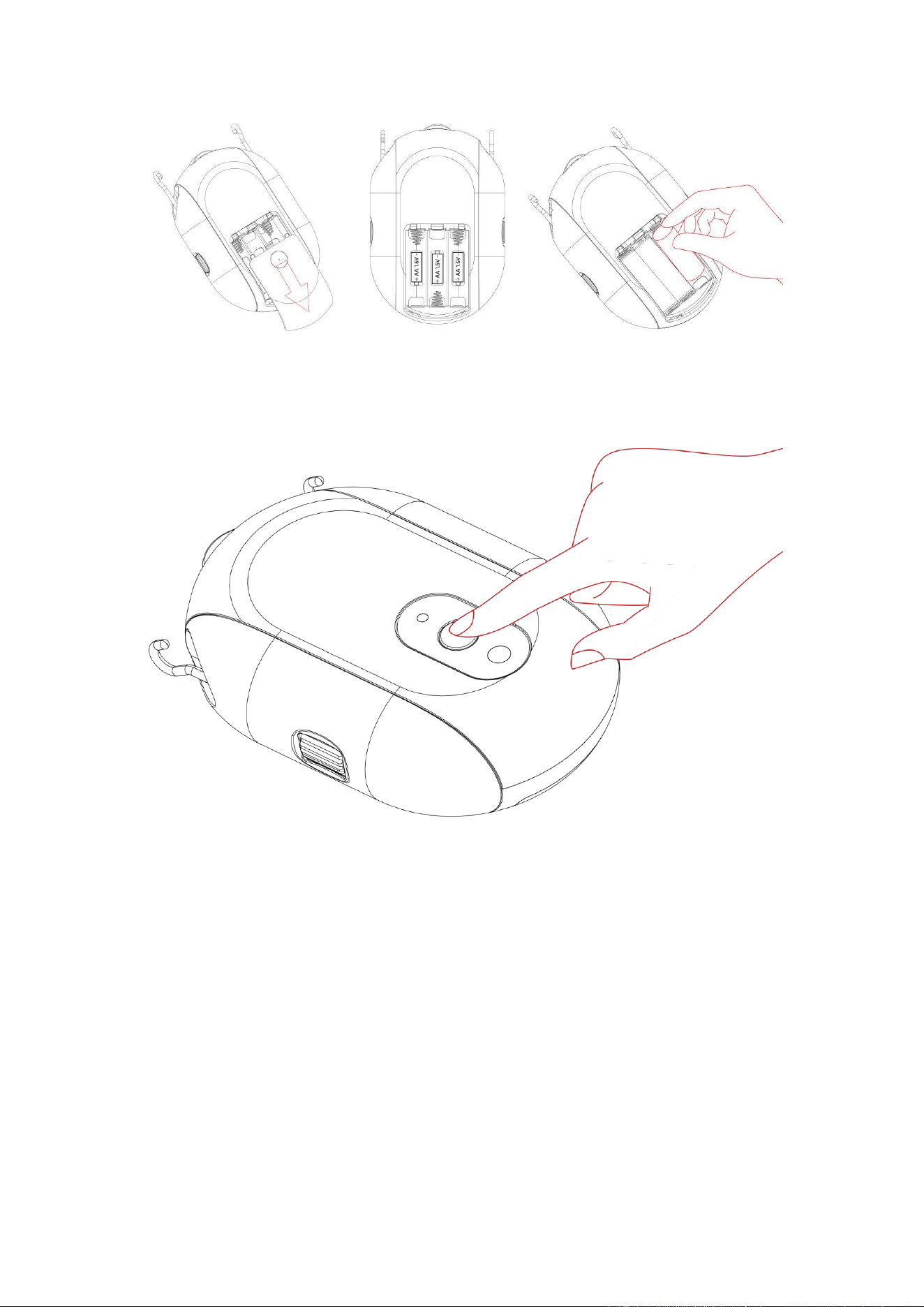
When pairing your Curtain Robot with your account, you need to reset the device.
Please press and hold the reset button for 5 seconds until the blue light starts
flashing, indicating that the device is now in pairing mode.
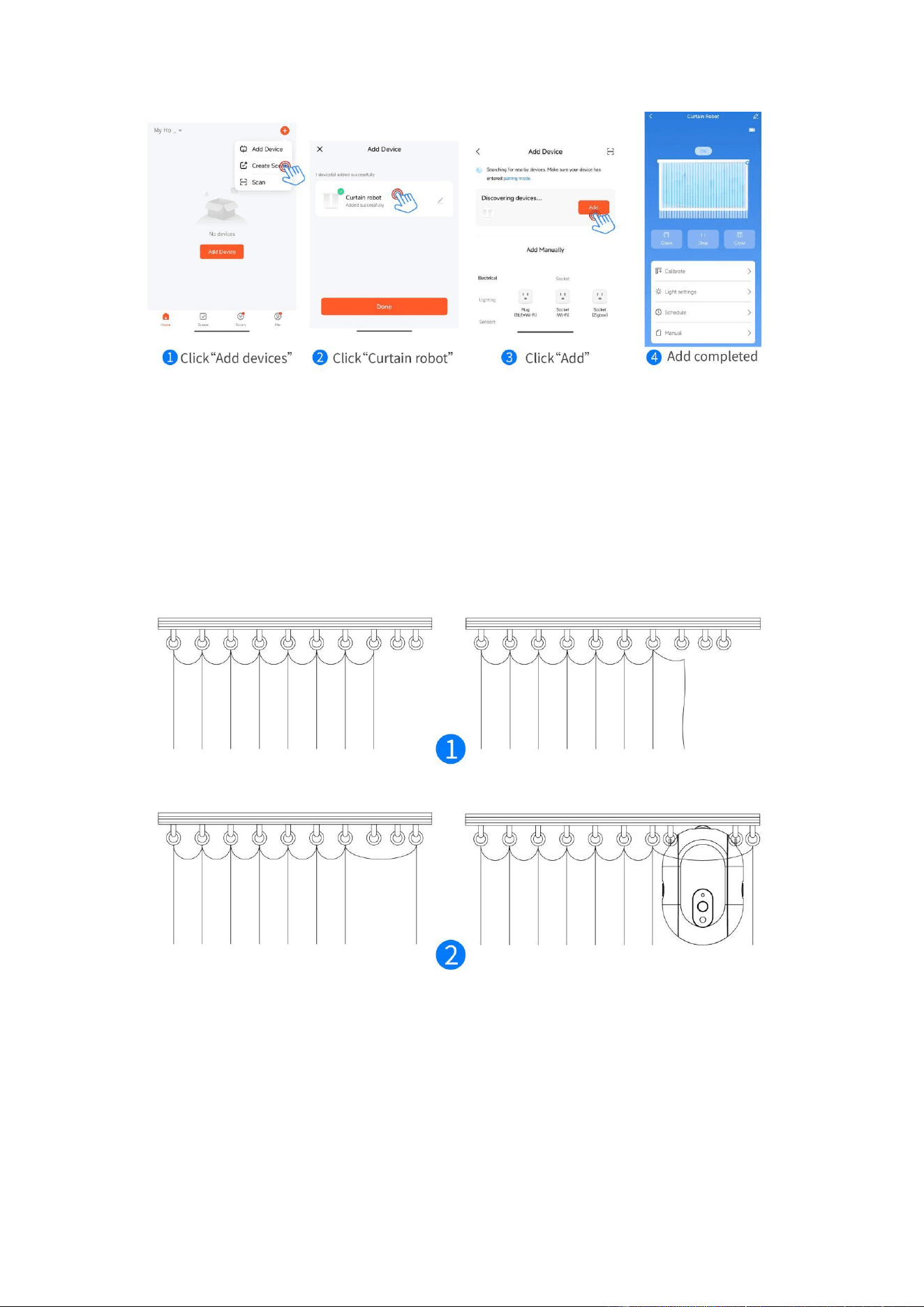
Tap the "+" icon at the top right corner in the app, then click the "Add Device" button.
In the "Discover Devices" section, select "Curtain Robot" and click "Add". Follow the
on-screen instructions to complete the device pairing.
Device Setup
Preparation work:
1. Before installing the equipment, wipe the track and dry it, then remove the
curtain hook at the installation position.
2. Hang the removed hook on the front hook and reserve two hooks in the
installation position to install the curtain robot.
To install your curtain robot:
1. Slide down from the main body of the robot to remove the hook accessories on
both sides.
2. Adjust the hooks to the topmost position using the knobs on the sides.
3. Attach the hooks to the corresponding curtain rings on both sides.
4. Reassemble the main body of the curtain robot with the hooks on both sides.
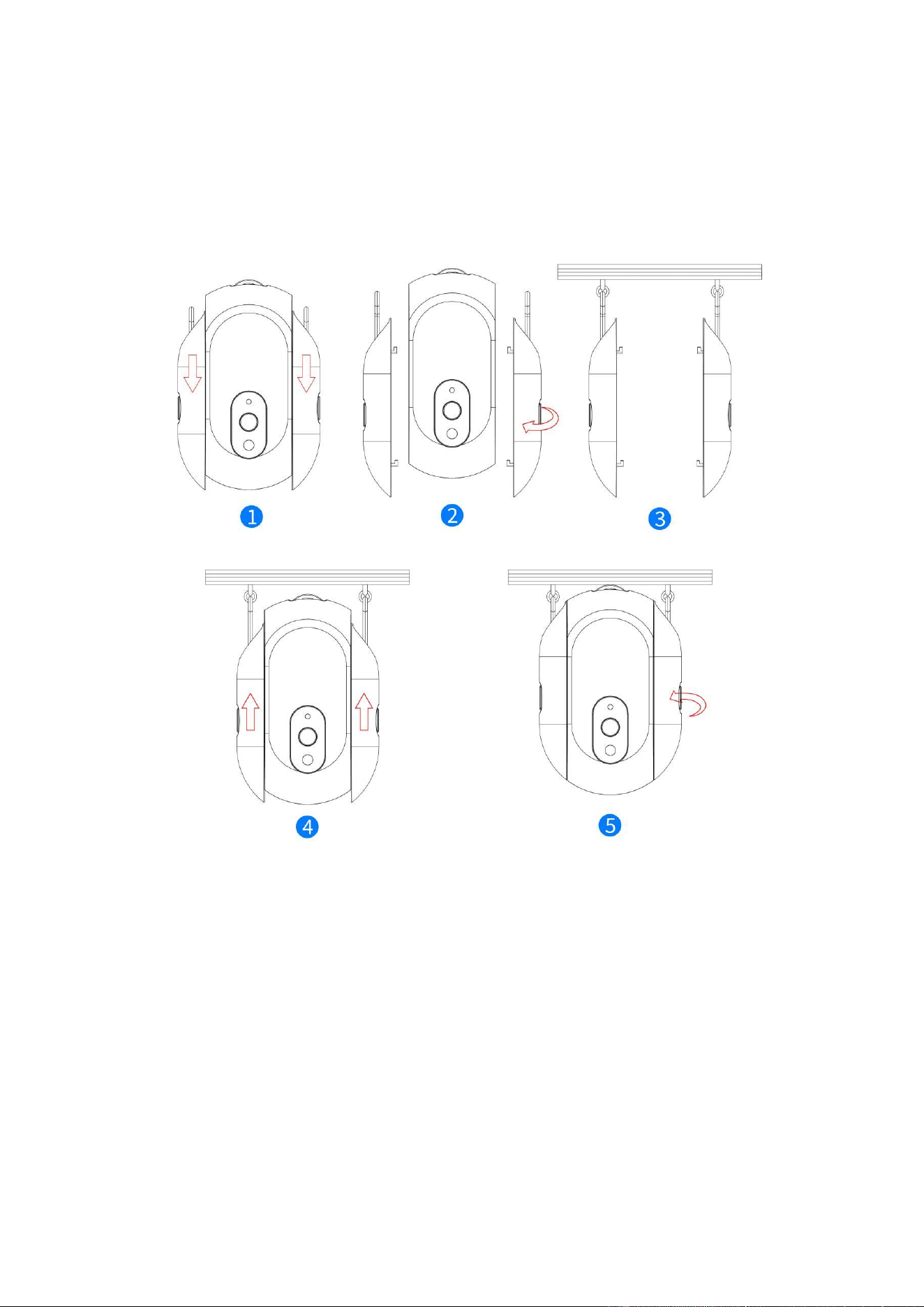
5. Adjust the knobs on both sides to ensure the top wheels of the curtain robot fit
snugly against the curtain track.
Tip: During installation, you can tilt the curtain robot to the left and right to easily
adjust the tightness of the side knobs. This product is suitable for curtain track I-
shaped track and U-shaped track.
Device Control
Curtain Calibration
Before using the curtain robot, please calibrate it by following these steps
1. Pull the curtains to the fully closed position and correctly install the curtain robot.
2. After entering the device panel, click on "Calibrate".
3. Select "Indoor" or "Outdoor" according to the orientation of the curtain robot
button, and click Next.
4. Select the track direction where the curtain is located and click Next.
5. Select the curtain type and click Next.
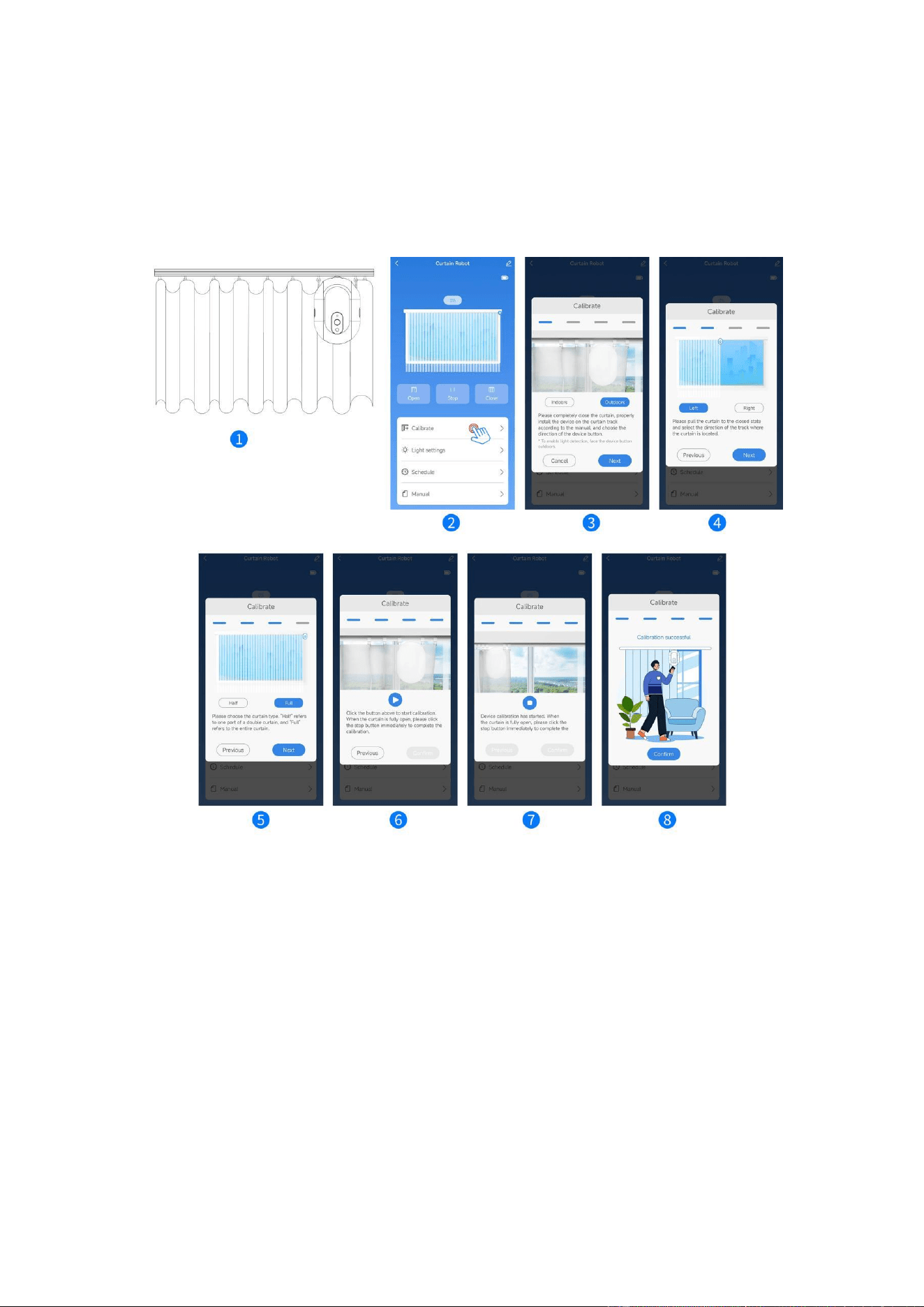
6. Click the start button to start calibration.
7. When the curtains are fully open, immediately click the stop button to complete
the calibration.
8. Calibration successful, click "Confirm" to jump to the control interface to
complete calibration.
Device Triggering
After entering the device panel, tap the "Open" icon to make the curtain robot move
in the direction that opens the curtains, and the "Close" icon to make it move in the
direction that closes them. The actions will occur within 3 seconds if the connection is
strong.For precise control, you can adjust the curtains to any position using the two
slideable buttons located above the curtain.
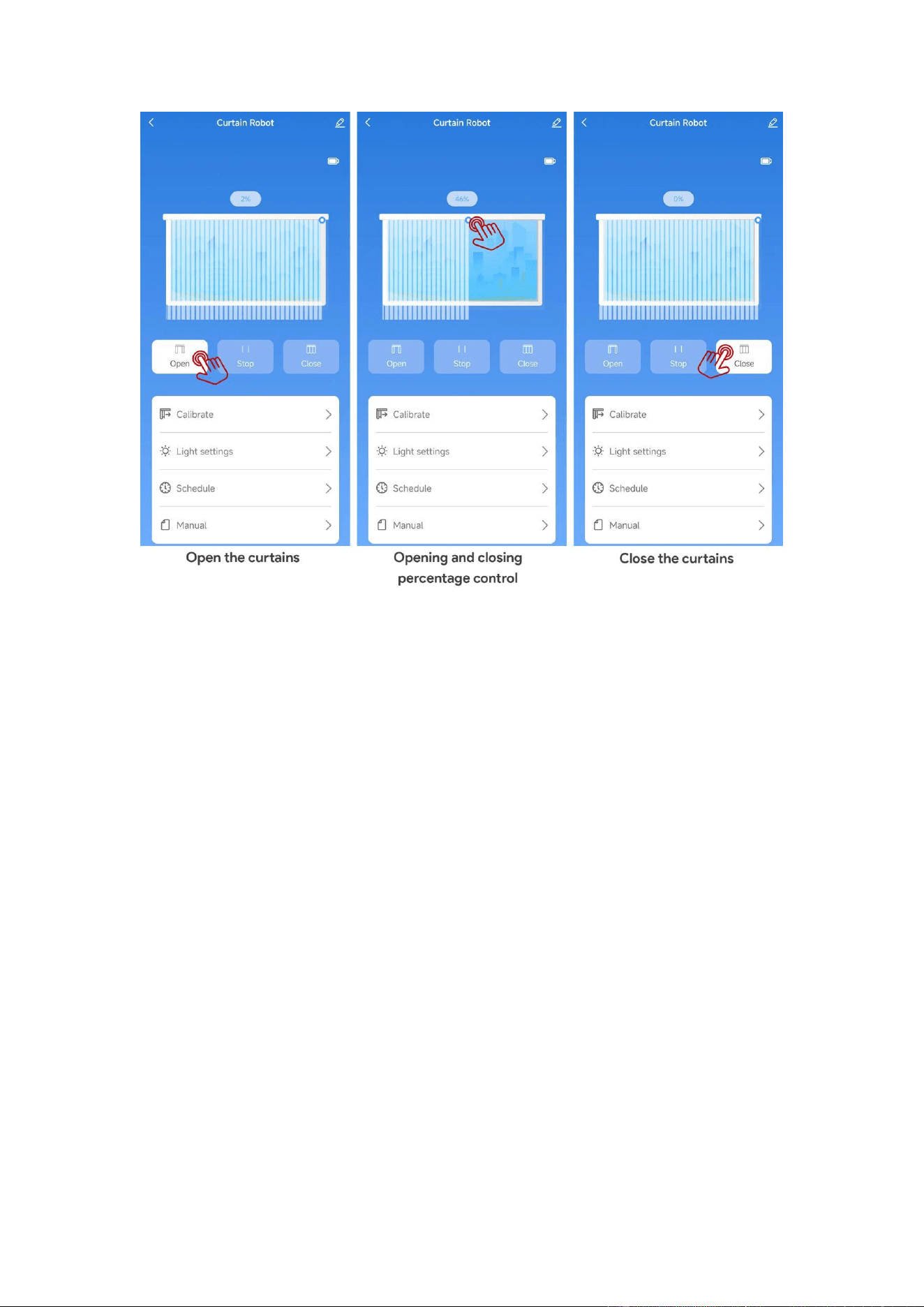
Note: For best performance, avoid manually pulling the curtains while the curtain
robot is in operation.
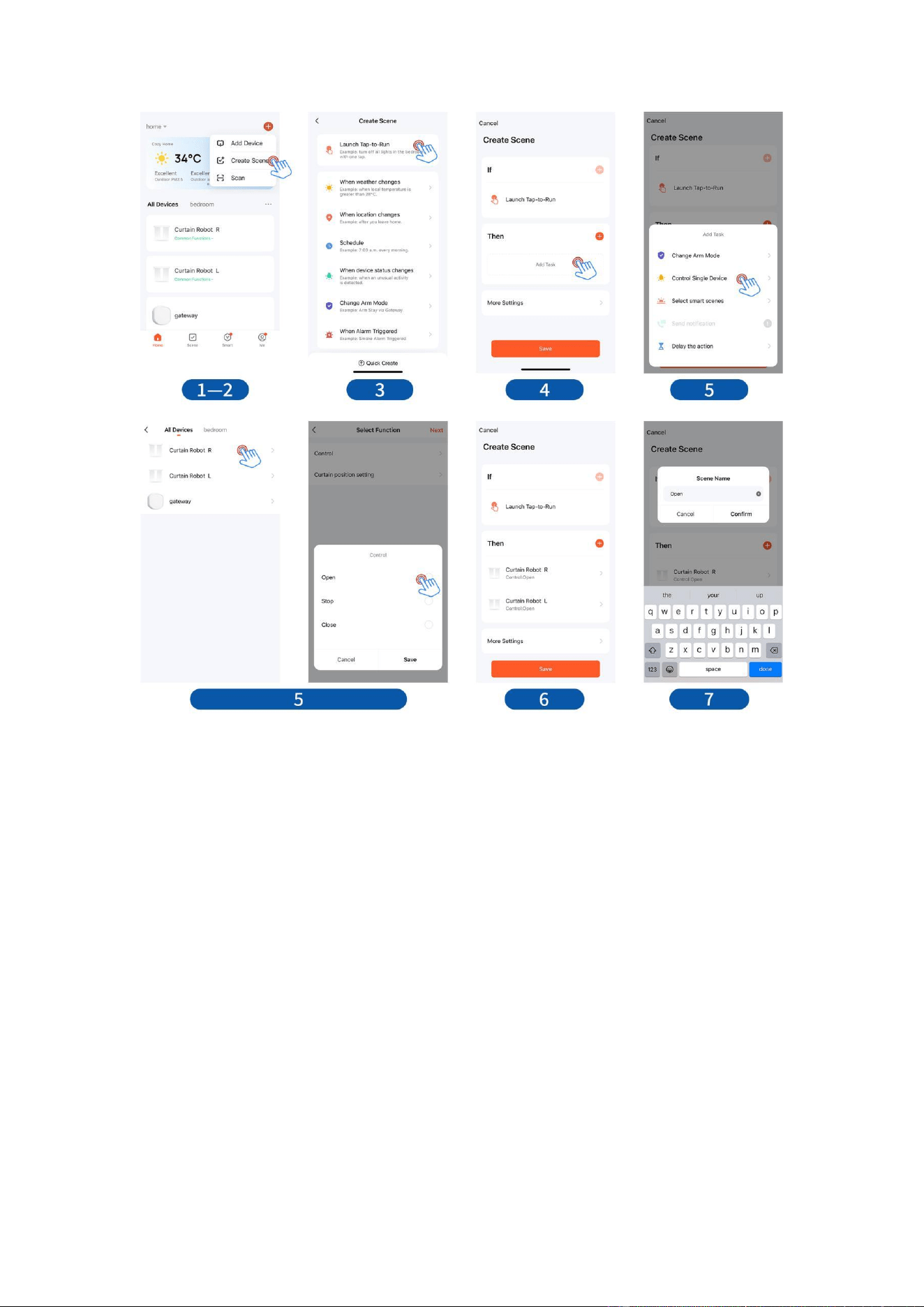
Double Curtains (2 curtain robots required)
After completing the calibration of the left and right curtains, you can control the
opening or closing of both sides simultaneously by following these steps:
1. Click "+" in the upper right corner of the Tuya Smart APP.
2. Click "Create Scene."
3. Click "Launch Tap-to-Run."
4. Select "Add Task."
5. In the task selection box, choose "Control Single Device" and select the curtain
robot you want to control. Choose "Open/Close" under control.
6. Repeat step 5 to add the other curtain robot.
7. Create a name for the tap-to-run, such as "Curtains Open," "Curtains Closed," etc.
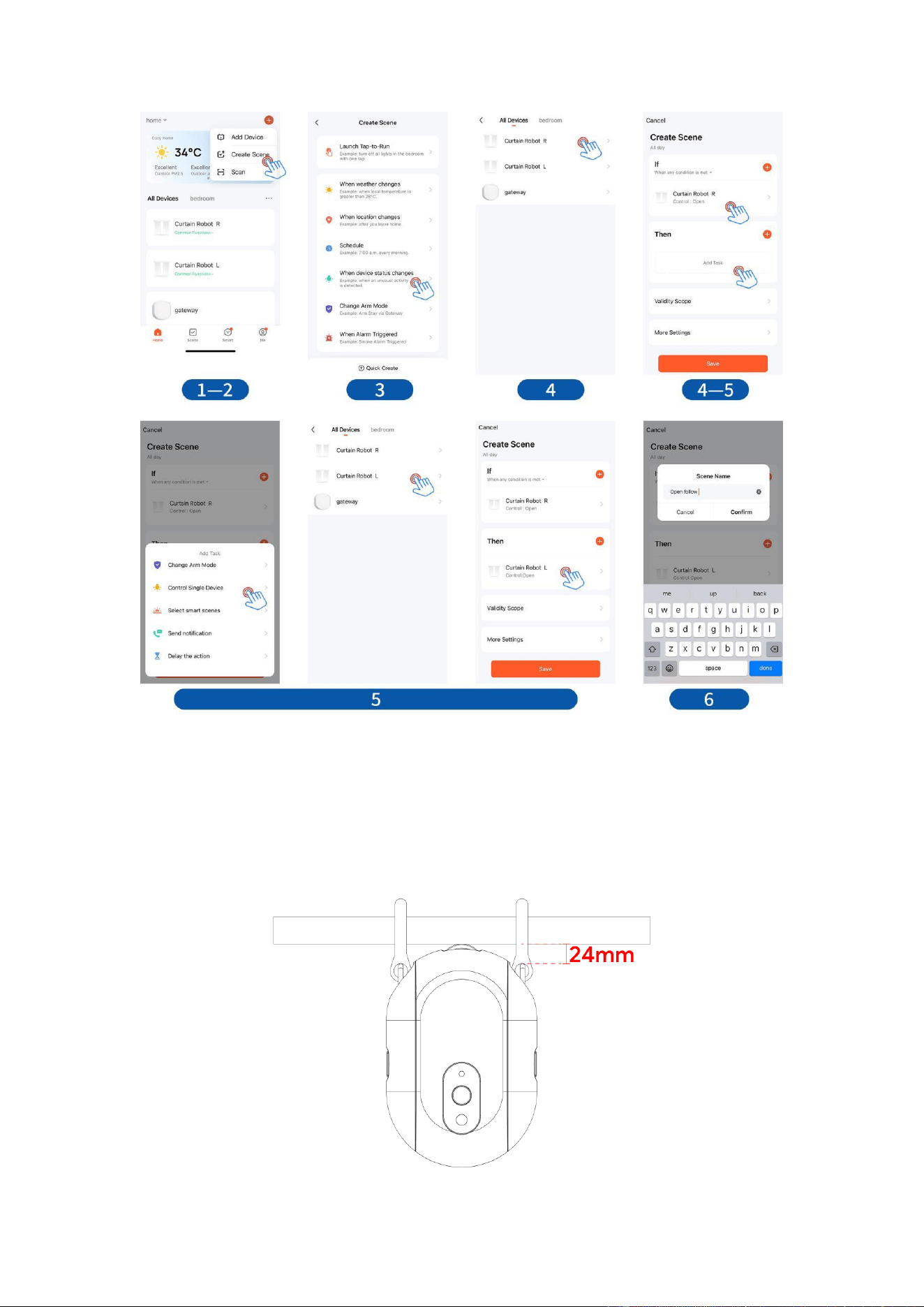
Curtain Follow (2 curtain robots required)
After completing the calibration of the left and right curtains, you can make device 2
perform the same or opposite action as device 1 by following these steps:
1. Click "+" in the upper right corner of the Tuya Smart APP.
2. Click "Create Scene."
3. Click "When device status changes."
4. In the "If" section, Select "Curtain Robot R" and choose "Control: Open"
5. In the "Then" section, add "Curtain Robot L" and choose "Open/Close" under
control.
6. Create a name for the scene, such as "Open Follow," "Close Follow," etc.
7. Repeat steps 1-6 to add as many smart scenes as you want.
Use of Roman poles
When the distance between the pull ring hook position of the Roman pole and the
bottom end of the pole does not exceed 24 millimeters, this product can be directly
applied without the need to purchase additional Roman pole accessories. Please
refer to the attached example diagram for more details for intuitive understanding.

Warning
This product is not waterproof. It contains batteries and therefore should not be used
in damp or high-temperature environments. Do not obstruct the movement of the
curtain robot while it is operating, as this may cause damage to the internal
mechanical structure and the internal motor.
Specifications
Dimensions: 95 x 43 x 140 mm
Weight: 246 grams
Wireless protocol: Zigbee 3.0
Battery type: AA 1.5V
Working temperature: 0℃~45℃/ 32℉~113℉
Working humidity: 0 to 95% RH, non-condensing
Package content: 1 Curtain Robot