
- 1 -
)
- 3 -
Table 1-1
or “Sign-off”
Welcome Sign-in
10:12
06-05-14 Tue
①
②
③ ▲ ▼
→ ▲ ▼
→ ▲
▼ →
→
- 7 -
→ →
→ →
- 9 -
→ →
→ →
▼
►
►
- 11 -
Table 1-2
- 13 -
→ →
→
▲ ▼
- 15 -
►
►
▲ ▼
►
►
►
▼
►
▼
►
▲ ▼
- 19 -
▼
►
▲ ▼
▲ ▼
→ → →
▼
►
- 21 -
▼
►
▲ ▼
- 23 -
→
▼
►
- 25 -
→ → →
▲ ▼
▼
►
▼
►
▲ ▼
- 27 -
→ → →
▼
►
▼
►
▼
►
- 29 -
▼
►
▼
►
- 31 -
①
②
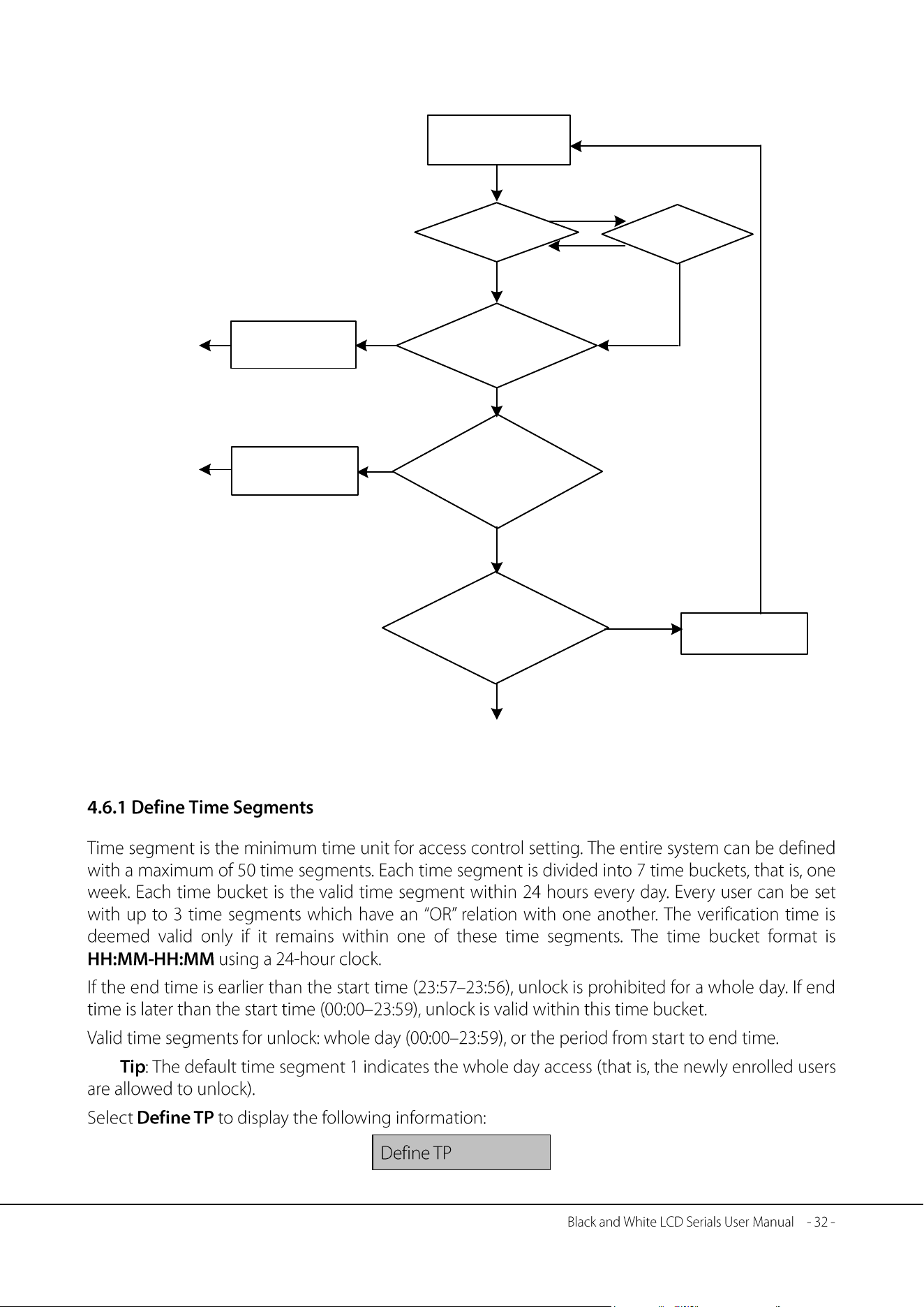
Yes
Yes
Unlock
combination
No
Next user
group
No
Attendance
Invalid group
combination
Yes
The user group
lies in the unlock
combination
No
Verification
succeeds, but
the door does
not unlock
Invalid time
segment
Valid time
Yes
Group time
segment
No
No
User time
Press a finger
Meet the
conditions of certain unlock
combination
- 33 -
▲
▲
▲
▲
▲
▲
- 35 -
▲
▲ ▼
▲
▲
▲
→ → →
▲
- 37 -
▲
①
②
→ →
▲ ▼
- 39 -
►
▲ ▼
→ →
▲ ▼
▲
►
▲ ▼
→ →
▲ ▼
►
▲ ▼
→ →
▲ ▼
▲
►
▲ ▼
▼
►
▲ ▼
▼
►
▼
▼
▼
▲ ▼
▲
►
- 41 -
▲ ▼
▲
►
▼
►
▲ ▼
▲ ▼
▲ ▼
▼
►
▲ ▼ ▲ ▼
▼
►
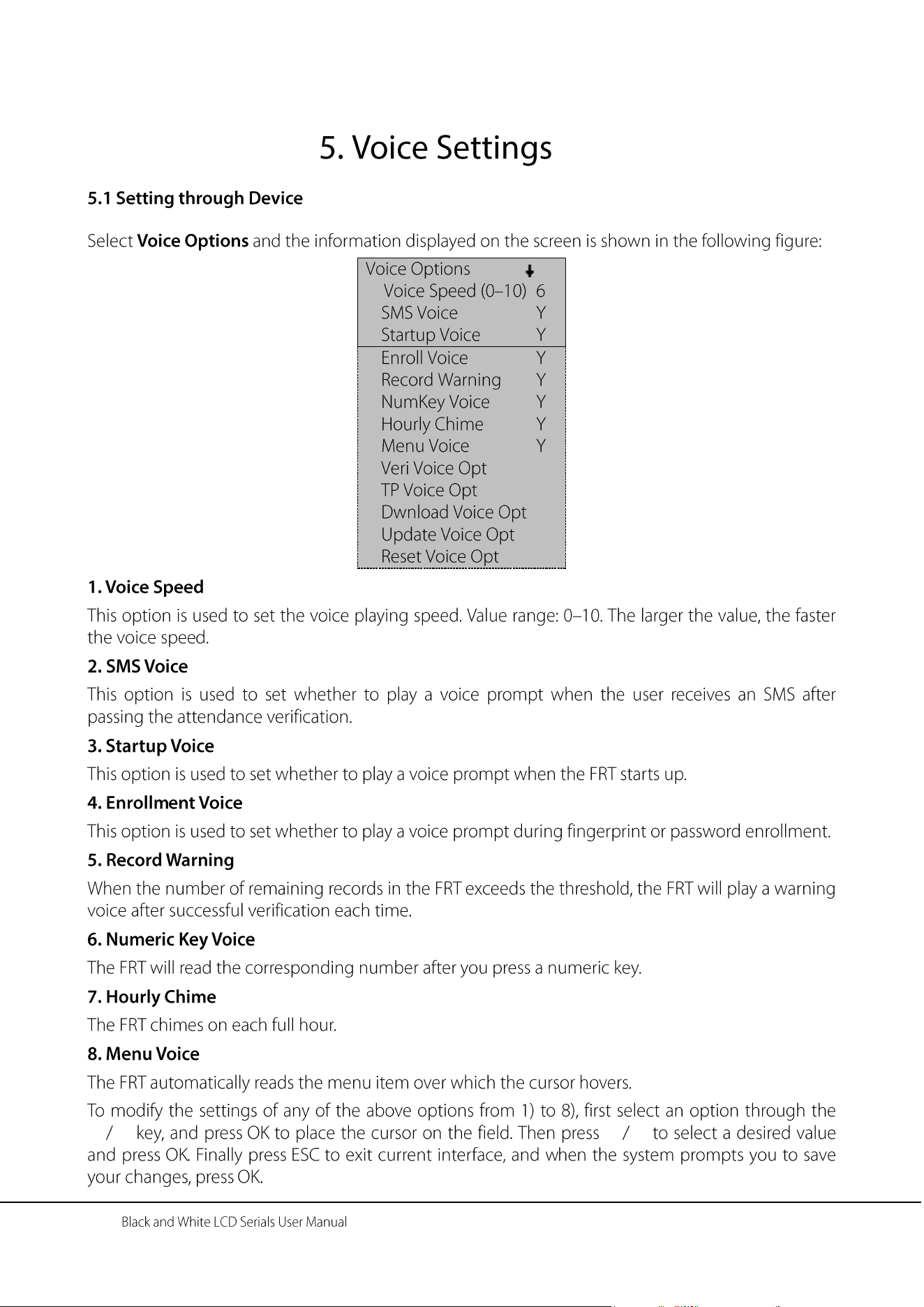
- 43 -
★
►
▲ ▼ ▲ ▼
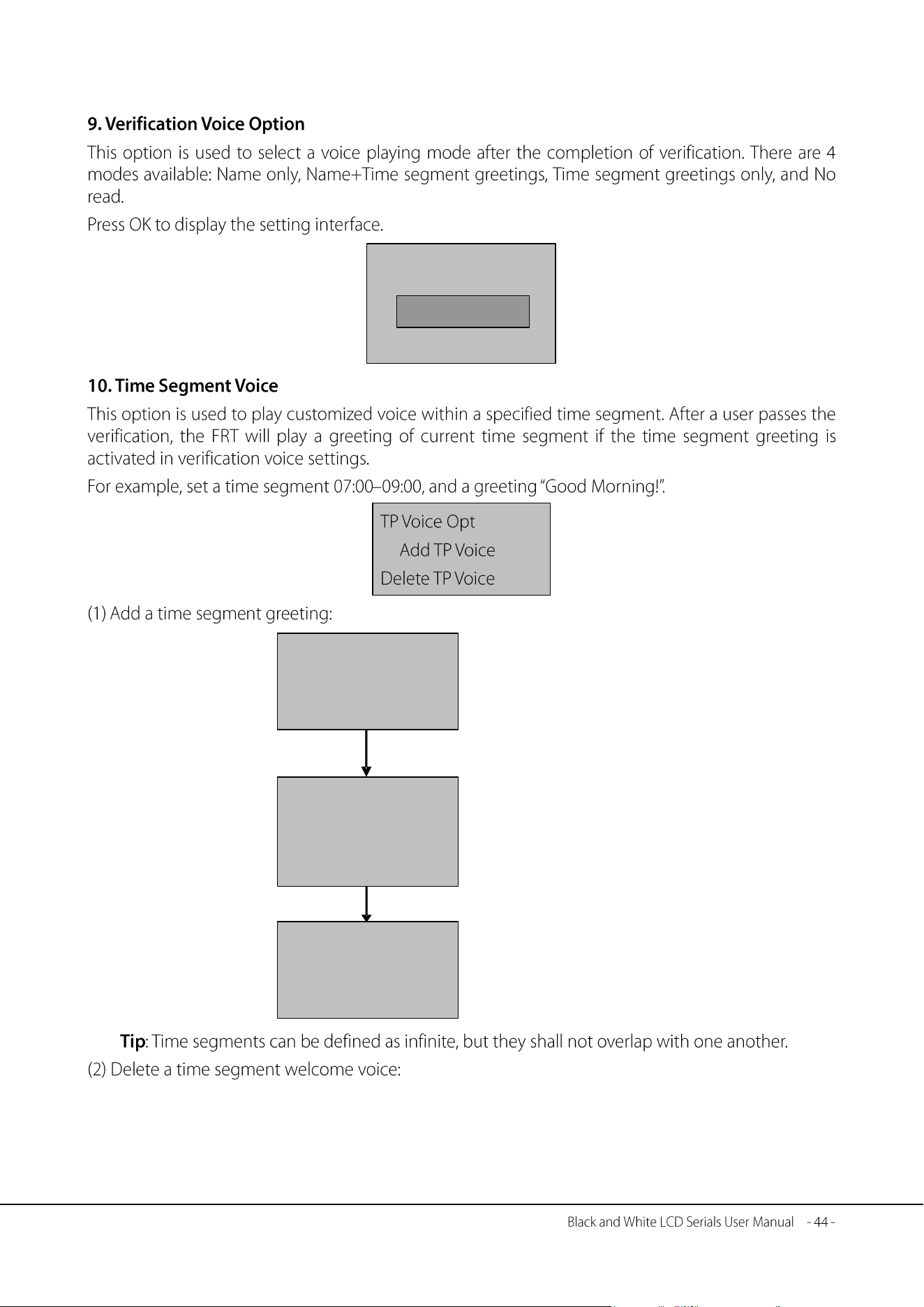
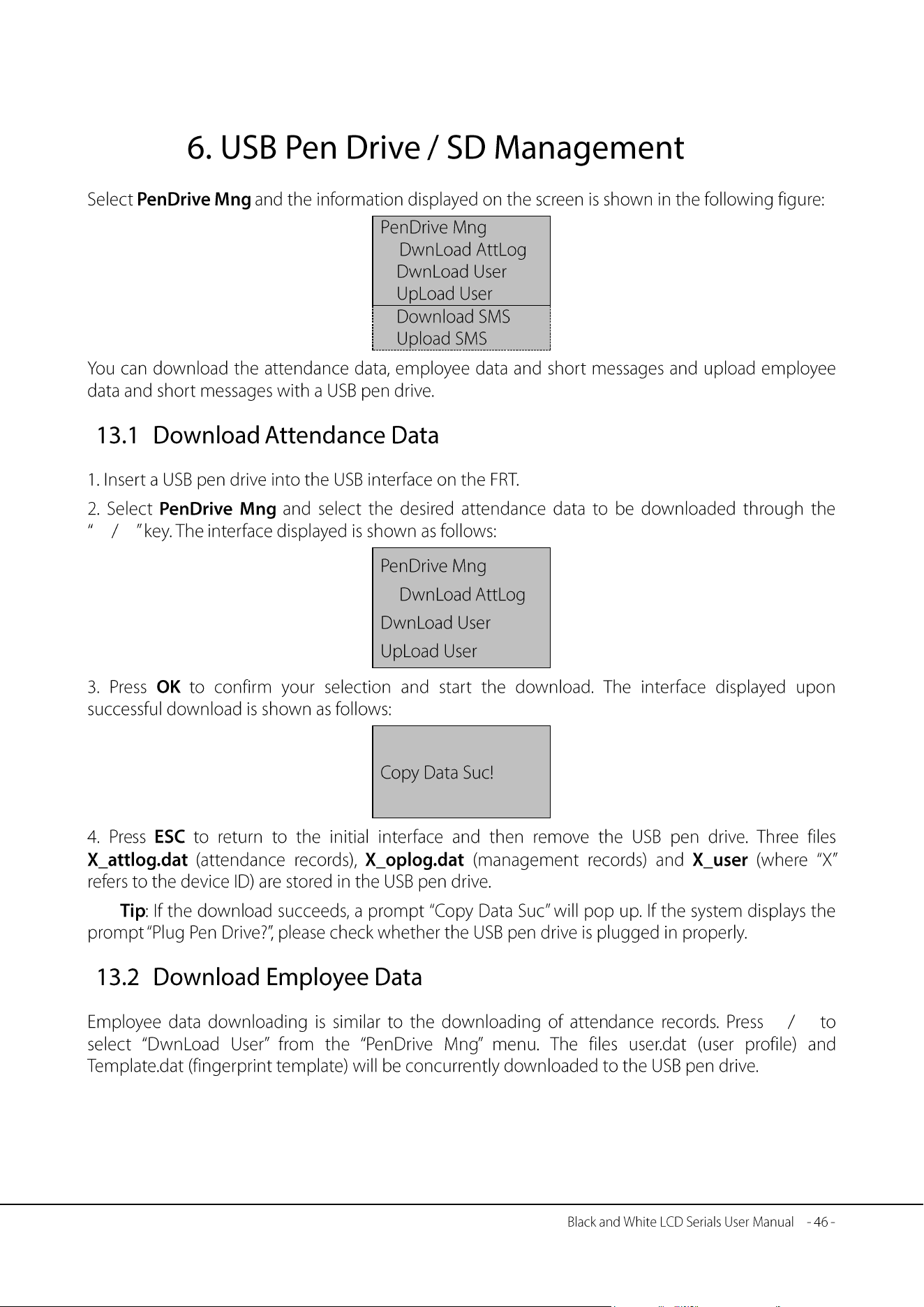
Veri Voice Opt
Name only
ESC OK
►
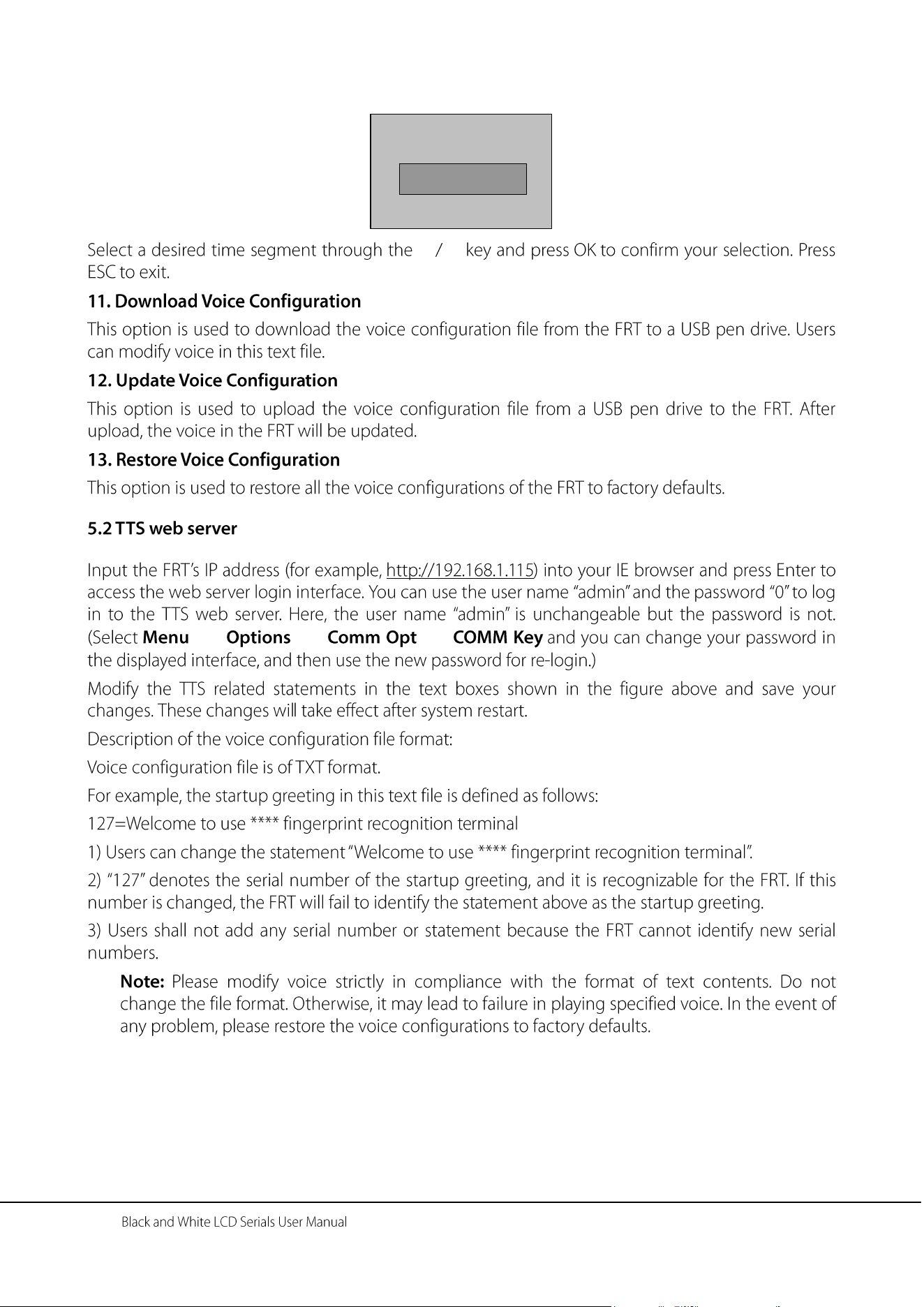
TP Name
Morning
OK 0
TP Voice Opt HH:MM
Start 07:00
End 09:00
ESC OK
OK
Welcome tone
OK 0
Set the start and end
time of this time
segment.
Input a greeting (length:
1–16 letters) for this
time segment using T9
input method.
Input a time segment
name using T9 input
method.
OK
★
▼
►
▲ ▼
▼
►
▲ ▼
- 47 -
▲ ▼
★
▲ ▼
★
→
→ → →
→ →
▼
►
▼
►
- 49 -
★
►
★
- 51 -
★
→
▲
▼
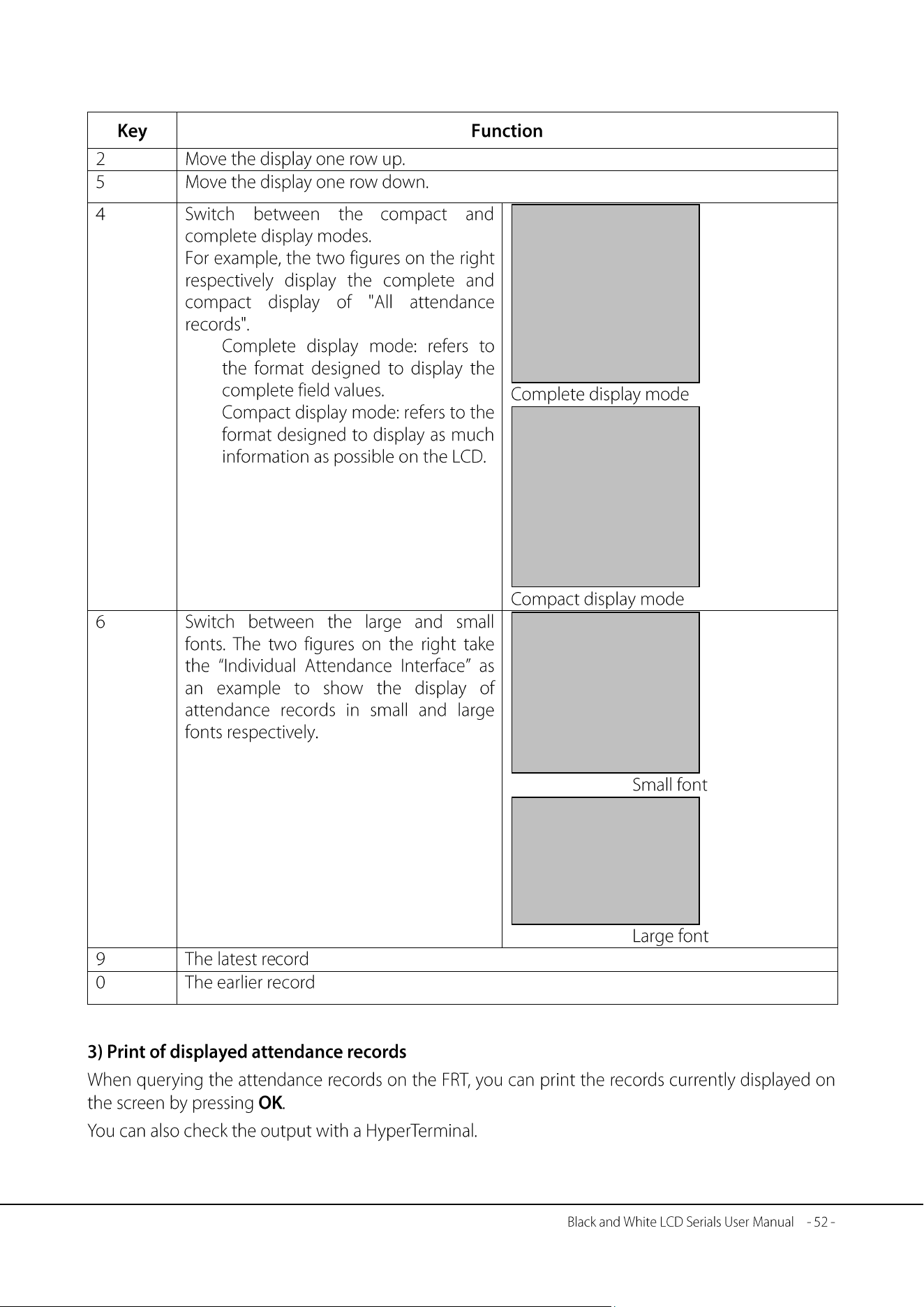
00014 2006-5 1/23
27 08:30 12:10 13:20
18:08
26 08:46 12:15 13:25
18:23 18:55 22:20
25 08:53 12:07 13:19
18:23
1/380
00001 05-27 18:46:21I
00012 05-27 18:32:09I
00217 05-27 18:30:52I
00031 05-27 18:29:01I
00016 05-27 18:27:55I
00029 05-27 18:22:08I
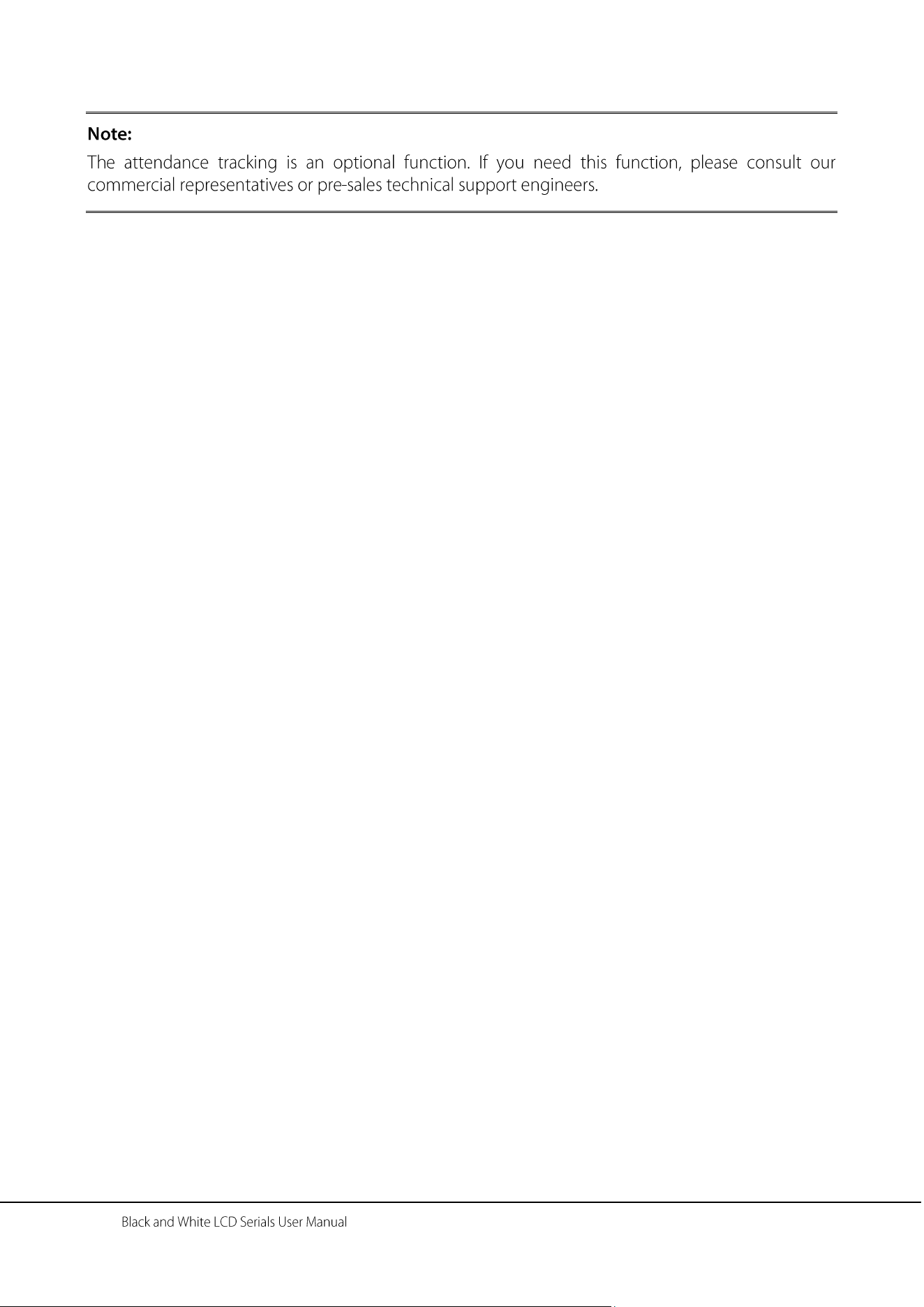
1/380
00001 27 18:46IF
00012 27 18:32IF
00217 27 18:30IF
00031 27 18:29IF
00016 27 18:27IF
00029 27 18:22IF
27 08:30 12:10
13:20 18:08
26 08:46 12:15
13:25 18:23
18:55 22:20
- 53 -
Table 1-3
- 55 -
- 57 -
▲ ▼
→ → →
→
)
- 59 -
)
)
)
)
)
)
)
)
Modem
PSTN
PSTN
Black
Green
White
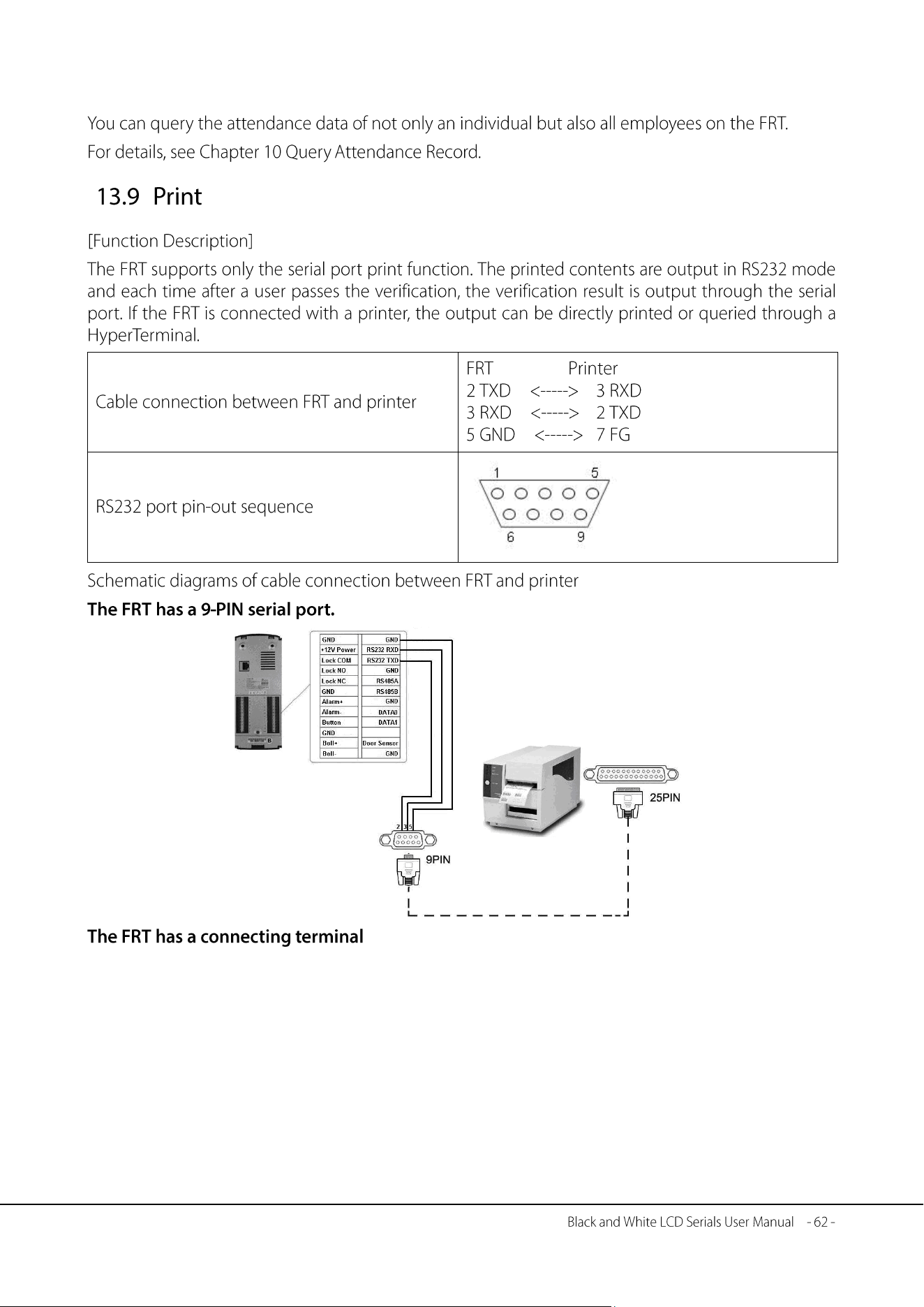
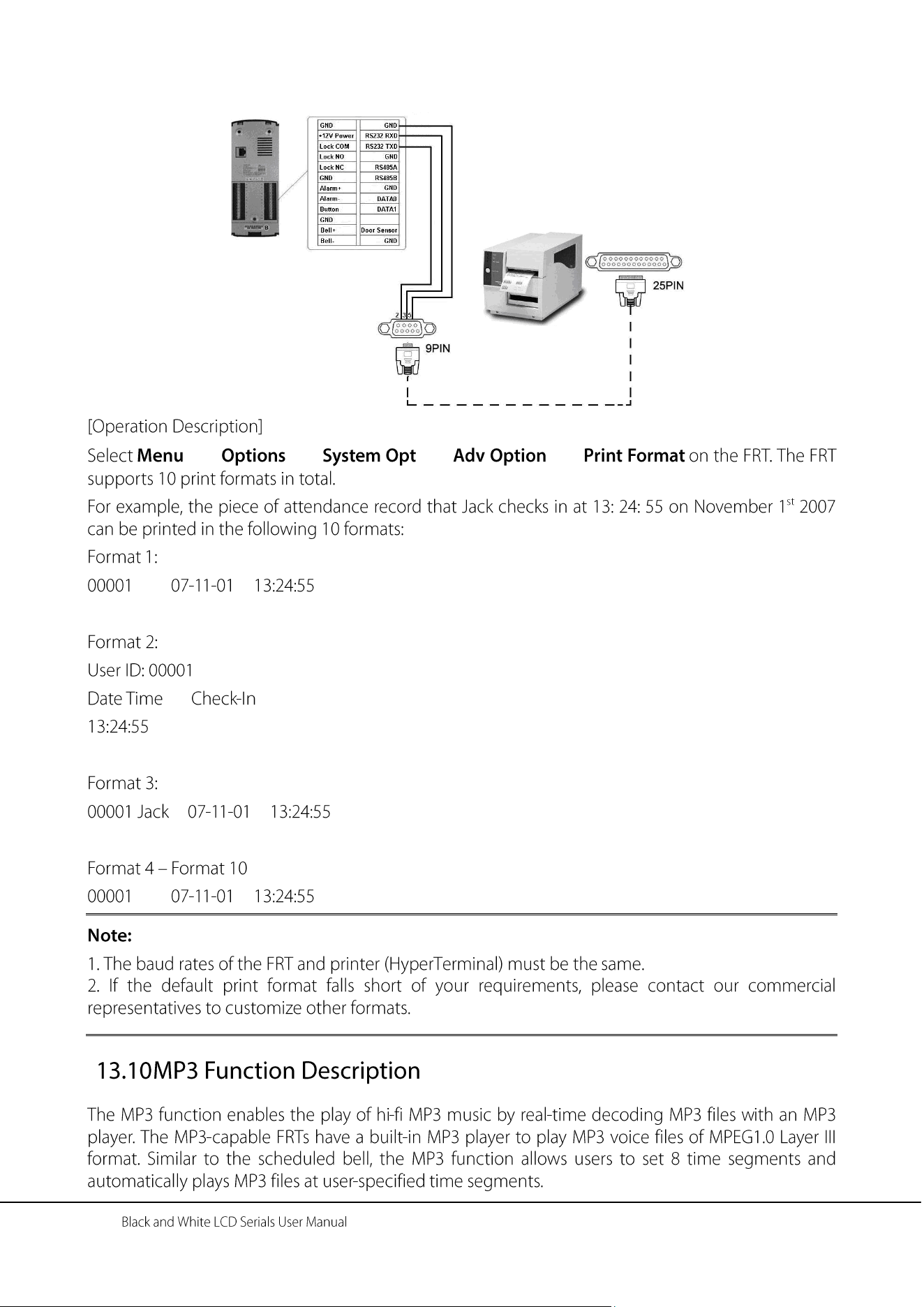
Printer
- 63 -
Black
Green
White
Printer
→ → → →
→ → →
→ → →
- 65 -
→ → → →
→ → →
→
→
→ → →
→ →
←
←
←
- 67 -
←
←
←
←
←
←
←
←
←
←
←
←
←
←
←
- 69 -
←
- 71 -
①
②
-
)
①
②
- 73 -
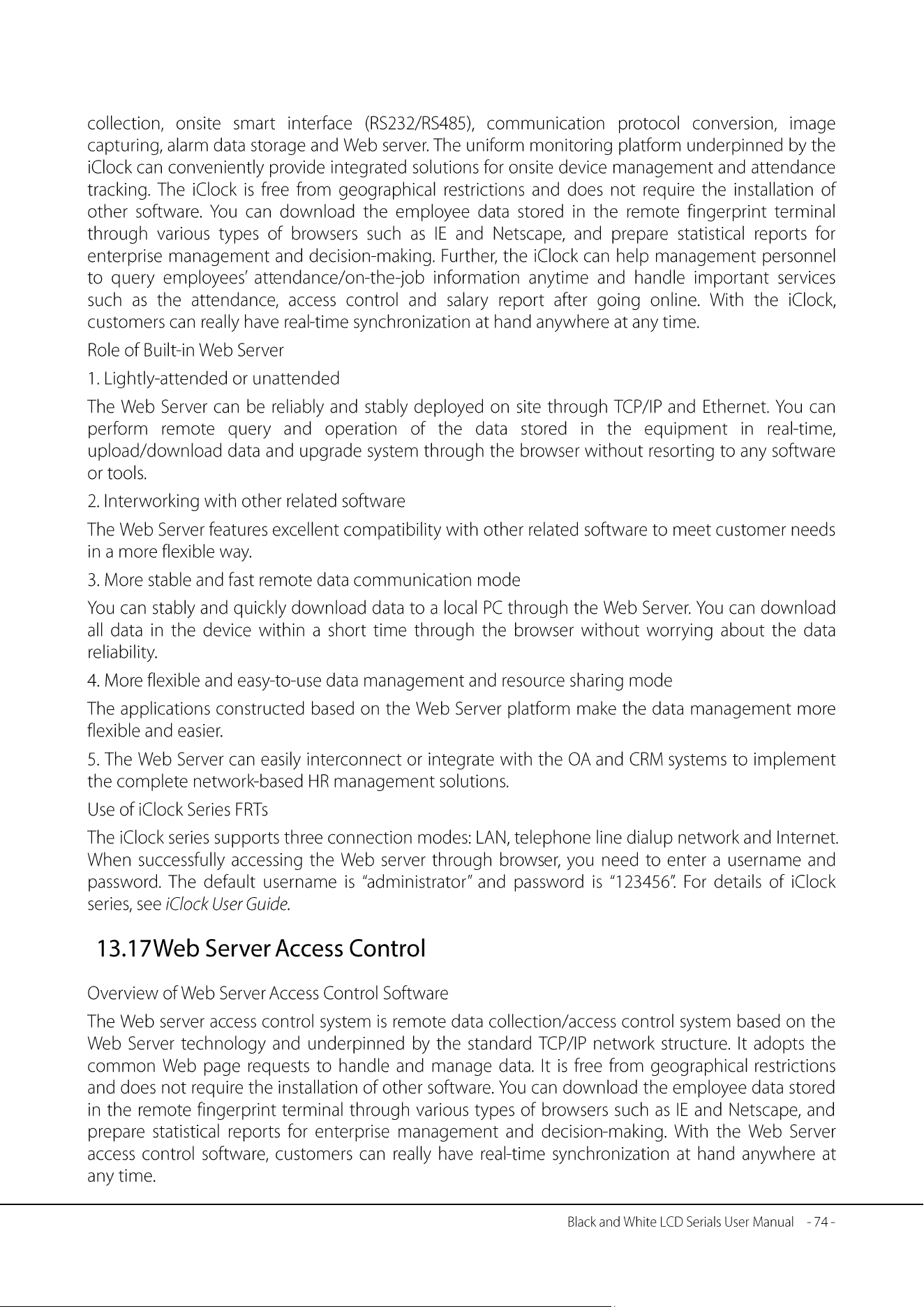
PC
Central Database can
double as the
verification server
PC_server PC_server
RIS
FRT
FRT
FRT
FRT
Primary
server
Secondary
server
→ → →
→ →
- 77 -
- 79 -
- 81 -
→ →
→
→ →
→
→ → →
▲
▲
▲
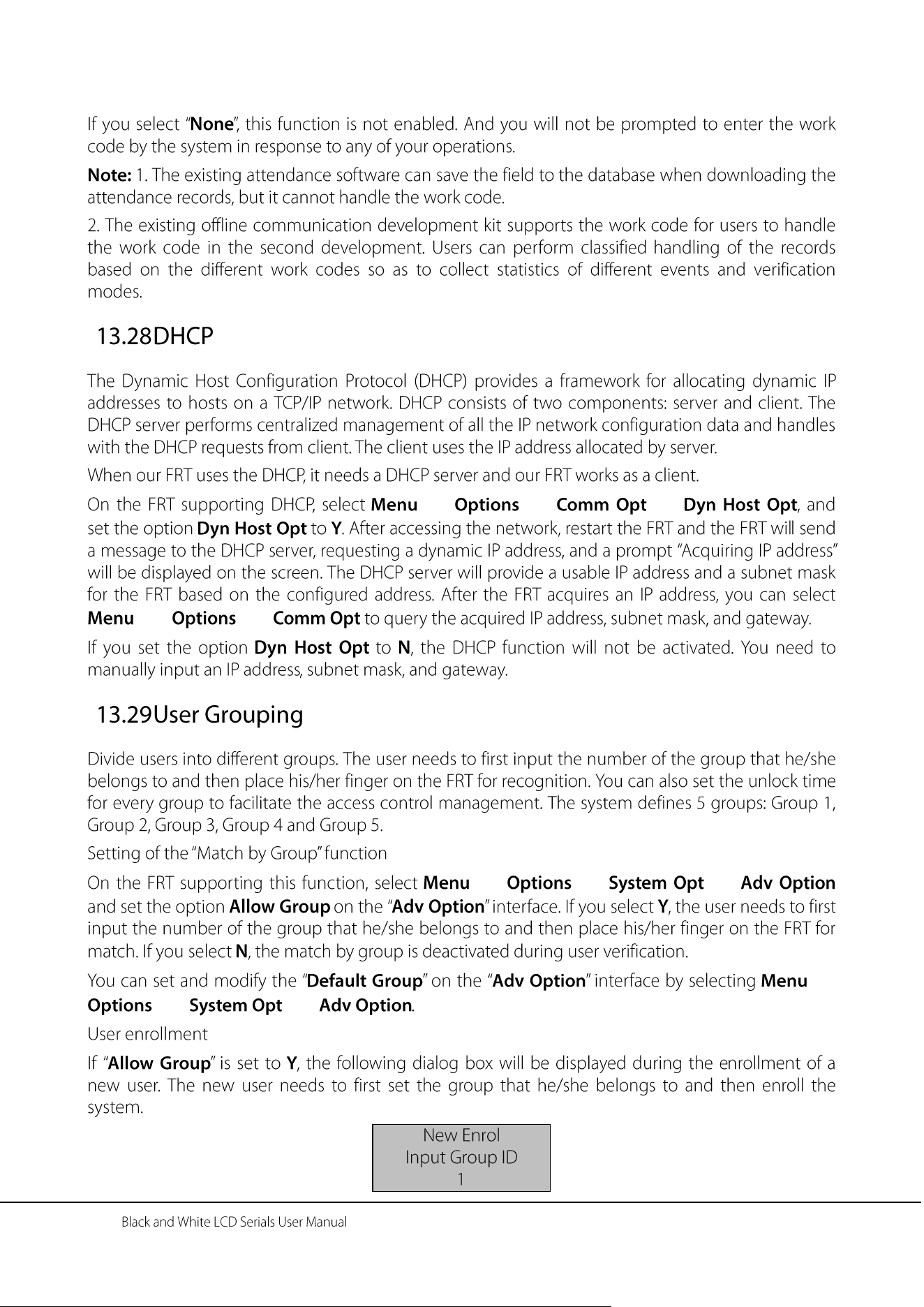
- 83 -
→ → →
→ →
→ → →
→
→ →
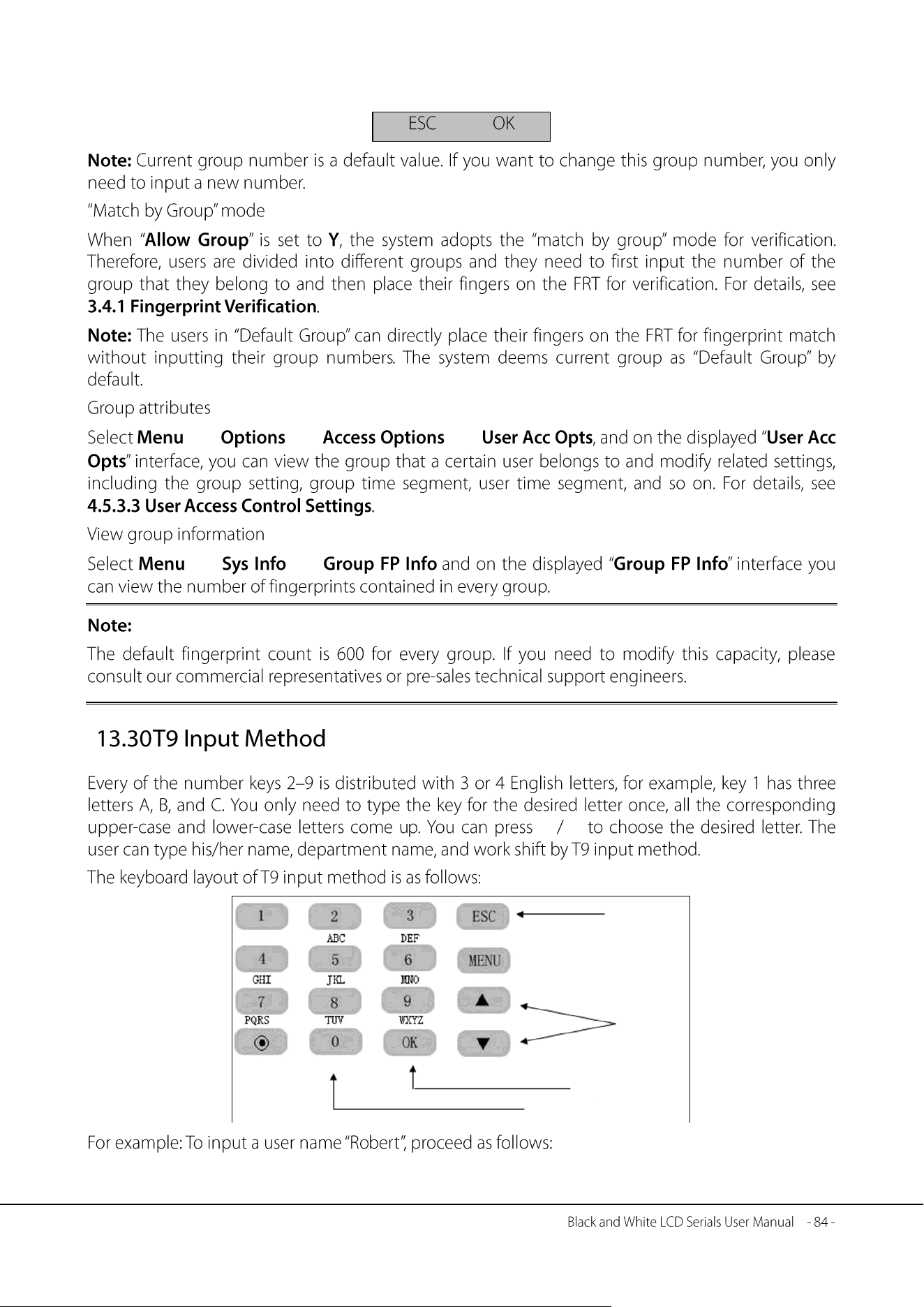
→ → →
→ →
▲ ▼
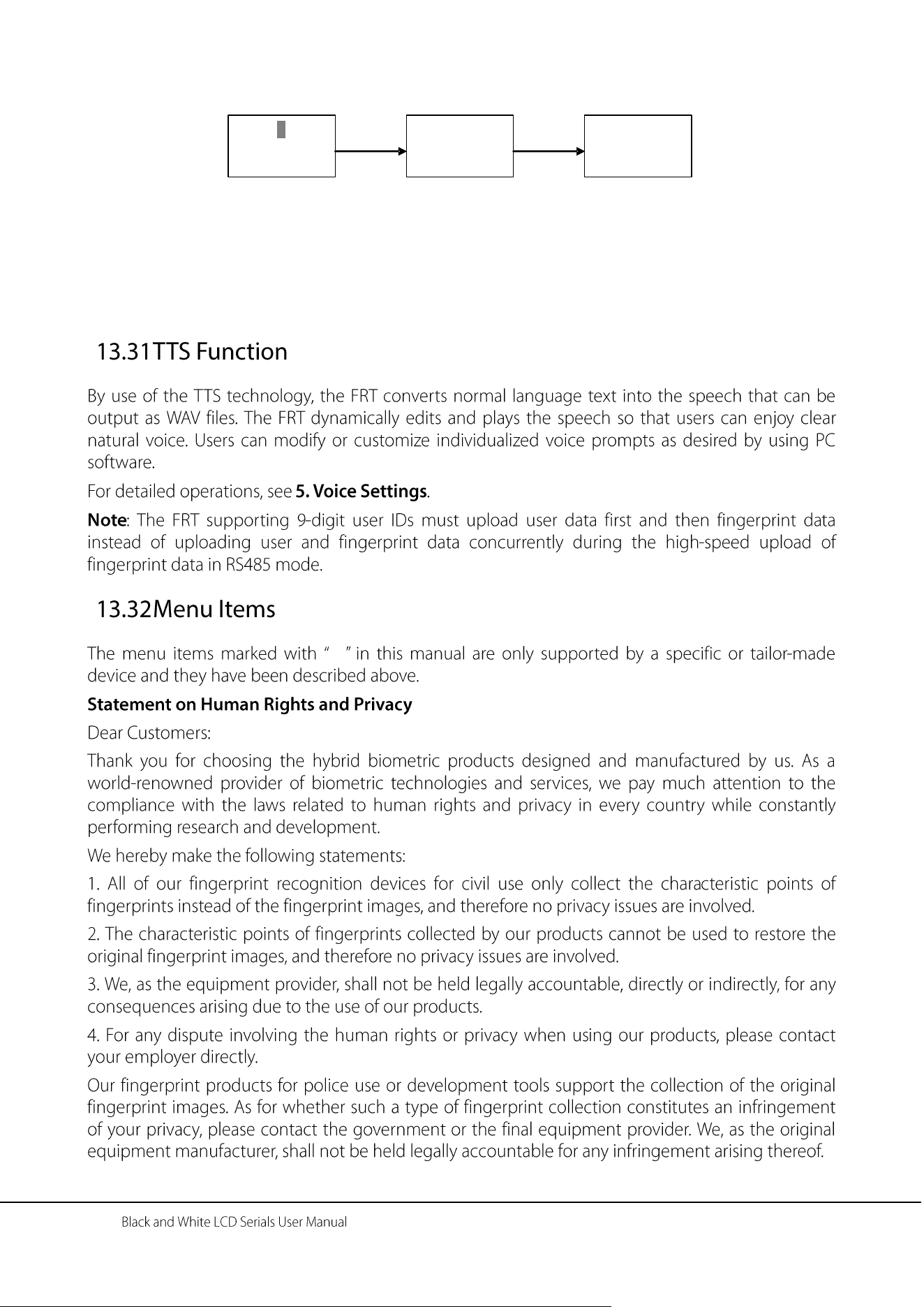
Exit
Select
characters
Exit
Confirmation key
- 85 -
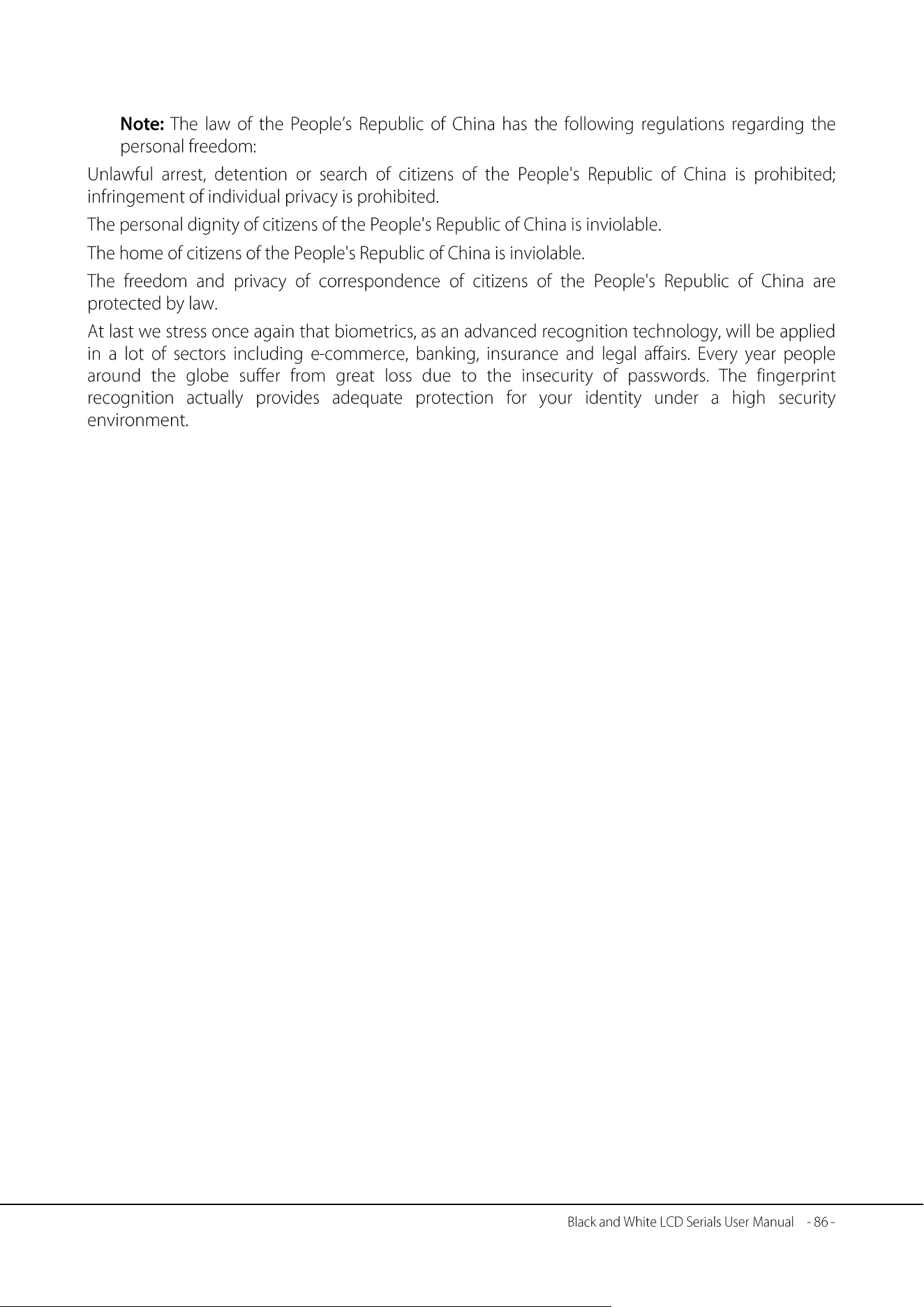
……
Type a name
R
Choice OK Del 0
Type a name
Robert
Choice OK Del 0
Press the numeric
key “7” where the
letters PQRS
reside, and press
▼ to locate “R”.
The letter “R”
appears on screen.
Type the rest lower-
case letters o, b, e, r,
and t in the same
way. Press “0” key to
cancel an incorrect
key press.
After finishing the
input, press OK to
confirm.
Press OK
P p Q q R r S s
- 87 -