User Manual
1. Product Overview
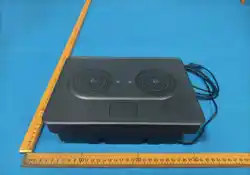
Thank you for choosing our Multifunctional Cup Holder with integrated
2.0 speaker system. This device combines a practical cupholder with
a built-in stereo speaker, supporting single-mode Bluetooth audio
playback. It is designed for indoor fixed installations only, not for
portable use.
1.1 Key Features
- Integrated 2.0-channel stereo speaker system
- Bluetooth wireless audio streaming
- Stable DC 24V–36V power supply
- Recessed installation design for seamless integration
- Simple pairing and plug-and-play operation

1.2 Specifications
Parameter Details
Product Name Multifunctional Cup Holder (2.0 Speaker)
Power Supply DC 24V–36V
Audio Output 2.0 Channel Stereo
Bluetooth Version double-mode Bluetooth
Bluetooth Range Up to 10 meters (open space, no obstacles)
Operating Environment fixed use only
2. Safety Precautions
Please read and follow these safety guidelines before use:
- Power Safety: Only use a regulated DC 24–36V power adapter that meets
safety standards. Do not connect to any other voltage range, as this may
cause permanent damage or fire hazards.
- Installation: Install the device in a flat, stable, well-ventilated
location. Do not block the speaker grille or ventilation openings.
- Water & Moisture: Keep the unit away from liquids, high humidity, or
rain. Do not immerse any part of the device in water.
- Disassembly: Do not attempt to open, modify, or repair the device
yourself. Unauthorized disassembly will void the warranty and may cause
electric shock.
3. Package Contents
Please verify that all items are included in the package before
installation:

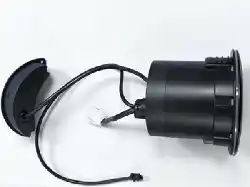
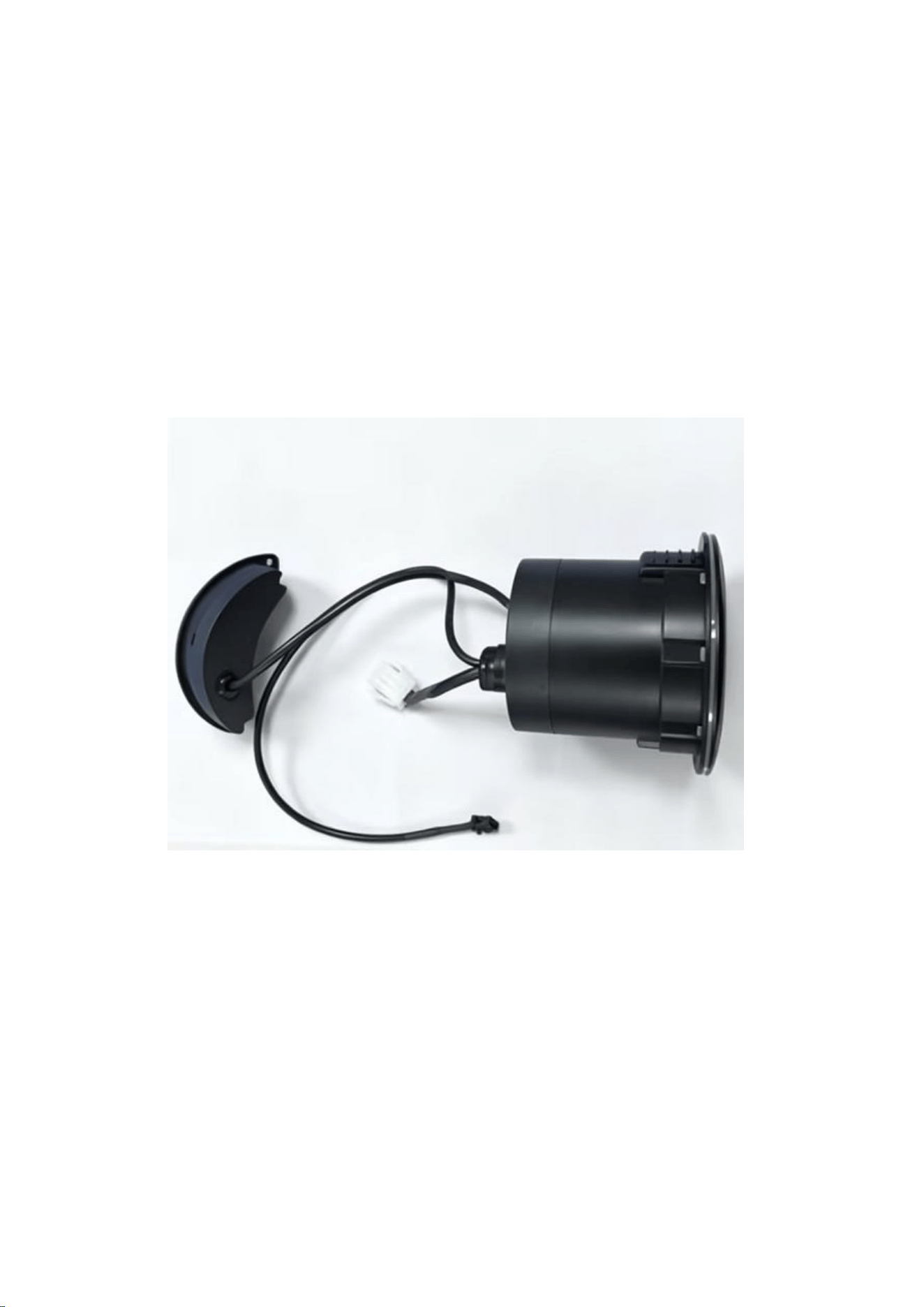
1. Multifunctional Cup Holder (with built-in 2.0 speakers) ×1
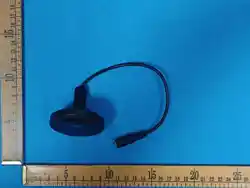
2. Wiring harness (with power/control connectors) ×1
3. User Manual ×1
4. Installation Instructions
1. Location Selection: Choose a suitable position for recessed
installation (e.g., furniture, cabinet, or custom fixture) that matches
the device’s dimensions. Ensure there is enough space for the unit and
wiring.
2. Mounting: Secure the main unit in the pre-cut opening using the
mounting clips or brackets (compatible with standard recessed
installation requirements).
3. Power Connection:
- Connect the white power connector to a regulated DC 24–36V power supply.
- Double-check that the positive (+) and negative (-) terminals are
correctly aligned to avoid short circuits.
4. Control Wiring: If applicable, connect the additional control wires
to the matching interface (for future expansion or system integration,
if required).
5. Final Check: Ensure all connections are tight and insulated, then test
the power supply before proceeding to operation.
5. Operation Guide
5.1 Powering On
- After connecting the DC 24–36V power supply, the device will
automatically enter standby mode. The Bluetooth function will activate
within 3 seconds.
5.2 Bluetooth Pairing (Single-Mode)

1. On your audio device (smartphone, tablet, or computer), enable
Bluetooth in the settings menu.
2. Search for available Bluetooth devices. The controller will appear
as Cupholder Speaker (default name; may vary by batch).
3. Select the device to connect. If prompted, enter the default pairing
code 0000 or 1234 .
4. A confirmation tone (or LED indicator, if present) will signal
successful pairing.
5. Once paired, the device will automatically reconnect to your audio
device when powered on (if within range).
Note: This is a single-mode Bluetooth device. It can only connect to one
audio device at a time. Disconnect the current device before pairing a
new one.
- After pairing, play audio from your connected device. The sound will
be output through the integrated 2.0 stereo speakers.
- Adjust the volume using your audio device’s controls (the unit itself
does not have independent volume control unless specified).
6. Troubleshooting
Issue Possible Cause Solution
No power Loose connection, incorrect voltage, or faulty power supply Check
wiring connections; confirm the power supply is DC 24–36V.
Bluetooth not found Device not powered on, out of range, or already paired
to another device Verify power is on; move the audio device within 10
meters; unpair existing devices.
Connected but no sound Muted audio device, low volume, or connection
glitch Unmute your device; increase volume; disconnect and re-pair
Bluetooth.
Distorted audio Insufficient power supply, overheating, or obstruction
of the speaker grille Check power stability; ensure ventilation; clean
the speaker grille if blocked.

7. Maintenance & Care
- Clean the cupholder surface and speaker grille with a soft, dry cloth.
Do not use water, alcohol, or harsh chemical cleaners.
- Inspect the wiring harness periodically for signs of wear, fraying, or
damage. Replace damaged cables immediately.
- If the device is not in use for an extended period, disconnect the power
supply and store it in a cool, dry place.
8. Warranty & Support
This product comes with a 1-year limited warranty against manufacturing
defects. The warranty does not cover damage from misuse, improper
installation, water exposure, or unauthorized modification.
For technical support or warranty claims, please contact your authorized
supplier.
FCC Warning
This device complies with part 15 of the FCC rules. Operation is subject
to the following two conditions: (1) this device may not cause harmful
interference, and (2) this device must accept any inte rference received,
including interference that may cause undesired operation.
Changes or modifications not expressly approved by the party responsible
for compliance could void the user's authority to operate the equipment.
NOTE: This equipment has been tested and found to comply with the limits
for a Class B digital device, pursuant to part 15 of the FCC Rules. These
limits are designed to provide reasonable protection against harmful
interference in a residential installation. This equipment generates uses
and can radiate radio frequency energy and, if not installed and used in
accordance with the instructions, may cause harmful interference to radio
communications. However, there is no guarantee that interference will not
occur in a particular installation. If this equipment does cause harmful
interferenceto radio or television reception, which can be determined by
turning the equipment off and on, the user is encouraged to try to correct
the interference by one or more of the following measures:

• Reorient or relocate the receiving antenna.
• Increase the separation between the equipment and receiver.
• Connect the equipment into an outlet on a circuit different from that
to which the receiver is connected.
• Consult the dealer or an experienced radio/TV technician for help.
The users manual or instruction manual for an intentional or unintentional
radiator shall caution the user that changes or modifications not
expressly approved by the party responsible for compliance could void the
user's authority to operate the equipment
Radiation Exposure Statement
This equipment complies with FCC radiation exposure limits set forth for
an uncontrolled environment. This equipment should be installed and
operated with minimum distance 20cm between the radiator and your body.