Power Extender Kit (PEK) Manual
Part 1: Pre-Purchase Confirmation — Do You Need the Power Extender Kit (PEK)?
1. Core Function Description
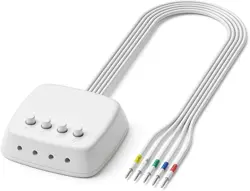
The Power Extender Kit (PEK) is a cost-effective accessory designed to provide
continuous power for ecobee smart thermostats in homes without a C-wire (common wire).
It eliminates the need to run a new C-wire, preventing issues such as thermostat
restarting or disconnection due to insufficient power. It is a convenient alternative to a
traditional C-wire.
Important Note: The PEK is only compatible with ecobee smart thermostats and 24VAC
systems. It is NOT compatible with millivolt systems, high-voltage systems,
dual-transformer systems, fan coils, or communication units. For these systems, the PEK
is unnecessary (and will not work if purchased).
2. Quick Confirmation Steps (3 Steps, No Professional Tools Required)
Step 1: Confirm Your ecobee Thermostat Model
Most ecobee thermostat models come with the PEK included in the package, so no
separate purchase is needed. Only the following two models require separate
confirmation/purchase:
•No need to purchase PEK separately: All ecobee models except the ecobee Smart
Thermostat Essential and Smart Thermostat Lite (PEK is included in the box);
•May need to purchase PEK separately: ecobee Smart Thermostat Essential, Smart
Thermostat Lite (PEK is not included, and you need to judge based on your own system).
Note: Scan the following QR Code for confirm Compatible Models
Step 2: Check Old Thermostat/Wall Wiring (Key Judgment)
Turn off the power to the thermostat (or the corresponding circuit breaker), remove the old
thermostat panel, and check the terminal labels on the wall wiring (usually printed on the
terminals). Focus on whether there is a C-wire (labeled "C"):
•Case 1: Has a C-wire (a wire connected to the "C" terminal) — No need to purchase the
PEK. You can install the ecobee smart thermostat directly, as the C-wire will provide
continuous power to the thermostat.
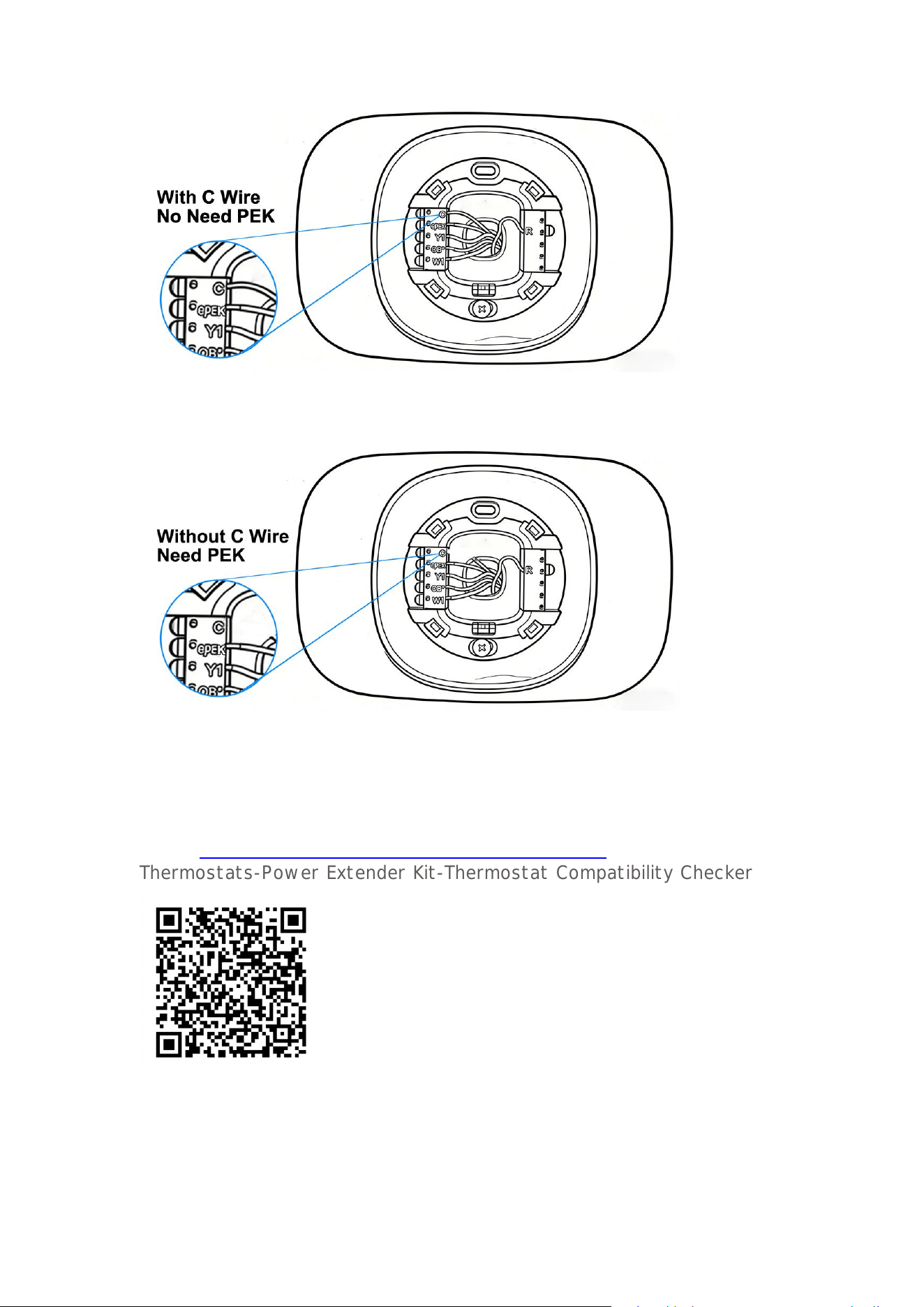
•Case 2: No C-wire (no "C" terminal, or no wire connected to the "C" terminal) — Proceed
to Step 3 for judgment;
Step 3: Use the Official Compatibility Check Tool (Most Accurate)
If you cannot determine clearly in Step 2, you can confirm using for ecobee official
compatibility check tool as follows:
1. Visit for ecobee official compatibility check page (you can scan the following QR code
or go to https://www.ecobee.com/en-us/compatibility/thermostat
Thermostats-Power Extender Kit-Thermostat Compatibility Checker
2.Follow the on-screen prompts to select your thermostat model, home heating/cooling
system type, and the terminal labels of your wall wiring;
3.The tool will automatically determine if your system needs a PEK and provide a clear
recommendation (if it prompts "Need a C-wire or PEK", then you need to purchase it)

How to connect the PEK to HAVC
Please Scan the QR code to get the video installation: