USER GUIDE
2013 Vw Jetta Replacement Stereo Radio
PVWJETTA13
Visit Our Website
SCAN ME
PyleUSA.com

www.PyleUSA.com
2
READ ALL INSTRUCTIONS CAREFULLY BEFORE USING THIS PRODUCT.
RETAIN THIS OWNER’S MANUAL FOR FUTURE REFERENCE.
COMPATIBILITY:
• 2013 VW Jetta
• Hassle-Free Plug-and-Play Connection
• Direct Fitment Replacement System
• No Additional Installation Cables/Wires Necessary
• Integrated CAN-Bus Controller
• Compare the visual appearance of your vehicle's receiver and dashboard console
to ensure system compatibility.
HEAD UNIT RECEIVER:
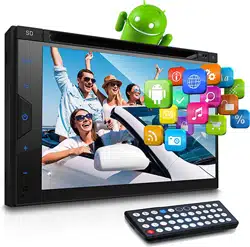
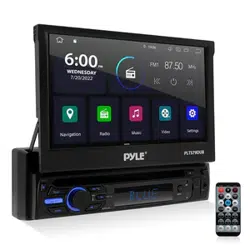
• High-Resolution 8.0" HD Digital Display
• Touch Screen Operation
• Built-In CD/DVD Player
• User-Friendly Digital Control Interface
• AM/FM Radio with 30-Station Memory
• USB Flash Reader (Mini-B)
• Micro SD Memory Card Reader
• Versatile Digital Media File Support
• 4-Channel RCA Pre-Amp Output / Subwoofer Output
• Picture Conguration Adjustments: Brightness, Contrast, Color
• Customizable EQ Audio Controls
• Parking Video Output Connector
• Includes Remote Control
GPS NAVIGATION:
• Touch Screen Control Interface
• Drive Safe & Smart: Navigation Route Planning
• Turn-by-Turn Voice Direction Assistance
• Included SD Card with Preloaded Maps
• Visual Map Guidance & Statistics Display
• Multi-Language Support

www.PyleUSA.com
3
BLUETOOTH CONNECTIVITY:
• Built-In Bluetooth for Wireless Music Streaming
• Hands-Free Calling with Built-In Microphone
• Compatible with Bluetooth Devices (iPhone, Android, Smartphones, iPad,
Tablets, etc.)
• Contact List Import Feature
• Digital Phone Dial Pad Display
• Bluetooth Version: 2.0 +EDR
TECHNICAL SPECIFICATIONS:
• Double DIN Universal Standard Size
• Power Output: 4 x 80 Watts (320 Watts Max.)
• Wide Screen TFT-LCD Display
• Pixel Resolution: 800 x 480
• Bluetooth A2DP Support
• 16:9 Aspect Ratio High Denition
• Impedance: 4 Ohms
• Signal-to-Noise Ratio: 70 dBA
• Frequency Response: 20 Hz - 20 kHz
• Video System: NTSC/PAL (Auto Recognition)
• Response Time: Up - 30 ms, Down - 50 ms
• AM/FM-MPX 2-Band Radio - Auto Store, Preset, Scan
• Anti-Shock Mechanism - ESP Function
• LO/DX & ST/MO Selector
• PLL Synthesizer Tuner
• Selectable USA/Europe Radio Frequencies
• 8GB SD Card with USA/Canada/Mexico Maps
• Multimedia Disc Support: DVD/VCD/CD/CD-R/CD-RW
• File Compatibility: JPEG, MP3, MP4, AVI, WAV, and more
• Maximum USB/SD Flash Memory Card Support: 64 GB
• Working Voltage: DC 12V
• AM/FM Vehicle-Specic Antenna Adapter Required
(Metra: 40-EU20/40-EU55/40-EU56)
California Prop 65 Warning
WARNING:
This product may expose you to chemicals, which is known to
the state of California to cause cancer, birth defects and other
reproductive harm. Do not ingest.
For more info go to: www.P65warnings.ca.gov

www.PyleUSA.com
4
IMPORTANT SAFETY INSTRUCTIONS
1. Read and Follow All Instructions: Carefully read through all instructions before
operating the unit to ensure safe usage and optimal performance.
2. Keep Away from Water and Moisture: Avoid exposing the device to water, rain,
or excessive moisture to prevent electric shock, re, or damage to the system.
3. Ventilation: Ensure the device is placed in a well-ventilated area.
Do not block ventilation openings, as this may cause overheating.
4. Avoid Extreme Temperatures: Do not place the device in areas of extreme
temperature, such as direct sunlight or near heat sources, as this may damage
internal components.
5. Power Supply: Use only the recommended power supply for the unit. Connect
the power cord to a properly grounded outlet to prevent electrical hazards.
6. Handle with Care: Do not drop or subject the device to strong physical impacts,
as this can damage internal components.
7. Avoid Overloading Electrical Outlets: Do not overload wall outlets, extension
cords, or power strips to avoid risk of re or electric shock.
8. Use Appropriate Accessories: Only use accessories specied by the
manufacturer to prevent damage to the device.
9. Cleaning: Before cleaning, disconnect the device from the power source. Use a
soft, dry cloth to clean the surface. Do not use abrasive cleaners or solvents.
10. Service: Do not attempt to repair the device yourself. If servicing is required,
contact a qualied service technician to prevent risk of electric shock or injury.
11. Battery Handling: If the device includes rechargeable batteries, handle them
carefully and avoid overcharging, which may reduce battery life. Follow the
charging instructions provided in this manual.
www.PyleUSA.com
5
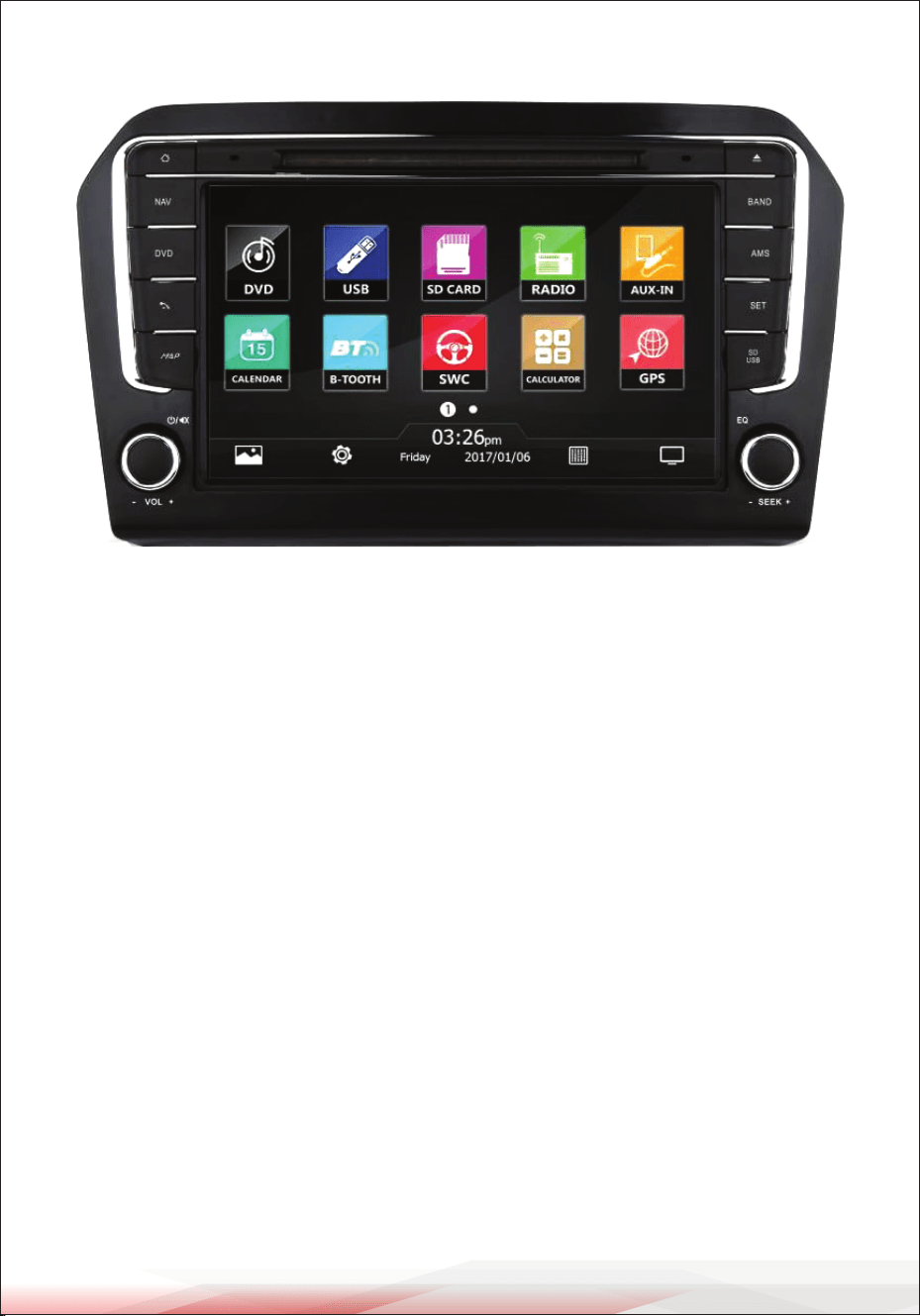
FUNCTIONS AND DESCRIPTION
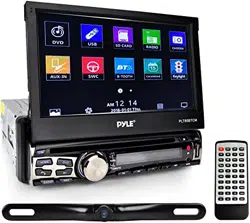
Main Unit (Stereo Interface)
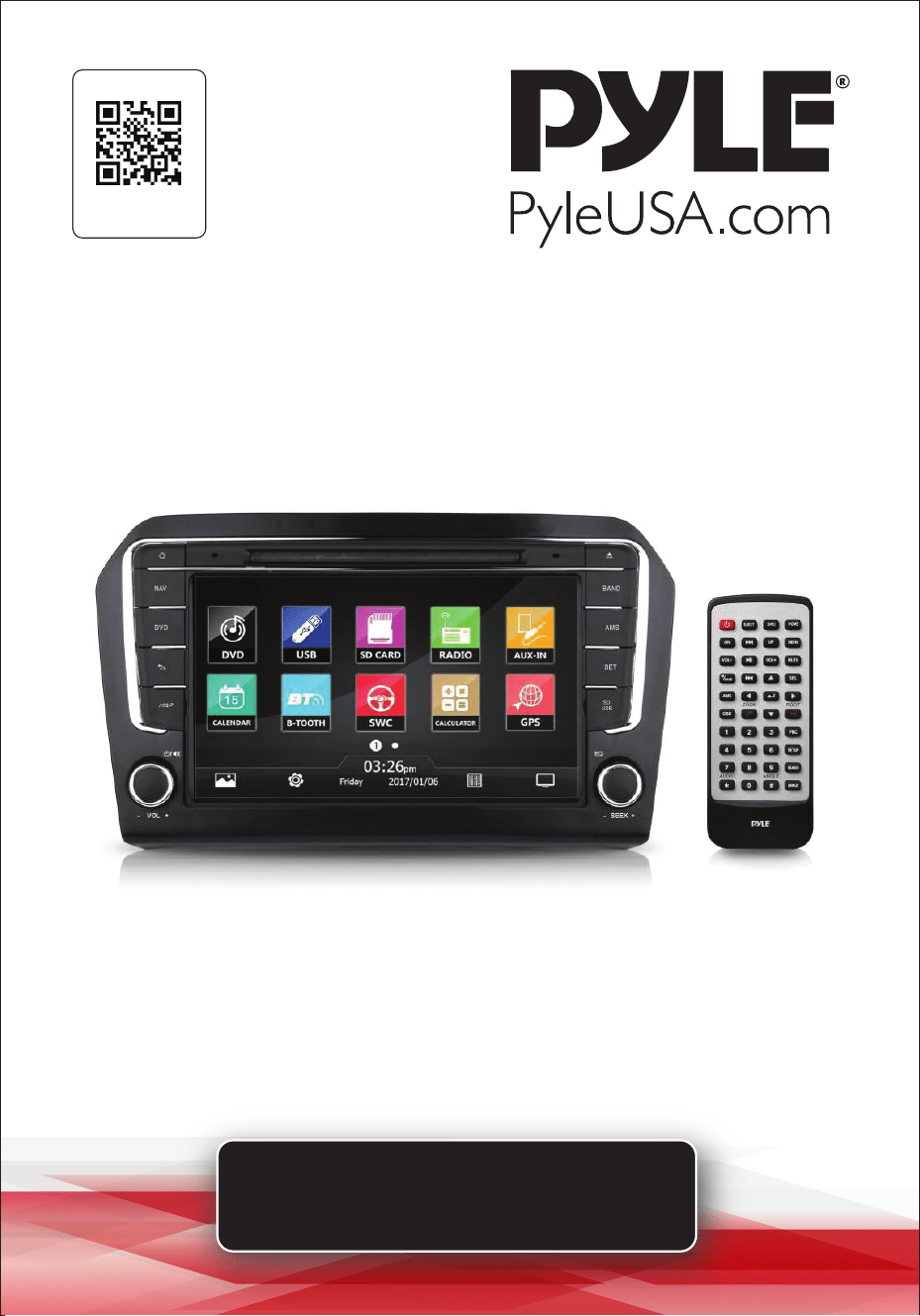
1. NAV: Direct access to the GPS Navigation system for route planning and guidance.
2. DVD: Opens the DVD player menu to access DVD playback functions.
3. USB: Selects the USB input source for playing media from a connected USB
ash drive.
4. SD CARD: Opens the SD card input for playing media stored on an SD card.
5. RADIO: Switches to AM/FM radio mode, allowing access to saved radio stations
and manual tuning.
6. AUX-IN: Selects the auxiliary input for playing audio from an external device
connected via AUX cable.
7. CALENDAR: Opens the calendar feature, displaying the current date and
allowing access to scheduling features.
8. BT (Bluetooth): Activates Bluetooth mode for wireless music streaming and
hands-free calling.
9. SWC (Steering Wheel Control): Accesses the steering wheel control settings
for customizing button functions.
10. CALCULATOR: Opens a basic calculator for quick calculations.
11. GPS: Directly accesses the GPS navigation feature, providing map display and
turn-by-turn directions.

www.PyleUSA.com
6
CONTROL BUTTONS
12. BAND: Changes radio frequency bands (AM/FM).
13. AMS: Auto Memory Store; scans and stores available radio stations.
14. SET: Opens the settings menu for adjusting system preferences and settings.
15. EQ: Accesses the Equalizer settings, allowing customization of audio output
(e.g., bass, treble).
16. VOL - / VOL +: Controls the volume, allowing adjustment of audio levels.
17. SEEK - / SEEK +: Skips to the previous or next track/station or scans for available
radio stations.
18. Power Button: Turns the unit on or o.
DISPLAY INFORMATION
• Clock and Date Display: Shows the current time and date at the bottom center
of the screen.
• Icons and Menu Options: The touch screen interface includes easily accessible
icons for navigating through functions such as DVD, USB, SD Card, and more.
REMOTE CONTROL FUNCTIONS
The remote control provides additional access to the main unit's features, including
volume adjustment, source selection, and menu navigation.
OPERATION
HOW TO PAIR PYLE RECEIVER
When you press the BT/Line button switch on the front panel, the unit will
immediately prepare to pair with your external device. You will hear the voice
prompts “POWER ON” and “PAIRING.”
HOW TO CONNECT TO PYLE RADIO
Turn on BT mode on your phone before starting the pairing process.
The name “PYLE” will appear when your phone locates this ship/car audio system.
Select “PYLE” from the device list to pair and connect with the audio system.
The BT logo will stop ashing once the connection is conrmed.
HOW TO CONNECT TO TV
Use an HDMI cable to connect audio equipment (e.g., Set-Top Box, Blu-ray DVD
player) with HDMI output. On the receiver system’s control panel or remote
control, select “Digital Input” and choose the proper channel.
Press ‘CH…. HDMI with ARC function.’

www.PyleUSA.com
7
Register Product
Thank you for choosing PyleUSA. By registering your product, you
ensure that you receive the full benets of our exclusive warranty
and personalized customer support.
Complete the form to access expert support and to keep your
PyleUSA purchase in perfect condition.
Start Here
Model Number:
PVWJETTA13
PyleUSA.com/pages/register
HOW TO CONNECT TO PHONE
From the Bluetooth settings on iOS or Android, select “Pyle Audio” from the list,
and enter “0000” as the pairing code to complete the connection.
HOW TO CHARGE
Connect the amplier system to a power supply by inserting the power cord into
the socket. Turn on the amplier; the Power Indicator light will turn red. While the
battery is charging, the Recharge Indicator will glow red, ash when nearly full,
and turn o once fully charged.
TROUBLESHOOTING
1. No Power: Check that the car ignition is on, connections are secure, and the
fuse is intact.
2. No Sound: Ensure volume is up, audio source is selected, and speakers are
connected.
3. Poor Radio Reception: Verify the antenna connection, adjust the car’s position,
and set "LO/DX" for better sensitivity.
4. Bluetooth Issues: Make sure Bluetooth is on for both the stereo and your device,
select “PYLE” on your device, and use pairing code “0000” if needed.
5. GPS Signal Problems: Check the GPS antenna placement and make sure the
SD card with maps is inserted.
6. Disc Playback Issues: Clean the disc, ensure compatibility, and try reinserting it.
7. USB/SD Card Not Recognized: Conrm compatibility, format (FAT32), and
capacity (max 64GB).
8. Touch Screen Unresponsive: Restart the system and clean the screen.
9. System Freezes: Use the reset button or disconnect power briey to reset.

Questions or Comments?
We are here to help!
Phone: 1.718.535.1800
PyleUSA.com/ContactUs