Model:
PLT85BTCM
PLT85BTCM
PyleAudio.com
PyleAudio.comPyleAudio.com
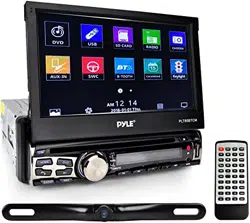
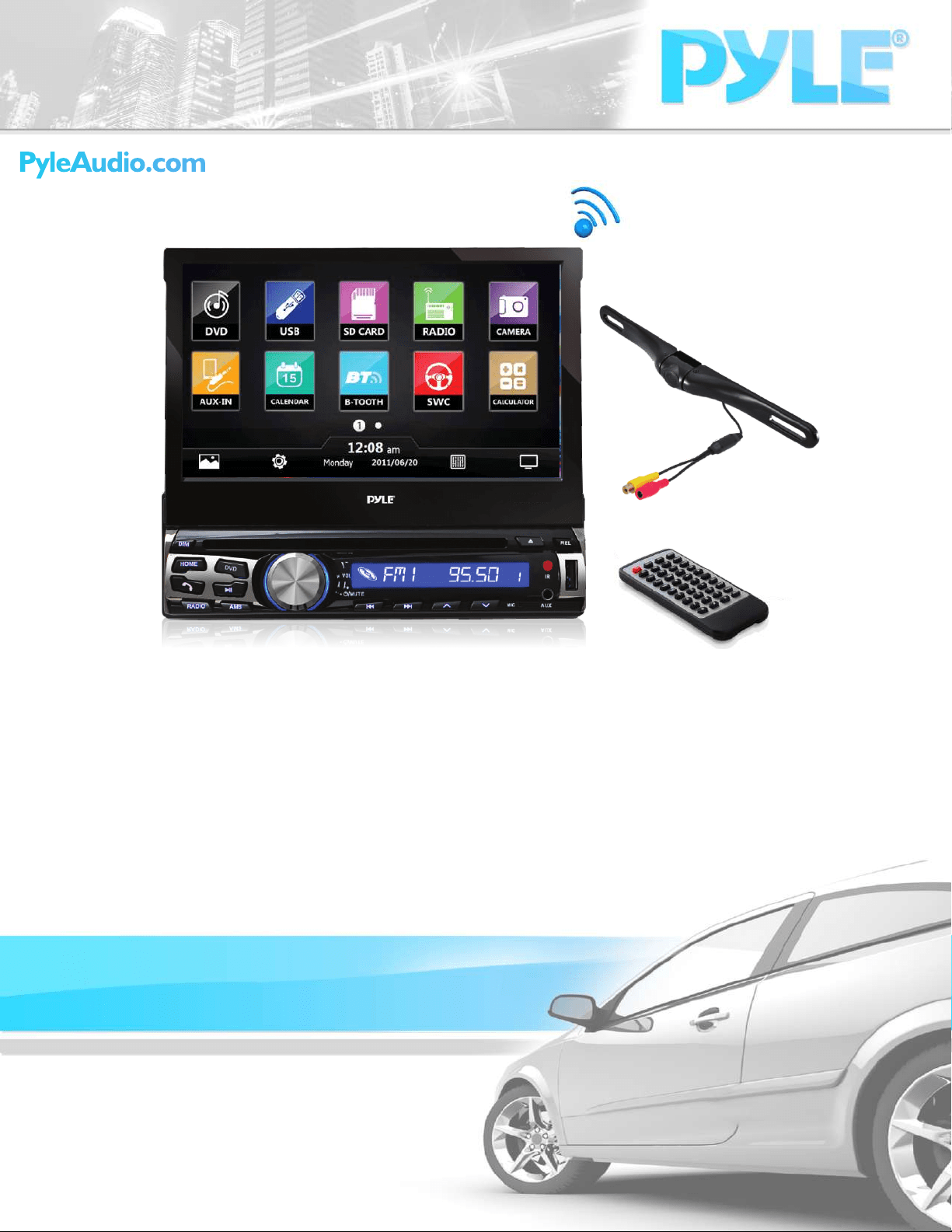
7-inch Bluetooth Headunit Receiver
with Built-in Mic for Hands-Free Call Answering, Touch Screen,
CD/DVD Player, USB/SD Card Readers, AM/FM Radio, AUX Input,
License Plate Mount Rear View Backup Camera
PLT85BTCM
Precauons
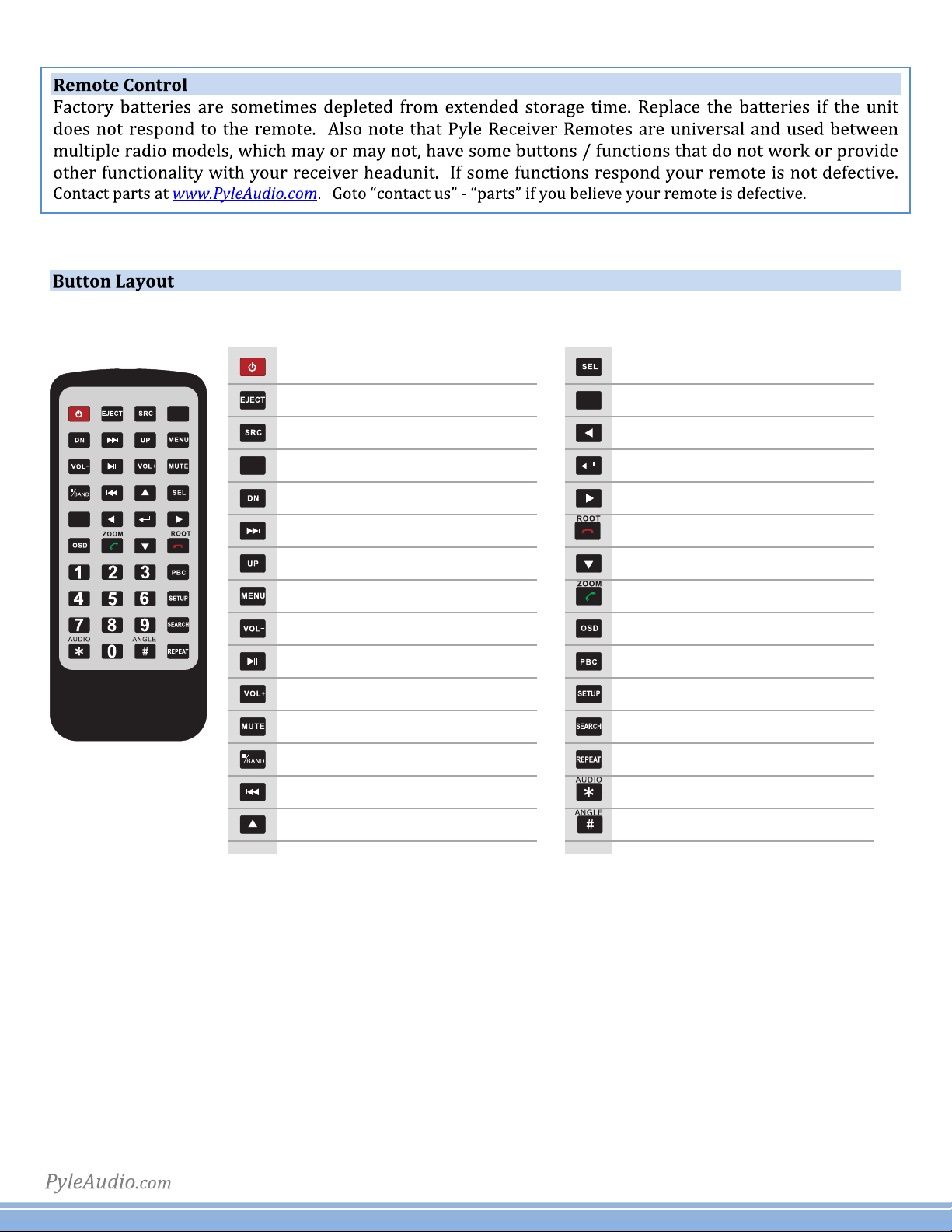
Remote Control
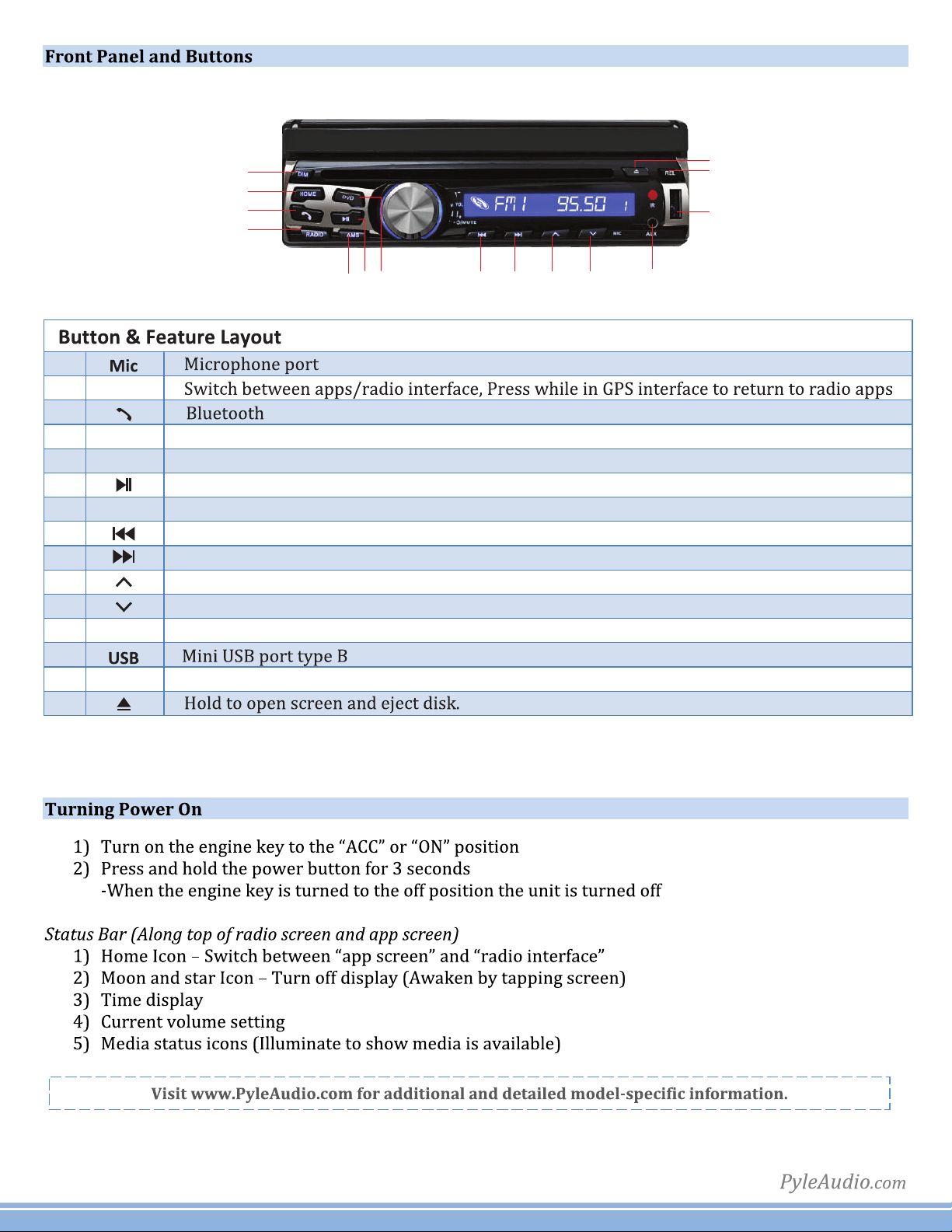
Front Panel and Buons
Turning Power On
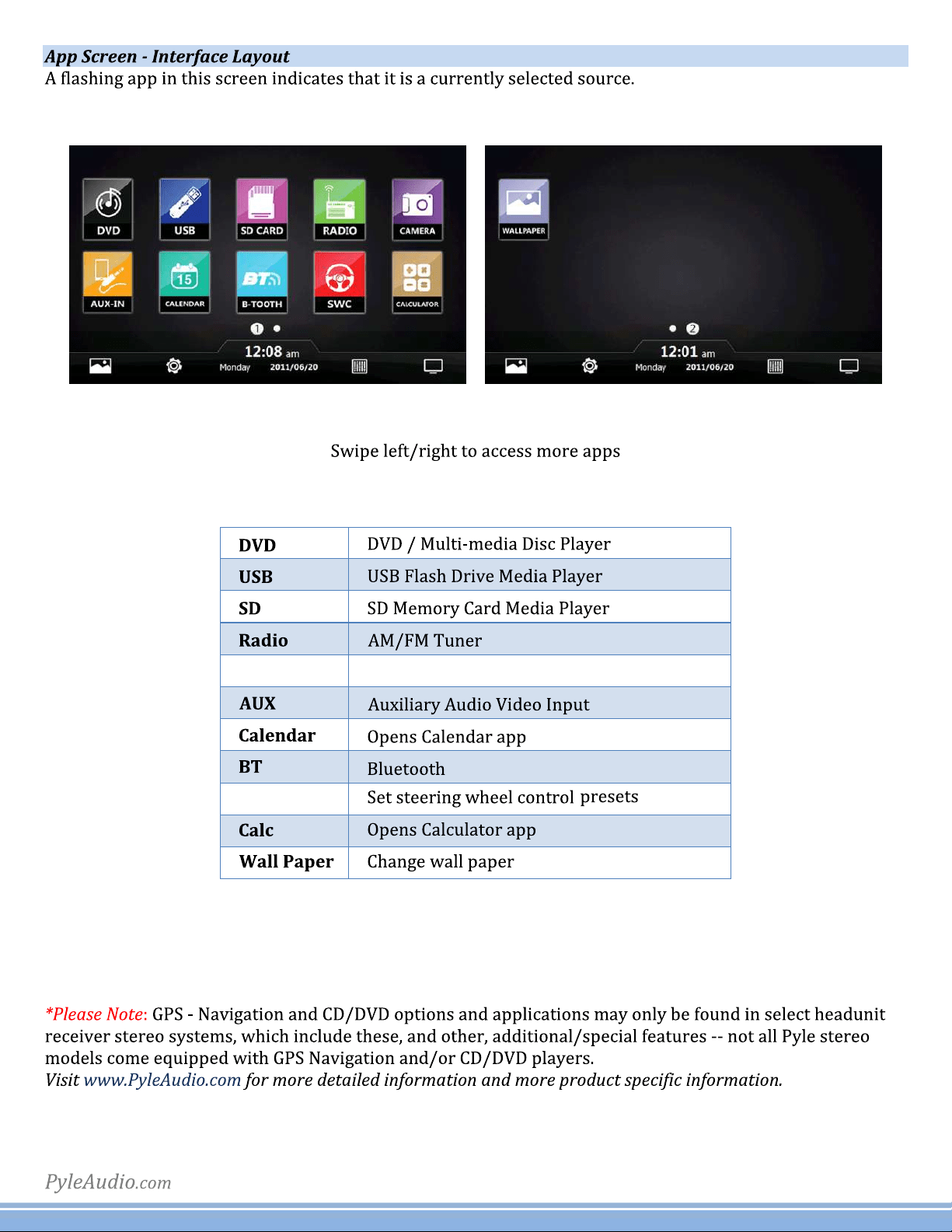
Graphics User Interface
Sengs
Set Time
Sound
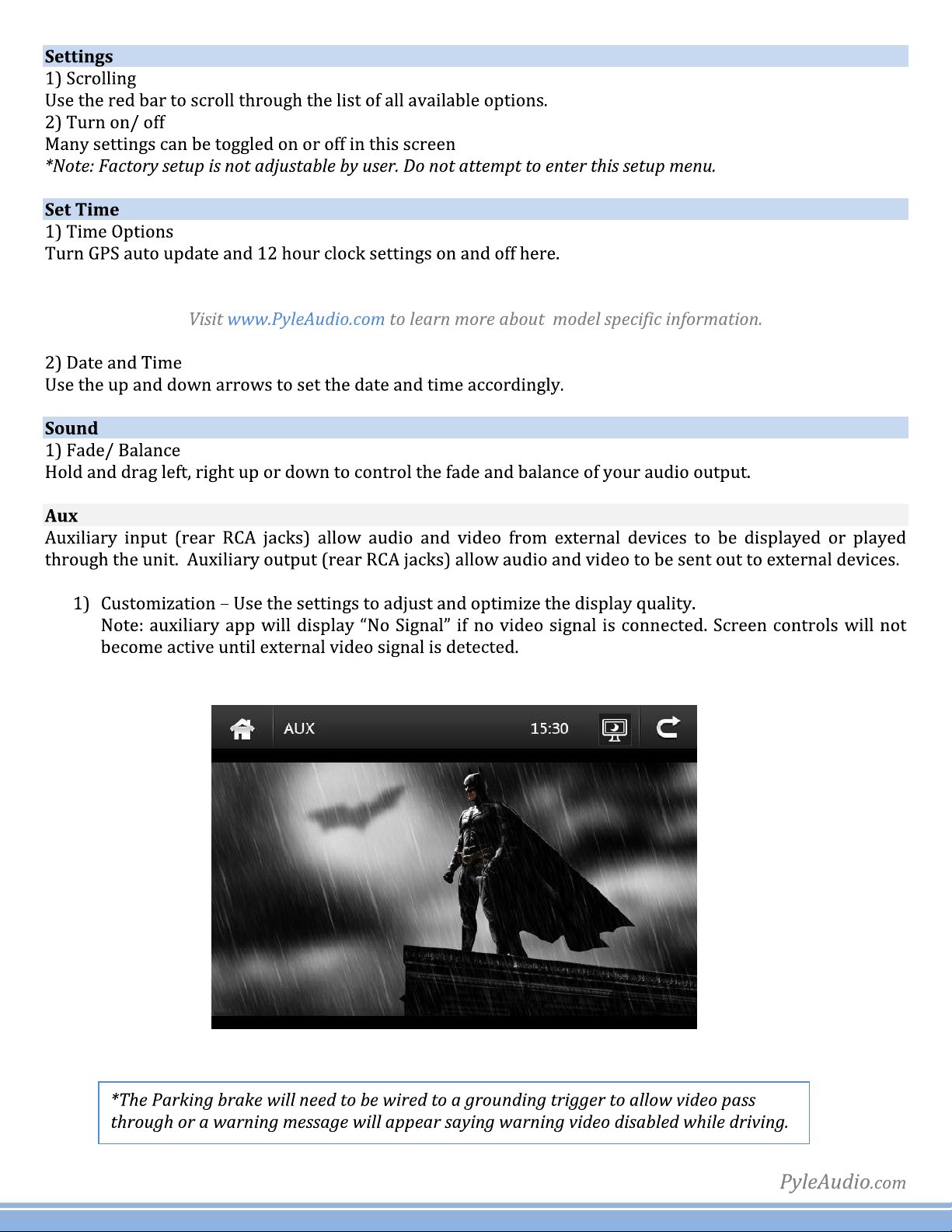
Aux
Calendar
Calculator
EQ
Radio
SD
USB
Video
Wallpaper
Wheel
Trouble Shoong
Wiring
DVD Playback
Bluetooth
2
3
4
4
5
6
6
6
6
7
7
7
8
8
8
8
8
9
9
11
13
14
1
Thisunitisastandard“SingleDin”sizedradio.ChecktoseethatyourvehicleacceptsaSingleDinsizedradio.This
unitconformstothestandardsizeanddimensionsofaSingleDinradio.
Compatibility
2
HOME
AMS
HOME
PowerON/OFF
OpenstheMotorizedUnit/EjectsCD
InputSourceSelection/AUX-in
HomeScreen/Menuinterface
Downward/MotorizedScreenTiltAdjustment
Next/HoldforFastForward(CD/DVD)
Upward/MotorizedScreenTiltAdjustment
MainMenu(CD/DVD)
Volume-
Play/Pause
Volume+
Mute
Stop(CD/DVD)/SwitchesAM/FM
Previous/HoldforRewind(CD/DVD)
Up(...toNavigateSelections)
AMS
Select(CD/DVD)
AMS-AutomaticSearch(RadioStations)
Left(...toNavigateSelections)
Enter/Conirm(...toNavigateSelections)
Right(...toNavigateSelections)
EndCall/HangUp(...inBluetoothInterface)
Down(...toNavigateSelections)
Call/DialNumber(...inBluetoothInterface)
FileInformation(CD/DVD-ifcompatible)
PlaylistKeyList(CD/DVD-ifcompatible)
Options/Settings
CD/DVDMenuControl
RepeatModes(CD/DVD-MediaPlayback)
Left/Right/StereoAudioSelection
CD/DVDAngleAdjustment(ifcompatible)
3
AA
BB
CC
DD
EE FF GG
HH II JJ KK LL
MM
NN
OO
Pressthe'RADIO'ButtontoenterintoRadiointerface.
RADIO
Automaticmusicscan,scansthroughbroadcastingstationsquicklysettingpresets.
AMS
Play/pauseforCD/DVDplayercontrol.
HOME
Pressthe'DVD'ButtonDVDtoenterDVDplaymode.
DVD
Rewind/previouscontrolforCD/DVD.
Fastforward/nextcontrolforCD/DVD.
Activatesthemotorizedtouchscreendisplaytoopen/angleadjustment.
Activatesthemotorizedtouchscreendisplaytoclose/angleadjustment.
Auxiliary3.5mminputconnectorjackforconnectingexternaldevices.
AUX
Releasebuttonforthereceiverdisplaypanelface.
REL
.
A
B
C
D
E
F
G
H
I
J
K
L
M
N
O
4
Camera
SWC
Rearviewimage
5
6
7
8
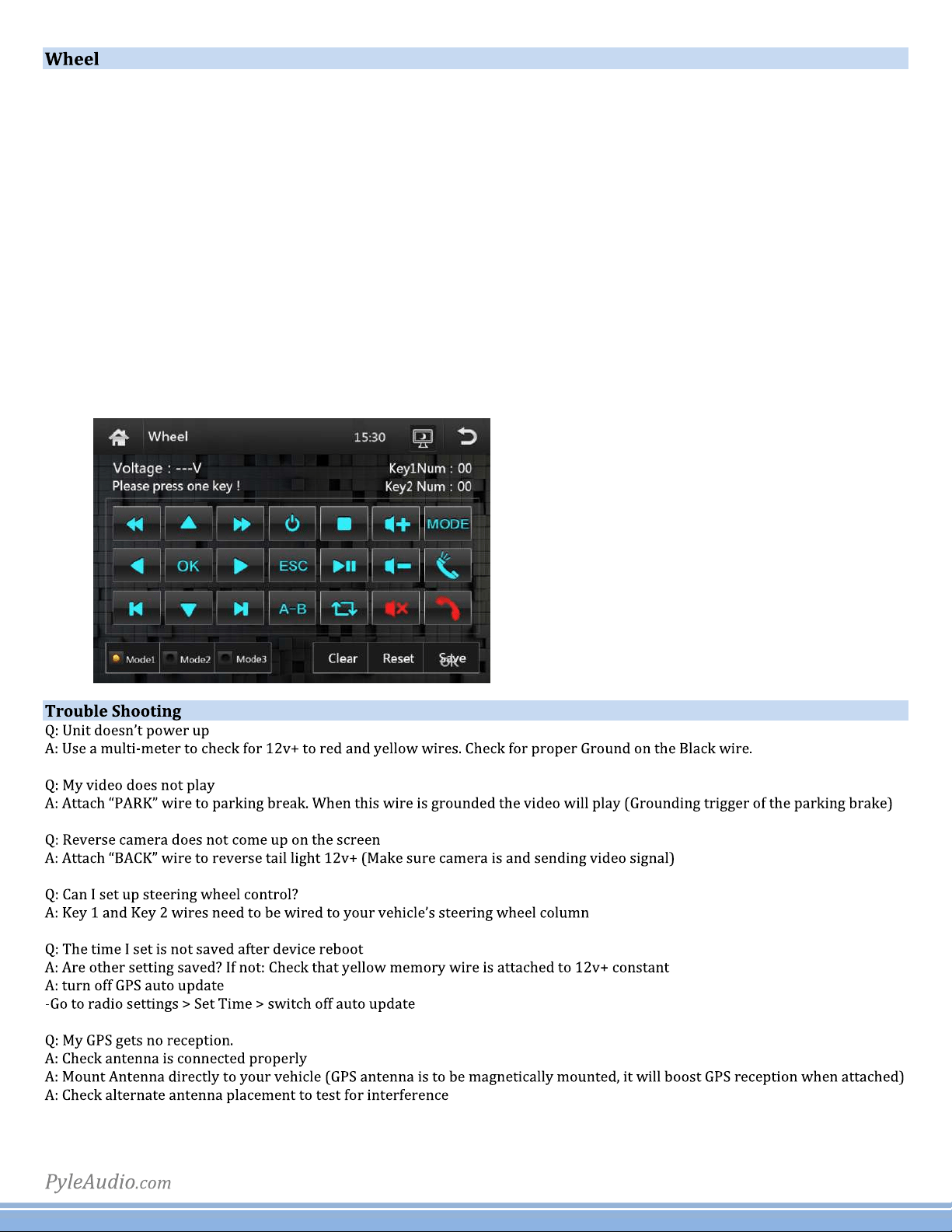
2)SteeringWheelControls
Select the command in the application, then press the corresponding button on the wheel to teach the unit
how to behave when steering wheel controls are used. To enter the steering wheel menu it will prompt you
for a 4 digit pass code you will need to enter '0000'. Then you can manually program each desired option
followingtheonscreeninstructions.(Note:Thisfeatureisnotcompatiblewithallvehicletypes).
1)InstallingSteeringWheelControl
Noteoncompatibility:ThisunitisadualwirecodelearningSteeringwheelinterface,adaptabletoanyvehiclewithexisting
steeringwheelcontrols.Thisunithastheabilitytowiredirectlytoyourvehicle’ssteeringwheelcolumnanddoesnot,but
may,requirea3partysteeringwheelcontrolinterface.PyleAudioTechnicalsupportcanassistyouininterfacinginto
vehicleswithexistingsteeringwheelcontrols.Foradditionalhelp,contactPyleTechnicalSupportandbesuretosupplyYear
MakeModelandoptionsofvehiclesothatproperinstructionscanbesupplied.
Key1andKey2wiresareusedforsettingupsteeringwheelcontrols.Thelocationoftheattachment
wiresinthesteeringwheelcolumnvariesbetweendifferentvehiclemakesandmodels.
9
10
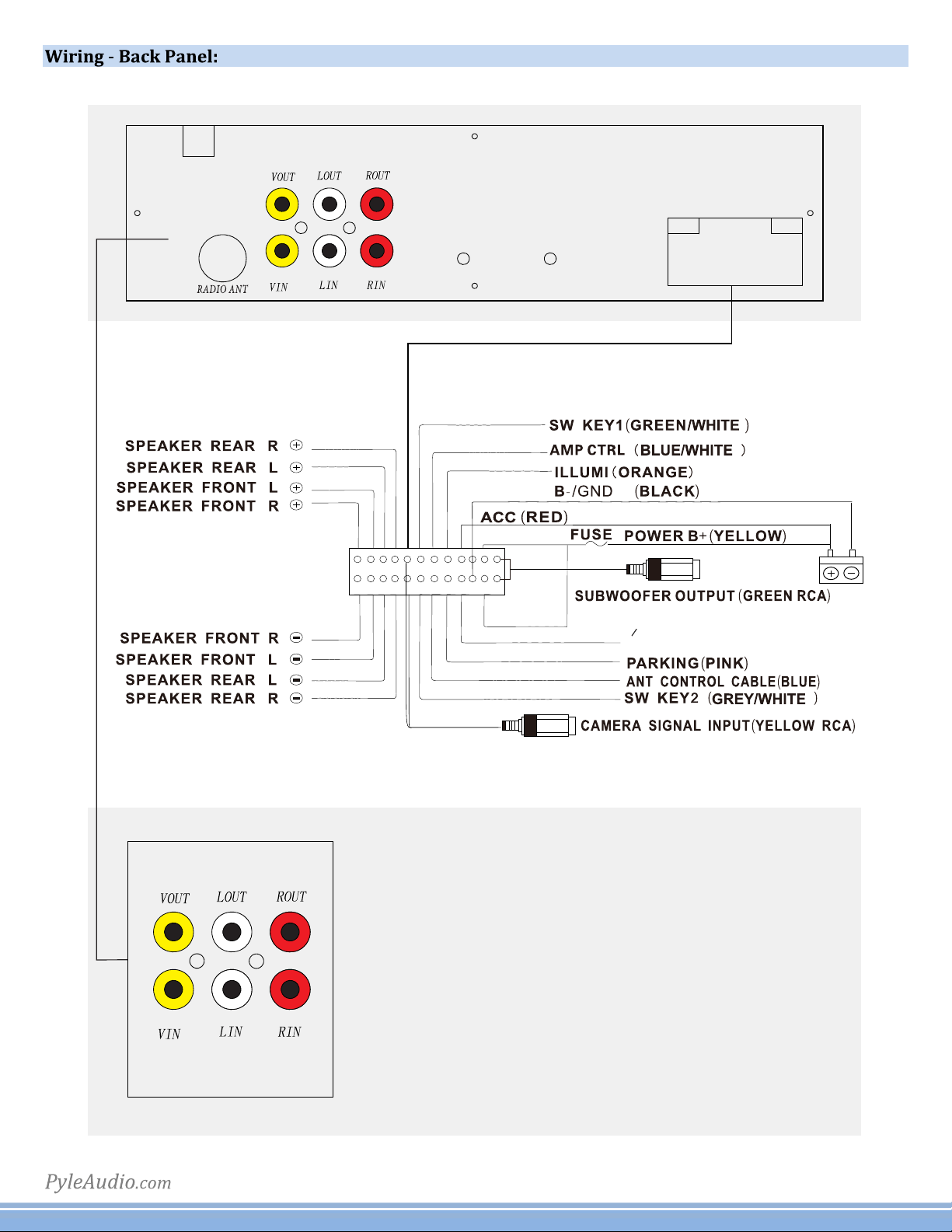
PWR
BACK UP CAMERA(BROWN)
(TO REVERSE LIGHT +12V)
A B C
D E F
A. Video Output
B. Audio Output Left
C. Audio Output Right
D. Video Input
E. Audio Input Left
F. Audio Input Right
11
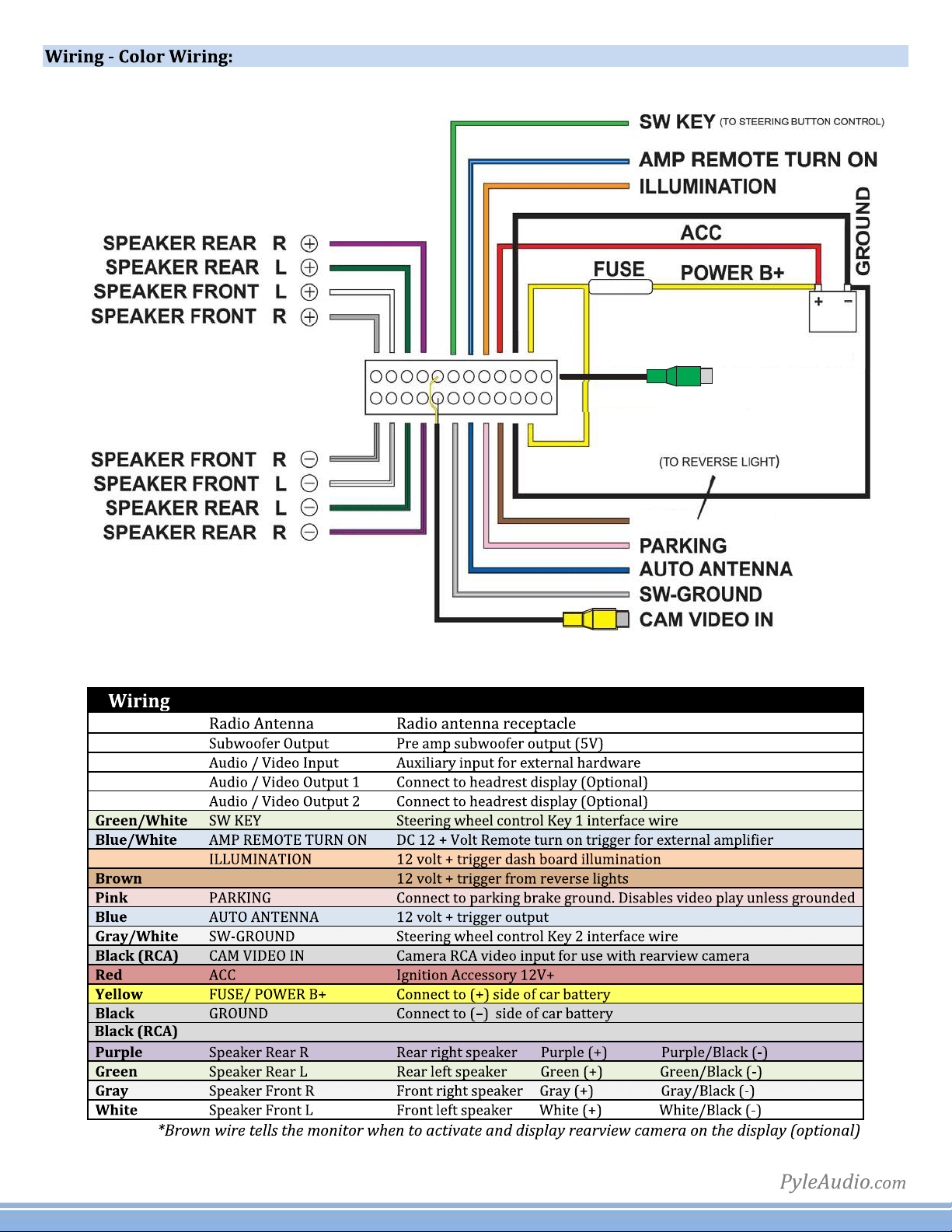
SUBWOOFER OUTPUT
GROUND
BACK UP CAMERA
Subwoofer SubwooferOutput
BACKUPCAMERA
Orange
12
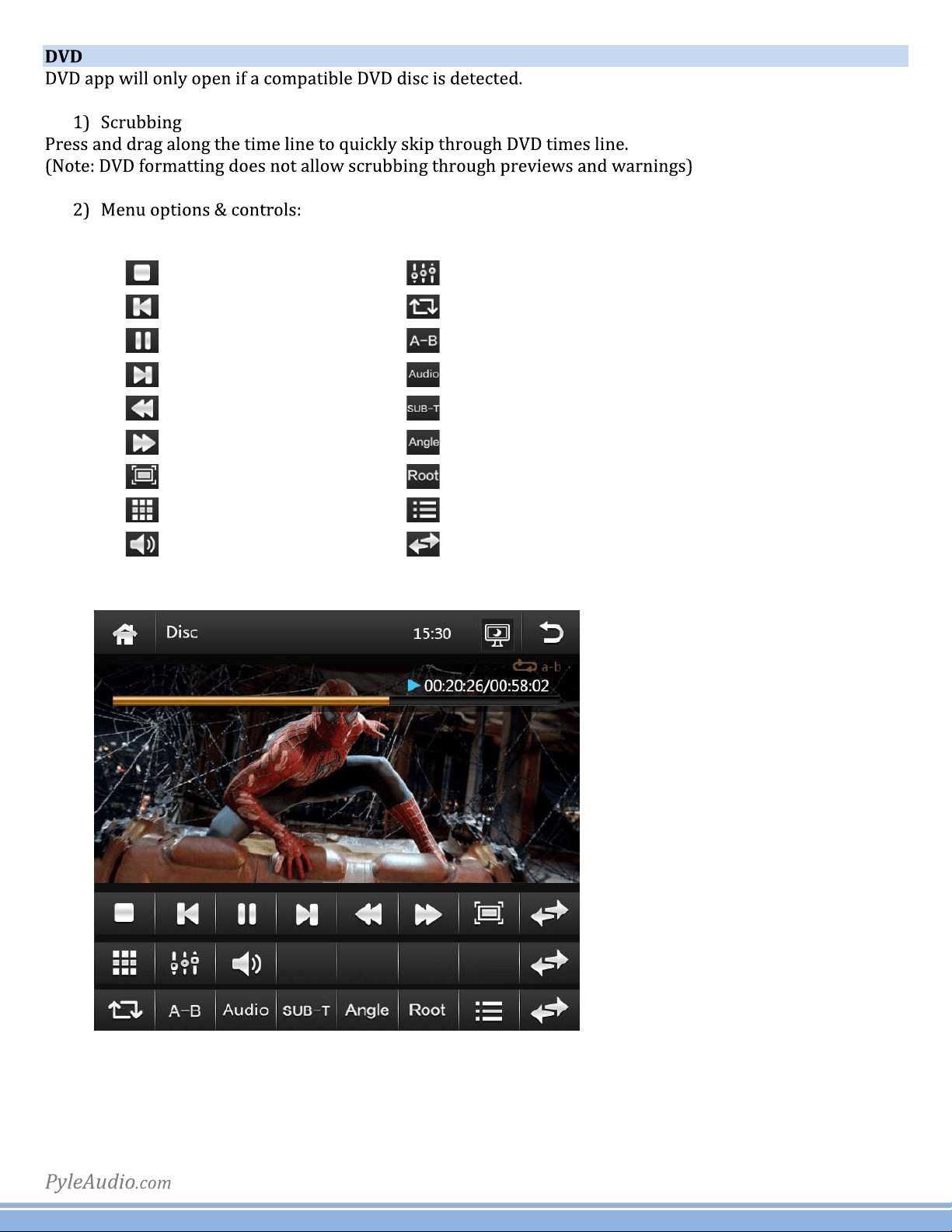
FastBackward
FastForward
Playnextchannel
Turnsubtitleson/off
Angle
Audio
Playpreviouschannel
StoptheDVD
Menu
Repeatall
Dialing
EQ
Pause
Title
Page
ABrepeat
Zoominon
Volume
13
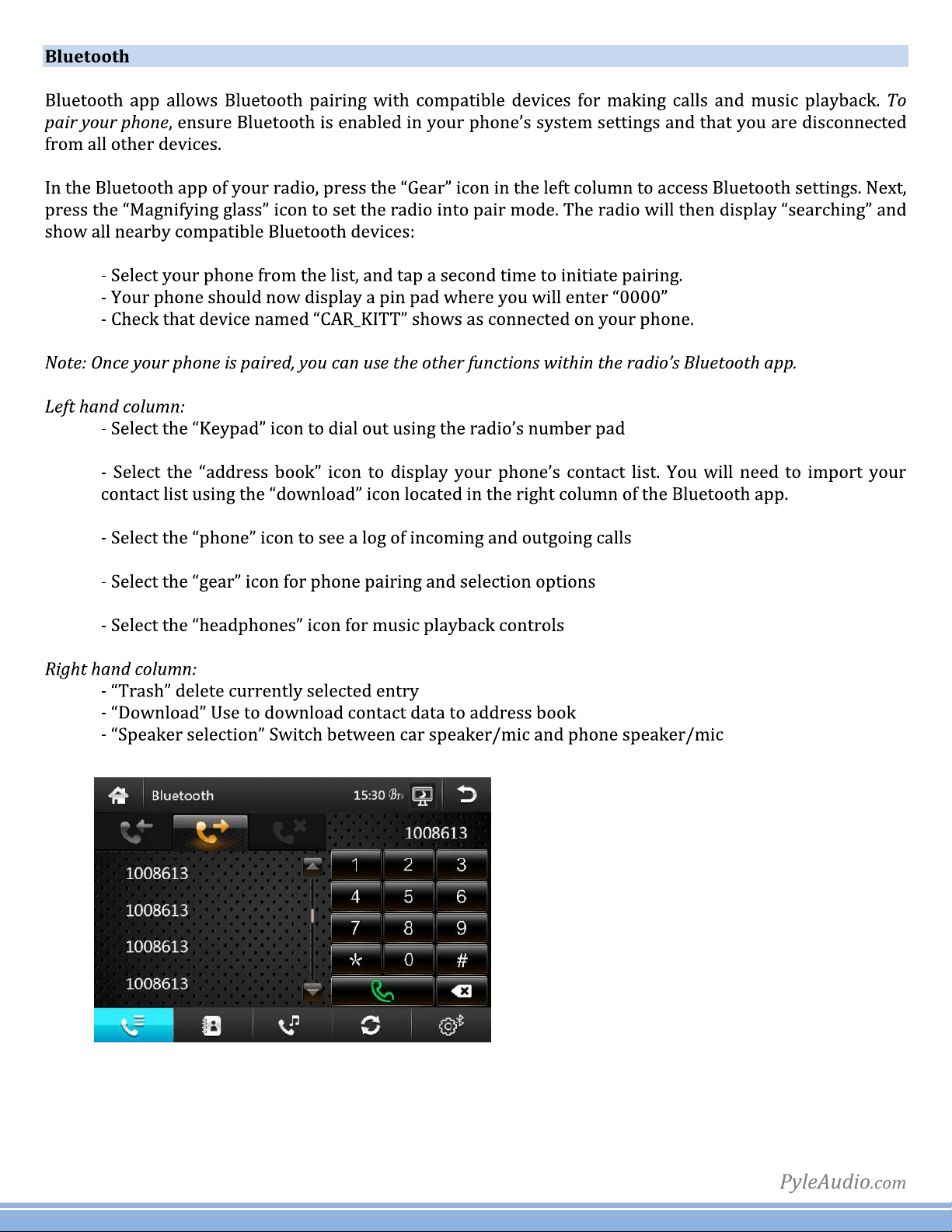
14
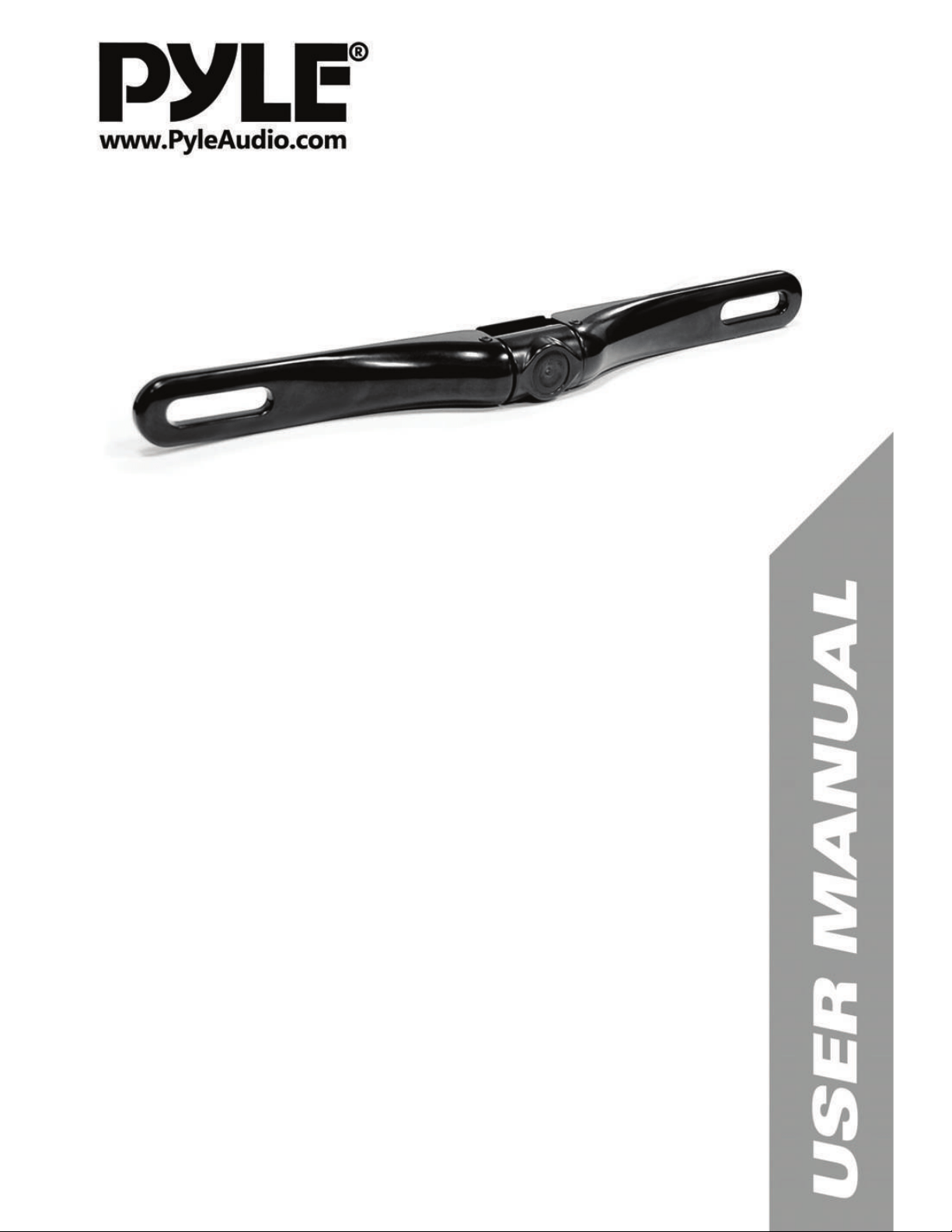
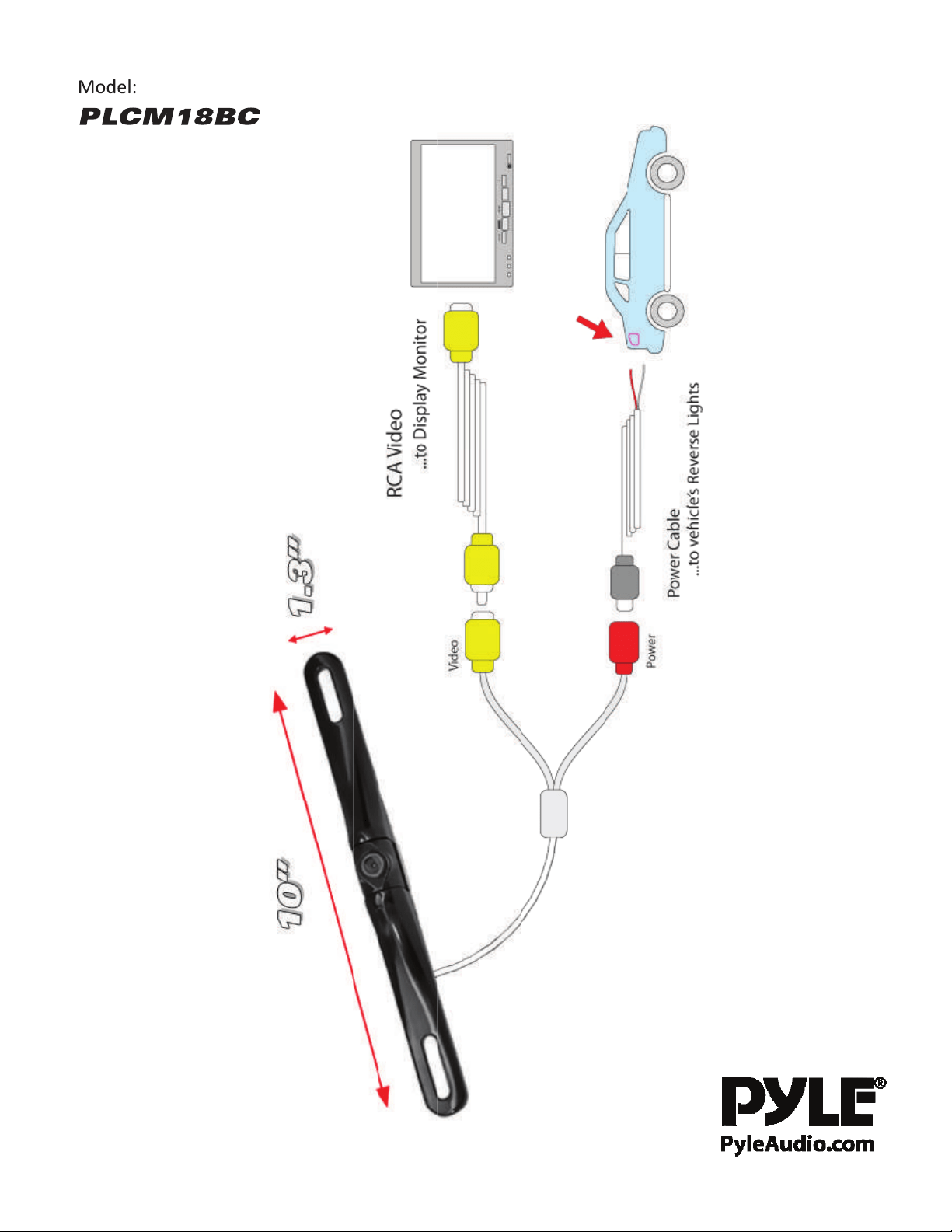
PLCM18BC
Rear View Backup Camera