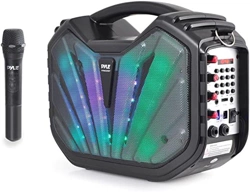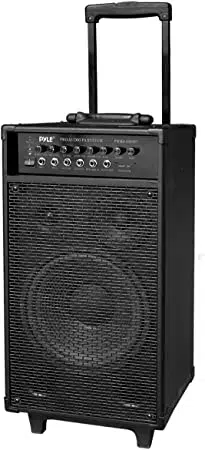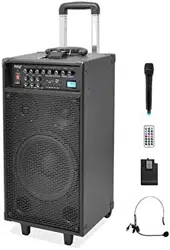
Portable Amplifier
User Manual
PWMA220BM

FEATURES
1. Built-in Bluetooth MP3 player.
2. Built-in one channel wireless microphone and one 6.35mm MIC in socket to
connect wired dynamic MIC. Two persons can speak or sing at the same
time.
3. One 3.5mm keyboard in socket to connect electronic device. And one
3.5mm cassette in socket to connect cassette player or other audio player.
4. One 3.5mm REC out socket can be connected to a recording device or to
the input jack of a power amplifier to further amplify and enlarge the audio
power.
5. Master power/volume control. Bass, Treble and Echo controls. Suitable for
karaoke.
6. Powered externally with AC, 12V DC or internally with built-in 12V/1.8A
lithium battery or 6PCS UM1(D) batteries. Suitable for both indoor and
outdoor use.
7. Ideal for many applications, including use in classrooms,
conference/meeting rooms, churches, health clubs and small auditoriums.
CAUTION
1. This unit is with speaker inside which can cause magnetic field. Keep this
unit at least 60cm away from computer or TV.
2. This unit is with built-in rechargeable battery. Please recharge the battery
every 2 months if you are not going to use the unit for a long period of time.
Or the battery may be damaged.
3. If the battery is damaged please replace with same specifications battery.
And dispose the damaged battery environment friendly.
4. Free from high temperature. Don't expose the device to the hot equipment.
5. Don't place the device in the environment of humidity and dirts.
6. Place the device in the ventilated environment.
7. Don't pull the power cord while you pull out the plug. Hold the plug tightly to
pull it out.
8. Pull out the AC power if you will not use the device for a long time.
9. Your operation must be subjected to the specified voltage marked near the
AC in jack and complied with this guide.

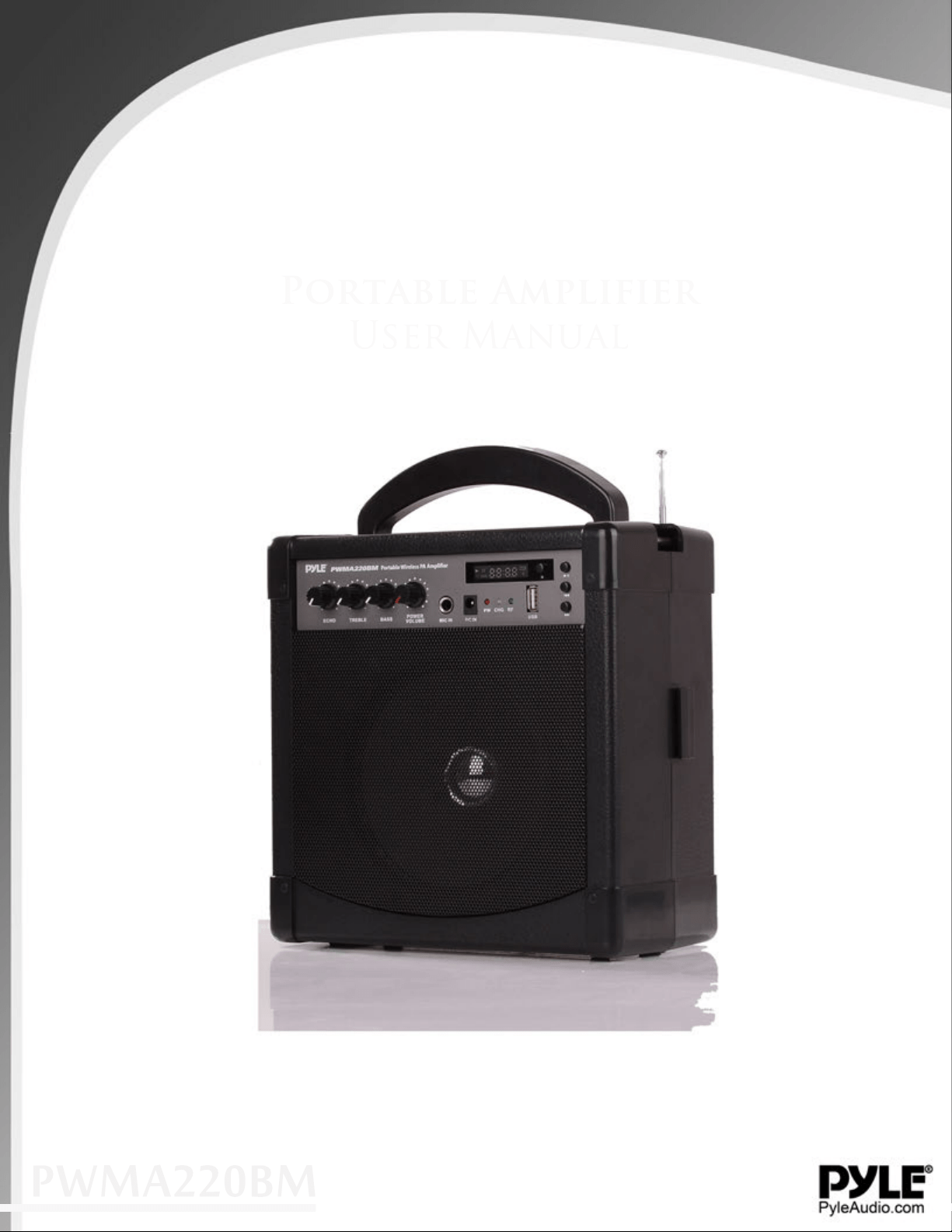
PARTS DESCRIPTION
1. Echo control
2. Treble control
3. Bass control
4. Power/volume switch
5. MIC IN socket
6. DC IN socket
7. Power indicator
8. Battery charging indicator
9. Wireless receiver RF indicator
10. Wireless receiver antenna
11. MP3 LED display
12. MP3 mode
13. MP3 play/pause/repeat
14. MP3 previous/volume down
15. MP3 next/volume up
16. USB port
17. Microphone holder
18. Speaker
19. Keyboard in socket
20. Cassette in socket
21. REC out socket
22. Battery compartment for
6PCS UM-1 batteries

OPERATION ON AC POWER
Plug one end of provided AC cord into the AC input jack on the left side of the
amplifier. Then plug the other end of AC cord into AC power outlet. Turn on the
unit using the power/volume switch.
NOTE: To avoid damaging your unit, make sure AC power is same as that
marked near AC input jack)
OPERATION ON DC POWER
This unit can be powered also using external 12V DC power. Connect external
12V DC power to DC input jack on front panel of the amplifier. Observe the
correct polarity as following.
OPERATION ON RECHARGEABLE BATTERY
This unit can be powered internally using the built-in rechargeable battery.
When AC power is connected, if battery charging indicator lights red the
rechargeable battery is not fully charged and will be allowed to charge while
the unit is powered by the AC power. (Note: Turning off the unit power switch
will allow the battery to recharge more quickly.) If the battery charging indicator
lights green, the battery is fully charged and ready to power the unit alone.
Shut off the power switch and disconnect the AC power. Turn the unit back on
and the rechargeable battery will power the unit alone.
OPERATION ON UM-1 BATTERIES
This unit can also be powered internally with (6X) UM-1batteries. Insert the
batteries while observing the correct polarity as marked. For longest operation
use only alkaline or rechargeable batteries. Replace the batteries when the
output volume drops or the range of the wireless decreases.
Note: This unit does not recharge UM-1 batteries. When use UM-1 batteries,
do not connect AC or DC power.

CONNECTION
The KEYBOARD IN socket can be connected to a electronics device.
The CASSETTE IN socket can be connected to a cassette player or other
audio player.
The REC OUT socket can be connected to a recording device or to the input
jack of a power amplifier to further amplify and enlarge the audio power.
The MIC IN socket can be connected to wired dynamic MIC. Keep MIC head
away from the speaker of main unit to avoid feedback.
OPERATION OF BLUETOOTH/MP3
1. Insert flash drive into USB port or TF card into TF card slot, system will play
the music in flash drive or TF card automatically. If both flash drive and TF
card are inserted, system will play the music in flash drive. To play music in
TF card press MODE button to switch to SD mode.
2. To play music from your mobile phone etc via Bluetooth, press MODE
button to switch to BT mode. Turn on Bluetooth function of your mobile
phone and search for WMA-207 and connect. Then you can play your music
in mobile phone.
OPERATION OF BELT PACK TRANSMITTER
1. Open the battery cover and install a fresh 9V battery, observing the correct
polarity. And then close the cover.
2. Plug in either the clip-on or the headset microphone.

3. To use the clip-on MIC, attach it at chest level. Do not place too close tothe
mouth- a distance of about six inches usually works best. To use the
headset MIC, place it on the head and adjust the MIC boom so that the MIC
is about one inch to the side of the front of the mouth. (Note: The clip-on or
headset MIC wire is also the transmitting antenna. Rolling up or shortening
the wire may reduce the effective operating range. Extend the wire fully
during use and keep it as straight as possible.)
4. Turn on the transmitter by sliding the power switch to ON position. Power
indicator will give a single quick flash, indicating usable battery strength. In
the case of a dead or low battery, the power indicator either will not go on at
all or will stay on continuously, indicating that the battery should be replaced
with a fresh one.
5. The RF indicator on the amplifier should now be lit.
6. Adjust the volume control of body pack and/or volume control of the
amplifier to a comfortable listening level as desired.
7. If the transmitter is not going to be used for any length of time, push power
switch to OFF position and remove the battery.
ATTENTION:
1. If feedback (howling sound) occurs, try first turning down the treble control.
If feedback still is present, try turning down the volume or repositioning this
unit with respect to the wired or wireless microphone being used.
2. Extend the antenna fully whenever using the wireless microphone to ensure
optimum performance and maximum range.

SPECIFICATIONS
AMPLIFIER
Power Supply: AC~120V/60Hz
DC 12V
Built-in 12V/1.8A lithium battery
6PCS UM-1(D) batteries
Frequency Response: 25-15,000Hz
Power Output: 60W
Mic Input: 1.4V rms, OVER 600ohm
Echo Time: 120msec.
Speaker Impedance: 4 ohm
Dimensions (WxDxH): 9.7”x5.2”x9.6”
Weight : 2.12Kg
TRANSMITTER
Dynamic Range: 80dB
Frequency Response:
100~10KHz Working
Temperature: 14°F-113°F Power
Supply: 9V
Battery Time: 10 hours