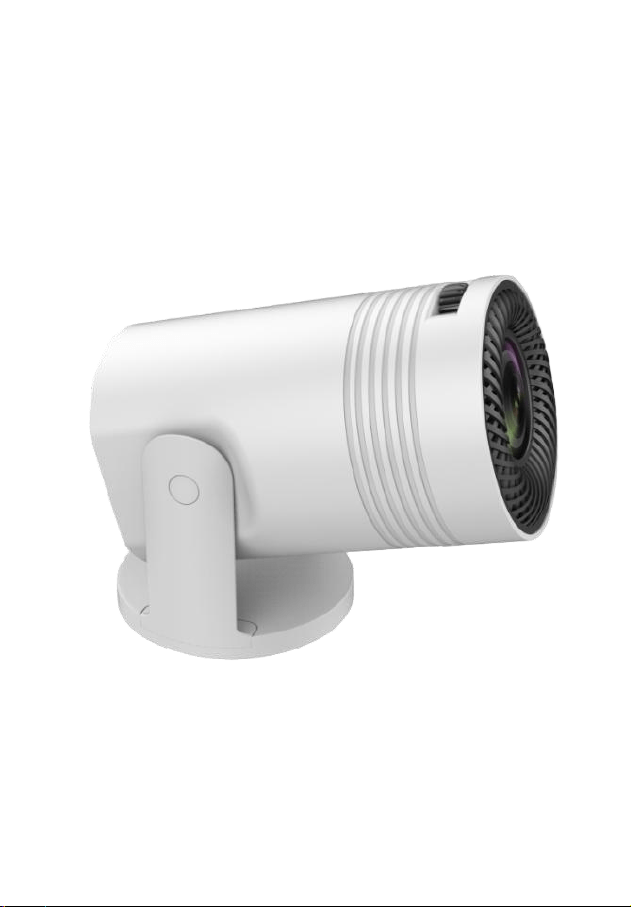
User Manual
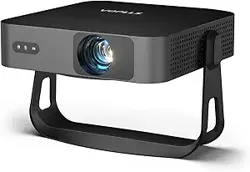
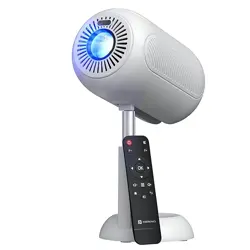
MINI Projector
Power Supply
1. Type-c interface: supports PD, QC, AFC fast charging protocol
chargers/charging treasures with output of 12V/1.67A or more, and powers
the projector.
2. The product's TYPE-C connector supports 12V/1.67A mobile power for
outside use. (Note: If you use A port to TYPE-C data cable or C port to
TYPE-C data cable, you need the corresponding power interface.)
Note:If not using the unit for a longer period of time, unplug the adaptor from
the wall outlet and from the unit.
User Interface
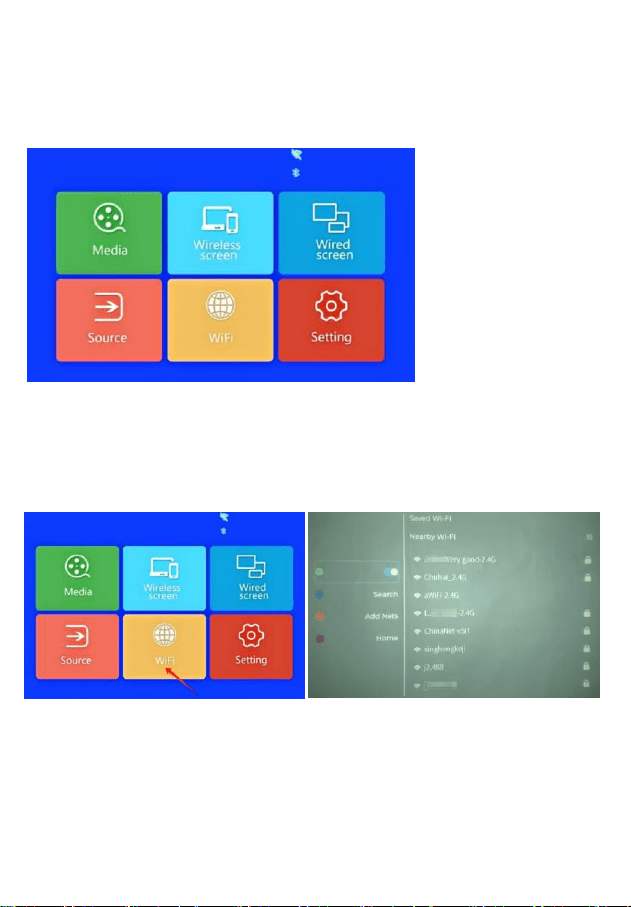
After the projector is turned on, the following main interface will appear after
the 2-5s startup screen flashes.
WIFI Setting
Click on WIFI on the homepage, select the WIFI network, and enter
the password to connect to the network.
Wireless screen
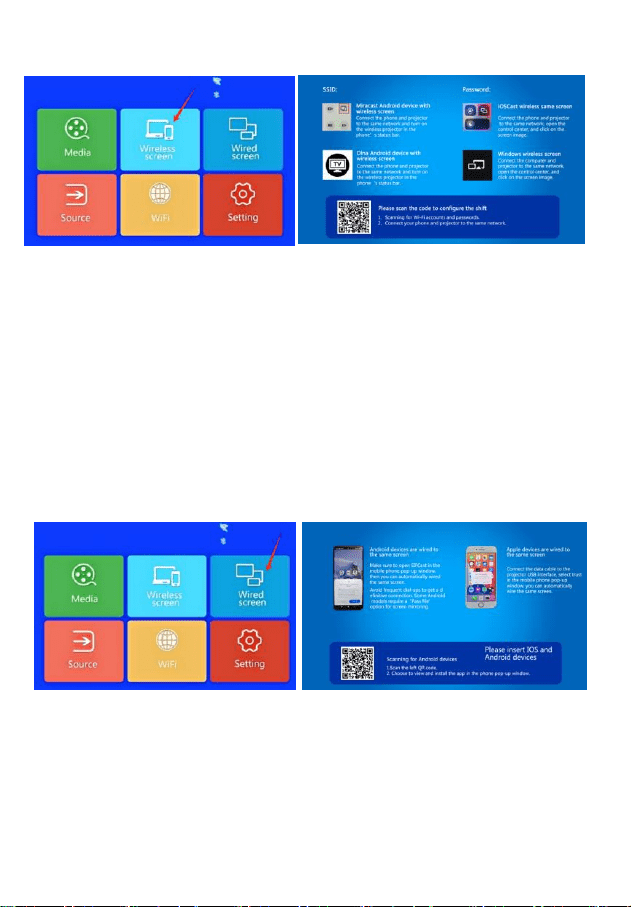
Make sure your projector connect same network with your smart phone
(phone or Android phone) Clik wireless screen on home page,Filow the guide
to make screen mirroing with your phone/Android phone.
Special reminder: The same screen on the phone refers to the projection of
the same screen as the screen played by the phone.
Mobile screen projection refers to videos on mobile apps that can be pushed
to projectors. Mobile phones can also play games, read novels, chat and
work without affecting each other.
Wired screen
Click on the wired screen on the homepage and follow the instructions on the
projector to make it mirror your Phone/Android phone.
Note: Please use the original data cable of your phone, otherwise it may not
work properly.
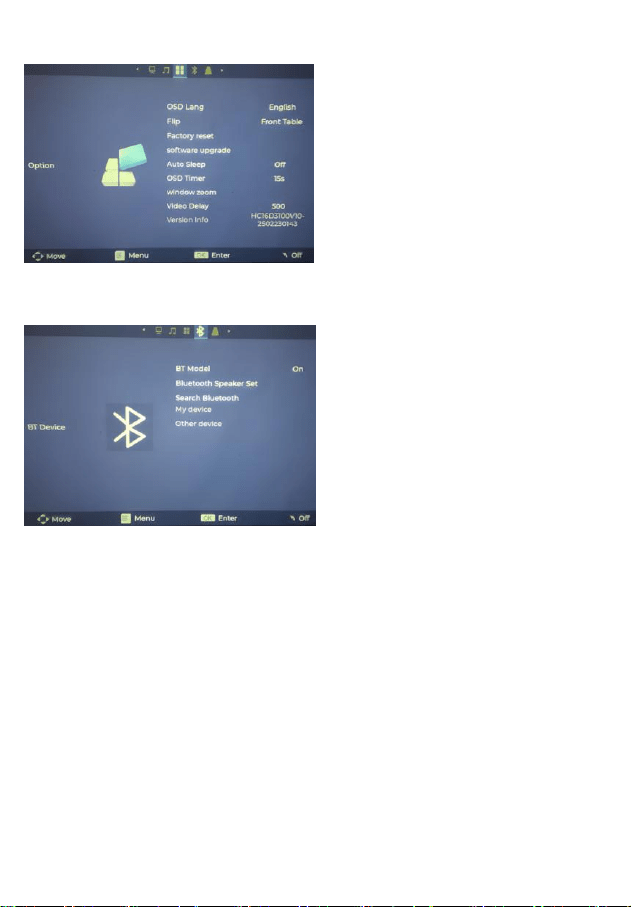
Option Settings:
In option settings, you can use in
the settings interface, you can
select options in the language, set
the language,can rotate the
screen, side cast or ceiling type
delivery and other ways, and
software system upgrades.
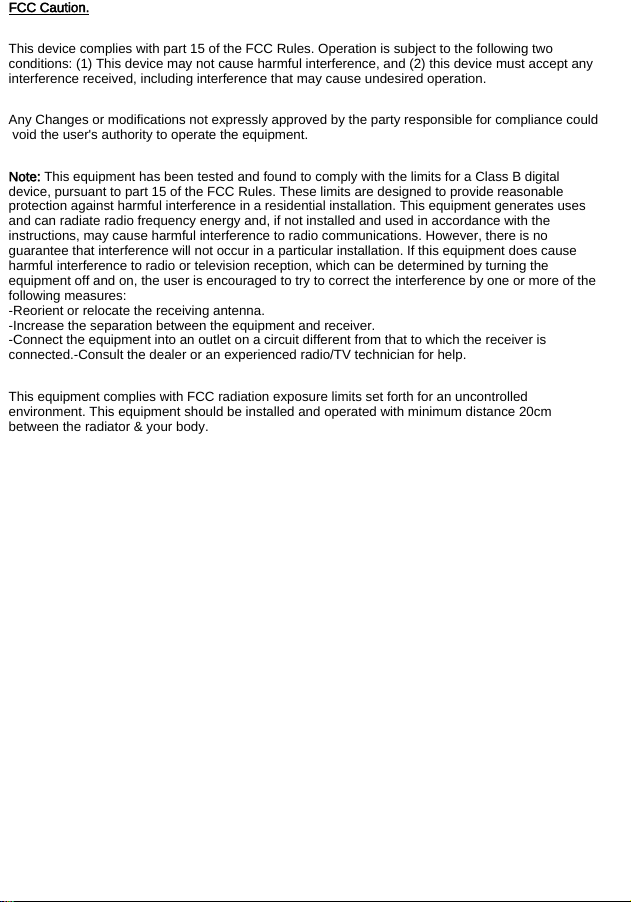
BT Device
On the homepage, click Settings -
Open "BT Devices" Enable
Bluetooth, click Search for Devices
and select Bluetooth Speaker or
Bluetooth Earphone for pairing.
FCC Caution.
This device complies with part 15 of the FCC Rules. Operation is subject to the following two
conditions: (1) This device may not cause harmful interference, and (2) this device must accept any
interference received, including interference that may cause undesired operation.
Any Changes or modifications not expressly approved by the party responsible for compliance could
void the user's authority to operate the equipment.
Note: This equipment has been tested and found to comply with the limits for a Class B digital
device, pursuant to part 15 of the FCC Rules. These limits are designed to provide reasonable
protection against harmful interference in a residential installation. This equipment generates uses
and can radiate radio frequency energy and, if not installed and used in accordance with the
instructions, may cause harmful interference to radio communications. However, there is no
guarantee that interference will not occur in a particular installation. If this equipment does cause
harmful interference to radio or television reception, which can be determined by turning the
equipment off and on, the user is encouraged to try to correct the interference by one or more of the
following measures:
-Reorient or relocate the receiving antenna.
-Increase the separation between the equipment and receiver.
-Connect the equipment into an outlet on a circuit different from that to which the receiver is
connected.-Consult the dealer or an experienced radio/TV technician for help.
This equipment complies with FCC radiation exposure limits set forth for an uncontrolled
environment. This equipment should be installed and operated with minimum distance 20cm
between the radiator & your body.