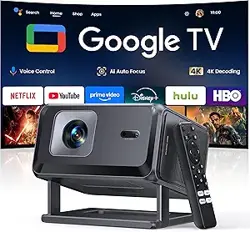
Overview
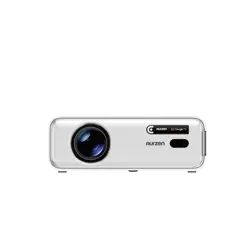
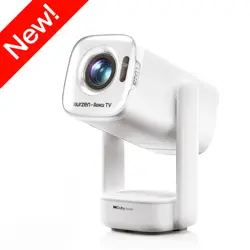
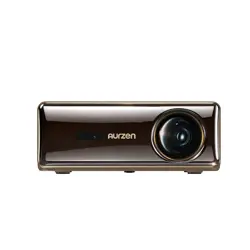
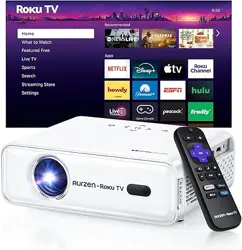
The PANSEBA Smart Mini Projector (Model PA04) is a portable LED projector designed for home cinema and outdoor entertainment. It features built-in Wi-Fi, Bluetooth, and a certified Netflix app, allowing you to stream content directly without an external TV stick. The projector supports 1080p HD resolution and can project images up to 200 inches.

Key specifications:
- Native Resolution: 1024 x 720 (supports up to 3840 x 2160)
- Display Type: LED
- Light Source Life: 50,000 hours
- Image Size: 40 – 200 inches
- Throw Distance: 6.56 – 26.25 feet
- Connectivity: Wi-Fi (2.4/5 GHz), Bluetooth 5.0, HDMI, USB, 3.5mm audio
- Built-in Speaker: Yes, Hi-Fi stereo
- Dimensions: 5.98 x 2.95 x 7.28 inches
- Weight: 2.87 lbs
What's in the Box
- PANSEBA Smart Mini Projector (PA04)
- Remote Control
- Power Cord
- HDMI Cable
- Cleaning Kit
- User Manual
Features
Built-in Netflix and Streaming Apps
The projector comes with a pre-installed Netflix app, giving you access to over 1,000,000 movies and shows. Additional apps such as Prime Video can be downloaded directly from the home screen without needing an external streaming device.

Dual-Band Wi-Fi (5 GHz & 2.4 GHz)
Supports both 5 GHz and 2.4 GHz Wi-Fi bands for stable, high-speed wireless streaming. The 5 GHz band reduces lag and buffering during online movies or gaming.

Two-Way Bluetooth
The projector features two-way Bluetooth functionality. You can connect Bluetooth headphones or speakers to the projector for private listening, or use the projector itself as a standalone Bluetooth speaker for your phone or tablet.

Large Screen Projection (Up to 200")
Capable of projecting an image from 40 to 200 inches diagonally, depending on the distance from the screen or wall. The minimum throw distance is 6.56 feet, and the maximum is 26.25 feet.

50% – 100% Zoom Function
You can adjust the image size between 50% and 100% without moving the projector, giving you flexibility to fit the screen perfectly in any room.

Multiple Connectivity Options
The projector is equipped with HDMI, USB, and a 3.5mm headphone jack. It is compatible with Fire TV Stick, Chromecast, Roku, DVD players, laptops, smartphones, tablets, gaming consoles (PS, Xbox, Switch), and external speakers.

Advanced Cooling System & Long Lamp Life
An advanced fan cooling system efficiently dissipates heat, reducing noise and extending the LED light source life to 50,000 hours (approximately 15 years of typical use).
Built-in Hi-Fi Stereo Speakers
The projector includes built-in Hi-Fi stereo speakers that deliver clear, original audio fidelity. For a more immersive experience, you can connect external Bluetooth speakers or headphones.
Use Guide
Setting Up the Projector
- Place the projector on a stable, flat surface (tabletop, floor, tripod, or ceiling mount). Ensure the front lens faces the projection screen or wall.
- Connect the power cord to the projector and plug it into a wall outlet.
- Press the power button on the projector or the remote control to turn it on.
- Adjust the focus by rotating the focus ring on the lens until the image is sharp.
- Adjust the image size using the zoom function (50%–100%) in the settings menu or by moving the projector closer to or farther from the screen.

Connecting to Wi-Fi
- Navigate to the Settings menu on the home screen.
- Select Network > Wi-Fi.
- Choose your Wi-Fi network (2.4 GHz or 5 GHz) and enter the password.
- Once connected, the projector will display a confirmation message.
Using the Built-in Netflix App
- From the home screen, select the Netflix icon.
- Log in with your Netflix account credentials.
- Browse and select a movie or show to start streaming.
- Use the remote control to play, pause, adjust volume, and navigate.
Note: The Netflix app is pre-installed on the "Netflix Version" of this projector. If you have the "Basic Version," you will need to use an external streaming device (e.g., Fire TV Stick) connected via HDMI.
Connecting via Bluetooth
To connect Bluetooth headphones or speakers:
- Go to Settings > Bluetooth.
- Enable Bluetooth and select Search for devices.
- Put your headphones or speaker in pairing mode.
- Select the device from the list to connect.
To use the projector as a Bluetooth speaker:
- On the projector, go to Settings > Bluetooth and select Speaker Mode.
- On your phone or tablet, enable Bluetooth and search for "PANSEBA PA04".
- Pair the devices. Audio from your phone will now play through the projector's speakers.
Connecting External Devices via HDMI or USB
- Connect your device (e.g., laptop, gaming console, Fire TV Stick) to the projector using an HDMI cable (included) or USB cable.
- Press the Source button on the remote control.
- Select the corresponding input (HDMI 1, HDMI 2, or USB).
- The content from your device will appear on the projection screen.

Using the Remote Control
The remote control allows you to navigate menus, adjust volume, change input sources, and control playback. Point the remote at the infrared receiver on the front of the projector (range: approximately 20 feet).
- Power: Turn the projector on/off.
- Source: Switch between HDMI, USB, and other inputs.
- Menu/Home: Return to the main menu.
- Directional pad: Navigate menus and options.
- OK/Enter: Confirm a selection.
- Volume +/-: Adjust speaker volume.
- Zoom: Adjust image size (50%–100%).
Cleaning and Maintenance
- Use the included cleaning kit to gently wipe the lens. Avoid using harsh chemicals or abrasive materials.
- Ensure the ventilation grills are not blocked to prevent overheating.
- Store the projector in a cool, dry place when not in use.
Troubleshooting
| Issue | Possible Cause | Solution |
|---|---|---|
| No image or blank screen | Power not connected; incorrect input source | Check power cord; press Source button to select correct input |
| Blurry image | Focus ring not adjusted | Rotate the focus ring until image is sharp |
| No sound | Volume muted; Bluetooth device not connected | Increase volume; check Bluetooth connection |
| Wi-Fi not connecting | Wrong password; router issue | Re-enter password; restart router; ensure 2.4 GHz band is enabled |
| Remote not working | Batteries dead; IR sensor blocked | Replace batteries; point remote at front IR receiver |
| Overheating / fan noise | Ventilation blocked | Ensure at least 6 inches of clearance around vents |
Warranty and Support
This projector comes with a 3-year warranty from the date of purchase. For warranty service or technical support, contact PANSEBA customer service through your Amazon account or the PANSEBA store page.
Manufacturer: PANSEBA
Model: PA04
ASIN: B0DT11LB5H