User Manual
mport vault pro
15-in-1 Docking Station
PRODUCT OVERVIEW
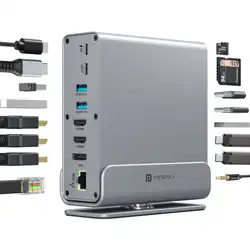
The Portronics MPort Vault Pro 15-in-1 Docking Station is a
high-performance USB-C Dock designed to transform a
single USB-C port into a full workstation. It supports up to 1000
Mbps Ethernet, dual 4K/30Hz display output, 100W PD
charging, high-speed data transfer, and universal
compatibility with laptops, tablets, and smartphones.
KEY SPECIFICATIONS
Material: Aluminum Alloy (Dock) + TPE (Wire)
Color: Grey
Interface Type: USB-C 3.2
Power Delivery: 5V–20V / 5A (Max 100W)
PACKAGE CONTENTS
1x 15-in-1 Docking Station
1x Thunderbolt Cable
1 × User Manual
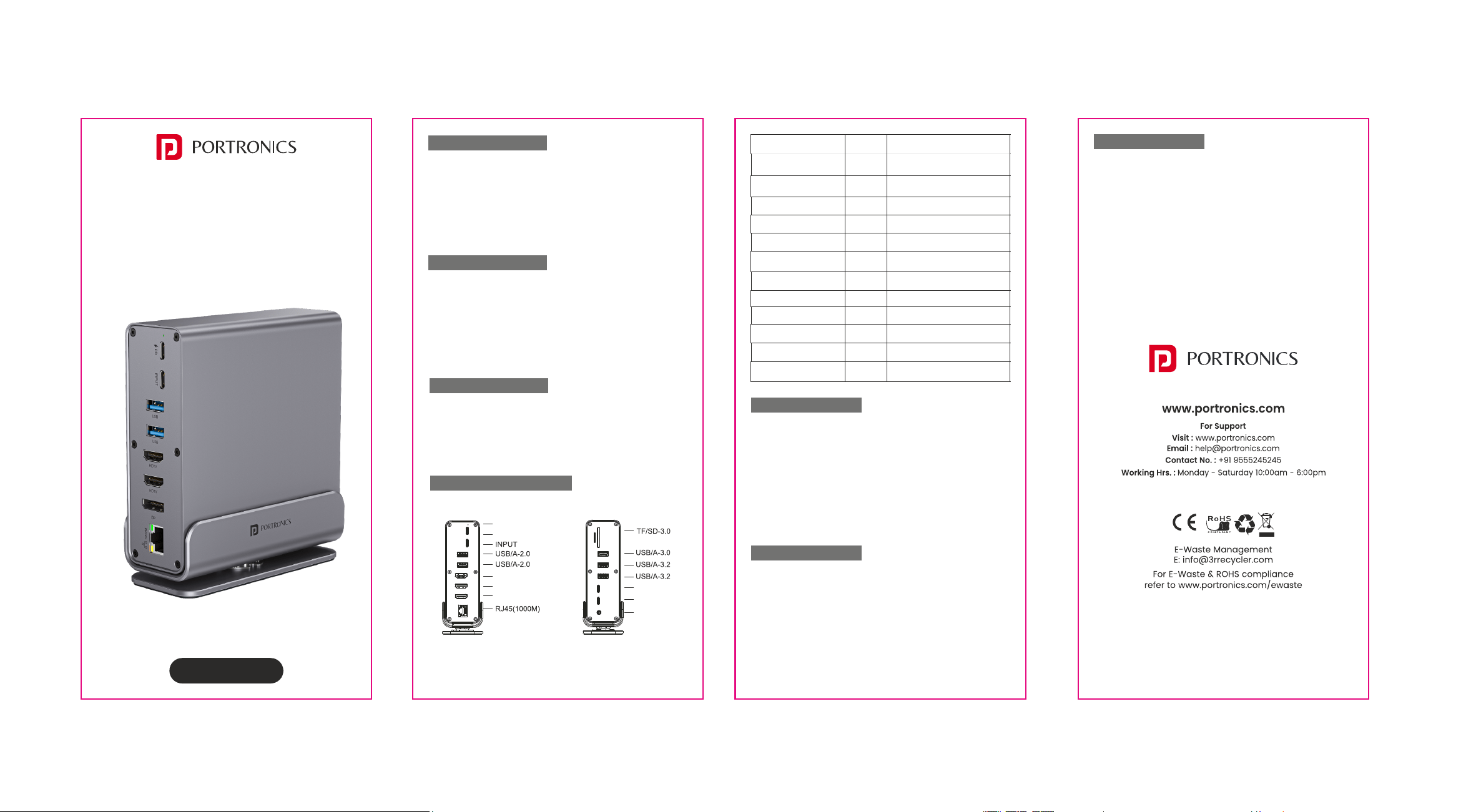
PORT LAYOUT & FUNCTIONS
PORT TYPE QUANTITY FUNCTION
Type-C PD 100W
HDMI 4K/30Hz
Display Port
USB-A 3.2 (10Gbps)
USB-A 3.0 (5Gbps)
USB-A 2.0
Type-C 3.2 (10Gbps)
Type-C 3.0 (5Gbps)
RJ45 Gigabit Ethernet
3.5mm Audio Jack
TF Card Slot
SD Card Slot
1
2
1
2
1
2
1
1
1
1
1
1
Alternate display connection
High-speed data transfer
Fast data transfer
Keyboard, mouse, printer.
High-speed data transfer
Fast data transfer
Wired internet up to 1000 Mbps
Headphones, mic, speakers
SD/TF card reader (3.0)
SD card reader (3.0)
Charges laptop or device
while dock is in use.
Connects to external
displays (supports dual 4K).
COMPATIBILITY
Works with:
• Apple: MacBook 12”, MacBook Pro 2016-2020, MacBook Air,
Mac Mini, iPad Pro (2018 & later)
• Windows Laptops: Dell XPS13/15, HP EliteBook series, Lenovo
ThinkPad, Yoga, ROG series, and more
• Tablets & Phones: Samsung Galaxy series, Huawei Mate/P
series, Microsoft Surface Book2/Go, Razer Phone, LG G/V
series, etc.
SETUP & USAGE
• Connect the Docking Station : Plug the built-in USB-C cable
into your laptop, tablet, or phone.
• Connect Power (Optional) : Attach a USB-C PD charger to
the dock for passthrough charging up to 100W.
• Connect Peripherals : Plug in monitors, keyboards, mouse,
storage devices, Ethernet cable, or audio devices into
respective ports.
• Driver-Free Operation : The device is plug-and-play and
works without additional drivers.
SAFETY & CARE
• Use only certified USB-C PD adapters for power delivery.
• Avoid using low-quality HDMI/DP cables to ensure stable 4K
output.
• Keep away from moisture, heat sources, and magnetic
fields.
• Do not disassemble the device.
Audio Aux
Type-C 3.2
Type-C 3.0
LED Indicator
Type-C PD 100W
HDMI
HDMI
DP