
XHDATA
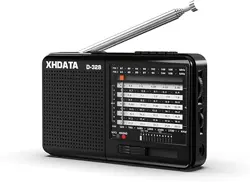
D-328
Full Band Radio
User Manual
Independent Campus Radio Band(FM2)
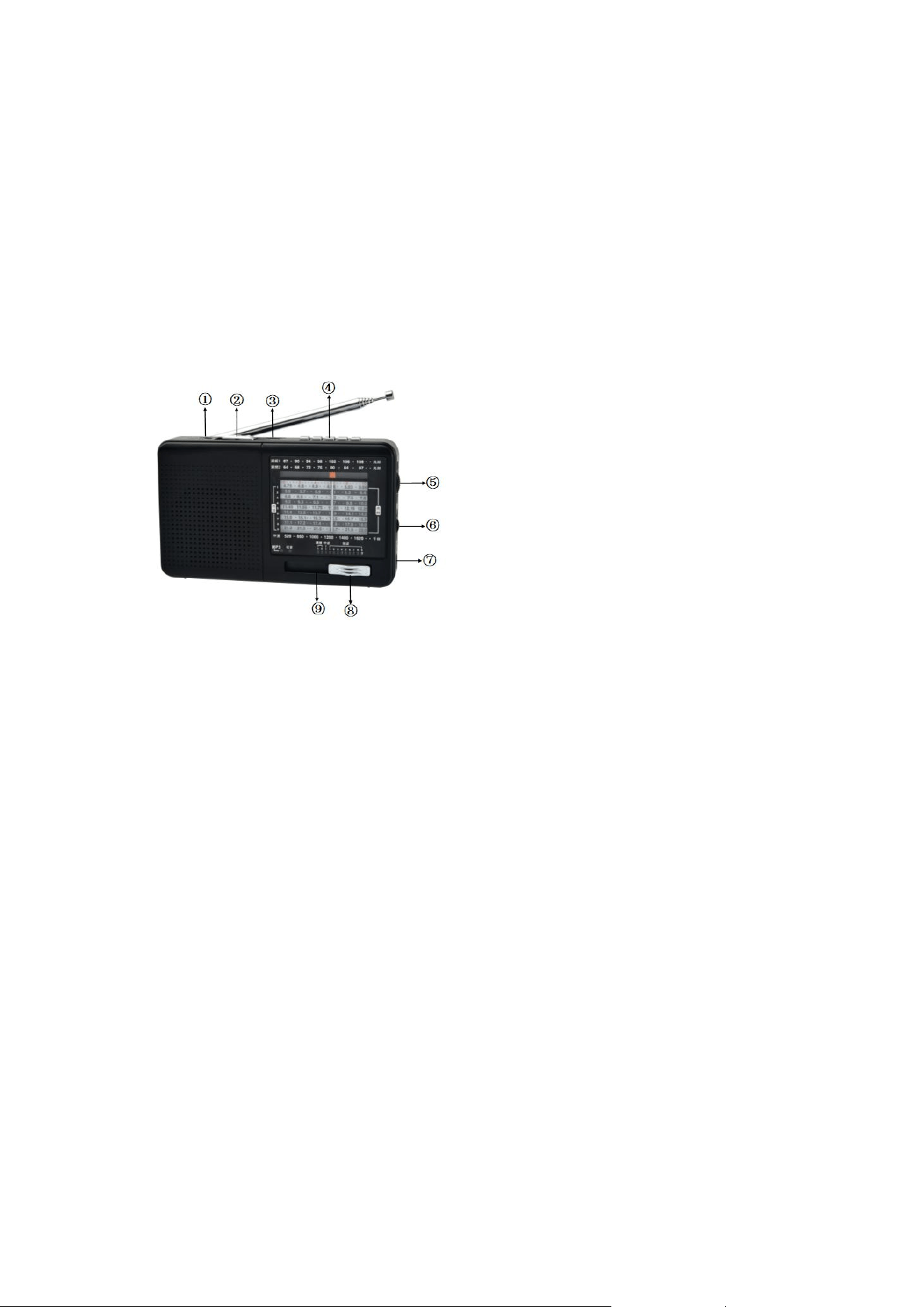
① DC 5V/500 mA jack (charging LED indicator)
② Function switch
③ TF card
④ MP3 play key
⑤ Selection button
⑥ Volume adjust
⑦ Earphone jack
⑧ Band switch
⑨ Battery compartment (5C lithium battery)
PLEASE READ THIS MANUAL BEFORE OPERATION
MAIN PERFORMANCE INDICATORS
1.Frequency range:
FM 1/ FM2 87-108 / 64-87 MHz
AM 520-1620 KHz
SW1-9 4.75-22MHz
2.Sensitivity:
FM better than 3 µV
AM better than 1mV/m
SW better than 20 µV
3.Speaker: 4Ω/3W
4.Output power: 1.5W(RMS)
5.DC input: 5V/500mA
6.Standard 3.5mm earphone jack
7.Support TF card play (MP3 audio format
decoding)
8.Accessories: USB charging cable, hand
strap, user manual
FEATURES:
This full-band radio uses the latest
generation of US radio technology.
which ensures that the radio has high
sensitivity, selectivity and stability. In
addition, the S / N ratio and the
capability of interference resistance
are significantly improved
This radio has a simple mechanical
switch that allows you to switch
functions and radio bands. The
traditional analogue frequency display
can reduce the electromagnetic
interference caused by MCU
(microcomputer) frequency conversion,
ensuring a high S/N ratio, high
sensitivity and a better value for
money.
An economical and environmentally
friendly lithium battery is used.
3.5mm headphone jack
Breakpoint memory during MP3
playback
An LED digital display during MP3
playback
A high-quality speaker with a PU edge
is used for a good sound.
RADIO FUNCTIONS
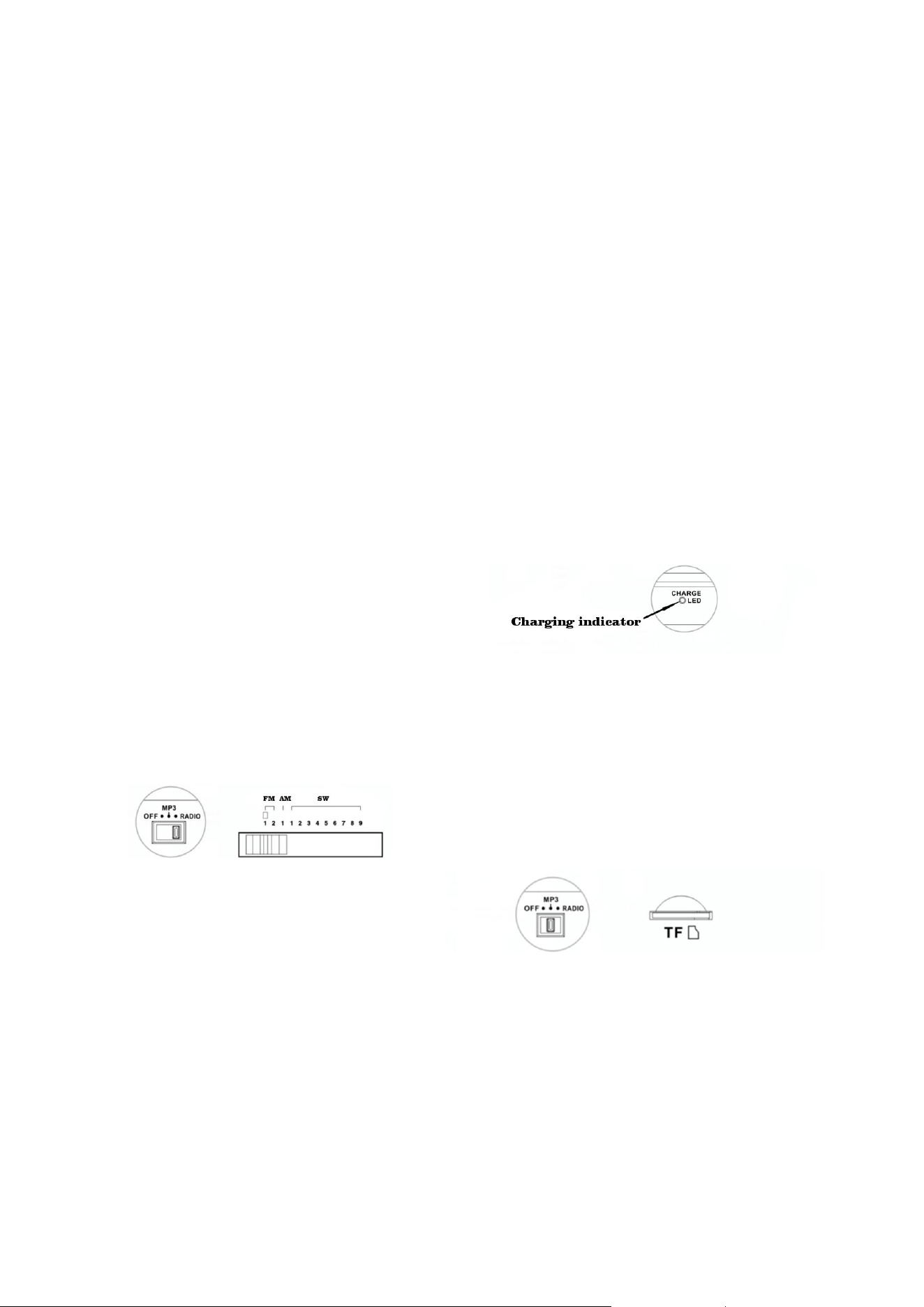
1.Move the function switch to the “RADIO”
position
2.Turn the band selector knob to your
favorite band, then adjust the volume knob
to the appropriate volume. Slowly rotate
the selection button to your preferred
station, when station signal is strong
enough, the radio broadcast sound is very
clear.
3.While listening FM or SW broadcast, pull
out the telescopic antenna and rotate its
direction to gain best reception
performance; While listening MW
broadcast, rotate radio body’s angle to
obtain best reception effect.
CHARGING THE BATTERY
①When you are using this unit, if the
sound is much quieter or audibly distorted,
MP3 playback restart again and again, or
the unit turns off automatically, it proves
the battery runs low, then you should
charge the device immediately. (If the unit
is not used for a long time, remove the
lithium battery from the battery
compartment, store it at other place and
recharge it at least once every two months
to ensure the lifetime of the battery.)
②For a safe and quick charging, please use
the original Radio Charger (5V / at least
500mA or 1 A). A charger with a stronger
power charges the battery faster. A full
charging will take 6 to 8 hours.
③Ensure that the battery is not inserted
reversely to avoid damage to the battery
and to extend its service life.
Charging indicator: When this unit is
charging connected by a USB charger, the
charge indicator will lights up.
MP3 PLAYBACK
Set the function switch to the “MP3”
position and insert the TF card into the
shown interface, to load and playback the
recorded MP3 audio files.