1
Installation Guide
AT-OCS-900N
Network-Enabled
Occupancy Sensor
AT-OCS-900N
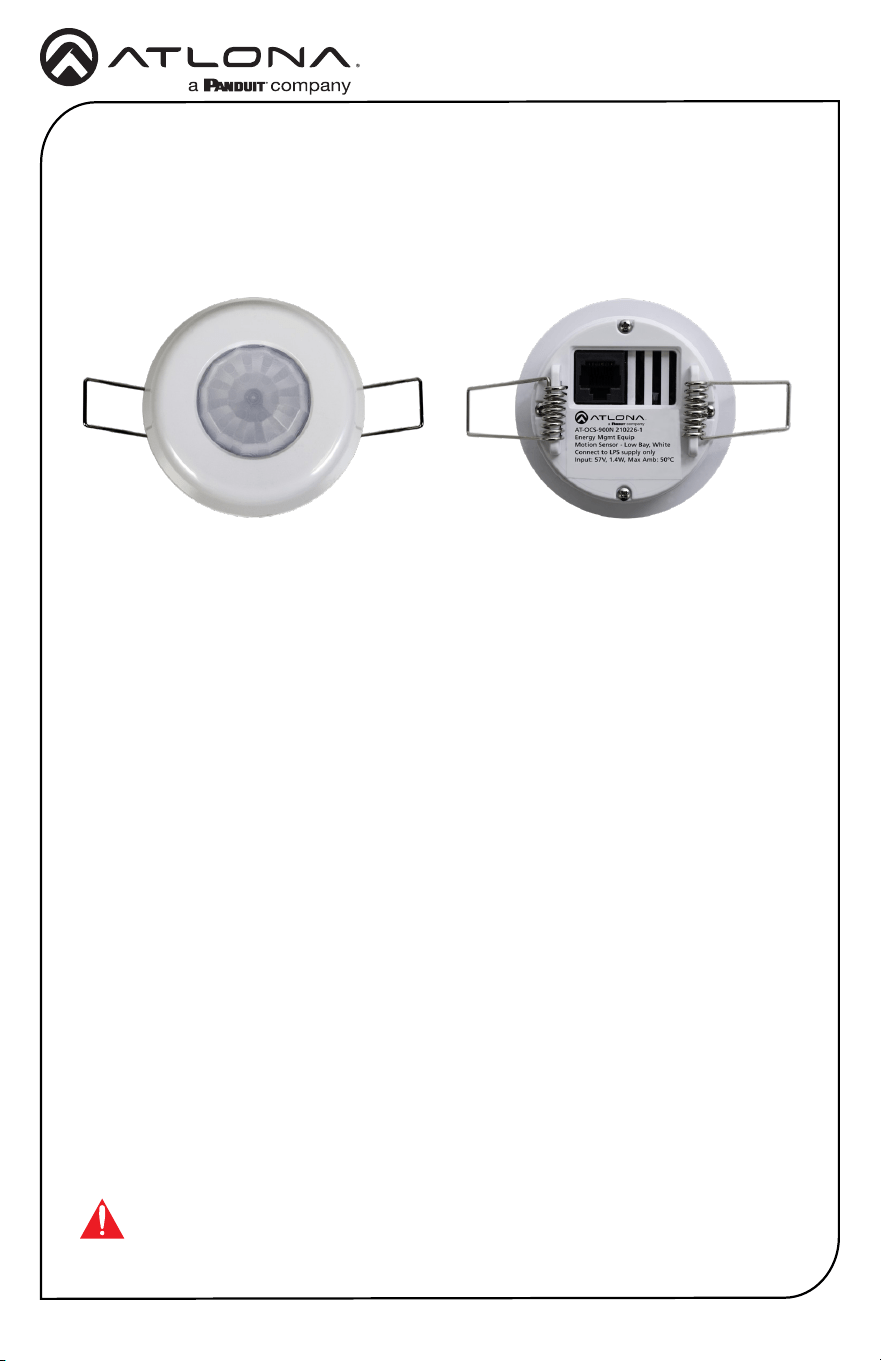
The Atlona AT-OCS-900N is a network-enabled multi-function sensor designed for use in
a wide variety of AV automation applications. This ceiling mounted sensor uses passive
infrared (PIR) technology to detect occupancy in the coverage area. The OCS-900N utilizes
an IP network to communicate with select Atlona products and the Velocity™ system
to automatically control AV components based on whether the space is occupied. It
comes with two lenses that cover approximately 900 or 2,000 square feet depending on
ceiling height. A blinder insert is included that limits the sensor’s eld of view, preventing
detection in unwanted areas such as doorways or windows with heavy cross trac.
Installation is simplied by Power over Ethernet (PoE), that provides both communications
and power over a single cable as well as spring-loaded clamps that secure the sensor to a
ceiling tile.
In addition to occupancy, the OCS-900N also captures temperature and ambient light level
information. Its open standard design allows sensor information to be communicated to
third-party ventilation, lighting, and other systems over TCP/IP using common protocols
such as UDP, TCP, WebSocket, and MQTT.
IMPORTANT: Visit http://www.atlona.com/product/AT-OCS-900N for the latest
rmware updates and documentation.
Package Contents
1 x AT-OCS-900N with installed Standard Ceiling lens
1 x 120-degree optics shader
1 x High Ceiling lens
1 x Installation guide
2
Installation Guide
AT-OCS-900N
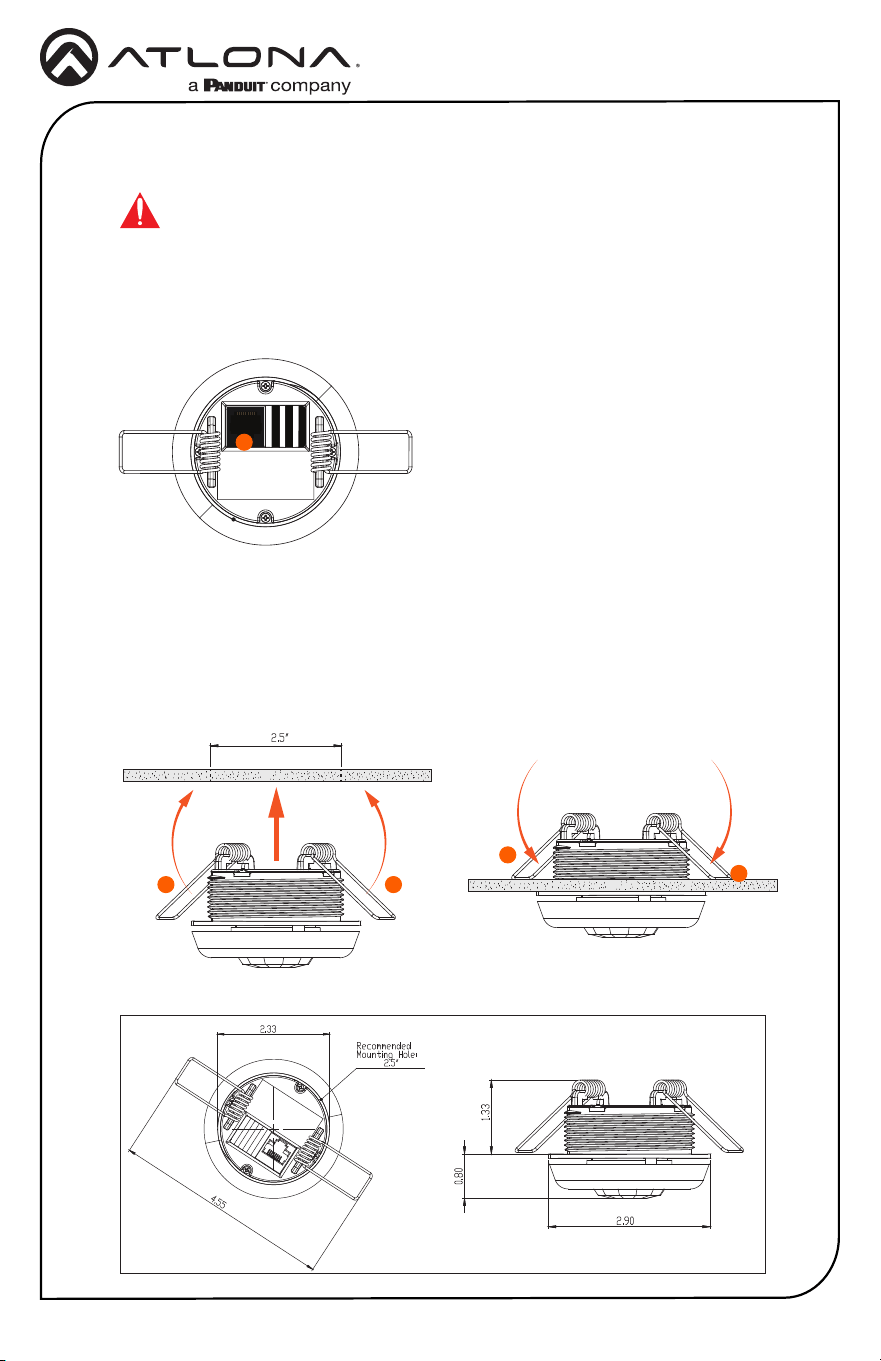
3. In a pre-drilled 2.5” hole, fold the wing clips towards the center of the AT-OCS-900N.
The recommended mounting hold diameter is 2.5” and should not exceed a diameter
of 2.90”. Refer to Figure 1.1 for dimensions of the AT-OCS-900N.
4. Insert the device into the ceiling tile and release clips. The wing clips will return to the
down position, securing the unit in place.
C E I L I N G
C E I L I N G
Energy Mgmt Equip
Motion Sensor - Low Bay, White
Connect to LPS supply only
Input: 57V, 1.4W, Max Amb: 50° C
S/N: 210226-IDLM-XX1
MAC: 68-27-19-D2_2E-CE
AT-OCS-900N 210226-1
C E I L I N G
1. Determine the coverage area required. Refer to Coverage Pattern (page 3) for
more information.
2. Connect an Ethernet cable from the LAN port to the Local Area Network.
Installation
2
3 3
4
4
Figure 1.1
IMPORTANT: This product is designed to be installed by instructed or
skilled person(s) only. Also, do not touch or apply pressure to the IR
sensor. Doing so may damage or break the IR sensor.
3
Installation Guide
AT-OCS-900N
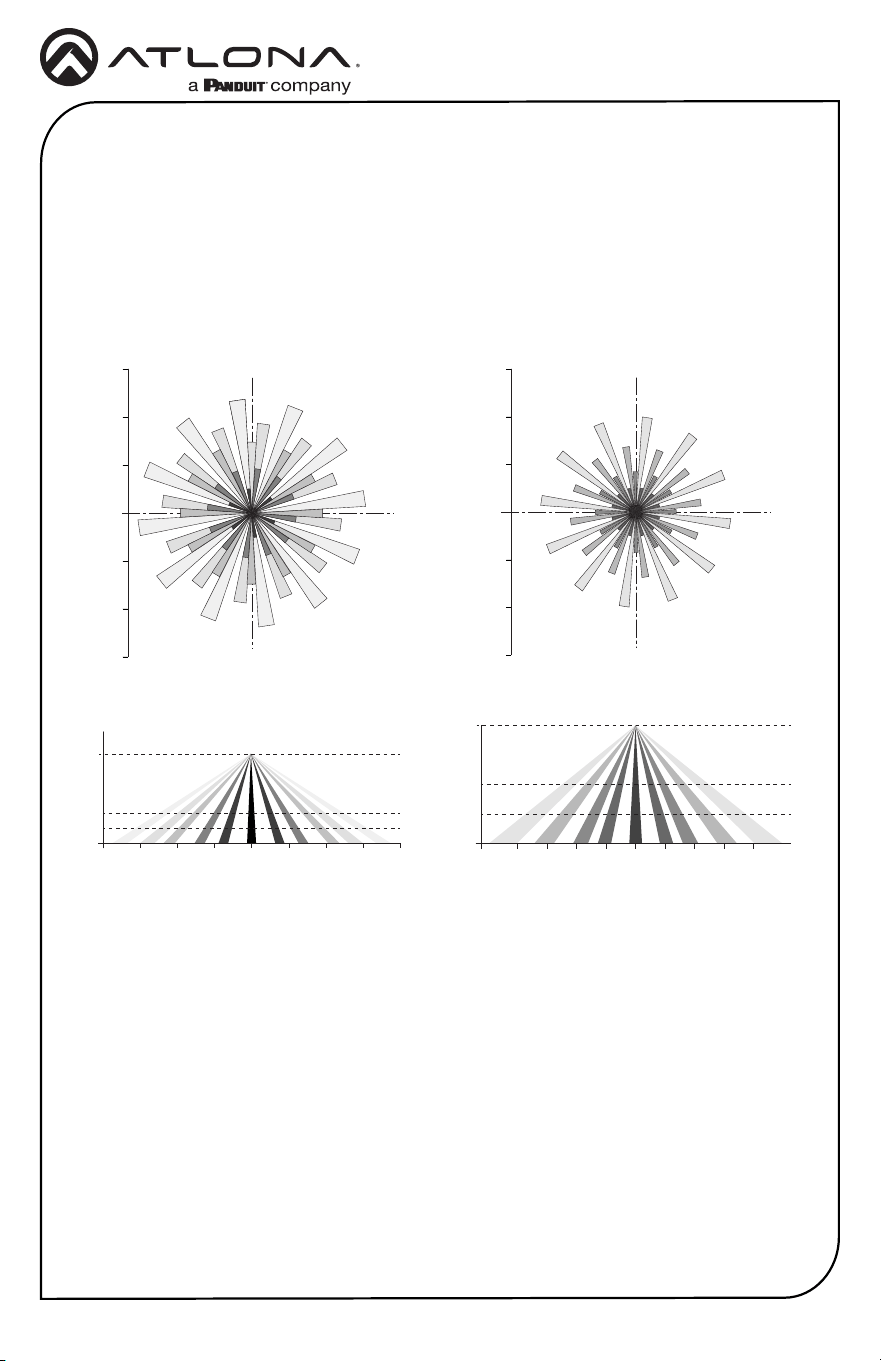
Coverage Pattern
Standard Ceiling Coverage High Ceiling Coverage
5 ft
(1.5 m)
10 ft
(3.0 m)
15 ft
(4.6 m)
5 ft
(1.5 m)
10 ft
(3.0 m)
15 ft
(4.6 m)
0
20 ft
(6.1 m)
40 ft
(12.2 m)
60 ft
(18.3 m)
20 ft
(6.1 m)
40 ft
(12.2 m)
60 ft
(18.3 m)
0
8 ft
(2.4 m)
10 ft
(3.0 m)
12 ft
(3.7 m)
0
20 ft
(6.1 m)
15 ft
(4.6 m)
10 ft
(3.0 m)
5 ft
(1.5 m)
20 ft
(6.1 m)
15 ft
(4.6 m)
10 ft
(3.0 m)
5 ft
(1.5 m)
0
20 ft
(6.1 m)
30 ft
(9.1 m)
40 ft
(12.2 m)
40 ft
(12.2 m)
30 ft
(9.1 m)
20 ft
(6.1 m)
10 ft
(3.0 m)
0 10 ft
(3.0 m)
20 ft
(6.1 m)
30 ft
(9.1 m)
40 ft
(12.2 m)
0
The AT-OCS-900N includes a factory-installed Standard Ceiling lens. The Standard
Ceiling lens can be replaced with the included High Ceiling lens, depending on the size
of the room. Refer to the diagrams below for coverage area and the User Manual for lens
removal instructions.
Top View Top View
Side View Side View
Accessing the Web Server
The AT-OCS-900N includes a built-in web server, which allows easy management and
control of all features.
1. Verify that the AT-OCS-900N, and the computer used to manage the AT-OCS-900N,
are connected to the same network.
2. Launch a web browser and enter the IP address of the unit.
3. The Registration page will be displayed.
4. Enter the username, password, and conrm the password on the registration page
to register the device. Both the username and password must consist of 5 - 16
alphanumeric characters/symbols.
5. Click on Register button.
6. After clicking the register button, the dashboard of the built-in web server will be
displayed.
4
Installation Guide
AT-OCS-900N
Version 3
© 2022 Atlona Inc. All rights reserved. “Atlona” and the Atlona logo are registered trademarks of Atlona Inc. All other brand names and trademarks
or registered trademarks are the property of their respective owners. Pricing, specications and availability subject to change without notice. Actual
products, product images, and online product images may vary from images shown here.
Toll free US International
atlona.com • 877.536.3976 • 41.43.508.4321
English Declaration of Conformity
The English version can be found under the resources tab at:
https://atlona.com/product/at-ocs-900n/.
25280-R3
Warranty
Chinese Declaration of Conformity 中国RoHS合格声明
To view the product warranty, use the following link or QR code:
https://atlona.com/warranty/.
由SKU列出於:
https://atlona.com/about-us/china-rohs/.