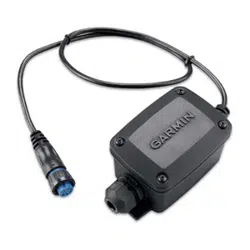
12-PIN TRANSDUCER ADAPTER BOX
INSTALLATION INSTRUCTIONS
Important Safety Information
CAUTION
To avoid possible personal injury, always wear safety goggles, ear protection, and a dust mask when drilling,
cutting, or sanding.
NOTICE
When drilling or cutting, always check what is on the opposite side of the surface to avoid damaging the vessel.
Mounting Location Considerations
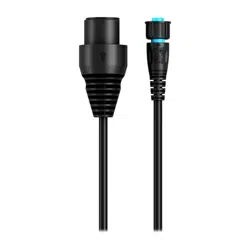
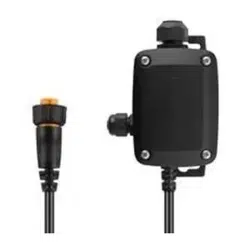
Use the adapter to connect your 12-pin sounder to a compatible bare wire, 12-pin, 8-pin, or 6-pin transducer.
• The adapter cable from the device should reach the transducer connector on the sounder easily when the
device is mounted.
• The device should not be submerged in water.
• The device should be mounted at least 15.25cm (6in.) from a source of electrical interference, such as a
motor.
• When a mounting surface is unsuitable for screws, you must secure the device to a structure using cable ties
(not included).
Tools Needed
• Drill and 3.2mm (
1
/
8
in.) drill bit
• #2 Phillips screwdriver
• 3mm flat screwdriver
• Cable ties (optional)
• Wire cutter
• Wire stripper
• 21mm (
13
/
16
in.) wrench
• 15mm (or adjustable) wrench (optional)
Mounting the Adapter Box
1 Using the 3.2mm (
1
/
8
in.) bit, drill the pilot holes.
2 Insert the screws into the pilot holes, but do not tighten them flush with the surface.
3 Place the adapter box on the screws and slide it into place.
4 With the adapter box unmounted, connect the wires.
5 Tighten the screws until the adapter box is securely fastened to the surface.
GUID-CC1D21E9-A273-4F3F-ACD6-3E66E4D51C1D v4June 2022
Connecting the Device to a Transducer
Preparing the Transducer to Connect to the Adapter
Before you can begin the installation, you must check your transducer compatibility. Water speed wheels are not
supported on the 12-pin sounder connector.
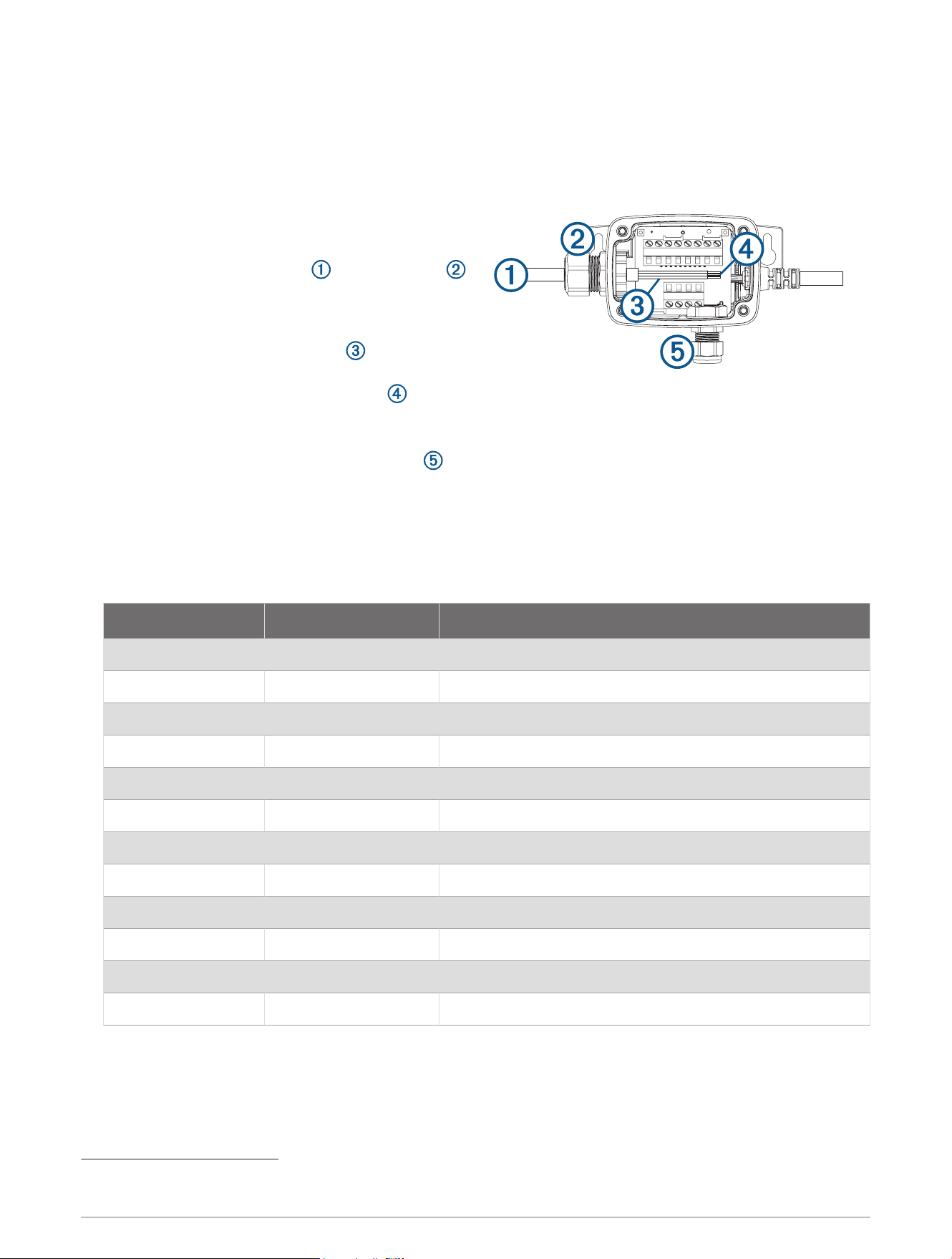
1 For a transducer with a 12-pin (orange), 8-pin (blue),
or 6-pin (black) connector, cut off the connector
cable as close to the connector as possible.
2 Feed the cut end of the cable through the nut
on the side of the housing and pull it out through the
other side.
3 Use the wire stripper to remove about 90mm
(3
1
/
2
in.) of the outer cable jacket and foil shield.
4 Use the wire stripper to remove about 6mm (
1
/
4
in.)
of the insulation from each internal wire .
NOTE: Tinning the stripped wires is recommended.
5 For transducers without a temperature sensor, you can use a 15mm (or adjustable) wrench to connect a
separate temperature sensor through the nut on the bottom side of the housing (optional).
Connecting the Transducer Wires to the 12-pin Adapter
1 Using a 3mm flat screwdriver, connect the transducer wires to the wire block in the 12-pin adapter as shown
in the wiring block table.
NOTE: You can consult the wire color tables to identify the wire functions for some Garmin
®
and Airmar
™
transducers (Wiring Block Tables, page3).
Wire Block Number Wire Function Description
1 Shield/Ground Sonar system common ground
2 Temp + Water temperature positive
3 GID Garmin Transducer Identification
4 XID Airmar Transducer Identification
5 Right - / Low depth - Right Garmin SideVü
™
negative or low-channel negative
6 Right + / Low depth + Right Garmin SideVü positive or low-channel positive
7 Down - / Hi depth - Garmin ClearVü
™
negative or high-channel negative
8 Down + / Hi depth + Garmin ClearVü positive or high-channel positive
9 Left + Left Garmin SideVü positive
10 Left - Left Garmin SideVü negative
11 Res. 1 Reserved 1
12 GID2
1
Garmin Transducer Identification 2
1
2 When the wire connections are secure, use a 21mm (
13
/
16
in.) wrench to tighten the nut around the
transducer cable.
3 Place the lid on the adapter and secure it with the four captive Phillips screws.
1
Present only on some Garmin 12-pin GT series transducers.
2
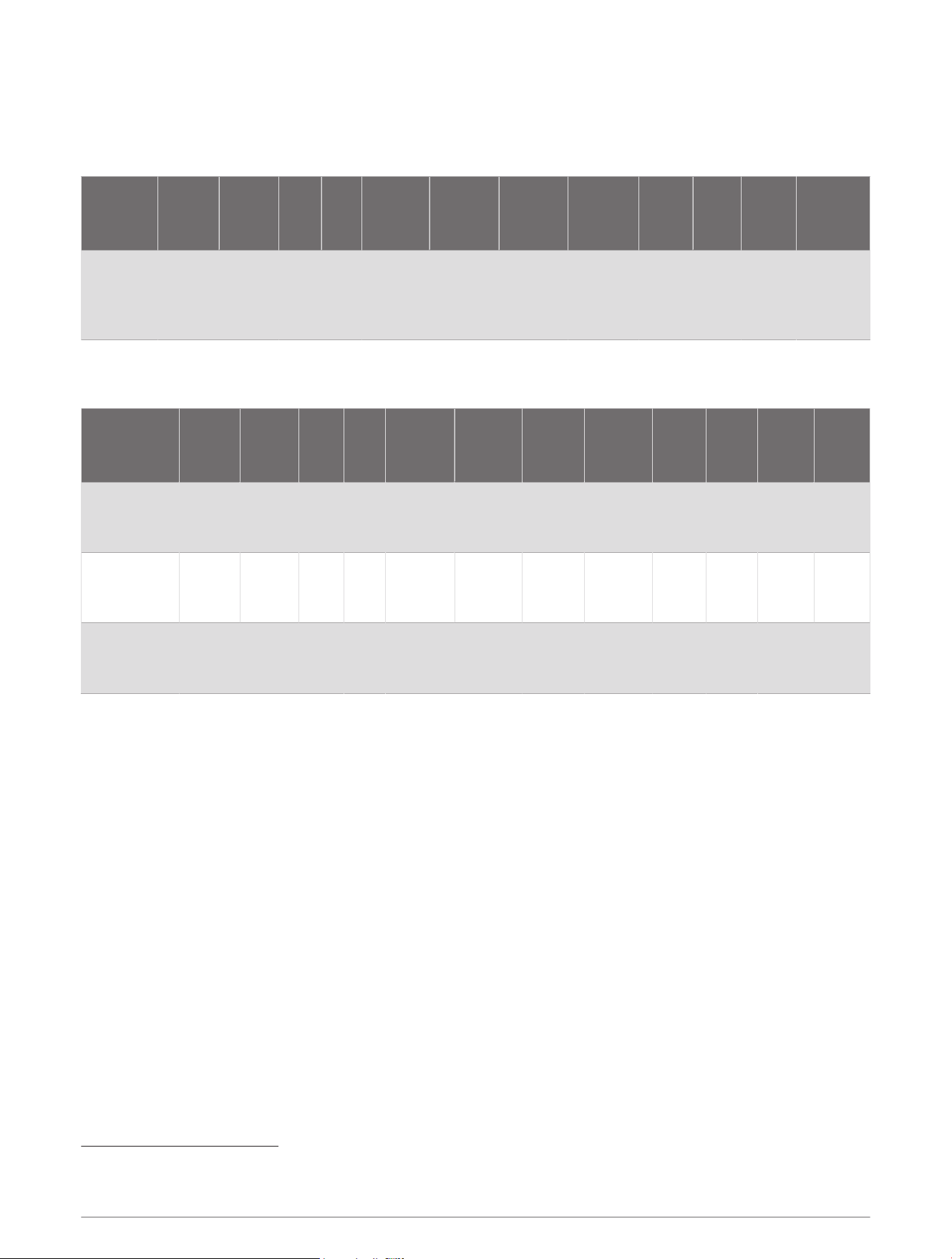
Wiring Block Tables
Garmin 12-pin Transducers
This Garmin 12-pin transducer adapter box is compatible with all 12-pin Garmin CV and GT series transducers.
Description
1: Shield/
Ground
2:
Temp+
3: GID
4:
XID
5: Right- /
Low
Depth-
6: Right+ /
Low
Depth+
7: Down- /
Hi Depth-
8: Down+ /
Hi Depth+
9: Left+
10:
Left-
11:
Res.1
12: GID2
Garmin CV
and GT
series
Bare White Green N/A Yellow Brown Black Blue Orange Red N/A
Purple (not
present on
all trans
ducers)
Garmin 8-pin Transducers
This Garmin 12-pin transducer adapter box is compatible with all 8-pin Garmin GT series transducers.
Description
1:
Shield/
Ground
2:
Temp+
3: GID
4:
XID
5: Right- /
Low
Depth-
6: Right
+ / Low
Depth+
7: Down
- / Hi
Depth-
8:
Down+ /
Hi Depth+
9:
Left+
10:
Left-
11:
Res.1
12:
Res.2
Garmin Dual
Beam 77/200
kHz
1
Bare White N/A N/A N/A N/A Black Red N/A N/A N/A N/A
Garmin Dual
Frequency
50/200 kHz
2
Bare/
Green
White N/A N/A N/A N/A Black Red N/A N/A N/A N/A
All other 8-pin
Garmin
GTtransducers.
Bare White Yellow N/A N/A N/A Black Red N/A N/A N/A N/A
1
On your chartplotter, select Transducer Type > Dual Beam (200/77 kHz).
2
On your chartplotter, select Transducer Type > Dual Freq (200/50 kHz).
3

Airmar Bare Wire and 8-pin Transducers
Description
1: Shield/
Ground
2:
Temp+
3: GID 4: XID
5: Right- /
Low
Depth-
6: Right+ /
Low
Depth+
7:
Down- /
Hi Depth-
8:
Down+ /
Hi Depth+
9: Left+
10:
Left-
11:
Res.1
12:
Res.2
Airmar B4
1
Bare White N/A N/A N/A N/A Black Blue N/A N/A N/A N/A
Airmar B60
1
Bare White N/A N/A N/A N/A Black Blue N/A N/A N/A N/A
Airmar B75H
Bare/
Brown
White N/A Orange N/A N/A Black Blue N/A N/A N/A N/A
Airmar B75L
Bare/
Brown
White N/A Orange N/A N/A
Black/
White
Blue/
White
N/A N/A N/A N/A
Airmar B75M
Bare/
Brown
White N/A Orange N/A N/A Black Blue N/A N/A N/A N/A
Airmar P19
2
Bare White N/A N/A N/A N/A Black Blue N/A N/A N/A N/A
Airmar P66
3
Bare/
brown
White N/A N/A N/A N/A Black Blue N/A N/A N/A N/A
Airmar P79
1
Bare
4 4
N/A N/A N/A N/A Black Blue N/A N/A N/A N/A
Airmar SS60
1
Bare White N/A N/A N/A N/A Black Blue N/A N/A N/A N/A
Airmar
TM150
Bare/
Brown
White N/A Orange N/A N/A Black Blue N/A N/A N/A N/A
Airmar B117
1
Bare White N/A N/A N/A N/A Black Blue N/A N/A N/A N/A
Airmar
B150M
Bare/
Brown
White N/A Orange N/A N/A Black Blue N/A N/A N/A N/A
Airmar B164 Bare White Brown Orange N/A N/A Black Blue N/A N/A N/A N/A
Airmar
SS164
Bare White Brown Orange N/A N/A Black Blue N/A N/A N/A N/A
Airmar
B175H (bare
wire)
Bare/
Brown
White N/A Orange N/A N/A Black Blue N/A N/A N/A N/A
Airmar
B175H
Bare/
Brown
White N/A Orange N/A N/A Black Blue N/A N/A N/A N/A
Airmar
B175L (bare
wire)
Bare/
Brown
White N/A Orange N/A N/A
Black/
White
Blue/
White
N/A N/A N/A N/A
Airmar
B175L
Bare/
Brown
White N/A Orange N/A N/A
Black/
White
Blue/
White
N/A N/A N/A N/A
Airmar
B175M (bare
wire)
Bare/
Brown
White N/A Orange N/A N/A Black Blue N/A N/A N/A N/A
1
On your chartplotter, select Transducer Type > Dual Freq (200/50 kHz).
2
On your chartplotter, select Transducer Type > Dual Beam (200/77 kHz).
3
Using the 12-pin wire block adapter for this transducer will prevent proper operation of the speed wheel (sonar and water temperature will function, but not
speed). If speed wheel operation is needed, use an 8-pin sonar port with a 010-11613-00 wire block adapter.
4
For transducers without temperature capability or a separate temperature sensor, you must install a jumper between connectors 1 and 2 on the wire block.
4

Description
1: Shield/
Ground
2:
Temp+
3: GID 4: XID
5: Right- /
Low
Depth-
6: Right+ /
Low
Depth+
7:
Down- /
Hi Depth-
8:
Down+ /
Hi Depth+
9: Left+
10:
Left-
11:
Res.1
12:
Res.2
Airmar
B175M
Bare/
Brown
White N/A Orange N/A N/A Black Blue N/A N/A N/A N/A
Airmar
B175HW
Bare/
Brown
White N/A Orange N/A N/A Black Blue N/A N/A N/A N/A
Airmar B258 Bare White Brown Orange N/A N/A Black Blue N/A N/A N/A N/A
Airmar B260 Bare White Brown Orange N/A N/A Black Blue N/A N/A N/A N/A
Airmar M260 Bare
1 1
Brown Orange N/A N/A Black Blue N/A N/A N/A N/A
Airmar
SS270W
Bare White Brown Orange N/A N/A Black Blue N/A N/A N/A N/A
Airmar
TM260
Bare White Brown Orange N/A N/A Black Blue N/A N/A N/A N/A
Airmar P319
2
Bare White N/A N/A N/A N/A Black Blue N/A N/A N/A N/A
Airmar B619
3
Bare White N/A N/A N/A N/A Black Blue N/A N/A N/A N/A
Airmar
B744V
4
Bare/
brown
White N/A N/A N/A N/A Black Blue N/A N/A N/A N/A
Airmar
B744VL
4
Bare/
brown
White N/A N/A N/A N/A Black Blue N/A N/A N/A N/A
1
For transducers without temperature capability or a separate temperature sensor, you must install a jumper between connectors 1 and 2 on the wire block.
2
On your chartplotter, select Transducer Type > Dual Freq (200/50 kHz).
3
On your chartplotter, select Transducer Type > Dual Beam (200/77 kHz).
4
Using the 12-pin wire block adapter for this transducer will prevent proper operation of the speed wheel (sonar and water temperature will function, but not
speed). If speed wheel operation is needed, use an 8-pin sonar port with a 010-11613-00 wire block adapter.
5

Garmin/Airmar 6-pin 50/200 kHz Dual-Frequency Transducers
Description
1:
Shield/
Ground
2:
Temp+
3:
GID
4: XID
5: Right- /
Low
Depth-
6: Right+ /
Low
Depth+
7:
Down- /
Hi
Depth-
8:
Down+ /
Hi
Depth+
9:
Left+
10:
Left-
11:
Res.1
12:
Res.2
Garmin Dual
Frequency
50/200 kHz
1
Bare/
Green
White N/A N/A N/A N/A Black Red N/A N/A N/A N/A
Airmar B117
depth only
1
Bare
2 2
N/A N/A N/A N/A Black Blue N/A N/A N/A N/A
Airmar B117
with temp
1
Bare/
Brown
White N/A N/A N/A N/A Black Blue N/A N/A N/A N/A
Airmar B744V
3
Bare/
brown
White N/A N/A N/A N/A Black Blue N/A N/A N/A N/A
Airmar P66
3
Bare/
brown
White N/A N/A N/A N/A Black Blue N/A N/A N/A N/A
Airmar
B744VL
3
long
stem
Bare/
brown
White N/A N/A N/A N/A Black Blue N/A N/A N/A N/A
Airmar P319
Depth only
1
Bare
2 2
N/A N/A N/A N/A Black Blue N/A N/A N/A N/A
Airmar P319
with temp
1
Bare/
Brown
White N/A N/A N/A N/A Black Blue N/A N/A N/A N/A
Airmar P79
adjustable in-
hull
1
Bare
2 2
N/A N/A N/A N/A Black Blue N/A N/A N/A N/A
Airmar M260
for 500W sonar
units
Bare
2 2
N/A Orange
4
N/A N/A Black Blue N/A N/A N/A N/A
Airmar B260 for
500W sonar
units
1
Bare/
Brown
White N/A N/A N/A N/A Black Blue N/A N/A N/A N/A
Airmar B260 Bare White N/A Orange
4
N/A N/A Black Blue N/A N/A N/A N/A
Airmar M260 Bare
2 2
N/A Orange
4
N/A N/A Black Blue N/A N/A N/A N/A
Airmar B258 Bare White N/A Orange
4
N/A N/A Black Blue N/A N/A N/A N/A
Airmar B60
1
Bare/
Brown
White N/A N/A N/A N/A Black Blue N/A N/A N/A N/A
Airmar B45
narrow stem
1
Bare/
Brown
White N/A N/A N/A N/A Black Blue N/A N/A N/A N/A
Airmar B164 Bare White N/A Orange
4
N/A N/A Black Blue N/A N/A N/A N/A
1
On your chartplotter, select Transducer Type > Dual Freq (200/50 kHz).
2
For transducers without temperature capability or a separate temperature sensor, you must install a jumper between connectors 1 and 2 on the wire block.
3
Using the 12-pin wire block adapter for this transducer will prevent proper operation of the speed wheel (sonar and water temperature will function, but not
speed). If speed wheel operation is needed, use an 8-pin sonar port with a 010-11613-00 wire block adapter.
4
Brown for transducers made before February 1, 2007
6

Description
1:
Shield/
Ground
2:
Temp+
3:
GID
4: XID
5: Right- /
Low
Depth-
6: Right+ /
Low
Depth+
7:
Down- /
Hi
Depth-
8:
Down+ /
Hi
Depth+
9:
Left+
10:
Left-
11:
Res.1
12:
Res.2
Airmar SS270W Bare White N/A Orange N/A N/A Black Blue N/A N/A N/A N/A
Airmar TM260 Bare White N/A Orange N/A N/A Black Blue N/A N/A N/A N/A
7

Airmar Bare Wire and 12-pin Chirp Transducers
Description
1: Shield/
Ground
2:
Temp+
3: GID 4: XID
5: Right- /
Low
Depth-
6: Right+ /
Low
Depth+
7:
Down- /
Hi
Depth-
8:
Down+ /
Hi
Depth+
9: Left+
10:
Left-
11:
Res.1
12:
Res.2
Airmar
M265LH
Bare/
Brown
1
1
N/A Orange
Black/
White
Blue/White Black Blue N/A N/A N/A N/A
Airmar B265LH
Bare/
Brown
White N/A Orange
Black/
White
Blue/White Black Blue N/A N/A N/A N/A
Airmar
TM265LH
Bare/
Brown
White N/A Orange
Black/
White
Blue/White Black Blue N/A N/A N/A N/A
Airmar
B265LM
Bare/
Brown
White N/A Orange
Black/
White
Blue/White Black Blue N/A N/A N/A N/A
Airmar B765LH
Bare/
Brown
White N/A Orange
Black/
White
Blue/White Black Blue N/A N/A N/A N/A
Airmar
B765LM
Bare/
Brown
White N/A Orange
Black/
White
Blue/White Black Blue N/A N/A N/A N/A
Airmar
TM265LM
Bare/
Brown
White N/A Orange
Black/
White
Blue/White Black Blue N/A N/A N/A N/A
Airmar
PM265LH
Bare/
Brown
White N/A Orange
Black/
White
Blue/White Black Blue N/A N/A N/A N/A
Airmar
PM265LM
Bare/
Brown
White N/A Orange
Black/
White
Blue/White Black Blue N/A N/A N/A N/A
Airmar
TM265LH
Bare/
Brown
White N/A Orange
Black/
White
Blue/White Black Blue N/A N/A N/A N/A
Airmar B265LH
Bare/
Brown
White N/A Orange
Black/
White
Blue/White Black Blue N/A N/A N/A N/A
Airmar
M265LH
Bare/
Brown
1
1
N/A Orange
Black/
White
Blue/White Black Blue N/A N/A N/A N/A
Airmar
B275LHW
Bare/
Brown
White N/A Orange
Black/
White
Blue/White Black Blue N/A N/A N/A N/A
Airmar
TM275LHW
Bare/
Brown
White N/A Orange
Black/
White
Blue/White Black Blue N/A N/A N/A N/A
Airmar
PM275LHW
Bare/
Brown
White N/A Orange
Black/
White
Blue/White Black Blue N/A N/A N/A N/A
Airmar
CM275LHW
Bare/
Brown
White N/A Orange
Black/
White
Blue/White Black Blue N/A N/A N/A N/A
1
For transducers without temperature capability or a separate temperature sensor, you must install a jumper between connectors 1 and 2 on the wire block.
8

Specifications
Specification Measurement
Dimensions (W x H x L) 59.1 x 48.97 x 104mm (2.3 x 1.9 x 4.1in.)
Cable length 61cm (24in.)
Water rating IEC 60529 IPX7
1
© 2021 Garmin Ltd. or its subsidiaries
Garmin
®
and the Garmin logo are trademarks of Garmin Ltd. or its subsidiaries, registered in the USA and other countries. GSD
™
, Garmin ClearVü
™
, and Garmin SideVü
™
are trademarks of Garmin Ltd. or its subsidiaries. These trademarks may not be used without the express permission of Garmin.
Airmar
™
is a trademark of Airmar Technology Corporation and its subsidiaries.
1
The device withstands incidental exposure to water of up to 1m for up to 30min. For more information, go to www.garmin.com/waterrating.
9

© 2021 Garmin Ltd. or its subsidiaries
support.garmin.com