What's in the Box
Overview
Recharging Your Expansion Battery
Using the Expansion Battery
Speci
fi
cations
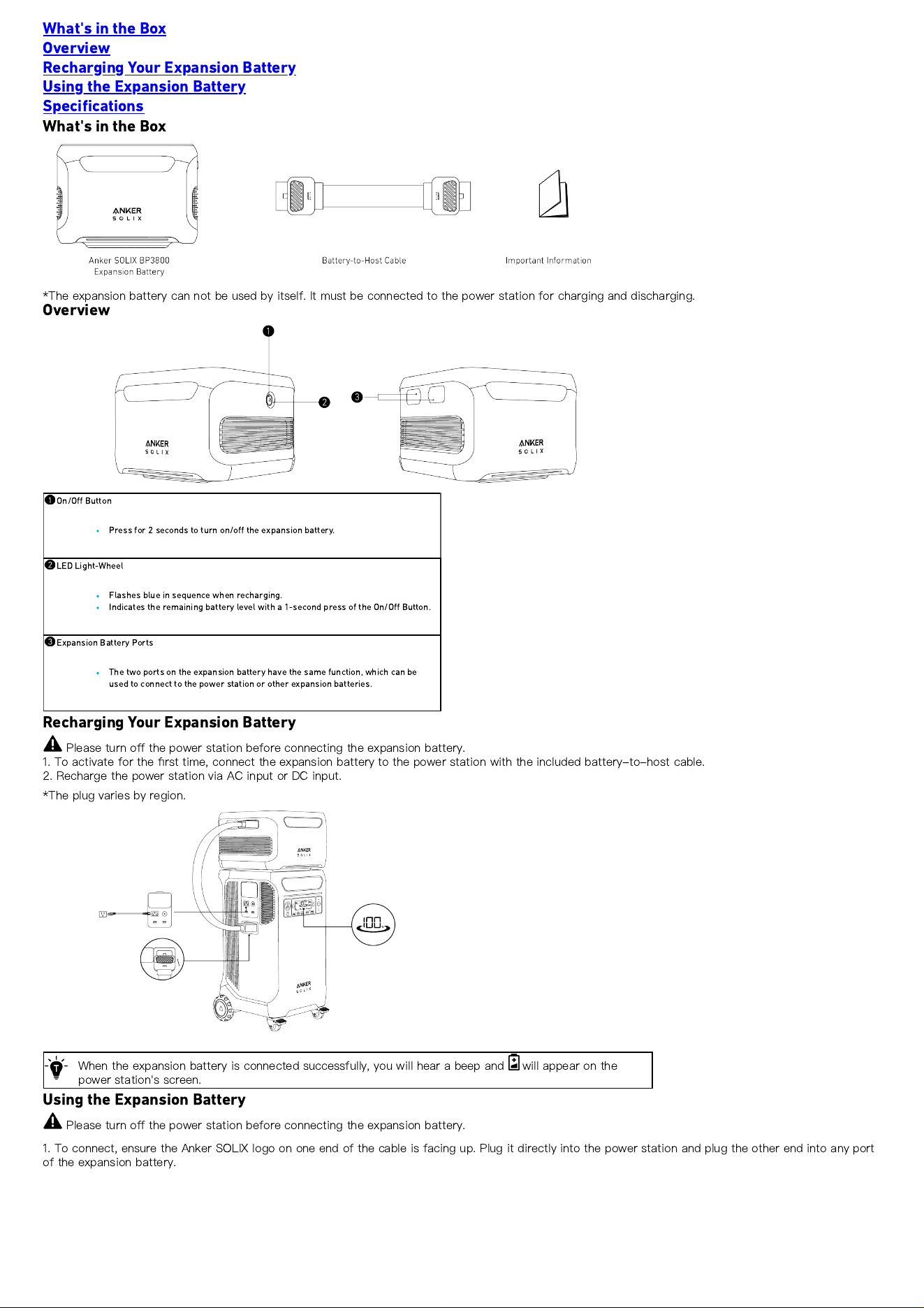
What's in the Box
*The expansion battery can not be used by itself. It must be connected to the power station for charging and discharging.
Overview
On/O
ff
Button
Press for 2 seconds to turn on/o
ff
the expansion battery.
LED Light-Wheel
Flashes blue in sequence when recharging.
Indicates the remaining battery level with a 1-second press of the On/O
ff
Button.
Expansion Battery Ports
The two ports on the expansion battery have the same function, which can be
used to connect to the power station or other expansion batteries.
Recharging Your Expansion Battery
Please turn o
ff
the power station before connecting the expansion battery.
1. To activate for the
fi
rst time, connect the expansion battery to the power station with the included battery-to-host cable.
2. Recharge the power station via AC input or DC input.
*The plug varies by region.
When the expansion battery is connected successfully, you will hear a beep and will appear on the
power station's screen.
Using the Expansion Battery
Please turn o
ff
the power station before connecting the expansion battery.
1. To connect, ensure the Anker SOLIX logo on one end of the cable is facing up. Plug it directly into the power station and plug the other end into any port
of the expansion battery.
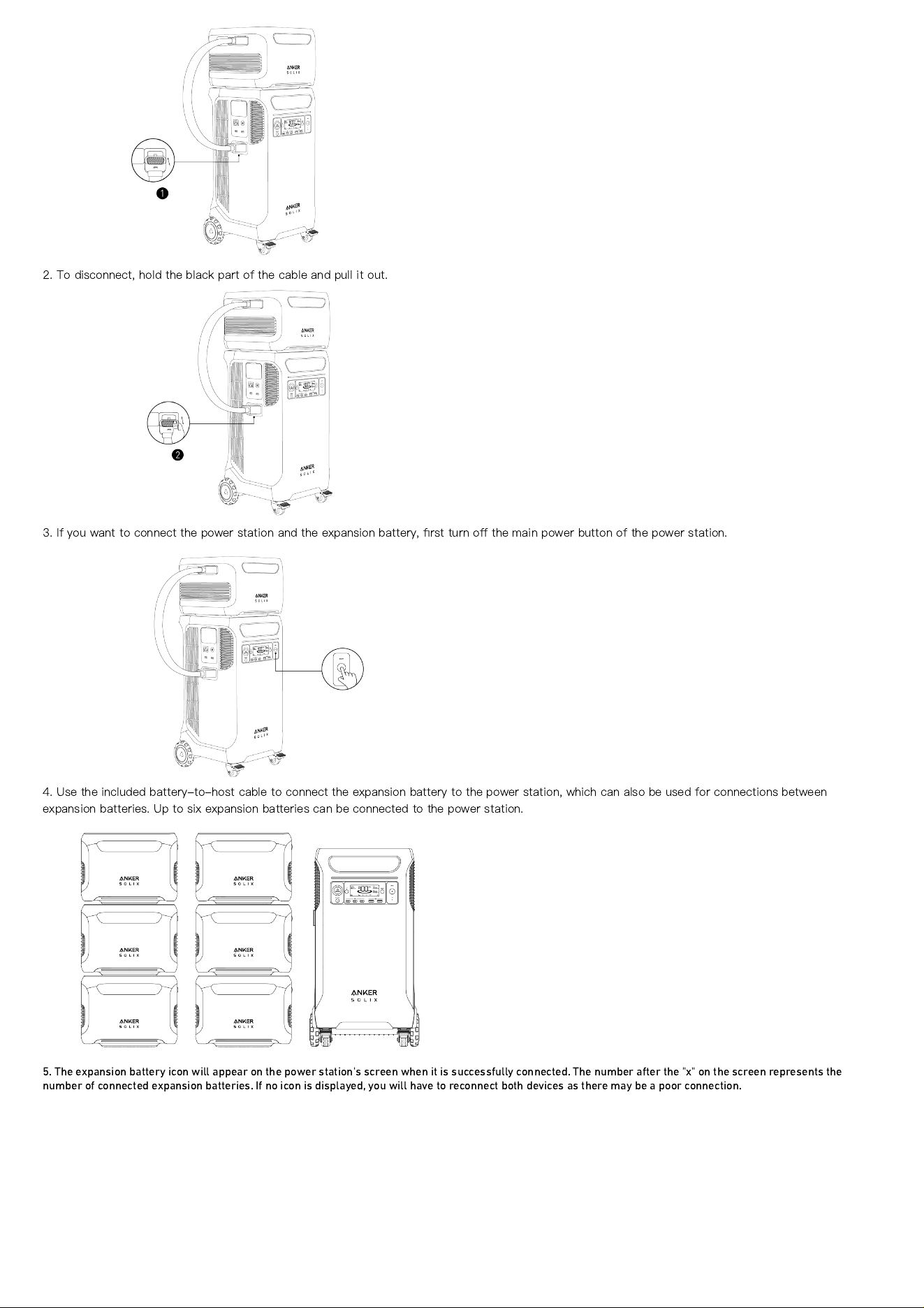
2. To disconnect, hold the black part of the cable and pull it out.
3. If you want to connect the power station and the expansion battery,
fi
rst turn o
ff
the main power button of the power station.
4. Use the included battery-to-host cable to connect the expansion battery to the power station, which can also be used for connections between
expansion batteries. Up to six expansion batteries can be connected to the power station.
5. The expansion battery icon will appear on the power station's screen when it is successfully connected. The number after the "x" on the screen represents the
number of connected expansion batteries. If no icon is displayed, you will have to reconnect both devices as there may be a poor connection.
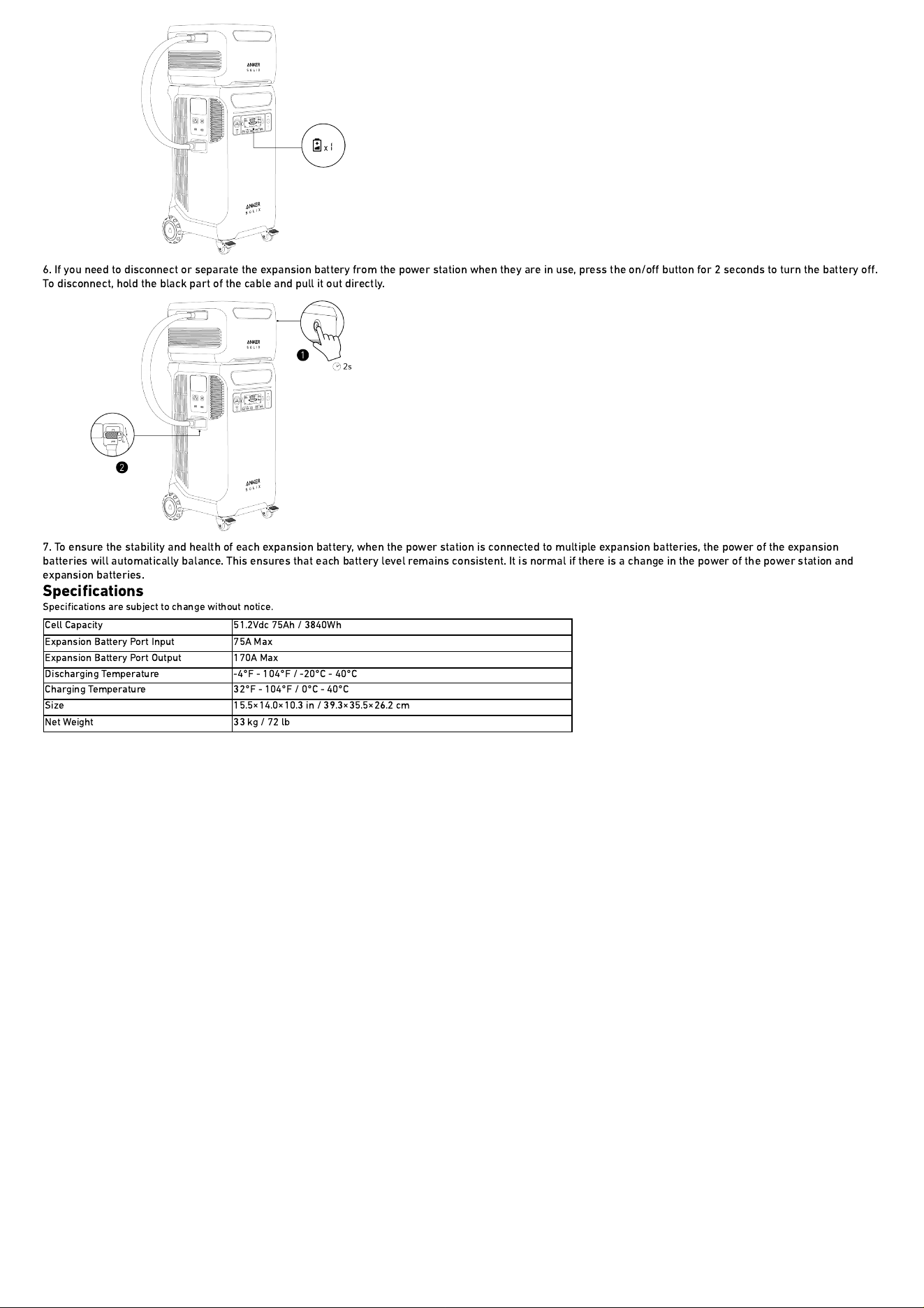
6. If you need to disconnect or separate the expansion battery from the power station when they are in use, press the on/o
ff
button for 2 seconds to turn the battery o
ff
.
To disconnect, hold the black part of the cable and pull it out directly.
7. To ensure the stability and health of each expansion battery, when the power station is connected to multiple expansion batteries, the power of the expansion
batteries will automatically balance. This ensures that each battery level remains consistent. It is normal if there is a change in the power of the power station and
expansion batteries.
Speci
fi
cations
Speci
fi
cations are subject to change without notice.
Cell Capacity 51.2Vdc 75Ah / 3840Wh
Expansion Battery Port Input 75A Max
Expansion Battery Port Output 170A Max
Discharging Temperature -4
°
F - 104
°
F / -20
°
C - 40
°
C
Charging Temperature 32
°
F - 104
°
F / 0
°
C - 40
°
C
Size 15.5
×
14.0
×
10.3 in / 39.3
×
35.5
×
26.2 cm
Net Weight 33 kg / 72 lb