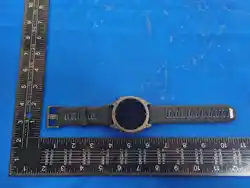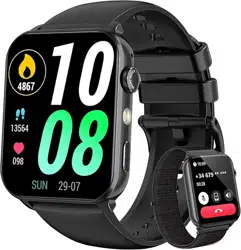

Disassemble/assemble watchband
Please refer to the following figures, disassemble the
watchband by rotating its pin button and lifting the
watchband to remove it, and then release the pin button.
And you can assemble a new watchband by operating in
reverse procedures.
1
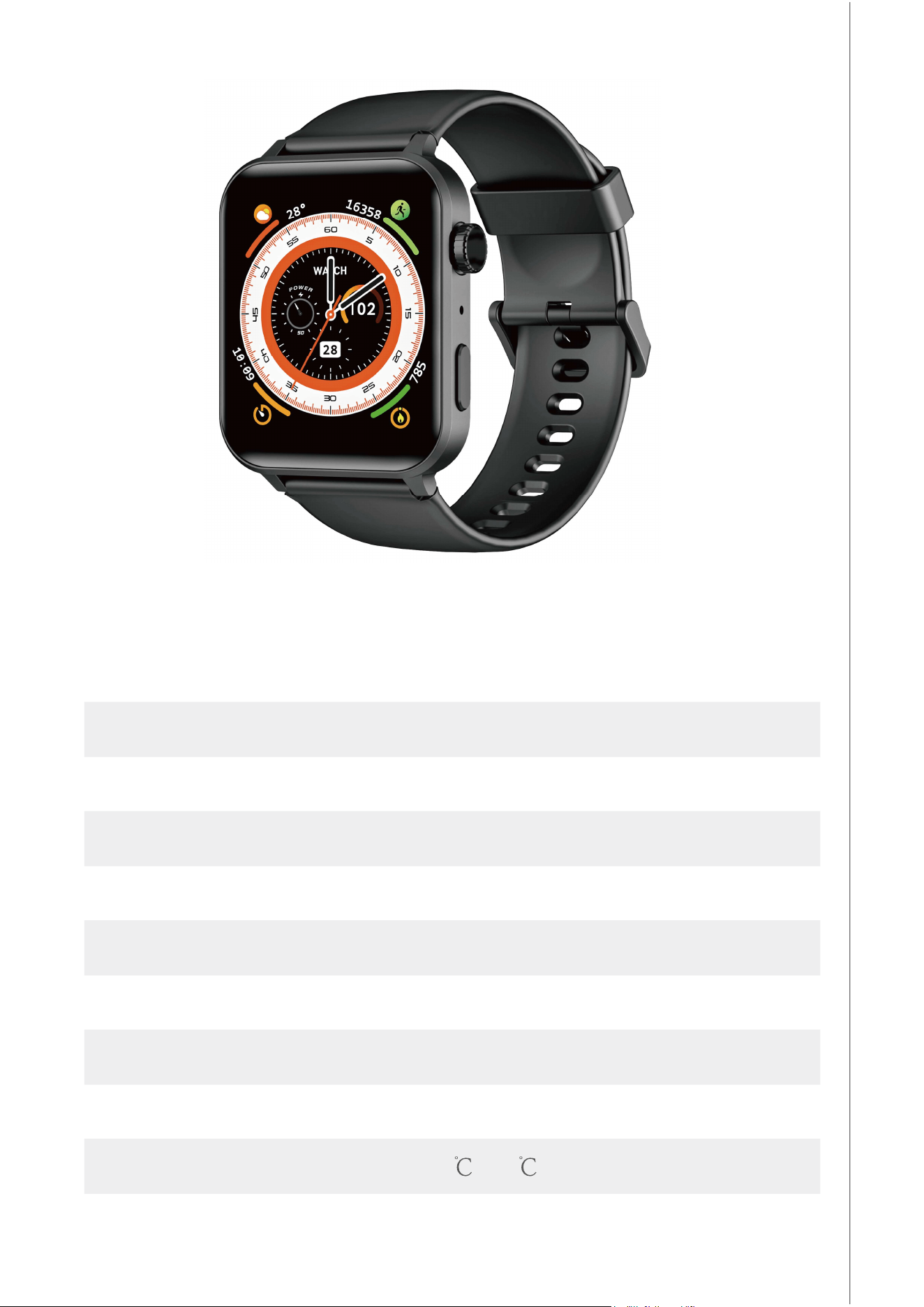
R30Pro Smart Watch
Quick Start Guide
(EN)
2
Waterproof: 10M
Charging voltage: 5V
Bluetooth version: BLE5.2
Screen Size: 1.85 inch
Charging time: 2hours
Screen material: BOE Glass
Battery capacity: 280mAh
Operating temperature: -10 -40
Battery life: 5-6 days
Strap width: 20mm
3
2
1
3
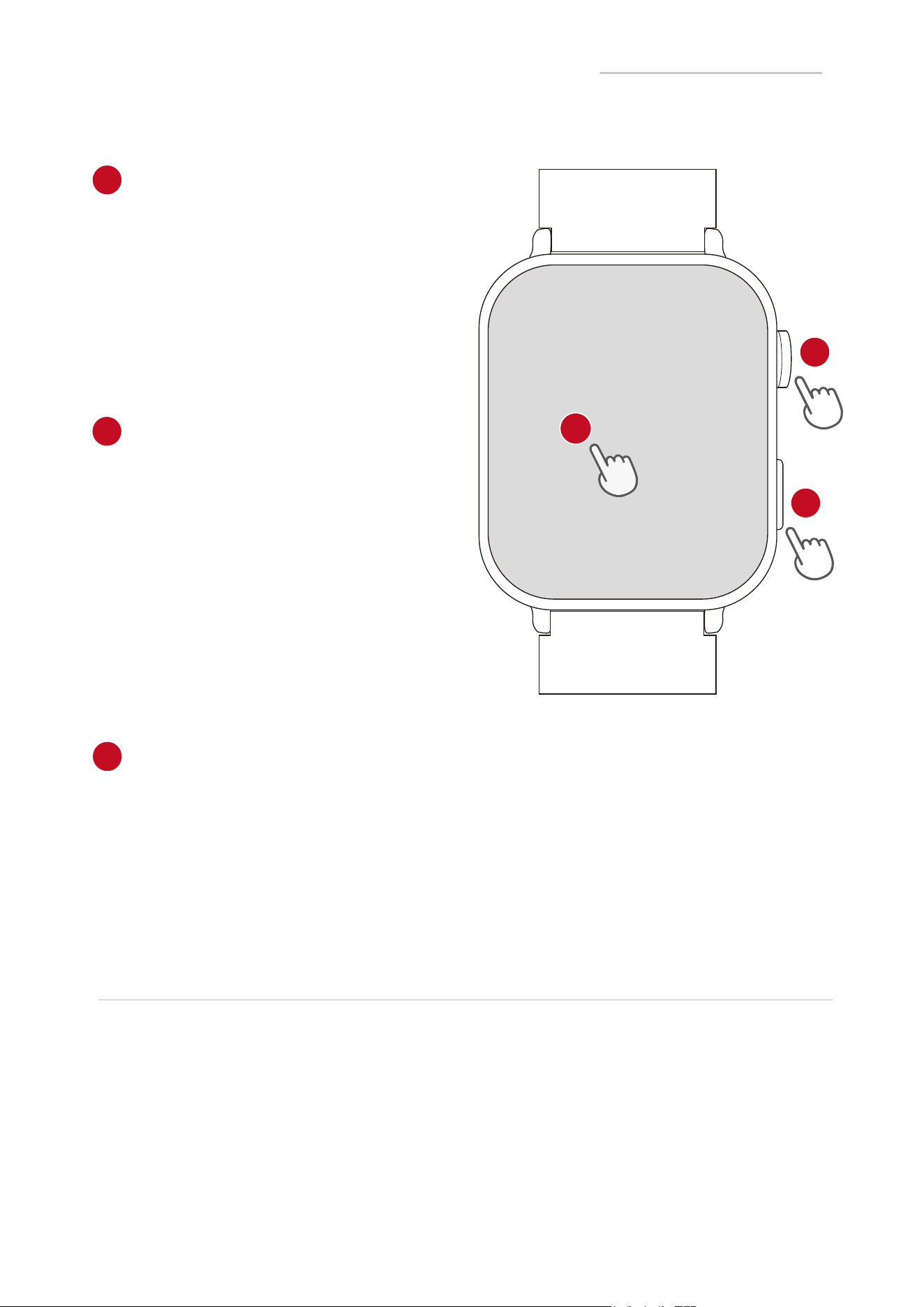
Control Your Watch
Power Button
Press
●Wakethescreen
●Returntothehomescreen
●Enterthemenuinterface
Sport Button
Press
●Wakethescreen
●Enter/Exitthe sport interface
●Pause/resumethesport
Hold
●Poweron/offthewatch
Touch Screen
●Holdthehomescreentochangethewatchface
●Swipetogotodifferentinterfaces
●Taptoenterthefunction
●Swipe the screen to the right to return to the previous interface
1
2
3
Note:
The distance between the mobile phone and the watch shall
be kept less than 10 meters please. And please refresh the
interface of the APP if disconnection.
Using Your Watch
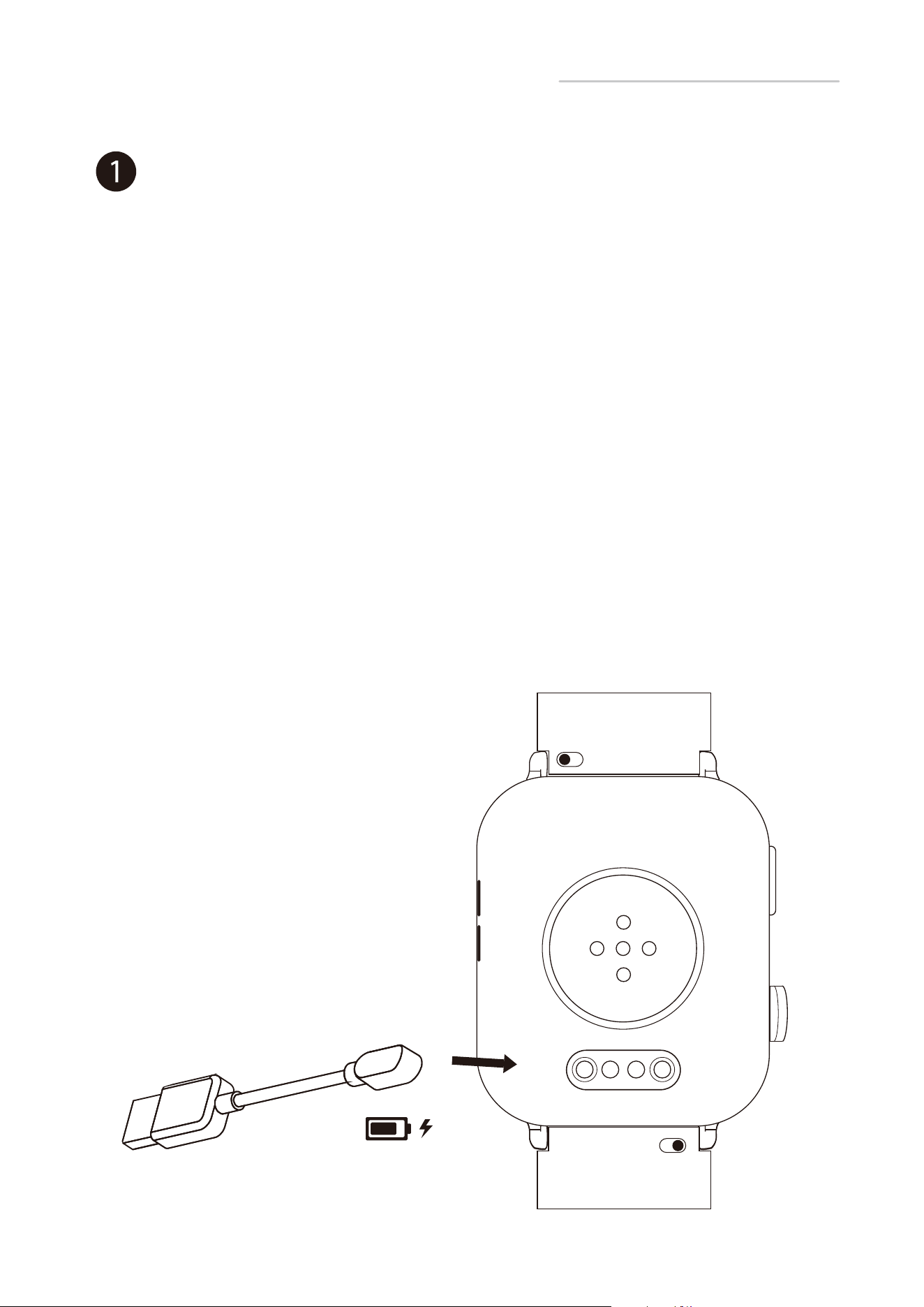
Before using your R30Pro for the first time, charge the battery to
its full capacity. It is recommended to use a conventional
charger above 5V for charging, not the USB interface at the
computer terminal.
·Place the magnetic charger on the magnetic charging points of
the watch.
·While your watch is charging, the screen will show its progress.
·Once the battery is fully charged, remove the charger.
Charging
4
2
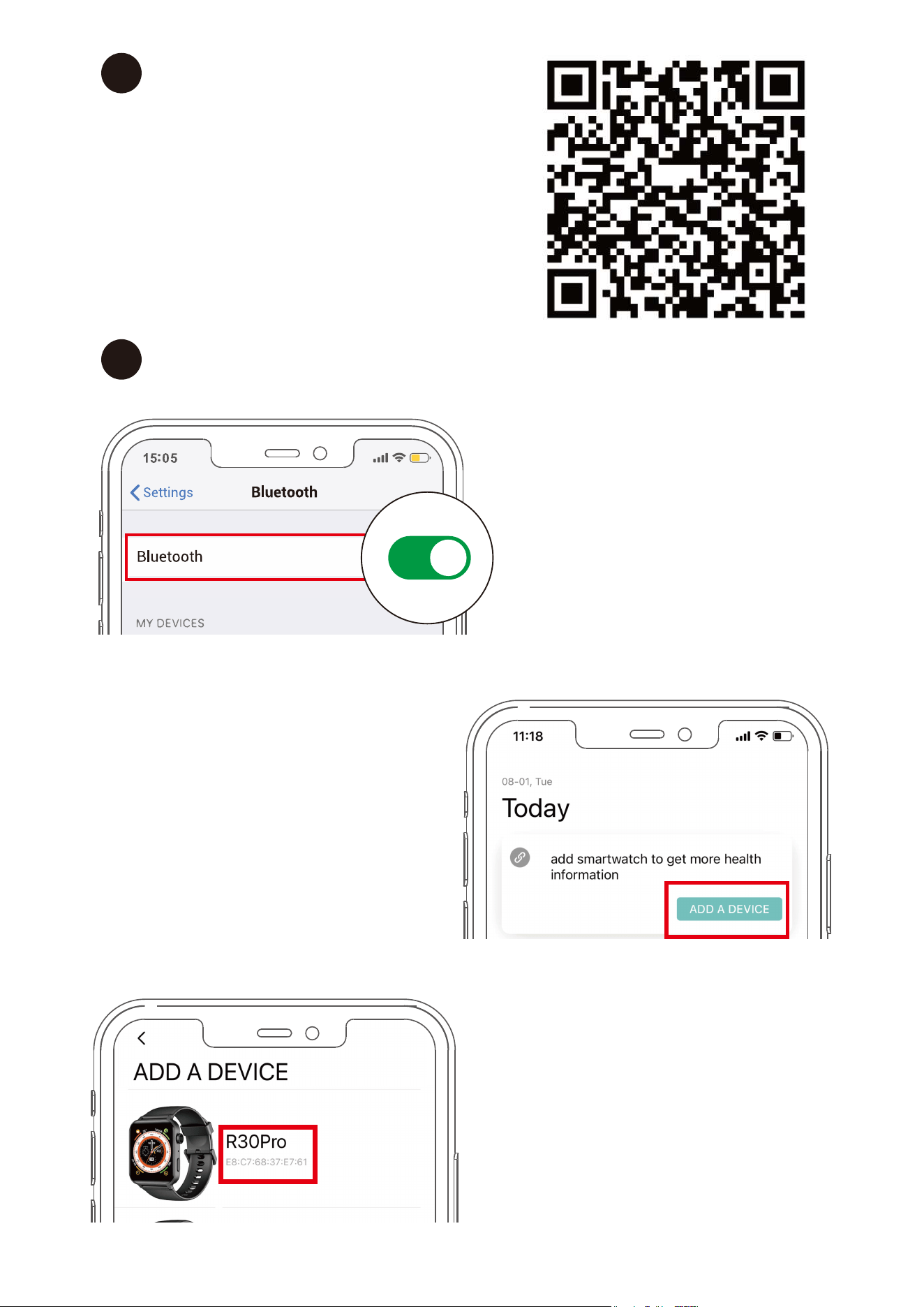
Install Da Fit App
on your smartphone
Device Binding
You can download Da Fit App
from Apple Store/Google Play
or scan the QR codes Right
to download
3
①
Enable Bluetooth on
your mobile
5
②
Open the app and
click on "ADD A Device"
③
Select the MAC address
corresponding to the
watch for connection
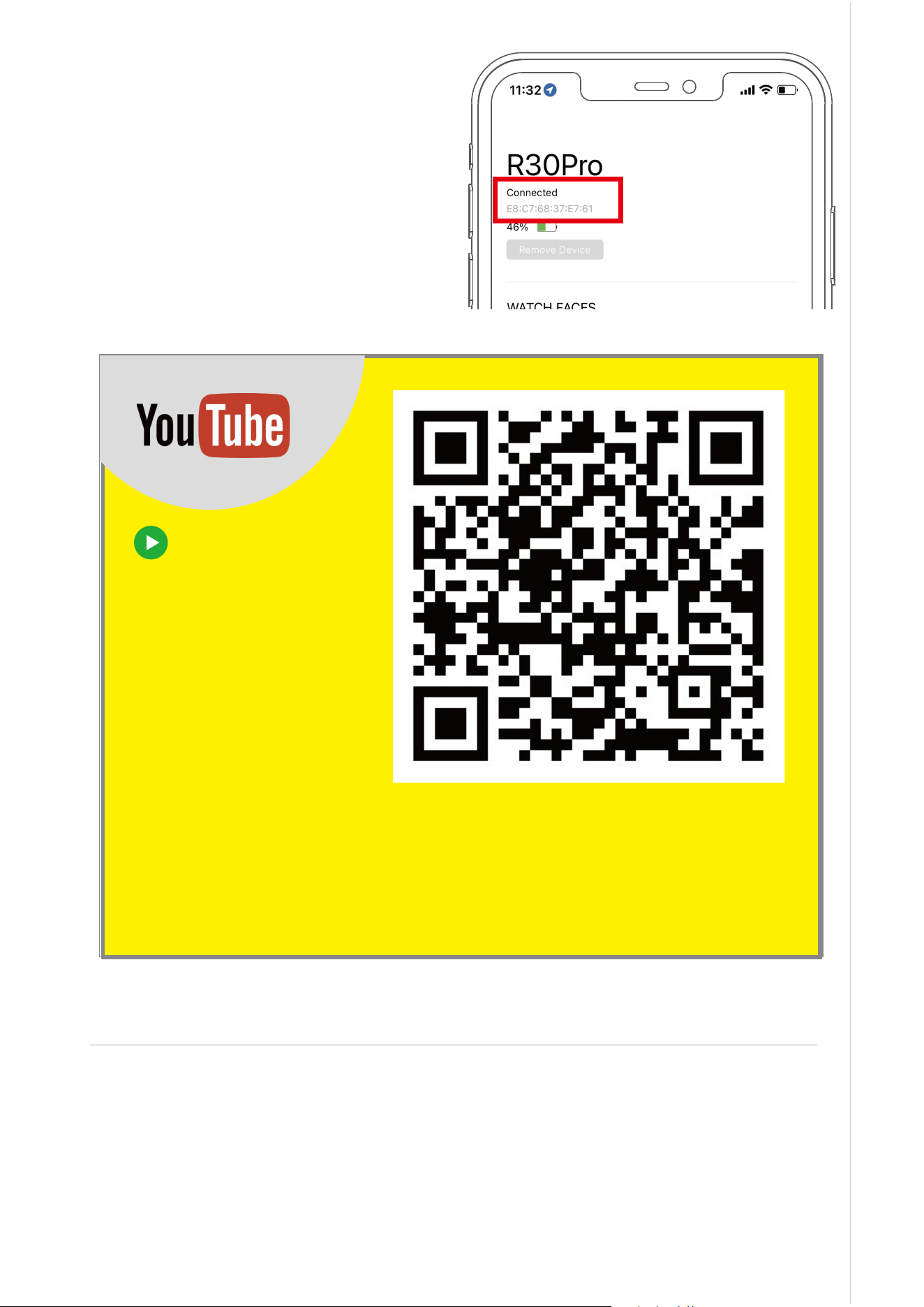
④
Select "pair" for pairing,
and bind successfully
6
ScantheQRcode
Rightandfollow
thevideo
instructions
toconnect
thewatch
video guide connection
Note:
Only when your watch is connected to the Da Fit App, the App
is running on your phone, and "Notifi-cation Alerts" is enabled in
the app, will messages be notified.
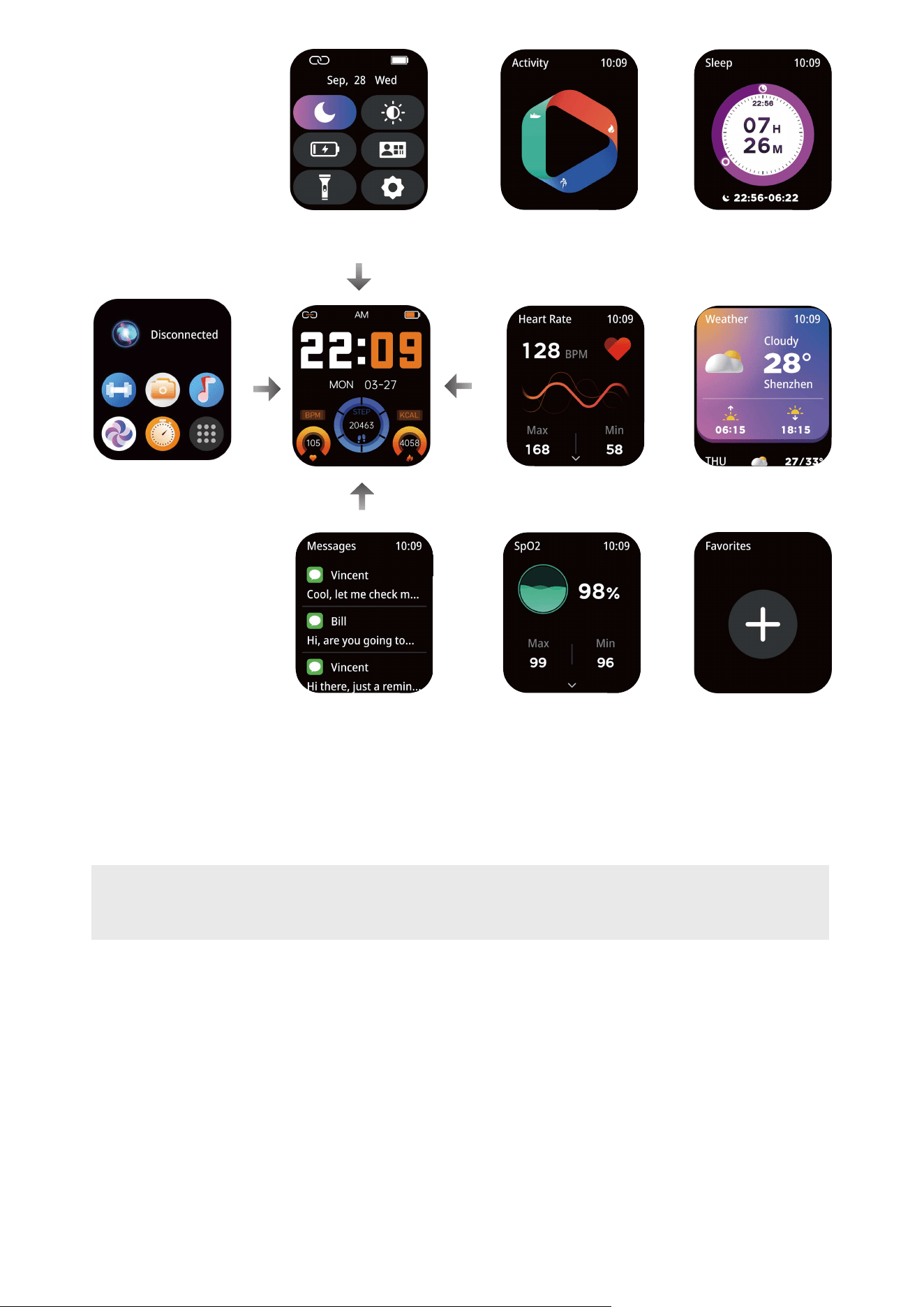
Notifications
Quick Settings
Heart Rate
Recently Used
Blood Oxygen More
Activity
Sleep
Weather
.Display
①
Brightness adjustment
You can set the brightness of the watch.
②
Screen-off time
You can set up the screen-on duration subject to your
preferences.
7
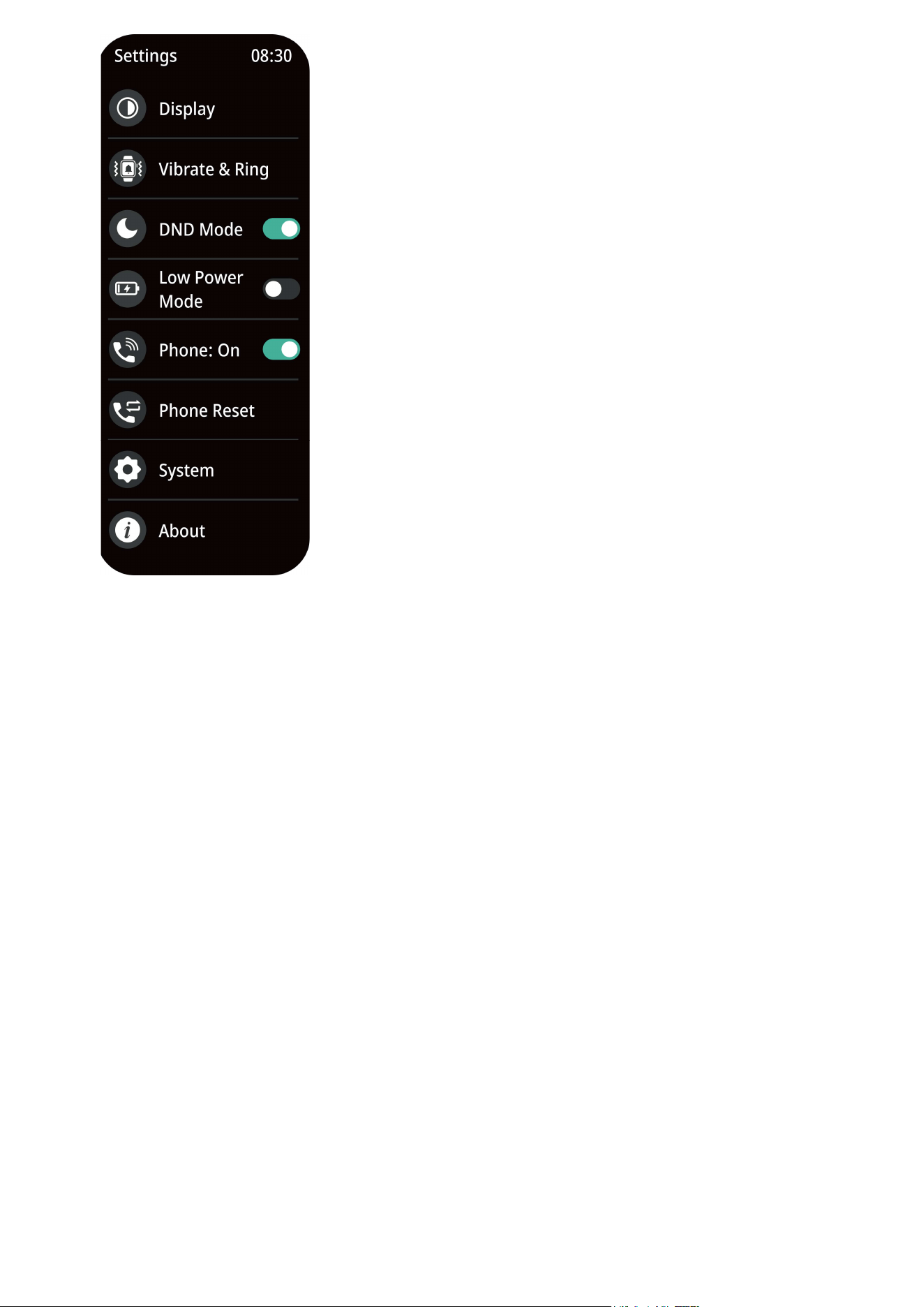
Settings
8
.
Vibrate & Ring
①
Vibration only
You can choose to set up the alarm mode for any notification to
vibration only, and return to the previous interface to set up the
vibration level.
②
Vibrate & ring
You can choose to set up the alarm mode for any notification to
vibration & ringing, and return to the previous interface to set up
the vibration level.
③
Mute
You can choose to set up the alarm mode for any notification to
mute.
·DND Mode
You can choose to enable the No-disturb mode, which will
disable notifications of message and incoming-calls.
③
Dial switching
You can set up the dial display subject to
your preferences. There are 6 built-in dial
options in total (of course, you can also
customize the dial on the app).
④
View of master menu
You can set up the display style of the
master menu subject to your preferences.
There are 8 options in total available.
⑤
Screen-on switch with wrist turning
You can choose to turn wrist and wake
up the watch.

9
·Low Power mode
You can choose to enable the power-saving mode, which will
disable the functions of vibration and turn wrist to bright screen,
and reduce the brightness of screen.
·Phone
You can choose to enable or disable the function of answering
calls on the watch
·Phone Reset
You can choose to reset up the watch calls, including deleting
call logs and contacts
·System
①
restart
You can choose to restart your watch.
②
shut down
You can choose to turn off your watch.
③
Restore factory
You can choose to reset. Note that if you choose to reset, all
your data and settings will be deleted.
·About
①
About interface
You will find all information related to the device here, including
device name, Bluetooth name and version.
②
App download QR code
Scan the QR code to download the Da Fit app.
10
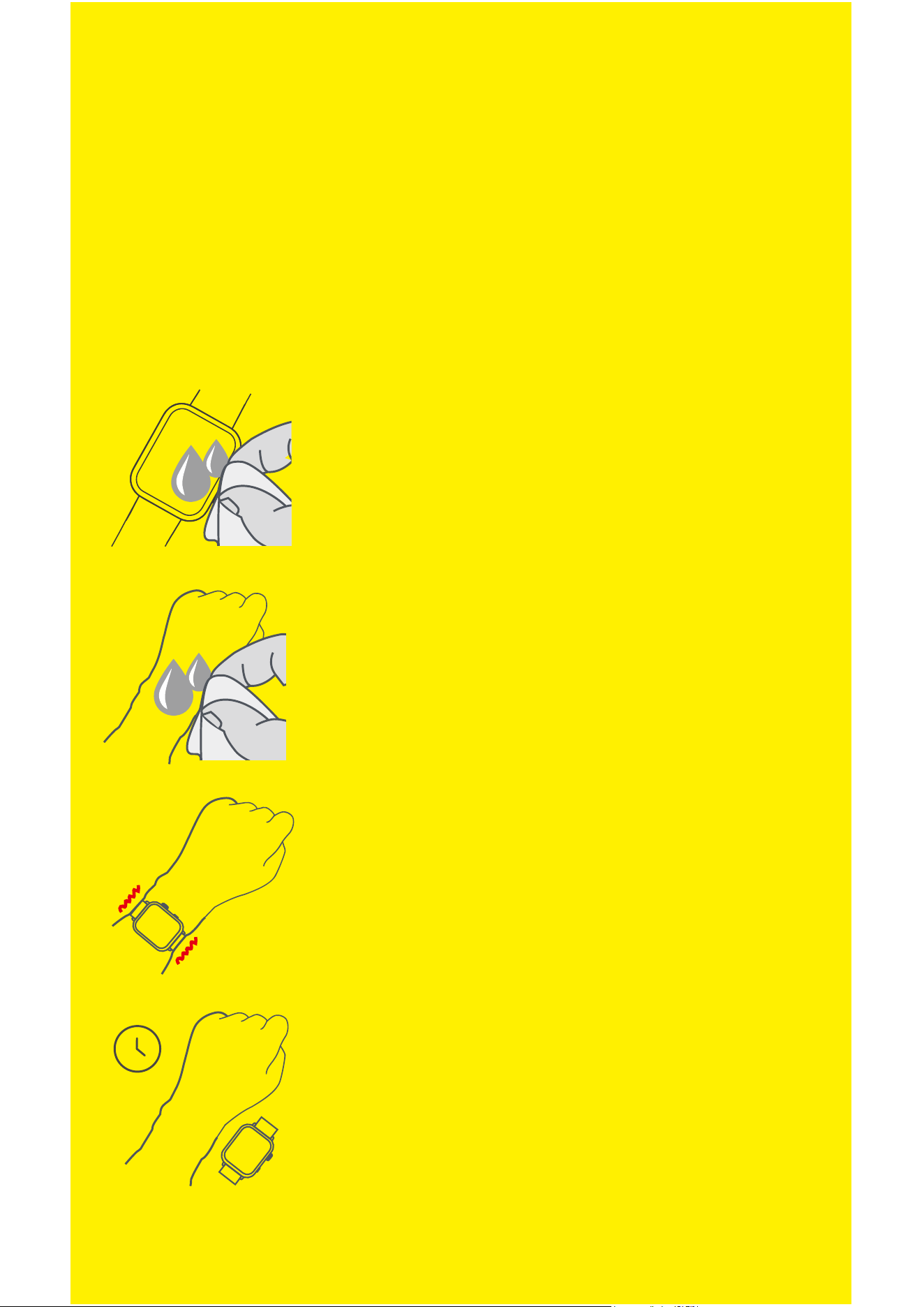
If your watch gets wet ,clean and dry it
thoroughly before putting it back on your
wrist.
Make sure your skin is dry before you
put your watch back on.
Please do not wear your watch too tight.
Prolonged rubbing and pressure may
irritate the skin, so give your wrist a break
by removing the watch regularly.
Some people with allergic skin may react when their skin is
exposed to materials used in watches for a long time. This
may be caused by allergies, environmental factors, prolonged
exposure to irritants such as sweat and soap, or other factors.
If you have known skin allergies, please pay special attention
when wearing the watch.
Important Safety Guide