
Due to the regular upgrades of systems and products, ZKTeco could not guarantee exact consistency between the
actual product and the written information in this manual.
VDP04-B4
Version: 1.0
User Manual
1 Overview
-1-
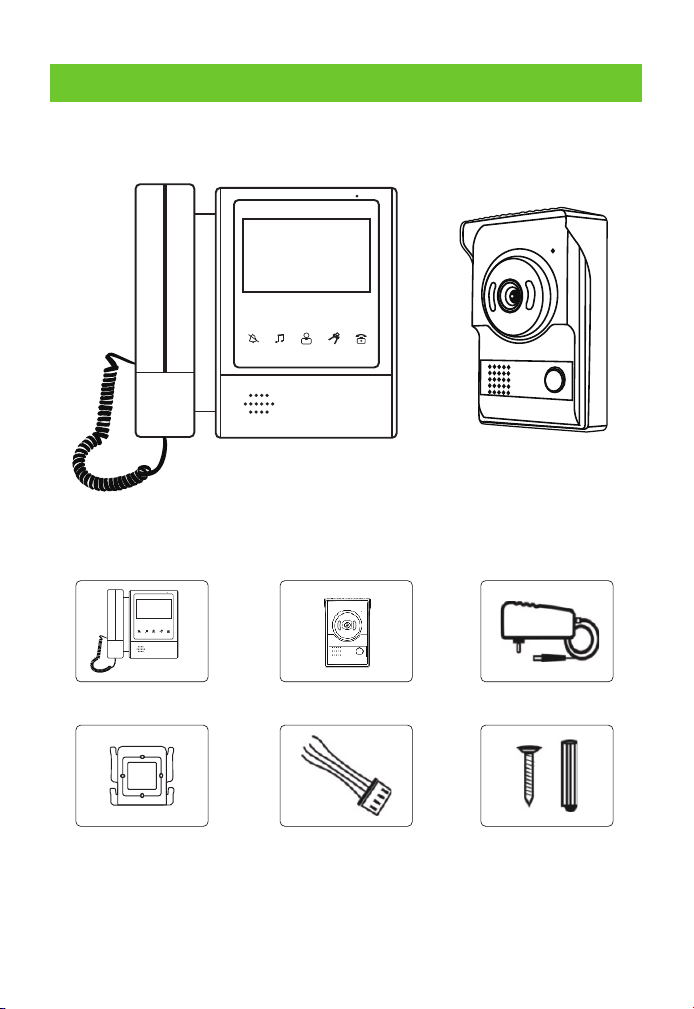
1.1 Product Diagram
1.2 Product List
Indoor Unit Outdoor Unit Adapter
Indoor
Unitwall-plate
Cable
Screws
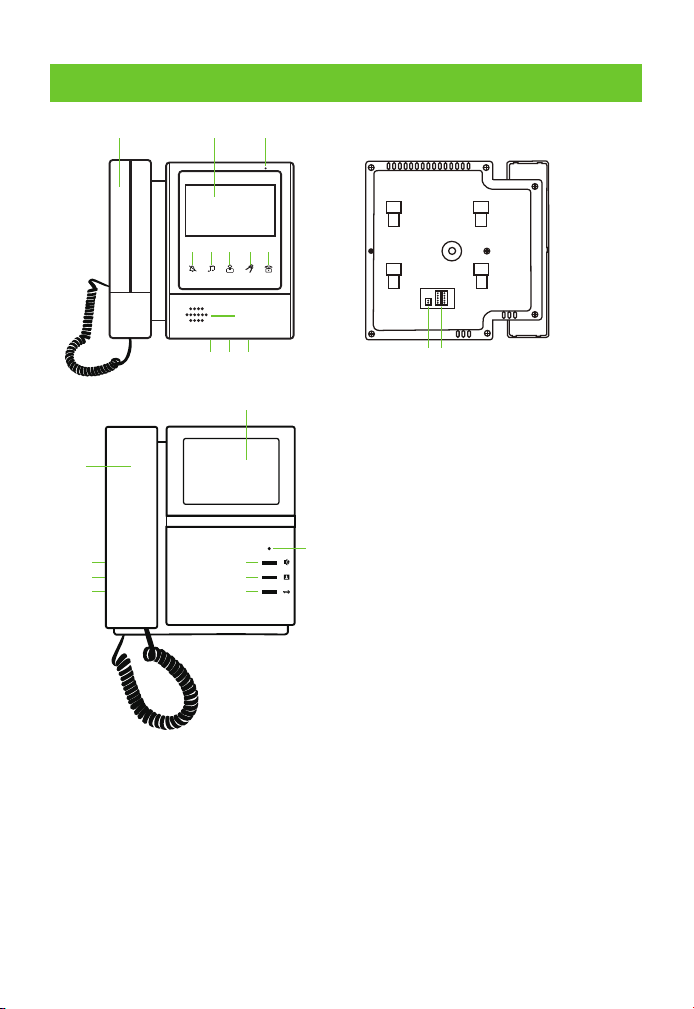
2 Indoor Unit
-2-
①
②
⑫
③ ④ ⑤ ⑥
⑦
⑧ ⑨
⑪
③
④
⑤
①
⑫
⑧
⑨
⑩
⑩
⑮
⑬⑭
①
②
③
④
⑤
⑥
⑦
⑧
⑨
⑩
⑪
⑫
⑬
⑭
⑮
TFT-LCD display screen
Ring cancel
Ring tone & Ring volume
adjustment
Monitor button
Unlock button
Intercom or call button
Microphone
Screen color adjustment
Screen brightness adjustment
Intercom volume adjustment
Speaker
Call handle
DC15V Adaptor sockets
Sockets for outdoor unit
connection (The same
function for two sockets)
Power LED
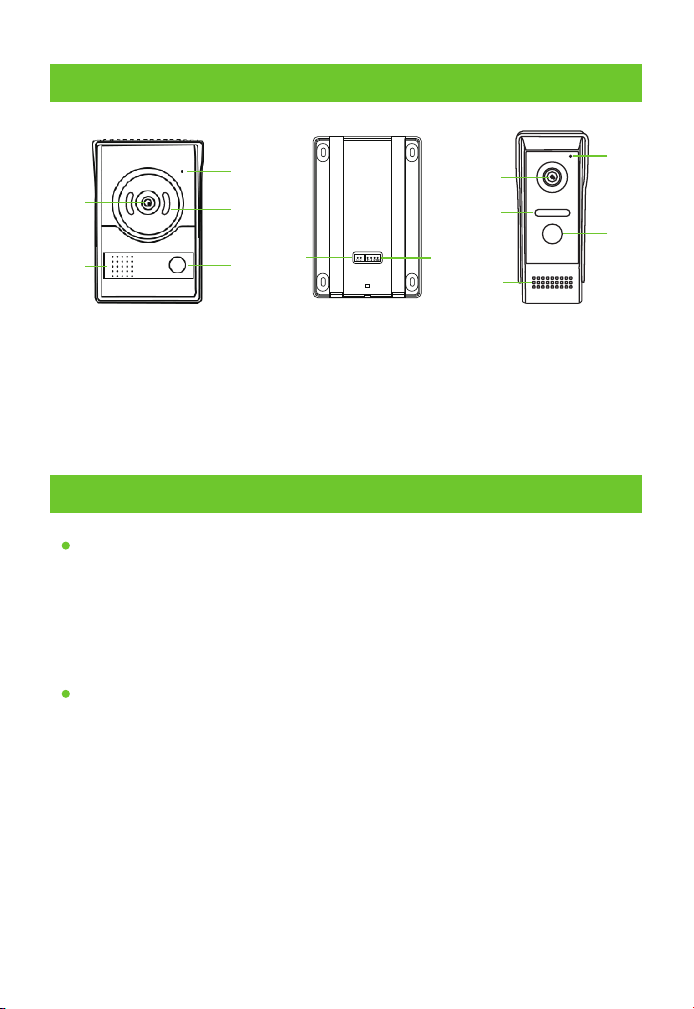
3 Outdoor Unit
①
②
③
④
⑤
⑥
⑦
①
③
②
④
⑤
①
②
③
④
Camera
MIC
Speaker
LED
⑤
⑥
⑦
Can button
"L+L-" Sockets for lock
4P Sockets for indoor unit
4 Operating Instructions
Settings
Three settings can be adjusted by the turbine (on the right side).
1. Brightness of screen.
2. Color of screen.
3. Volume of communication.
Indoor Station Volume & Music Settings
Music settings
Press the Monitor button enter into working state, then press Ring
tone & Ring volume adjustment button, you will hear the ring, at
the same time ,you can adjust the ring tone,36 ring tone can be
chosen, after all ,closed the monitor button, finished the music
settings.
Ring volume settings
Press the Monitor button enter into working state, then press Ring
tone &Ring volume adjustment button, you will hear the ring ,and
1.
2.
-3-
then keep pressing this button hold 2 seconds, the ring volume will
change to higher or lower. There have three levels to choose, you can
choose the best.
Ring cancel settings
4 wire indoor monitor: Press the Monitor button enter into working
state, then press Ring cancel button hold 5 seconds, the ring tone
will be open or close.
5 wire indoor monitor: Press the Monitor button enter into working
state, then press Ring cancel button less 1 second, the ring tone will
be open or close .
3.
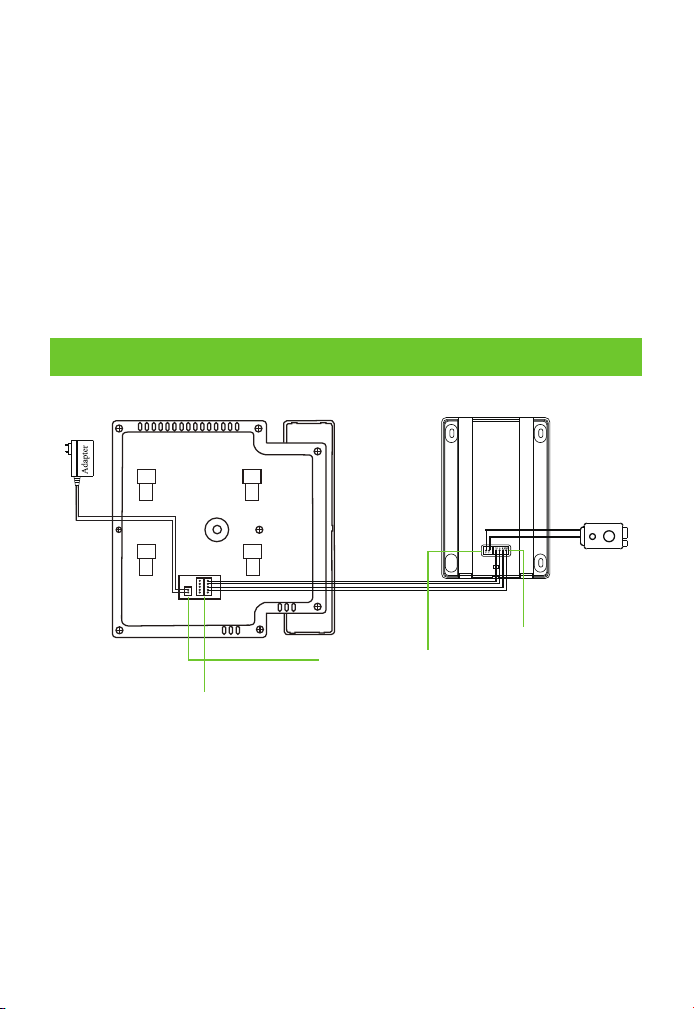
5 Connecting of the Video Doorphone
Indoor Unit Outdoor Unit
Sockets for Adapter
GND--black
+15V--red
Sockets for outdoor
unit connection
VIDEO--yellow
AUDIO--blue
GND--black
VCC--red
Sockets for intdoor
unit connection
VIDEO--yellow
AUDIO--blue
GND--black
VCC--red
Lock
-4-
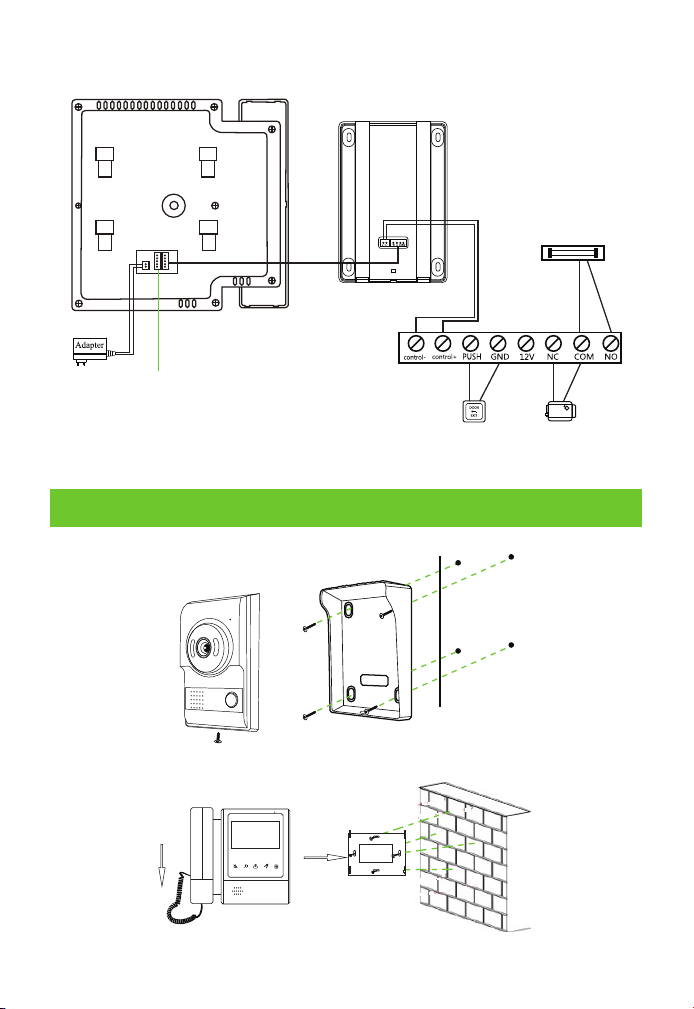
Next Indoor Unit
Indoor Unit
Outdoor Unit
Magnetic Lock
Power Supply
Control(DC12V )
Door Exit
Button
Electric Rim
Lock
6 Installation
-5-
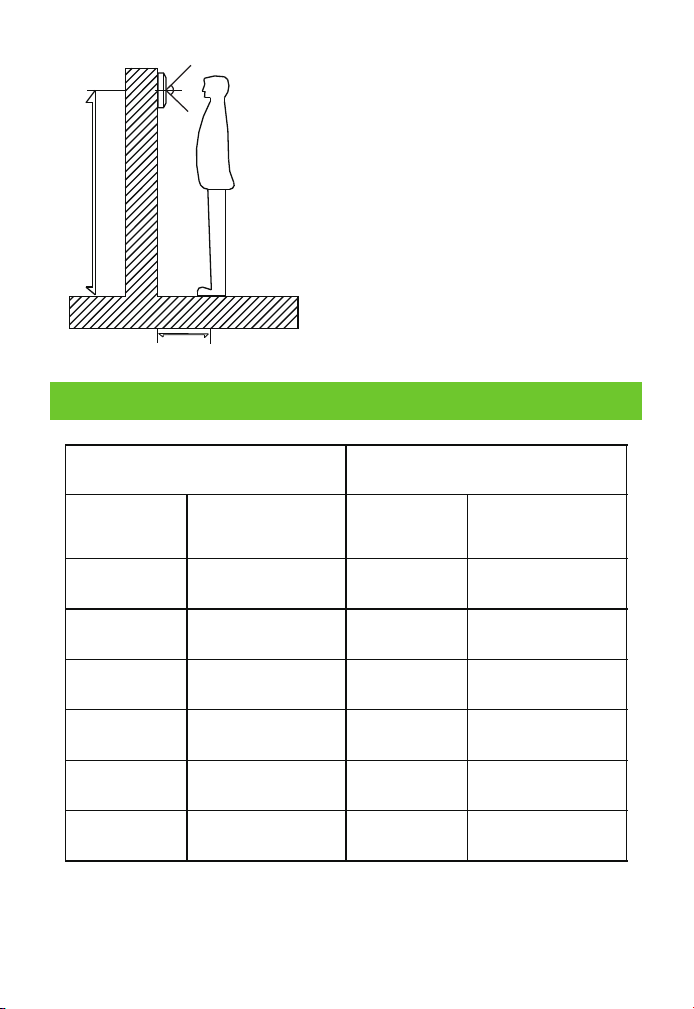
145cm-160cm
50cm
Indoor unit Standard Installation
height is 145cm-160cm.
distance is 50cm between screen centre
and floor.
Outdoor unit Standard Installation
height is 145cm-160cm.
distance is 50cm between screen centre
and floor.
-6-
7 Parameters
Indoor Unit Outdoor Unit
Power Supply
Working
Temperature
Ringtone
Timing
Wiring
Screen
Power
Standby: ≤1W
Working: ≤10W
Input: AC100-240V
Output: DC12V-15V,
1500mA
TFT Liquid Crystal
Display
4 or 5 Pin Line RVV
Intercom: 90s
Monitoring: 90s
25chord
-20°C-+60°C
Standby: ≤0W
Working: ≤2W
Power Supply
Power
Camera
Night Version
Working
Temperature
Receive power from
monitor
30W
WLED, Super backlight
compensation
-30°C-+60°C

ZKTeco Industrial Park, No. 32, Industrial Road,
Tangxia Town, Dongguan, China.
Phone : +86 769 - 82109991
Fax : +86 755 - 89602394
www.zkteco.com
Copyright © 2022 ZKTECO CO., LTD. All Rights Reserved.