Astronaut Bluetooth Speaker
User Manual
PBS-209

Note:
• Risk of explosion if the ba�ery is incorrectly replaced. Just replace with the same or
equivalent type.
• Do not expose ba�ery to excessive heat such as sunlight, fire or the like.
2
Safety Instruc�ons
Tel: (248) 819-2623
Monday-Friday 9:00AM-4:30PM
Email: supportus@comfier.com
Have queson ?
Please read the following instruc�ons carefully before using this
device to ensure trouble-free opera�on and op�mum efficiency.
Please retain this manual for further reference !
Thank you for purchasing COMFIER Bluetooth Speaker.
Note: The company reserves the right to change and explain the design of the
product. If there is any change, we will not give no�ce. Product color in kind prevail.
Do not expose this product to rain or humid environment.
Do not disassemble, repair and modify this product by yourself.
Please store and use this product in room temperature.
Do not drop it to avoid damages.
Please charge with rated voltage of the speaker
Unauthorized disassembly will invalidate warranty.
Exposure to high volume over a prolonged period of �me may cause hearing damage.
Excessive volume should be avoided.
•
•
•
•
•
•
•
•
3
Instruc�on
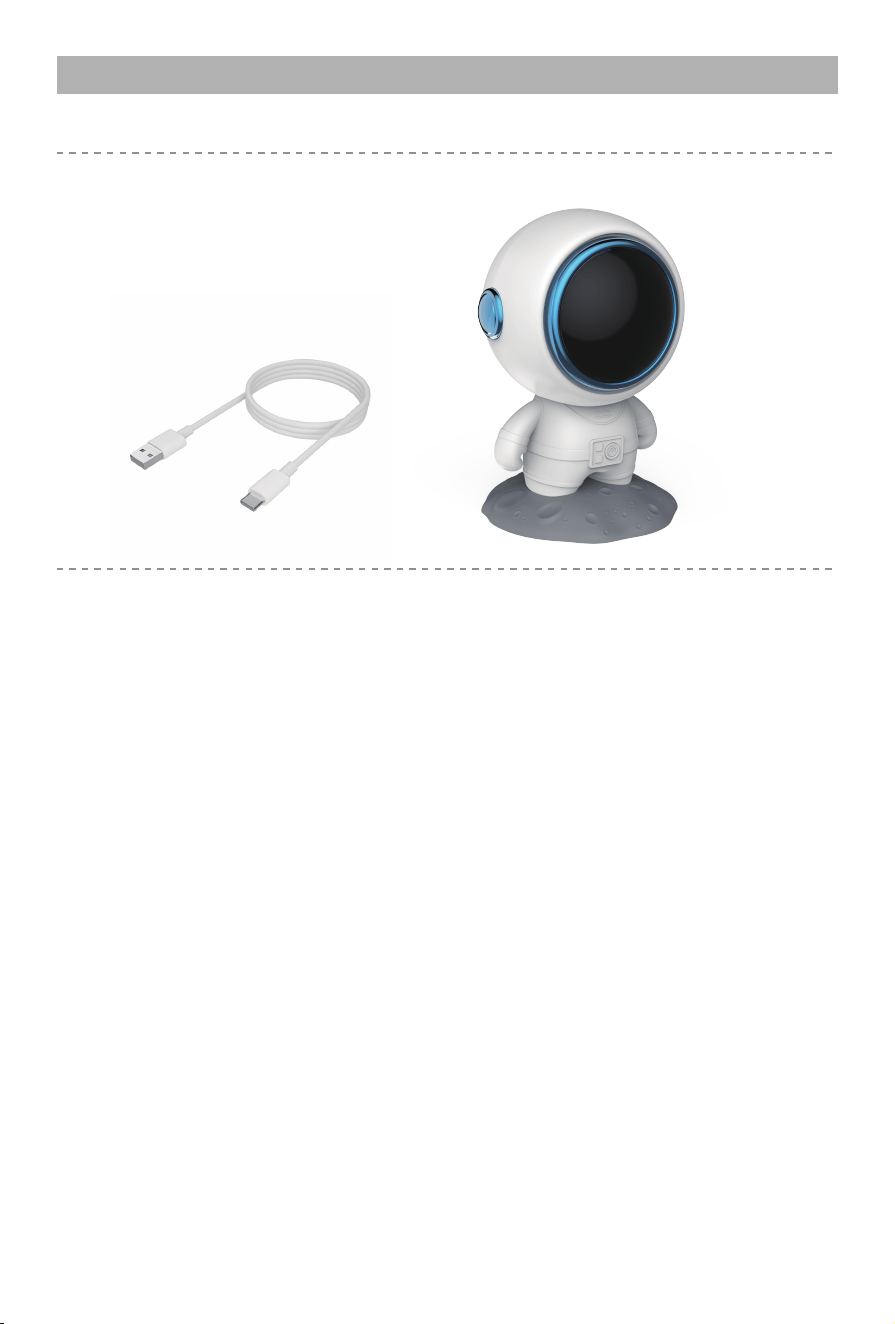
CONTENTS
• Astronaut Bluetooth Speaker
• TYPE-C Charging Cable
TECHNICAL DATA
Name:
Model No.:
Material:
Bluetooth version:
Wireless range:
Ba�ery capacity:
Ba�ery �me:
Charging �me:
Rated input:
Weight:
Size:
Package:
Astronaut Bluetooth Speaker
PBS-209
ABS
5.0
>10m
800mAh
about 6h
about 3h
5V-1A
226g
36*35*53inch
43*43*55inch
4
Instruc�ons for use
Long press (0)bu�on to switch on and off. Bluetooth name: Z18, short press to
pause/play and double click to perform dual pairing to enable TWS. Short press to
answer the call and press it again to hang up the call.
Charging func�on, red light is always on when charging, and red light off when fully
charged.
Code func�on: a�er connec�ng to the computer with a data cable, it will automa�cal-
ly decode for the first �me a�er star�ng up, and then you can play the music on the
computer and short press to pause/play.
TWS func�on: turn on the two devices, double-click then bu�on on one of device, and
they will automa�cally pair up.
Power-saving func�on: It will automa�cally shut down in 6 minutes without bluetooth
connec�on and computer audio working.
Reset func�on: Long press (0) for 10 seconds to reset and restart when it cannot be
turned off.
1.
2.
3.
4.
5.
6.
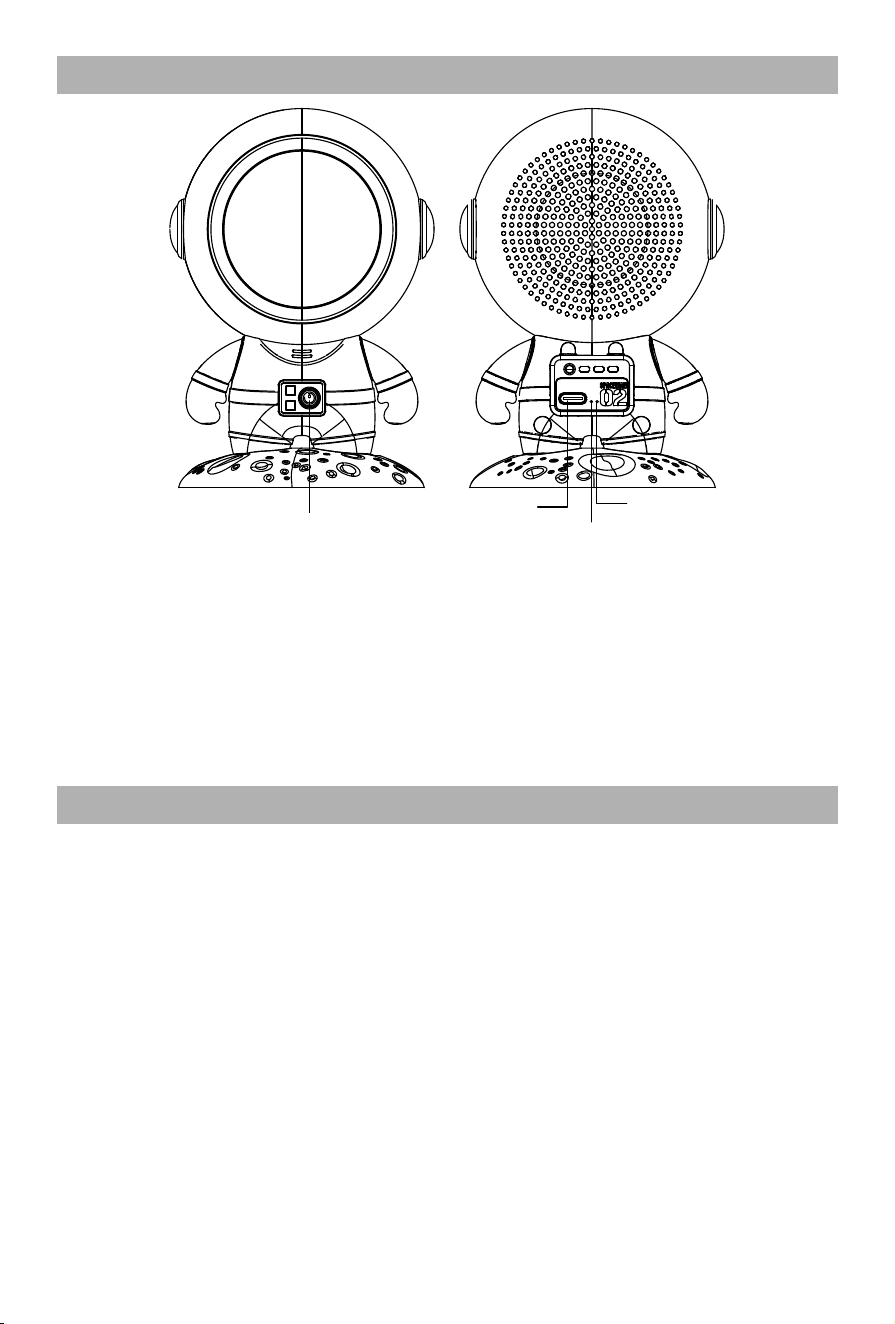
Product Structure
①
②
④
③
① Control Bu�on:
Long press (0) to turn on and off, short press to pause/play, double-click to
perform dual pairing to enable the TWS. When a call comes in, short press to
answer the call.
② Charging Port
③ Working Indicator
④ MIC Speaker
5
Care and Cleaning Instruc�ons
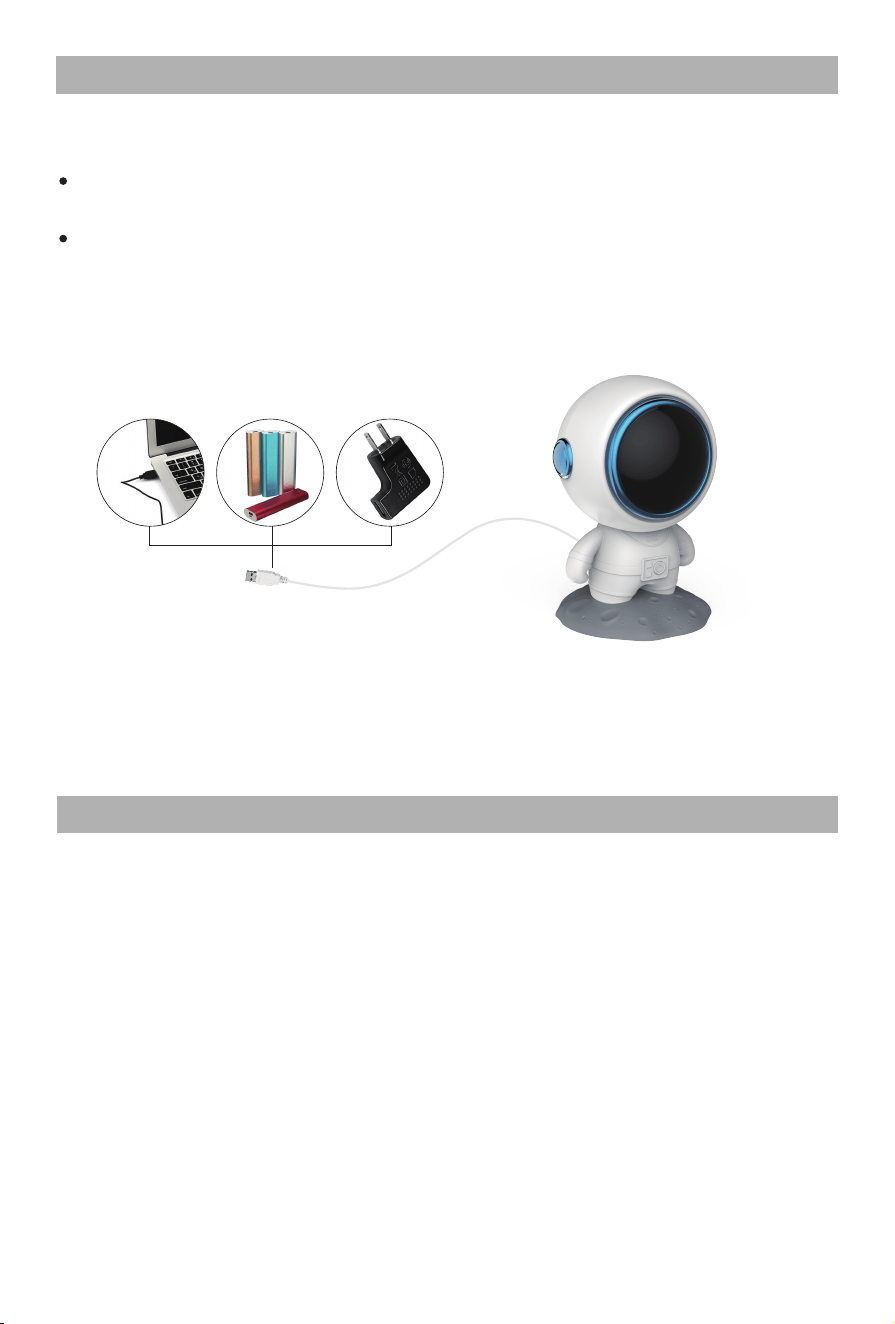
Ba�ery Charging
Connect TYPE-C charging cable to an external 5V/1A charger. Red indicator light at
the MIC speaker on when charging.
Note: Takes about 3 hours to fully charge when off.
Takes about 6 hours to be fully charge under working condi�ons.
Accessories: machine, USB charging cable, User manual, warranty card
CARE AND MAINTENANCE
Dampen a cloth in water or a 3%–5% mild detergent solu�on.
Wipe the dirty areas with the wet cloth.
Wait for the unit to become fully dry before use.
Always unplug the unit before cleaning it.
Before cleaning, allow unit to cool.
Wipe the unit with a so� , dry cloth. Do not use cloths containing any kind of
chemical or alcohol and solvent liquids.
Never submerge any part of the unit in liquid.
Place Bluetooth Speaker in a safe, dry, and cool place. Avoid contact with sharp edges
or pointed objects which might cut or puncture the surface.
1.
2.
3.
4.
5.
6.
7.
8.
Laptop Power bank Phone adapter
Connect the USB cable to any USB charger, it can be plugged in the portable power bank,
mobile phone ba�ery chargers, laptop and any USB port.
Ba�ery Disposal Warning:
The unit contains a Lithium Ion ba�ery.
Please contact your local recycling center to find out how to
properly dispose of the product.

Warranty
6
If the product(s) is damaged or defec�ve within a reasonable �me, COMFIER offers the
warranty as below.
Valid proof of purchase under this Warranty:
Order numbers from online purchases made through Comfier official store (www.comfier.com)
or Comfier's direct-authorized resellers, currently only at Amazon/eBay/Walmart. For product(s)
obtained from other Channels, please contact the customer service of the Channel directly for
appropriate solu�on.
Warranty Claim Procedures:
1. Any product the customer believes is defec�ve and seeks for warranty, the customer must
provide to Customer Support:
2. If the warranty claim is jus�fied by Comfier Customer Support, customer(s) will obtain from
Comfier a Warranty/Return Authoriza�on Number (RMA Number)
3. Comfier reserves the right to specify that items be returned to the designated warehouse for
inspec�on or be inspected by our representa�ve in the field or be retained by customer.
4. Any claim for defec�ve merchandise returns must be packed in original packaging
5. The item(s) will be repaired or replaced or a refund credit will be issued once the item(s)
are delivered. When returning items with RMA# and a prepaid shipping label provided by
Comfier, Comfier takes responsibility for any damage or loss incurred in transit.
a) Valid proof of purchase (see below the defini�on of valid proof of purchase);
b) Pictures and/or descrip�on are required to claim defec�ve merchandise;
c) Model number and Series Number label a�ached to each product
Period
Within 30 Days
31- 90 Days
91 Days - 1 Year
1 Year - 3 Years
Return for refund
Yes
Yes a�er being jus�fied
No
No
Return for replacement
Yes if undamaged
Yes a�er being jus�fied
Yes a�er being jus�fied
Who paid shipping?
Comfier
Comfier
Buyer
Only to buyers who have
received extended warranty
Buyer
Comfier warrants the product to be free from defects in workmanship and materials, under
normal use, for a period of 12 months from the original invoice date, except as noted below.
Comfier products can be repaired or replaced within warranty period or returned for refund
within 90 days if the products break down in the period of proper use.
The warranty extends only to consumers, NOT to any retailers or resellers. This warranty is
effec�ve only if the product is purchased and operated in the country in which the product is
purchased. Warranty claims for product defects, unless extended warranty is registered,
expire 12 months from the purchase day. Warranty claims CANNOT be processed for items
that have exceeded the warranty period. The warranty does NOT cover the replaced,
refurbished product. The warranty does have other limita�ons as below “Warranty
Limita�ons”. To obtain warranty service on Comfier products, follow “Warranty Claim
Procedures” below.

7
Warranty
1) Enter the following URL or scan the QR code below to find COMFIER facebook
page and like it, enter“Warranty” to messenger to extend your warranty from
1 year to 3 years.
h�ps://www.facebook.com/comfiermassager
OR 2) Email us at supportus@comfier.com with “Warranty” as subject line to extend
your warranty from 1 year to 3 years.
Extend Warranty for Free
Warranty Limita�ons(this warranty does not include):
Refund Procedures:
(Refer to h�ps://www.comfier.com/pages/return-policy)
Warranty Disclaimer
THE WARRANTY PROVIDED HEREIN SHALL BE THE SOLE AND EXCLUSIVE WARRANTY. COMFIER
SHALL HAVE NO LIABILITY FOR, AND EXPRESSLY DISCLAIMS ANY WARRANTY OR AFFIRMATION
OF FACT, EXPRESS OR IMPLIED, OTHER THAN AS SET FORTH IN THIS WARRANTY STATEMENT,
INCLUDING, WITHOUT LIMITATION
(1) THE IMPLIED WARRANTIES OF MERCHANTABILITY AND FITNESS FOR A PARTICULAR PURPOSE;
(2) ANY WARRANTY OR AFFIRMATION OF FACT RELATED TO MISUSE, IMPROPER SELECTION,
RECOMMENDATION, OR MISAPPLICATION OF ANY PRODUCT; AND
(3) ANY WARRANTY OR AFFIRMATION OF FACT THAT THE CATALOGS, LITERATURE AND
WEBSITES IT PROVIDES ACCURATELY ILLUSTRATE AND DESCRIBE PRODUCTS.
Comfier reserves all the right for final interpreta�on of these Terms of Warranty and Return
Policy above and the aright to change, modify, add or remove por�ons of these terms at any
�me without prior no�fica�on.
Normal wear and tear; Any condi�on resul�ng from other than ordinary residen�al wear or
any use for which the product was not intended, such as use in rental or contract trade or
commercial use; Any condi�on resul�ng from incorrect or inadequate maintenance or care;
Damage resul�ng from misuse, abuse, negligence, accidents or shipping damage, exposed to
environmental condi�ons temperatures, water, improper opera�on,improper installa�on,
improper use of electrical supply; transporta�on damage; the�,vandalism or;Damage
resul�ng from the a�achment or modifica�on of any unauthorized accessories;Fail to show
the valid proof of purchase;Lost or stolen products;Items that have expired their warranty
period; No quality-related issues (a�er 30 days of purchase);Free product/ Gi� offer by Comfier;
unauthorized repairs or modifica�on; Replaced or refurbished product.Dissa�sfac�on due to
buyer’s remorse (a�er 30 days of purchase).

NOTE: This equipment has been tested and found to comply with the limits for a Class B
digital device, pursuant to Part 15 of the FCC Rules. These limits are designed to provide
reasonable protec�on against harmful interference in a residen�al installa�on. This equipment
generates, uses and can radiate radio frequency energy and, if not installed and used in
accordance with the instruc�ons, may cause harmful interference to radio communica�ons.
However, there is no guarantee that interference will not occur in a par�cular installa�on.
If this equipment does cause harmful interference to radio or television recep�on, which can
be determined by turning the equipment off and on, the user is encouraged to try to correct
the interference by one or more of the following measures:
• Reorient or relocate the receiving antenna.
• Increase the separa�on between the equipment and receiver.
• Connect the equipment into an outlet on a circuit different from that to which the receiver
is connected.
• Consult the dealer or an experienced radio / TV technician for help.
This device complies with Part 15 of the FCC Rules. Opera�on is subject to the following two
condi�ons:
(1) this device may not cause harmful interference, and (2) this device must accept any
interference received, including interference that may cause undesired opera�on.
WARNING: Changes or modifica�ons to this unit is not expressly approved by the party
responsible for compliance could void the user's authority to operate the equipment.
FCC STATEMENT
*Please provide your order number before contac�ng customer support
Know more about Comfier
COMFIER TECHNOLOGY CO.,LTD
Address: 573 BELLEVUE RD NEWARK, DE 19713 USA
Tel: (248) 819-2623 (Monday-Friday 9:00AM-4:30PM)
Facebook: www.facebook.com/comfiermassager
Email: supportus@comfier.com
Web: www.comfier.com

