10 motors massage cushion with heat
User Manual
CF-2206

1 Safety Instructions
2
about the power supply
• Before connecting the device to your power supply, please ensure that the sup-
ply voltage stated on the rating plate is compatible with your mains supply.
• Only connect the mains plug to the wall socket when the device is switched
off.
• Only use the mains adapter that is provided with the massage device.
• Keep the power supply, the cable, the control unit and the massage device away
from heat, hot surfaces, moisture and liquids. Never get hold of the power sup-
ply with wet hands.
• Do not take hold of a device if it falls into water. Pull out the power plug and
the power supply unit from the socket immediately.
• Always unplug the equipment immediately after use.
• To disconnect the unit from the power supply, always pull the plug out of the
socket. Do not pull on the cable!
• Do not carry, pull or twist the massage device on the cable, the power supply
unit or control unit.
• You must not continue to use the unit if the lead or the mains adaptor are
damaged. For safety reasons, these parts may only be replaced by authorized
service personnel. In order to prevent hazards, always send the unit in to the
service centre.
• Ensure that the cable will not cause tripping. The cable must not be kinked,
trapped or twisted.
• Do not use this product for medical treatment.
• This appliance can be used by children aged from 8 years and above
and persons with reduced physical, sensory or mental capabilities or lack
of experience and knowledge if they have been given supervision or
instruction concerning use of the appliance in a safe way and
understand the hazards involved.
• The surface of the appliance is hot. People who are insensitive to heat
must be careful when using the appliance.
• Children must be supervised to ensure that they not play with the device.
• Do not use this unit to supplement or replace medical treatment. Chronic
complaints and symptoms may be made worse.
• If you experience any pain or discomfort during the massage device, stop
• You should refrain from using the 10 motors massage cushion with heat,
or should con-sult your doctor before using it, if
- you are pregnant,
- you have a cardiac pacemaker, artificial joints or electronic implants,
- you suffer from one or more of the following illnesses and complaints:
Circulation disorders, varicose veins, open wounds, bruises, broken skin,
inflammation of the veins.
imme-diately and consult your doctor.
• Never leave the unit unattended if it is connected to the power supply.
• Take care when using the heater. Do not use if you have circulatory pro-
blems or on areas not sensitive to heat. Risk of burning!
• Consult your doctor if you have any questions concerning the therapeutic
use of massage device.
• If you have unexplained pain, are receiving treatment from a doctor and/or
use medical equipment, consult your doctor before using the massage device.
specific groups of people
Safety
Instructions
3
1 Safety Instructions
Thank you for purchase of the COMFIER Massager. lt combines 10 invigorating
massage motors and 3 heating areas to provide your full body with a soothing
warmth and gentle vibrating massage. You will feel more relaxed rejuvenated.
4
• Do not immerse the device in water or other fluids.
• If, nonetheless, liquid should penetrate the device, unplug the mains cable
immediately.
• Cleaning and user maintenance shall not be made by children without
supervision.
1 Safety Instructions
2 Useful Information
Do not wash!
Do not dry clean!
Thank you
very much
WARNING
Please ensure that the polythene packing is kept away from
the reach of children! Risk of suffocation!
2.1
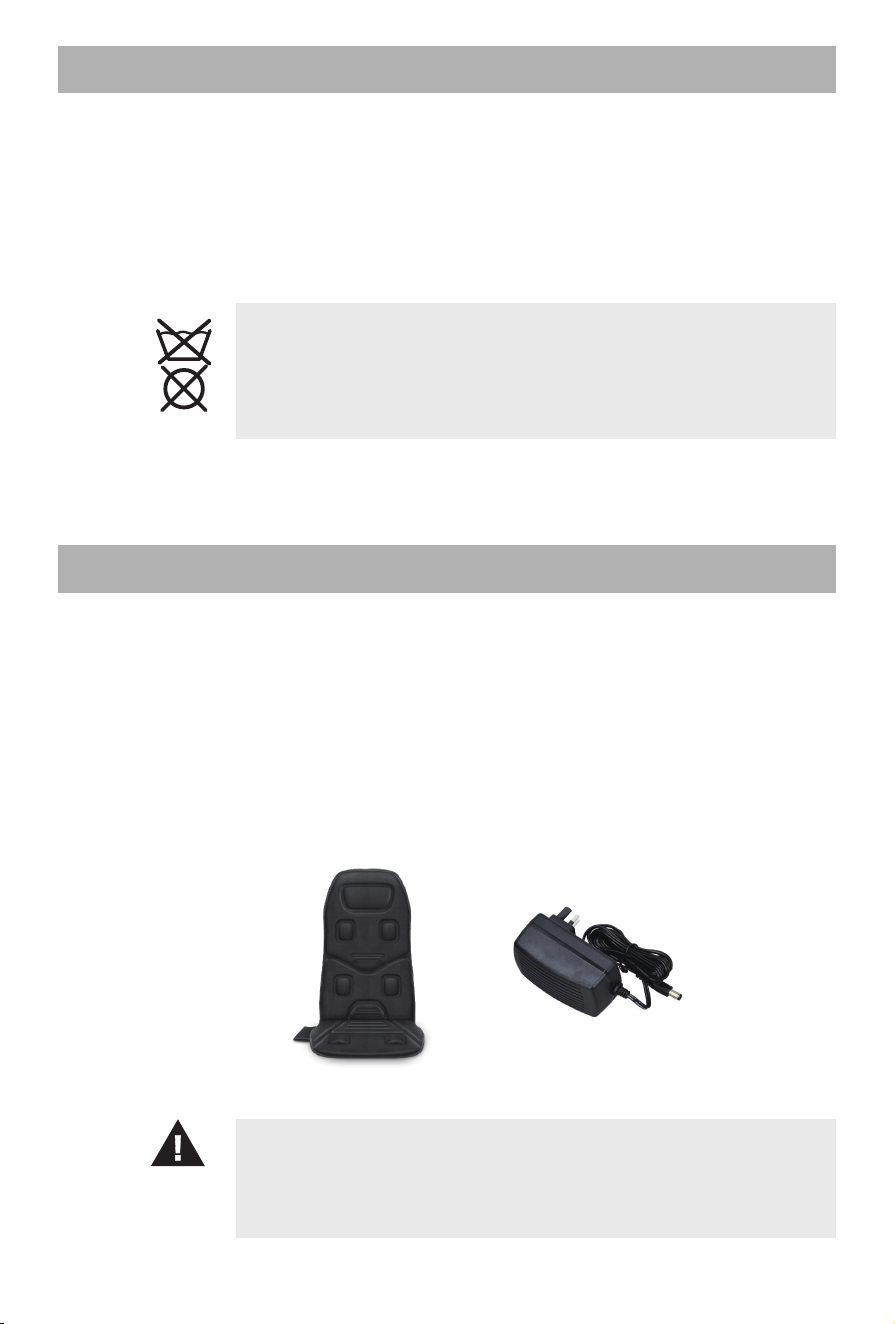
CONTENTS
•
• 10 motors massage cushion with heat
Home adapter
5
3 Operating
1. Secure the cushion in place by wrapping the back elastic straps over the chair.
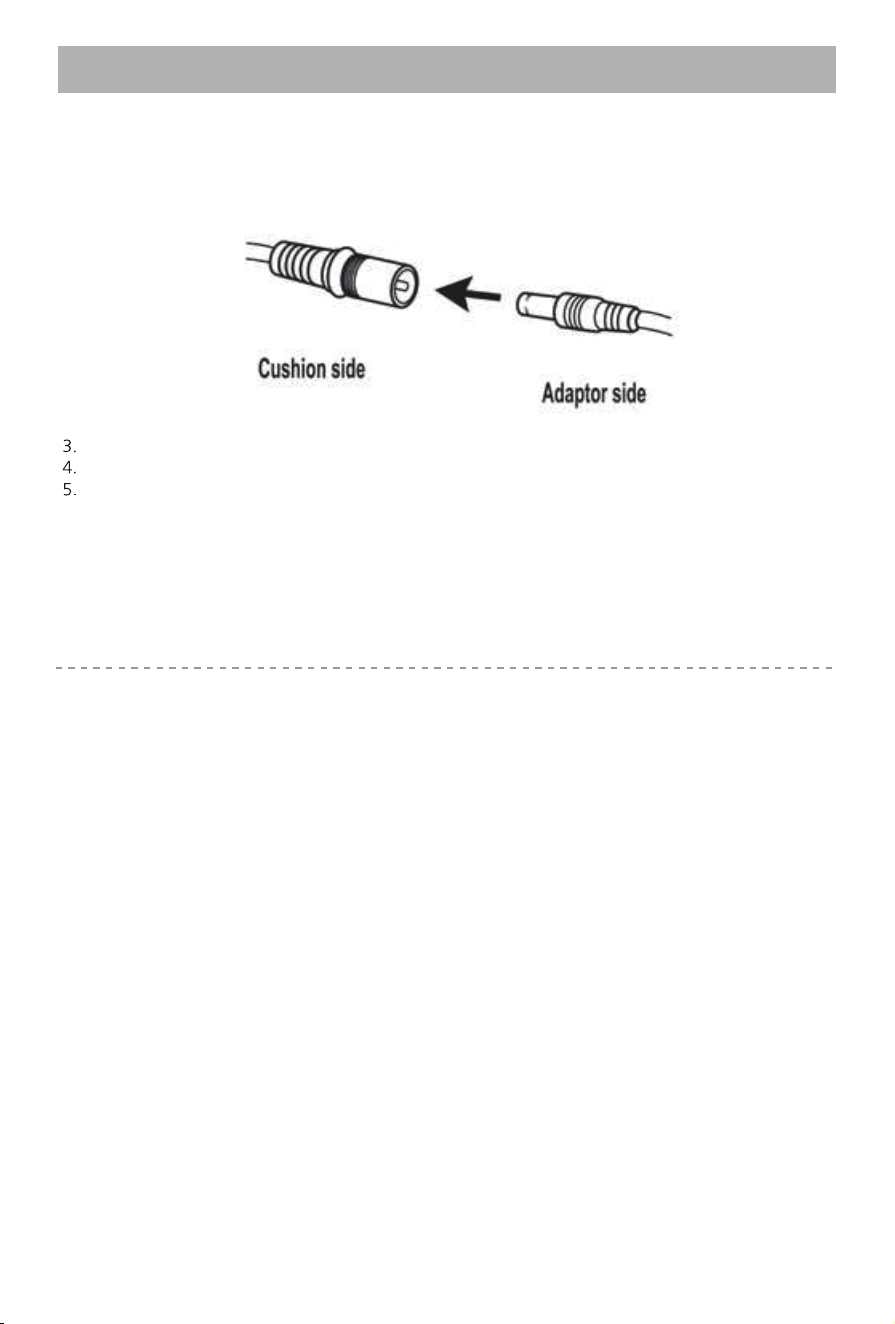
2. Connect the adapter cable to the corresponding cable at the side of the cushion.
• Do not setup or use the massager in a bathroom or similary wet/ damp areas as such an environment
may reduce the lifespan of the massager mechanism.
• Ensure the massager is not exposed to direct sunlight or placed near sources of heat.
Note:
This product produces a warming heat. It is not intended to be used as a therapeutic heating pad. Please
allow a few minutes to reach maximum temperature. The cushion reaches a maximum
temperature of 51℃ after approx. 7 minutes.
Plug the home adapter into an outlet.
Turn on the device using the controller (instructions on page 6).
When finished place the controller in the pouch at the side of the seat cushion and unplug the
adapter from the outlet or receptacle.
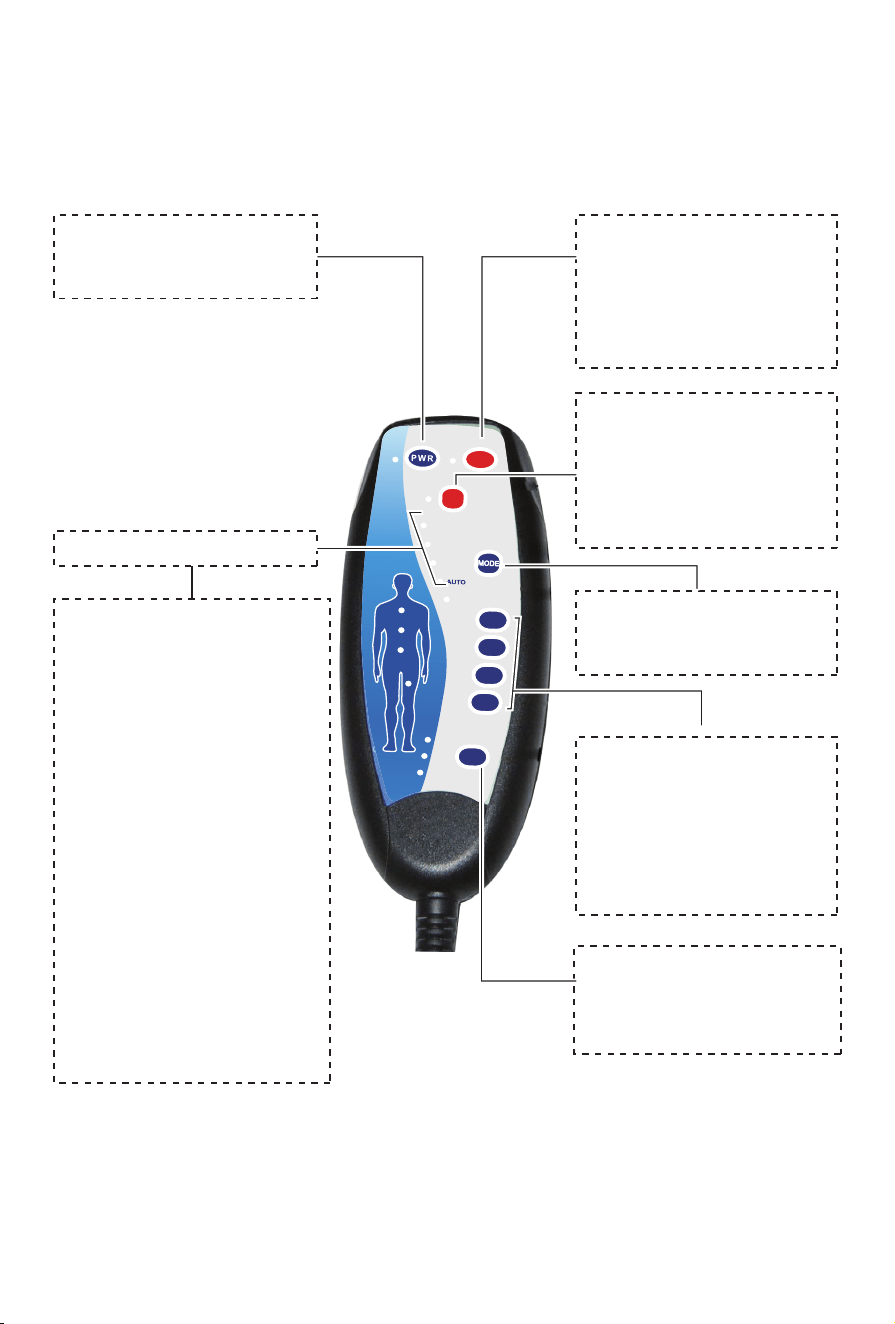
6
3.1 Controller Instructions
PULSATE
TAPPING
ROLLING
KNEADING
NECK
SEAT
HEAT
BACK
HEAT
UPPER
BACK
LOWER
BACK
SEAT
HIGH
MIDDLE
LOW
INTENSITY
Massage Regions:
Each massage region
may be turned off or on
as desired,
for any
combina�on of regions
and while any of the five
modes are ac�ve.
Seat Heat:
Press to ac�vate heat.
The heat can be used
independently of other
func�ons, even with
the power bu�on off.
Intensity:
Press to choose
vibra�on intensity
( 3 levels op�onal).
Mode:
Press to change the
mode.
Mode Indicators
Mode Descriptions:
Pulsate - vibra�on
increases and decreases
at regular intervals.
Tapping - short bursts
of vibra�on.
Rolling -
moves through
each
area, from upper
back to thighs, and then
repeats at short intervals.
Auto -
cycles through
various
massage
pa�erns.
Kneading - constant
vibra�on.
Power:
Press to turn the
massager on or off.
BACK Heat:
Press to ac�vate heat.
The heat can be used
independently of other
func�ons, even with
the power button off.
In accordance with our policy of continual product improvement,
we reserve the right to make technical and optical changes
without notice.
4.1
Cleaning and
maintenance
• Before cleaning the device, make sure that it is turned off and the mains plug
is removed from the socket. Allow the unit to cool down.
• The massage device must only be cleaned with a damp sponge. Never use
brushes, aggressive cleaning agents, petrol, thinners or alcohol. Rub the seat
dry with a clean dry cloth.
• When cleaning, never immerse the unit in water and make sure that no
water gets into the unit.
• Wait until the device is completely dry before using it again.
• Undo any kinks in the cable.
• You should ideally store the device in its original packaging and keep it in
a clean, dry place.
This product must not be disposed of together with domestic waste.
All users are obliged to hand in all electrical or electronic devices, regardless
of whether or not they contain toxic substances, at a municipal or commer-
cial collection point so that they can be disposed of in an environmentally
acceptable manner.
Consult your municipal authority or your dealer for information about disposal.
4.2
Disposal
4.3
Technical Data
7
4 Miscellaneous
Name and model
Voltage supply
Power supply unit
Power consumption
Timer
Operating conditions
Storage conditions
Dimensions
Weight
Power cable length
Adapter cable length
:
:
:
:
:
:
:
:
:
:
:
Massage cushion with heat CF-2206
100-240 V~ 50/60 Hz
12V 2000 mA
24 W
30 minutes
only use in dry rooms
in a cool, dry place
approx. 105 x 45 cm
approx. 1.27 kg (without power supply)
approx. 1.8 m
approx. 1.8 m

8
5 Warranty
If the product(s) is damaged or defec�ve within a reasonable �me, COMFIER offers the
warranty as below.
Valid proof of purchase under this Warranty:
Order numbers from online purchases made through Comfier official store (www.comfier.com)
or Comfier's direct-authorized resellers, currently only at Amazon/eBay/Walmart. For product(s)
obtained from other Channels, please contact the customer service of the Channel directly for
appropriate solu�on.
Warranty Claim Procedures:
1. Any product the customer believes is defec�ve and seeks for warranty, the customer must
provide to Customer Support:
2. If the warranty claim is jus�fied by Comfier Customer Support, customer(s) will obtain from
Comfier a Warranty/Return Authoriza�on Number (RMA Number)
3. Comfier reserves the right to specify that items be returned to the designated warehouse for
inspec�on or be inspected by our representa�ve in the field or be retained by customer.
4. Any claim for defec�ve merchandise returns must be packed in original packaging
5. The item(s) will be repaired or replaced or a refund credit will be issued once the item(s)
are delivered. When returning items with RMA# and a prepaid shipping label provided by
Comfier, Comfier takes responsibility for any damage or loss incurred in transit.
a) Valid proof of purchase (see below the defini�on of valid proof of purchase);
b) Pictures and/or descrip�on are required to claim defec�ve merchandise;
c) Model number and Series Number label a�ached to each product
Period
Within 30 Days
31- 90 Days
91 Days - 2 Years
2 Years - 3 Years
Return for refund
Yes
Yes a�er being jus�fied
No
No
Return for replacement
Yes if undamaged
Yes a�er being jus�fied
Yes a�er being jus�fied
Who paid shipping?
Comfier
Comfier
Buyer
Only to buyers who have
received extended warranty
Buyer
Comfier warrants the product to be free from defects in workmanship and materials, under
normal use, for a period of 12 months from the original invoice date, except as noted below.
Comfier products can be repaired or replaced within warranty period or returned for refund
within 90 days if the products break down in the period of proper use.
The warranty extends only to consumers, NOT to any retailers or resellers. This warranty is
effec�ve only if the product is purchased and operated in the country in which the product is
purchased. Warranty claims for product defects, unless extended warranty is registered,
expire 12 months from the purchase day. Warranty claims CANNOT be processed for items
that have exceeded the warranty period. The warranty does NOT cover the replaced,
refurbished product. The warranty does have other limita�ons as below “Warranty
Limita�ons”. To obtain warranty service on Comfier products, follow “Warranty Claim
Procedures” below.
9
5 Warranty
Extend Warranty for Free
Warranty Limita�ons(this warranty does not include):
Refund Procedures:
(Refer to h�ps://www.comfier.com/pages/return-policy)
Warranty Disclaimer
THE WARRANTY PROVIDED HEREIN SHALL BE THE SOLE AND EXCLUSIVE WARRANTY. COMFIER
SHALL HAVE NO LIABILITY FOR, AND EXPRESSLY DISCLAIMS ANY WARRANTY OR AFFIRMATION
OF FACT, EXPRESS OR IMPLIED, OTHER THAN AS SET FORTH IN THIS WARRANTY STATEMENT,
INCLUDING, WITHOUT LIMITATION
(1) THE IMPLIED WARRANTIES OF MERCHANTABILITY AND FITNESS FOR A PARTICULAR PURPOSE;
(2) ANY WARRANTY OR AFFIRMATION OF FACT RELATED TO MISUSE, IMPROPER SELECTION,
RECOMMENDATION, OR MISAPPLICATION OF ANY PRODUCT; AND
(3) ANY WARRANTY OR AFFIRMATION OF FACT THAT THE CATALOGS, LITERATURE AND
WEBSITES IT PROVIDES ACCURATELY ILLUSTRATE AND DESCRIBE PRODUCTS.
Comfier reserves all the right for final interpreta�on of these Terms of Warranty and Return
Policy above and the aright to change, modify, add or remove por�ons of these terms at any
�me without prior no�fica�on.
Normal wear and tear; Any condi�on resul�ng from other than ordinary residen�al wear or
any use for which the product was not intended, such as use in rental or contract trade or
commercial use; Any condi�on resul�ng from incorrect or inadequate maintenance or care;
Damage resul�ng from misuse, abuse, negligence, accidents or shipping damage, exposed to
environmental condi�ons temperatures, water, improper opera�on,improper installa�on,
improper use of electrical supply; transporta�on damage; the�,vandalism or;Damage
resul�ng from the a�achment or modifica�on of any unauthorized accessories;Fail to show
the valid proof of purchase;Lost or stolen products;Items that have expired their warranty
period; No quality-related issues (a�er 30 days of purchase);Free product/ Gi� offer by Comfier;
unauthorized repairs or modifica�on; Replaced or refurbished product.Dissa�sfac�on due to
buyer’s remorse (a�er 30 days of purchase).
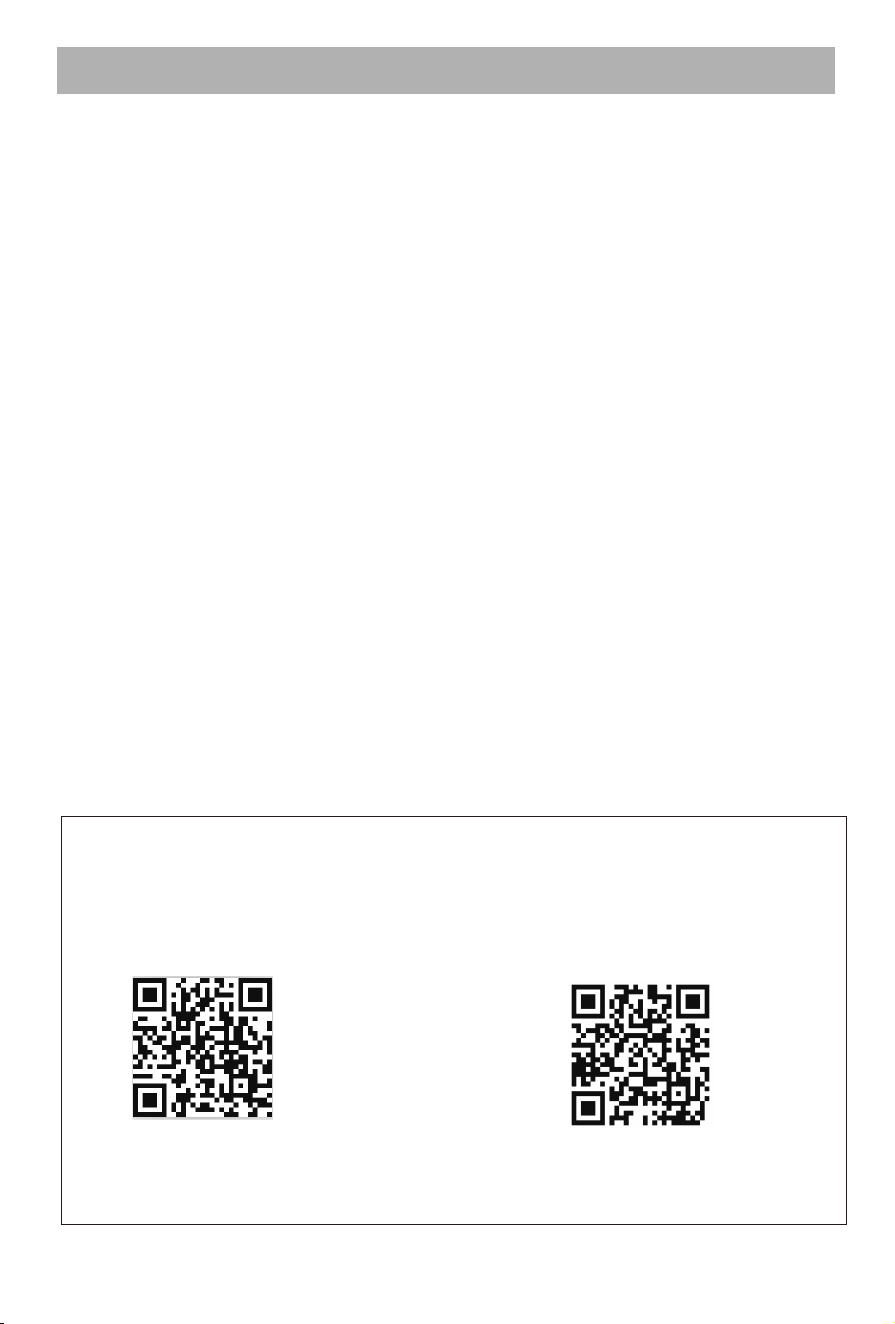
2) Alterna�vely, like our COMFIER Facebook
page at h�ps://facebook.com/comfiermassager
or scan the QR code below, to message us with
1) Extend your warranty form 2 years to
3 years by visi�ng our Comfier online
service center at h�p://support.comfier.
com or by scanning the QR code below:
your purchase proof
Your applica�on for a free warranty extension must be completed within 60 days
of purchase.